Category: Uncategorized

  • A Guide to Edge Detection in Image Processing

    A Guide to Edge Detection in Image Processing

    Ever wonder how a computer "sees" the world? It doesn't perceive a lush landscape or a busy city street like we do. Instead, it starts by playing a game of connect-the-dots, and the first step is figuring out where the dots even are. This is the magic of edge detection.

    It's a core technique in image processing that pinpoints the boundaries of objects by looking for sudden, dramatic shifts in brightness. Think of it as creating a simplified line drawing of a photograph, boiling down all the complexity into just the essential outlines. This process is the first, crucial step for almost everything else that follows.

    What Is Edge Detection and Why Should Developers Care
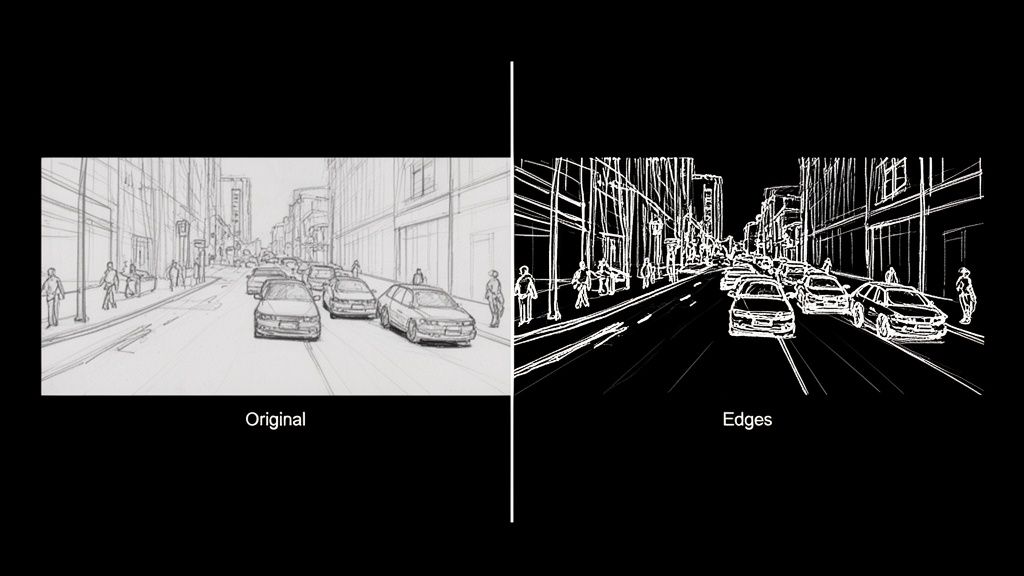
    A split image displaying a city street sketch next to its white-on-black edge detection version.

    Imagine trying to describe a scene using only its outlines. That's precisely what a computer does with edge detection. It’s how machines begin to make sense of the visual chaos, much like an artist sketches the basic form of a subject before layering on color, shadow, and texture.

    At its core, edge detection is a hunt for discontinuities. The goal is to scan a digital image and flag every point where the brightness of pixels changes abruptly. These sudden jumps are what we call "edges," and they almost always map directly to the boundaries of objects in the real world.

    The Building Blocks of Machine Vision

    Let’s get practical. An image is just a giant grid of numbers, with each number representing a pixel's brightness or color. An edge is simply where two neighboring numbers in that grid are wildly different. The sharp contrast between a dark t-shirt (low pixel value) and a white wall behind it (high pixel value) creates a perfect, high-contrast edge for an algorithm to find.

    This simple idea is the bedrock of machine vision. As a fundamental tool in image processing, it's a key part of understanding what computer vision is and how it functions. Without first figuring out where a car stops and the road begins, higher-level tasks like tracking that car would be next to impossible.

    This isn’t just some abstract theory; it's a powerful tool with massive real-world value. By turning a sea of pixels into a clean set of contours, you create a structural map that other, more complex algorithms can actually work with.

    By dramatically cutting down the amount of data an algorithm has to sift through, edge detection lets computer vision systems zero in on an image's structural skeleton. This makes everything that comes next—like recognizing what the object actually is—way faster and more accurate.

    From E-commerce to Autonomous Cars

    Once you start looking, you'll see the applications are everywhere. E-commerce developers use it to slice product images out from their backgrounds for clean, professional-looking catalogs. In the auto industry, it’s absolutely critical for self-driving cars to spot lane markings, read road signs, and see other vehicles.

    And it doesn't stop there. Other powerful use cases include:

    • Medical Imaging: Radiologists and surgeons lean on edge detection to outline tumors, organs, and other structures in MRIs and X-rays.
    • Augmented Reality (AR): AR apps need to find the edges of tables and walls to convincingly place virtual objects in your living room.
    • Quality Control: On an assembly line, automated systems use it to spot tiny cracks, dents, or other defects on products zipping by.

    For any developer, learning how to find these fundamental outlines is the first real step on the journey from basic theory to building some seriously impressive applications.

    Meet The OGs: The Classic Edge Detection Algorithms

    Long before deep learning became the star of the show, computer vision had its own set of grizzled, old-school detectives. These foundational algorithms were the original masters of deduction, designed to hunt down the most fundamental clue in any image: the edge. Let's pull back the curtain on the pioneers—the Sobel, Prewitt, and Roberts Cross operators.

    Imagine an image isn't a picture, but a landscape. A solid block of color is a flat, grassy plain. An edge, where two different colors smash together, is a sheer cliff face. These classic algorithms act like digital surveyors, measuring the steepness—or gradient—of that cliff. A steeper drop-off means a sharper, more obvious edge.

    Sobel: The Gradient Specialist

    The Sobel operator is easily the most famous of the bunch, a true workhorse in the world of image processing. It works by sliding a tiny 3×3 window over every single pixel, calculating the gradient for both the horizontal and vertical directions. It’s basically asking two simple questions at every stop: "How much are things changing to my left and right?" and "How much are things changing above and below me?"

    The clever part is that Sobel gives a little extra weight to the pixels closest to the center. This creates a subtle smoothing effect, which makes it much better at ignoring random image noise. That’s a massive plus when you're working with real-world photos, which are almost never perfectly clean.

    This method was a game-changer back in the late 1960s. Introduced around 1968, the Sobel operator was one of the first truly effective ways to find boundaries by crunching the numbers on image intensity. A 2023 study focusing on industrial robotics even found that Sobel-based methods boosted the accuracy of object boundary detection by 25% over simpler techniques. You can dig into a brief history of these foundational models for a little more context.

    Prewitt: The Unbiased Observer

    The Prewitt operator is Sobel's no-nonsense cousin. It also uses a 3×3 kernel to check out a pixel's neighborhood and figure out the horizontal and vertical gradients. The big difference? Prewitt is all about equality—it gives the same importance to every surrounding pixel.

    This democratic approach makes the Prewitt operator a tad faster to compute, but it also leaves it more vulnerable to noise. Think of it as the get-it-done-fast detective who might occasionally mistake a bit of static for a genuine lead.

    • Core Idea: Approximates the image gradient, just like Sobel.
    • Key Difference: Its kernels are unweighted, treating all neighboring pixels as equals.
    • Result: It's computationally lighter but can be more easily fooled by random noise.

    Roberts Cross: The Diagonal Scout

    And then there's the Roberts Cross operator, the oldest and simplest of them all. Forget the 3×3 grid; Roberts Cross uses a tiny 2×2 window. This laser-focused view means it only cares about the diagonal differences between pixels.

    Because its kernel is so small, Roberts Cross is lightning-fast but also the most likely to get tripped up by noise. It's fantastic at highlighting very fine, crisp edges, but any grain or imperfection in the image can throw it off, often resulting in thinner, weaker edge maps compared to its more robust counterparts.

    Analogy in Action: Imagine these three are looking at a brick wall. Sobel would zero in on the strong horizontal and vertical mortar lines, seeing them clearly. Prewitt would also spot the mortar lines but might get a bit more distracted by the rough texture of the bricks themselves. Roberts Cross would be great at highlighting the sharp corners of each individual brick, but the bumpy surface of the brick faces could easily lead it astray.

    Classic First-Order Edge Detector Comparison

    So, which one should you pick? It really boils down to a classic trade-off: speed versus noise resistance. Sobel is usually the best all-rounder, but knowing the others gives you more tools in your belt.

    This quick cheat sheet should help you decide which classic detective to call for your next case.

    Operator Core Concept Best For Key Weakness
    Sobel Weighted gradient calculation with a 3×3 kernel that emphasizes center pixels. General edge detection where some noise resilience is needed. A great default choice. Slightly more computationally intensive than Prewitt or Roberts Cross.
    Prewitt Unweighted gradient calculation with a 3×3 kernel that treats all neighbors equally. Situations where speed is paramount and the image is relatively clean and noise-free. More susceptible to noise due to the lack of pixel weighting or smoothing.
    Roberts Cross Diagonal difference calculation using a small 2×2 kernel. Detecting very fine, high-frequency edges when computational cost must be minimal. Highly sensitive to noise and tends to produce weaker edge responses.

    These old-school methods really laid the groundwork for everything that came after. By understanding how they measure gradients, you start to build a real intuition for how computers begin to see and make sense of our visual world, one sharp change at a time.

    A Deep Dive Into Advanced Edge Detection Techniques

    While the classic operators like Sobel and Prewitt are great for a quick-and-dirty edge map, modern applications often need something with a lot more finesse. When you're after clean, continuous lines without all the noisy chatter, it's time to call in the heavyweights.

    Let’s meet the two algorithms that really set the bar for quality: Canny and Marr-Hildreth.

    The Canny Edge Detector: The Industry’s Gold Standard

    Think of a master artist sketching a portrait. They don’t just start throwing dark lines on the canvas. They prepare the surface, lay down faint guidelines, carefully refine the contours, and then connect everything into a coherent whole. That's the exact philosophy behind the Canny edge detector, and it's why it’s widely considered the gold standard in the field.

    Instead of a simple, one-shot calculation, the Canny algorithm is a sophisticated multi-step process. It's meticulously designed to hit three critical goals: find all the real edges, make sure those edges are razor-thin and precisely where they should be, and mark each one only once. This methodical approach is what makes it so darn effective.

    John Canny's 1986 algorithm was a game-changer. It introduced a multi-stage process that was miles ahead in rejecting noise and pinpointing edges. Canny starts with a Gaussian smoothing step that can slash noise by up to 90% in messy images. Then, it follows up with gradient calculation, non-maximum suppression, and a clever dual-thresholding trick that locks in strong edges while linking them to weaker ones. Back in the '90s, benchmarks showed Canny outperforming Sobel by 40% in localization accuracy. It was a huge leap forward.

    This flow diagram gives you a sense of how the classic methods work.
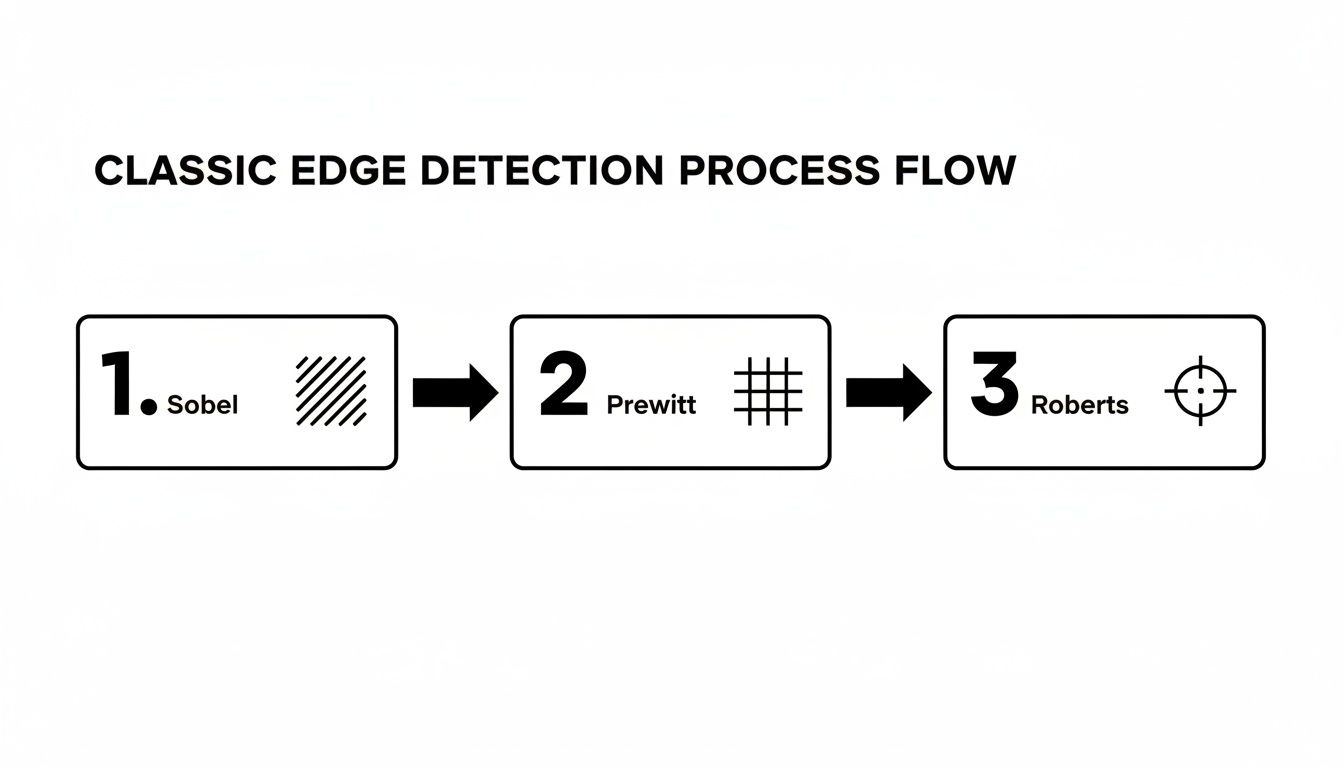
    A process flow diagram illustrating classic edge detection methods: Sobel, Prewitt, and Roberts.

    You can see how operators like Sobel and Prewitt are more of a direct, single-step affair, which really highlights the difference in complexity.

    So, what’s the secret sauce? The Canny algorithm's magic lies in its four-stage pipeline:

    1. Noise Reduction: It all starts with a Gaussian blur to smooth the image. This is a crucial first step because it gets rid of random pixel noise that could easily be mistaken for an edge, preventing a messy, cluttered output.
    2. Gradient Calculation: Next, it uses a Sobel-like operator to figure out the direction and strength of intensity changes for every single pixel. This step essentially identifies all the potential edges.
    3. Non-Maximum Suppression: This is where the real cleverness begins. It's a thinning process. The algorithm scans along the edge's direction and, if it finds a thick line of potential edge pixels, it keeps only the one with the strongest gradient. This is what gives you those beautiful, one-pixel-wide lines.
    4. Hysteresis Thresholding: Finally, Canny uses two thresholds—one high, one low—to intelligently connect the dots. Any edge stronger than the high threshold is locked in as a "sure" edge. Any edge between the two thresholds is only kept if it’s connected to a "sure" edge. This brilliantly bridges gaps and creates clean, continuous outlines.

    Marr-Hildreth: The Multi-Scale Detective

    While Canny is all about creating that one perfect edge map, the Marr-Hildreth operator (also known as the Laplacian of Gaussian, or LoG) has a different trick up its sleeve. Think of it like a detective using different magnifying glasses to inspect a scene at various levels of detail.

    The LoG operator first blurs the image with a Gaussian filter (just like Canny) and then applies a Laplacian operator to find the second derivative. The edges are found at the "zero-crossings"—the points where the output flips from positive to negative.

    The real power here is scale. By using Gaussian filters of different sizes, the Marr-Hildreth method can spot edges at multiple scales.

    • A large Gaussian filter smudges out the fine details, revealing only the big, bold outlines of major objects.
    • A small Gaussian filter keeps things sharp, allowing it to pick up on fine textures and tiny boundaries.

    This multi-scale perspective is invaluable. It lets an algorithm understand both the sweeping curve of a car's body and the crisp edge of its license plate at the same time, providing a much richer map of the image's structure.

    These powerful contours are the building blocks for much more complex tasks. For example, high-quality boundaries are critical for things like segmentation in medical imaging, where you need to precisely isolate specific organs or tissues.

    It’s the same story for high-end image manipulation. When you want to upscale an image, preserving those sharp edges is everything if you want to avoid a blurry, artificial-looking mess. You can see how modern AI handles this by checking out our image upscaling demo, where our models work hard to enhance images while keeping edges crisp. Moving beyond the classic methods is what lets us build the kind of robust and accurate vision systems that today’s applications demand.

    Bringing Edge Detection to Life with Python and OpenCV
    Python and OpenCV code processing a toy bus image into a line drawing on a laptop.

    Alright, theory is one thing, but making those edges actually pop on your screen is where the real fun begins. Let's roll up our sleeves and turn those powerful concepts into working code using two of a developer's best friends: Python and the mighty OpenCV library.

    OpenCV is a massive open-source computer vision library that makes implementing algorithms like Sobel and Canny feel almost like cheating. It handles all the heavy lifting—the nasty math, the pixel-by-pixel operations—so you can focus on getting fantastic results.

    Implementing the Sobel Operator

    Let's start with a classic: the Sobel operator. The goal here is simple—calculate the image's gradient to highlight where the pixel intensity changes most dramatically. With OpenCV, you can knock this out in just a few lines of code.

    Here’s a basic recipe to get you started:

    import cv2
    import numpy as np

    Load your image in grayscale

    image = cv2.imread('your_image.jpg', cv2.IMREAD_GRAYSCALE)

    Apply Sobel operator for X and Y directions

    sobel_x = cv2.Sobel(image, cv2.CV_64F, 1, 0, ksize=3)
    sobel_y = cv2.Sobel(image, cv2.CV_64F, 0, 1, ksize=3)

    Combine the gradients to get the final edge map

    sobel_combined = cv2.magnitude(sobel_x, sobel_y)

    Convert back to a displayable format

    sobel_combined = np.uint8(sobel_combined)

    Display the result

    cv2.imshow('Sobel Edges', sobel_combined)
    cv2.waitKey(0)
    cv2.destroyAllWindows()

    In this little snippet, we calculate the horizontal (sobel_x) and vertical (sobel_y) gradients on their own first. Then we smash them together with cv2.magnitude to get a single, comprehensive map of all the edges, no matter which way they're pointing. It’s a super quick and effective way to get a first look at an image's structure.

    Mastering the Canny Edge Detector

    Now for the main event: the Canny algorithm. It's the industry go-to for a reason, delivering crisp, clean, and surprisingly intelligent edge maps. Its power comes from its multi-stage process, but the real magic for a developer lies in tuning its parameters.

    The most crucial part is picking your two thresholds for the hysteresis step: threshold1 (the lower bound) and threshold2 (the upper bound).

    Finding the right thresholds is more of an art than a science. Get them wrong, and you'll either have a canvas full of noisy, meaningless lines or an outline with frustrating gaps. Get them right, and you’ll produce a perfect, continuous contour.

    Check out this starter code:

    import cv2

    Load your image in grayscale

    image = cv2.imread('your_image.jpg', cv2.IMREAD_GRAYSCALE)

    It's a good practice to blur the image first to reduce noise

    blurred_image = cv2.GaussianBlur(image, (5,5), 0)

    Apply the Canny edge detector

    canny_edges = cv2.Canny(blurred_image, threshold1=100, threshold2=200)

    Display the result

    cv2.imshow('Canny Edges', canny_edges)
    cv2.waitKey(0)
    cv2.destroyAllWindows()

    The Art of Tuning Canny Thresholds

    So, how do you pick those magic numbers for threshold1 and threshold2? The results are incredibly sensitive to these values.

    • If threshold2 is too low: The algorithm will think every bit of random noise is a "sure" edge, leaving you with a messy, cluttered output.
    • If threshold1 is too high: The algorithm won't be brave enough to connect the weaker parts of a real edge, resulting in broken, disconnected lines.

    A fantastic rule of thumb is to maintain a ratio between 1:2 or 1:3 for your lower and upper thresholds. For example, if you set threshold2 to 150, a good starting point for threshold1 would be 75 or 50. This simple guideline helps the algorithm effectively distinguish strong edges from noise while still connecting the dots along fainter contours.

    Honestly, experimentation is key. Start with a baseline like (100, 200) and just start tweaking. See what happens. Every image is different, so what works for a clean product photo won't cut it for a busy landscape.

    By mastering these simple implementations and learning how to feel out their parameters, you move from just running an algorithm to truly controlling it. For developers looking to integrate more advanced, edge-preserving functionalities directly into their applications, exploring a dedicated solution can be a great next step. You can see how these principles are applied in production-grade systems by checking out the PixelPanda API documentation, which offers powerful, pre-tuned models for tasks like background removal and smart enhancement. This hands-on experience is what transforms theoretical knowledge of edge detection in image processing into a practical, powerful skill.

    The Future of Edge Detection with AI and Deep Learning

    You could say the classic algorithms walked so that modern AI could run. Techniques like Sobel and Canny are the bedrock of computer vision, but the real magic in edge detection in image processing today comes from deep learning. This is where we stop telling the machine how to find edges with math and start teaching it to see them like we do.

    Let's be honest, traditional algorithms can be a bit clumsy. They see a sudden change in pixel brightness and shout, "Edge!" But is that a real object boundary, or just the busy texture on a knitted sweater? They can't always tell the difference, which often leads to messy, noisy outlines. AI models, on the other hand, are trained on millions of images. They learn the subtle difference between a meaningful contour and distracting surface noise.

    Beyond Pixels to Seeing the Bigger Picture

    Deep learning, especially with Convolutional Neural Networks (CNNs), completely flips the script. Instead of just squinting at a pixel's immediate neighbors, these networks learn to understand the entire object's context. A well-trained model knows what a person's silhouette is supposed to look like, letting it draw a clean line around them while completely ignoring the pattern on their shirt.

    This isn't an overnight breakthrough; it's a leap built on decades of research. The Marr-Hildreth detector, developed back in the late 1970s, introduced the Laplacian of Gaussian (LoG) operator. This idea of smoothing an image before looking for edges paved the way for later innovations. It influenced everything from SIFT algorithms to the deep learning explosion kicked off by models like AlexNet in 2012, which radically cut down image recognition errors. The foundational ideas are still with us.

    Today, that rich history is what powers platforms like PixelPanda. We've taken those core concepts and supercharged them to do things like depth-aware upscaling, which keeps edges unbelievably sharp. It’s the difference between a simple line drawing and a genuine understanding of an object's shape.

    AI models don't just find edges; they find the right edges. By learning from vast datasets, they can infer the complete boundary of an object even when parts of it are obscured or have low contrast—a task that leaves traditional methods struggling.

    Putting AI in Your Hands with APIs

    Let's face it: training and deploying these sophisticated models is a massive undertaking. It’s a huge barrier for most developers. That’s where a good API comes in, doing all the machine learning heavy lifting for you. You don’t need a Ph.D. in computer vision anymore; you just need to make an API call to get incredible results.

    This approach gives developers an almost unfair advantage. Think about background removal—a notoriously painful task, especially with tricky details like hair or fur. An AI-powered tool can create cutouts that preserve individual strands of hair, a level of detail that’s practically impossible to get right with classic edge detection alone.

    • Precision: AI uses semantic understanding to tell the difference between a person and the wall behind them.
    • Efficiency: It turns a tedious, hours-long manual editing job into an automated, split-second process.
    • Scalability: It lets you process thousands of images with perfect consistency, day in and day out.

    The bottom line is this: knowing the classic algorithms gives you a fantastic foundation. But if you want the jaw-dropping quality and automation that today's apps demand, AI is the only way to go. You can see this for yourself by playing with our background removal demo, which shows just how gracefully these advanced models handle even the most complex edges. This is the future—not just finding lines, but truly understanding them.

    A Few Common Edge Detection Head-Scratchers

    Jumping into edge detection can feel a bit like learning to cook a new dish. You follow the recipe (the algorithm), but then you hit those little snags that only experience can solve. This section is for those moments—a quick FAQ to tackle the real-world problems that pop up when you're in the weeds.

    Which Algorithm Should I Use for Real-Time Video?

    When you’re working with video, every millisecond counts. Speed is the name of the game. For raw, blistering speed, simple operators like Sobel are often your best bet. They're incredibly lightweight and get the job done without a lot of computational fuss.

    But don't write off Canny just yet. While it’s definitely the more resource-hungry of the two, modern hardware and optimized libraries like OpenCV can make it surprisingly zippy. A well-tuned Canny implementation can often keep up with many video streams. My advice? Benchmark both on the actual hardware you'll be using. Start with Sobel if you need every last drop of performance, but if the edge quality isn't quite there, see if you have the headroom to switch to Canny.

    How Do I Deal With Noisy Images Before Finding Edges?

    Noise is the sworn enemy of good edge detection. It's the static that creates fake edges, shatters clean lines, and generally makes a mess of your results. Your first line of defense, and your best friend here, is a Gaussian blur.

    You absolutely have to apply a blur before running your edge detector. In fact, it's so crucial that it’s baked right into the Canny algorithm as the very first step. The size of the blur kernel you pick (like a 3×3 or 5×5 grid) controls how much smoothing you apply.

    • A larger kernel smooths things out aggressively, which is great for heavy noise but can also obliterate fine details.
    • A smaller kernel is much more gentle, preserving those delicate edges but potentially leaving some noise behind.

    Quick tip: if your image is covered in "salt-and-pepper" noise (those random black and white specks), a Median filter can sometimes work miracles where a Gaussian blur falls short.

    It’s all a balancing act. You're trying to quiet the noise just enough without smudging the actual edges you care about. I always start with a small kernel and slowly dial it up until I hit that sweet spot.

    Why Are My Canny Edges Broken or Full of Static?

    Ah, the classic Canny problem. If you’re seeing this, I’d bet my lunch money the issue is with your two threshold values: minVal and maxVal. If your image is a chaotic mess of tiny, staticky lines, your high threshold is set too low. The algorithm is getting confused and thinking every little bit of noise is a "strong" edge.

    On the flip side, if your edges are clean but have frustrating gaps in them, your low threshold is probably too high. This stops the algorithm from connecting the weaker parts of a real edge back to the stronger parts it already found. A great rule of thumb that works surprisingly often is the 1:2 or 1:3 ratio. First, find a maxVal that only picks up the most obvious, strongest edges. Then, set your minVal to half or even a third of that value. This gives the algorithm enough leeway to intelligently trace the rest of the line.


    For those really tough cases—think wispy hair, delicate fur, or intricate product details—sometimes a traditional algorithm just won't cut it. That's where AI-powered tools like PixelPanda come in. Our models understand the content of an image, not just the math of pixel gradients, giving you stunningly accurate results. See how our edge-preserving API can transform your visual workflow at https://pixelpanda.ai.
  • How to Improve Image Quality Online A Practical Guide

    How to Improve Image Quality Online A Practical Guide

    Let's be honest, we've all been there. You upload what you think is a great photo, only to see it look fuzzy, pixelated, or just plain sad on the screen. It's a frustrating, all-too-common problem.

    But what if you could fix those lackluster images in a few clicks or with a single API call? That's exactly where AI-powered tools come in. They can automatically upscale resolution, erase digital noise, and bring blurry details into sharp focus, producing results that leave old-school filters in the dust.

    Why Your Online Images Need a Serious Upgrade

    Browser window displaying a blurry 'Before' image transforming into a sharp, colored 'After' sketch.

    Ever wondered why those product shots just aren't popping, or why your campaign visuals feel a bit flat? You're not just imagining it. Low-quality images are more than just an eyesore; they can actively damage your brand's credibility and absolutely tank your conversion rates.

    In a world where everyone is scrolling at lightning speed, a mediocre image is a huge liability. It screams unprofessionalism and can make even the most incredible product seem cheap. The data backs this up—time and again, studies show that sharp, high-quality visuals are a massive factor in building customer trust and driving sales.

    The Modern Fix Is Automated and Scalable

    Forget spending hours painstakingly tweaking sliders in Photoshop. The new standard for improving image quality online is all about AI-powered tools and APIs like PixelPanda. These platforms have turned professional-grade image enhancement into a quick, automated task.

    What once took a skilled designer half a day can now be done in seconds. This guide is your crash course in transforming entire image libraries in minutes, not days. The benefits are impossible to ignore:

    • Blazing Speed: Automatically enhance thousands of images in the time it used to take to manually edit just one.
    • Rock-Solid Consistency: Apply the same high standard of enhancement across every single visual for a cohesive brand identity.
    • Major Cost Savings: Slash the hours and software expenses tied to manual photo editing.

    The real game-changer isn't just making one image look better. It's the power to elevate your entire visual strategy at scale, freeing up your team to focus on big ideas instead of tedious editing.

    This isn't just a minor improvement; it's a fundamental shift in how businesses handle their visual assets. Whether you're an e-commerce store needing crisp product photos or a marketing team pumping out social media content, using AI to improve your images is no longer a "nice-to-have." It’s essential for staying in the game.

    To get started, let’s look at the core AI techniques you’ll be using to upscale, denoise, and sharpen your way to visuals that stop the scroll.

    Core AI Techniques for Image Enhancement

    Understanding the tools in your new AI arsenal is the first step. Each technique is designed to solve a specific problem, and knowing which to use is key to getting flawless results.

    Technique What It Solves Best For
    Upscaling Low resolution, pixelation Enlarging small images, preparing photos for print, improving user-submitted content.
    Denoising Graininess, digital "noise" Photos taken in low light, images from older digital cameras, cleaning up scanned pictures.
    Sharpening Soft focus, blurriness Making product details pop, clarifying text in images, fixing slightly out-of-focus shots.
    Face Enhancement Blurry faces, poor lighting on people Improving portraits and headshots, rescuing group photos, enhancing social media profile pictures.
    Inpainting (Object Removal) Unwanted objects, watermarks, text Cleaning up product backgrounds, removing distracting elements, restoring old or damaged photos.

    With these techniques, you can tackle almost any image quality issue. The real magic happens when you start combining them to create a polished, professional final product.

    Figuring Out What's Wrong With Your Picture

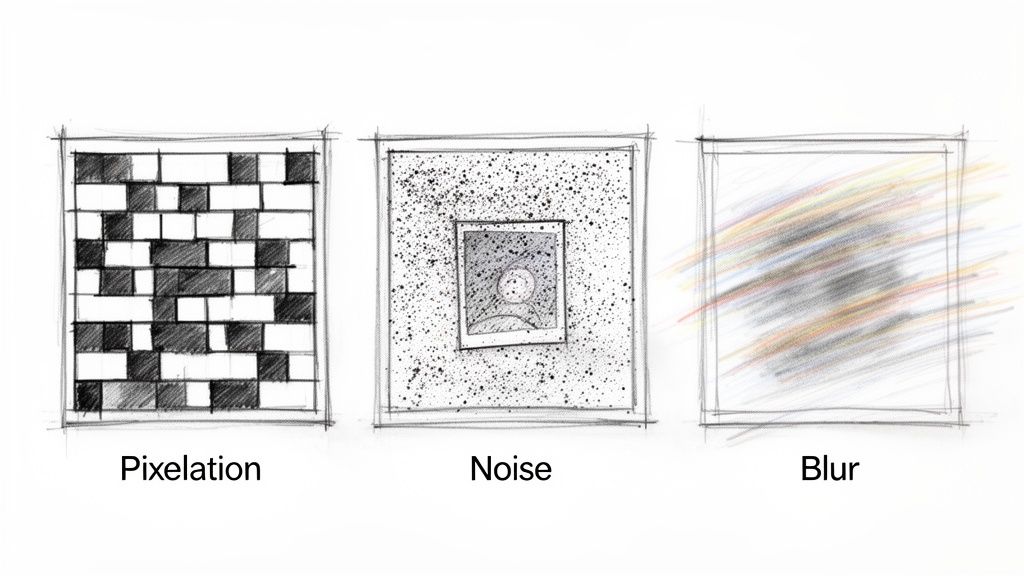
    A sketch showing three common image degradation effects: pixelation with blocks, speckle noise, and motion blur.

    Before you can bring a bad image back to life, you have to play detective. The first job is to pinpoint exactly what's making it look so rough. Think of it like a doctor diagnosing a patient—you wouldn't just start throwing medicine at them without knowing the illness, right?

    Every image flaw has a story behind it and, luckily, a specific AI tool ready to fix it. Let's dig into the usual suspects that are probably ruining your visuals. Once you can spot the problem, you can confidently choose the right tool to improve your image quality with laser precision.

    The Blocky Mess: Low-Resolution and Pixelation

    We’ve all seen it. That classic, chunky look an image gets when you try to make it bigger. That's pixelation, and it's the calling card of a low-resolution file.

    Picture this: you get a fantastic photo from a user-generated content campaign, but it was snapped on an ancient smartphone. It looks fine as a tiny thumbnail. But the moment you try to use it for a website banner, it explodes into a mosaic of jagged squares. This happens because the image just doesn't have enough data (pixels) to fill that larger space without falling apart.

    • The Scenario: A small product photo needs to be the star of a high-resolution hero section on your homepage.
    • The Problem: Stretching it makes the edges look like a bad 8-bit video game, and all the important details vanish.
    • The AI Fix: This is a job for AI upscaling. Instead of just making the existing pixels bigger, AI upscalers intelligently create new ones to fill in the gaps. The result is a larger, clearer image that looks like it was high-resolution all along.

    The Grainy Annoyance: Digital Noise

    Next on the list is digital noise, that grainy, speckled texture that swamps your photos. It loves to show up in pictures taken in low light, where the camera's sensor freaks out and adds a bunch of random color specks trying to see in the dark.

    Imagine a great shot from an evening event or an indoor photo without decent lighting. The composition is perfect, but it’s covered in a layer of distracting "fuzz." That grain just screams unprofessional. In the old days, noise reduction filters would just blur the whole image into a smudge, killing any sharpness you had.

    AI denoising models are a game-changer. They’re trained on millions of clean and noisy image pairs, so they know the difference between real detail and random grain. They can surgically remove the noise while keeping sharp edges and textures intact.

    The Softness Struggle: Blur and Bad Focus

    An image is "soft" when it lacks that crisp, defined look. This usually comes from two culprits: a slight camera shake causing motion blur, or the camera simply missing the focus point.

    You see it all the time in product shots where the main subject isn't perfectly sharp, or in an action shot that looks just a little bit smeared. While intentional blur can be artistic, accidental softness just looks amateur. It’s a subtle but powerful flaw that can drain the impact right out of a photo.

    The fix here is AI sharpening. These tools are way smarter than a simple "sharpen" slider. They analyze the image to figure out which parts are supposed to be sharp and then boost the contrast along those specific edges, bringing blurry details back into focus without adding ugly halos or artifacts.

    The Ghost of Compression Past: Artifacts

    Finally, we have compression artifacts. These are the weird, blocky blotches and blurry spots you find on images that have been saved and re-saved one too many times, especially as JPEGs.

    Every time you save a JPEG, it throws out a little bit of data to keep the file size down. That data is gone forever. Do it enough times, and the image starts to visibly degrade. This happens constantly with images downloaded and re-uploaded across different social media platforms. Of course, getting the size wrong in the first place—stretching or squishing an image—is another fast track to poor quality. Knowing the correct social media post dimensions from the start can save you a world of hurt.

    The need for these advanced fixes isn't just a niche problem; it's driving a massive industry. The global digital image processing market was valued at USD 93.27 billion in 2024 and is on track to hit an incredible USD 435.68 billion by 2035. That's a clear signal of just how critical this technology has become for everyone.

    Picking the Right Tool for the Job

    Alright, you know what’s messing with your images—the pixelation, the noise, the blur. Now comes the fun part: choosing your weapon. Jumping into the world of online image enhancement can feel a bit like car shopping. Do you need a zippy little roadster for a quick spin, or are you looking for a heavy-duty truck to haul some serious cargo?

    The tools out there really break down into two camps: simple, web-based editors for quick fixes and powerful, developer-friendly APIs for heavy lifting. Your choice really just boils down to what you're trying to accomplish. It's the classic battle between fixing one photo for your Instagram story versus automatically enhancing thousands of product shots every single day.

    One-Off Fixes vs. Industrial-Scale Workflows

    Let's put this into perspective. Say you’re a marketer with a deadline breathing down your neck. You’ve got one slightly fuzzy photo for a new landing page that needs to look sharp, like, yesterday. A free, browser-based upscaler is your absolute best friend in this moment. You just drag, drop, download, and you're done. Fast, easy, and perfect for those one-off emergencies.

    But let's flip the script. Imagine you’re building an e-commerce platform where users are uploading hundreds of product photos a day. The quality is all over the place. Trying to manually fix each one with a drag-and-drop tool would be an absolute nightmare. This is where an API-first platform like PixelPanda shines. An API lets you bolt these powerful enhancement features right into your application, creating a completely automated, hands-off system.

    The real question isn't "which tool is best?" but "which tool fits my scale?" For a single image, convenience is king. For high-volume, ongoing needs, automation and integration are the only way to go.

    The Nitty-Gritty: What to Look For

    When you're shopping around for a way to improve image quality online, a few key factors will steer you toward the perfect solution. It’s not just about the pretty "after" picture; it’s about how you get there and how that process fits into your bigger picture.

    Here’s what you should be weighing:

    • Workflow Integration: How neatly does this tool fit into how you already work? A web tool means manual labor, while an API can be wired directly into your code to trigger enhancements automatically.
    • Scalability: How many images are we talking about? If you’re processing more than a handful a week, you need an API. They're built to handle massive volume without even breaking a sweat.
    • Result Quality: Don’t just test with easy images. Throw something tricky at it—a photo with complex fur, fine text, or subtle facial expressions. The top-tier tools use sophisticated AI that knows how to preserve those delicate details.
    • Speed and Performance: How fast can you get from "before" to "after"? For APIs, this means looking at server response times. In any user-facing app, every millisecond counts.

    Look for tools that offer interactive demos. You need to see the magic happen for yourself.

    A good hands-on demo lets you upload your own problem images and see the results firsthand. It's the best way to judge the tech. To get a feel for it, you can play around with an interactive image upscaling demo and see what's possible.

    This whole field is exploding thanks to huge leaps in AI. The generative AI powering these tools is completely changing the game. Just look at the numbers: the global generative AI market was valued at USD 37.89 billion in 2025 and is on track to hit a staggering USD 1,206.24 billion by 2035. That’s a massive shift, and you can dive deeper into these generative AI market trends to see where things are headed.

    At the end of the day, picking the right tool is all about understanding your own operational reality. The solo marketer and the enterprise developer are solving completely different problems—and lucky for us, there’s a perfect solution out there for both.

    Getting Your Hands Dirty with an Image Enhancement API

    Alright, enough with the theory. Let's roll up our sleeves and see how this all works in practice. It's time to stop talking about blurry images and actually start fixing them with a bit of code. The cool thing is, plugging an image processing API into your project is way easier than you might think. It turns a complicated, multi-step editing job into a simple, automated command.

    We'll use PixelPanda for this walkthrough. Imagine you run an e-commerce store and just got a batch of new product photos. Going through each one manually in an editor would be a mind-numbing, full-day affair. This is where automation becomes your best friend.

    Your First Foray into API Integration

    The first thing you'll need is your credentials. Every API needs to know who's asking for stuff, and this is handled with an API key. Just think of it as your secret handshake—a unique code that tells the service, "Hey, it's me, let me in."

    Once you have your key, you're ready to make a request. This is where you tell the API what to do. You'll send it the image you want to fix along with a set of instructions (we call these "parameters") that spell out exactly which enhancements you're after.

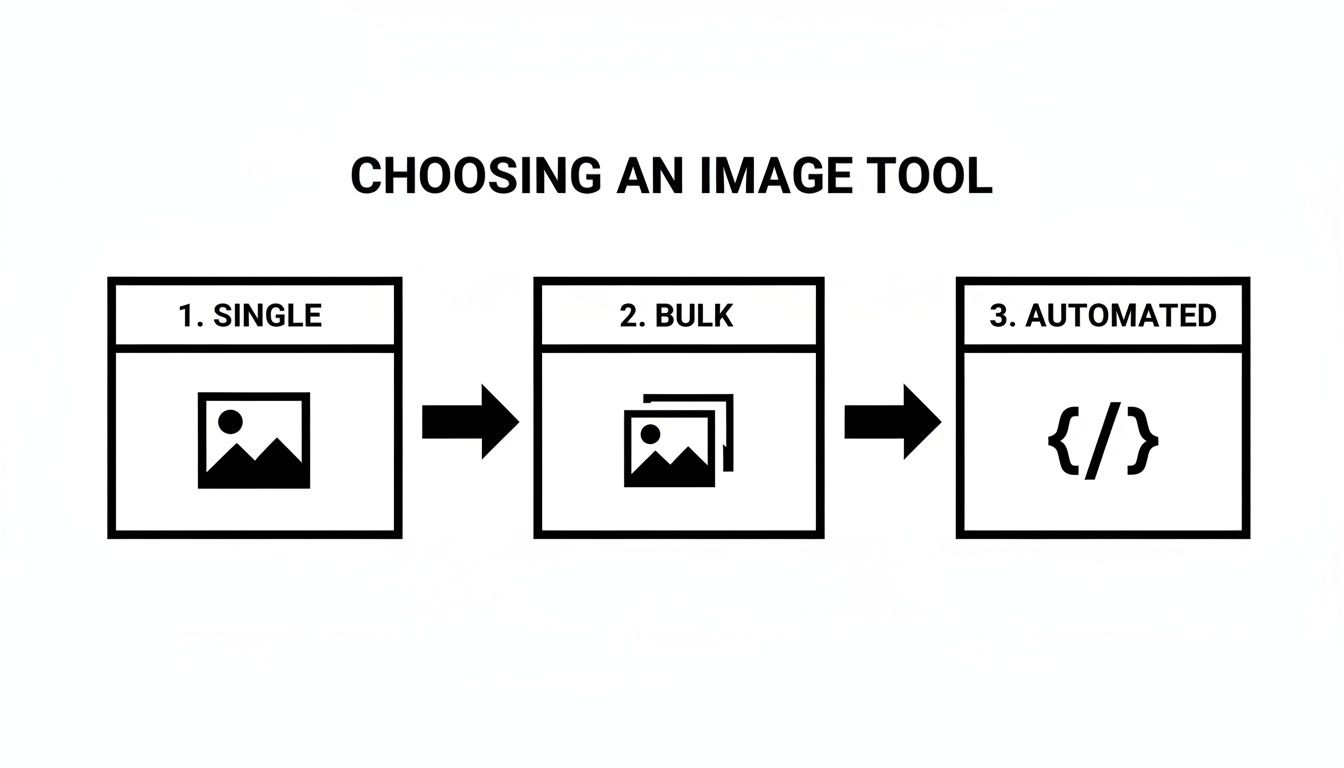
    This diagram lays out the thought process perfectly. Are you fixing one photo, a whole folder, or building a system that runs on its own?

    A diagram illustrating how to choose an image tool, from single image processing to bulk and automated solutions.

    The takeaway is simple: as soon as you move past fixing a single image, an API is almost always the smartest, most scalable way to go.

    A Practical Python Script Example

    Let’s put this into action with a simple Python script. The goal? Grab an image from our computer, fire it off to the PixelPanda API for upscaling, and save the beautifully crisp result. This is a bread-and-butter task for anyone who needs to improve image quality online for their website or app.

    First things first, you'll need that API key, which you can typically find on your account dashboard. For a more detailed guide on setup and authentication, good services like PixelPanda always have clear documentation for developers at https://pixelpanda.ai/developers.

    Here’s a quick script to get the ball rolling:

    import requests
    import os

    Your API key and the image you want to enhance

    PIXELPANDA_API_KEY = "YOUR_API_KEY_HERE"
    IMAGE_PATH = "path/to/your/blurry-product-image.jpg"
    OUTPUT_PATH = "path/to/your/upscaled-product-image.png"

    The API endpoint for upscaling

    url = "https://api.pixelpanda.ai/v1/upscale"

    Open the image file in binary read mode

    with open(IMAGE_PATH, 'rb') as image_file:
    # Prepare the request with your key and parameters
    response = requests.post(
    url,
    files={'image': image_file},
    data={'scale': 4}, # We want to upscale it 4x
    headers={'Authorization': f'Bearer {PIXELPANDA_API_KEY}'}
    )

    Check if the request was successful

    if response.status_code == 200:
    # Save the enhanced image
    with open(OUTPUT_PATH, 'wb') as output_file:
    output_file.write(response.content)
    print(f"Image successfully upscaled and saved to {OUTPUT_PATH}")
    else:
    print(f"Error: {response.status_code}")
    print(response.json())

    See? This little script grabs a local file, tells the API to make it 4x bigger, and saves the new high-res version. It’s a beautifully simple workflow that you can build on for all sorts of tasks.

    Understanding the Magic: Key API Parameters

    The real power of an API comes from its parameters. These are the little knobs and dials you can turn to tell the AI exactly how to tweak your image. The code just sends the package; the parameters are the instructions inside.

    Here's a quick cheat sheet for some of the most useful parameters you'll run into.

    Key PixelPanda API Parameters for Image Quality

    This table is a handy reference for the core parameters that give you control over the final look of your enhanced images.

    Parameter Function Example Value
    scale Defines the upscaling factor. A value of 4 makes the image four times larger. 2, 4
    face_enhance A boolean that turns on a specialized AI model to restore blurry faces. true
    denoise_level Controls the intensity of noise reduction, from subtle to strong. 1, 2, 3
    output_format Specifies the desired file type for the enhanced image, like PNG for transparency. png, jpeg

    Think of these parameters as ingredients. You can mix and match them to cook up the perfect enhancement recipe for any image. For example, you could upscale a photo, sharpen up faces, and apply a bit of noise reduction, all in one go.

    For those who are serious about getting the absolute sharpest visuals, it's also worth looking into advanced techniques like mastering high-resolution screenshots with APIs, which can be another killer tool in your image-quality toolkit.

    A Fun Mini-Project to Try

    Feeling pumped? Here’s a perfect weekend project to solidify what you've learned.

    Write a script that "watches" a folder on your computer. Anytime you drop a new image into it, your script should automatically send it to the PixelPanda API for a touch-up, then save the shiny new version into a different "processed" folder.

    This little automation is a fantastic, hands-on way to see just how much manual work an API can save you. It's the first step to effortlessly improving image quality online, no matter how many photos you're dealing with.

    When the Standard Fixes Just Don’t Cut It

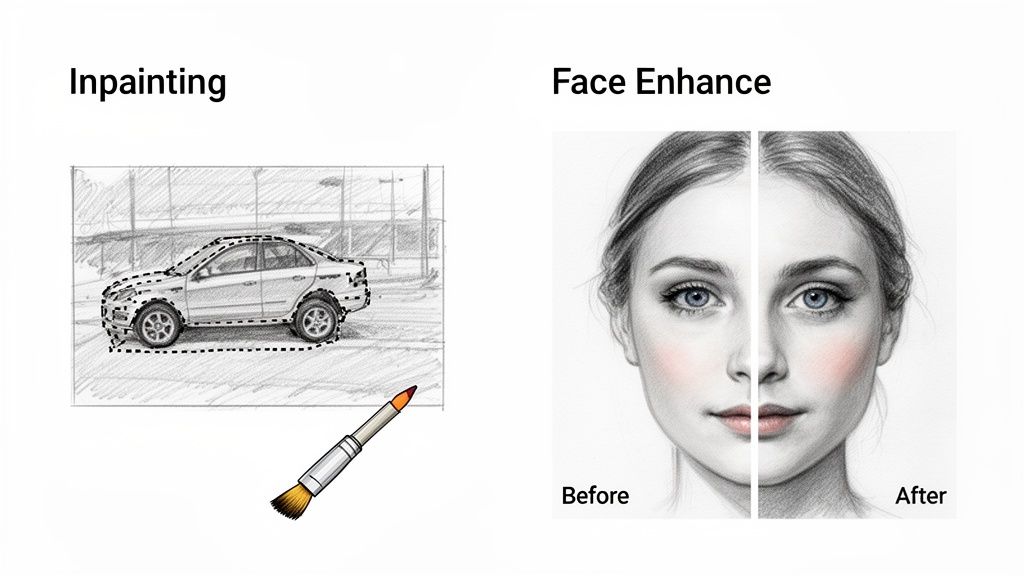
    Demonstration of inpainting a car sketch and face enhancement on a woman's portrait.

    Sometimes, simply upscaling or denoising an image feels like putting a band-aid on a broken leg. You’re dealing with a much trickier problem—a blurry face in an otherwise perfect group photo, or a distracting object photobombing your hero product shot.

    This is where the real magic of AI image processing shines. We're moving beyond the basics into specialized tools that tackle the kind of nuanced issues that used to require hours of painstaking manual labor by a graphic designer. Now, you can fix them at scale with a single API call.

    Let's get into two of the most powerful tools in this advanced arsenal: Face Enhancement and Inpainting.

    Bringing Portraits Back to Life with AI Face Enhancement

    We’ve all been there. You get a photo from an event or a user-submitted headshot that's almost perfect. The lighting is good, the composition is solid, but the most important part—the face—is just a little soft. It’s a maddeningly common problem that can make an otherwise great image totally unusable.

    AI Face Enhancement is your secret weapon for this exact scenario. This isn't your garden-variety sharpening filter. It's a sophisticated model trained to recognize facial features—eyes, noses, mouths—and intelligently reconstruct them with incredible clarity. It literally brings back detail lost to motion blur or bad focus.

    Here’s a thought: picture an e-commerce platform that relies on seller profiles to build trust. If sellers are uploading blurry, low-quality headshots, the whole marketplace can start to feel a bit sketchy. An automated workflow that runs every new profile picture through an AI Face Enhancement model can instantly boost the professional look and feel of the entire site.

    This tech is a game-changer for:

    • Cleaning up corporate headshots: Make sure every team member looks sharp on your "About Us" page.
    • Rescuing event photography: Fix those group shots where some people are in focus and others, well, aren't.
    • Improving user-generated content: Automatically enhance profile pictures in social apps, online communities, and marketplaces.

    The demand for this kind of specialized visual processing is absolutely exploding. The AI-based image analysis market was valued at USD 10.79 billion in 2024 and is on track to hit USD 36.36 billion by 2030. That growth tells you everything you need to know about how critical these tools have become. You can dive deeper into the growth of the AI image analysis market to see the full picture.

    Making Distractions Disappear with AI Inpainting

    Ever had that perfect shot completely ruined by something in the background? A stray coffee cup, a messy power cord, or an unwanted watermark can kill the entire vibe of a marketing image. The old-school fix, the clone stamp tool, often leaves behind smudgy, tell-tale patches that scream "bad Photoshop."

    Enter AI Inpainting, the modern, intelligent answer to object removal. You just mask the thing you want to get rid of, and the AI analyzes all the surrounding pixels to fill in the blank. The result is a seamless, context-aware patch that looks like the object was never even there.

    Imagine a marketing team prepping a hero image for a new product launch. The photo is amazing, but there's a competitor's logo faintly visible on a screen in the background. Instead of a costly reshoot, they use AI inpainting to zap the logo in seconds. Problem solved, time and money saved.

    For similar content-aware wizardry, like cleanly removing backgrounds from product photos, you have to see this interactive background removal demo to truly appreciate how powerful it is.

    Got Questions About Improving Image Quality? Let's Talk.

    Jumping into AI image enhancement can feel like stepping into a whole new world. You start hearing terms like "upscaling," "denoising," and "API," and it's easy to feel a little lost. It's one thing to know these tools exist, but it's another thing entirely to trust them with your projects.

    So, let's cut through the noise. Here are the real-world answers to the questions I hear most often from people just starting out.

    Can AI Really Turn a Low-Quality Image into a High-Quality One?

    Yes, absolutely—and honestly, the results can be mind-blowing. Modern AI upscalers aren't just stretching your image and hoping for the best like old-school software did. They’ve been trained on millions of images, so they can intelligently predict and reconstruct details that were completely lost.

    For a standard 2x or 4x upscale on a small but decent source file, a good AI tool can produce something that looks genuinely high-resolution. It can bring back textures, sharpen edges, and pull out fine lines you thought were gone for good.

    That said, let's keep it real: this is incredible technology, not a magic wand. If you start with a tiny, artifact-riddled thumbnail, the AI won't spit out a perfect 4K masterpiece. What it will do is give you the absolute best possible version of that image, which is a massive improvement over anything we could do just a few years ago.

    Will Better Image Quality Clobber My Website's Load Time?

    This is the classic trade-off, right? Better images mean bigger files, which means slower websites. It’s a totally valid concern, but luckily, it's a solved problem. The modern workflow for web images gives you the best of both worlds.

    It's a simple one-two punch:

    • Enhance first. Use an AI tool to get the image looking perfect. Upscale it, denoise it, do whatever it takes to get that visual pop.
    • Optimize second. Now, take that beautiful new high-res image and run it through an optimization service. This step is non-negotiable. It shrinks the file size down and serves it up in a super-efficient format like WebP or AVIF.

    This way, your visitors see a stunningly crisp image that loads in a flash. So, no, better quality doesn't have to mean slower speeds—as long as you nail the workflow.

    How Much Does an Image Enhancement API Actually Cost?

    It's almost always more affordable than people assume, especially when you weigh it against the soul-crushing cost of manual editing or clunky software licenses. Most services, including PixelPanda, run on a pay-as-you-go or simple subscription model.

    You're often looking at a tiny fraction of a cent per image or a monthly credit bundle that fits your volume. This makes it incredibly easy to scale. If you're processing thousands of images a month, the cost per image drops to almost nothing—far, far cheaper than hiring a human to do it.

    Plus, most platforms have a generous free tier. This lets you process hundreds or even thousands of images to kick the tires and see the value for yourself before you ever open your wallet.

    Is Integrating an Image Processing API a Huge Technical Headache?

    Nope, and this is probably the biggest misconception out there. Modern APIs are built by developers, for developers. If you've ever made a basic HTTP request in any programming language, you've already got all the skills you need.

    Platforms like PixelPanda provide dead-simple documentation, interactive API explorers, and copy-paste code snippets for Python, JavaScript, PHP, and more. A basic integration to upscale an image is often just a handful of lines of code. Seriously. It’s designed to be a quick win, not a week-long engineering nightmare.


    Ready to stop wrestling with blurry images and start automating your visual production? With PixelPanda, you can integrate powerful AI image enhancement directly into your workflow in minutes. Try our hands-on demos and get your free API key to see the difference for yourself.

  • The 12 Best AI Image Enhancement Software Tools to Try in 2026

    The 12 Best AI Image Enhancement Software Tools to Try in 2026

    Ever stared at a perfect photo, only to find it's just a little too blurry, dark, or noisy? We’ve all been there. Manually fixing these issues in traditional editors can feel like an endless battle against pixels, often with mediocre results. Traditional filters don't help much, frequently making your images look overworked and unnatural.

    This is where the new wave of AI image enhancement software steps in. These aren't your average photo editors. They are powerful, intelligent tools designed to rescue low-quality shots, upscale tiny thumbnails into print-worthy masterpieces, and erase distracting backgrounds with a single click. For businesses, AI is also revolutionizing specific applications like AI product photography to transform simple images into professional visuals, saving massive amounts of time and budget. The problem isn't a lack of options; it's an overwhelming number of them.

    So, how do you pick the right one for your specific needs?

    This guide cuts through the noise. We're diving deep into the 12 best AI enhancement tools available today, comparing their core features, and identifying the perfect use cases, from batch processing for e-commerce catalogs to robust developer APIs. We'll give you the honest pros and cons, complete with screenshots and direct links, so you can see the results for yourself. Get ready to find the perfect software to transform your visual workflow and finally make every single pixel count.

    1. PixelPanda

    PixelPanda stands out as a robust, developer-first platform that delivers a comprehensive suite of AI image and video enhancement tools. It's less a single-task editor and more a complete visual automation engine, making it a powerful choice for teams needing to scale high-quality asset production. This is top-tier ai image enhancement software designed for integration.

    The platform excels at foundational tasks, offering studio-grade background removal that handles notoriously tricky subjects like hair and fur with remarkable precision. Its 4x upscaling and depth-aware enhancement models preserve fine details, avoiding the plasticky, over-processed look common in other tools. For developers and SaaS builders, the appeal is undeniable: a clean REST API, comprehensive SDKs, and clear documentation streamline integration into any web, mobile, or backend workflow.

    Key Strengths & Use Cases

    Where PixelPanda truly differentiates itself is in its advanced, market-focused features. E-commerce and marketing teams will find its trainable AI avatars, realistic product try-on capabilities, and "product holding" image generation incredibly valuable for creating diverse, scalable ad creatives and product listings without expensive photoshoots.

    The platform also ventures into video, generating UGC-style talking-head clips with synchronized lip-sync in over 35 languages. This feature is a game-changer for businesses looking to create localized marketing content or internal training videos efficiently. Images are typically processed in 15–20 seconds, ensuring rapid iteration.

    Pricing & Practical Considerations

    PixelPanda operates on a straightforward credit system, with all features accessible across its plans. Pricing begins at the Starter tier for $39/month (billed annually), which includes 7,000 credits. The Growth plan is $59/month for 15,000 credits, and the Pro plan is $89/month for 35,000 credits.

    • Image Cost: 1 credit per image
    • Video Cost: 20 credits per video
    • Key Benefit: Unused credits roll over monthly, and all paid plans include commercial usage rights.

    While the cost can add up for heavy video users, the platform’s quality and versatility justify the investment for production-grade needs. A generous free trial (no credit card required) and a live demo gallery allow teams to thoroughly evaluate its performance before committing.

    Website: https://pixelpanda.ai

    2. Adobe Photoshop (Adobe)

    Ah, Photoshop. The undisputed heavyweight champion, the Michael Jordan of image editing, has officially entered its AI era. What was once the sole domain of painstaking manual pixel-pushing is now a playground for powerful AI-driven features, making it a formidable piece of ai image enhancement software for pros and aspiring creators alike. This isn't just about tweaking contrast; it's about fundamentally rethinking what's possible.

    At the heart of modern Photoshop is Generative Fill, an almost magical tool that lets you add, remove, or expand parts of an image with a simple text prompt. Need to extend a landscape or remove a photobomber? Just type it out. This, combined with its best-in-class AI Denoise, Super Resolution for upscaling, and freakishly accurate auto-selection tools, positions Photoshop as a comprehensive, all-in-one editing suite. It’s less a single tool and more of a creative operating system.

    Adobe Photoshop (Adobe)

    Key Features & Use Cases

    • Generative Fill & Expand: Ideal for marketers and designers who need to repurpose a single image for multiple formats (e.g., turning a horizontal photo into a vertical banner) without awkward cropping.
    • Neural Filters: A suite of one-click AI tools for tasks like photo restoration, skin smoothing, and style transfer. They are fantastic for rapid experimentation.
    • Deep Creative Cloud Integration: Its real power lies in the ecosystem. You can seamlessly move assets between Photoshop, Lightroom, and Adobe Stock, creating an incredibly efficient workflow for creative teams. Even complex tasks like object isolation are simplified; you can explore detailed background removal techniques that complement its powerful selection tools.

    The Verdict

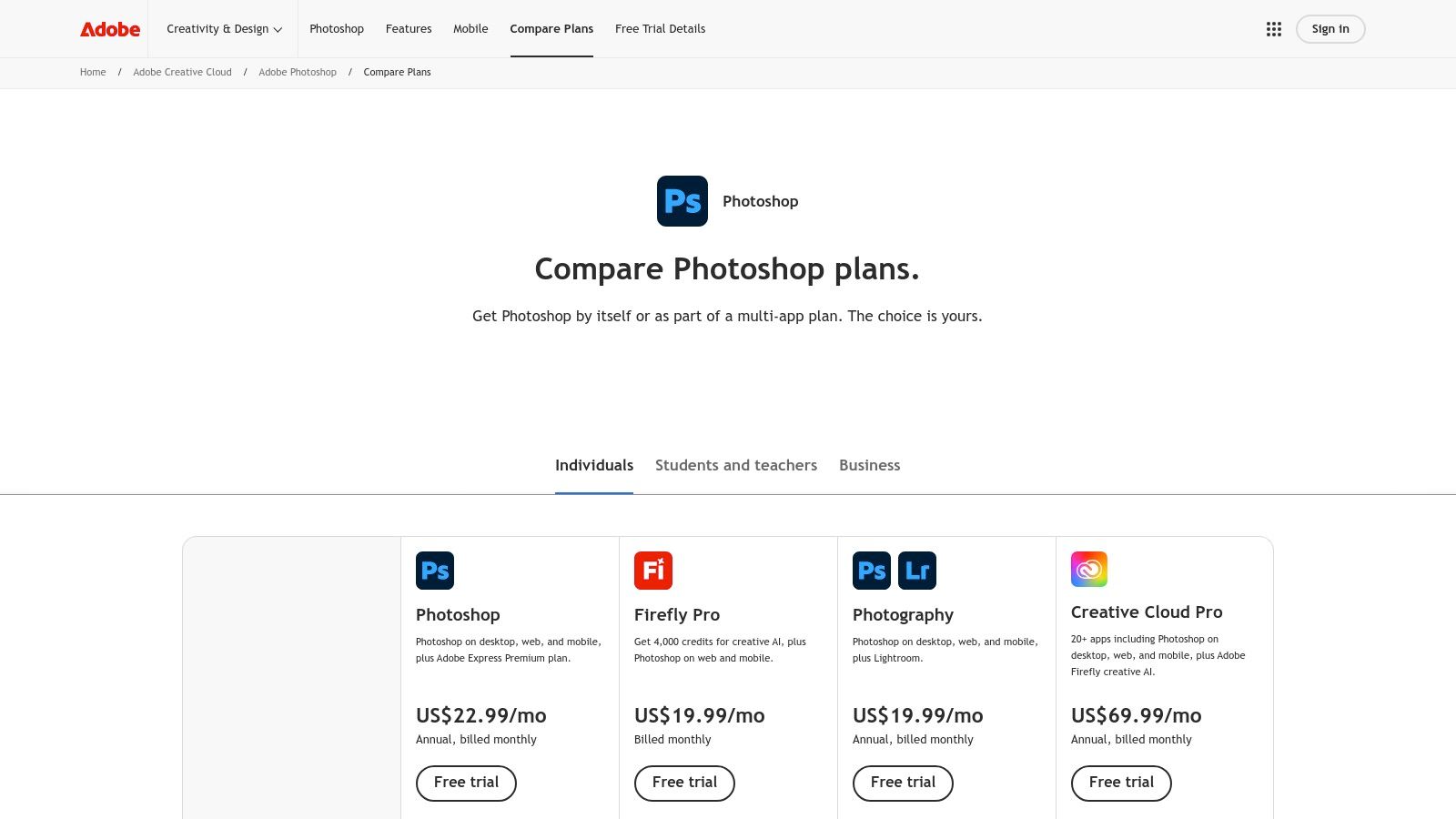
    Photoshop's strength is its depth. While web-based tools offer speed, Photoshop offers unparalleled control and a vast ecosystem. The downside? It demands a subscription (starting around $22.99/month for the Photography Plan) and has a steeper learning curve. However, for those who need a professional-grade, do-it-all solution that is constantly evolving with cutting-edge AI, it remains the industry standard for a reason.

    Website: https://www.adobe.com/products/photoshop/plans.html

    3. Topaz Labs – Topaz Photo

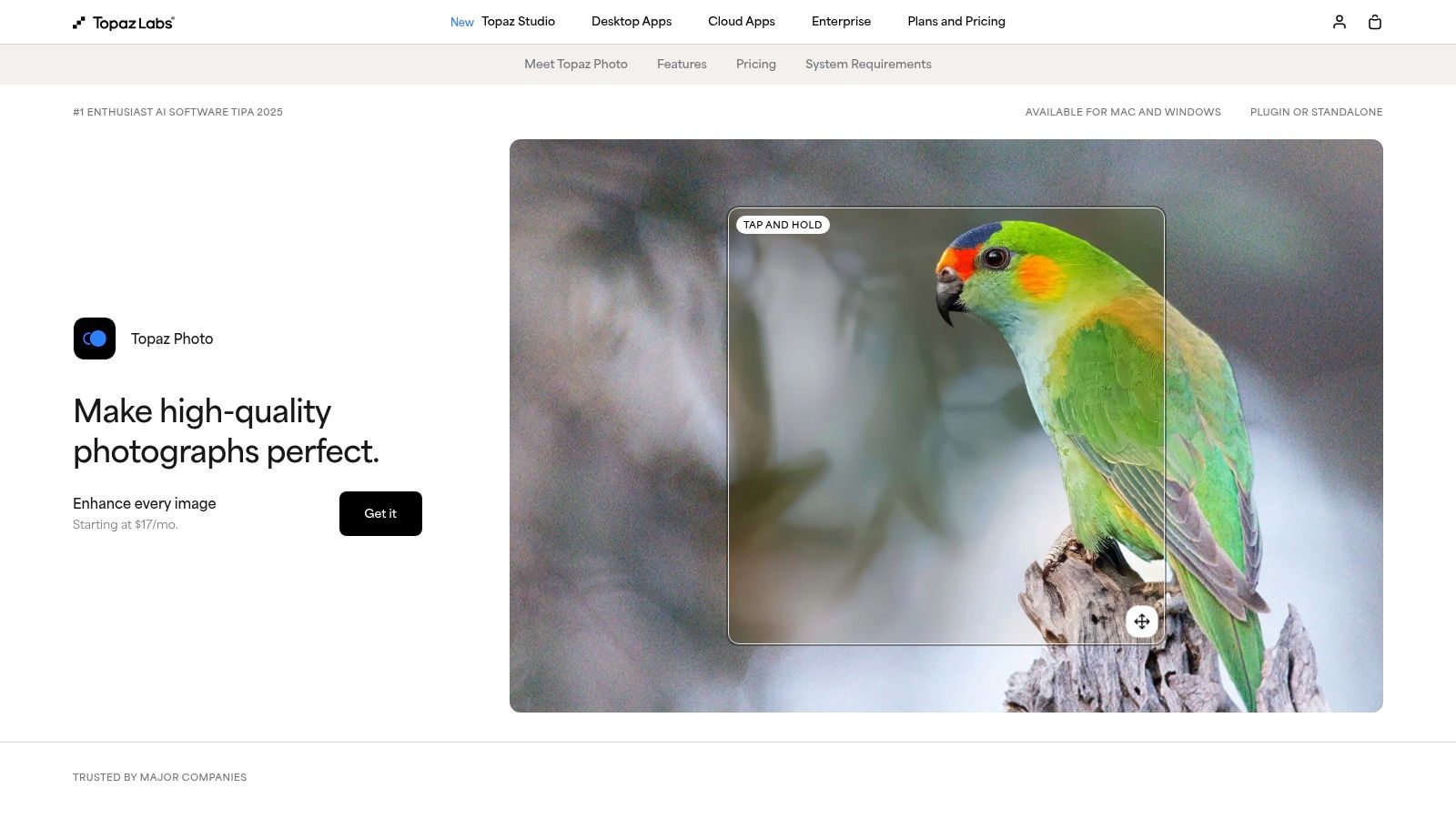
    If Photoshop is the creative operating system, Topaz Photo is the specialist surgeon. This powerful suite is for photographers who are obsessed with technical perfection, turning noisy, soft, or blurry images into impossibly crisp and clean files. It packs a formidable array of AI models dedicated to specific rescue missions: denoising, sharpening, deblurring, and some of the most impressive face recovery and upscaling you’ll find anywhere. This is the tool you reach for when a photo is almost perfect but needs that final, critical push.

    Topaz Photo’s magic lies in its specialized AI engines that excel at preserving natural detail while performing their enhancements. It can run as a standalone application for batch processing or slot directly into an Adobe workflow as a plugin, offering flexibility for different workflows. Whether you're restoring old family photos or sharpening a slightly soft wildlife shot, this ai image enhancement software focuses on repair and refinement with surgical precision, often producing results that feel like a rescue from the digital brink.

    Topaz Labs – Topaz Photo

    Key Features & Use Cases

    • Denoise, Sharpen & Deblur AI: A holy trinity for photographers shooting in low light or with less-than-perfect gear. It’s a lifesaver for event and wildlife photographers who can’t always control their environment.
    • Face Recovery AI: Its ability to reconstruct faces in low-resolution or blurry group shots is uncanny. This is an essential tool for anyone working with archival photos or dealing with compressed images from social media.
    • Standalone App with Batch Processing: Ideal for processing entire wedding or event photo sets in one go. You can apply presets and let it run, saving countless hours of manual adjustments.

    The Verdict

    Topaz Photo’s strength is its laser-focused dedication to technical image quality. The results, particularly for noise reduction and sharpening, are often best-in-class. The downside is the one-time purchase model (around $199) which gives you a year of updates, after which you must pay to upgrade. Users also sometimes report frustrations with large model downloads and installation hiccups. However, for photographers and archivists who demand the absolute cleanest and sharpest output, Topaz Photo is a non-negotiable part of the toolkit.

    Website: https://www.topazlabs.com/topaz-photo

    4. Skylum Luminar Neo

    If Photoshop is the industrial-grade power tool, Skylum’s Luminar Neo is the sleek, battery-powered multi-tool that gets 90% of the job done with a fraction of the effort. Designed from the ground up with AI at its core, Luminar Neo has carved out a niche as the go-to ai image enhancement software for photographers who value speed and simplicity without sacrificing powerful results. It’s less about pixel-level control and more about achieving a professional look with intuitive sliders and one-click fixes.

    At its heart are tools like Enhance AI, which intelligently adjusts over a dozen settings with a single slider, and Super Sharp AI for rescuing slightly blurry shots. It also packs generative AI features like GenErase for removing unwanted objects and GenSwap for replacing entire elements like the sky. This makes it a powerful ally for quick, impactful edits that would otherwise require significant time and expertise in more complex software.

    Skylum Luminar Neo

    Key Features & Use Cases

    • One-Click AI Presets & Sliders: Perfect for content creators and social media managers who need to batch-process photos quickly. Tools like Enhance AI and Sky AI deliver dramatic improvements instantly.
    • Generative AI Tools (GenErase, GenSwap): Excellent for real estate photographers removing clutter from a room or travel bloggers replacing a dull sky with a stunning sunset.
    • Plugin & Standalone Flexibility: It works on its own or as a plugin for Adobe Photoshop and Lightroom, allowing users to integrate its fast AI tools into their existing, more traditional workflows.

    The Verdict

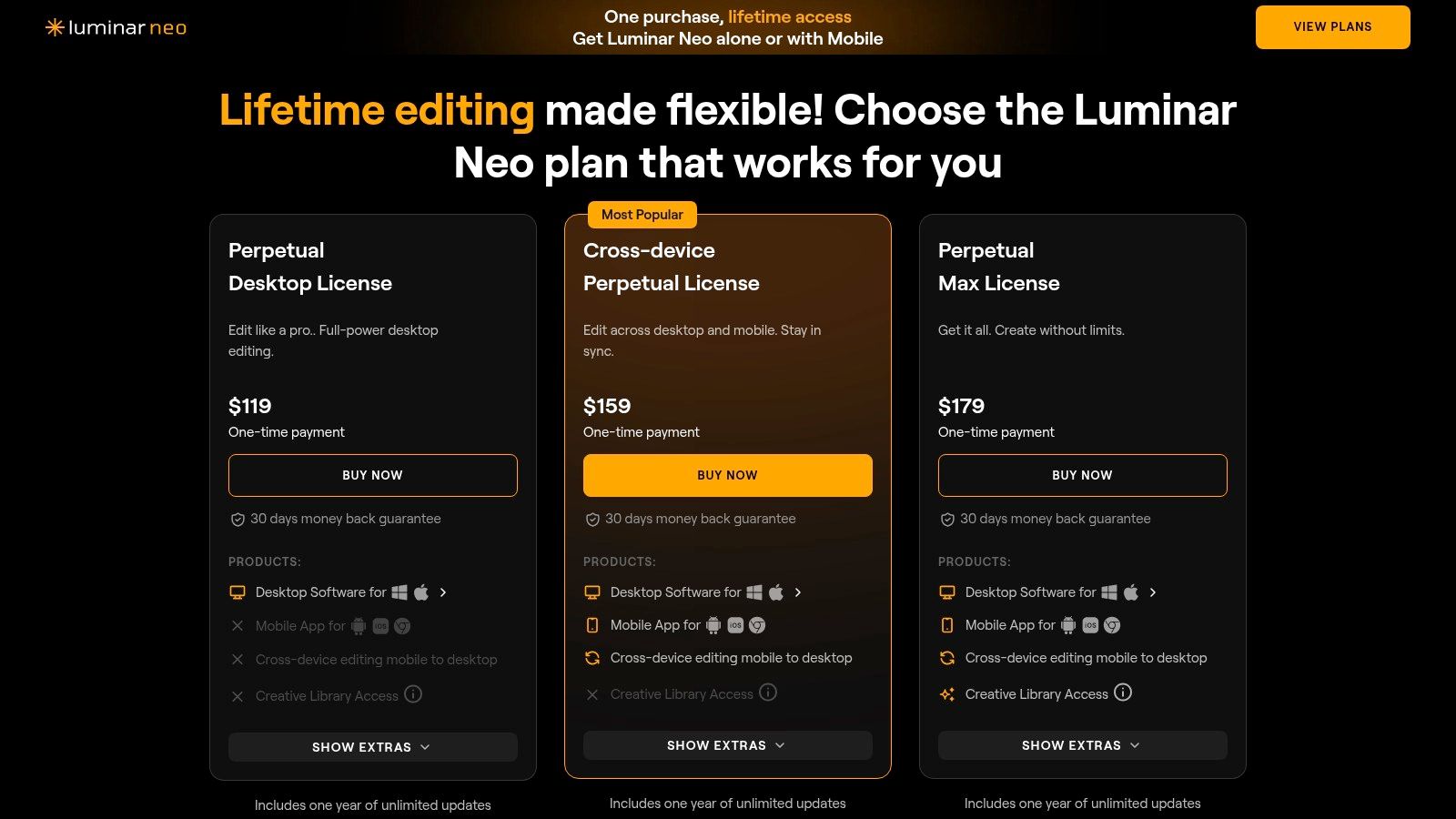
    Luminar Neo’s strength is its accessibility. It offers a gentle learning curve and, most notably, provides perpetual license options (starting around $14.95/month or a one-time purchase during promotions), making it a budget-friendly alternative to subscription-only models. The main drawback is that performance can sometimes lag on older hardware, and some of the most advanced extensions are sold as separate add-ons. For photographers and creators wanting powerful AI assistance without the intimidating complexity of traditional editors, Luminar Neo is a fantastic choice.

    Website: https://skylum.com/luminar/pricing

    5. ON1 Resize AI

    For the perfectionists obsessed with print quality, ON1 Resize AI is the specialist surgeon in a world of general practitioners. While other tools try to do everything, ON1 focuses its powerful AI on one mission: creating massive, crystal-clear enlargements without artifacts. This isn't just about making a photo bigger; it's about intelligently reconstructing detail for stunning, professional-grade prints, making it essential ai image enhancement software for photographers and artists.

    It uses a proprietary machine-learning model to analyze and upscale photos, preserving crisp edges and textures that often get lost with traditional resizing methods. Its strength lies in its deep integration into professional workflows, acting as a seamless plugin for Lightroom, Photoshop, and Capture One. It’s the go-to tool when you need to turn a good-resolution photo into a giant, gallery-worthy canvas print without compromise.

    ON1 Resize AI

    Key Features & Use Cases

    • Gallery Wrap & Tiling: Perfect for photographers and print shops, these features automatically prepare an image for printing on canvas or splitting a large image across multiple pages.
    • Professional Plugin Integration: Its ability to work directly within Photoshop, Lightroom, and Capture One makes it an indispensable part of a non-destructive editing workflow for pros.
    • Batch Processing: A massive time-saver for event photographers or artists preparing an entire collection for printing, allowing them to apply the same enlargement settings to hundreds of images at once. For those curious about the underlying technology, you can see how AI upscaling works in detail and why it's superior.

    The Verdict

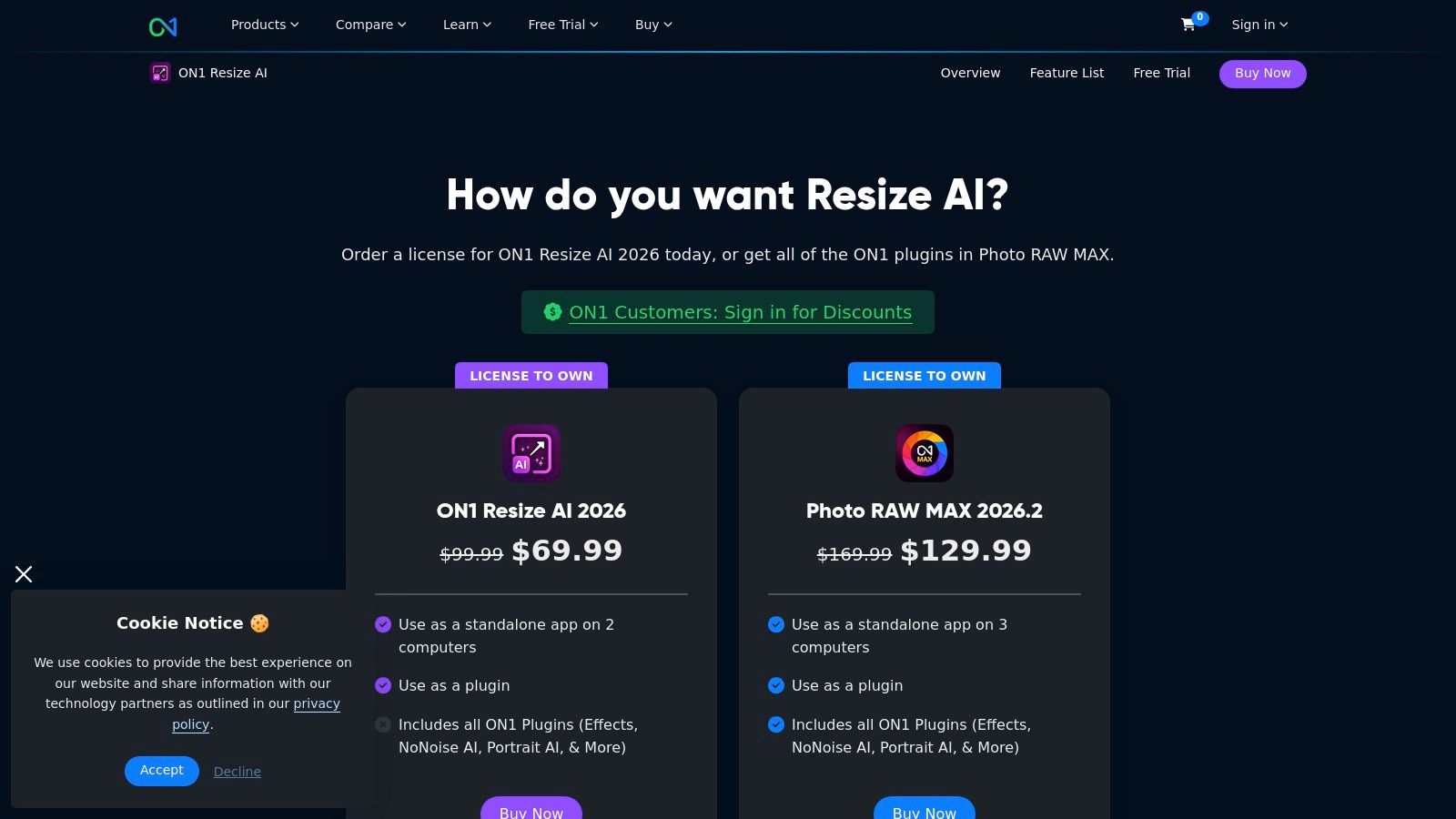
    ON1 Resize AI excels by not trying to be an all-in-one editor. Its focused approach delivers best-in-class enlargement quality that general-purpose software often can't match. The downside is its narrow scope; you'll need other tools for general editing. It's available as a one-time purchase (around $99.99 for a perpetual license) or as part of the ON1 subscription. For professionals whose final product is a physical print, this specialized tool is a non-negotiable part of the toolkit.

    Website: https://www.on1.com/products/resize-ai/buy/

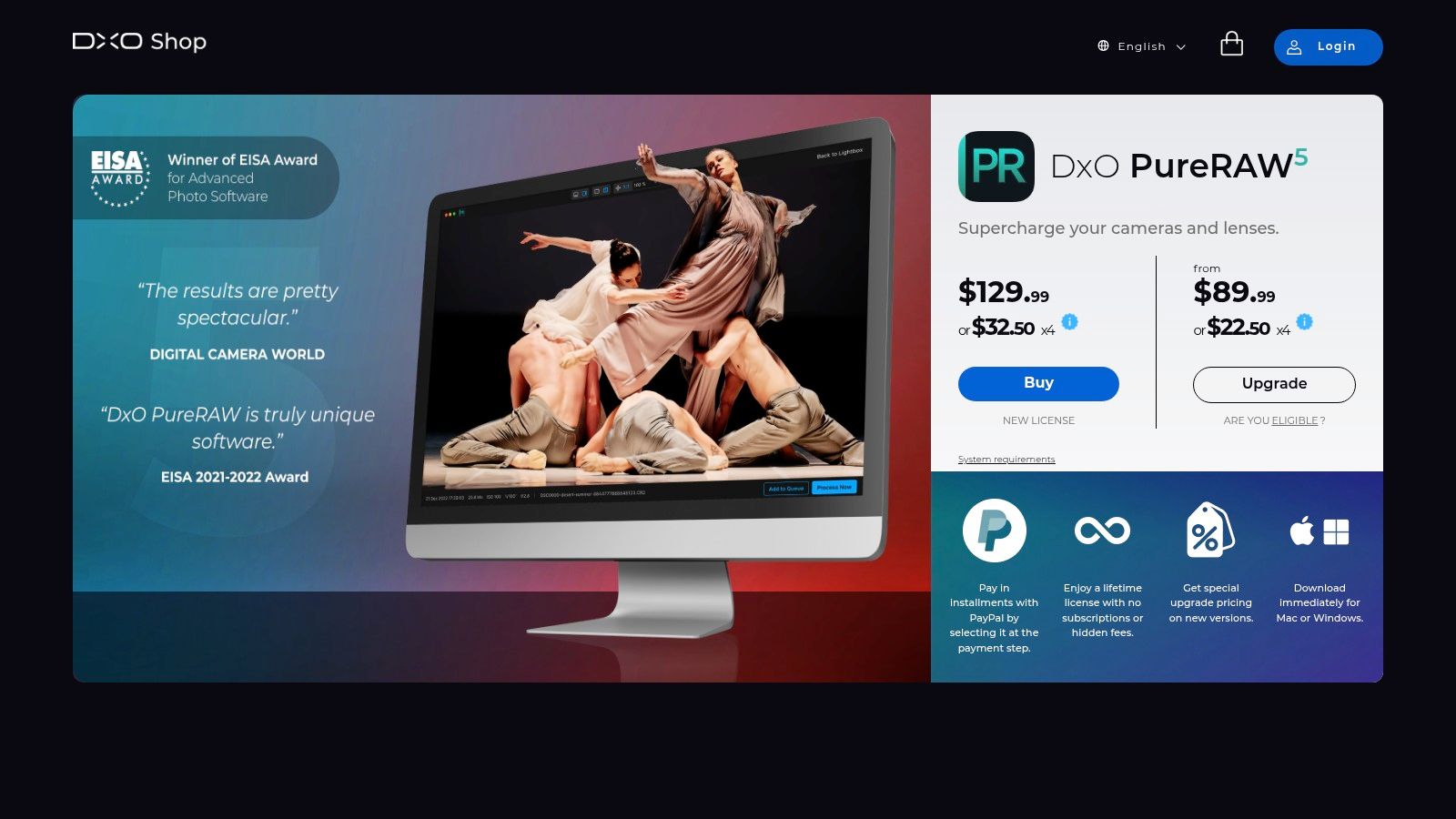
    6. DxO PureRAW 5

    Think of DxO PureRAW 5 not as a standalone editor, but as the secret weapon that supercharges your RAW files before they even hit Lightroom or Photoshop. This specialized pre-processor is a miracle worker for photographers who frequently shoot in challenging, low-light conditions. It’s an incredibly focused piece of ai image enhancement software that does one thing with breathtaking precision: clean up your noisy, messy RAW data.

    Its core magic is the DeepPRIME 3 engine, an AI model trained on billions of images. It simultaneously denoises and demosaics your RAW files, pulling out astonishing levels of detail while eradicating noise, almost like a digital darkroom car wash. The process also applies bespoke optical corrections based on DxO's massive library of camera and lens modules, fixing distortion and aberrations automatically. It then spits out a pristine DNG file, ready for your creative edits.

    DxO PureRAW 5

    Key Features & Use Cases

    • DeepPRIME 3 Denoising: Its primary function. Perfect for event, wildlife, and astrophotographers who often push their ISO to the limits. It can genuinely recover 1-2 stops of usable detail, turning a throwaway shot into a keeper.
    • Automatic Optical Corrections: Leverages an extensive database of camera and lens profiles to automatically correct lens softness, vignetting, chromatic aberration, and distortion with scientific accuracy.
    • Seamless Workflow Integration: It’s designed to be a simple, drag-and-drop first step. Process your files in PureRAW and have them sent directly to your preferred editor, streamlining the most tedious part of post-processing.

    The Verdict

    DxO PureRAW 5 is a specialist, not a generalist. If you’re looking for creative tools, layers, or generative AI, this isn't it. Its strength is its singular focus on foundational RAW quality. The results are often superior to the denoising tools built into other editors, making it a must-have for professionals who need the absolute best image quality. It's available as a perpetual license (around $139), offering great value for photographers who want to own their software.

    Website: https://shop.dxo.com/en/dxo-pureraw-5.html

    7. Capture One (Pro and All-in-One)

    If Photoshop is the creative operating system, Capture One is the specialist’s finely-tuned machine. Long the darling of professional studio photographers, this platform has masterfully integrated AI without sacrificing the granular control it's famous for. It's the go-to for those who live and breathe tethered shooting and demand the most accurate colors straight out of the camera, now enhanced with smart, time-saving features. This is less about generative magic and more about surgical precision.

    At its core, Capture One excels in RAW processing, but its AI features like the Magic Brush for creating complex masks are a game-changer. It intelligently detects and masks subjects, skies, or specific color ranges, turning a once-tedious task into a few quick clicks. This focus on practical, workflow-accelerating AI makes it a powerful piece of ai image enhancement software for high-volume commercial and e-commerce work.

    Capture One (Pro and All-in-One)

    Key Features & Use Cases

    • AI Masking (Magic Brush): Invaluable for e-commerce and product photographers who need to make consistent, precise adjustments to subjects across hundreds of images. It massively speeds up background separation or subject-specific edits.
    • Best-in-Class Tethered Capture: The undisputed leader for studio workflows. Photographers can see, adjust, and apply AI-powered edits in real-time as they shoot, ensuring the perfect shot before leaving the set.
    • Advanced Color Control & Layers: Its legendary color editor, combined with a robust layer-based system, gives creative agencies and designers unparalleled control over brand-specific color grading and complex composites.

    The Verdict

    Capture One's strength is its professional, workflow-centric approach. It's not trying to be a generative art tool; it's designed to make the professional photographer's job faster and more precise. The flexible licensing (perpetual or subscription, starting around $24/month) is a huge plus. The main drawback is a steeper learning curve for beginners and fewer consumer-focused effects. For studio, product, and portrait professionals who need reliability and the absolute best in color and tethering, Capture One is in a league of its own.

    Website: https://www.captureone.com/

    8. Let’s Enhance

    If dedicated desktop software feels like overkill and you just need to upscale an image now, Let's Enhance is your go-to web-based workhorse. It strips away the complexity of a full editing suite and focuses on doing one thing exceptionally well: enlarging and cleaning up images with AI. This platform is a prime example of accessible ai image enhancement software, offering powerful results without requiring a software download or a beefy computer.

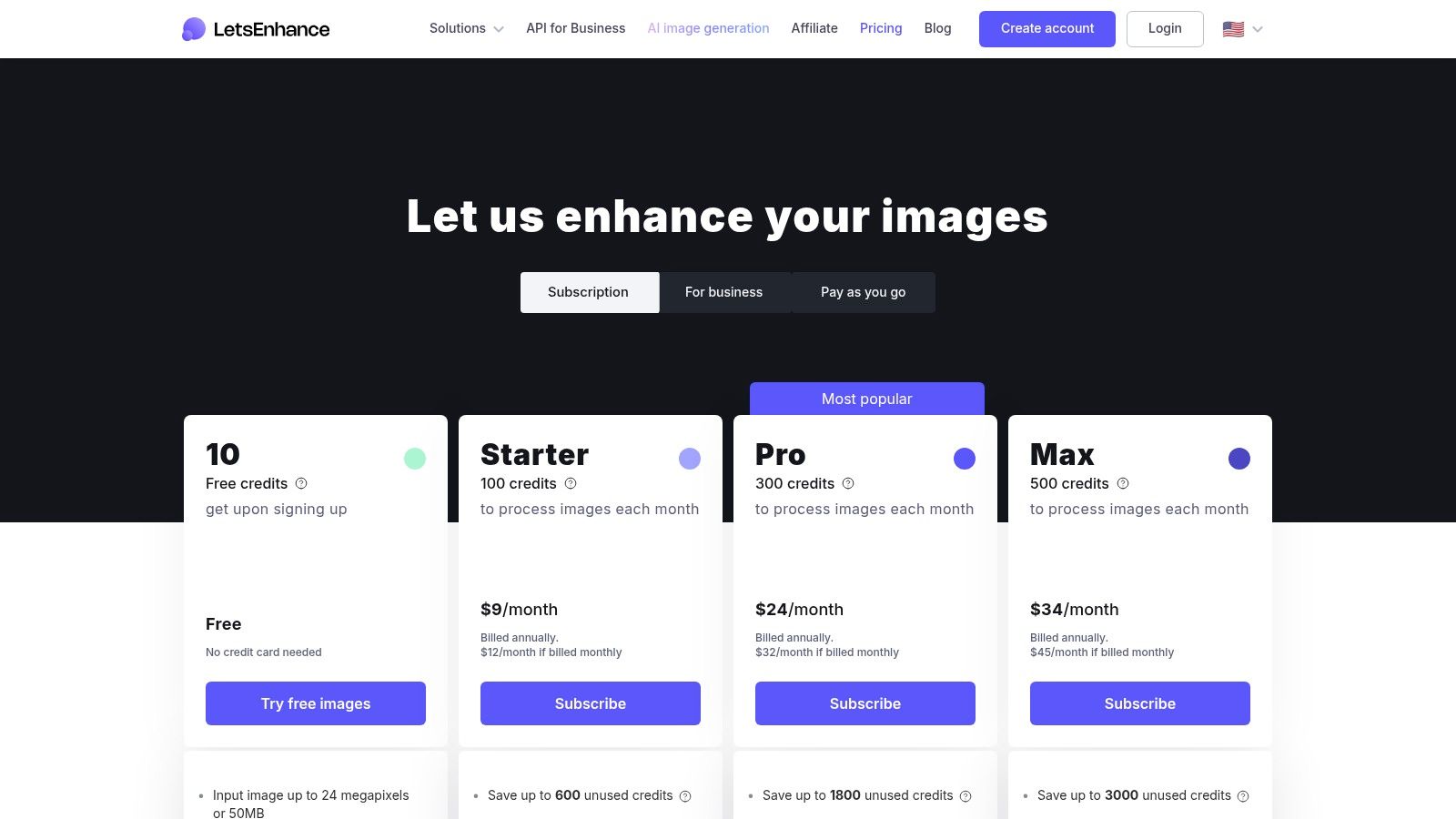
    The magic of Let’s Enhance lies in its simplicity and speed. You upload an image, select your enhancement presets like "Smart Enhance" or "Photo," choose your upscale factor (up to 16x or a staggering 256 megapixels on personal plans), and let the AI do the rest. It's built around a credit-based system, making it flexible for both one-off projects and regular batch processing needs.

    Let’s Enhance

    Key Features & Use Cases

    • High-Resolution Upscaling: Its primary function is perfect for photographers needing to print low-res shots, or e-commerce managers who need to turn small supplier photos into high-quality product listings.
    • Simple Web-Based Workflow: Ideal for teams or individuals who need quick enhancements without the learning curve or system requirements of desktop software. Drag, drop, and enhance.
    • Credit-Based System: The model (starting with 10 free credits, then subscriptions from $12/month for 100 credits) is great for users with fluctuating needs. You can buy a pack of credits for a single large project without committing to a monthly plan.

    The Verdict

    Let's Enhance knows its niche and serves it perfectly. It's not a replacement for Photoshop, but it's not trying to be. Its strength is its focused, high-quality upscaling and enhancement delivered through a frictionless web interface. The main limitation is its narrow feature set; if you need more than upscaling, color correction, or background removal, you'll need another tool. For quick, powerful, and accessible image enlarging, it’s a top-tier contender.

    Website: https://letsenhance.io/pricing

    9. Remini

    If you’ve ever scrolled through social media and seen a miraculously restored, crystal-clear old family photo, chances are you've witnessed Remini in action. This mobile-first powerhouse has carved out a massive niche by focusing on one thing and doing it exceptionally well: reviving faces. It's the go-to app for transforming blurry, low-resolution, or aged portraits into sharp, vibrant images with a single tap.

    Remini is less of a full-featured editor and more of a specialized revival tool. Its AI is expertly trained to deblur faces, recover fine details like hair and skin texture, and colorize old photos with startling accuracy. This makes it an indispensable piece of ai image enhancement software for anyone looking to rescue precious memories from digital decay or simply give their selfies a professional-grade polish before posting.

    Remini

    Key Features & Use Cases

    • One-Tap Face Enhancement: Perfect for social media users, genealogists, and families wanting to restore old photo albums without any technical skill. The before-and-after slider is incredibly satisfying.
    • Deblurring & Detail Recovery: Its core strength is sharpening out-of-focus shots. This is a lifesaver for salvaging photos that would otherwise be unusable.
    • Mobile-Centric Workflow: The app (available on iOS and Android) is designed for speed and simplicity, making it ideal for on-the-go enhancements directly from your phone's camera roll. While it excels at faces, for cleaning up text or watermarks in images, you might need a different approach; you can see how specialized text removal works for comparison.

    The Verdict

    Remini’s magic is its accessibility and focus. It delivers impressive, often jaw-dropping results for portrait restoration with zero learning curve. The main drawback is its subscription model, which is managed through in-app purchases (weekly, monthly, or yearly) and can sometimes be confusing for users to manage. For quick, powerful, and mobile-native face enhancement, however, Remini is in a class of its own.

    Website: https://remini.ai/

    10. AVCLabs Photo Enhancer AI

    AVCLabs Photo Enhancer AI is the friendly neighborhood tool for anyone who wants powerful AI enhancement without a convoluted interface or a mandatory subscription. It’s a downloadable desktop application for Windows and macOS that packages a suite of useful features into a straightforward, one-click workflow. This makes it an excellent piece of ai image enhancement software for users who prefer to own their software outright and process images locally on their machine.

    Where AVCLabs shines is its accessibility and utility. It focuses on core tasks like upscaling, denoising, face restoration, and colorizing black-and-white photos, delivering solid results with minimal fuss. Think of it as a dependable Swiss Army knife for common photo problems, from rescuing old, grainy family pictures to quickly sharpening product shots for a small online store. It’s built for efficiency, especially with its batch processing capabilities.

    AVCLabs Photo Enhancer AI

    Key Features & Use Cases

    • One-Click AI Models: Includes dedicated models for upscaling, denoising, face refinement, colorizing, and background removal. This is perfect for hobbyists or small business owners who need quick, reliable fixes without learning complex software.
    • Batch Processing: A huge time-saver for anyone needing to enhance an entire folder of images at once, like restoring a digitized photo album or prepping multiple product images for an e-commerce site.
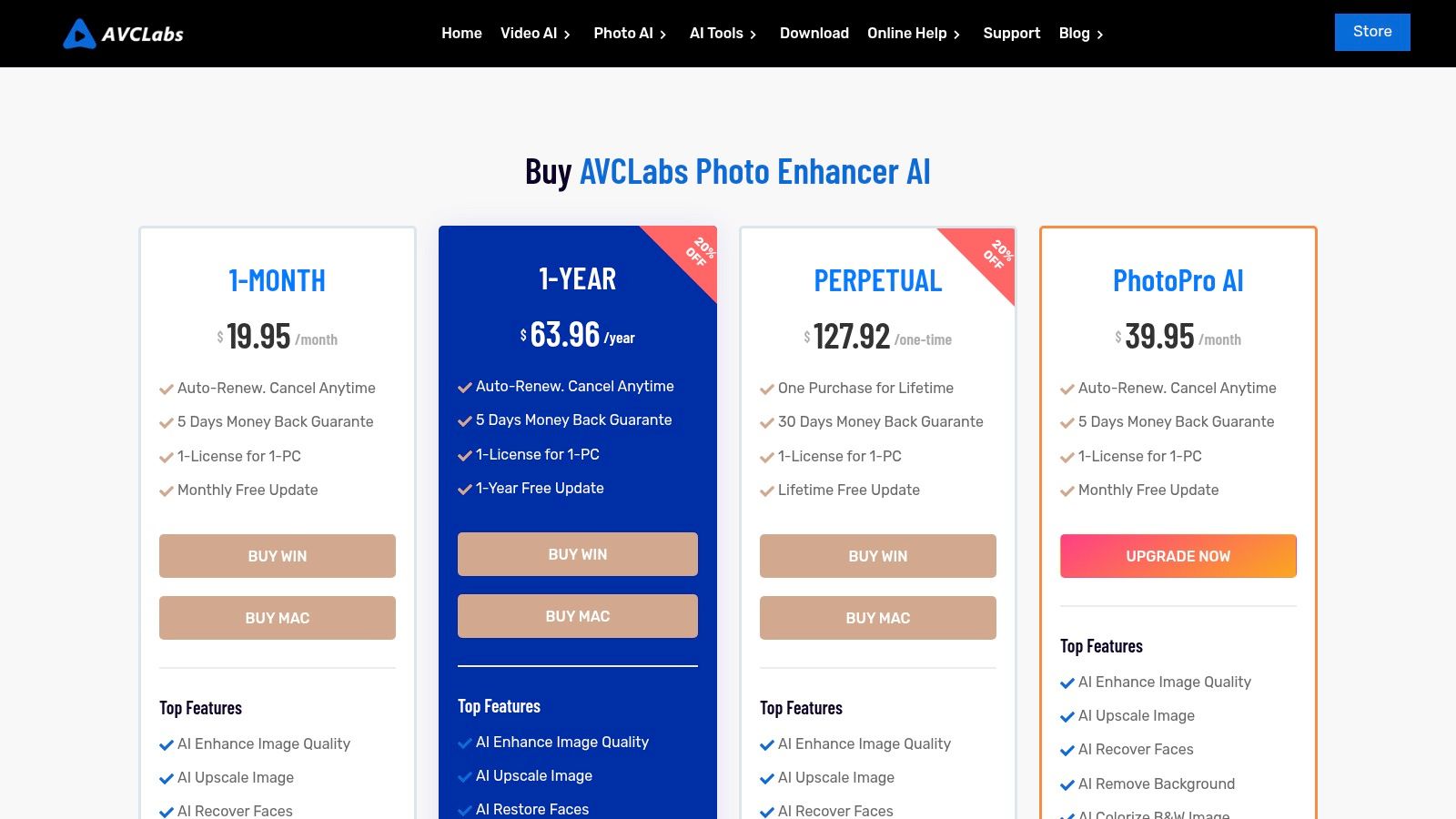
    • Lifetime License Option: Stands out from the subscription-heavy market by offering a lifetime purchase option, appealing to users who dislike recurring fees. The bundles with their video enhancer offer even more value.

    The Verdict

    AVCLabs is a strong contender for those who prioritize simplicity, offline processing, and budget-friendly licensing. While its AI models might not always match the absolute cutting-edge quality of industry giants on every single image, its performance is more than capable for a vast range of everyday uses. The interface is clean and gets the job done without a steep learning curve. With plans starting around $29.95/month or a very attractive lifetime option, it’s a practical and cost-effective solution.

    Website: https://www.avclabs.com/special-offer/purchase-photo-enhancer-ai.html

    11. Fotor

    Fotor is the Swiss Army knife of online image editing, blending practical AI enhancement with a suite of design tools. It's the go-to platform when you need to quickly upscale a low-res logo, remove the background from a product shot, and then immediately drop it into a social media template. This makes it an incredibly efficient piece of ai image enhancement software for marketers, small business owners, and content creators who live life in the browser tab.

    The platform's strength lies in its all-in-one approach. It packs an AI upscaler, enhancer, denoiser, and a surprisingly capable background remover into a single, accessible interface. It’s less about deep, pixel-perfect control and more about getting 90% of the job done in 10% of the time. For those managing marketing campaigns or e-commerce stores, Fotor bridges the gap between a simple filter app and a complex desktop editor.

    Fotor

    Key Features & Use Cases

    • All-in-One Toolkit: Perfect for social media managers who need to enhance a user-generated photo, remove its background, and place it in a branded template without switching apps.
    • Batch Editing & Cloud Storage: Higher-tier plans are a huge timesaver for e-commerce sellers needing to process hundreds of product photos consistently.
    • API Access: Developers can integrate Fotor's AI tools into their own platforms or workflows, which is ideal for SaaS companies that want to offer image editing capabilities to their users.

    The Verdict

    Fotor’s value proposition is convenience and speed. It’s an excellent choice for users who need a broad set of good-enough tools without the learning curve or cost of professional software. While a free tier exists, the most powerful features and batch processing are locked behind Pro plans (starting around $3.33/month). Some users note aggressive upsells, but for those who need a fast, browser-based solution for everyday marketing and design tasks, Fotor delivers.

    Website: https://www.fotor.com/pricing/

    12. Pixelmator Pro

    For the Mac purists, Pixelmator Pro is a sleek, powerful, and distinctly Apple-flavored alternative in the world of image editing. It ditches the cross-platform complexity for a laser focus on macOS, resulting in a screaming-fast, native experience. This isn't just a basic editor; it's a serious piece of ai image enhancement software that leverages Apple's own machine-learning frameworks, like Core ML, to deliver impressive results without a subscription.

    At its core, Pixelmator Pro boasts ML-powered features that feel incredibly intuitive. ML Super Resolution intelligently upscales images without turning them into pixelated mush, while the ML Denoise and Repair tools make quick work of noise and imperfections. Because it's built from the ground up for Apple hardware, it integrates seamlessly with the Photos app and flies on Apple silicon, making it feel less like a third-party app and more like an extension of the operating system itself.

    Pixelmator Pro

    Key Features & Use Cases

    • ML Super Resolution: A godsend for designers needing to blow up a lower-resolution asset for print or large-format digital displays without losing critical detail.
    • Intelligent Repair & Object Removal: Perfect for content creators cleaning up product photos or portraits, allowing for quick, context-aware removal of unwanted spots or entire objects.
    • Deep macOS Integration: Its ability to work directly within the Photos app creates an ultra-efficient workflow for hobbyists and professionals who manage their entire library on Apple devices.

    The Verdict

    Pixelmator Pro's biggest selling point is its elegant simplicity and performance on Macs, coupled with a highly attractive one-time purchase price (around $49.99). It delivers pro-level AI tools in a clean, approachable interface. The obvious limitation is its Mac-only existence, which is a dealbreaker for Windows users. For those embedded in the Apple ecosystem, however, it offers incredible value and power without the monthly fee.

    Website: https://www.apple.com/pixelmator-pro/

    Top 12 AI Image Enhancement Tools — Feature Comparison

    Product Core features Quality (★) Value / Pricing (💰) Target (👥) Unique / USP (✨)
    🏆 PixelPanda bg removal, watermark/text cleanup, 4x upscaling, face enhance, smart inpainting, TTI, video, REST API/SDK ★★★★☆ studio-grade, preserves hair/fur; images ~15–20s 💰 Starter $39/yr (7k credits), Growth $59, Pro $89; credits roll over; free trial 👥 Dev teams, e‑commerce, marketers, designers, SaaS ✨ API-first, batch scale, trainable avatars, commercial rights
    Adobe Photoshop Generative Fill, denoise/upscale, auto-select, cloud sync, CC integrations ★★★★★ industry-standard, frequent AI updates 💰 Creative Cloud subscription; enterprise options 👥 Creatives, agencies, enterprises ✨ Deep ecosystem + cross-app workflows
    Topaz Labs – Topaz Photo Denoise, Sharpen, Deblur, Upscale, Face Recovery; local & cloud render ★★★★☆ excellent upscaling & face recovery 💰 Paid (subscription/perpetual); larger model downloads 👥 Photographers needing restoration/upscale ✨ Detail-preserving upscales; local/cloud rendering
    Skylum Luminar Neo Enhance AI, Super Sharp, Noiseless, Upscale AI, GenErase/GenSwap ★★★★ easy one-click AI; good results 💰 Perpetual or subscription; some add-ons extra 👥 Enthusiasts, marketers, hobbyists ✨ One-click AI sliders; perpetual license option
    ON1 Resize AI AI enlargement, sharpening, film grain, PSD/layer support, print layouts ★★★★ print-ready enlargements 💰 Paid standalone or bundle/subscription 👥 Print studios, pro photographers ✨ Print-focused upscaling & plugin integration
    DxO PureRAW 5 DeepPRIME denoise/demosaic, camera/lens corrections, DNG export ★★★★☆ exceptional RAW denoise & detail recovery 💰 One-time purchase available 👥 RAW shooters, pros needing ISO recovery ✨ DeepPRIME + lens module corrections
    Capture One AI masking (Magic Brush), advanced color, layers, tethered capture ★★★★★ studio-grade color & tethering 💰 Subscription or perpetual; All‑in‑One bundle 👥 Studio & e‑commerce photographers ✨ Best-in-class tethering and color control
    Let’s Enhance Web upscaling (up to 256MP), enhancement, bg removal; credit system ★★★ good quick web upscales 💰 Credit-based (sub or PAYG); rollover on personal tiers 👥 Non-technical users, occasional upscales ✨ No-install web workflow; very high MP support
    Remini Mobile face enhancement, deblur, one-tap workflows (iOS/Android) ★★★ fast mobile face restoration 💰 In-app subscriptions (variable) 👥 Mobile users, social sellers, casual restorations ✨ One-tap portrait recovery on mobile
    AVCLabs Photo Enhancer AI Upscale, face recovery, bg/object removal, colorization ★★★ budget-friendly enhancement 💰 Flexible licensing: monthly/yearly/lifetime 👥 Budget-conscious users, non-experts ✨ Lifetime license and bundle options
    Fotor Browser editor: upscaler, enhancer, denoiser, bg remover, templates ★★★ solid online toolkit for marketing 💰 Free + paid tiers; team/API plans 👥 Marketers, SMBs, teams needing quick designs ✨ Integrated templates, brand kits & cloud
    Pixelmator Pro ML Super Resolution, denoise, repair, object removal (macOS) ★★★★ fast native Apple silicon performance 💰 One-time App Store purchase or bundle 👥 macOS users, designers who prefer native apps ✨ macOS-optimized, one-time purchase option

    Choosing Your Perfect Pixel Partner

    And there you have it, a whirlwind tour through the magical, slightly bonkers world of AI image enhancement software. We've journeyed from the pixel-perfect precision of desktop titans like Adobe Photoshop and Capture One to the sheer automated wizardry of API-first platforms like PixelPanda. The days of painstakingly cloning out dust specks or manually sharpening every last detail are fading fast, replaced by intelligent algorithms that do the heavy lifting in seconds. The future isn't just coming; it’s here, and it's making our images look ridiculously good.

    The biggest takeaway from this deep dive? There is no single "best" tool. The perfect pixel partner for a high-volume ecommerce marketplace is a world away from the ideal software for a fine art photographer shooting in RAW. Your mission, should you choose to accept it, is to match the tool to the task, not the other way around. Don't get distracted by a million features you'll never use. Instead, focus on the core problem you need to solve.

    Your Cheat Sheet for Making the Right Choice

    To cut through the noise, let's distill this down to a few key decision pathways. Think of this as your personal AI software sommelier, pairing the right solution to your specific creative vintage.

    • For Developers and High-Volume Businesses: If your reality is thousands of user-generated photos, product catalog updates, or integrating image processing into an app, your North Star should be API and automation. A solution like PixelPanda is built for this world. You need something that can handle massive scale, provides consistent results without human intervention, and plays nicely with your existing tech stack. Your key metrics are processing speed, reliability, and cost-per-image at scale.

    • For the Meticulous Photographer: If your workflow revolves around RAW files and you obsess over every nuance of color, tone, and sharpness, you need granular control. Tools like DxO PureRAW, Topaz Photo, and the advanced features within Capture One are your allies. These platforms are designed to respect the integrity of your original file while giving you the power to push it to its creative limits. The ability to work non-destructively and integrate into a Lightroom or Photoshop workflow is paramount.

    • For the Social Media Guru & Content Creator: Your world moves at the speed of a scroll. You need fast, impressive results with minimal fuss. Mobile-first apps like Remini and web-based platforms like Let's Enhance or Fotor are your secret weapons. They excel at quick-fix enhancements, creative filters, and social-ready outputs. To streamline your overall workflow and ensure consistent quality across all platforms, consider exploring the top social media content creation tools that complement your image enhancement efforts.

    • For the All-Around Creative: If you're a designer or marketer who needs a bit of everything, a versatile suite like Adobe Photoshop with its Neural Filters or Skylum Luminar Neo offers a powerful sandbox. These tools blend cutting-edge AI features with traditional manual editing, giving you the flexibility to handle any task that comes your way, from a simple upscale to a complex creative composite.

    Don't Just Read, Experiment!

    The most crucial step you can take after reading this guide is to get your hands dirty. Every single tool on this list offers a free trial, a demo, or a freemium plan. Use them. Grab a few of your own challenging images: a low-light shot, a blurry portrait, a noisy landscape. Run them through your top two or three contenders and compare the results side-by-side.

    Does the AI understand the texture you want to preserve? Does the face enhancement look natural or plasticky? How quickly can you get from a mediocre "before" to a stunning "after"? The proof is in the pixels, and your own images are the only test that matters. The right AI image enhancement software is a transformative addition to any creative or technical workflow, ready to save you time, elevate your quality, and maybe even unlock a little bit of digital magic you didn't know was possible.


    Ready to put the power of automated, scalable AI to work? If you're building an application, managing a marketplace, or just tired of manual edits, see what a dedicated API can do. PixelPanda is designed from the ground up to provide developers and businesses with fast, reliable, and high-quality image enhancement on demand. Try the PixelPanda API for free and start transforming your visuals in minutes.

  • Your Guide to AI Image Editing and How It Works

    Your Guide to AI Image Editing and How It Works

    Let's be honest, nobody enjoys spending hours painstakingly tracing around an object in Photoshop just to remove a background. What if you could do it in a click? Or better yet, what if you could just tell a program what you want an image to look like, and it just… happens?

    That’s the magic of AI image editing. It's less about applying filters and more about having an intelligent assistant who understands what’s in your picture and can manipulate it with precision.

    What Is AI Image Editing?

    Think of it as the difference between a simple photo filter and a true creative partner. AI image editing is a massive leap forward, giving software the ability to see and understand images in a way that feels almost human. It can tell the difference between a person, a tree, and the sky, allowing for edits that were once the domain of highly skilled artists.

    This isn't just a cool party trick; it's a fundamental shift for anyone who works with visuals:

    • Developers can now build apps that process images automatically without needing a team of designers.
    • E-commerce brands can finally get consistent, professional-looking product shots across thousands of listings.
    • Marketers can generate an endless supply of fresh, eye-catching visuals for their campaigns on the fly.

    The Driving Force Behind the Growth

    This whole space is exploding for a reason. We're talking about a market valued at a whopping USD 88.7 billion in 2025, and it's on track to hit an incredible USD 229.6 billion by 2035. Right now, businesses and enterprise users are leading the charge, making up over 42% of that growth.

    Why the sudden gold rush? Because this technology solves a massive, expensive problem: creating high-quality visual content at scale. Businesses are realizing they can automate tasks that used to take countless hours of manual labor, saving a ton of time and money while actually improving their output. This is all part of a broader trend in content creation, which you can explore by learning more about what synthetic media entails.

    AI doesn't just slap a new color on your image; it understands the context. It knows that's a car on a street and can realistically change its color while leaving the shadows, reflections, and the rest of the scene completely untouched.

    At its core, AI image editing democratizes professional-grade visual production. It makes it fast, affordable, and accessible to everyone. In this guide, we'll pull back the curtain to show you exactly how it works and why it's quickly becoming a non-negotiable tool for modern businesses.

    How AI Actually Learns to See and Edit

    Ever wondered how an AI knows exactly where a person's hair ends and the background begins? It feels like some kind of digital wizardry, but the secret is a training process that’s a lot like teaching a puppy a new trick. Except, instead of getting treats and belly rubs, the AI gets data. Mountains of it.

    You don't teach a neural network—the AI's "brain"—to spot a cat by listing rules like "pointy ears" and "long whiskers." That would be impossible. Instead, you show it millions of cat pictures, simply saying, "This is a cat." After a while, it starts to figure out the patterns, shapes, and textures that scream "cat" all on its own.

    This is how an AI develops a sense of sight. It learns to break down images into their component parts, identifying different objects and understanding how they relate to one another. This skill is the absolute foundation of powerful AI image editing, letting the software make targeted, context-aware changes that are light-years beyond a simple filter.

    The Great AI Creative Duel

    So, the AI can see. But how does it learn to create something out of thin air or convincingly fill in a blank space? This is where things get really fun, thanks to a brilliant concept called Generative Adversarial Networks, or GANs.

    Picture a high-stakes art competition between two AIs:

    • The Artist (Generator): This AI’s whole job is to paint new images, trying its absolute best to make them look real. At first, its work is a total mess, like a toddler’s finger painting.
    • The Critic (Discriminator): This AI is a snooty art expert. It’s been trained on a massive gallery of real images, and its only purpose is to look at the Artist’s work and declare, "Fake!" or "Real!"

    The Artist whips up an image and presents it to the Critic. The Critic, having seen thousands of genuine photos, immediately spots the forgery and rejects it. The Artist takes that feedback, tweaks its technique, and tries again. This back-and-forth happens millions of times. The Artist gets better at fooling the Critic, and the Critic gets sharper at spotting fakes. Eventually, the Artist gets so good that its creations are almost indistinguishable from the real thing.

    This constant competition is how an AI can "imagine" the pixels needed to erase a tourist from your vacation photo or dream up an entirely new background that perfectly matches the lighting on your subject.

    This whole process—from learning to see to learning to create—is what fuels the incredible benefits of modern AI editing tools. It’s all connected.

    A concept map illustrating AI image editing, detailing its enhancement of generative content, speed, creation, and precision.

    As the concept map shows, the AI’s deep learning directly translates into real-world wins like speed, creativity, and surgical precision in editing.

    The Rise of Diffusion Models

    Lately, another method called Diffusion Models has grabbed the spotlight, becoming the engine behind many of the most mind-blowing text-to-image tools. The best way to think about this one is like sculpting, but backward.

    Imagine starting with a finished masterpiece, then slowly adding tiny specks of marble dust until it’s just a rough, shapeless block. A diffusion model learns how to do that entire process in reverse. It's trained to begin with a block of pure random noise—picture old-school TV static—and meticulously chisel away the "dust," step-by-step, to reveal a clear, coherent image based on a text prompt.

    For a great breakdown of the nuts and bolts, checking out the underlying technology behind AI image generators offers some fantastic insights.

    Because this "de-noising" process is so gradual and controlled, it gives the AI an incredible amount of precision, leading to stunning detail and realism. It’s exactly why you can type "a photorealistic astronaut riding a horse on Mars" and the AI can actually build that impossible scene from nothing. Grasping these core ideas really helps you appreciate why today's AI image editing feels so powerful and almost magical.

    The Magic Tricks of AI Editing: A Breakdown of Core Techniques

    Alright, we've peeked behind the curtain at how these AI models "think." Now for the fun part: seeing what they can do. These aren't just abstract theories; they're the real-world tools that are completely revamping how businesses create amazing visuals at lightning speed.

    Think of this as your menu of creative superpowers. Let's dig into the core techniques you'll use time and time again.

    Design sketches illustrating the evolution of a white cylindrical smart home device, from concept to refined.

    From polishing product photos to dreaming up entirely new marketing campaigns, AI image editing is the secret weapon for getting more done with way less hassle.

    Flawless Background Removal

    This is the bread and butter of AI editing, especially for anyone in e-commerce. Remember the soul-crushing task of manually tracing a product with a digital pen? An AI eats that for breakfast. It can analyze an image, find the subject, and cleanly snip out the background in seconds, giving you a perfect, transparent PNG.

    And this isn't a sloppy rush job. The best models can handle the nightmare stuff—wispy hair, fuzzy textures, or delicate chain-link jewelry—without leaving those dreaded jagged edges or weird glowing halos. It’s pure precision.

    • Before: Your product sitting in a cluttered studio with funky shadows.
    • After: A crisp, ready-for-anything cutout of your product on a transparent background, perfect for Amazon, Shopify, or your own website.
    • Why It Matters: This creates a clean, uniform look across your entire catalog, a proven factor in building customer trust and boosting sales.

    Smart Object Removal and Inpainting

    You know the feeling. You snap the perfect shot, but there's a rogue power line, a random tourist photobombing, or a distracting logo in the corner. Enter inpainting, the AI's version of a magic eraser. Just tell the AI what you want gone, and poof—it vanishes.

    But it's smarter than just smudging pixels around. The AI actually understands the context of the image and rebuilds what should have been behind the object you removed. It intelligently fills the gap with textures and patterns that perfectly match the scene.

    It's like having a world-class photo restoration artist on speed dial. The AI literally imagines what's missing and paints it back into existence, leaving an edit so clean you'd never know anything was there.

    Super-Resolution Upscaling

    We've all been there. You find the perfect image online, but it’s a tiny, pixelated thumbnail. Try to blow it up, and you get a blurry, unusable mess. Super-resolution is the AI technique that swoops in to save the day, adding sharp, believable detail where there was none.

    Instead of just stretching the pixels, the AI analyzes the low-res image and makes incredibly educated guesses about what the high-resolution version should look like. It reconstructs textures and sharpens edges, turning a fuzzy graphic into something you could actually print. Want to see it for yourself? Check out this interactive image upscaling demo to see the magic happen in real time.

    Generative AI and Style Transfer

    This is where AI image editing goes from fixing photos to pure creation. Two of the most mind-bending techniques here are style transfer and text-to-image generation.

    • Style Transfer: Imagine taking the brushstrokes of a Van Gogh painting and applying them to a photo of your dog. That's style transfer. It lets you blend the artistic style of one image with the subject of another, creating totally unique visuals for social media posts or branded assets.

    • Text-to-Image Generation: This is the one everyone's talking about. You just type a description—a "prompt"—and the AI generates a completely original image from scratch. For a marketer, this is a game-changer. Suddenly, you can create custom visuals for a campaign without a camera, a photoshoot, or a stock photo subscription. Need a "koala bear wearing sunglasses drinking a smoothie on the beach"? The AI can whip that up for you in seconds.

    Comparing these modern AI workflows to traditional methods really highlights the massive leap in efficiency. It's not just about saving a few minutes; it's about fundamentally changing what's possible.

    Manual Editing vs AI-Powered Editing Workflows

    Task Manual Editing (Per Image) AI Image Editing (Per Image) Key Benefit of AI
    Background Removal 5-15 minutes (or more for complex subjects) 2-5 seconds Massive time savings, perfect consistency across batches
    Object Removal 10-30 minutes of careful cloning/healing 5-10 seconds Effortlessly fix imperfect shots without expert skills
    Image Upscaling Limited; often results in poor quality 10-15 seconds Rescues low-res images, creating usable assets from scrap
    New Asset Creation Hours/days (photoshoot, design, etc.) 30-60 seconds On-demand creativity, limitless variations at near-zero cost

    The numbers don't lie. What used to take hours of skilled labor can now be done better and faster in mere seconds. This unlocks a level of scale and creativity that was simply out of reach for most businesses until now.

    AI Image Editing in the Real World

    Alright, let's get out of the lab and into the trenches. Theory is great, but the real magic happens when AI image editing tools are actually put to work. This is where the tech stops being a neat party trick and starts solving real, often frustrating, problems for businesses of every shape and size. Let's look at some stories from the field to see how these smart systems are making a massive impact.

    A conveyor belt illustrates messy items being transformed into organized product images, leading to a data analysis screen.

    From scrappy startups to global brands, the story is almost always the same: manual editing was a soul-crushing bottleneck, and automation blew the doors wide open.

    Powering the E-commerce Engine

    For anyone selling online, product photography is the lifeblood of the business. A clean, consistent, and professional image can be the tiny nudge that turns a "maybe" into a "buy now." The problem? Getting that perfect look across thousands of products is a Herculean task, traditionally demanding an army of editors and endless hours of tedious clicking.

    Picture an e-commerce brand that sells vintage clothing. Every single item is a one-off, and they need to get hundreds of new products online every week. Before, their small design team was spending nearly 80% of their time just meticulously cutting out backgrounds to meet the strict requirements of marketplaces like Amazon and eBay. It was slow, wildly expensive, and sucked the creativity right out of them.

    Once they plugged an AI-powered workflow into their process, everything changed. They could suddenly batch-process an entire day's worth of photos in the time it takes to grab a coffee. The AI nailed all the tricky parts—fuzzy sweaters, delicate lace, shiny buttons—with an accuracy that was almost spooky.

    The results were staggering. They slashed their image production time by over 90%. This meant products went live faster, and their designers could finally focus on creating killer marketing assets instead of just tracing pixels all day.

    This isn't just about saving a few hours. It’s about speeding up the entire sales cycle. Quicker listings mean your products are in front of customers sooner, which puts money in the bank faster. If you want to see this core tech in action, you can even test out an AI background removal demo and get a feel for its precision firsthand.

    Fueling Marketing and Creative Teams

    Marketing folks are in a constant battle to feed the content beast. They need a never-ending stream of fresh, eye-catching visuals for social media, ads, and email campaigns. But the creative well runs dry, and the budget for infinite photoshoots just doesn't exist. This is where AI image editing steps in as a creative force multiplier.

    Think about a digital marketing agency juggling a dozen different clients. They needed to crank out unique ad variations for A/B testing on Facebook and Instagram. The old way involved a designer manually creating every single version—swapping backgrounds, tweaking product colors, adding different text overlays. It was a production line from hell that severely limited how much they could experiment.

    Integrating AI completely flipped the script.

    • Endless Variations: Now, they can take one product shot and instantly conjure up dozens of lifestyle scenes. They can place a product in different settings to see what clicks with their audience, all without a single reshoot.
    • On-the-Fly Assets: Need a quick graphic for a flash sale? A marketer can use a text-to-image generator to whip up a custom visual in seconds, no design ticket required.
    • Rapid Prototyping: They can mock up entire campaign concepts with AI-generated visuals to test the waters before committing thousands of dollars to a full-scale photoshoot.

    This kind of agility lets them be more responsive, more creative, and more data-driven, which ultimately leads to better campaigns and happier clients. The market is certainly taking notice. Within the broader AI sector, image-related tech is one of the fastest-growing areas. The global AI image generator market, valued at USD 3.16 billion in 2025, is projected to rocket to USD 30.02 billion by 2033, growing at a blistering 32.5% CAGR. You can read more about the explosive growth of AI imaging technology and its trajectory.

    Empowering Developers to Build Smarter Apps

    For developers, AI image editing isn't just a tool—it's a superpower delivered through a building block. By integrating a simple API, they can bolt powerful visual processing capabilities right into their apps, creating features that would have been outrageously complex or expensive to build from scratch.

    Take a social networking app, for instance. They wanted to make sure all user-uploaded profile pictures were appropriate and looked good. Manually checking millions of images? Impossible.

    By hooking into an AI image editing API, they automated the whole shebang:

    1. Moderation: The API first scans the image to flag any inappropriate content.
    2. Enhancement: Next, it automatically touches up the photo, improving the lighting and sharpness.
    3. Resizing and Cropping: Finally, it intelligently crops the image to focus on the user's face and resizes it perfectly for every spot it appears in the app.

    This all happens silently in the background, in less than a second. The result is a better user experience, a safer platform, and a massive drop in manual work. The developer didn't need a PhD in computer vision; they just needed to make an API call. We're seeing this same story play out everywhere, from real estate apps that instantly de-clutter property photos to platforms that enhance user-generated content, proving that AI is becoming a fundamental piece of the modern software puzzle.

    Putting AI Image Editing to Work In Your Own Projects

    Alright, enough with the theory—let's get our hands dirty. This is where we bridge the gap between what AI image editing is and how you can actually use it. The good news? You don't need a Ph.D. in machine learning to bring this magic into your apps or website. You just need to know how to ask for what you want.

    Think of an Application Programming Interface (API) as a magic genie in a bottle. You don't need to understand the cosmic forces at play; you just rub the lamp (make an API call), state your wish ("remove the background from this photo"), and poof! The genie (the AI service) delivers the result. It’s a beautifully simple way to tap into incredibly powerful technology without building it yourself.

    A diagram shows a laptop connecting to an API cloud for batch processing multiple data windows.

    This "genie in a bottle" approach is what allows developers and marketers to wire sophisticated AI directly into their existing systems, whether it's a custom-built app, a Shopify store, or an internal content management system.

    Your First Wish: A Simple API Call

    Let's make this real. A classic first step is removing an image background, something that used to take a graphic designer ages to do by hand. With a service like PixelPanda, it’s just a few lines of code.

    Here's what that looks like in Python, a go-to language for this kind of work. This little script grabs an image, sends it off to the API, and saves the new, background-free version.

    import requests

    Your unique API key and the image you want to edit

    API_KEY = "YOUR_API_KEY_HERE"
    IMAGE_PATH = "path/to/your/product-photo.jpg"

    response = requests.post(
    "https://api.pixelpanda.ai/v1/background-removal",
    files={'image': open(IMAGE_PATH, 'rb')},
    headers={'Authorization': f'Bearer {API_KEY}'}
    )

    Save the edited image with a transparent background

    if response.status_code == 200:
    with open("product-photo-edited.png", "wb") as f:
    f.write(response.content)
    print("Background removed successfully!")
    else:
    print("Error:", response.text)

    See? No complex AI models, no neural network architecture—none of that. You're just sending a standard web request, the same kind your browser makes thousands of times a day. And for front-end folks, doing this in JavaScript is just as easy.

    The beauty of an API is that it abstracts away all the gnarly details. You get to focus on building your amazing product, not on the mind-bending complexity of the AI humming away in the background.

    Choosing Your Path: Raw API vs. Friendly SDK

    As you start exploring, you'll run into two main ways to connect with these services: a direct API or a Software Development Kit (SDK). Knowing the difference will save you a lot of headaches.

    • Direct API: This is the most direct route. You’re crafting the HTTP requests yourself, just like in the Python example above. It gives you total control and works with literally any programming language that can connect to the internet.
    • SDK: Think of an SDK as a friendly translator. It's a bundle of code written for a specific language (like Python or JavaScript) that wraps up all the raw API calls into simple, easy-to-use functions. Instead of messing with headers and requests, you might just call a function like pixelpanda.remove_background("image.jpg").

    So, which one is for you? If you're a tinkerer who needs fine-grained control or you're using a niche programming language, the direct API is your ticket. But if you want to get results fast and prefer a cleaner, more straightforward coding experience, an SDK will be your new best friend. For a deep dive, the PixelPanda developer documentation is the perfect place to get started.

    Pro Tips for a Smooth Integration

    Before you dive headfirst into coding, here are a few hard-won lessons that will make your life easier and your application much more reliable.

    1. Guard Your API Keys! Treat your API key like the password to your bank account. Never, ever, put it in your front-end code or check it into a public GitHub repository. Use environment variables to keep it secret and safe.

    2. Don't Assume Success. The internet is a chaotic place, and APIs can fail. Your code should always be ready to handle errors gracefully. What happens if you get a 404 Not Found or a 500 Server Error? Make sure your app knows how to react without crashing and burning.

    3. Think in Batches for Big Jobs. Got a thousand product photos to process? Don't send them one by one. That’s like trying to fill a swimming pool with a teaspoon. A smart system queues up images for batch processing, handling them in an orderly fashion. This is non-negotiable for large e-commerce catalogs or platforms that deal with tons of user-generated content.

    Judging Quality and Navigating the Ethical Maze

    Jumping into AI image editing is a blast, but you quickly learn a hard truth: not all AI tools are created equal. A cheap knock-off can leave you with blurry messes and bizarre artifacts, while a high-quality system delivers results so good they look like they were done by a seasoned pro.

    So, how do you become a smart, discerning user? It starts with knowing what to look for.

    Think of it like being a judge at a talent show. You need a scorecard to tell the amateurs from the professionals. When you’re evaluating an AI’s output, you're not just glancing at the big picture; you’re a detective, inspecting the tiny details that reveal its true skill.

    Your Quality Checklist

    Here’s a practical guide to spotting top-tier AI performance:

    • Background Removal: Get in close. Zoom right in on the edges. A great AI will flawlessly trace around tricky details like flyaway hair, the fuzz on a sweater, or delicate jewelry. You're hunting for clean, sharp lines with zero leftover background pixels or weird, glowing halos. Anything less is a dead giveaway.

    • Image Upscaling: Scrutinize the textures. Does the fabric's weave look natural, or does it seem plasticky and fake? A good upscale adds believable detail, making things sharper and richer. A poor one just makes everything look like a blurry, computer-generated guess.

    • Object Removal (Inpainting): Check the fill pattern. When an object vanishes, the AI should rebuild what was behind it using context-aware textures that match the lighting and perspective of the scene. If the filled-in area looks repetitive, smudged, or just off, the AI isn’t smart enough to pull off the magic trick.

    The ultimate test of a great AI edit is invisibility. If you can't tell that an AI was ever there, it has done its job perfectly. The goal is a seamless, natural result that enhances the original image, not one that screams "I was edited!"

    Navigating the Ethical Maze

    Beyond pixels and sharpness lies something far more important: using this powerful technology responsibly. As you start editing, keeping a few key principles in mind will help you build trust and maintain credibility with your audience.

    First, be transparent about significant alterations. If you're using AI to plop a product into a completely new scene or create a composite image that doesn't exist in reality, just say so. A simple disclaimer is all it takes. Honesty prevents misleading people and, frankly, builds a much stronger connection with your customers.

    Second, prioritize data privacy. When you upload an image to an AI service, you need to know their data policy. Reputable providers like PixelPanda are crystal clear about how your data is used and stored. Be wary of services that are vague about privacy—your images could end up training their models without you ever knowing.

    Finally, avoid malicious misuse. The power to alter images comes with a huge responsibility not to create deceptive or harmful content. Using AI to create fake news images or phony endorsements is not only unethical but can have serious real-world consequences. By choosing responsible partners and using these tools with integrity, you can tap into their incredible power for good.

    Got Questions About AI Image Editing? Let's Clear a Few Things Up.

    Even with all the cool stuff AI can do, jumping into the world of AI image editing can feel a bit like learning a new language. You're probably wondering how it really stacks up against a human touch or if it’s going to make your creative team redundant.

    It's totally normal to have questions. Let's tackle some of the most common ones I hear.

    Is This Going to Replace My Designers?

    Nope, not a chance. Think of AI as the ultimate creative sidekick, not a replacement.

    AI is brilliant at handling the grunt work—the mind-numbing, repetitive tasks that drain a designer's creative energy. We're talking about things like removing backgrounds from 500 product shots or batch-resizing an entire campaign's worth of images.

    This doesn't make designers obsolete; it makes them more powerful. It frees them up to focus on what they do best: big-picture strategy, brainstorming killer concepts, and crafting truly original work.

    Can It Really Handle Tricky Images with Fine Details?

    Absolutely. This is where the magic of a really well-trained AI model comes into play.

    Modern systems are fed enormous, diverse datasets that teach them to see images the way we do, with an understanding of context and nuance. They can tell the difference between a wisp of hair and a similarly colored background, or trace the delicate edge of a lace dress. The results are often so clean, you’d swear someone spent hours in Photoshop with the pen tool.

    Here's the real difference: A simple filter just slaps an effect over everything. A true AI understands what it's looking at—a person, a car, a piece of clothing—and makes smart, precise edits that respect the subject. It’s the difference between a sledgehammer and a scalpel.

    How Hard Is It to Plug This into Our App?

    Honestly, it’s designed to be pretty painless for developers. Most AI editing services, like ours, offer a straightforward REST API with clear documentation and code snippets you can copy and paste.

    Getting a feature like background removal up and running is usually just a few lines of code. You send the image, the AI does its thing, and you get the polished version back. You don't need a Ph.D. in machine learning to make it work.


    Ready to reclaim all those hours lost to tedious manual edits? With PixelPanda, you can plug powerful AI image editing directly into your workflow in minutes. Check out our demos and grab a free API key to get started!

  • Artificial Intelligence Image Editing (artificial intelligence image editing)

    Artificial Intelligence Image Editing (artificial intelligence image editing)

    Forget everything you thought you knew about editing photos. What once took hours of painstaking, pixel-by-pixel work in Photoshop now happens in the blink of an eye. This isn't science fiction; it's the new reality of artificial intelligence image editing, and it's changing the game for creators everywhere.

    Your Instant Team of Digital Artists

    Think of AI image editing as having a whole crew of specialized digital artists on standby, 24/7. One is a wizard at cutting out complex subjects, another is a master of color correction, and a third can conjure up entirely new backgrounds out of thin air. That's the power you're tapping into.

    These AI systems learn their craft by studying millions of images, developing an almost human-like understanding of light, shadow, texture, and context. So, when you ask an AI to remove a background, it's not just mindlessly erasing pixels. It's intelligently identifying the subject, analyzing every curve and edge, and separating it with incredible precision—even tricky details like flyaway hair or intricate lace.

    Why This Is a Big Deal, Right Now

    This shift isn't just a minor upgrade; it's a full-blown market earthquake. The AI photo editors market hit a whopping $2.1 billion in 2024 and is on a rocket ship trajectory to $8.9 billion by 2034. It was the single fastest-growing software category last year, exploding with 441% year-over-year growth as businesses race to ditch slow, manual editing for AI-powered speed.

    Why the sudden rush? It boils down to real-world business needs:

    • Lightning-Fast Turnaround: E-commerce stores can get thousands of product photos ready for launch overnight, not over several weeks.
    • Endless Content Creation: Marketing teams can create dozens of ad variations or social media assets without overwhelming their designers.
    • Perfect Brand Consistency: Developers can build apps that automatically apply brand standards, making sure every single image looks polished and on-point.

    At its core, AI image editing automates the boring 80% of the work. This frees up your human talent to focus on the crucial 20%—the high-level strategy, creativity, and storytelling that actually drives results.

    Manual vs. AI: A Quick Showdown

    A quick comparison really highlights the difference between the old way and the new way. While traditional editing is a craft, it simply can't keep up with modern demands.

    Manual Editing vs AI-Powered Editing at a Glance

    Aspect Manual Editing (e.g., Photoshop) AI Image Editing (e.g., PixelPanda)
    Speed Hours or days per batch of images. Seconds per image; thousands processed per hour.
    Scalability Limited by the number of designers and their working hours. Virtually unlimited. Scale up or down instantly via API.
    Cost High, based on hourly rates or per-image fees for skilled professionals. Extremely low on a per-image basis, often fractions of a cent.
    Consistency Varies between different editors and even from day to day. Perfectly consistent results every single time.
    Skill Required Requires years of training and expertise to achieve pro results. None. Anyone can get professional-quality results instantly.
    Best For Highly artistic, bespoke creative projects requiring a unique touch. High-volume tasks, e-commerce, marketing campaigns, app integration.

    As you can see, the choice becomes pretty clear when scale and efficiency are your main goals.

    The Old Guard vs. The New Automation

    Manual editing will always have its place as an art form, but it was never built for the scale of modern business. For a deeper dive into how pros are navigating this shift, you can find some great insights from a product photography blog. On the flip side, a powerful AI like PixelPanda can process a million images faster than a single designer can get through a small handful.

    In this guide, we'll pull back the curtain on how this technology actually works. We’ll break down the core ideas, from neural networks to generative AI, and show you exactly how to plug this power directly into your own projects. Get ready to save a ton of time and unlock a whole new level of quality for your visuals.

    How AI Image Editing Actually Works

    So, how does an AI take a messy, cluttered photo and turn it into a crisp, clean product shot in seconds? It's not quite magic, but it's probably the closest thing we have in the tech world. The secret sauce is a collection of highly specialized AI models trained to see and "think" about images in ways that feel incredibly human.

    At the core of it all, you have things like Convolutional Neural Networks (CNNs). Think of a CNN as a digital detective with a magnifying glass, poring over every detail of a picture. It doesn't just see a blob of pixels; it works in layers.

    First, it spots the simple stuff—edges, colors, and basic textures. The next layer up takes those edges and forms them into simple shapes, like circles or lines. Deeper still, it starts assembling those shapes into recognizable objects—a face, a car tire, a shirt collar—until it has a complete, contextual map of everything in the frame. This "feature extraction" is precisely how an AI can tell the difference between your product and the noisy background behind it.

    The Dueling Artists of Generative AI

    Now, analyzing an image is one thing, but what about creating or fixing parts of it? That's where things get really interesting with Generative Adversarial Networks (GANs). The best way to picture a GAN is as a high-stakes creative duel between two AIs.

    It’s a constant battle of wits:

    1. The Generator: This is the ambitious apprentice, trying its best to paint a realistic image from scratch or fill in a missing chunk of a photo.
    2. The Discriminator: This is the seasoned art critic. It has studied millions of real photos and can spot a fake from a mile away.

    The Generator creates something and proudly shows it to the Discriminator, who immediately scoffs, "Fake." Stung by the criticism, the Generator goes back to the drawing board, tweaks its approach, and tries again. And again. And again. This cycle repeats millions of times, with the Generator getting a tiny bit better at fooling the critic with every attempt. Eventually, it becomes so good that its creations are almost indistinguishable from the real thing.

    This back-and-forth is the engine behind jaw-dropping features like removing a photobomber and perfectly recreating the wall that was behind them. To see this in action, check out how AI real estate videos that turn photos into cinematic tours.

    This visual guide breaks down how these technologies power the core functions of an AI editor.

    A concept map illustrating AI image editor functions: background removal, enhancement, lighting perfection, and element creation.

    As you can see, the AI orchestrates all these different processes—removing, perfecting, and creating—to turn a complex edit into a single, simple action.

    From Core Tech to Killer Features

    This isn't just abstract theory; this is the stuff that powers the tools saving businesses thousands of hours every week.

    • Background Removal: This is all about semantic segmentation. A CNN goes through and identifies every single pixel that belongs to the main subject, essentially creating a perfect digital stencil. This allows it to "lift" the subject out of its environment with incredible precision.
    • Object Removal (Inpainting): Ever wanted to just delete something from a photo? When you do, a GAN-based model jumps in. It looks at the surrounding pixels—the sand, the sky, the brick wall—and generates a brand new, contextually accurate patch to seamlessly fill the void.
    • Image Upscaling (Super-Resolution): This is another GAN specialty. The AI is trained on countless pairs of low-resolution and high-resolution images, learning how to realistically add detail where there was none. It isn't just making the pixels bigger; it's intelligently reconstructing what the image should have looked like in high definition.

    Understanding this is key. When you send an API call to edit an image, you aren't just applying a simple filter. You're waking up a powerful neural network that performs millions of calculations to analyze and generate pixels in a matter of seconds.

    Putting AI Editing to Work in Your Business

    Understanding the tech is one thing, but the real "aha!" moment comes when you see it solve real, expensive problems. AI image editing isn't just a neat party trick; it's a powerful engine for business growth, ready to chew through your biggest content bottlenecks. Let's see how this actually plays out for teams on the front lines.

    The impact is getting too big to ignore. Projections show that by 2035, enterprises will account for 42% of all spending in this space. The whole AI image editor market is on a tear—valued at $88.7 billion in 2025, it's expected to rocket to $229.6 billion by 2035. This growth is fueled by real results, like e-commerce stores boosting conversion rates by 30% with cleaner product photos. If you want to dive into the numbers, the full AI image editor market research from Future Market Insights has the details.

    A Developer’s Secret Weapon for Automation

    For developers, an AI image editing API is like getting a box of super-powered LEGOs. Instead of spending weeks wrestling with complex image processing logic, you can build incredibly sophisticated features with just a few lines of code.

    Think about it:

    • Automated Content Moderation: You can programmatically scan all user-generated content, automatically blurring or flagging inappropriate pictures to keep your platform safe and your legal team happy.
    • Dynamic User Avatars: What if you could build a feature that instantly strips the background from a user's profile picture? Suddenly, every avatar is clean, professional, and fits perfectly into your app's UI.
    • On-the-Fly Marketing Assets: Imagine a workflow that auto-generates branded visuals. A new product gets added to your database, and BAM—a dozen social media banners instantly pop out, complete with styled backgrounds and promo text.

    This kind of automation frees up your best engineers to focus on your core product instead of getting bogged down in the weeds of image manipulation.

    Changing the Ecommerce Playbook

    In the world of online retail, your pictures are your product. AI editing is the ultimate cheat code for building a world-class digital storefront without the eye-watering cost and endless delays.

    An ecommerce manager can completely reinvent their visual workflow. Forget outsourcing product photos to expensive studios for weeks at a time. Now, you can snap a decent photo with a smartphone and let an API do all the heavy lifting.

    This is about transforming your entire content supply chain. You go from a slow, manual, and expensive process to one that is instant, automated, and incredibly cost-effective.

    Just look at these game-changing applications:

    • Marketplace-Ready Product Shots: One of the biggest headaches for selling on sites like Amazon or Shopify is their strict requirement for a pure white background. With AI, you can process thousands of supplier images in minutes, getting them all perfectly consistent and compliant. To see just how fast this is, you can play with our interactive background removal demo.
    • Compelling Lifestyle Mockups: Don't just show a product; show it being used. AI can drop your product into countless lifestyle scenes—a handbag on a café table, a shoe on a running track—creating visuals that help customers actually picture it in their own lives.
    • Brand Guideline Enforcement: Need every image to have the same crop, dimensions, and color balance? You can automate it. This ensures your entire online catalog looks polished, professional, and perfectly on-brand.

    Supercharging Marketing and Creative Teams

    For marketers, the demand for new, eye-catching visual content is a beast that never sleeps. AI image editing acts as a force multiplier, giving small teams the creative output of a massive agency.

    This tech empowers marketers to test, iterate, and get campaigns out the door faster than ever before.

    • Endless Campaign Variations: Swap out backgrounds, tweak color schemes, or add different text overlays to generate dozens of versions of an ad. This makes A/B testing a breeze, letting you quickly find out what your audience actually responds to.
    • Polished Professional Headshots: Elevate your whole team's presence on your website or LinkedIn. AI can standardize backgrounds and touch up lighting to make everyone look their absolute best, no professional photoshoot needed.
    • Creative Style Application: Apply a consistent artistic filter or creative effect across your entire image library. With just a click, you can give your brand a unique and memorable visual identity that stands out from the noise.

    Getting AI Editing into Your App with a Simple API

    Okay, so the theory is neat, but how do you actually get all this AI goodness working inside your own app or website? This is where developers can really shine, and thankfully, you don't need a PhD in machine learning to do it. Modern artificial intelligence image editing is usually served up through a straightforward REST API.

    Think of it like ordering food from a ghost kitchen. You don't need to know the chef's secret recipe or how hot their ovens get. You just place an order online with what you want (a cheeseburger, no pickles) and your address. A little while later, deliciousness arrives at your door. An API is the exact same concept—you send an image with a simple instruction, and a powerful AI server handles all the heavy lifting, sending back a perfectly edited picture.

    Your First API Call: A Real-World Walkthrough

    Let's make this real. Say you want to automatically remove the background from a user's profile picture the moment they upload it. With a good API, this process is almost laughably simple.

    Here’s what a basic API request might look like using Python, a favorite for this kind of work. This little snippet sends an image file to an AI service and gets back a version with the background completely gone.

    import requests

    Your unique API key to let the service know it's you

    API_KEY = "YOUR_API_KEY_HERE"

    The specific URL for the background removal tool

    API_ENDPOINT = "https://api.pixelpanda.ai/v1/remove-background"

    Open the local image file you want to edit

    with open("product-photo.jpg", "rb") as image_file:
    # Package up the image and your key and send it off!
    response = requests.post(
    API_ENDPOINT,
    files={"image": image_file},
    headers={"Authorization": f"Bearer {API_KEY}"}
    )

    Make sure everything went smoothly

    if response.status_code == 200:
    # Save the new transparent PNG file that the API sent back
    with open("product-photo-clean.png", "wb") as output_file:
    output_file.write(response.content)
    print("Success! Background removed.")
    else:
    print(f"Uh oh, something went wrong: {response.status_code} – {response.text}")
    And that's it. Seriously. With just a handful of lines, you've connected to the AI, sent your image, and saved the polished result. This is the foundation for building some seriously powerful features.

    From One Image to Thousands with Batch Processing

    Editing one photo is cool, but what happens when you have a mountain of them? Imagine needing to prep an entire product catalog—we're talking 10,000 images—for a new e-commerce site launch tomorrow. Doing that by hand is a complete non-starter. But with an API, it's just a simple script you can set to run overnight.

    Most APIs are built to handle a flood of requests at once. You can blast thousands of images their way without having to sit and wait for each one to finish. They just queue them up and get to work.

    A well-built API can churn through an entire e-commerce catalog faster than a designer can finish their morning coffee. It’s not just an improvement; it’s a complete reinvention of your workflow.

    This fire-and-forget approach is a game-changer for:

    • Onboarding new sellers to a marketplace and cleaning up their product shots instantly.
    • Moderating and standardizing user-generated content in a social app.
    • Creating a huge batch of marketing assets for a product launch.

    Chaining Operations for Complex Workflows

    Why stop at just one edit? The real magic happens when you start stringing multiple AI operations together into an automated pipeline.

    Let's say a user uploads a low-quality profile picture taken in a cluttered room. You can create an automated workflow that kicks off a chain of API calls to:

    1. Remove the Background: First, instantly isolate the person from the messy background.
    2. Upscale the Image: Next, boost the resolution by 4x, making it crisp and clear.
    3. Apply Face Enhancement: Finally, subtly touch up the lighting and details for a more professional look.

    A workflow diagram showing a smartphone image processed by an API for background removal, upscaling, and transparent PNG output.

    This entire sequence can be triggered automatically, delivering a consistently high-quality result every time, with zero manual work. If you're ready to build these kinds of advanced workflows, the PixelPanda developer docs have all the code examples and guides you'll need to hit the ground running. Good documentation makes all the difference, helping you get from an idea to a working feature in minutes, not days.

    Getting Pro-Level Results From Your AI Edits

    Two pencil drawings of a man's face, one with spiky hair and one neatly styled, with quality indicators.

    Sure, anyone can get a pretty good result from an AI editor. But turning "pretty good" into "absolutely perfect" takes a bit more know-how. Even though artificial intelligence image editing can feel like sorcery, what you get out is still completely dependent on what you put in.

    You can't make a five-star meal with wilted lettuce, right? The same logic applies here. The old-school computer science mantra, "garbage in, garbage out," has never been more relevant. If you feed the AI top-notch ingredients, it will cook up something spectacular.

    This is your playbook for giving the AI exactly what it needs to churn out stunning, natural-looking images every single time.

    Taming the Toughest Subjects

    Let's be honest, some things are just a nightmare to edit. We're talking about fine, flyaway hair, fluffy pet fur, or see-through stuff like wine glasses and wedding veils. With standard tools, these often turn into a pixelated, choppy mess. This is where a truly sophisticated AI model shows its worth.

    These advanced systems have been schooled on enormous datasets, learning the intricate physics of how light behaves. They don't just see a hard outline; they understand the soft feathering of a shadow and how light bends through glass. This deep understanding lets them make incredibly precise selections, saving every last wisp of hair.

    To nail these tricky shots, try these two things:

    • Go High-Res: More pixels mean more information for the AI to analyze. It can make much smarter decisions about those tiny details when it has more to work with. A crisp photo always produces a cleaner result.
    • Pump Up the Contrast: An object that pops against its background is a piece of cake for the AI to isolate. If you have any control over the photoshoot, placing your subject against a contrasting color can be a game-changer.

    Knowing When to Say When

    With great power comes great responsibility, especially when you're editing photos of people. AI can smooth skin, brighten eyes, and even tweak facial features. And while that's fantastic for a professional headshot, it’s ridiculously easy to go too far.

    Your goal should be to make someone look like they're having their best day ever, not like they've become a completely different person. Authenticity is currency—it builds trust.

    Pushing the edits too hard creates that creepy, "uncanny valley" effect where things just look off. It feels fake, and it can even come across as deceptive. The best approach is to focus on subtle enhancements that bring out a person's best features, not erase them.

    A Few More Pro-Tips for Perfect Edits

    Beyond the subject itself, a few technical habits can take your results from great to phenomenal. Don't just treat the AI like a black box; think of it as your creative partner.

    1. Start With a Clean Slate
    Before you hand your image over to the AI, do a quick clean-up. Zapping major dust spots or distracting lens flare gives the model a much cleaner canvas to start with.

    2. Watch the Lighting
    Images with even, soft lighting are a dream for an AI to process. Harsh, dramatic shadows can create confusing edges that the AI might mistake for part of the subject itself.

    3. Remember Your File Formats
    This one's a classic mistake. If you're doing something like background removal, you need transparency. You must save the final image as a PNG. JPEGs don't support transparent backgrounds and will just fill it in with solid white, instantly undoing all that great AI work.

    Stick to these guidelines, and your artificial intelligence image editing workflow will not only be smoother but will also deliver consistently brilliant, professional-quality visuals.

    Choosing the Right AI Editing Partner

    In a market absolutely swimming with options, picking the right technology partner is probably the most important call you'll make for your visual content. Let's be honest, not all artificial intelligence image editing tools are built the same. Some are just simple apps for your phone, while others are powerful, developer-first engines designed to chew through business-critical workflows at a massive scale.

    Choosing the right one isn't just about a flashy feature list. It’s about finding a true partner in automation.

    For any serious business use, your evaluation should begin and end with the API. Is it a clean, simple, and reliable REST API that your developers can plug into in a matter of minutes? Or is it a clunky, poorly documented mess that feels like an afterthought? A developer-first platform like PixelPanda lives and breathes its API, offering crystal-clear documentation, robust SDKs, and performance that won’t choke the second you send a few thousand images its way.

    Beyond the Basics: What Truly Matters

    Once you've confirmed the API is solid, the next big test is how well it handles the really hard stuff. Any basic tool can slice a coffee cup off a white background. But can it handle the ridiculously fine details that separate a hack job from a professional-grade edit?

    This is where you need to get specific and look for a few key things:

    • Superior Edge Detection: How does it deal with notoriously tricky subjects like flyaway hair, fluffy fur, or see-through objects like a wine glass? The best models nail these details without making them look fake or choppy.
    • Comprehensive Feature Suite: Does it do more than just remove backgrounds? You want a full toolkit with smart inpainting (for removing unwanted objects), image upscaling, and other features that let you chain different edits together.
    • Commitment to Clean Outputs: The whole point is to get a natural-looking result every single time. The AI has to be smart enough to avoid that plastic-y skin look or weirdly distorted features, keeping the soul of the original photo intact.

    This is where we can really see what each tool is made of. The table below breaks down some of the core features you should be looking for and why they matter to different teams.

    Core AI Editing Feature Showcase

    Feature What It Does Ideal For
    Background Removal Automatically removes the background from an image. E-commerce product shots, marketing headshots, creative collages.
    Smart Inpainting Intelligently fills in a removed object or blemish. Retouching photos, removing watermarks, cleaning up user-generated content.
    Image Upscaling Increases image resolution without losing quality. Reviving low-res photos, preparing images for large-format printing.
    Generative Fill Adds or extends parts of an image with AI-generated content. Expanding a photo's canvas, adding creative elements, prototyping designs.
    Object Replacement Swaps one object in an image for another. Virtual product staging, A/B testing ad creative, customizing stock photos.

    These capabilities are the building blocks of a powerful visual workflow. A tool that offers this kind of a suite isn't just an editor; it's an automation platform.

    This focus on professional-grade automation is what separates a true technology partner from a simple tool. It's the difference between a solution that solves one tiny problem and a platform that powers your entire visual pipeline for years.

    Don't just look for a tool that can edit an image. Find a partner committed to performance, reliability, and continuous innovation. Your platform needs to evolve alongside your business, and that requires a team that is constantly pushing the boundaries of what's possible.

    Ultimately, the right choice boils down to a few key pillars: a rock-solid API, uncompromising accuracy, and a team that’s genuinely invested in your success. While manual editing still has its place and basic tools can handle one-off tasks, scaling your visual production demands a partner built for the job. Choosing an AI partner like PixelPanda ensures you’re not just keeping up—you’re setting the foundation for the future of your content.

    Got Questions? We've Got Answers

    Stepping into AI image editing can feel a bit like science fiction, so it's only natural to have a few questions. We've tackled the most common ones here to clear things up and get you on your way.

    Think of this as your personal cheat sheet for understanding the tech.

    How Hard Is It to Actually Plug This Stuff In?

    Honestly, it’s easier than you think. Modern AI platforms are built by developers, for developers. Most offer a simple REST API, meaning you can process an image with just a handful of code.

    If you know your way around languages like Python or Node.js, you can have a working demo up and running in minutes using their SDKs. All the heavy AI lifting happens on their servers, so you don't need a Ph.D. in machine learning to make it work.

    Can an AI Really Handle Tricky Edges Like Hair and Fur?

    Yes, and this is where the top-tier AIs really show off. Early versions definitely struggled with fine details, often leaving chunky, amateurish cutouts. But today’s best models have been trained on mountains of data, learning to master these exact challenges.

    They use incredibly smart techniques to preserve every last strand of hair or tuft of fur, producing results so clean they look like they were done by a seasoned pro with a graphics tablet.

    The magic isn't just cutting an object out; it's understanding the texture of the edge. A great AI knows the difference between a hard plastic edge and the soft, feathery wisps of hair. It preserves those details, which is what makes the final image look real and not like a cheap cutout.

    Is This Actually Cheaper for a Small Business?

    For most businesses, it’s a game-changer for the budget. The cost of a single API call is a tiny fraction of what you'd pay a professional designer for an hour of their time. When you start editing hundreds or thousands of images, the savings are massive.

    Most services use a pay-as-you-go model, so you aren't locked into a hefty subscription you don't fully use. Plus, with generous free trials everywhere, you can test the waters without spending a dime.

    What Else Can AI Do Besides Just Removing Backgrounds?

    So much more. Background removal was just the beginning. The world of artificial intelligence image editing has exploded, and you can now automate almost your entire visual content pipeline.

    Here's just a taste of what's on the menu:

    • Image Upscaling: Take a blurry, low-res photo and make it sharp and clear without that awful pixelated look.
    • Object Removal: Magically erase distracting people, text, or objects from your shots.
    • Face Enhancement: Subtly improve lighting and features in portraits to give them a professional studio feel.
    • Style Transfer: Instantly apply a consistent artistic style across all your images for a killer brand aesthetic.
    • Generative Fill: Type a few words to add new elements, fill in missing parts of an image, or expand the canvas.

    This isn't just about saving time on one task; it's about creating entirely new workflows, from spinning up product mockups in seconds to generating endless social media content automatically.


    Ready to see how a powerful, developer-first API can transform your visual content? Explore the full suite of tools and start building for free with PixelPanda. Get started at pixelpanda.ai.

  • A Guide to Modern AI-Powered Image Editing

    A Guide to Modern AI-Powered Image Editing

    Remember spending hours painstakingly tracing around an object in Photoshop, trying to get that perfect cutout? Those days are pretty much over. Modern image editing is less about tedious pixel-pushing and more about a brilliant partnership between human creativity and smart automation. Think of AI as your own personal, lightning-fast creative assistant, turning mind-numbing tasks into a matter of seconds.

    Welcome to the New Age of Image Editing

    Let's be clear: we've moved way beyond just "fixing photos." Smart editing has become a serious engine for business growth, a far cry from its humble beginnings as a simple touch-up tool. It’s now the backbone of creating content at scale, letting brands pump out studio-quality visuals almost on a whim. In this guide, we'll dig into how e-commerce brands, marketers, and developers are using these tools for way more than just pretty pictures—they're using them to supercharge their workflows and keep their branding razor-sharp.

    Sketch of a laptop and monitor showing a color wheel, robot design, and a girl's photo.

    From Manual Grind to Smart Automation

    The biggest game-changer? The jump from manual labor to intelligent, automated systems. Instead of a designer spending an hour meticulously removing a background, an AI can nail a cleaner result in less than five seconds. This isn't just a small speed bump; it completely rewrites the rulebook on what’s possible for any business, big or small.

    This massive shift is all thanks to incredible leaps in machine learning, and the numbers don't lie. The AI photo editing market is on track to explode from $2.1 billion to a whopping $8.9 billion by 2034, making it the fastest-growing software segment out there. This boom is fueled by the sheer volume of images we're dealing with—an estimated 34 million new AI-generated images are churned out every single day. You can dive deeper into the future of AI photo editing on autophoto.ai.

    Think of it like this: traditional editing is a skilled craftsman hand-carving one beautiful statue at a time. AI-powered editing is having an entire factory of those craftsmen working together, producing thousands of perfect statues simultaneously.

    Why This Is a Big Deal for Your Business

    Jumping on this bandwagon isn't just about saving a few hours here and there. It's about opening up new doors and getting a real leg up on the competition. Here's what this new approach to editing brings to the table:

    • Blazing Speed: Take a raw photo and make it market-ready in minutes, not days. This means you can get campaigns out the door faster than ever.
    • Flawless Consistency: Automatically ensure every single product shot and marketing graphic perfectly matches your brand's style guide. No more rogue shades of blue!
    • Endless Scalability: Need to process thousands of images for a new product line or a user-generated content blitz? No problem. You won't need to hire a massive team to get it done.
    • Lower Costs: Cut down on pricey manual retouching services and ditch some of those hefty software subscriptions.

    Getting the Fundamentals Right: Your Image Editing Foundation

    Before we dive headfirst into the cool, flashy world of AI automation, we need to talk about the basics. Getting a handle on the core operations of image editing is like learning the fundamental chords on a guitar. Sure, they're simple on their own, but master them, and you can create something truly incredible. This foundational knowledge is what separates a forgettable snapshot from a powerful visual that actually connects with people.

    Think of a raw, unedited photo as a pile of fresh ingredients. The editing process is where you, the chef, step in. You combine, refine, and present those ingredients to create a dish that looks amazing and tells a story. Trust me, every single professional-looking image you see online has gone through some combination of these essential tweaks.

    Sketches illustrating four photo editing features: color correction, cropping, background removal, and inpainting.

    Setting the Scene with Transformations

    The first stop in almost any editing workflow? Transformations. These are the big-picture moves that define an image’s composition and size, kind of like a film director framing the perfect shot. We’re not changing the content just yet, but rather how it’s presented.

    There are two main players here:

    • Cropping: This is the art of getting rid of the junk. Cropping removes distracting elements from the edges so the viewer’s attention goes exactly where you want it: on your subject. It's like cutting filler words from a sentence to make it punchier. A tight crop can feel intimate, while a wider one gives a sense of place.
    • Resizing: This is all about getting the dimensions right. Whether you're creating a huge hero image for a website banner or a tiny thumbnail for a social media feed, resizing ensures your image looks sharp and loads fast wherever it ends up.

    Nailing these transformations sets the stage for all the more detailed, creative work to come.

    Perfecting the Mood with Color and Light

    Once your shot is perfectly framed, it's time to create a vibe. This is where you get to play with color, brightness, and contrast. Think of this stage as the lighting and sound design for your visual story; it’s what creates an emotional atmosphere and makes your audience feel something.

    An image with balanced, natural-looking colors feels professional and trustworthy. On the flip side, one with weird, skewed colors can look cheap and amateurish. For any brand that wants to be taken seriously, getting the color right is non-negotiable.

    Here are the key adjustments you'll be making:

    1. Brightness and Contrast: Brightness controls the overall lightness or darkness, while contrast handles the range between the brightest and darkest parts of the image. A great photo has a full spectrum of tones, from deep, inky blacks to crisp, clean whites. This gives it depth and makes it pop.
    2. Color Correction: This is all about making colors look true-to-life. It involves adjusting things like white balance, saturation, and hue to fix weird color casts, like that awful yellow tint you get from indoor lighting.
    3. Enhancement: This goes a step beyond just correcting. Enhancement is about making the image exciting. You might sharpen details to make them crisper or boost vibrancy to make the colors sing. It’s that final bit of polish that makes your subject shine.

    Refining the Details for a Flawless Finish

    With the composition and mood locked in, the last step is to clean up the little imperfections. This is the detail work that really separates the good images from the great ones, making sure there are no distractions pulling the viewer’s eye away from what matters.

    For example, background removal is a lifesaver, especially in e-commerce. It isolates the product against a clean backdrop, creating a consistent, professional look across an entire online store. All the focus goes straight to what you're selling.

    Then there's inpainting, or object removal, which is basically a magic eraser for photos. It can seamlessly remove a stray power line, a photobomber in the background, or a distracting reflection. The tool intelligently fills in the blank space so it looks like the object was never even there.

    Another game-changer is upscaling, a technique that uses AI to increase an image’s resolution without turning it into a blurry mess. If you're curious, you can even play around with an AI-powered image upscaling demo to see this magic in action for yourself.

    How AI Flips Your Editing Workflow On Its Head

    If the basic editing moves are the individual notes in a song, then AI is the conductor who arranges them into a symphony—instantly. This is where we say goodbye to the slow, click-by-click world of manual tweaks and jump headfirst into automated creativity. The mind-numbing tasks that used to eat up hours are now finished by smart algorithms in the time it takes to blink, completely rewriting the rules of content creation.

    Picture an AI that doesn't just see pixels; it actually understands context. When it removes a background, it's not just hunting for color differences. It has been trained to see the subtle details—the clean edge of a product, the wispy strands of hair, the see-through shimmer of a wine glass. This kind of understanding lets it pull off complex jobs with a level of precision that can often leave a skilled human editor in the dust.

    This is the secret sauce behind modern image editing. It’s the difference between painstakingly tracing an outline with a mouse and having an AI deliver a perfect cutout in seconds.

    The Magic Under the Hood

    So how does this all work? Let's look at a couple of key examples.

    Take upscaling an image. The old way of blowing up a small photo just made the pixels bigger, leaving you with a blurry, blocky mess. AI upscaling is a whole different beast. It intelligently invents new details that were never there to begin with. The algorithm studies the surrounding pixels and makes an educated guess about what the missing information should look like, essentially rebuilding the image at a much higher resolution. It's like a master art restorer filling in the cracks on an old painting so seamlessly you'd never know it was touched up.

    Content-aware technology is another game-changer. Let's say you need to zap a distracting object from a photo. Instead of leaving an empty hole, the AI analyzes the entire scene—the textures, the light, the patterns—and brilliantly generates a new background to fill the space. The object just… vanishes. Poof. Like it was never there.

    AI isn't just about doing things faster. It's about making the impossible possible, especially at scale. It gives one person the power of an entire editing department, making pro-level visuals accessible to everyone.

    Manual Editing vs. AI-Powered Editing Workflows

    The difference between the old way and the new way is night and day. To really get a feel for this shift, you have to see the two workflows side-by-side. One is all about human skill and patience; the other is about raw computing power and speed.

    We've laid out a simple comparison below to show just how much has changed. The efficiency gains are massive, especially when you consider tools like an AI product photo generator that can churn out incredible visuals almost on demand.

    Metric Manual Editing (e.g., Photoshop) AI-Powered Editing (e.g., API)
    Time per Image 5-30+ minutes depending on complexity. A detailed hair cutout can take an hour. 3-5 seconds. The process is nearly instantaneous, regardless of complexity.
    Cost per Image $5 – $50+ when hiring a freelance designer or agency. Fractions of a cent. API pricing models make it incredibly affordable at scale.
    Scalability Limited. Output is directly tied to the number of available designers and hours. Virtually unlimited. Process thousands of images simultaneously without a drop in speed.
    Consistency Variable. Results can differ slightly between designers or even between edits by the same person. Perfectly consistent. The same operation produces the exact same result every single time.

    The table really tells the whole story. While a human touch is still perfect for unique, artistic projects, AI is the clear winner for any job that demands speed, consistency, and volume.

    Think about prepping thousands of product shots for an e-commerce site. That's where the difference is undeniable. Want to see this speed for yourself? Try an AI background removal demo and watch it work its magic in real-time. The results aren't just fast—they're clean enough for professional use, turning a huge production bottleneck into a simple, automated step.

    Integrating Image Editing APIs for Scalable Solutions

    A brilliant editing tool sitting on a designer's desktop is one thing. But what if you could plug that power directly into your apps and let them do the work? That's where the real magic happens. This is for the builders out there—the developers and product teams who need to handle visuals at a massive scale.

    Welcome to the world of image editing APIs.

    Think of an API (Application Programming Interface) as a universal remote control for a professional editing studio. Instead of you manually clicking buttons to get something done, your application just sends a quick, coded message. A single line of code can trigger a whole series of complex edits on thousands of images, turning what used to be days of manual labor into an instant, hands-off operation.

    This is the secret engine humming behind modern e-commerce and marketing platforms. There isn't an army of designers frantically removing backgrounds for every new product launch. Instead, an automated system makes an API call for each new photo, and a perfectly polished image comes back in seconds.

    Building Your Automated Visual Pipeline

    By plugging an editing API into your system, you can build powerful, self-running workflows. Imagine a new vendor uploads a raw product photo to your e-commerce platform. Your backend system can automatically fire it off to an API to handle a few key tasks.

    A typical workflow might look something like this:

    • Background Removal: Instantly snips out the background, leaving a clean, transparent image that meets marketplace standards.
    • Smart Cropping: Automatically centers the product and frames it perfectly, keeping your entire catalog looking sharp and consistent.
    • Resolution Upscaling: Takes a lower-quality upload and sharpens it, making it crisp enough for high-res zoom features.
    • Watermarking: Slaps your brand's logo or some text over the image for a little brand protection.

    This whole sequence unfolds without a single human click. It transforms a huge operational bottleneck into a smooth, efficient part of your infrastructure. For a deeper look at the nuts and bolts, check out the resources for developers looking to integrate image editing APIs.

    An API-driven approach treats image editing not as a creative task, but as a utility to be consumed—like electricity. You don’t need to know how the power plant works; you just flip a switch and get exactly what you need, right when you need it.

    From Manual Clicks to AI Transformation

    The real win here is turning slow, manual steps into a fast, scalable, AI-powered process. Your workflow shifts from being human-dependent to machine-powered, letting your business handle a volume of images that would be completely impossible otherwise.

    This flowchart nails the transition from manual drudgery to a streamlined, AI-driven output.

    A three-step flowchart illustrating the AI image editing process: Manual Edit, AI Transform, Scaled Output.

    It’s a simple but powerful shift. The AI "transform" step completely replaces the manual effort, allowing one simple action to produce results at an enormous scale.

    Key Considerations for API Integration

    Getting started is surprisingly simple, but building a rock-solid system takes a little planning. The best APIs are designed for developers, often providing handy SDKs (Software Development Kits) that bundle all the code you need into simple functions for languages like Python, JavaScript, or PHP.

    Here are a few tips for a smooth integration:

    1. Guard Your API Keys: Treat your API key like a password. Store it securely as an environment variable—never, ever hard-code it directly in your source code where it could get exposed.
    2. Handle Errors Gracefully: What happens if an API call fails or someone uploads a corrupted image? Your app needs a backup plan, like retrying the request or flagging the image for a human to check, so the whole workflow doesn’t grind to a halt.
    3. Play in the Sandbox First: Most services offer a testing environment. Use it! This is your chance to mess around with different settings and see how the API behaves without burning through your budget on a live account.
    4. Monitor Your Usage: Keep an eye on how many API calls you're making. This helps you manage costs and make sure your app is running efficiently. It's a good idea to set up alerts for any weird spikes in activity.

    Putting AI Image Editing Into Practice

    Image showing the evolution from rough product sketches and design concepts to polished product photos on an e-commerce website.

    Alright, the theory and the APIs are cool, but let's get to the fun part: seeing what this tech actually does. Automated image editing isn't just a parlor trick for tech demos. It’s a serious engine for growth, especially if you're in the cutthroat worlds of e-commerce and marketing, where speed and consistency are everything.

    So, enough with the "how it works." Let's dive into the "what's it for?" We're talking real-world scenarios where AI is helping teams slash costs, launch campaigns in record time, and create visuals that genuinely make people click "buy." These are the stories that prove this stuff isn't some far-off future concept; it's a tool you need right now.

    Giving E-commerce Product Catalogs a Serious Glow-Up

    For any online shop, your product photography is your handshake, your storefront, and your salesperson all rolled into one. It's the digital version of a customer picking an item off the shelf. AI-powered editing has become the secret weapon for turning a messy folder of raw photos into a slick, shoppable catalog—and doing it at a ridiculous speed.

    The most common and game-changing use is getting all your product photos to look like they belong together. Picture this: you upload a hundred new product shots. The lighting's a bit different in each one, and the backgrounds are a chaotic mess. An automated workflow can fix that in a flash.

    • Zap the Backgrounds: Instantly, every image gets a clean, crisp white background. This creates a uniform look that screams professionalism and builds trust.
    • Generate Believable Shadows: The AI then adds subtle, natural-looking shadows. This gives products a sense of weight and depth, stopping them from looking like they're just floating awkwardly in a void.
    • Standardize Sizing and Centering: Every last product is perfectly centered and scaled. The result? Your category pages look neat, organized, and are a pleasure to browse.

    This isn't just about looking pretty; it’s about making money. The global photography services market is on track to hit around $60 billion by 2026, with e-commerce being a huge driver of that growth. Get this: product pages with multiple high-quality images can rake in up to 9 times more organic traffic. That makes automated image production less of a luxury and more of a core business function.

    AI editing transforms your product catalog from a mishmash of individual photos into a cohesive, branded shopping experience. It’s the invisible hand ensuring every item is presented in its absolute best light, without a single manual tweak.

    Another mind-blowing application is generating lifestyle mockups on the fly. Forget organizing expensive, time-sucking photoshoots. You can take a simple product cutout and let an AI drop it into all sorts of realistic scenes. A single photo of a coffee mug can suddenly become a dozen lifestyle shots: one on a sunny kitchen counter, another on a cluttered office desk, and a third next to a roaring fireplace.

    Supercharging Marketing and Ad Creatives

    Marketing teams are always on the hook to churn out a mind-boggling amount of content. Every social media platform, ad network, and email campaign needs its own special format. Here, AI image editing acts like a force multiplier, letting them whip up endless variations of ad creatives and social media posts in minutes, not days.

    Think about a team launching a new campaign. They can start with one killer image and let the AI spin it into hundreds of variations, each one tweaked for a different audience or platform.

    • Endless Ad Variations: Instantly create versions with different backgrounds, color palettes, or calls to action. This makes A/B testing a breeze, so you can quickly find out what your audience actually responds to.
    • Personalized Banners at Scale: Imagine creating personalized social media banners for thousands of users, swapping out backgrounds or adding unique text to make each one feel special.
    • Brand-Ready User-Generated Content (UGC): You can take those amazing, authentic photos your customers post and instantly clean them up. The AI can adjust the lighting, remove distracting photo-bombers, and apply brand filters to make them look slick enough for your official marketing channels.

    This kind of automation frees up your brilliant designers from the soul-crushing, repetitive work. Instead of spending hours resizing images, they can focus on the big-picture creative strategy. To really make this work, it helps to have the right tools in your corner. For example, if you're in the app space, knowing the best tools for creating app screenshots can drastically improve conversions. By letting the robots handle the grunt work, marketing teams can jump on trends faster, test more creative ideas, and ultimately, get way better results.

    Got Questions About Modern Image Editing? We’ve Got Answers.

    Stepping into the world of automated image editing can feel a bit like trying to order coffee in a foreign country. You’re hearing all these buzzwords—APIs, machine learning, generative AI—and it’s easy to feel a little out of your depth. But don't sweat it. Underneath all that tech-speak are some refreshingly simple and powerful ideas.

    This section is here to demystify the whole thing. We're going to tackle the most common questions we hear from teams who are just starting to dip their toes into AI-powered visuals. Think of it as your no-nonsense FAQ, designed to cut through the jargon and give you the straight answers you're looking for.

    What’s the Real Difference Between AI and Traditional Editing?

    It all boils down to one thing: scale.

    Think of traditional software like Photoshop as a master artist's studio. It’s filled with incredible tools that give you meticulous, pixel-perfect control over a single image. But it demands a skilled human hand to guide it. You wouldn't hire a master painter to churn out a thousand identical portraits, right? It's just not what they're built for.

    AI image editing, on the other hand, is your automated production line. It’s engineered to execute specific, high-quality tasks flawlessly across thousands—or even millions—of images. Instead of a designer spending 20 minutes painstakingly tracing a product's outline, an AI model nails it in seconds.

    This makes AI the perfect co-pilot for high-volume, repetitive jobs that are the bread and butter of e-commerce and marketing. Traditional software still reigns supreme for bespoke, one-of-a-kind creative work where an artist's unique vision is the star of the show.

    How Do Developers Actually Plug in an Image Editing API?

    For anyone who doesn't write code for a living, "API integration" can sound pretty intimidating. The good news is that modern image editing APIs are designed to be surprisingly straightforward to connect. Most rely on a standard called a REST API, which is just a common language that lets different software systems chat with each other online.

    For a developer, the whole process is pretty simple:

    1. Grab an API Key: They sign up for the service and get a unique key. It's basically a secret password that proves their app has permission to ask for edits.
    2. Send a Request: Their code then sends a simple message (an HTTP request) to the API. This message includes the image they want to change (either by uploading it or pointing to a URL) and a simple instruction, like { "operation": "remove_background" }.
    3. Get the Result: The API’s servers work their magic, process the image in a few seconds, and send the finished version right back. Done.

    To make life even easier, many platforms offer SDKs (Software Development Kits) for popular languages like Python, JavaScript, or Ruby. These are just pre-packaged code snippets that handle all the technical details, boiling the entire process down to just a couple of simple commands.

    Is AI Background Removal Really Good Enough for Professional Use?

    Yes, absolutely. In fact, for most e-commerce and marketing tasks, it’s often better than manual work, delivering superior accuracy and consistency.

    Early AI models could be a bit clumsy. They sometimes struggled with tricky details, leaving fuzzy edges or accidentally chopping off hair, fur, or semi-transparent objects. Those days are long gone.

    Modern AI models are 'edge-aware.' They've been trained on millions of images to understand the subtle difference between a hard product edge and the soft, wispy strands of a model's hair. This lets them preserve the tiny details that are a nightmare to get right by hand.

    For any business needing to process hundreds of clean product shots for their online store, AI isn't just an option—it's the only practical solution. It delivers perfectly clean cutouts every single time, a level of consistency that's nearly impossible to achieve with a team of human editors. The tech is officially ready for prime time.

    Can AI Do More Than Just Nuke Backgrounds?

    You bet. While background removal gets all the headlines (because it solves such a universal headache), a true AI editing platform is more like a Swiss Army knife for your visual content.

    Think of it less as a one-trick pony and more as an entire automated post-production studio. A modern AI platform can juggle a whole range of tasks that used to require a bunch of different tools and a ton of manual labor.

    Here are a few other tricks up its sleeve:

    • AI Upscaling: Intelligently blows up an image's resolution by up to 4x or more, without the blurry, pixelated mess you get from old-school tools.
    • Smart Inpainting: Magically erases unwanted objects, text, or blemishes from a photo. The AI analyzes the surrounding pixels and fills the gap so seamlessly, you'd never know anything was there.
    • Face Enhancement: Automatically retouches portraits—smoothing skin, sharpening eyes, and balancing light—all while keeping a natural, human look.
    • Generative Tools: Conjures up entirely new visuals from simple text prompts. It's perfect for creating unique ad backgrounds, product mockups, or social media assets from scratch.

    The goal here is to provide a complete, end-to-end pipeline for visual content. It's all about automating the grunt work so your team can get back to being creative.


    Ready to see what an automated visual workflow can do for your team? PixelPanda offers a powerful, developer-friendly API to handle everything from background removal to 4x upscaling. Start building for free with PixelPanda and discover how easy it is to produce studio-quality images at scale.

  • What Is Characters AI and How Does It Work?

    What Is Characters AI and How Does It Work?

    When you hear someone mention “Characters AI,” what pops into your head? For many, it's a chatbot with a quirky personality. For others, it's a stunning, AI-generated fantasy warrior. The funny thing is, they're both right.

    The term "Characters AI" actually pulls double duty, covering two completely different creative worlds. One is all about conversation and personality, while the other is purely about what you can see. This guide is your backstage pass to the visual side of things—we’re going to dive into how you can use AI to bring incredible character images to life with just a few typed words.

    Untangling the Two Worlds of Characters AI

    Let's clear this up right from the start. On one side of the "Characters AI" coin, you have the conversational wizards. These are the AI chatbots—like the ones you see in customer support or entertainment apps—that are programmed with unique personalities. They’re masters of dialogue, built to chat and interact.

    On the other side, you have the visual artists. These AI models are like digital sculptors, capable of conjuring up breathtaking character images from simple text prompts. Whether you need a hero for your next video game, a mascot for your brand, or a face for a virtual influencer, this is the tech that makes it happen.

    This guide is all about that second world. We're going to pull back the curtain on the tools and techniques that let you turn a simple idea into an unforgettable character.

    Illustration showing a robot representing Conversational AI and a human face with a paintbrush for Visual AI.

    Chatbots Versus Image Generators

    At first glance, it seems like both types of AI create "characters," but they operate in fundamentally different arenas. The goals, the tech, and the creative processes are worlds apart.

    To make this crystal clear, let's break down the key differences.

    Comparing Chatbot AI vs Visual Generation AI

    This table clarifies the two main types of 'Characters AI' by breaking down their distinct goals, technologies, and primary use cases.

    Aspect Conversational AI (Chatbots) Visual AI (Image Generators)
    Primary Goal Simulate human-like dialogue and interaction. Generate compelling and unique images from text.
    Core Technology Large Language Models (LLMs) like GPT or Llama. Diffusion models and Generative Adversarial Networks (GANs).
    User Input Text prompts or voice commands to start a conversation. Detailed text descriptions (prompts) of a desired image.
    Output Text-based responses, maintaining a consistent persona. A static image file (PNG, JPG) representing the prompt.
    Common Use Cases Customer service, virtual companions, interactive storytelling. Game asset creation, marketing materials, digital art, avatars.

    As you can see, making a witty chatbot requires scripting and personality tuning, while designing a visual character demands a sharp eye for art direction and a knack for descriptive language. They're both creative, but they flex completely different muscles.

    The growth in this space is absolutely mind-boggling. The global AI market is on track to hit USD 1.81 trillion by 2030, and get this—enterprise users are expected to make up about 42% of all AI image-editing spending. You can dig into more AI image statistics on photoroom.com.

    This explosion shows that visual creation isn't just a fun hobby anymore; it's becoming a serious tool for businesses everywhere. So, stick around and see how platforms like PixelPanda are putting the power of a full-blown art studio right at your fingertips.

    How Are Industries Actually Using AI Characters?

    Let's be honest, "AI characters" used to sound like something straight out of a sci-fi movie. But we've officially crossed that line. They’re no longer just a cool gimmick; they’ve become a genuine workhorse for businesses in some pretty surprising ways.

    Think of them as your own personal army of tireless artists, infinitely patient models, and brand ambassadors who are always on message. This isn't just a small tweak to how things are done—it’s a massive shift, letting companies create stunning visuals faster and way more affordably than ever before. It's about giving you a level of creative freedom and scale that, until now, required a budget the size of a small country and a massive art department.

    Whether you need one perfect mascot or a thousand unique character variations for a new game, AI tools are putting that power right at your fingertips.

    The Game Has Changed for Gaming and Entertainment

    Nowhere is this shift more obvious than in the gaming world. For years, creating characters was a long, painstaking process. Now? Developers are dreaming up entire casts of non-player characters (NPCs), heroes, and villains in the time it takes to grab a coffee. We're talking minutes, not weeks. This completely supercharges the pre-production phase, letting creative teams throw more ideas at the wall to see what sticks.

    Just imagine an indie game studio trying to populate a massive fantasy world. Before, that was a monumental task. Now, they can generate an entire city of unique inhabitants without having to manually design every single one. It’s also a game-changer for creating in-game assets, slick promotional art, and character portraits, slashing production timelines to ribbons. This frees up human artists to focus on the stuff that really needs their touch, like animation and great storytelling.

    Marketing and E-commerce Are Getting a Makeover

    Marketers have found a new best friend. Why deal with the chaos and cost of a photoshoot when you can create a custom AI character that perfectly embodies your brand? This AI mascot can show up anywhere—decked out for the holidays, showing off a new product, or reacting to a trending meme—all with just a few prompts. The consistency is flawless.

    E-commerce is another area seeing a huge impact. Online stores are using virtual models to showcase clothing on a whole spectrum of different body types. It's a brilliant move. Not only is it more inclusive, but it genuinely improves the customer experience.

    When shoppers can see how a shirt or a pair of jeans might actually look on someone who resembles them, they connect with the product on a totally different level. It makes online shopping feel more personal and, you guessed it, often leads to fewer returns.

    This isn't just about saving a buck. It’s about crafting content that resonates, grabs attention, and builds a real connection with your audience. And honestly, we're just scratching the surface of what's possible.

    Your Creative Workflow for Building an AI Character

    So, you're ready to bring an AI character to life? Let's get our hands dirty. Forget the idea that this requires a computer science degree. These days, creating stunning character visuals is more like being a movie director than a coder. You're the one calling the shots, and the AI is your infinitely talented (and patient) special effects team.

    It all kicks off with one simple but incredibly powerful tool: the text-to-image prompt. This is your script, your director's notes, your everything. Don’t be shy here. "A knight" is boring. "A stoic female knight in ornate silver armor, slight battle damage on the helmet, standing in a misty forest at dawn, cinematic lighting"—now that's a starting point. The devil, and the magic, is in the details.

    Think of that first generated image as your rough cut. From here, we head into post-production to turn that raw footage into a Hollywood-level masterpiece.

    From First Draft to Final Masterpiece

    Once the AI spits out that initial image, the real fun begins. This is where you roll up your sleeves and polish that promising concept until it absolutely gleams. The workflow isn't complicated; it's just a few logical steps, each designed to crank up the quality and make your character ready for prime time.

    You'll generally move from big-picture creation to fine-tuning the little things, a process that’s common across all sorts of professional applications for AI characters.

    Flowchart illustrating industrial applications of AI characters in Gaming, Marketing, and E-commerce.

    As you can see, a character concept born for a video game can easily be tweaked and polished for a marketing campaign or an e-commerce avatar. It’s all about the workflow.

    Here are the essential stops on your creative pipeline:

    1. Text-to-Image Generation: The starting pistol fires here. You write out your detailed vision—the character, the clothes, the mood, the style—and the AI gets to work, generating a base image from your words.
    2. Upscaling to High Definition: AI-generated images often start out a bit small. Upscaling is the magic wand that intelligently blows up the image to a high resolution, adding sharpness and detail without turning it into a blurry mess.
    3. Face Enhancement: This is a non-negotiable step for portraits. AI face enhancement tools can fix weird artifacts, add incredible realism to eyes and skin, and make sure your character's expression is crystal clear.
    4. Background Removal: Need to drop your character onto a website, a poster, or into a different scene? AI background removal precisely snips them out, handling even the notoriously tricky bits like wisps of hair.
    5. Smart Inpainting: Spot a weird glitch in the armor? Or maybe a tree in the background that’s just bugging you? Inpainting lets you paint over the offending spot, and the AI cleverly fills it in as if it were never there.

    Think of this workflow as a digital assembly line for creativity. Each station adds a layer of quality, turning a rough idea into a polished, production-ready visual that can be used anywhere.

    Putting It All Together

    When you chain these steps together, you can create characters that aren't just cool to look at but are also ready for business. A game developer could generate a character, upscale the art for a splash screen, and then remove the background to create game sprites, all from the same initial concept.

    Platforms like PixelPanda are built to handle this entire process seamlessly under one roof. The best way to really get it is to try it yourself. Go mess around with some hands-on demos of AI image editing on pixelpanda.ai to see what each tool does in practice. Once you get the hang of this sequence, you'll be cranking out amazing AI characters on repeat.

    Mastering The Art Of The Perfect AI Prompt

    Think of your AI image generator like a genie in a bottle. It's incredibly powerful, but it takes everything you say literally. If you vaguely ask for "a warrior," you'll get a warrior—and it'll probably be a bit bland.

    But what if you ask for "a grizzled Viking warrior, intricate tattoos on his face, holding a battle-worn axe, standing on a misty cliffside at sunrise, epic fantasy oil painting"? Now you’re not just making a wish; you're directing a masterpiece. That's the power of a great prompt. It’s the blueprint for creating stunning characters ai.

    A hand-drawn diagram titled 'PROMPT ANATOMY' illustrating categories: Subject, Style, Lighting, Composition, and Negative.

    The secret isn’t learning a complex new language; it’s all about being specific. A powerful prompt is a mix of carefully chosen keywords, each one adding a new layer of detail that guides the AI straight to your vision. A wishy-washy prompt leaves far too much to chance, but a well-crafted one puts you firmly in the director’s chair.

    The Anatomy Of A Killer Prompt

    Going from basic to brilliant requires a bit of structure. Think of it like cooking: you need the right ingredients to get the flavor you want. Each part of your prompt is an ingredient that builds toward the final image. Some platforms are even building entire systems around this concept, like the Prompt to Design feature, which shows just how directly your words translate into visual output.

    So, what are the essential ingredients for every great character prompt?

    • Subject: This is your "who." Get descriptive! Don't just say "woman." Try "an elegant elven sorceress with long silver hair and glowing blue eyes."
    • Style: This sets the whole vibe. Are you after something "photorealistic," "anime style," a "3D render," or maybe a "fantasy oil painting"? This one keyword can completely change the look and feel.
    • Lighting: Lighting is everything for mood. Words like "cinematic lighting," "soft morning glow," or "dramatic rim lighting" can turn a flat image into something with real emotional punch.
    • Composition: This is your camera angle. Are you picturing a "close-up portrait," a "dynamic action shot," or a "full-body shot"? This tells the AI how to frame your character.

    The Power Of What You Don't Want

    Sometimes, telling the AI what not to do is just as important as telling it what to do. This is where negative prompts become your best friend. AI models are amazing, but they can still create oddities like mangled hands, extra limbs, or just awkward-looking anatomy.

    A negative prompt acts like a set of guardrails. You can add terms like "deformed hands, ugly, blurry, extra fingers, bad anatomy" to steer the AI away from common glitches and dramatically clean up the final image.

    Let's look at how adding layers of detail transforms the result. The table below shows how a simple idea can be built into a much more powerful prompt.

    Crafting Prompts for High-Quality Character Visuals

    Prompt Level Example Prompt Expected Outcome
    Basic Prompt a robot A generic, simple robot image.
    Detailed Prompt A detailed sci-fi robot, glowing blue optics, metallic finish, standing in a futuristic city, cinematic lighting, photorealistic A high-quality, specific character with a defined mood and setting.

    As you can see, building your prompts with these layers—subject, style, lighting, composition, and a dash of negative prompting—gives the AI a rich, detailed map to follow. It’s the single best way to turn those vague ideas in your head into incredible, visually striking characters that jump right off the screen.

    Putting AI Characters to Work in Your Apps with an API

    So, you’ve mastered the art of creating one-off AI characters, which is fantastic. But what happens when you need a thousand of them? Or ten thousand? Suddenly, that hands-on creative process becomes a massive bottleneck.

    This is where the real magic happens. To truly scale up, you need to automate. And for that, we turn to the trusty Application Programming Interface—the API.

    Think of an API as a special messenger that lets your app talk directly to an AI engine like PixelPanda. Your app can send a note saying, "Hey, I need a photorealistic cyberpunk detective, make it snappy," and the API delivers a finished image moments later. No human clicks required. This opens the door to creating dynamic, on-demand visuals for virtually anything you can dream up.

    Automation in the Wild

    Let's get practical. Imagine a social media app where users design a unique avatar for their profile with just a text description. Boom, API.

    Or what about a marketing platform that whips up fresh social media posts featuring your company mascot for every holiday or promotion? That's an API, too. You could even have an e-commerce site where virtual models showcase clothing, instantly customized to a shopper's style.

    This is how character AI graduates from a fun toy to a serious business tool. An API takes a complex workflow—generating an image, upscaling it, enhancing the face, and removing the background—and bundles it into a single, automated command. There’s a reason the AI image generator market is exploding, from a value of USD 299.295 million in 2023 to a projected USD 917 million by 2030. You can dig into the numbers yourself in this market analysis by Fortune Business Insights.

    A Little Code Goes a Long Way

    What does this look like under the hood? It’s probably a lot less complicated than you think. Whether you're a Python pro or a JavaScript whiz, calling an API is usually just a few lines of code.

    Here’s a quick peek at how you might ask the PixelPanda API to generate and upscale an image using Python:

    import requests

    api_key = 'YOUR_API_KEY'
    headers = {'Authorization': f'Bearer {api_key}'}
    data = {
    'prompt': 'A friendly robot mascot waving, 3D render, vibrant colors',
    'upscale': True,
    'face_enhance': True
    }

    response = requests.post('https://api.pixelpanda.ai/v1/generate', headers=headers, json=data)

    if response.status_code == 200:
    image_url = response.json().get('url')
    print(f"Success! Image is ready at: {image_url}")
    else:
    print(f"Error: {response.text}")

    With a simple request, you’re not just creating a character; you’re triggering a multi-step process. The API receives your prompt, generates the image, applies enhancements, and sends back a production-ready asset.

    This kind of automation lets you build incredibly powerful features without having to become a machine learning guru. By plugging in a reliable API, you can stay focused on building an amazing experience for your users, while the AI handles all the heavy visual lifting behind the scenes.

    If you’re ready to see what’s possible, dive into the PixelPanda API documentation for developers and get started.

    Let's Talk About the Ethics of AI Characters

    Getting into AI character creation feels a bit like being handed the keys to a magic kingdom. You can dream up just about any person, creature, or hero you want and bring them to life with a few words. But, as with any great power, there's a serious side to consider. It's not just about what you can do, but what you should do.

    As we all start using these incredible tools, we have to face the tricky ethical questions that come with them. It all starts with the data—the mountains of images these AI models learn from. Were those images gathered ethically? Did the original artists and photographers ever agree to have their work used to train a machine? These aren't just philosophical questions; they're at the very heart of respecting creative work.

    Using tools trained on ethically sourced data is the first big step. The next is being honest about what you're creating.

    Be Honest: Is It Real or Is It AI?

    The line between a real photo and a hyper-realistic AI image is getting fuzzier by the day. This is where things can get dicey, opening the door to misleading images or "deepfakes." Conjuring up a dragon-slaying knight for your game is one thing; creating a photorealistic person to spread a fake news story is something else entirely.

    The solution is simple: transparency. When you use AI-generated characters in your marketing, ads, or social media, a little disclosure goes a long way. It’s like adding a small note that says, "This cool image was brought to you by a human with an AI assistant." It’s honest and builds trust.

    Being upfront isn't just about covering your bases. It’s about being a good citizen in the creative world. A little honesty prevents a lot of confusion and lets people admire the craft without feeling like they've been tricked.

    So… Who Actually Owns This Thing?

    Alright, you’ve just generated the perfect character. It's brilliant. But who owns the rights to it? This is where the legal stuff gets a bit swampy, as copyright law is still sprinting to keep up with AI.

    Here’s what you need to keep in mind:

    • Read the Fine Print: Your relationship with the AI platform is everything. Some services, like PixelPanda, give you full commercial rights to what you make. Others might have restrictions. Seriously, always read the terms of service.
    • The Human Touch: In many countries, a piece of art can only be copyrighted if it has significant human creative input. A raw, untouched AI output might not qualify. The more you tweak, edit, and refine the image, the stronger your copyright claim gets.

    At the end of the day, using this technology well means making smart, responsible choices. If you focus on ethical data, stay transparent with your audience, and get a handle on the ownership rules, you'll be building your amazing creations on a foundation of integrity.

    Got Questions About Character AI? We've Got Answers.

    Diving into the world of AI characters feels a bit like stepping into the future, and it's totally normal for that to bring up a ton of questions. From the nitty-gritty technical stuff to the sometimes-murky legal side of things, it pays to know what you're getting into.

    Let's clear up a few of the most common questions we hear all the time.

    Can I Actually Create a Consistent Character?

    Absolutely, but it's more of an art than a science right now. Getting the same character to show up with the same look across a dozen different images is one of the biggest challenges—and goals—in AI image generation.

    It takes a bit of strategy. You can lock in a specific "seed" number to get the AI to start from the same random point each time, which helps replicate a style. The real magic, though, is in the details. The more specific your prompt, the better. Think less "mage" and more "a mage with a crescent moon scar above her left eye, wearing a tattered blue cloak held by a silver clasp." Using a reference photo with image-to-image features is another pro-level trick for keeping things consistent.

    So… Who Owns the Images I Make?

    Ah, the million-dollar question! This is where things get a little tricky, as the law is still playing catch-up with the technology.

    Here’s the general consensus for now: if an image is 100% generated by an AI without substantial creative changes from a human, it often falls into a legal gray area and may not be eligible for traditional copyright protection. The most important document you can read is the terms of service for the platform you're using. Some give you full commercial rights to whatever you create, while others might have fine print with restrictions. Always, always read the terms before you start building a business around your AI art.

    Checking out the different PixelPanda plans at https://pixelpanda.ai/pricing is a great way to see how commercial usage rights are handled. For another perspective, resources like Buddypro AI's FAQ section also offer insight into common questions about AI services.


    Ready to create stunning, production-ready visuals in seconds? PixelPanda provides a powerful suite of AI tools and a simple API to automate your entire creative workflow. Start generating for free at https://pixelpanda.ai.
  • A Practical Guide to AI for Creators and Developers

    A Practical Guide to AI for Creators and Developers

    Artificial intelligence, or AI, isn't about sentient robots taking over the world—at least, not yet. In the real world, it's a field of computer science dedicated to building systems that can handle tasks we used to think required a human brain. Think of it as a super-powered assistant for creators and developers, one that can spot patterns, make decisions, and create new content on a scale we could only dream of.
    What Is This Whole AI Thing, Really?

    Illustration of chefs using data from recipes, processed by a computer to generate new culinary creations.

    Let's cut through the noise for a second. When people throw around the term "AI," they're not talking about Hal 9000. A better analogy is a master chef who has memorized every cookbook ever written. This culinary genius can taste a dish and instantly name every ingredient, suggest a better spice, or even dream up an entirely new recipe by blending French techniques with Japanese flavors.

    That’s basically what modern AI does. We feed a computer an insane amount of data—millions of images, mountains of text, entire libraries of code—and teach it to recognize the patterns within. Once it gets the hang of it, it can do some pretty amazing things, like perfectly crop a person out of a photo or finish your line of code for you.

    The AI We Actually Use vs. The AI We See In Movies

    It’s really important to draw a line in the sand between what’s real and what’s Hollywood. This helps ground the technology and show where its true power lies today.

    • Artificial Narrow Intelligence (ANI): This is the AI you use every day, whether you realize it or not. It's built for one specific job. Your phone unlocking with your face? ANI. The spam filter guarding your inbox? ANI. An API that intelligently resizes images? You guessed it, ANI. It's a specialist, brilliant in its lane but clueless outside of it.
    • Artificial General Intelligence (AGI): Now this is the sci-fi stuff. We're talking about a machine with human-like consciousness that can learn, reason, and solve any problem you throw at it. AGI is purely theoretical right now; it doesn't exist, and it’s still a far-off dream for researchers.

    The bottom line is that today’s AI is a specialized tool, not a thinking being. By leaning into Narrow AI, teams can automate incredibly specific, mind-numbing tasks with surgical precision. This frees up brilliant human minds for the fun stuff: creativity and big-picture strategy.

    Why It Matters Now More Than Ever

    AI has officially left the lab and is now a foundational piece of the tech puzzle. The global AI market is expected to explode from USD 294.16 billion in 2025 to a staggering USD 2,480.05 billion by 2034. For product managers and engineers, this isn't just a trend—it's the new normal. If you want to get into the nitty-gritty of the systems that make this happen, understanding what an AI agent platform is is a great place to start.

    The key takeaway is simple: AI isn't magic. It's a powerful and practical assistant that's ready to be put to work. Whether you're automating your image workflows with a tool like the PixelPanda API or building the next breakout app, getting a real handle on what AI can actually do is your first step to making it work for you.

    Meet The Engines Behind The Magic

    A diagram illustrates an AI image recognition process, transforming a cat sketch through filters into a 'cat' label.

    If AI is the brilliant head chef in the kitchen, then Machine Learning (ML) is the dedicated apprentice who learns by doing. This is where the real work happens.

    Let’s say you need to teach this apprentice to spot every single cat in a library of millions of photos. You wouldn’t even try to write a rule for every possible cat pose, color, or breed. That’s just not going to happen.

    Instead, you’d show the apprentice thousands of photos, pointing out, "Yep, that's a cat," and "Nope, not a cat." At first, it's a disaster. It might confuse a fuzzy blanket for a Persian or a dark shadow for a black cat. But with every single guess and correction, it slowly but surely refines its internal "cat-ness" detector.

    This process of learning directly from examples is the soul of machine learning. The system isn't programmed with rigid rules; it figures out the patterns on its own by chewing through mountains of data. It’s the engine running everything from your email’s spam filter to the product recommendations you see on Amazon.

    Supercharging The Brain With Deep Learning

    Now, what if that apprentice could spontaneously grow its own multi-layered brain? That’s the monumental leap we take from machine learning to Deep Learning (DL).

    Deep learning is a souped-up, more powerful subset of ML. It uses complex structures called artificial neural networks, which are loosely modeled after the connections in our own brains.

    Think of it like building a visual recognition system with a stack of increasingly picky filters.

    1. The First Layer: This one is pretty simple. It just looks for basic stuff like edges, corners, and blobs of color. It can't see a "cat" yet, but it can spot a sharp line that might be an ear.
    2. The Middle Layers: These take the simple shapes from the first layer and start putting them together. They learn to recognize more complex features—eyes, whiskers, paws—by combining all those little edges and blobs.
    3. The Final Layer: This top layer takes all those assembled parts and makes the final call. When it sees the right combination of pointy ears, whiskers, a feline nose, and a furry texture, it confidently shouts, "That's a cat!"

    This layered strategy allows deep learning models to grasp incredibly subtle and intricate patterns that are miles beyond what traditional machine learning can handle. It’s exactly why an AI can tell the difference between a real person's face and a high-res photograph, or perfectly cut the background out of an image while preserving every last wisp of hair.

    Deep learning doesn’t just see pixels; it learns a hierarchical representation of concepts. This ability to understand context and abstraction is what enables the most impressive feats of modern AI.

    So, How Does The Magic Really Work?

    When we talk about "AI" these days, we're almost always talking about systems built on these learning principles. Machine learning provides the core method—training from data—while deep learning brings the powerful neural network architecture needed for heavy-duty tasks like image and speech recognition.

    These models aren't "thinking" like we do. They are just executing incredibly sophisticated pattern-matching at a scale we can barely comprehend. This is the foundation that today's most powerful AI tools are built on.

    To dive even deeper into how advanced models are put together, you can explore resources that break down things like GPT-5 for software developers. Getting a handle on these core concepts—ML as the apprentice and DL as the layered brain—strips away the mystery. AI stops being some abstract idea and becomes a tangible set of techniques that solve very real problems. This is the tech powering the tools changing how we all create and work.

    Unleashing The Creative Power Of Generative AI

    So far, we've treated AI as a brilliant analyst—a super-fast apprentice that can sort and label data better than any human. But what happens when that apprentice picks up a paintbrush and starts creating masterpieces? That's when you meet the rockstar of the AI family: Generative AI.

    Think of it like a musician who has spent a lifetime internalizing every genre, every chord progression, every rhythm. Now, you ask them to compose a brand-new jazz piece in the style of Miles Davis, but with a subtle hip-hop beat. That's what generative AI does. It doesn't just analyze what's there; it creates something entirely new from scratch.

    This is the branch of AI that’s completely upending creative workflows. Instead of just identifying what's in a picture, it can dream up a picture that has never existed before, all from a simple text command.

    From Understanding To Creating

    The leap from the AI we knew to generative AI is massive. A classic AI model (a discriminative one) might look at a photo and tell you, "Yep, that's a dog." A generative model, on the other hand, can take the prompt "a corgi wearing a tiny superhero cape, flying over a city at sunset" and conjure up a brand-new image.

    And it’s not just cutting and pasting. The model has learned the very essence of "corgi-ness," what a "superhero cape" looks like, the physics of "flying," and the colors of a "sunset." It then weaves these concepts together, pixel by pixel, into a unique, coherent picture. This moves AI from being a simple tool to a true creative partner.

    The real magic of generative AI is its knack for synthesis. It smashes learned concepts together in novel ways, turning abstract ideas into tangible visuals in seconds. This lets creative teams cycle through ideas at a speed that was pure science fiction just a few years ago.

    Core Generative Techniques For Visuals

    For anyone in marketing or creative, the real action is happening in the visual space. A few key techniques are behind all this magic, each solving a different piece of the visual production puzzle.

    • Text-to-Image Generation: This is the one everyone's talking about. You type a description (a "prompt"), and the AI spits out a matching image. It’s the ultimate brainstorming engine for mood boards, custom illustrations, or an endless supply of unique social media assets.
    • Style Transfer: Got a photo that’s a little… bland? Style transfer can slap the aesthetic of one image (like a Van Gogh painting) onto the content of another (like your product photo). It's a killer way to create branded content with a consistent, artistic vibe.
    • Smart Inpainting and Outpainting: This stuff feels like a superpower for photo editors. Inpainting intelligently fills in a missing or removed part of an image. If you need to erase a pesky object, the AI doesn't just blur the spot; it rebuilds what should have been behind it. Outpainting, its equally cool cousin, expands an image beyond its original borders, creating a wider scene that looks completely natural.

    Let's break down how these different generative flavors can fit into your day-to-day work.

    Types of Generative AI for Visuals

    Technique What It Does (The Simple Version) Killer Use Case for Your Team
    Text-to-Image You type words, it makes a picture. Instantly create custom blog headers, social media visuals, or ad creative without a designer.
    Image-to-Image It transforms an existing image based on a text prompt or another image. Fine-tune an AI-generated image or give a bland stock photo a complete makeover.
    Style Transfer It "paints" one image with the style of another. Apply a consistent artistic filter across all your campaign images for a cohesive brand look.
    Inpainting Magically erases unwanted objects or fills in missing parts of a photo. Clean up product photos by removing props, reflections, or watermarks in seconds.
    Outpainting Expands the canvas, creating more image around the original. Turn a vertical photo into a horizontal banner for your website without awkward cropping.
    3D Asset Generation Creates 3D models from text or 2D images. Generate 3D product models for AR try-on features or interactive e-commerce experiences.

    Each of these tools opens up new ways to create faster and more dynamically, turning once-tedious tasks into quick, creative exercises.

    Putting Generative AI Into Practice

    This isn't just about making funny pictures of astronauts riding horses. Generative AI is a serious workhorse that's automating tasks that once devoured hours of manual labor.

    Picture an e-commerce brand launching a new sneaker line. The old way involved a massive, expensive photoshoot for every color, every angle, and every marketing campaign. With a generative AI API, their workflow looks completely different.

    1. They take one perfect, clean shot of the sneaker.
    2. An API call instantly removes the background.
    3. Using text prompts, they generate dozens of unique backgrounds: "a futuristic neon-lit street," "a serene beach at sunrise," or "a minimalist concrete studio."
    4. They then generate countless ad variations with different styles and text overlays to A/B test on social media.

    A process that used to take a week is now done in an afternoon. You get a massive flood of new content, production costs plummet, and you can finally test what your customers actually want to see. This AI-powered workflow isn't some far-off dream; it's a practical strategy for anyone who wants to stay ahead.

    Putting AI To Work In Your Visual Workflow

    It's one thing to talk about what AI can do in theory, but it’s a whole different ballgame when you see it actually save you time and money. This is where the rubber meets the road. Let’s get past the cool demos and walk through how AI can overhaul a real-world visual production pipeline, one automated step at a time.

    Picture a typical e-commerce photoshoot. You've got a new product—let's say it's a slick pair of sneakers. In the old days, getting that photo from the camera to the website was a long, manual slog for your design team. Now, with an API-first approach, that entire workflow gets a massive upgrade.

    The magic starts the moment the photo is taken. Instead of a designer spending 20 minutes in Photoshop meticulously tracing every edge, a single API call is made. In just seconds, the AI perfectly removes the background, nailing tricky details like shoelaces and delivering a crisp, transparent PNG ready for anything.

    Automating The Grunt Work

    This is where AI truly shines—by taking on the repetitive, soul-crushing tasks that drain your team's creative energy. Every team has these chores, and they are begging to be automated.

    • Automated Background Removal: Imagine flawless, studio-quality cutouts for thousands of product listings. This isn't just about speed; it's about enforcing brand consistency across your entire catalog, from your website to third-party marketplaces.
    • Smart Inpainting and Cleanup: Did a stray prop or an annoying watermark sneak into the shot? An AI inpainting model can intelligently paint it out, rebuilding the background pixels so it looks like the object was never even there.
    • AI Image Upscaling: We’ve all been there—stuck with a low-resolution image that looks like a pixelated mess on modern screens. AI upscaling can intelligently increase the resolution, adding realistic detail to rescue otherwise unusable assets. Go ahead and try an image upscaling demo to see how it reconstructs fine details firsthand.

    This is a simple look at how the generative process works, turning a basic prompt into a finished piece of content.

    Diagram illustrating the generative AI process: a prompt goes into an AI model to produce an image.

    This flow shows how abstract ideas get translated by a model into something tangible, forming the basis for countless automated creative tasks.

    Scaling Creativity On Demand

    Once the initial image is cleaned up and ready, the real fun begins. Your marketing team now needs visuals for half a dozen different campaigns: a Facebook ad, an Instagram story, an email banner, and a website hero image.

    Instead of a designer grinding out each one manually, they can use generative AI to spin up endless variations.

    1. Generate New Backgrounds: That clean product cutout can be programmatically dropped onto dozens of AI-generated backgrounds. A single prompt like "a futuristic cityscape with neon lights" or "a minimalist studio with soft morning light" whips up a unique scene in seconds.
    2. Create Ad Variations: The AI can then produce different compositions, crops, and even add text overlays for A/B testing. Suddenly, you have hundreds of ad creatives to find the one that connects with your audience.
    3. Ensure Brand Consistency: Using style transfer, the team can apply a consistent visual vibe across all generated images, making sure every asset feels on-brand, no matter where it appears.

    The goal isn't just to make one image faster; it's to create an entire ecosystem of visual assets from a single source file. This is how teams unlock both massive efficiency and creative diversity at the same time.

    The Power Of An API-First Approach

    The key that unlocks all this automation is plugging these capabilities in through an API. For developers, this is huge. You don't need to build and train your own insanely complex AI models from scratch—a job that requires mountains of data, deep expertise, and a ton of computing power.

    Instead, you just integrate a specialized service like PixelPanda. With a few lines of code, you can send an image and get a perfectly processed result back. This API-first mindset lets developers build powerful, automated visual workflows directly into their own applications, platforms, or internal tools.

    This AI boom is only getting bigger, and image-focused AI is one of its fastest-growing corners. The market for AI-based image analysis is projected to grow from USD 13.07 billion in 2025 to USD 36.36 billion by 2030. At the same time, the AI image generator market is expected to rocket from USD 9.10 billion in 2024 to USD 63.29 billion by 2030. For teams on the ground, this means powerful features like background removal and text-to-image generation are quickly becoming standard, off-the-shelf tools you can easily integrate.

    By putting AI to work in your visual pipeline, you shift your team's focus from tedious manual editing to high-value creative and strategic work. It’s not about replacing humans; it’s about giving them superpowers.

    How To Weave AI Into Your Projects

    Okay, we've had a nice tour of the AI landscape. Now it's time to get practical. This is for the developers, the product managers, and the founders who are ready to stop just talking about AI and actually put it to work solving real problems.

    The big question isn't if you should use AI, but how. You’ve really got two paths you can go down: build your own sophisticated models from the ground up, or plug into a specialized API service that’s already done the hard work. For most teams, the choice is a no-brainer.

    The Great Debate: Build vs. Buy

    Building an AI model from scratch sounds heroic, but let's be real—it's a monster of a task. It means wrangling massive datasets, hiring Ph.D.-level talent, and burning through cash on heavy-duty computing power. This isn't a weekend project; it's a multi-year commitment.

    The alternative? Using a pre-built AI through an API. Think of it like hiring a world-class specialist who's already trained and on call 24/7. Instead of building the entire power plant, you're just flipping a switch.

    This approach gives you some serious advantages:

    • Launch Yesterday (Almost): You can plug in a feature like background removal in an afternoon, not in a year.
    • Keep Your Money: You get to sidestep the frankly astronomical costs of a dedicated ML team and the endless GPU server bills.
    • Focus on Your Actual Product: Your team can stick to what they do best—building your app—instead of getting lost in the weeds of neural network architecture.

    For 99% of teams, the answer is to use an API. It's faster, cheaper, and lets you stand on the shoulders of giants. Your goal is to ship a great product, not accidentally become an AI research lab.

    Your First AI API Call: A Quick Guide

    If you've ever worked with a REST API, you're already most of the way there. Integrating AI this way is surprisingly straightforward. It's the standard language of the web: you send a request with your data (like an image), and the server sends you back the result (like that same image, but with a perfectly clean, transparent background).

    Here’s what that process usually looks like for a visual task:

    1. Grab Your API Key: First, you sign up for the service and get a unique key. This is your secret handshake—it proves who you are and gives you access.
    2. Actually Read the Docs: Any decent AI service will have crystal-clear documentation. This is your treasure map. It shows you exactly how to format your requests and what to expect in return. To see a great example, check out the PixelPanda developer documentation.
    3. Send the Request: Using your favorite programming language, you'll make an HTTP request to the API's endpoint. You’ll usually stick your API key in the headers and pop the image file in the request body.
    4. Handle the Response: A few seconds later, the API sends something back. For our background removal job, that's usually the image data for a new PNG file with a transparent background, ready to be saved or shown in your app. Easy.

    Going From One to Ten Thousand

    Making a single API call is cool, but what happens when you need to process an entire e-commerce catalog of 10,000 product photos? This is where you move from a fun experiment to a serious production pipeline.

    You’ll want to write a simple script that loops through all your images, sends them off to the API one by one, and gracefully handles the occasional hiccup. This kind of automation is what turns AI from a neat party trick into a fundamental part of your workflow.

    This same API-first model is making waves in some incredibly demanding fields. For example, the AI in medical imaging market is projected to hit around USD 2.01 trillion by 2025. While healthcare has its own maze of regulations, the core technology—things like image segmentation and object recognition—is exactly the same stuff that e-commerce and creative platforms rely on for high-quality automation. You can learn more about these market trends on Precedence Research. It's a powerful signal that these methods are robust, battle-tested, and ready for primetime.

    Wielding AI Without Causing a Ruckus

    Jumping into AI feels a bit like being handed the keys to a spaceship. It's incredibly powerful, and the possibilities are exhilarating, but you probably want to read the manual before you accidentally fly it into the sun. As we start weaving this tech into our daily work, thinking ahead can save us from some pretty common—and sometimes spectacular—face-plants.

    The Perils of Perfectionism and Bad Data

    One of the biggest traps I see teams fall into is the hunt for the mythical, flawless AI. They spend ages trying to build a perfect digital brain when all they really needed was a solid tool to automate 80% of the boring stuff. The real win isn't an infallible oracle; it's a dependable sidekick that frees up your brilliant human team to tackle the tricky 20% that actually requires their expertise.

    Then there’s the classic "garbage in, garbage out" dilemma. An AI model is a reflection of the data it learns from, plain and simple. If you train it on a diet of biased, junky, or incomplete information, don't be shocked when it spits out bizarre and skewed results. For those of us working with visual AI, this is huge—you absolutely need a dataset of images that’s diverse and well-rounded, or you're just asking for trouble.

    Why Being Honest About Your AI Builds Trust

    Let's be real: as AI gets baked into more products, being transparent with your users isn't just a nice-to-have, it's essential. This isn't about open-sourcing your secret sauce, but about being straight with people on where and how AI is pulling the levers.

    • Label the bots! When content is AI-generated, just say so. A simple label on an image or a note on a piece of text manages expectations and shows you respect your audience.
    • Show your work. If an AI is personalizing a user's feed or making recommendations, offer a simple "because you liked X" explanation. It demystifies the process and gives users a sense of control.

    Ultimately, responsible AI is just good business. It’s about treating your users with respect by being transparent, fair, and standing by the technology you create.

    And finally, let's talk about the legal side of things. The world of generative AI is the Wild West right now, especially when it comes to copyright law. The rulebook is literally being written as we speak. Using AI-generated images for an internal mood board is one thing, but slapping one on a global ad campaign is a whole different ballgame. It's smart to tread carefully, understand the potential risks, and keep a close eye on how the laws are shaping up.

    Got Questions? We’ve Got Answers.

    Alright, let's cut through the noise. Even after getting the grand tour of AI, a few key questions tend to bubble up again and again. Here are the straight-up answers to what's probably on your mind.

    Do I Need a PhD in Machine Learning to Use This Stuff?

    Heck no. That’s the beauty of how modern AI is delivered. The whole point of APIs like ours is that someone else—a team of very smart, very caffeinated people—has already done the brutal work of building and training these massive, complex models.

    They handle the mind-bending math and the server infrastructure that costs a fortune. Your job? Just make a simple API call. You send an image, and you get back a perfectly cut-out PNG or a beautifully upscaled photo. It's about making impossibly powerful tech accessible to any developer who can write a few lines of code.

    Is AI Coming for My Creative Job?

    Let's reframe that. Think of AI as the world’s most powerful, focused, and tireless intern. Is it going to handle the mind-numbing task of removing the background from 1,000 product photos? Absolutely. Will it generate a hundred different ad variations for you to A/B test before lunch? You bet.

    But it's not going to come up with the core creative concept or the brand strategy. It’s an accelerant, not a replacement. It frees up designers, marketers, and photographers from the drudgery so they can spend their time on the work that actually requires a human brain: brainstorming, strategy, and that final, brilliant creative touch.

    The real story here is collaboration, not competition. AI handles the grunt work, letting creative pros focus on the fun stuff—the big ideas and innovation.

    Okay, But How Does It Handle Really Fiddly Details, Like Hair?

    Ah, the classic tell. This is where you separate the truly great AI from the mediocre knock-offs. Early tools were notorious for this; they'd see a wisp of hair or a fuzzy sweater and just give up, leaving you with a chunky, blurry mess that screamed "a robot did this!"

    Today’s top-tier models have been trained on millions upon millions of images, with a special focus on these nightmare scenarios. They’ve learned to see the difference between a subject and its background with incredible nuance. The result is a clean, precise mask that respects every individual strand of hair, giving you a cutout that looks completely natural and professional.


    Ready to stop wrestling with the lasso tool and let AI handle the heavy lifting? PixelPanda gives you a full suite of pro-grade image tools through a dead-simple API. Start automating your visual workflow today.

  • The 12 Best AI Tool for Marketing Options in 2026

    The 12 Best AI Tool for Marketing Options in 2026

    Feeling overwhelmed by the endless sea of AI marketing tools? You're not alone. Every week, a new 'game-changer' pops up, promising to triple your leads while you sleep. But which ones actually deliver? We've cut through the hype to bring you the definitive list of 12 platforms that are genuinely transforming how marketers work. This isn't just another generic list; it's your battle-tested guide to building a smarter, more efficient marketing engine.

    We're getting straight to the point: what each AI tool for marketing does, who it's for, and its real-world pros and cons. You'll get actionable insights, screenshots, and direct links to see everything in action. We'll cover everything from crafting compelling copy with Jasper and Copy.ai to automating your entire customer journey with HubSpot and Salesforce. We'll even explore how to create stunning visuals with platforms like PixelPanda and Canva Magic Studio.

    For marketers looking to integrate video, learning how to make AI videos that convert can be a game-changer for your content strategy. This guide is designed to help you find the perfect match for your specific needs, whether you're a developer integrating APIs, an e-commerce seller managing a massive product catalog, or a creative agency pumping out high-volume content. Let's dive in and find the tools that will stop the guesswork and start driving real growth.

    1. PixelPanda

    PixelPanda isn't just another AI image editor; it's a full-stack visual production platform designed to automate the heavy lifting of modern marketing. It stands out by combining studio-grade image editing with advanced video and avatar generation, making it a uniquely powerful ai tool for marketing teams who need to scale content creation without sacrificing quality.

    What truly sets it apart is its dual focus on developer-friendly integration and practical marketing applications. The platform's robust REST API and SDKs allow for seamless integration into existing workflows, while its suite of tools directly addresses common marketing bottlenecks. Think instant background removal for thousands of e-commerce product shots, AI-powered upscaling to make user-generated content print-ready, or generating entire sets of on-brand lifestyle images from a simple text prompt.

    For teams venturing into next-gen content, PixelPanda's avatar features are a game-changer. You can train custom AI models, create UGC-style talking-head videos with natural lip-syncing in over 35 languages, and even showcase products with AI-driven outfit try-ons. This combination of high-quality, automated visual production makes PixelPanda a formidable ally for any marketing team aiming for consistency, speed, and scale.

    Core Features & Use Cases

    Feature Best For Marketing Use Case
    Background Removal & Cleanup E-commerce, Product Catalogs Automatically create clean, transparent PNGs for product listings or promotional graphics, removing watermarks from stock assets.
    Avatar & UGC Video Generation Social Media, Global Campaigns Generate diverse AI models or create realistic talking-head videos for ads and tutorials, localized in 35+ languages.
    4x Upscaling & Enhancement Print, Web Assets Rescue low-resolution images for high-quality ad campaigns or improve the clarity of user-generated content for social proof.
    Text-to-Image Generation Content Creation, A/B Testing Quickly generate unique lifestyle shots, creative concepts, or ad variations without needing a photoshoot.

    Pricing & Access

    PixelPanda operates on a straightforward, credit-based system (1 credit/image, 20 credits/video). Plans start at $39/month (billed annually) for 7,000 credits, with the key advantage that unused credits roll over. All paid plans include commercial usage rights. You can explore the platform's capabilities with a generous free trial without needing a credit card. For a detailed breakdown of the tiers, you can learn more about PixelPanda's pricing.

    • Pros: Comprehensive studio-grade toolset; developer-friendly API; unique avatar and video generation features; scalable, credit-based pricing with rollover.
    • Cons: Best pricing requires annual billing; AI-generated content may still need a quick human review for brand alignment.

    Website: https://pixelpanda.ai

    2. Jasper

    Jasper is less of a simple writing assistant and more of a full-blown AI marketing co-pilot, designed to keep your entire team's content creation on the straight and narrow. Think of it as the responsible adult in the room of chaotic content brainstorming. Its standout feature is the ability to create a "Brand Voice" by uploading documents, scanning your site, or providing style guides, ensuring everything from a tweet to a blog post sounds consistently you. This makes it an exceptional ai tool for marketing teams worried about brand dilution.

    This platform excels at orchestrating entire campaigns, not just single pieces of copy. You can use its Canvas feature to map out and generate a series of connected assets like ads, emails, and social posts for a cohesive launch.

    Key Info & Use Cases

    • Best For: Marketing teams and enterprises needing brand-safe, scalable content.
    • Top Use Case: Building a multi-asset campaign where every piece of content, from ad copy to a landing page, maintains a consistent brand voice and messaging.
    • Pricing: Starts at $39/month (billed annually) for the Creator plan. The real magic, like the no-code AI App Builder and advanced brand controls, is locked in the custom-priced Business tier. A 7-day free trial is available.

    Pros & Cons:

    Pros Cons
    Enterprise-grade governance & brand safety controls Best features are gated to the custom-priced Business plan
    Designed for full campaign workflows, not just isolated copy Seat-based pricing can become expensive for larger teams
    7-day free trial on self-serve plans Can have a steeper learning curve than simpler writing tools

    Website: https://www.jasper.ai

    3. Copy.ai

    Copy.ai positions itself as a central nervous system for your marketing content, combining AI-powered writing with a powerful workflow automation engine. It moves beyond simple text generation by letting you build and deploy "Content Agents" trained on your specific brand voice and marketing objectives. This makes it a formidable ai tool for marketing that not only writes but also executes structured content processes, from SEO blog briefs to multi-channel social media posts.

    Copy.ai

    Its key differentiator is the Workflow builder, which allows marketing teams to chain together prompts and actions to automate repetitive content tasks at scale. By offering access to multiple top-tier models like those from OpenAI and Anthropic, it ensures you're not locked into a single AI's quirks, letting you choose the best engine for the job.

    Key Info & Use Cases

    • Best For: Small to mid-sized marketing teams looking to automate content workflows and operationalize their brand voice.
    • Top Use Case: Building a custom "SEO Blog Post Agent" that takes a keyword, researches SERPs, outlines a structure, writes the draft, and formats it for publishing, all in one automated run.
    • Pricing: A free plan with a 2,000-word limit is available. Pro plan starts at $36/month (billed annually) with 5 seats included. Enterprise plans offer advanced features and security.

    Pros & Cons:

    Pros Cons
    Competitive entry pricing with 5 seats included on the Pro plan Workflow credit system can be confusing to manage and predict
    Agent-driven workflows allow for high-level content automation Some users have reported subscription and billing complaints
    Access to multiple underlying LLMs (OpenAI, Anthropic, Gemini) Less focused on enterprise governance than competitors like Jasper

    Website: https://www.copy.ai

    4. HubSpot Marketing Hub (with HubSpot AI)

    If Jasper is a specialized co-pilot, HubSpot is the entire AI-powered aircraft carrier for your marketing operations. It's a full-stack platform where your CRM, email, social, and ads live under one roof, with AI woven throughout to make each component smarter. The real power here isn't just one AI feature but how they all work together using a unified customer data source. This makes it an indispensable ai tool for marketing for teams that are tired of duct-taping ten different apps together.

    HubSpot Marketing Hub (with HubSpot AI)

    HubSpot's AI isn't just for writing copy; it predicts the best send times for emails, helps build campaigns, and generates reports. Its AI Content Assistant can draft blog posts or social updates directly within the platform, pulling context from your CRM to make the content more relevant and personalized.

    Key Info & Use Cases

    • Best For: Businesses of all sizes looking for an all-in-one marketing, sales, and service platform with integrated AI.
    • Top Use Case: Creating a personalized lead nurturing journey where AI assists in writing the emails, optimizing send times, and then provides predictive analytics on which leads are most likely to close.
    • Pricing: Free tools are available. Paid plans start at $15/month (billed annually), but powerful AI features are in the Professional tier ($800/month, billed annually). Mandatory onboarding fees apply to higher tiers.

    Pros & Cons:

    Pros Cons
    End-to-end stack reduces need for dozens of integrations Mandatory onboarding fees on Pro/Enterprise tiers are significant
    Scales from free tools to full enterprise use cases Costs rise quickly with contact counts and paid seats
    Strong education, partner ecosystem, and community support AI features are less of a standalone product and more of a booster

    Website: https://www.hubspot.com/products/marketing

    5. Mailchimp (Intuit Mailchimp + Intuit Assist)

    Mailchimp has evolved from a simple email tool into a comprehensive marketing platform, and with the integration of Intuit Assist, it's now a surprisingly powerful ai tool for marketing. Instead of just helping you send emails, its AI features focus on making those emails better. The platform analyzes millions of data points to optimize your subject lines, suggest email copy, and even determine the perfect time to send your campaign for maximum engagement. This makes it an ideal starting point for SMBs looking to dip their toes into AI-powered marketing without a steep learning curve.

    Mailchimp (Intuit Mailchimp + Intuit Assist)

    Its strength lies in making AI accessible within a familiar workflow. Features like the Content Optimizer provide concrete, data-backed suggestions to improve readability and click-through rates before you hit send. For those with writer's block, the 'Write with AI' feature generates copy for emails, subject lines, and headlines directly within the editor.

    Key Info & Use Cases

    • Best For: Small to medium-sized businesses that use Mailchimp as their central marketing hub.
    • Top Use Case: Leveraging AI to optimize an entire email campaign, from generating subject lines and body copy with Intuit Assist to using send-time optimization to ensure it lands in inboxes at the most impactful moment.
    • Pricing: A very limited free plan is available. Paid plans start at $13/month for the Essentials tier, with pricing scaling based on your contact list size.

    Pros & Cons:

    Pros Cons
    Friendly for SMBs with a broad template and integration ecosystem Free plan is very limited compared with paid tiers
    Clear upgrade path from free to advanced tiers Pricing scales with contact counts; monitor overages
    Wide adoption makes integrations easy Core AI features are less advanced than dedicated tools

    Website: https://mailchimp.com

    6. Canva Magic Studio

    Canva has long been the go-to for marketers who aren't graphic designers, and Magic Studio supercharges that accessibility with a full suite of AI tools. It transforms the platform from a template editor into a dynamic content creation engine. Instead of just finding a template, you can now generate entire designs, rewrite copy with Magic Write, or use Magic Edit to swap a product in an image with a simple text prompt. This makes it an indispensable ai tool for marketing on-the-fly content needs.

    Canva Magic Studio

    The platform integrates these AI features directly into the familiar Canva workflow, making them immediately usable without a steep learning curve. Its strength lies in speed, allowing a social media manager to create a week's worth of varied, on-brand visuals in a fraction of the time it would take with traditional tools.

    Key Info & Use Cases

    • Best For: Social media managers and marketing teams needing to produce a high volume of quality visual content quickly.
    • Top Use Case: Instantly generating a set of ad creatives for A/B testing, using Magic Design to create multiple variations of a core concept with different layouts, images, and headlines.
    • Pricing: Core Magic Studio features are included in Canva Pro ($14.99/month per person) and Canva for Teams ($29.99/month for the first 5 people). A free plan offers limited AI credits.

    Pros & Cons:

    Pros Cons
    Fast asset creation for campaigns and social media Advanced creative control is still below professional tools like Photoshop
    Excellent team workflows and brand controls Teams pricing has reportedly increased for some users
    Cross-platform availability (web, desktop, mobile) AI outputs can sometimes be generic and require manual tweaking

    Website: https://www.canva.com/magic

    7. Hootsuite (OwlyWriter AI)

    Hootsuite is the seasoned veteran of social media management, and it’s learned a few new AI tricks. Instead of being just a standalone content generator, its OwlyWriter AI is baked directly into the scheduling workflow you already know. This isn't about replacing your social media manager; it's about giving them superpowers to overcome writer's block and speed up content creation. This integration makes it a practical ai tool for marketing professionals who live inside their content calendars.

    Hootsuite (OwlyWriter AI)

    The platform’s strength lies in combining AI-assisted post creation with its enterprise-grade scheduling, analytics, and team collaboration features. OwlyWriter can generate post ideas from a link, create celebratory captions for holidays, or rewrite your existing copy into a different tone, all without leaving the post composer.

    Key Info & Use Cases

    • Best For: Social media managers, agencies, and marketing teams managing multiple social profiles.
    • Top Use Case: Instantly generating multiple caption variations for a single piece of content, then scheduling them across different social networks directly within the Hootsuite dashboard.
    • Pricing: Starts at $99/month for the Professional plan, which includes OwlyWriter AI. Higher tiers offer more users and advanced features. A 30-day free trial is available.

    Pros & Cons:

    Pros Cons
    AI features are integrated directly into a robust SMM workflow Higher starting price compared to single-purpose AI writers
    Well-established platform with strong analytics and reporting AI usage may be metered or have limits on lower-tier plans
    Excellent for managing team permissions and approval processes The AI is focused on social copy, not long-form content

    Website: https://www.hootsuite.com

    8. Salesforce Marketing Cloud (Einstein)

    Salesforce Marketing Cloud isn't just a platform; it's an enterprise-grade ecosystem where AI (dubbed "Einstein") is the central nervous system. This isn't for dabbling; it's for companies ready to leverage deep CRM data to orchestrate complex, personalized customer journeys at a massive scale. Its power lies in using your existing customer data to predict behavior, recommend products, and decide the next best action for every single contact, automatically.

    This is a premier ai tool for marketing because it connects every touchpoint, from email to mobile to advertising, with a unified layer of intelligence. Einstein can optimize send times, suggest engaging subject lines, and segment audiences based on their likelihood to engage, all while learning from every interaction.

    Key Info & Use Cases

    • Best For: Large enterprises already invested in the Salesforce ecosystem.
    • Top Use Case: Creating hyper-personalized, multi-channel customer journeys that automatically adapt based on real-time customer behavior and predictive analytics from Salesforce CRM data.
    • Pricing: Pricing is quote-based and requires annual contracts, starting around $400/month for the base platform. Powerful AI features are often bundled in higher-tier plans or as add-ons.

    Pros & Cons:

    Pros Cons
    Unmatched integration with Salesforce CRM for data-driven insights Very high total cost of ownership and requires annual contracts
    Highly scalable for orchestrating complex, global campaigns Demands significant implementation expertise and resources
    Rich add-on catalog for personalization and loyalty management Can be overly complex for small or mid-sized businesses

    Website: https://www.salesforce.com/products/marketing-cloud/overview/

    9. Adobe Marketo Engage

    Adobe Marketo Engage is the heavyweight champion of B2B marketing automation, a powerhouse built to manage complex customer journeys from the first touch to the final sale. It’s less about a quick AI trick and more about weaving intelligence into the entire lead lifecycle. Its AI capabilities focus on predicting the best content and timing for engagement, ensuring your high-value leads get the white-glove treatment automatically. This makes it an essential ai tool for marketing for enterprises serious about account-based marketing (ABM).

    Adobe Marketo Engage

    The platform’s strength lies in its profound lead and account scoring, which uses AI to analyze behavior and identify sales-ready opportunities far more accurately than manual rule-setting ever could. With its deep CRM integrations, it bridges the gap between marketing efforts and sales outcomes, providing a unified view of the entire revenue pipeline.

    Key Info & Use Cases

    • Best For: Enterprise B2B marketing teams with complex sales cycles and a focus on ABM.
    • Top Use Case: Orchestrating a sophisticated, multi-channel nurturing sequence for a target account list, using AI to dynamically personalize content and alert sales reps at the optimal moment.
    • Pricing: Entirely quote-based and tailored to specific needs. Expect enterprise-level pricing that reflects its powerful, and sometimes complex, feature set.

    Pros & Cons:

    Pros Cons
    Deep B2B automation and account-based marketing capabilities Pricing is quote-based and can be significantly high
    Flexible data and highly customizable segmentation models Has a notoriously steep learning curve compared to SMB tools
    Large partner ecosystem and robust API for integrations Can feel like overkill for businesses with simple sales funnels

    Website: https://business.adobe.com/products/marketo

    10. Semrush

    Semrush is the marketing world's Swiss Army knife, a long-standing titan now supercharged with AI to tackle nearly every aspect of digital strategy. It’s less of a single tool and more of a complete battlefield command center for SEO, content, and competitive analysis. While known for its legendary keyword and backlink data, its AI-powered features, like the AI Writing Assistant and topic research tools, have transformed it into a formidable ai tool for marketing that connects research directly to creation.

    The platform shines by using AI not just for writing, but for uncovering strategic opportunities. You can identify what competitors are ranking for, get AI suggestions to optimize your content for those same terms, and track your performance, all within one integrated ecosystem. This closes the loop between data-driven insights and content execution.

    Key Info & Use Cases

    • Best For: Performance marketers and SEO specialists needing a data-backed, all-in-one platform.
    • Top Use Case: Conducting deep keyword research to find high-opportunity topics, then immediately using the AI Writing Assistant to draft an SEO-optimized article based on top-ranking competitors.
    • Pricing: Starts at $108.33/month (billed annually) for the Pro plan. More advanced features, API access, and higher limits are available in the Guru and Business plans.

    Pros & Cons:

    Pros Cons
    All-in-one growth marketing toolkit for SEO, content, and ads Can be overwhelming for beginners due to the sheer number of tools
    Extremely powerful competitive and SERP analysis features Seat and project limits can push you into expensive upgrades
    Scales effectively from freelancers to large enterprises Add-ons and extra users can significantly increase total cost

    Website: https://www.semrush.com

    11. Google Ads

    While you might not think of it as a standalone tool, Google Ads is arguably one of the most powerful and widely used AI engines in the marketing world. Its strength lies in its baked-in automation, using machine learning to optimize bids, targeting, and creative in real-time. This isn't just a basic ai tool for marketing; it’s a sophisticated system that analyzes millions of auction signals to get your ads in front of the right person at the right moment for the right price.

    Google Ads

    The platform has moved far beyond manual keyword bidding. Features like Smart Bidding (tCPA/tROAS) and Performance Max campaigns essentially let you hand the keys to Google’s AI, which then works to maximize your conversions or conversion value based on your specific business goals. To effectively leverage the power of search advertising within your AI marketing strategy, consider this comprehensive guide to Google Ads.

    Key Info & Use Cases

    • Best For: Any business serious about performance marketing, from local shops to global enterprises.
    • Top Use Case: Running automated, conversion-focused ad campaigns using Smart Bidding to maximize return on ad spend (ROAS) without constant manual adjustments.
    • Pricing: The AI features are free to use; you only pay for the ad spend you commit to. Costs are auction-based and highly variable.

    Pros & Cons:

    Pros Cons
    Native to the largest search ad inventory Performance depends heavily on conversion tracking quality
    Proven optimization at immense scale Learning periods and data needs can frustrate new users
    No extra tool cost beyond your ad spend Can feel like a "black box" with less direct control

    Website: https://ads.google.com

    12. OpenAI ChatGPT

    If you haven't heard of ChatGPT, you might have been marketing from under a very large, very offline rock. It's the AI equivalent of a Swiss Army knife: a general-purpose conversational assistant that marketers have adopted for everything from brainstorming ad angles to drafting complex content briefs. Its power lies in its sheer flexibility. It's not a niche ai tool for marketing, but a foundational platform you can mold to almost any task with the right prompting.

    OpenAI ChatGPT

    Unlike specialized tools, ChatGPT excels at unstructured, exploratory tasks. You can upload a spreadsheet of analytics data and ask for a summary of trends, or feed it a competitor's blog post and ask it to identify their content strategy. For teams, the Business plan provides a secure workspace to collaborate without training the public model on your data.

    Key Info & Use Cases

    • Best For: Marketers who need a versatile, all-purpose assistant for research, ideation, and first-draft generation.
    • Top Use Case: Quickly generating dozens of variants for ad copy, email subject lines, or social media posts, then analyzing performance data to suggest improvements.
    • Pricing: A powerful free tier is available. ChatGPT Plus starts at $20/user/month for priority access and advanced features. Team plans are $25/user/month (billed annually).

    Pros & Cons:

    Pros Cons
    Extremely flexible across countless marketing tasks General-purpose; brand governance relies on your prompts and processes
    Low barrier to entry with a robust free tier available Usage limits and privacy controls can vary significantly by plan
    Team plans enable shared assets, custom instructions, and privacy Lacks the structured, campaign-focused workflows of specialized platforms

    Website: https://chat.openai.com

    Top 12 AI Marketing Tools — Side-by-Side Comparison

    Product Core features Quality ★ Pricing 💰 Target 👥 Unique ✨
    🏆 PixelPanda BG removal, smart inpainting, 4x upscaling, face & hair enhancement, text‑to‑image, UGC video ★★★★★ 💰 Starter $39/mo (7k) → Pro $89/mo (35k); free trial 👥 Developers, e‑commerce & marketing teams, agencies ✨ Trainable avatars, lip‑synced talking‑heads (35+ langs), credit rollover, API/SDK
    Jasper Brand Voices, Canvas campaigns, Marketing Agents, API (Business) ★★★★☆ 💰 Seat/plan-based; Business (custom) / 7‑day trial 👥 Marketing teams, enterprises ✨ Brand governance + multi-step campaign builder
    Copy.ai Chat workspace, workflow builder, Content Agent Studio, multi-models ★★★★☆ 💰 Competitive entry pricing; credit-based workflows 👥 Small marketing teams, content ops ✨ Multi-model access & agent-driven content ops
    HubSpot Marketing Hub Omnichannel automation, integrated CRM, reporting, AI assistance ★★★★★ 💰 Free→Pro/Enterprise; onboarding fees on higher tiers 👥 SMB→Enterprise marketers needing CRM integration ✨ End-to-end stack + strong partner ecosystem
    Mailchimp Email & SMS, AI copy, send-time optimization, prebuilt automations ★★★★☆ 💰 Freemium → contact-based pricing (scales with contacts) 👥 SMBs and small marketing teams ✨ Large template library & Intuit Assist integration
    Canva Magic Studio Magic Write/Design, Magic Edit, text→image/video, brand kits ★★★★☆ 💰 Freemium; Teams/Pro paid tiers 👥 Creators, social & marketing teams ✨ Rapid on‑brand asset creation and team collaboration
    Hootsuite (OwlyWriter AI) AI captioning, scheduling, analytics, multi-network publishing ★★★★☆ 💰 Paid plans; higher than some SMB tools 👥 Agencies & social media teams ✨ Mature social management + built‑in AI
    Salesforce Marketing Cloud Agent-assisted campaigns, cross-channel journeys, personalization ★★★★★ 💰 Enterprise pricing; annual contracts 👥 Large enterprises (Salesforce customers) ✨ Deep CRM integration & scalable personalization
    Adobe Marketo Engage Personalization, ABM, lead/account scoring, journey analytics ★★★★★ 💰 Quote-based enterprise pricing 👥 B2B/B2C enterprise marketing teams ✨ Robust ABM and journey analytics
    Semrush Keyword research, site audits, AI Writing Assistant, competitive intel ★★★★☆ 💰 Tiered plans; add-ons can raise costs 👥 SEO/SEM & performance marketers ✨ All‑in‑one SEO + competitive insights
    Google Ads Smart Bidding, auction-time optimization, value-based bidding ★★★★★ 💰 Pay‑per‑click (ad spend); no platform fee 👥 Advertisers seeking search traffic & ROAS ✨ Largest search inventory & proven optimization
    OpenAI ChatGPT GPT models, chat, files, plugins, API access ★★★★☆ 💰 Free tier; Team/Business plans for scale 👥 Marketers and teams for ideation, briefs & analysis ✨ Extremely flexible assistant + plugin ecosystem

    So, What's the Right AI Tool for Your Marketing?

    And there you have it, a whirlwind tour of the AI-powered marketing landscape. We’ve journeyed from powerhouse content generators like Jasper to all-in-one automation behemoths like HubSpot, and even seen how specialized visual workhorses like PixelPanda are changing the game for e-commerce and social media teams. It's a lot to take in, and if your head is spinning with API keys and feature comparisons, that's completely normal.

    The most important takeaway isn't to adopt every single ai tool for marketing on this list. That would be like trying to cook a gourmet meal using every appliance in the kitchen at once- a recipe for chaos and a very messy cleanup. Instead, the goal is to pinpoint the single biggest friction point in your current workflow and find the one tool that solves it brilliantly.

    Finding Your Perfect AI Co-Pilot

    Think of this process as hiring a specialist. You wouldn't hire a plumber to fix your website, and you shouldn't expect a text generator to master your product photography. Your selection criteria should be hyper-focused on your most pressing needs.

    • Struggling with content velocity? If your blog feels like a barren desert and your social media captions are gathering dust, a writer’s assistant like Jasper or Copy.ai is your logical first step. They're designed to break through writer's block and scale content production without sacrificing your brand's unique voice.

    • Drowning in visual asset creation? For e-commerce brands, marketplaces, or any team pumping out visual ads, the bottleneck is often image editing. Manually removing backgrounds or creating variations is a soul-crushing time sink. This is where a dedicated visual AI tool like PixelPanda becomes your hero, automating the grunt work and freeing your designers for high-impact creative strategy.

    • Need an end-to-end command center? If your marketing efforts are fragmented across a dozen different apps, and you crave a single source of truth, then it's time to look at an integrated platform. HubSpot Marketing Hub or Salesforce Marketing Cloud can connect your customer data, email campaigns, and analytics under one intelligent, AI-enhanced roof.

    Your Action Plan: Start Small, Win Big

    The path to AI-driven marketing success is paved with small, deliberate experiments, not giant, risky leaps. Don't try to revolutionize your entire department overnight. Instead, pick your bottleneck, choose your tool, and launch a pilot project.

    Assign a small team to a 30-day trial. Set a clear, measurable goal. For example, "Can Jasper help us double our blog output?" or "Can PixelPanda reduce our image editing time by 75%?" Track your results, gather feedback, and then decide if it’s the right ai tool for marketing to integrate more broadly. This approach minimizes risk and helps you build momentum with tangible wins. The AI revolution isn’t about replacing human creativity; it's about augmenting it, freeing you from the mundane to focus on the magnificent. Now go find your co-pilot.


    Ready to eliminate your biggest visual marketing bottleneck? Stop wasting hours on tedious background removal and inconsistent product shots. See how PixelPanda can automate your image workflows with our powerful API and start producing stunning, on-brand visuals in seconds. Get started with PixelPanda today.

  • Your Guide to AI-Marketing for Smarter Growth

    Your Guide to AI-Marketing for Smarter Growth

    Think of AI marketing not as a robot overlord coming for your job, but as the ultimate sidekick giving your campaigns a serious upgrade. It’s all about using smart tech to handle the boring, repetitive stuff, get inside your customers' heads, and make decisions based on cold, hard data. This frees you up to do what you do best: strategy and creativity.

    Welcome to Your AI-Marketing Adventure

    Ever feel like you're trying to build a masterpiece with a giant, unsorted pile of LEGOs? That's what traditional marketing can feel like sometimes—a whole lot of manual sorting and guesswork. AI-marketing is like having a master builder who sifts through that pile, finds the perfect pieces, and assembles your vision in record time. It’s about working smarter, not just harder.

    The big idea here is pretty straightforward: use intelligent systems to truly understand your audience, pump out amazing content at scale, and fine-tune your campaigns with surgical precision. Instead of throwing things at the wall to see what sticks, AI digs into real-time data to show you exactly what will stick. It's not just some tech buzzword anymore; it's a core part of how modern marketing gets done.

    A New Era of Marketing Growth

    The numbers don't lie. The AI marketing world is expected to blow past $107.5 billion by 2028, and it's easy to see why. A recent poll found that a whopping 88% of marketers are already using AI tools in their daily grind. Even more telling? 93% of them say these tools help them create content way, way faster. If you want to get a solid handle on the basics, this guide on AI for social media marketing made simple is a great place to start.

    AI doesn’t just speed up old processes; it creates entirely new possibilities. It’s the difference between using a map and having a GPS that reroutes you around traffic in real time.

    To really see the difference, let's put the old way and the new way side-by-side.

    AI-Marketing vs Traditional Marketing A Quick Comparison

    This table breaks down the fundamental differences between traditional marketing approaches and modern AI-powered strategies, highlighting key areas like personalization, speed, and decision-making.

    Marketing Function Traditional Approach (The Hard Way) AI-Powered Approach (The Smart Way)
    Personalization Broad segmentation based on demographics. Hyper-personalization based on individual behavior.
    Campaign Speed Slow manual setup and deployment. Rapid, automated campaign creation and launch.
    Content Creation Time-consuming manual production. On-demand, AI-assisted content generation.
    Decision-Making Based on historical data and gut feelings. Driven by real-time predictive analytics.
    Optimization Manual A/B testing with limited variations. Continuous, automated multi-variate testing.

    See the pattern? One path is manual and slow, while the other is automated, data-driven, and lightning-fast.

    From Manual Labor to Strategic Superpowers

    Consider this guide your no-fluff, jargon-free tour of this exciting new world. We're going to dive into how AI is completely changing the game, making campaigns more powerful and personal than you ever thought possible. Forget the sci-fi stuff—we're talking real tools, real strategies, and real results.

    Here’s a quick look at what that actually means for your day-to-day:

    • Deeper Customer Insights: Figure out what your audience really wants, sometimes even before they do.
    • Massive Efficiency Gains: Automate the soul-crushing tasks. Think of creating hundreds of visual assets for A/B tests. A tool like PixelPanda can take complex image editing off your plate, literally saving your team hundreds of hours.
    • Enhanced Creativity: Use AI as your creative co-pilot to brainstorm fresh ad copy, blog ideas, and entire campaign angles.
    • Better Decision-Making: Let predictive analytics guide your budget, putting your money where it will make the biggest splash.

    In the end, AI marketing is about graduating from being a campaign operator to becoming a strategic architect. You get to build smarter, more meaningful experiences that truly connect with people.

    The Core Superpowers of AI Marketing

    To really get what makes AI marketing such a game-changer, you don’t need a computer science degree. Just think of it as a marketing Swiss Army knife with four incredible new tools. Let's pop the hood and see what these superpowers actually do.

    A diagram showing a person surrounded by icons representing AI capabilities like hyper-personalization and intelligent automation.

    Hyper-Personalization at Scale

    Ever feel like Netflix just gets you when it suggests that obscure documentary? Or how Spotify curates a playlist that perfectly matches your mood? That’s AI-powered hyper-personalization, and it's all about treating every single customer like they're your only one, even if you have millions.

    Old-school marketing lumped people into broad buckets like "males, 25-35, interested in sports." AI blows that out of the water. It dives deep, analyzing individual browsing habits, past purchases, and even how someone is clicking around your site in real-time to craft a totally unique experience.

    It’s the difference between a generic flyer and a personal recommendation from a friend. One person sees a specific product, another gets a blog post tailored to their interests—all happening at the exact same time. It's a one-to-one conversation, scaled to infinity.

    Intelligent Automation

    Next up is the superpower that hands you back your most precious resource: time. Think of intelligent automation as the world's best intern—one that works 24/7, never makes a mistake, and handles thousands of tedious tasks every minute. This is the engine that keeps AI marketing humming.

    It’s the behind-the-scenes wizardry that makes modern campaigns feel effortless.

    • Smart Scheduling: Forget guessing. AI analyzes engagement data to pinpoint the absolute best time to send an email or drop a social media post for maximum impact.
    • Automated Ad Bidding: Instead of manually fiddling with bids on Google or Facebook, AI systems manage them on the fly, fighting for the lowest possible cost-per-acquisition.
    • Lead Scoring: AI automatically sifts through your leads and ranks them based on how likely they are to buy. This lets your sales team focus their energy only on the hottest prospects.

    Generative Creativity Unleashed

    Okay, this is where things get really fun. Generative AI is like having a creative genius on your team who can brainstorm and produce amazing content at mind-blowing speed. This is the superpower that smashes through creative blocks and lets you test more ideas than you ever thought possible.

    Imagine you need a new ad campaign. You can feed a generative AI a simple prompt like, "Create a summer-themed ad for our new sneakers." In seconds, you get dozens of options for ad copy, catchy headlines, and even the stunning visuals to go with them.

    This completely flips the script on content creation. What used to be a slow, manual grind becomes a rapid-fire ideas factory. You can spin up hundreds of ad variations for A/B testing and find the winner in hours, not weeks.

    Predictive Analytics and Optimization

    Finally, we have the crystal ball. Predictive analytics is the AI superpower that lets you peek into the future of your marketing campaigns. By crunching massive amounts of data on past performance and current market trends, AI can forecast outcomes with startling accuracy.

    This isn’t just about looking in the rearview mirror to see what happened; it's about predicting what will happen next. For example, an AI model can flag which customers are about to churn, giving you a chance to step in with a retention offer before they walk away.

    Better yet, this power fuels continuous optimization. AI doesn’t just launch a campaign and report back later. It actively tweaks and refines it in real time. If one ad is flopping, the system can automatically shift the budget to a top performer, making sure you’re always getting the most bang for your buck.

    Say Goodbye to Photoshop Drudgery: AI is Your New Creative Workhorse

    If there's one place where AI marketing feels like actual magic, it's in the world of visual content. For what feels like an eternity, creative teams have been stuck in a tedious loop with Photoshop, sinking hours into mind-numbing tasks like cutting out backgrounds or resizing a mountain of banners.

    AI is completely flipping that script. It’s turning hours of manual labor into seconds of automated brilliance.

    Think about it: instead of a designer spending an entire day meticulously isolating five product photos, an AI can churn through five thousand in an hour. This isn't just about moving faster; it's about opening up a world of creative possibilities that were once too expensive or time-consuming to even dream of.

    From Pixel-Pusher to Creative Strategist

    The real change here is how it shifts the team's focus. AI takes over the repetitive, technical grunt work, freeing up your talented humans to focus on what they do best: brainstorming big-picture ideas and crafting compelling strategies.

    This is where API-first tools like PixelPanda really come into their own. They plug directly into a company’s existing systems, essentially creating a seamless assembly line for stunning visuals.

    This workflow shows exactly how a single API call can kick off a sophisticated visual production process.

    A workflow diagram showing an AI API processing raw photos into clean cutouts, banner variations, and upscaled images.

    As you can see, raw photos are programmatically transformed into polished, campaign-ready assets—all without anyone lifting a finger.

    This kind of automation creates an incredibly powerful feedback loop for any AI-marketing strategy. You can instantly generate hundreds of ad variations to pinpoint the winner, refresh website imagery on the fly, or even turn user-generated content into clean, on-brand assets in a heartbeat.

    Unleashing Visuals at a Scale You've Never Seen

    Let's break down what this looks like in the real world. Here are a few ways AI is completely changing the game for visual content:

    • Flawless Product Cutouts: An e-commerce store can automatically strip the background from thousands of new product photos, guaranteeing a crisp, consistent look across its entire catalog.
    • Endless A/B Testing: A marketing team can spin up hundreds of unique social media banners from a single product shot and a line of copy. This allows for lightning-fast testing to find the creative that actually converts.
    • Print-Ready Perfection: That blurry, low-res photo a customer sent over? AI can automatically upscale it into a sharp, high-quality asset perfect for a print campaign. Don't believe it? You can see the magic for yourself with this https://pixelpanda.ai/demos/image-upscaling-demo.

    This jump from manual editing to automated production isn't just a small bump in efficiency—it's a complete reimagining of the creative workflow. It lets teams operate at a scale and speed that was simply out of reach before.

    And the industry is catching on fast. According to a recent report on digital advertising trends, 46% of marketers are now using AI specifically to scale their creative output. An incredible 95% are experimenting with AI for creative production, largely because they're tired of waste—with some estimating that up to 30% of their marketing budgets are misspent.

    The Future is Both Programmatic and Creative

    This new reality isn't limited to static images. AI is also making massive leaps in motion graphics and video. To really get a handle on how AI is expanding what's possible, check out some of the top AI video creation tools for marketers. You'll find new ways to generate everything from short-form social clips to full-blown explainer videos.

    Ultimately, this is all about giving marketers superpowers. With an API like PixelPanda, a developer can write a few lines of code to programmatically add watermarks, conjure up new lifestyle scenes from a simple text prompt, or enhance facial features across an entire library of photos.

    The creative team sets the vision, and the AI executes it flawlessly, turning ambitious ideas into real-world assets at the speed of thought.

    Alright, let's move past the theory. It's one thing to talk about what AI marketing can do, but it's way more interesting to see what it's actually doing for real businesses. These aren't just hypothetical scenarios; these are stories from the trenches where smart AI tools are solving frustrating problems and making a real impact.

    You'll see how a single, well-placed AI integration can take a painful bottleneck and turn it into a high-octane growth engine.

    The E-commerce Explosion

    Picture this: an online fashion brand, poised for a major launch. They had a massive catalog of 10,000 unique products ready to sell, but there was one huge problem. Their small design team was stuck in Photoshop, manually clipping the background out of every single product photo. It was a soul-crushing, tedious task.

    This manual process created a massive delay, stretching their time-to-market from a couple of days to several weeks. New collections were just sitting in a warehouse, gathering dust, while competitors were dropping fresh styles almost daily. It was a direct hit to their revenue.

    So, they decided to try something different. They plugged an AI-powered image editing API directly into their product upload system. Suddenly, every time a new photo was uploaded, the AI instantly churned out a perfect, clean product shot with a transparent background. The work that once took weeks of grinding was now done in hours, with zero human oversight.

    The result was a total game-changer. The brand sliced its time-to-market from weeks down to just a few days. With professional, consistent product shots hitting their site faster than ever, they watched their conversion rates jump by 15%. Turns out, speed and quality really do sell.

    The Scalable Social Campaign

    Now let's look at a digital marketing agency that was hitting a wall. They were running social media ad campaigns for multiple clients, but their designers were completely burnt out. To properly A/B test ad creative, they needed tons of visual variations, and creating them all by hand was slow, expensive, and just not scalable.

    They couldn't possibly test hundreds of creative concepts without hiring a whole new department of designers. They needed a better way.

    Their solution was an AI-marketing tool designed for creative generation. They could upload a single product image and a few lines of ad copy, and the AI would spit out hundreds of ad variations—different backgrounds, layouts, headlines, you name it. It built them a massive library of testable visuals in minutes.

    With this new arsenal, the agency could launch campaigns with an enormous volume of creatives. They let the ad platform's own algorithm do the heavy lifting, quickly sorting through the options to find the winning combinations based on live performance data.

    This completely flipped their workflow on its head. They could identify the top-performing ads in a matter of hours, not weeks. Better yet, by letting data guide their creative choices, they cut their clients' average cost-per-acquisition by a whopping 40%. Now that's a win.

    Your AI Marketing Game Plan

    Feeling that itch to dive in? Good. But adopting AI in your marketing doesn't mean you have to tear down your whole operation and start from scratch. Think of it more like adding a turbocharger to an engine you already know and love. It's about smart, calculated upgrades.

    This roadmap will walk you through it, step-by-step, so you can start making moves right away without the overwhelm.

    First, Find the Bottleneck

    Before you do anything else, you have to find the pain. Every single marketing team has that one task—the one that’s a black hole for time, energy, and budget.

    Is it the soul-crushing crawl of producing creative assets? Or maybe it's the endless A/B testing that feels more like guesswork than science? Pinpoint the single biggest point of friction in your workflow. Don't try to boil the ocean. The goal here is to find one high-impact area where AI can give you an immediate, satisfying win.

    This is all about turning those nagging problems into clear, measurable successes.

    Flowchart illustrating AI marketing as a solution resolving problems and achieving wins.

    The formula is simple: identify a problem, point an AI solution at it, and watch the results roll in.

    Start Small, Win Big: The Pilot Project

    Once you've zeroed in on your bottleneck, it's time to run a small, focused test. This isn't about signing a massive, scary contract. It’s about getting a taste of real results, fast.

    If slow creative production is your headache, a perfect pilot project is using an AI tool to automate one tiny piece of that visual workflow.

    For instance, grab a batch of 50 product photos and run them through an API-first platform like PixelPanda to automatically remove the backgrounds. Now, compare the time and money spent versus doing it the old-fashioned way. Just like that, you have a rock-solid, data-backed case for expanding.

    The Goal of Your Pilot: Prove the value of AI on a small, manageable scale. You're hunting for undeniable evidence that this tech saves time, cuts costs, or boosts quality before you go all-in.

    Pick the Right Tools for the Job

    Let's be real: not all AI tools are built the same. As you start looking at platforms, ignore the flashy marketing and focus on what actually matters for your workflow: scalability and integration.

    The way people search is changing fast. It's becoming a conversation with an AI, and for your brand to show up, you need a deep library of high-quality, adaptable creative assets. As Google points out, this new world of "Generative Engine Optimization" is coming, and having the right tools is the only way to prepare. You can read more about upcoming digital marketing trends on business.google.com.

    When you're choosing your tool, make sure it checks these boxes:

    • API Power: A flexible, well-documented API isn't a "nice-to-have," it's a must. This is what allows the tool to plug directly into the systems you already use. See for yourself what a developer-friendly API offers.
    • No PhD Required: Your team should be able to jump in and start using it without needing a month of training.
    • Ready to Scale: Can the tool handle your volume when you go from 100 images a month to 100,000? It has to grow with you.

    Measure Everything, Celebrate Every Win

    Finally, you have to track your progress. In the world of AI marketing, data is your absolute best friend for proving ROI.

    Get specific with your metrics:

    • Time Saved: How many team hours did you get back?
    • Cost Per Asset: By how much did your production costs drop?
    • Campaign Lift: Did the AI-enhanced assets actually boost engagement or conversion rates?

    Track these numbers from your pilot project onward and shout the wins from the rooftops. This is how you build momentum and get the whole team fired up for what's next on your AI journey.

    Got Questions About AI Marketing? We've Got Answers.

    Jumping into the world of AI marketing can feel like you're plugging into The Matrix for the first time. It's exhilarating, maybe a little disorienting, and you’ve probably got a million questions. Is a robot coming for my job? Is this just for giant companies with servers in the basement?

    Don't sweat it. These are the exact questions every savvy marketer is asking right now. Let's pull back the curtain and tackle the big ones so you can go from curious to confident.

    So, Is AI Marketing Going to Replace My Job?

    Let's get the big one out of the way first: absolutely not. Think of AI as the ultimate sidekick, not your replacement. Your job isn't going anywhere—it's just getting a massive upgrade.

    AI is a beast at the heavy lifting—chewing through data, knocking out repetitive tasks, and spitting out a thousand image variations while you sleep. This doesn't make you redundant; it makes you indispensable. You’re the strategist, the creative director, the human with the intuition to guide the AI, interpret its output, and decide what actually resonates with people.

    In fact, a recent study found that 75% of marketers see their roles shifting more toward strategy as AI takes over the grunt work. Your expertise just became more valuable, not less.

    Is This AI Stuff Only for Big Companies with Deep Pockets?

    That’s one of the biggest myths floating around, and it's completely outdated. A few years ago? Sure, maybe. But today, the game has changed entirely.

    Powerful AI marketing tools aren't locked away in some corporate vault anymore. Many of the best platforms run on flexible, pay-as-you-go models, making them shockingly accessible for businesses of all shapes and sizes.

    You don't need a platoon of data scientists or a Silicon Valley budget to get in on the action. You can see a real return just by automating a few key tasks, like cleaning up product photos or generating social media posts.

    Plenty of tools even offer generous free trials, letting you prove their worth before spending a single dollar. The barrier to entry has crumbled, leveling the playing field for startups and small businesses to punch way above their weight.

    How Do I Even Get Started with AI for Visuals?

    Dipping your toes in is way easier than you think. The trick is to resist the urge to boil the ocean. Just follow this simple, three-step playbook:

    1. Find Your Biggest Headache: First, figure out the most soul-crushing visual task your team deals with. Is it manually removing backgrounds from a constant stream of product shots? Is it creating endless ad variations? Find the one job that makes everyone groan.
    2. Run a Tiny Pilot Project: Don't go all-in right away. Start with a small, contained test. For instance, grab 20 of your trickiest images and run them through a free trial with a platform like PixelPanda.
    3. Measure, Then Expand: Look at the results. Compare the time, cost, and final quality to your old, manual way of doing things. Once you have that undeniable win, you’ve got all the ammo you need to start rolling it out on a bigger scale.

    The key is to start small, prove the value, and build momentum. One successful test run is all it takes to get the ball rolling.

    What Metrics Should I Actually Be Tracking?

    The metrics you watch will depend on your specific goals, but the beauty of AI is how it helps you move the numbers that really matter. Forget vanity metrics—we're talking about tangible business impact.

    Here are a few key areas to keep an eye on:

    For Creative Production:

    • Time to Market: How much faster can you launch a new campaign or get a product line online? This is a direct measure of your team's agility.
    • Content Velocity: How many more top-notch assets can your team crank out in the same amount of time?
    • Cost Per Asset: The bottom-line number. How much are you saving on the creation of every single image or video?

    For Campaign Performance:

    • Conversion Rate Lift: Are the AI-powered visuals actually getting more people to click "buy"?
    • Return on Ad Spend (ROAS): By testing more creative options faster, you find the winners and make your ad budget work harder for you.
    • Customer Lifetime Value (CLV): Better, more personalized experiences create happier customers who stick around and spend more.

    Just be sure to benchmark your current performance before you start. That way, you can confidently show everyone the incredible ROI you're delivering.


    Ready to stop wasting time on tedious visual tasks and start focusing on what really matters? With the PixelPanda API, you can automate everything from background removal to image upscaling. See what you can build and start your free trial today.