Ever stared at a perfect photo, only to find it's just a little too blurry, dark, or noisy? We’ve all been there. Manually fixing these issues in traditional editors can feel like an endless battle against pixels, often with mediocre results. Traditional filters don't help much, frequently making your images look overworked and unnatural.
This is where the new wave of AI image enhancement software steps in. These aren't your average photo editors. They are powerful, intelligent tools designed to rescue low-quality shots, upscale tiny thumbnails into print-worthy masterpieces, and erase distracting backgrounds with a single click. For businesses, AI is also revolutionizing specific applications like AI product photography to transform simple images into professional visuals, saving massive amounts of time and budget. The problem isn't a lack of options; it's an overwhelming number of them.
So, how do you pick the right one for your specific needs?
This guide cuts through the noise. We're diving deep into the 12 best AI enhancement tools available today, comparing their core features, and identifying the perfect use cases, from batch processing for e-commerce catalogs to robust developer APIs. We'll give you the honest pros and cons, complete with screenshots and direct links, so you can see the results for yourself. Get ready to find the perfect software to transform your visual workflow and finally make every single pixel count.
1. PixelPanda
PixelPanda stands out as a robust, developer-first platform that delivers a comprehensive suite of AI image and video enhancement tools. It's less a single-task editor and more a complete visual automation engine, making it a powerful choice for teams needing to scale high-quality asset production. This is top-tier ai image enhancement software designed for integration.
The platform excels at foundational tasks, offering studio-grade background removal that handles notoriously tricky subjects like hair and fur with remarkable precision. Its 4x upscaling and depth-aware enhancement models preserve fine details, avoiding the plasticky, over-processed look common in other tools. For developers and SaaS builders, the appeal is undeniable: a clean REST API, comprehensive SDKs, and clear documentation streamline integration into any web, mobile, or backend workflow.
Key Strengths & Use Cases
Where PixelPanda truly differentiates itself is in its advanced, market-focused features. E-commerce and marketing teams will find its trainable AI avatars, realistic product try-on capabilities, and "product holding" image generation incredibly valuable for creating diverse, scalable ad creatives and product listings without expensive photoshoots.
The platform also ventures into video, generating UGC-style talking-head clips with synchronized lip-sync in over 35 languages. This feature is a game-changer for businesses looking to create localized marketing content or internal training videos efficiently. Images are typically processed in 15–20 seconds, ensuring rapid iteration.
Pricing & Practical Considerations
PixelPanda operates on a straightforward credit system, with all features accessible across its plans. Pricing begins at the Starter tier for $39/month (billed annually), which includes 7,000 credits. The Growth plan is $59/month for 15,000 credits, and the Pro plan is $89/month for 35,000 credits.
- Image Cost: 1 credit per image
- Video Cost: 20 credits per video
- Key Benefit: Unused credits roll over monthly, and all paid plans include commercial usage rights.
While the cost can add up for heavy video users, the platform’s quality and versatility justify the investment for production-grade needs. A generous free trial (no credit card required) and a live demo gallery allow teams to thoroughly evaluate its performance before committing.
Website: https://pixelpanda.ai
2. Adobe Photoshop (Adobe)
Ah, Photoshop. The undisputed heavyweight champion, the Michael Jordan of image editing, has officially entered its AI era. What was once the sole domain of painstaking manual pixel-pushing is now a playground for powerful AI-driven features, making it a formidable piece of ai image enhancement software for pros and aspiring creators alike. This isn't just about tweaking contrast; it's about fundamentally rethinking what's possible.
At the heart of modern Photoshop is Generative Fill, an almost magical tool that lets you add, remove, or expand parts of an image with a simple text prompt. Need to extend a landscape or remove a photobomber? Just type it out. This, combined with its best-in-class AI Denoise, Super Resolution for upscaling, and freakishly accurate auto-selection tools, positions Photoshop as a comprehensive, all-in-one editing suite. It’s less a single tool and more of a creative operating system.
Key Features & Use Cases
- Generative Fill & Expand: Ideal for marketers and designers who need to repurpose a single image for multiple formats (e.g., turning a horizontal photo into a vertical banner) without awkward cropping.
- Neural Filters: A suite of one-click AI tools for tasks like photo restoration, skin smoothing, and style transfer. They are fantastic for rapid experimentation.
- Deep Creative Cloud Integration: Its real power lies in the ecosystem. You can seamlessly move assets between Photoshop, Lightroom, and Adobe Stock, creating an incredibly efficient workflow for creative teams. Even complex tasks like object isolation are simplified; you can explore detailed background removal techniques that complement its powerful selection tools.
The Verdict
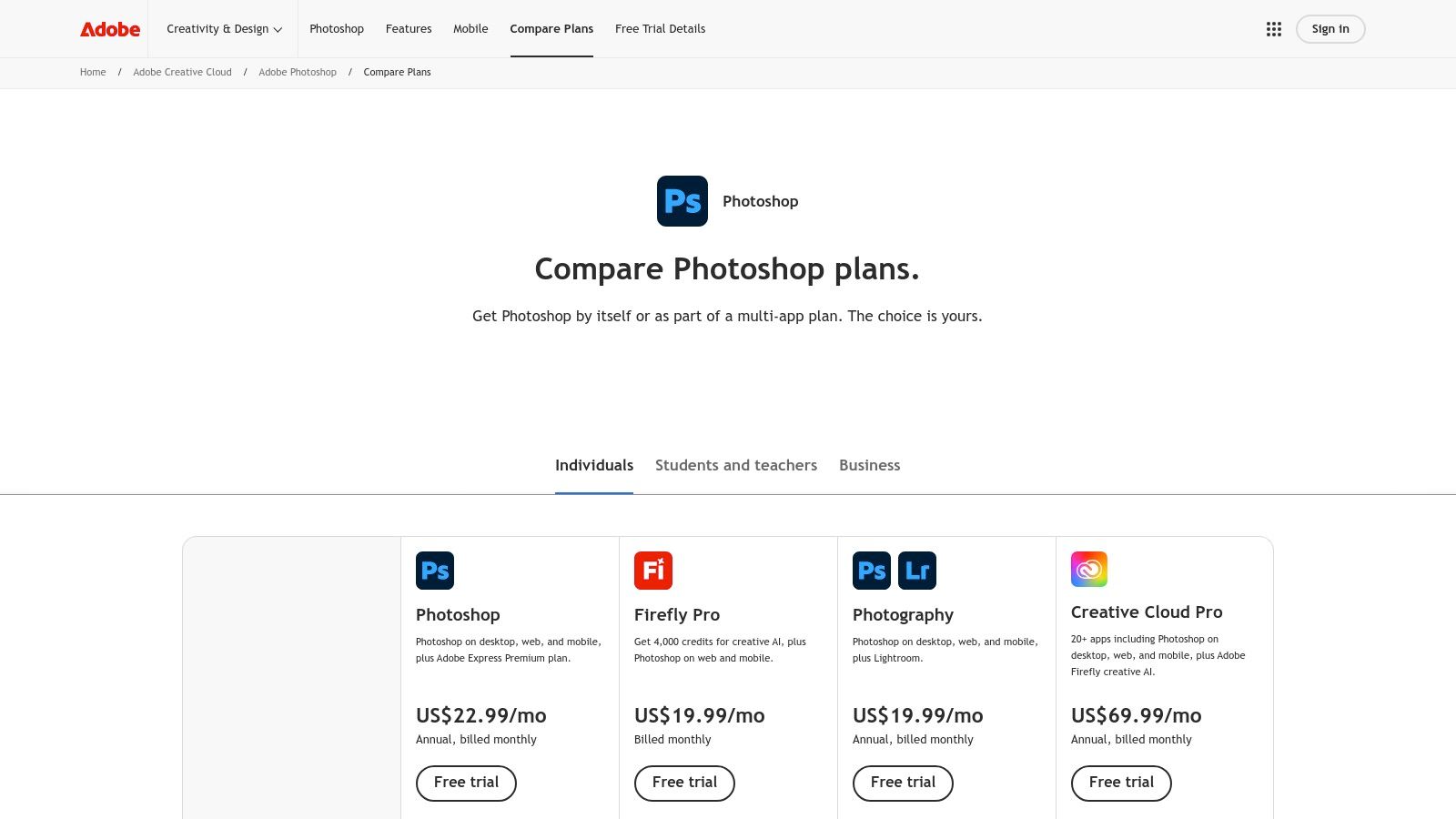
Photoshop's strength is its depth. While web-based tools offer speed, Photoshop offers unparalleled control and a vast ecosystem. The downside? It demands a subscription (starting around $22.99/month for the Photography Plan) and has a steeper learning curve. However, for those who need a professional-grade, do-it-all solution that is constantly evolving with cutting-edge AI, it remains the industry standard for a reason.
Website: https://www.adobe.com/products/photoshop/plans.html
3. Topaz Labs – Topaz Photo
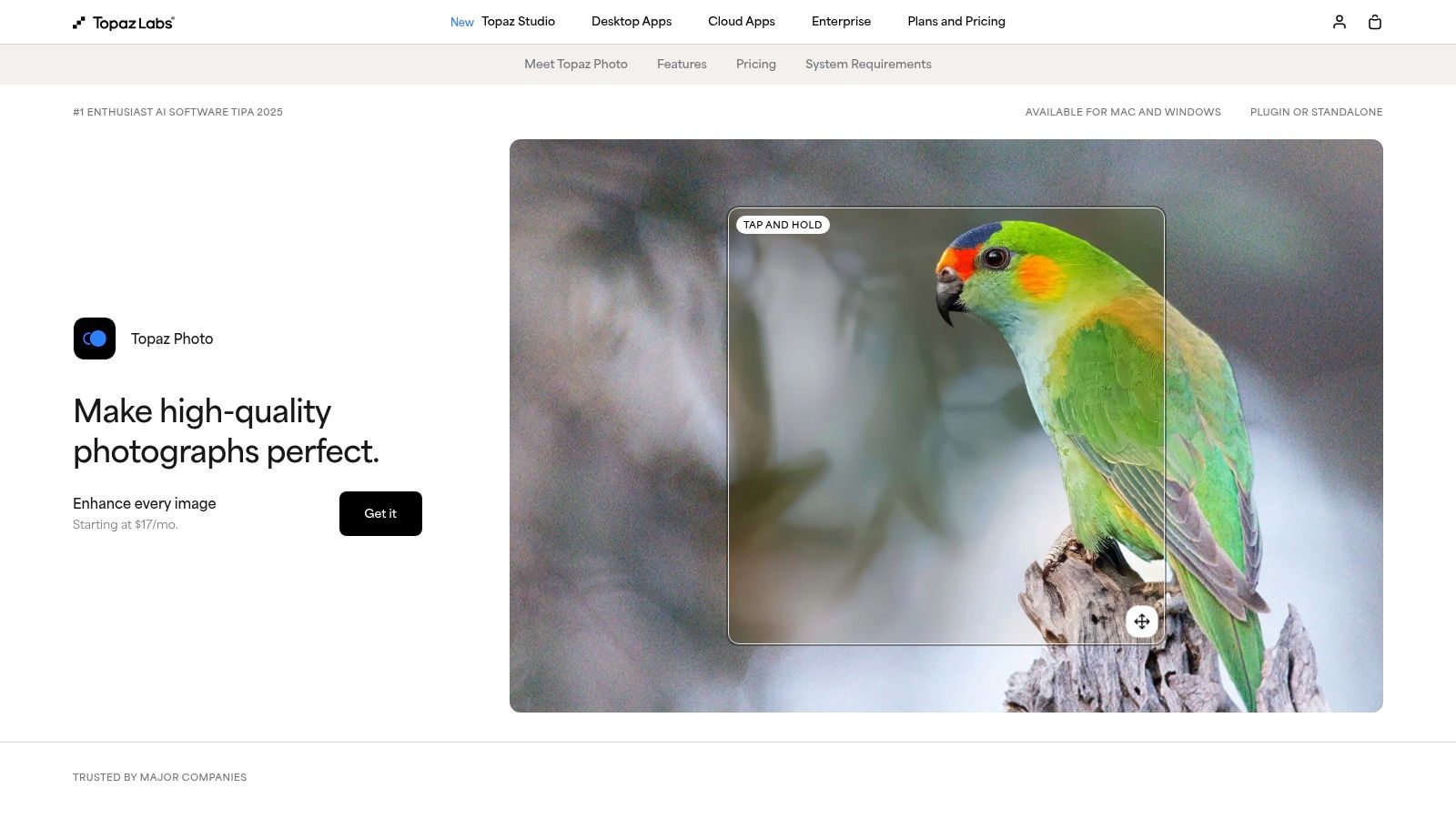
If Photoshop is the creative operating system, Topaz Photo is the specialist surgeon. This powerful suite is for photographers who are obsessed with technical perfection, turning noisy, soft, or blurry images into impossibly crisp and clean files. It packs a formidable array of AI models dedicated to specific rescue missions: denoising, sharpening, deblurring, and some of the most impressive face recovery and upscaling you’ll find anywhere. This is the tool you reach for when a photo is almost perfect but needs that final, critical push.
Topaz Photo’s magic lies in its specialized AI engines that excel at preserving natural detail while performing their enhancements. It can run as a standalone application for batch processing or slot directly into an Adobe workflow as a plugin, offering flexibility for different workflows. Whether you're restoring old family photos or sharpening a slightly soft wildlife shot, this ai image enhancement software focuses on repair and refinement with surgical precision, often producing results that feel like a rescue from the digital brink.
Key Features & Use Cases
- Denoise, Sharpen & Deblur AI: A holy trinity for photographers shooting in low light or with less-than-perfect gear. It’s a lifesaver for event and wildlife photographers who can’t always control their environment.
- Face Recovery AI: Its ability to reconstruct faces in low-resolution or blurry group shots is uncanny. This is an essential tool for anyone working with archival photos or dealing with compressed images from social media.
- Standalone App with Batch Processing: Ideal for processing entire wedding or event photo sets in one go. You can apply presets and let it run, saving countless hours of manual adjustments.
The Verdict
Topaz Photo’s strength is its laser-focused dedication to technical image quality. The results, particularly for noise reduction and sharpening, are often best-in-class. The downside is the one-time purchase model (around $199) which gives you a year of updates, after which you must pay to upgrade. Users also sometimes report frustrations with large model downloads and installation hiccups. However, for photographers and archivists who demand the absolute cleanest and sharpest output, Topaz Photo is a non-negotiable part of the toolkit.
Website: https://www.topazlabs.com/topaz-photo
4. Skylum Luminar Neo
If Photoshop is the industrial-grade power tool, Skylum’s Luminar Neo is the sleek, battery-powered multi-tool that gets 90% of the job done with a fraction of the effort. Designed from the ground up with AI at its core, Luminar Neo has carved out a niche as the go-to ai image enhancement software for photographers who value speed and simplicity without sacrificing powerful results. It’s less about pixel-level control and more about achieving a professional look with intuitive sliders and one-click fixes.
At its heart are tools like Enhance AI, which intelligently adjusts over a dozen settings with a single slider, and Super Sharp AI for rescuing slightly blurry shots. It also packs generative AI features like GenErase for removing unwanted objects and GenSwap for replacing entire elements like the sky. This makes it a powerful ally for quick, impactful edits that would otherwise require significant time and expertise in more complex software.
Key Features & Use Cases
- One-Click AI Presets & Sliders: Perfect for content creators and social media managers who need to batch-process photos quickly. Tools like Enhance AI and Sky AI deliver dramatic improvements instantly.
- Generative AI Tools (GenErase, GenSwap): Excellent for real estate photographers removing clutter from a room or travel bloggers replacing a dull sky with a stunning sunset.
- Plugin & Standalone Flexibility: It works on its own or as a plugin for Adobe Photoshop and Lightroom, allowing users to integrate its fast AI tools into their existing, more traditional workflows.
The Verdict
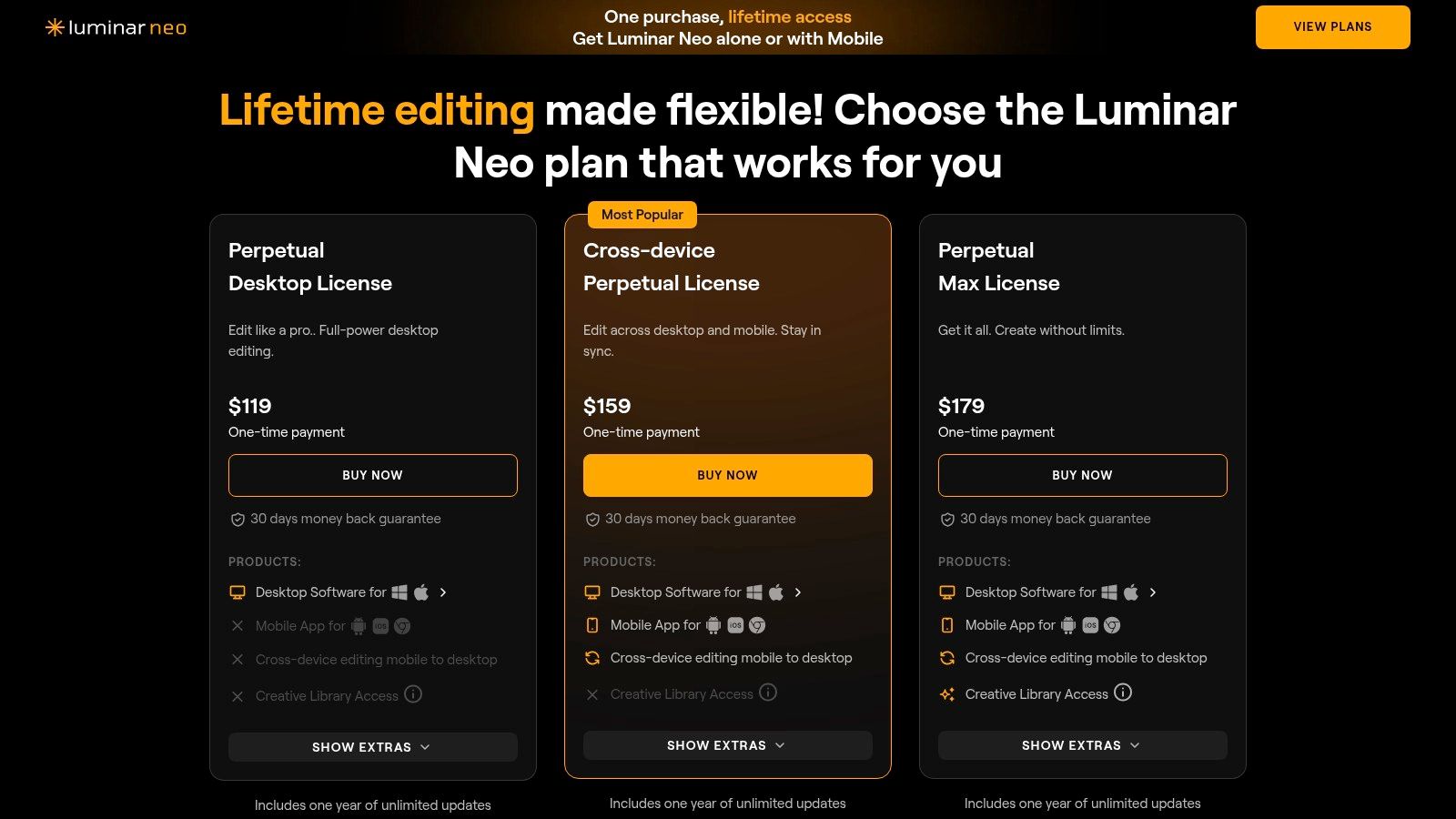
Luminar Neo’s strength is its accessibility. It offers a gentle learning curve and, most notably, provides perpetual license options (starting around $14.95/month or a one-time purchase during promotions), making it a budget-friendly alternative to subscription-only models. The main drawback is that performance can sometimes lag on older hardware, and some of the most advanced extensions are sold as separate add-ons. For photographers and creators wanting powerful AI assistance without the intimidating complexity of traditional editors, Luminar Neo is a fantastic choice.
Website: https://skylum.com/luminar/pricing
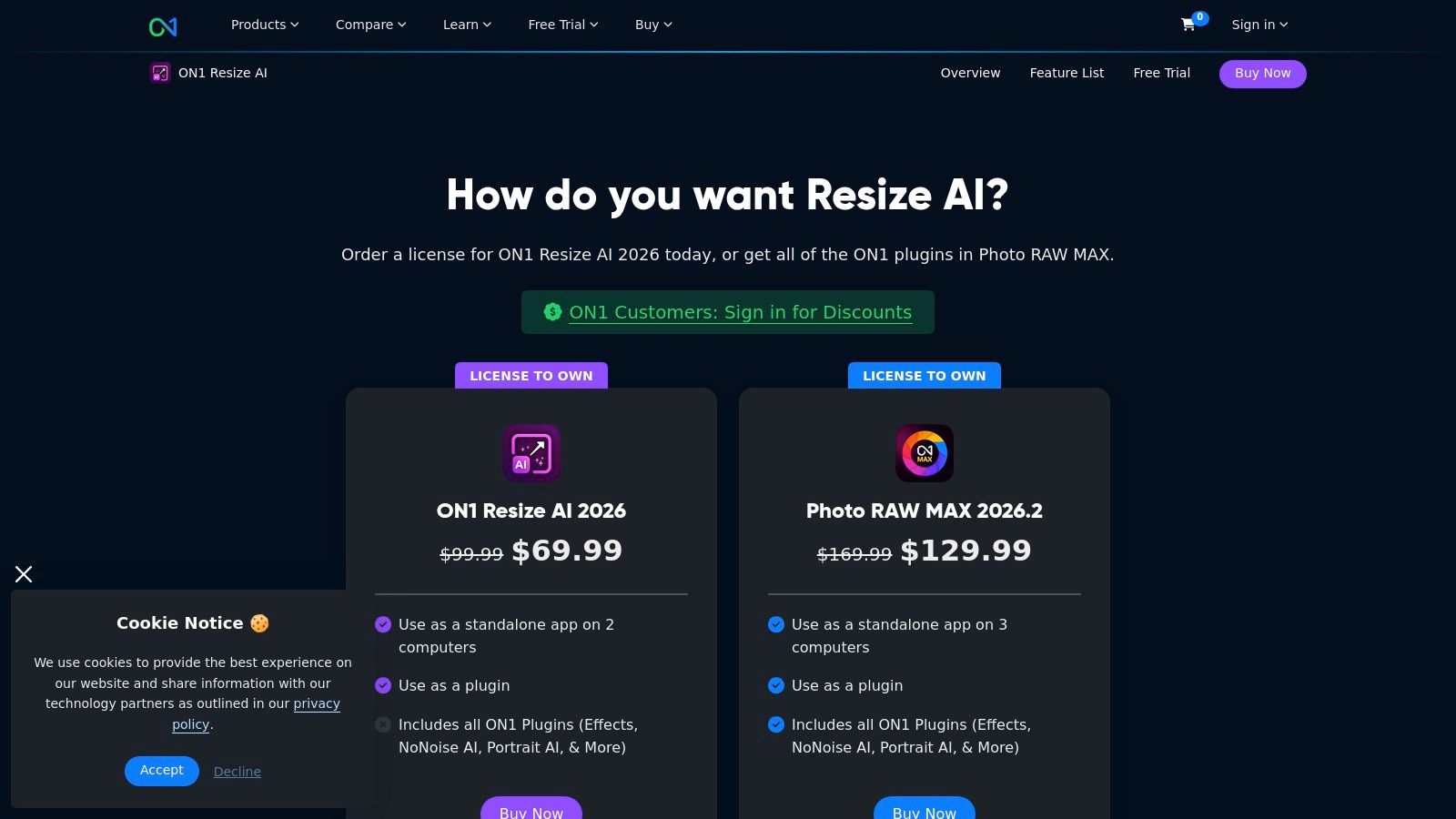
5. ON1 Resize AI
For the perfectionists obsessed with print quality, ON1 Resize AI is the specialist surgeon in a world of general practitioners. While other tools try to do everything, ON1 focuses its powerful AI on one mission: creating massive, crystal-clear enlargements without artifacts. This isn't just about making a photo bigger; it's about intelligently reconstructing detail for stunning, professional-grade prints, making it essential ai image enhancement software for photographers and artists.
It uses a proprietary machine-learning model to analyze and upscale photos, preserving crisp edges and textures that often get lost with traditional resizing methods. Its strength lies in its deep integration into professional workflows, acting as a seamless plugin for Lightroom, Photoshop, and Capture One. It’s the go-to tool when you need to turn a good-resolution photo into a giant, gallery-worthy canvas print without compromise.
Key Features & Use Cases
- Gallery Wrap & Tiling: Perfect for photographers and print shops, these features automatically prepare an image for printing on canvas or splitting a large image across multiple pages.
- Professional Plugin Integration: Its ability to work directly within Photoshop, Lightroom, and Capture One makes it an indispensable part of a non-destructive editing workflow for pros.
- Batch Processing: A massive time-saver for event photographers or artists preparing an entire collection for printing, allowing them to apply the same enlargement settings to hundreds of images at once. For those curious about the underlying technology, you can see how AI upscaling works in detail and why it's superior.
The Verdict
ON1 Resize AI excels by not trying to be an all-in-one editor. Its focused approach delivers best-in-class enlargement quality that general-purpose software often can't match. The downside is its narrow scope; you'll need other tools for general editing. It's available as a one-time purchase (around $99.99 for a perpetual license) or as part of the ON1 subscription. For professionals whose final product is a physical print, this specialized tool is a non-negotiable part of the toolkit.
Website: https://www.on1.com/products/resize-ai/buy/
6. DxO PureRAW 5
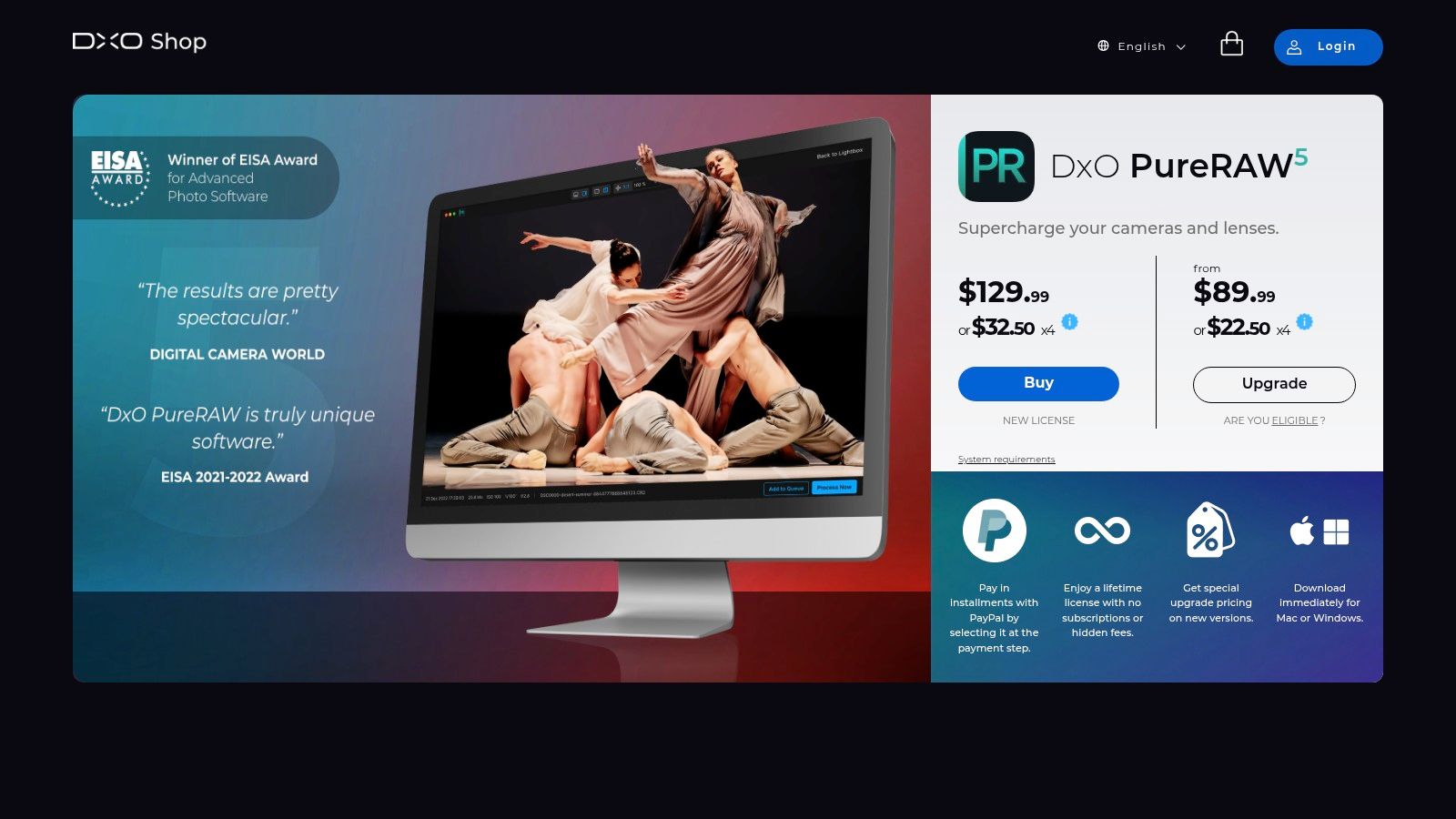
Think of DxO PureRAW 5 not as a standalone editor, but as the secret weapon that supercharges your RAW files before they even hit Lightroom or Photoshop. This specialized pre-processor is a miracle worker for photographers who frequently shoot in challenging, low-light conditions. It’s an incredibly focused piece of ai image enhancement software that does one thing with breathtaking precision: clean up your noisy, messy RAW data.
Its core magic is the DeepPRIME 3 engine, an AI model trained on billions of images. It simultaneously denoises and demosaics your RAW files, pulling out astonishing levels of detail while eradicating noise, almost like a digital darkroom car wash. The process also applies bespoke optical corrections based on DxO's massive library of camera and lens modules, fixing distortion and aberrations automatically. It then spits out a pristine DNG file, ready for your creative edits.
Key Features & Use Cases
- DeepPRIME 3 Denoising: Its primary function. Perfect for event, wildlife, and astrophotographers who often push their ISO to the limits. It can genuinely recover 1-2 stops of usable detail, turning a throwaway shot into a keeper.
- Automatic Optical Corrections: Leverages an extensive database of camera and lens profiles to automatically correct lens softness, vignetting, chromatic aberration, and distortion with scientific accuracy.
- Seamless Workflow Integration: It’s designed to be a simple, drag-and-drop first step. Process your files in PureRAW and have them sent directly to your preferred editor, streamlining the most tedious part of post-processing.
The Verdict
DxO PureRAW 5 is a specialist, not a generalist. If you’re looking for creative tools, layers, or generative AI, this isn't it. Its strength is its singular focus on foundational RAW quality. The results are often superior to the denoising tools built into other editors, making it a must-have for professionals who need the absolute best image quality. It's available as a perpetual license (around $139), offering great value for photographers who want to own their software.
Website: https://shop.dxo.com/en/dxo-pureraw-5.html
7. Capture One (Pro and All-in-One)
If Photoshop is the creative operating system, Capture One is the specialist’s finely-tuned machine. Long the darling of professional studio photographers, this platform has masterfully integrated AI without sacrificing the granular control it's famous for. It's the go-to for those who live and breathe tethered shooting and demand the most accurate colors straight out of the camera, now enhanced with smart, time-saving features. This is less about generative magic and more about surgical precision.
At its core, Capture One excels in RAW processing, but its AI features like the Magic Brush for creating complex masks are a game-changer. It intelligently detects and masks subjects, skies, or specific color ranges, turning a once-tedious task into a few quick clicks. This focus on practical, workflow-accelerating AI makes it a powerful piece of ai image enhancement software for high-volume commercial and e-commerce work.

Key Features & Use Cases
- AI Masking (Magic Brush): Invaluable for e-commerce and product photographers who need to make consistent, precise adjustments to subjects across hundreds of images. It massively speeds up background separation or subject-specific edits.
- Best-in-Class Tethered Capture: The undisputed leader for studio workflows. Photographers can see, adjust, and apply AI-powered edits in real-time as they shoot, ensuring the perfect shot before leaving the set.
- Advanced Color Control & Layers: Its legendary color editor, combined with a robust layer-based system, gives creative agencies and designers unparalleled control over brand-specific color grading and complex composites.
The Verdict
Capture One's strength is its professional, workflow-centric approach. It's not trying to be a generative art tool; it's designed to make the professional photographer's job faster and more precise. The flexible licensing (perpetual or subscription, starting around $24/month) is a huge plus. The main drawback is a steeper learning curve for beginners and fewer consumer-focused effects. For studio, product, and portrait professionals who need reliability and the absolute best in color and tethering, Capture One is in a league of its own.
Website: https://www.captureone.com/
8. Let’s Enhance
If dedicated desktop software feels like overkill and you just need to upscale an image now, Let's Enhance is your go-to web-based workhorse. It strips away the complexity of a full editing suite and focuses on doing one thing exceptionally well: enlarging and cleaning up images with AI. This platform is a prime example of accessible ai image enhancement software, offering powerful results without requiring a software download or a beefy computer.
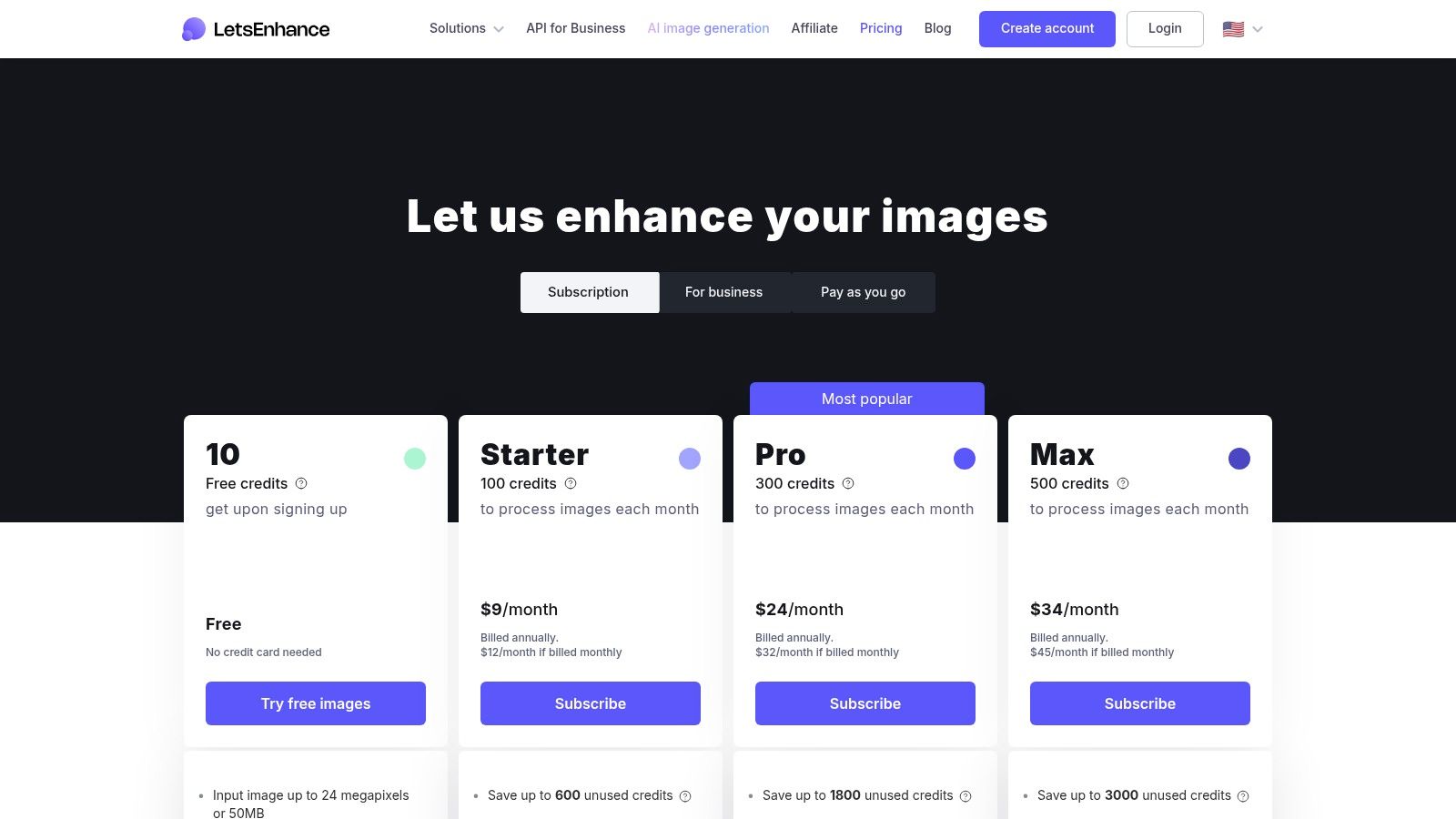
The magic of Let’s Enhance lies in its simplicity and speed. You upload an image, select your enhancement presets like "Smart Enhance" or "Photo," choose your upscale factor (up to 16x or a staggering 256 megapixels on personal plans), and let the AI do the rest. It's built around a credit-based system, making it flexible for both one-off projects and regular batch processing needs.
Key Features & Use Cases
- High-Resolution Upscaling: Its primary function is perfect for photographers needing to print low-res shots, or e-commerce managers who need to turn small supplier photos into high-quality product listings.
- Simple Web-Based Workflow: Ideal for teams or individuals who need quick enhancements without the learning curve or system requirements of desktop software. Drag, drop, and enhance.
- Credit-Based System: The model (starting with 10 free credits, then subscriptions from $12/month for 100 credits) is great for users with fluctuating needs. You can buy a pack of credits for a single large project without committing to a monthly plan.
The Verdict
Let's Enhance knows its niche and serves it perfectly. It's not a replacement for Photoshop, but it's not trying to be. Its strength is its focused, high-quality upscaling and enhancement delivered through a frictionless web interface. The main limitation is its narrow feature set; if you need more than upscaling, color correction, or background removal, you'll need another tool. For quick, powerful, and accessible image enlarging, it’s a top-tier contender.
Website: https://letsenhance.io/pricing
9. Remini
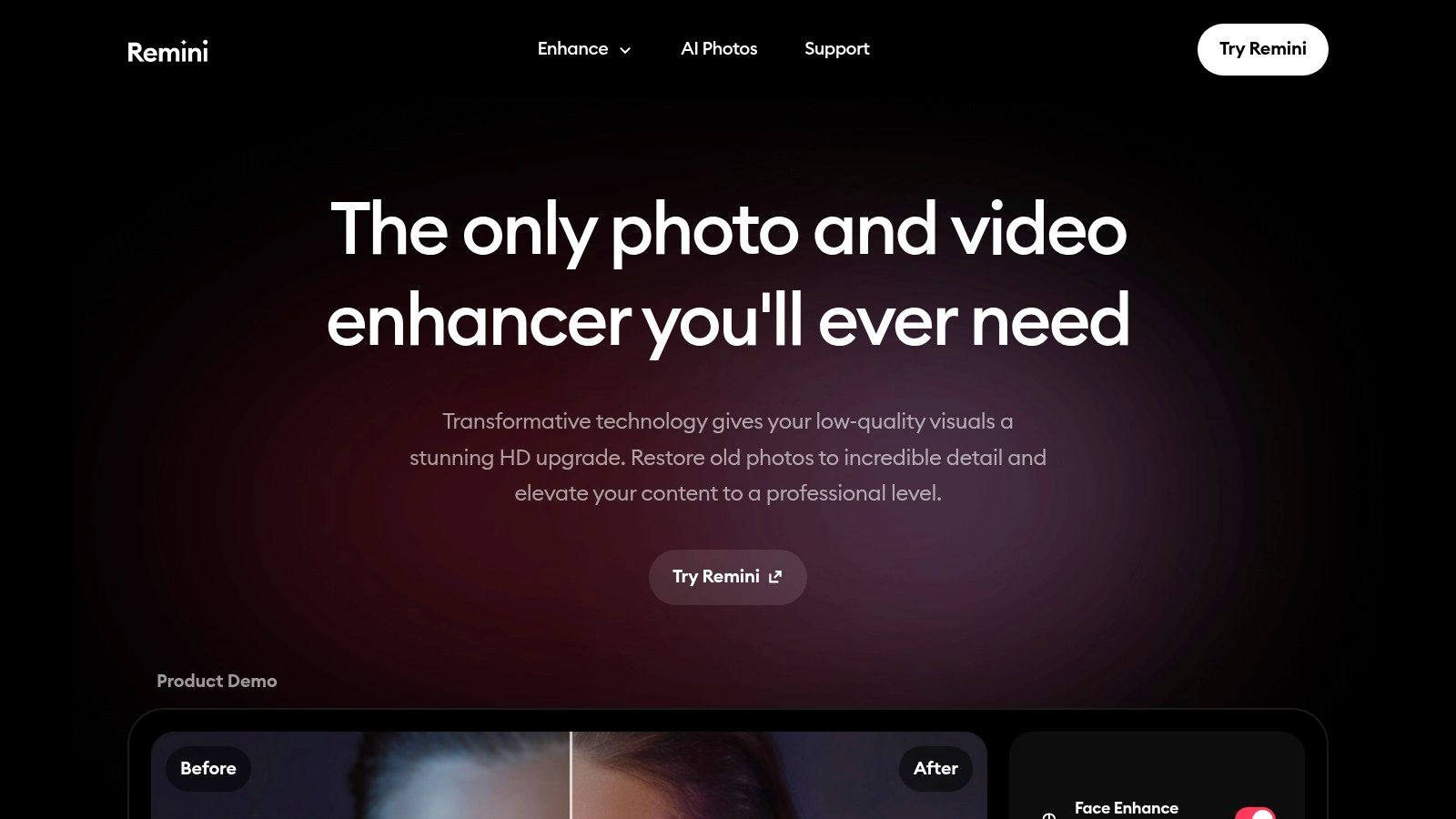
If you’ve ever scrolled through social media and seen a miraculously restored, crystal-clear old family photo, chances are you've witnessed Remini in action. This mobile-first powerhouse has carved out a massive niche by focusing on one thing and doing it exceptionally well: reviving faces. It's the go-to app for transforming blurry, low-resolution, or aged portraits into sharp, vibrant images with a single tap.
Remini is less of a full-featured editor and more of a specialized revival tool. Its AI is expertly trained to deblur faces, recover fine details like hair and skin texture, and colorize old photos with startling accuracy. This makes it an indispensable piece of ai image enhancement software for anyone looking to rescue precious memories from digital decay or simply give their selfies a professional-grade polish before posting.
Key Features & Use Cases
- One-Tap Face Enhancement: Perfect for social media users, genealogists, and families wanting to restore old photo albums without any technical skill. The before-and-after slider is incredibly satisfying.
- Deblurring & Detail Recovery: Its core strength is sharpening out-of-focus shots. This is a lifesaver for salvaging photos that would otherwise be unusable.
- Mobile-Centric Workflow: The app (available on iOS and Android) is designed for speed and simplicity, making it ideal for on-the-go enhancements directly from your phone's camera roll. While it excels at faces, for cleaning up text or watermarks in images, you might need a different approach; you can see how specialized text removal works for comparison.
The Verdict
Remini’s magic is its accessibility and focus. It delivers impressive, often jaw-dropping results for portrait restoration with zero learning curve. The main drawback is its subscription model, which is managed through in-app purchases (weekly, monthly, or yearly) and can sometimes be confusing for users to manage. For quick, powerful, and mobile-native face enhancement, however, Remini is in a class of its own.
Website: https://remini.ai/
10. AVCLabs Photo Enhancer AI
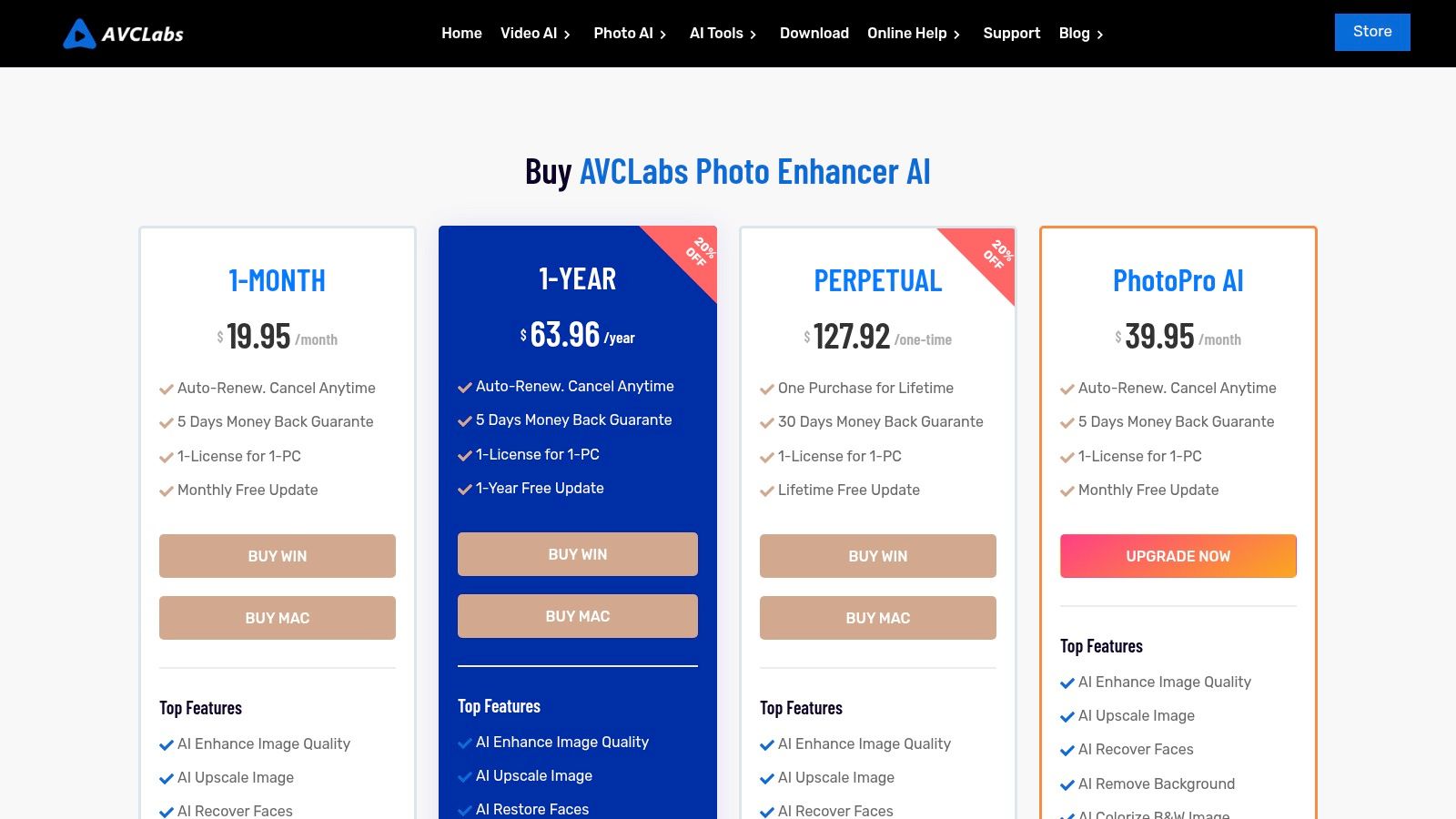
AVCLabs Photo Enhancer AI is the friendly neighborhood tool for anyone who wants powerful AI enhancement without a convoluted interface or a mandatory subscription. It’s a downloadable desktop application for Windows and macOS that packages a suite of useful features into a straightforward, one-click workflow. This makes it an excellent piece of ai image enhancement software for users who prefer to own their software outright and process images locally on their machine.
Where AVCLabs shines is its accessibility and utility. It focuses on core tasks like upscaling, denoising, face restoration, and colorizing black-and-white photos, delivering solid results with minimal fuss. Think of it as a dependable Swiss Army knife for common photo problems, from rescuing old, grainy family pictures to quickly sharpening product shots for a small online store. It’s built for efficiency, especially with its batch processing capabilities.
Key Features & Use Cases
- One-Click AI Models: Includes dedicated models for upscaling, denoising, face refinement, colorizing, and background removal. This is perfect for hobbyists or small business owners who need quick, reliable fixes without learning complex software.
- Batch Processing: A huge time-saver for anyone needing to enhance an entire folder of images at once, like restoring a digitized photo album or prepping multiple product images for an e-commerce site.
- Lifetime License Option: Stands out from the subscription-heavy market by offering a lifetime purchase option, appealing to users who dislike recurring fees. The bundles with their video enhancer offer even more value.
The Verdict
AVCLabs is a strong contender for those who prioritize simplicity, offline processing, and budget-friendly licensing. While its AI models might not always match the absolute cutting-edge quality of industry giants on every single image, its performance is more than capable for a vast range of everyday uses. The interface is clean and gets the job done without a steep learning curve. With plans starting around $29.95/month or a very attractive lifetime option, it’s a practical and cost-effective solution.
Website: https://www.avclabs.com/special-offer/purchase-photo-enhancer-ai.html
11. Fotor
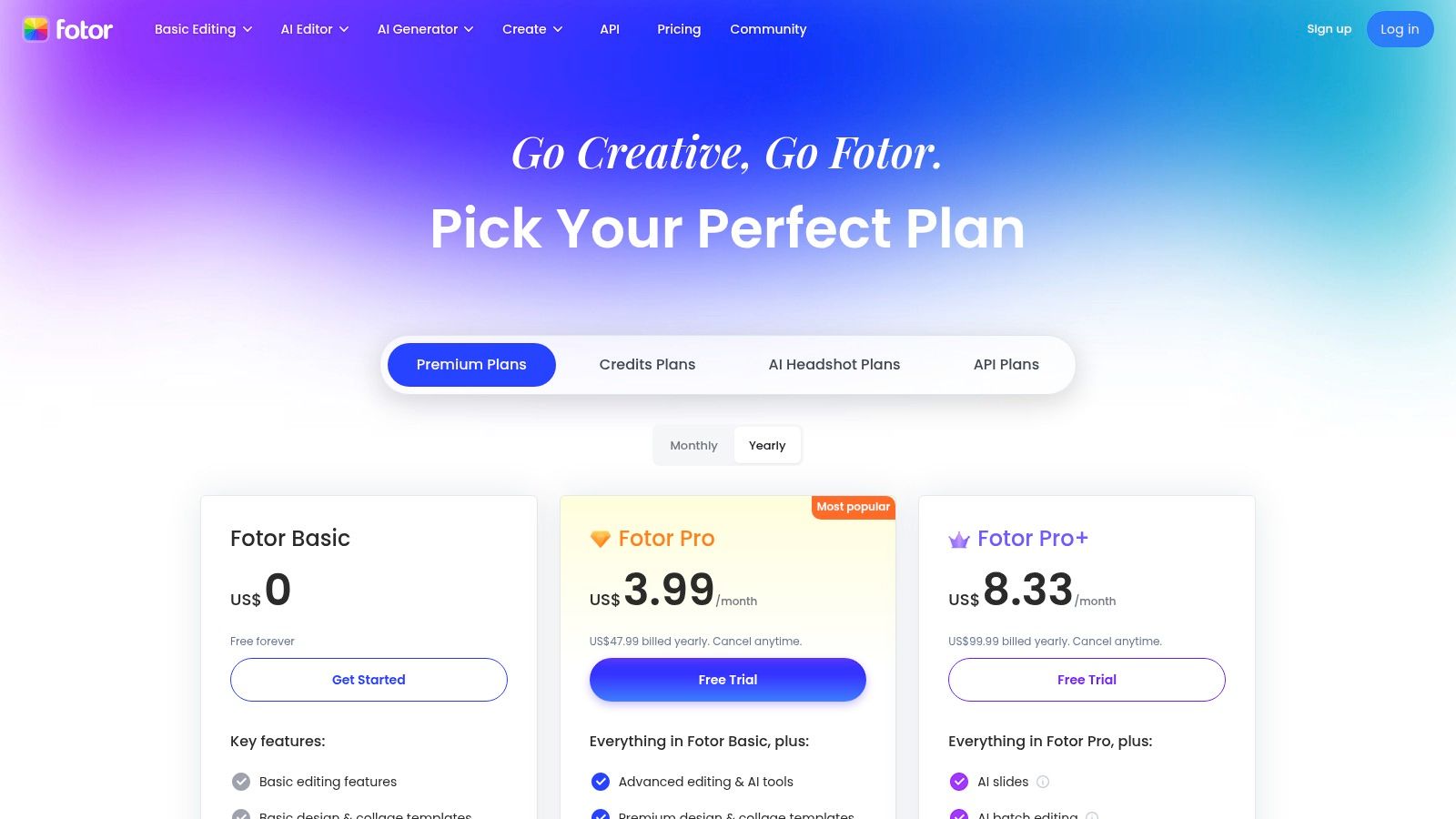
Fotor is the Swiss Army knife of online image editing, blending practical AI enhancement with a suite of design tools. It's the go-to platform when you need to quickly upscale a low-res logo, remove the background from a product shot, and then immediately drop it into a social media template. This makes it an incredibly efficient piece of ai image enhancement software for marketers, small business owners, and content creators who live life in the browser tab.
The platform's strength lies in its all-in-one approach. It packs an AI upscaler, enhancer, denoiser, and a surprisingly capable background remover into a single, accessible interface. It’s less about deep, pixel-perfect control and more about getting 90% of the job done in 10% of the time. For those managing marketing campaigns or e-commerce stores, Fotor bridges the gap between a simple filter app and a complex desktop editor.
Key Features & Use Cases
- All-in-One Toolkit: Perfect for social media managers who need to enhance a user-generated photo, remove its background, and place it in a branded template without switching apps.
- Batch Editing & Cloud Storage: Higher-tier plans are a huge timesaver for e-commerce sellers needing to process hundreds of product photos consistently.
- API Access: Developers can integrate Fotor's AI tools into their own platforms or workflows, which is ideal for SaaS companies that want to offer image editing capabilities to their users.
The Verdict
Fotor’s value proposition is convenience and speed. It’s an excellent choice for users who need a broad set of good-enough tools without the learning curve or cost of professional software. While a free tier exists, the most powerful features and batch processing are locked behind Pro plans (starting around $3.33/month). Some users note aggressive upsells, but for those who need a fast, browser-based solution for everyday marketing and design tasks, Fotor delivers.
Website: https://www.fotor.com/pricing/
12. Pixelmator Pro
For the Mac purists, Pixelmator Pro is a sleek, powerful, and distinctly Apple-flavored alternative in the world of image editing. It ditches the cross-platform complexity for a laser focus on macOS, resulting in a screaming-fast, native experience. This isn't just a basic editor; it's a serious piece of ai image enhancement software that leverages Apple's own machine-learning frameworks, like Core ML, to deliver impressive results without a subscription.
At its core, Pixelmator Pro boasts ML-powered features that feel incredibly intuitive. ML Super Resolution intelligently upscales images without turning them into pixelated mush, while the ML Denoise and Repair tools make quick work of noise and imperfections. Because it's built from the ground up for Apple hardware, it integrates seamlessly with the Photos app and flies on Apple silicon, making it feel less like a third-party app and more like an extension of the operating system itself.
Key Features & Use Cases
- ML Super Resolution: A godsend for designers needing to blow up a lower-resolution asset for print or large-format digital displays without losing critical detail.
- Intelligent Repair & Object Removal: Perfect for content creators cleaning up product photos or portraits, allowing for quick, context-aware removal of unwanted spots or entire objects.
- Deep macOS Integration: Its ability to work directly within the Photos app creates an ultra-efficient workflow for hobbyists and professionals who manage their entire library on Apple devices.
The Verdict
Pixelmator Pro's biggest selling point is its elegant simplicity and performance on Macs, coupled with a highly attractive one-time purchase price (around $49.99). It delivers pro-level AI tools in a clean, approachable interface. The obvious limitation is its Mac-only existence, which is a dealbreaker for Windows users. For those embedded in the Apple ecosystem, however, it offers incredible value and power without the monthly fee.
Website: https://www.apple.com/pixelmator-pro/
Top 12 AI Image Enhancement Tools — Feature Comparison
| Product | Core features | Quality (★) | Value / Pricing (💰) | Target (👥) | Unique / USP (✨) |
|---|---|---|---|---|---|
| 🏆 PixelPanda | bg removal, watermark/text cleanup, 4x upscaling, face enhance, smart inpainting, TTI, video, REST API/SDK | ★★★★☆ studio-grade, preserves hair/fur; images ~15–20s | 💰 Starter $39/yr (7k credits), Growth $59, Pro $89; credits roll over; free trial | 👥 Dev teams, e‑commerce, marketers, designers, SaaS | ✨ API-first, batch scale, trainable avatars, commercial rights |
| Adobe Photoshop | Generative Fill, denoise/upscale, auto-select, cloud sync, CC integrations | ★★★★★ industry-standard, frequent AI updates | 💰 Creative Cloud subscription; enterprise options | 👥 Creatives, agencies, enterprises | ✨ Deep ecosystem + cross-app workflows |
| Topaz Labs – Topaz Photo | Denoise, Sharpen, Deblur, Upscale, Face Recovery; local & cloud render | ★★★★☆ excellent upscaling & face recovery | 💰 Paid (subscription/perpetual); larger model downloads | 👥 Photographers needing restoration/upscale | ✨ Detail-preserving upscales; local/cloud rendering |
| Skylum Luminar Neo | Enhance AI, Super Sharp, Noiseless, Upscale AI, GenErase/GenSwap | ★★★★ easy one-click AI; good results | 💰 Perpetual or subscription; some add-ons extra | 👥 Enthusiasts, marketers, hobbyists | ✨ One-click AI sliders; perpetual license option |
| ON1 Resize AI | AI enlargement, sharpening, film grain, PSD/layer support, print layouts | ★★★★ print-ready enlargements | 💰 Paid standalone or bundle/subscription | 👥 Print studios, pro photographers | ✨ Print-focused upscaling & plugin integration |
| DxO PureRAW 5 | DeepPRIME denoise/demosaic, camera/lens corrections, DNG export | ★★★★☆ exceptional RAW denoise & detail recovery | 💰 One-time purchase available | 👥 RAW shooters, pros needing ISO recovery | ✨ DeepPRIME + lens module corrections |
| Capture One | AI masking (Magic Brush), advanced color, layers, tethered capture | ★★★★★ studio-grade color & tethering | 💰 Subscription or perpetual; All‑in‑One bundle | 👥 Studio & e‑commerce photographers | ✨ Best-in-class tethering and color control |
| Let’s Enhance | Web upscaling (up to 256MP), enhancement, bg removal; credit system | ★★★ good quick web upscales | 💰 Credit-based (sub or PAYG); rollover on personal tiers | 👥 Non-technical users, occasional upscales | ✨ No-install web workflow; very high MP support |
| Remini | Mobile face enhancement, deblur, one-tap workflows (iOS/Android) | ★★★ fast mobile face restoration | 💰 In-app subscriptions (variable) | 👥 Mobile users, social sellers, casual restorations | ✨ One-tap portrait recovery on mobile |
| AVCLabs Photo Enhancer AI | Upscale, face recovery, bg/object removal, colorization | ★★★ budget-friendly enhancement | 💰 Flexible licensing: monthly/yearly/lifetime | 👥 Budget-conscious users, non-experts | ✨ Lifetime license and bundle options |
| Fotor | Browser editor: upscaler, enhancer, denoiser, bg remover, templates | ★★★ solid online toolkit for marketing | 💰 Free + paid tiers; team/API plans | 👥 Marketers, SMBs, teams needing quick designs | ✨ Integrated templates, brand kits & cloud |
| Pixelmator Pro | ML Super Resolution, denoise, repair, object removal (macOS) | ★★★★ fast native Apple silicon performance | 💰 One-time App Store purchase or bundle | 👥 macOS users, designers who prefer native apps | ✨ macOS-optimized, one-time purchase option |
Choosing Your Perfect Pixel Partner
And there you have it, a whirlwind tour through the magical, slightly bonkers world of AI image enhancement software. We've journeyed from the pixel-perfect precision of desktop titans like Adobe Photoshop and Capture One to the sheer automated wizardry of API-first platforms like PixelPanda. The days of painstakingly cloning out dust specks or manually sharpening every last detail are fading fast, replaced by intelligent algorithms that do the heavy lifting in seconds. The future isn't just coming; it’s here, and it's making our images look ridiculously good.
The biggest takeaway from this deep dive? There is no single "best" tool. The perfect pixel partner for a high-volume ecommerce marketplace is a world away from the ideal software for a fine art photographer shooting in RAW. Your mission, should you choose to accept it, is to match the tool to the task, not the other way around. Don't get distracted by a million features you'll never use. Instead, focus on the core problem you need to solve.
Your Cheat Sheet for Making the Right Choice
To cut through the noise, let's distill this down to a few key decision pathways. Think of this as your personal AI software sommelier, pairing the right solution to your specific creative vintage.
-
For Developers and High-Volume Businesses: If your reality is thousands of user-generated photos, product catalog updates, or integrating image processing into an app, your North Star should be API and automation. A solution like PixelPanda is built for this world. You need something that can handle massive scale, provides consistent results without human intervention, and plays nicely with your existing tech stack. Your key metrics are processing speed, reliability, and cost-per-image at scale.
-
For the Meticulous Photographer: If your workflow revolves around RAW files and you obsess over every nuance of color, tone, and sharpness, you need granular control. Tools like DxO PureRAW, Topaz Photo, and the advanced features within Capture One are your allies. These platforms are designed to respect the integrity of your original file while giving you the power to push it to its creative limits. The ability to work non-destructively and integrate into a Lightroom or Photoshop workflow is paramount.
-
For the Social Media Guru & Content Creator: Your world moves at the speed of a scroll. You need fast, impressive results with minimal fuss. Mobile-first apps like Remini and web-based platforms like Let's Enhance or Fotor are your secret weapons. They excel at quick-fix enhancements, creative filters, and social-ready outputs. To streamline your overall workflow and ensure consistent quality across all platforms, consider exploring the top social media content creation tools that complement your image enhancement efforts.
-
For the All-Around Creative: If you're a designer or marketer who needs a bit of everything, a versatile suite like Adobe Photoshop with its Neural Filters or Skylum Luminar Neo offers a powerful sandbox. These tools blend cutting-edge AI features with traditional manual editing, giving you the flexibility to handle any task that comes your way, from a simple upscale to a complex creative composite.
Don't Just Read, Experiment!
The most crucial step you can take after reading this guide is to get your hands dirty. Every single tool on this list offers a free trial, a demo, or a freemium plan. Use them. Grab a few of your own challenging images: a low-light shot, a blurry portrait, a noisy landscape. Run them through your top two or three contenders and compare the results side-by-side.
Does the AI understand the texture you want to preserve? Does the face enhancement look natural or plasticky? How quickly can you get from a mediocre "before" to a stunning "after"? The proof is in the pixels, and your own images are the only test that matters. The right AI image enhancement software is a transformative addition to any creative or technical workflow, ready to save you time, elevate your quality, and maybe even unlock a little bit of digital magic you didn't know was possible.
Ready to put the power of automated, scalable AI to work? If you're building an application, managing a marketplace, or just tired of manual edits, see what a dedicated API can do. PixelPanda is designed from the ground up to provide developers and businesses with fast, reliable, and high-quality image enhancement on demand. Try the PixelPanda API for free and start transforming your visuals in minutes.