Forget everything you thought you knew about editing photos. What once took hours of painstaking, pixel-by-pixel work in Photoshop now happens in the blink of an eye. This isn't science fiction; it's the new reality of artificial intelligence image editing, and it's changing the game for creators everywhere.
Your Instant Team of Digital Artists
Think of AI image editing as having a whole crew of specialized digital artists on standby, 24/7. One is a wizard at cutting out complex subjects, another is a master of color correction, and a third can conjure up entirely new backgrounds out of thin air. That's the power you're tapping into.
These AI systems learn their craft by studying millions of images, developing an almost human-like understanding of light, shadow, texture, and context. So, when you ask an AI to remove a background, it's not just mindlessly erasing pixels. It's intelligently identifying the subject, analyzing every curve and edge, and separating it with incredible precision—even tricky details like flyaway hair or intricate lace.
Why This Is a Big Deal, Right Now
This shift isn't just a minor upgrade; it's a full-blown market earthquake. The AI photo editors market hit a whopping $2.1 billion in 2024 and is on a rocket ship trajectory to $8.9 billion by 2034. It was the single fastest-growing software category last year, exploding with 441% year-over-year growth as businesses race to ditch slow, manual editing for AI-powered speed.
Why the sudden rush? It boils down to real-world business needs:
- Lightning-Fast Turnaround: E-commerce stores can get thousands of product photos ready for launch overnight, not over several weeks.
- Endless Content Creation: Marketing teams can create dozens of ad variations or social media assets without overwhelming their designers.
- Perfect Brand Consistency: Developers can build apps that automatically apply brand standards, making sure every single image looks polished and on-point.
At its core, AI image editing automates the boring 80% of the work. This frees up your human talent to focus on the crucial 20%—the high-level strategy, creativity, and storytelling that actually drives results.
Manual vs. AI: A Quick Showdown
A quick comparison really highlights the difference between the old way and the new way. While traditional editing is a craft, it simply can't keep up with modern demands.
Manual Editing vs AI-Powered Editing at a Glance
| Aspect | Manual Editing (e.g., Photoshop) | AI Image Editing (e.g., PixelPanda) |
|---|---|---|
| Speed | Hours or days per batch of images. | Seconds per image; thousands processed per hour. |
| Scalability | Limited by the number of designers and their working hours. | Virtually unlimited. Scale up or down instantly via API. |
| Cost | High, based on hourly rates or per-image fees for skilled professionals. | Extremely low on a per-image basis, often fractions of a cent. |
| Consistency | Varies between different editors and even from day to day. | Perfectly consistent results every single time. |
| Skill Required | Requires years of training and expertise to achieve pro results. | None. Anyone can get professional-quality results instantly. |
| Best For | Highly artistic, bespoke creative projects requiring a unique touch. | High-volume tasks, e-commerce, marketing campaigns, app integration. |
As you can see, the choice becomes pretty clear when scale and efficiency are your main goals.
The Old Guard vs. The New Automation
Manual editing will always have its place as an art form, but it was never built for the scale of modern business. For a deeper dive into how pros are navigating this shift, you can find some great insights from a product photography blog. On the flip side, a powerful AI like PixelPanda can process a million images faster than a single designer can get through a small handful.
In this guide, we'll pull back the curtain on how this technology actually works. We’ll break down the core ideas, from neural networks to generative AI, and show you exactly how to plug this power directly into your own projects. Get ready to save a ton of time and unlock a whole new level of quality for your visuals.
How AI Image Editing Actually Works
So, how does an AI take a messy, cluttered photo and turn it into a crisp, clean product shot in seconds? It's not quite magic, but it's probably the closest thing we have in the tech world. The secret sauce is a collection of highly specialized AI models trained to see and "think" about images in ways that feel incredibly human.
At the core of it all, you have things like Convolutional Neural Networks (CNNs). Think of a CNN as a digital detective with a magnifying glass, poring over every detail of a picture. It doesn't just see a blob of pixels; it works in layers.
First, it spots the simple stuff—edges, colors, and basic textures. The next layer up takes those edges and forms them into simple shapes, like circles or lines. Deeper still, it starts assembling those shapes into recognizable objects—a face, a car tire, a shirt collar—until it has a complete, contextual map of everything in the frame. This "feature extraction" is precisely how an AI can tell the difference between your product and the noisy background behind it.
The Dueling Artists of Generative AI
Now, analyzing an image is one thing, but what about creating or fixing parts of it? That's where things get really interesting with Generative Adversarial Networks (GANs). The best way to picture a GAN is as a high-stakes creative duel between two AIs.
It’s a constant battle of wits:
- The Generator: This is the ambitious apprentice, trying its best to paint a realistic image from scratch or fill in a missing chunk of a photo.
- The Discriminator: This is the seasoned art critic. It has studied millions of real photos and can spot a fake from a mile away.
The Generator creates something and proudly shows it to the Discriminator, who immediately scoffs, "Fake." Stung by the criticism, the Generator goes back to the drawing board, tweaks its approach, and tries again. And again. And again. This cycle repeats millions of times, with the Generator getting a tiny bit better at fooling the critic with every attempt. Eventually, it becomes so good that its creations are almost indistinguishable from the real thing.
This back-and-forth is the engine behind jaw-dropping features like removing a photobomber and perfectly recreating the wall that was behind them. To see this in action, check out how AI real estate videos that turn photos into cinematic tours.
This visual guide breaks down how these technologies power the core functions of an AI editor.
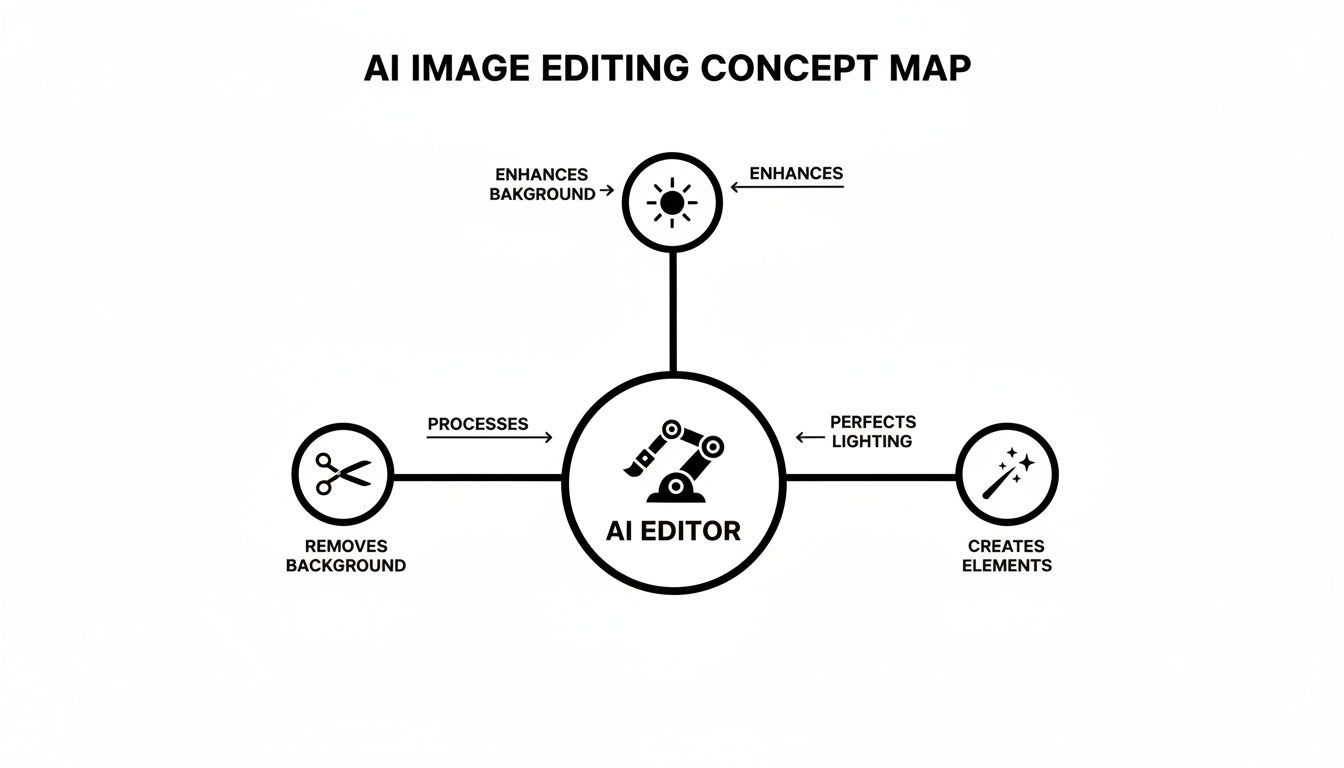
As you can see, the AI orchestrates all these different processes—removing, perfecting, and creating—to turn a complex edit into a single, simple action.
From Core Tech to Killer Features
This isn't just abstract theory; this is the stuff that powers the tools saving businesses thousands of hours every week.
- Background Removal: This is all about semantic segmentation. A CNN goes through and identifies every single pixel that belongs to the main subject, essentially creating a perfect digital stencil. This allows it to "lift" the subject out of its environment with incredible precision.
- Object Removal (Inpainting): Ever wanted to just delete something from a photo? When you do, a GAN-based model jumps in. It looks at the surrounding pixels—the sand, the sky, the brick wall—and generates a brand new, contextually accurate patch to seamlessly fill the void.
- Image Upscaling (Super-Resolution): This is another GAN specialty. The AI is trained on countless pairs of low-resolution and high-resolution images, learning how to realistically add detail where there was none. It isn't just making the pixels bigger; it's intelligently reconstructing what the image should have looked like in high definition.
Understanding this is key. When you send an API call to edit an image, you aren't just applying a simple filter. You're waking up a powerful neural network that performs millions of calculations to analyze and generate pixels in a matter of seconds.
Putting AI Editing to Work in Your Business
Understanding the tech is one thing, but the real "aha!" moment comes when you see it solve real, expensive problems. AI image editing isn't just a neat party trick; it's a powerful engine for business growth, ready to chew through your biggest content bottlenecks. Let's see how this actually plays out for teams on the front lines.
The impact is getting too big to ignore. Projections show that by 2035, enterprises will account for 42% of all spending in this space. The whole AI image editor market is on a tear—valued at $88.7 billion in 2025, it's expected to rocket to $229.6 billion by 2035. This growth is fueled by real results, like e-commerce stores boosting conversion rates by 30% with cleaner product photos. If you want to dive into the numbers, the full AI image editor market research from Future Market Insights has the details.
A Developer’s Secret Weapon for Automation
For developers, an AI image editing API is like getting a box of super-powered LEGOs. Instead of spending weeks wrestling with complex image processing logic, you can build incredibly sophisticated features with just a few lines of code.
Think about it:
- Automated Content Moderation: You can programmatically scan all user-generated content, automatically blurring or flagging inappropriate pictures to keep your platform safe and your legal team happy.
- Dynamic User Avatars: What if you could build a feature that instantly strips the background from a user's profile picture? Suddenly, every avatar is clean, professional, and fits perfectly into your app's UI.
- On-the-Fly Marketing Assets: Imagine a workflow that auto-generates branded visuals. A new product gets added to your database, and BAM—a dozen social media banners instantly pop out, complete with styled backgrounds and promo text.
This kind of automation frees up your best engineers to focus on your core product instead of getting bogged down in the weeds of image manipulation.
Changing the Ecommerce Playbook
In the world of online retail, your pictures are your product. AI editing is the ultimate cheat code for building a world-class digital storefront without the eye-watering cost and endless delays.
An ecommerce manager can completely reinvent their visual workflow. Forget outsourcing product photos to expensive studios for weeks at a time. Now, you can snap a decent photo with a smartphone and let an API do all the heavy lifting.
This is about transforming your entire content supply chain. You go from a slow, manual, and expensive process to one that is instant, automated, and incredibly cost-effective.
Just look at these game-changing applications:
- Marketplace-Ready Product Shots: One of the biggest headaches for selling on sites like Amazon or Shopify is their strict requirement for a pure white background. With AI, you can process thousands of supplier images in minutes, getting them all perfectly consistent and compliant. To see just how fast this is, you can play with our interactive background removal demo.
- Compelling Lifestyle Mockups: Don't just show a product; show it being used. AI can drop your product into countless lifestyle scenes—a handbag on a café table, a shoe on a running track—creating visuals that help customers actually picture it in their own lives.
- Brand Guideline Enforcement: Need every image to have the same crop, dimensions, and color balance? You can automate it. This ensures your entire online catalog looks polished, professional, and perfectly on-brand.
Supercharging Marketing and Creative Teams
For marketers, the demand for new, eye-catching visual content is a beast that never sleeps. AI image editing acts as a force multiplier, giving small teams the creative output of a massive agency.
This tech empowers marketers to test, iterate, and get campaigns out the door faster than ever before.
- Endless Campaign Variations: Swap out backgrounds, tweak color schemes, or add different text overlays to generate dozens of versions of an ad. This makes A/B testing a breeze, letting you quickly find out what your audience actually responds to.
- Polished Professional Headshots: Elevate your whole team's presence on your website or LinkedIn. AI can standardize backgrounds and touch up lighting to make everyone look their absolute best, no professional photoshoot needed.
- Creative Style Application: Apply a consistent artistic filter or creative effect across your entire image library. With just a click, you can give your brand a unique and memorable visual identity that stands out from the noise.
Getting AI Editing into Your App with a Simple API
Okay, so the theory is neat, but how do you actually get all this AI goodness working inside your own app or website? This is where developers can really shine, and thankfully, you don't need a PhD in machine learning to do it. Modern artificial intelligence image editing is usually served up through a straightforward REST API.
Think of it like ordering food from a ghost kitchen. You don't need to know the chef's secret recipe or how hot their ovens get. You just place an order online with what you want (a cheeseburger, no pickles) and your address. A little while later, deliciousness arrives at your door. An API is the exact same concept—you send an image with a simple instruction, and a powerful AI server handles all the heavy lifting, sending back a perfectly edited picture.
Your First API Call: A Real-World Walkthrough
Let's make this real. Say you want to automatically remove the background from a user's profile picture the moment they upload it. With a good API, this process is almost laughably simple.
Here’s what a basic API request might look like using Python, a favorite for this kind of work. This little snippet sends an image file to an AI service and gets back a version with the background completely gone.
import requests
Your unique API key to let the service know it's you
API_KEY = "YOUR_API_KEY_HERE"
The specific URL for the background removal tool
API_ENDPOINT = "https://api.pixelpanda.ai/v1/remove-background"
Open the local image file you want to edit
with open("product-photo.jpg", "rb") as image_file:
# Package up the image and your key and send it off!
response = requests.post(
API_ENDPOINT,
files={"image": image_file},
headers={"Authorization": f"Bearer {API_KEY}"}
)
Make sure everything went smoothly
if response.status_code == 200:
# Save the new transparent PNG file that the API sent back
with open("product-photo-clean.png", "wb") as output_file:
output_file.write(response.content)
print("Success! Background removed.")
else:
print(f"Uh oh, something went wrong: {response.status_code} – {response.text}")
And that's it. Seriously. With just a handful of lines, you've connected to the AI, sent your image, and saved the polished result. This is the foundation for building some seriously powerful features.
From One Image to Thousands with Batch Processing
Editing one photo is cool, but what happens when you have a mountain of them? Imagine needing to prep an entire product catalog—we're talking 10,000 images—for a new e-commerce site launch tomorrow. Doing that by hand is a complete non-starter. But with an API, it's just a simple script you can set to run overnight.
Most APIs are built to handle a flood of requests at once. You can blast thousands of images their way without having to sit and wait for each one to finish. They just queue them up and get to work.
A well-built API can churn through an entire e-commerce catalog faster than a designer can finish their morning coffee. It’s not just an improvement; it’s a complete reinvention of your workflow.
This fire-and-forget approach is a game-changer for:
- Onboarding new sellers to a marketplace and cleaning up their product shots instantly.
- Moderating and standardizing user-generated content in a social app.
- Creating a huge batch of marketing assets for a product launch.
Chaining Operations for Complex Workflows
Why stop at just one edit? The real magic happens when you start stringing multiple AI operations together into an automated pipeline.
Let's say a user uploads a low-quality profile picture taken in a cluttered room. You can create an automated workflow that kicks off a chain of API calls to:
- Remove the Background: First, instantly isolate the person from the messy background.
- Upscale the Image: Next, boost the resolution by 4x, making it crisp and clear.
- Apply Face Enhancement: Finally, subtly touch up the lighting and details for a more professional look.
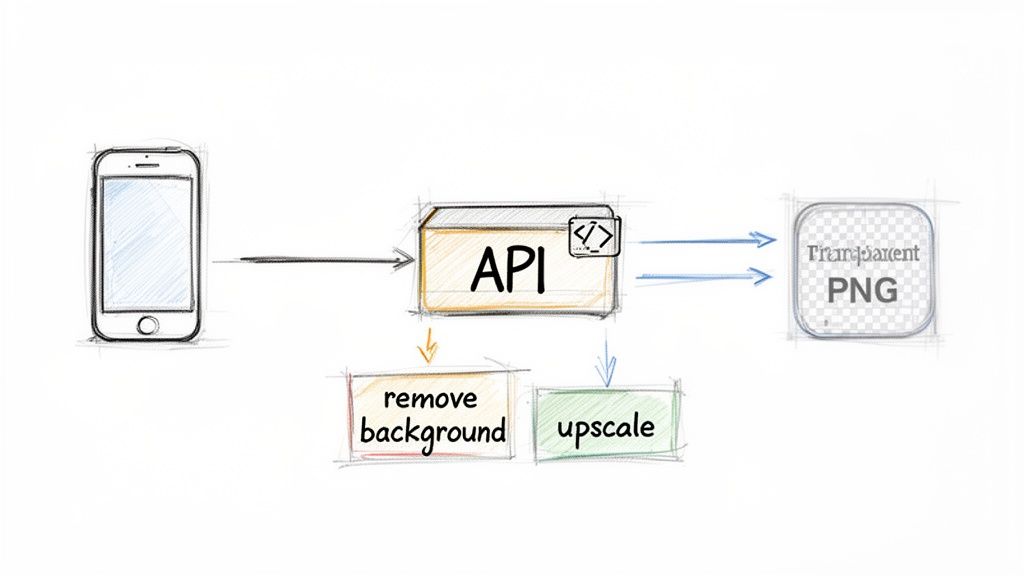
This entire sequence can be triggered automatically, delivering a consistently high-quality result every time, with zero manual work. If you're ready to build these kinds of advanced workflows, the PixelPanda developer docs have all the code examples and guides you'll need to hit the ground running. Good documentation makes all the difference, helping you get from an idea to a working feature in minutes, not days.
Getting Pro-Level Results From Your AI Edits
Sure, anyone can get a pretty good result from an AI editor. But turning "pretty good" into "absolutely perfect" takes a bit more know-how. Even though artificial intelligence image editing can feel like sorcery, what you get out is still completely dependent on what you put in.
You can't make a five-star meal with wilted lettuce, right? The same logic applies here. The old-school computer science mantra, "garbage in, garbage out," has never been more relevant. If you feed the AI top-notch ingredients, it will cook up something spectacular.
This is your playbook for giving the AI exactly what it needs to churn out stunning, natural-looking images every single time.
Taming the Toughest Subjects
Let's be honest, some things are just a nightmare to edit. We're talking about fine, flyaway hair, fluffy pet fur, or see-through stuff like wine glasses and wedding veils. With standard tools, these often turn into a pixelated, choppy mess. This is where a truly sophisticated AI model shows its worth.
These advanced systems have been schooled on enormous datasets, learning the intricate physics of how light behaves. They don't just see a hard outline; they understand the soft feathering of a shadow and how light bends through glass. This deep understanding lets them make incredibly precise selections, saving every last wisp of hair.
To nail these tricky shots, try these two things:
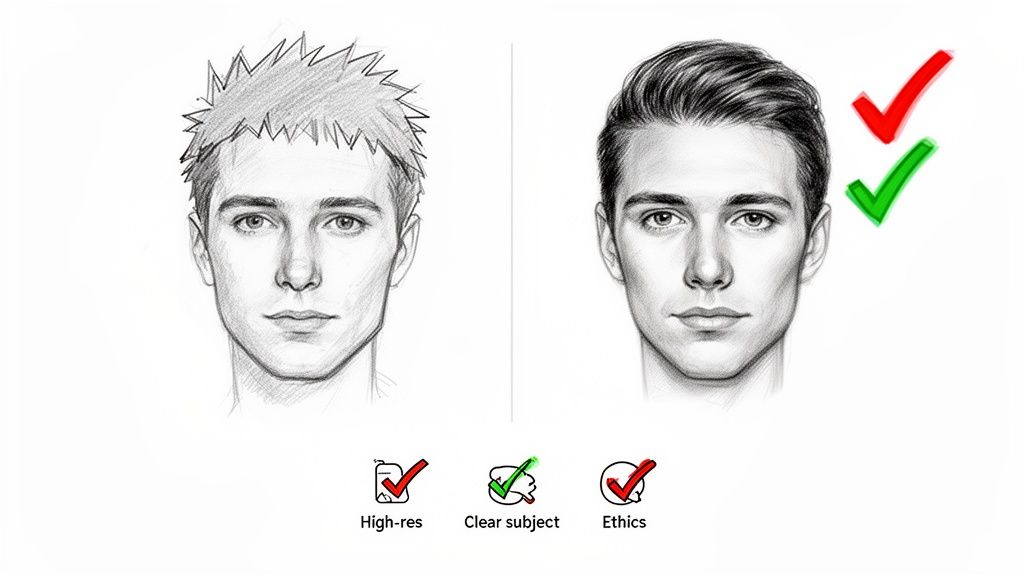
- Go High-Res: More pixels mean more information for the AI to analyze. It can make much smarter decisions about those tiny details when it has more to work with. A crisp photo always produces a cleaner result.
- Pump Up the Contrast: An object that pops against its background is a piece of cake for the AI to isolate. If you have any control over the photoshoot, placing your subject against a contrasting color can be a game-changer.
Knowing When to Say When
With great power comes great responsibility, especially when you're editing photos of people. AI can smooth skin, brighten eyes, and even tweak facial features. And while that's fantastic for a professional headshot, it’s ridiculously easy to go too far.
Your goal should be to make someone look like they're having their best day ever, not like they've become a completely different person. Authenticity is currency—it builds trust.
Pushing the edits too hard creates that creepy, "uncanny valley" effect where things just look off. It feels fake, and it can even come across as deceptive. The best approach is to focus on subtle enhancements that bring out a person's best features, not erase them.
A Few More Pro-Tips for Perfect Edits
Beyond the subject itself, a few technical habits can take your results from great to phenomenal. Don't just treat the AI like a black box; think of it as your creative partner.
1. Start With a Clean Slate
Before you hand your image over to the AI, do a quick clean-up. Zapping major dust spots or distracting lens flare gives the model a much cleaner canvas to start with.
2. Watch the Lighting
Images with even, soft lighting are a dream for an AI to process. Harsh, dramatic shadows can create confusing edges that the AI might mistake for part of the subject itself.
3. Remember Your File Formats
This one's a classic mistake. If you're doing something like background removal, you need transparency. You must save the final image as a PNG. JPEGs don't support transparent backgrounds and will just fill it in with solid white, instantly undoing all that great AI work.
Stick to these guidelines, and your artificial intelligence image editing workflow will not only be smoother but will also deliver consistently brilliant, professional-quality visuals.
Choosing the Right AI Editing Partner
In a market absolutely swimming with options, picking the right technology partner is probably the most important call you'll make for your visual content. Let's be honest, not all artificial intelligence image editing tools are built the same. Some are just simple apps for your phone, while others are powerful, developer-first engines designed to chew through business-critical workflows at a massive scale.
Choosing the right one isn't just about a flashy feature list. It’s about finding a true partner in automation.
For any serious business use, your evaluation should begin and end with the API. Is it a clean, simple, and reliable REST API that your developers can plug into in a matter of minutes? Or is it a clunky, poorly documented mess that feels like an afterthought? A developer-first platform like PixelPanda lives and breathes its API, offering crystal-clear documentation, robust SDKs, and performance that won’t choke the second you send a few thousand images its way.
Beyond the Basics: What Truly Matters
Once you've confirmed the API is solid, the next big test is how well it handles the really hard stuff. Any basic tool can slice a coffee cup off a white background. But can it handle the ridiculously fine details that separate a hack job from a professional-grade edit?
This is where you need to get specific and look for a few key things:
- Superior Edge Detection: How does it deal with notoriously tricky subjects like flyaway hair, fluffy fur, or see-through objects like a wine glass? The best models nail these details without making them look fake or choppy.
- Comprehensive Feature Suite: Does it do more than just remove backgrounds? You want a full toolkit with smart inpainting (for removing unwanted objects), image upscaling, and other features that let you chain different edits together.
- Commitment to Clean Outputs: The whole point is to get a natural-looking result every single time. The AI has to be smart enough to avoid that plastic-y skin look or weirdly distorted features, keeping the soul of the original photo intact.
This is where we can really see what each tool is made of. The table below breaks down some of the core features you should be looking for and why they matter to different teams.
Core AI Editing Feature Showcase
| Feature | What It Does | Ideal For |
|---|---|---|
| Background Removal | Automatically removes the background from an image. | E-commerce product shots, marketing headshots, creative collages. |
| Smart Inpainting | Intelligently fills in a removed object or blemish. | Retouching photos, removing watermarks, cleaning up user-generated content. |
| Image Upscaling | Increases image resolution without losing quality. | Reviving low-res photos, preparing images for large-format printing. |
| Generative Fill | Adds or extends parts of an image with AI-generated content. | Expanding a photo's canvas, adding creative elements, prototyping designs. |
| Object Replacement | Swaps one object in an image for another. | Virtual product staging, A/B testing ad creative, customizing stock photos. |
These capabilities are the building blocks of a powerful visual workflow. A tool that offers this kind of a suite isn't just an editor; it's an automation platform.
This focus on professional-grade automation is what separates a true technology partner from a simple tool. It's the difference between a solution that solves one tiny problem and a platform that powers your entire visual pipeline for years.
Don't just look for a tool that can edit an image. Find a partner committed to performance, reliability, and continuous innovation. Your platform needs to evolve alongside your business, and that requires a team that is constantly pushing the boundaries of what's possible.
Ultimately, the right choice boils down to a few key pillars: a rock-solid API, uncompromising accuracy, and a team that’s genuinely invested in your success. While manual editing still has its place and basic tools can handle one-off tasks, scaling your visual production demands a partner built for the job. Choosing an AI partner like PixelPanda ensures you’re not just keeping up—you’re setting the foundation for the future of your content.
Got Questions? We've Got Answers
Stepping into AI image editing can feel a bit like science fiction, so it's only natural to have a few questions. We've tackled the most common ones here to clear things up and get you on your way.
Think of this as your personal cheat sheet for understanding the tech.
How Hard Is It to Actually Plug This Stuff In?
Honestly, it’s easier than you think. Modern AI platforms are built by developers, for developers. Most offer a simple REST API, meaning you can process an image with just a handful of code.
If you know your way around languages like Python or Node.js, you can have a working demo up and running in minutes using their SDKs. All the heavy AI lifting happens on their servers, so you don't need a Ph.D. in machine learning to make it work.
Can an AI Really Handle Tricky Edges Like Hair and Fur?
Yes, and this is where the top-tier AIs really show off. Early versions definitely struggled with fine details, often leaving chunky, amateurish cutouts. But today’s best models have been trained on mountains of data, learning to master these exact challenges.
They use incredibly smart techniques to preserve every last strand of hair or tuft of fur, producing results so clean they look like they were done by a seasoned pro with a graphics tablet.
The magic isn't just cutting an object out; it's understanding the texture of the edge. A great AI knows the difference between a hard plastic edge and the soft, feathery wisps of hair. It preserves those details, which is what makes the final image look real and not like a cheap cutout.
Is This Actually Cheaper for a Small Business?
For most businesses, it’s a game-changer for the budget. The cost of a single API call is a tiny fraction of what you'd pay a professional designer for an hour of their time. When you start editing hundreds or thousands of images, the savings are massive.
Most services use a pay-as-you-go model, so you aren't locked into a hefty subscription you don't fully use. Plus, with generous free trials everywhere, you can test the waters without spending a dime.
What Else Can AI Do Besides Just Removing Backgrounds?
So much more. Background removal was just the beginning. The world of artificial intelligence image editing has exploded, and you can now automate almost your entire visual content pipeline.
Here's just a taste of what's on the menu:
- Image Upscaling: Take a blurry, low-res photo and make it sharp and clear without that awful pixelated look.
- Object Removal: Magically erase distracting people, text, or objects from your shots.
- Face Enhancement: Subtly improve lighting and features in portraits to give them a professional studio feel.
- Style Transfer: Instantly apply a consistent artistic style across all your images for a killer brand aesthetic.
- Generative Fill: Type a few words to add new elements, fill in missing parts of an image, or expand the canvas.
This isn't just about saving time on one task; it's about creating entirely new workflows, from spinning up product mockups in seconds to generating endless social media content automatically.
Ready to see how a powerful, developer-first API can transform your visual content? Explore the full suite of tools and start building for free with PixelPanda. Get started at pixelpanda.ai.