Remember spending hours painstakingly tracing around an object in Photoshop, trying to get that perfect cutout? Those days are pretty much over. Modern image editing is less about tedious pixel-pushing and more about a brilliant partnership between human creativity and smart automation. Think of AI as your own personal, lightning-fast creative assistant, turning mind-numbing tasks into a matter of seconds.
Welcome to the New Age of Image Editing
Let's be clear: we've moved way beyond just "fixing photos." Smart editing has become a serious engine for business growth, a far cry from its humble beginnings as a simple touch-up tool. It’s now the backbone of creating content at scale, letting brands pump out studio-quality visuals almost on a whim. In this guide, we'll dig into how e-commerce brands, marketers, and developers are using these tools for way more than just pretty pictures—they're using them to supercharge their workflows and keep their branding razor-sharp.
From Manual Grind to Smart Automation
The biggest game-changer? The jump from manual labor to intelligent, automated systems. Instead of a designer spending an hour meticulously removing a background, an AI can nail a cleaner result in less than five seconds. This isn't just a small speed bump; it completely rewrites the rulebook on what’s possible for any business, big or small.
This massive shift is all thanks to incredible leaps in machine learning, and the numbers don't lie. The AI photo editing market is on track to explode from $2.1 billion to a whopping $8.9 billion by 2034, making it the fastest-growing software segment out there. This boom is fueled by the sheer volume of images we're dealing with—an estimated 34 million new AI-generated images are churned out every single day. You can dive deeper into the future of AI photo editing on autophoto.ai.
Think of it like this: traditional editing is a skilled craftsman hand-carving one beautiful statue at a time. AI-powered editing is having an entire factory of those craftsmen working together, producing thousands of perfect statues simultaneously.
Why This Is a Big Deal for Your Business
Jumping on this bandwagon isn't just about saving a few hours here and there. It's about opening up new doors and getting a real leg up on the competition. Here's what this new approach to editing brings to the table:
- Blazing Speed: Take a raw photo and make it market-ready in minutes, not days. This means you can get campaigns out the door faster than ever.
- Flawless Consistency: Automatically ensure every single product shot and marketing graphic perfectly matches your brand's style guide. No more rogue shades of blue!
- Endless Scalability: Need to process thousands of images for a new product line or a user-generated content blitz? No problem. You won't need to hire a massive team to get it done.
- Lower Costs: Cut down on pricey manual retouching services and ditch some of those hefty software subscriptions.
Getting the Fundamentals Right: Your Image Editing Foundation
Before we dive headfirst into the cool, flashy world of AI automation, we need to talk about the basics. Getting a handle on the core operations of image editing is like learning the fundamental chords on a guitar. Sure, they're simple on their own, but master them, and you can create something truly incredible. This foundational knowledge is what separates a forgettable snapshot from a powerful visual that actually connects with people.
Think of a raw, unedited photo as a pile of fresh ingredients. The editing process is where you, the chef, step in. You combine, refine, and present those ingredients to create a dish that looks amazing and tells a story. Trust me, every single professional-looking image you see online has gone through some combination of these essential tweaks.
Setting the Scene with Transformations
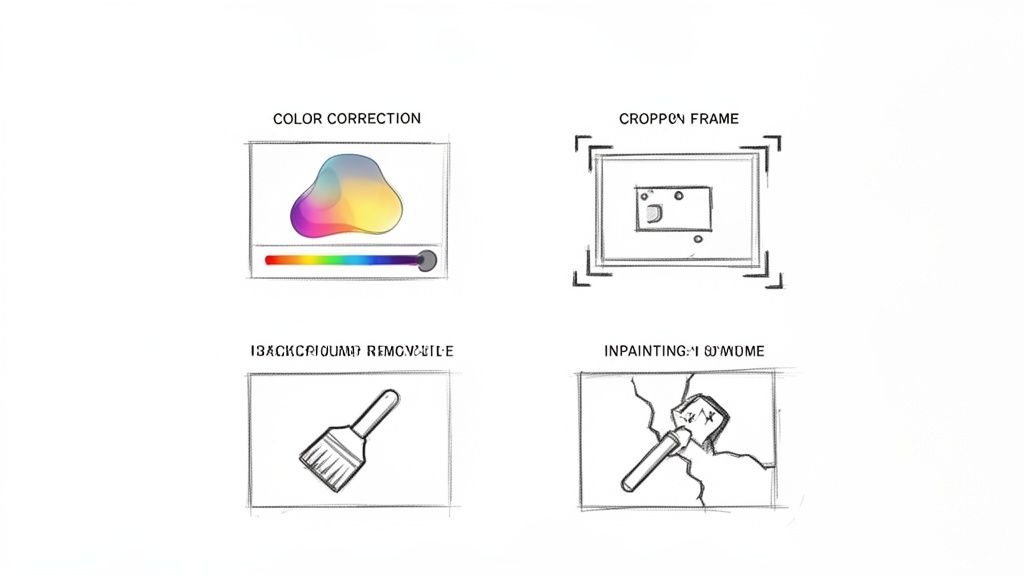
The first stop in almost any editing workflow? Transformations. These are the big-picture moves that define an image’s composition and size, kind of like a film director framing the perfect shot. We’re not changing the content just yet, but rather how it’s presented.
There are two main players here:
- Cropping: This is the art of getting rid of the junk. Cropping removes distracting elements from the edges so the viewer’s attention goes exactly where you want it: on your subject. It's like cutting filler words from a sentence to make it punchier. A tight crop can feel intimate, while a wider one gives a sense of place.
- Resizing: This is all about getting the dimensions right. Whether you're creating a huge hero image for a website banner or a tiny thumbnail for a social media feed, resizing ensures your image looks sharp and loads fast wherever it ends up.
Nailing these transformations sets the stage for all the more detailed, creative work to come.
Perfecting the Mood with Color and Light
Once your shot is perfectly framed, it's time to create a vibe. This is where you get to play with color, brightness, and contrast. Think of this stage as the lighting and sound design for your visual story; it’s what creates an emotional atmosphere and makes your audience feel something.
An image with balanced, natural-looking colors feels professional and trustworthy. On the flip side, one with weird, skewed colors can look cheap and amateurish. For any brand that wants to be taken seriously, getting the color right is non-negotiable.
Here are the key adjustments you'll be making:
- Brightness and Contrast: Brightness controls the overall lightness or darkness, while contrast handles the range between the brightest and darkest parts of the image. A great photo has a full spectrum of tones, from deep, inky blacks to crisp, clean whites. This gives it depth and makes it pop.
- Color Correction: This is all about making colors look true-to-life. It involves adjusting things like white balance, saturation, and hue to fix weird color casts, like that awful yellow tint you get from indoor lighting.
- Enhancement: This goes a step beyond just correcting. Enhancement is about making the image exciting. You might sharpen details to make them crisper or boost vibrancy to make the colors sing. It’s that final bit of polish that makes your subject shine.
Refining the Details for a Flawless Finish
With the composition and mood locked in, the last step is to clean up the little imperfections. This is the detail work that really separates the good images from the great ones, making sure there are no distractions pulling the viewer’s eye away from what matters.
For example, background removal is a lifesaver, especially in e-commerce. It isolates the product against a clean backdrop, creating a consistent, professional look across an entire online store. All the focus goes straight to what you're selling.
Then there's inpainting, or object removal, which is basically a magic eraser for photos. It can seamlessly remove a stray power line, a photobomber in the background, or a distracting reflection. The tool intelligently fills in the blank space so it looks like the object was never even there.
Another game-changer is upscaling, a technique that uses AI to increase an image’s resolution without turning it into a blurry mess. If you're curious, you can even play around with an AI-powered image upscaling demo to see this magic in action for yourself.
How AI Flips Your Editing Workflow On Its Head
If the basic editing moves are the individual notes in a song, then AI is the conductor who arranges them into a symphony—instantly. This is where we say goodbye to the slow, click-by-click world of manual tweaks and jump headfirst into automated creativity. The mind-numbing tasks that used to eat up hours are now finished by smart algorithms in the time it takes to blink, completely rewriting the rules of content creation.
Picture an AI that doesn't just see pixels; it actually understands context. When it removes a background, it's not just hunting for color differences. It has been trained to see the subtle details—the clean edge of a product, the wispy strands of hair, the see-through shimmer of a wine glass. This kind of understanding lets it pull off complex jobs with a level of precision that can often leave a skilled human editor in the dust.
This is the secret sauce behind modern image editing. It’s the difference between painstakingly tracing an outline with a mouse and having an AI deliver a perfect cutout in seconds.
The Magic Under the Hood
So how does this all work? Let's look at a couple of key examples.
Take upscaling an image. The old way of blowing up a small photo just made the pixels bigger, leaving you with a blurry, blocky mess. AI upscaling is a whole different beast. It intelligently invents new details that were never there to begin with. The algorithm studies the surrounding pixels and makes an educated guess about what the missing information should look like, essentially rebuilding the image at a much higher resolution. It's like a master art restorer filling in the cracks on an old painting so seamlessly you'd never know it was touched up.
Content-aware technology is another game-changer. Let's say you need to zap a distracting object from a photo. Instead of leaving an empty hole, the AI analyzes the entire scene—the textures, the light, the patterns—and brilliantly generates a new background to fill the space. The object just… vanishes. Poof. Like it was never there.
AI isn't just about doing things faster. It's about making the impossible possible, especially at scale. It gives one person the power of an entire editing department, making pro-level visuals accessible to everyone.
Manual Editing vs. AI-Powered Editing Workflows
The difference between the old way and the new way is night and day. To really get a feel for this shift, you have to see the two workflows side-by-side. One is all about human skill and patience; the other is about raw computing power and speed.
We've laid out a simple comparison below to show just how much has changed. The efficiency gains are massive, especially when you consider tools like an AI product photo generator that can churn out incredible visuals almost on demand.
| Metric | Manual Editing (e.g., Photoshop) | AI-Powered Editing (e.g., API) |
|---|---|---|
| Time per Image | 5-30+ minutes depending on complexity. A detailed hair cutout can take an hour. | 3-5 seconds. The process is nearly instantaneous, regardless of complexity. |
| Cost per Image | $5 – $50+ when hiring a freelance designer or agency. | Fractions of a cent. API pricing models make it incredibly affordable at scale. |
| Scalability | Limited. Output is directly tied to the number of available designers and hours. | Virtually unlimited. Process thousands of images simultaneously without a drop in speed. |
| Consistency | Variable. Results can differ slightly between designers or even between edits by the same person. | Perfectly consistent. The same operation produces the exact same result every single time. |
The table really tells the whole story. While a human touch is still perfect for unique, artistic projects, AI is the clear winner for any job that demands speed, consistency, and volume.
Think about prepping thousands of product shots for an e-commerce site. That's where the difference is undeniable. Want to see this speed for yourself? Try an AI background removal demo and watch it work its magic in real-time. The results aren't just fast—they're clean enough for professional use, turning a huge production bottleneck into a simple, automated step.
Integrating Image Editing APIs for Scalable Solutions
A brilliant editing tool sitting on a designer's desktop is one thing. But what if you could plug that power directly into your apps and let them do the work? That's where the real magic happens. This is for the builders out there—the developers and product teams who need to handle visuals at a massive scale.
Welcome to the world of image editing APIs.
Think of an API (Application Programming Interface) as a universal remote control for a professional editing studio. Instead of you manually clicking buttons to get something done, your application just sends a quick, coded message. A single line of code can trigger a whole series of complex edits on thousands of images, turning what used to be days of manual labor into an instant, hands-off operation.
This is the secret engine humming behind modern e-commerce and marketing platforms. There isn't an army of designers frantically removing backgrounds for every new product launch. Instead, an automated system makes an API call for each new photo, and a perfectly polished image comes back in seconds.
Building Your Automated Visual Pipeline
By plugging an editing API into your system, you can build powerful, self-running workflows. Imagine a new vendor uploads a raw product photo to your e-commerce platform. Your backend system can automatically fire it off to an API to handle a few key tasks.
A typical workflow might look something like this:
- Background Removal: Instantly snips out the background, leaving a clean, transparent image that meets marketplace standards.
- Smart Cropping: Automatically centers the product and frames it perfectly, keeping your entire catalog looking sharp and consistent.
- Resolution Upscaling: Takes a lower-quality upload and sharpens it, making it crisp enough for high-res zoom features.
- Watermarking: Slaps your brand's logo or some text over the image for a little brand protection.
This whole sequence unfolds without a single human click. It transforms a huge operational bottleneck into a smooth, efficient part of your infrastructure. For a deeper look at the nuts and bolts, check out the resources for developers looking to integrate image editing APIs.
An API-driven approach treats image editing not as a creative task, but as a utility to be consumed—like electricity. You don’t need to know how the power plant works; you just flip a switch and get exactly what you need, right when you need it.
From Manual Clicks to AI Transformation
The real win here is turning slow, manual steps into a fast, scalable, AI-powered process. Your workflow shifts from being human-dependent to machine-powered, letting your business handle a volume of images that would be completely impossible otherwise.
This flowchart nails the transition from manual drudgery to a streamlined, AI-driven output.
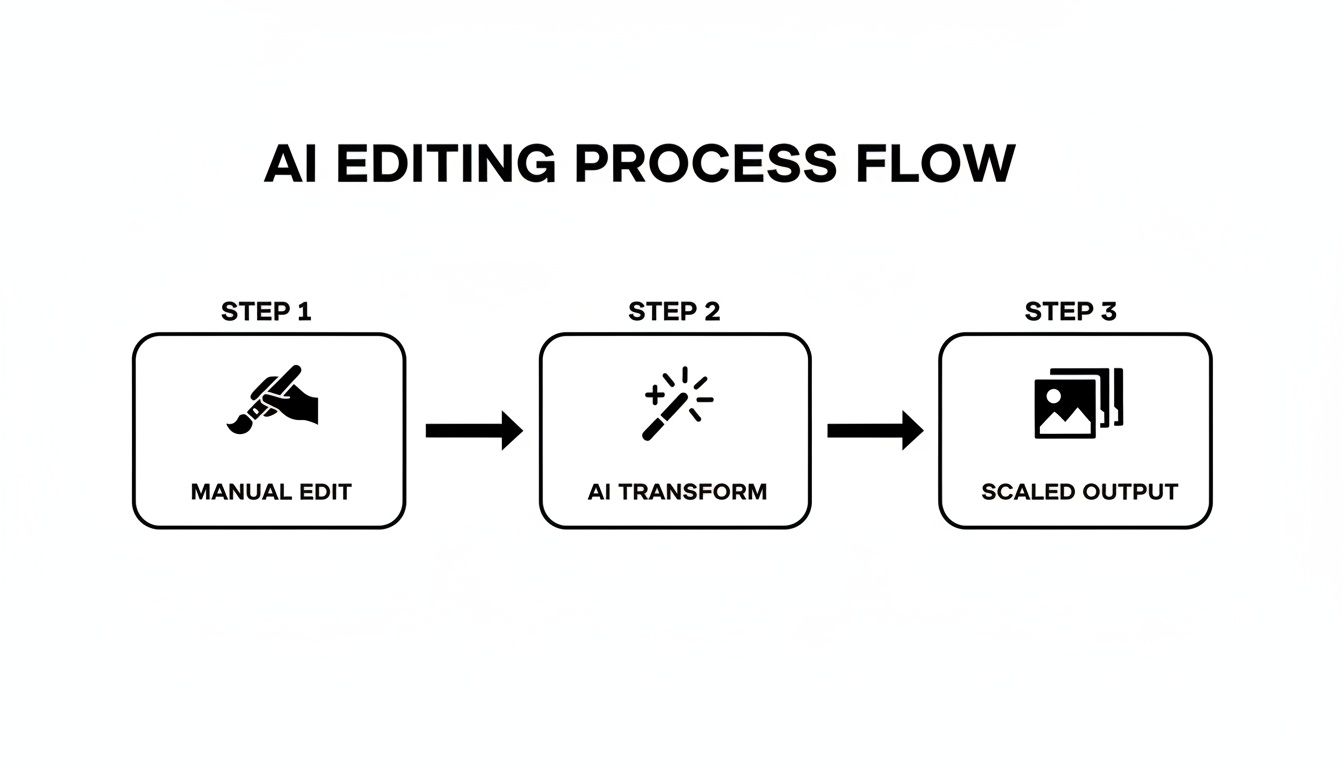
It’s a simple but powerful shift. The AI "transform" step completely replaces the manual effort, allowing one simple action to produce results at an enormous scale.
Key Considerations for API Integration
Getting started is surprisingly simple, but building a rock-solid system takes a little planning. The best APIs are designed for developers, often providing handy SDKs (Software Development Kits) that bundle all the code you need into simple functions for languages like Python, JavaScript, or PHP.
Here are a few tips for a smooth integration:
- Guard Your API Keys: Treat your API key like a password. Store it securely as an environment variable—never, ever hard-code it directly in your source code where it could get exposed.
- Handle Errors Gracefully: What happens if an API call fails or someone uploads a corrupted image? Your app needs a backup plan, like retrying the request or flagging the image for a human to check, so the whole workflow doesn’t grind to a halt.
- Play in the Sandbox First: Most services offer a testing environment. Use it! This is your chance to mess around with different settings and see how the API behaves without burning through your budget on a live account.
- Monitor Your Usage: Keep an eye on how many API calls you're making. This helps you manage costs and make sure your app is running efficiently. It's a good idea to set up alerts for any weird spikes in activity.
Putting AI Image Editing Into Practice
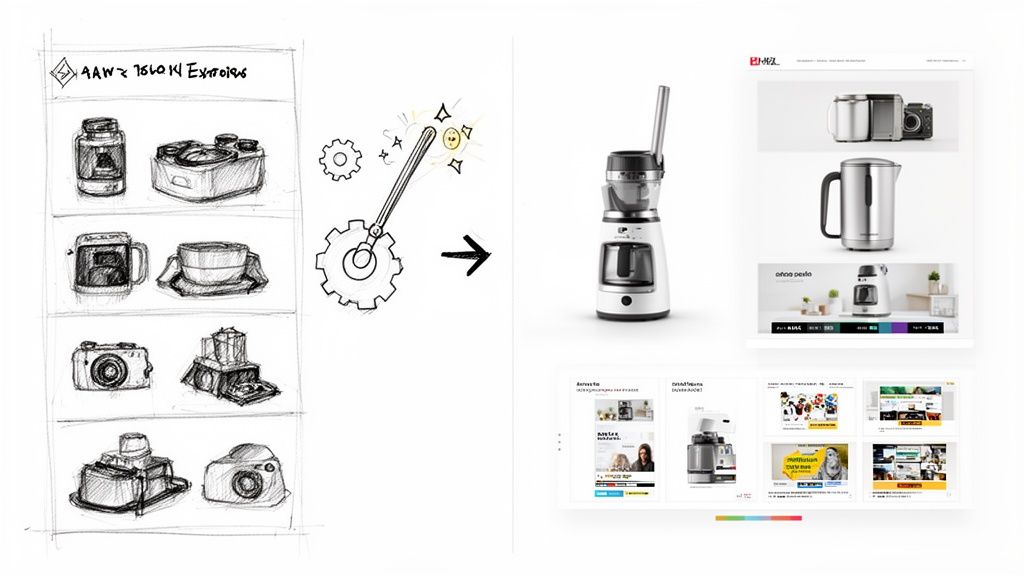
Alright, the theory and the APIs are cool, but let's get to the fun part: seeing what this tech actually does. Automated image editing isn't just a parlor trick for tech demos. It’s a serious engine for growth, especially if you're in the cutthroat worlds of e-commerce and marketing, where speed and consistency are everything.
So, enough with the "how it works." Let's dive into the "what's it for?" We're talking real-world scenarios where AI is helping teams slash costs, launch campaigns in record time, and create visuals that genuinely make people click "buy." These are the stories that prove this stuff isn't some far-off future concept; it's a tool you need right now.
Giving E-commerce Product Catalogs a Serious Glow-Up
For any online shop, your product photography is your handshake, your storefront, and your salesperson all rolled into one. It's the digital version of a customer picking an item off the shelf. AI-powered editing has become the secret weapon for turning a messy folder of raw photos into a slick, shoppable catalog—and doing it at a ridiculous speed.
The most common and game-changing use is getting all your product photos to look like they belong together. Picture this: you upload a hundred new product shots. The lighting's a bit different in each one, and the backgrounds are a chaotic mess. An automated workflow can fix that in a flash.
- Zap the Backgrounds: Instantly, every image gets a clean, crisp white background. This creates a uniform look that screams professionalism and builds trust.
- Generate Believable Shadows: The AI then adds subtle, natural-looking shadows. This gives products a sense of weight and depth, stopping them from looking like they're just floating awkwardly in a void.
- Standardize Sizing and Centering: Every last product is perfectly centered and scaled. The result? Your category pages look neat, organized, and are a pleasure to browse.
This isn't just about looking pretty; it’s about making money. The global photography services market is on track to hit around $60 billion by 2026, with e-commerce being a huge driver of that growth. Get this: product pages with multiple high-quality images can rake in up to 9 times more organic traffic. That makes automated image production less of a luxury and more of a core business function.
AI editing transforms your product catalog from a mishmash of individual photos into a cohesive, branded shopping experience. It’s the invisible hand ensuring every item is presented in its absolute best light, without a single manual tweak.
Another mind-blowing application is generating lifestyle mockups on the fly. Forget organizing expensive, time-sucking photoshoots. You can take a simple product cutout and let an AI drop it into all sorts of realistic scenes. A single photo of a coffee mug can suddenly become a dozen lifestyle shots: one on a sunny kitchen counter, another on a cluttered office desk, and a third next to a roaring fireplace.
Supercharging Marketing and Ad Creatives
Marketing teams are always on the hook to churn out a mind-boggling amount of content. Every social media platform, ad network, and email campaign needs its own special format. Here, AI image editing acts like a force multiplier, letting them whip up endless variations of ad creatives and social media posts in minutes, not days.
Think about a team launching a new campaign. They can start with one killer image and let the AI spin it into hundreds of variations, each one tweaked for a different audience or platform.
- Endless Ad Variations: Instantly create versions with different backgrounds, color palettes, or calls to action. This makes A/B testing a breeze, so you can quickly find out what your audience actually responds to.
- Personalized Banners at Scale: Imagine creating personalized social media banners for thousands of users, swapping out backgrounds or adding unique text to make each one feel special.
- Brand-Ready User-Generated Content (UGC): You can take those amazing, authentic photos your customers post and instantly clean them up. The AI can adjust the lighting, remove distracting photo-bombers, and apply brand filters to make them look slick enough for your official marketing channels.
This kind of automation frees up your brilliant designers from the soul-crushing, repetitive work. Instead of spending hours resizing images, they can focus on the big-picture creative strategy. To really make this work, it helps to have the right tools in your corner. For example, if you're in the app space, knowing the best tools for creating app screenshots can drastically improve conversions. By letting the robots handle the grunt work, marketing teams can jump on trends faster, test more creative ideas, and ultimately, get way better results.
Got Questions About Modern Image Editing? We’ve Got Answers.
Stepping into the world of automated image editing can feel a bit like trying to order coffee in a foreign country. You’re hearing all these buzzwords—APIs, machine learning, generative AI—and it’s easy to feel a little out of your depth. But don't sweat it. Underneath all that tech-speak are some refreshingly simple and powerful ideas.
This section is here to demystify the whole thing. We're going to tackle the most common questions we hear from teams who are just starting to dip their toes into AI-powered visuals. Think of it as your no-nonsense FAQ, designed to cut through the jargon and give you the straight answers you're looking for.
What’s the Real Difference Between AI and Traditional Editing?
It all boils down to one thing: scale.
Think of traditional software like Photoshop as a master artist's studio. It’s filled with incredible tools that give you meticulous, pixel-perfect control over a single image. But it demands a skilled human hand to guide it. You wouldn't hire a master painter to churn out a thousand identical portraits, right? It's just not what they're built for.
AI image editing, on the other hand, is your automated production line. It’s engineered to execute specific, high-quality tasks flawlessly across thousands—or even millions—of images. Instead of a designer spending 20 minutes painstakingly tracing a product's outline, an AI model nails it in seconds.
This makes AI the perfect co-pilot for high-volume, repetitive jobs that are the bread and butter of e-commerce and marketing. Traditional software still reigns supreme for bespoke, one-of-a-kind creative work where an artist's unique vision is the star of the show.
How Do Developers Actually Plug in an Image Editing API?
For anyone who doesn't write code for a living, "API integration" can sound pretty intimidating. The good news is that modern image editing APIs are designed to be surprisingly straightforward to connect. Most rely on a standard called a REST API, which is just a common language that lets different software systems chat with each other online.
For a developer, the whole process is pretty simple:
- Grab an API Key: They sign up for the service and get a unique key. It's basically a secret password that proves their app has permission to ask for edits.
- Send a Request: Their code then sends a simple message (an HTTP request) to the API. This message includes the image they want to change (either by uploading it or pointing to a URL) and a simple instruction, like
{ "operation": "remove_background" }. - Get the Result: The API’s servers work their magic, process the image in a few seconds, and send the finished version right back. Done.
To make life even easier, many platforms offer SDKs (Software Development Kits) for popular languages like Python, JavaScript, or Ruby. These are just pre-packaged code snippets that handle all the technical details, boiling the entire process down to just a couple of simple commands.
Is AI Background Removal Really Good Enough for Professional Use?
Yes, absolutely. In fact, for most e-commerce and marketing tasks, it’s often better than manual work, delivering superior accuracy and consistency.
Early AI models could be a bit clumsy. They sometimes struggled with tricky details, leaving fuzzy edges or accidentally chopping off hair, fur, or semi-transparent objects. Those days are long gone.
Modern AI models are 'edge-aware.' They've been trained on millions of images to understand the subtle difference between a hard product edge and the soft, wispy strands of a model's hair. This lets them preserve the tiny details that are a nightmare to get right by hand.
For any business needing to process hundreds of clean product shots for their online store, AI isn't just an option—it's the only practical solution. It delivers perfectly clean cutouts every single time, a level of consistency that's nearly impossible to achieve with a team of human editors. The tech is officially ready for prime time.
Can AI Do More Than Just Nuke Backgrounds?
You bet. While background removal gets all the headlines (because it solves such a universal headache), a true AI editing platform is more like a Swiss Army knife for your visual content.
Think of it less as a one-trick pony and more as an entire automated post-production studio. A modern AI platform can juggle a whole range of tasks that used to require a bunch of different tools and a ton of manual labor.
Here are a few other tricks up its sleeve:
- AI Upscaling: Intelligently blows up an image's resolution by up to 4x or more, without the blurry, pixelated mess you get from old-school tools.
- Smart Inpainting: Magically erases unwanted objects, text, or blemishes from a photo. The AI analyzes the surrounding pixels and fills the gap so seamlessly, you'd never know anything was there.
- Face Enhancement: Automatically retouches portraits—smoothing skin, sharpening eyes, and balancing light—all while keeping a natural, human look.
- Generative Tools: Conjures up entirely new visuals from simple text prompts. It's perfect for creating unique ad backgrounds, product mockups, or social media assets from scratch.
The goal here is to provide a complete, end-to-end pipeline for visual content. It's all about automating the grunt work so your team can get back to being creative.
Ready to see what an automated visual workflow can do for your team? PixelPanda offers a powerful, developer-friendly API to handle everything from background removal to 4x upscaling. Start building for free with PixelPanda and discover how easy it is to produce studio-quality images at scale.