Drowning in a sea of visual content tasks? An AI marketing tool is the secret weapon you need to escape the creative bottleneck. It’s like having a super-powered apprentice who handles all the tedious stuff—like background removal, image upscaling, and churning out ad variations—so your team can finally focus on strategy instead of mind-numbing edits.
So, What Do These Tools Actually Do?
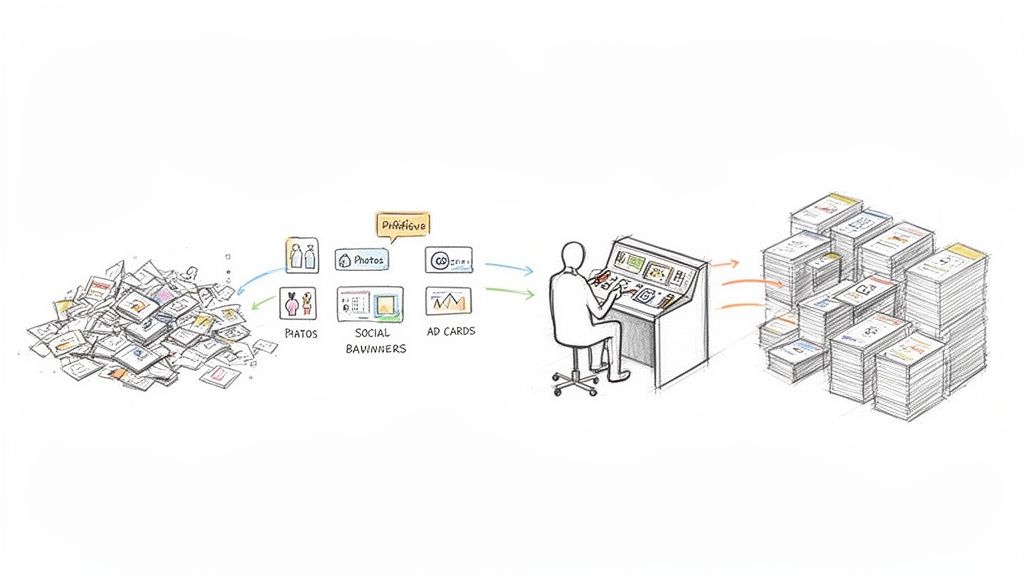
Let's cut through the buzzwords. At its heart, an AI marketing tool for visuals is simply software that automates creative work that used to take a human hours to complete. It’s not some mystical black box here to steal your job; it’s a productivity engine designed to eliminate the grunt work.
Think about your next product launch. You'll need dozens of clean product shots for your website, eye-catching banners for social media, and an army of ad variations for A/B testing. That's usually where the creative traffic jam starts, right? An AI tool is what keeps things moving.
Finally, An End to the Creative Bottleneck
Instead of a designer painstakingly cutting out backgrounds from 50 photos all day, an AI gets it done in minutes. That low-res image you were given? AI upscaling can make it sharp and print-ready in seconds. This isn't about using fancy tech just for the sake of it; it's about making your day-to-day life ridiculously more efficient.
The real magic here is how these tools amplify what your team can do. A single person can suddenly manage a visual workflow that used to take a small army, freeing everyone up for big-picture thinking and brilliant campaign ideas.
This tech has gone from a "nice-to-have" to an absolute must-have in the modern marketing stack. We're talking about a world where marketers are no longer buried in repetitive tasks but are free to unleash their creativity at scale. And it's not just a trend—somewhere between 88-90% of marketers now use AI in their daily work, a huge leap from just a few years ago. You can see more on this in this detailed AI marketing report.
From Niche Tech to an Everyday Tool
What was once reserved for massive corporations with deep pockets is now readily available for e-commerce brands and marketing agencies of all sizes. The impact is especially huge in fast-paced industries like fashion. To see just how deep this rabbit hole goes, check out the applications of AI for fashion and personalized shopping. This isn't just about getting an edge anymore; it’s quickly becoming the new standard for keeping up.
Unlocking Your Visual Superpowers with AI
So, what can an AI marketing tool actually do for your visuals? Let's cut through the buzzwords and get right to the good stuff—how these platforms can rescue you from the tedious, manual parts of your job. Think of it less like a new piece of software and more like getting a brilliant, lightning-fast design assistant who never needs a coffee break.
Imagine you're about to launch a new product line. You've got a folder full of photos, but every single one needs a perfectly clean background before it can go on your website. Manually tracing around every product is a soul-crushing task that can burn hours of a designer's time. With AI, that whole process is over in seconds.
One-Click Product Cutouts
This is where most people have their first "Aha!" moment with AI. You can literally drag and drop a batch of product photos and watch as the AI perfectly isolates each item onto a transparent background. The real magic is how it handles the details that used to be a total nightmare.
- Fuzzy Textures: That fluffy sweater that would normally result in a choppy, amateurish outline? The AI sees the difference between the fabric and the background, giving you a smooth, natural edge.
- Intricate Details: Fine jewelry chains, stray hairs, and even see-through objects are no longer a cause for panic. The AI is smart enough to preserve these delicate features with incredible precision.
This one feature alone completely changes the game for e-commerce teams. It means your products get online faster and your entire catalog looks polished and consistent.
To show you just how much of a difference this makes, here’s a quick breakdown of how AI steps in to handle common visual tasks that used to eat up your day.
How AI Tools Upgrade Common Visual Marketing Tasks
| AI Capability | Manual Task Replaced | Average Time Saved Per Image | Best Use Case |
|---|---|---|---|
| Background Removal | Hand-tracing objects with the Pen Tool in Photoshop. | 5-15 minutes | Creating clean product images for e-commerce sites and catalogs. |
| Asset Generation | Manually creating dozens of ad variations for a campaign. | Hours per campaign | Quickly building social media ads for A/B testing or multi-platform promotions. |
| Image Upscaling | Searching for a higher-res source file or rejecting the image. | 10-30 minutes | Fixing low-quality supplier photos or repurposing old web graphics for print. |
As you can see, we're not talking about small improvements. We're talking about getting huge chunks of your time back, letting you focus on strategy instead of repetitive edits.
AI-Driven Asset Generation
Beyond just cleaning up your existing photos, AI can help you create entirely new marketing assets at a ridiculous speed. Say you need a bunch of social media graphics for a flash sale this weekend. Instead of building each one from the ground up, you just give the AI a template and your product shots.
The AI then becomes your tireless design intern, churning out hundreds of on-brand variations in minutes. It can resize images for Instagram Stories, Facebook ads, and email banners, all while intelligently placing your products and text according to your brand guidelines.
This shifts your role from being a content creator to a content director. You set the vision, and the AI handles the grunt work of production. Suddenly, launching a complex, multi-channel campaign before lunch doesn't seem so crazy.
Crystal-Clear Image Upscaling
We've all been there. A partner sends over a logo or a product photo that's way too small and blurry for the hero banner on your homepage. In the past, you either had to go back and beg for a better file or just grit your teeth and use a pixelated, unprofessional-looking image.
AI upscaling gives you a much better option. Instead of just stretching the pixels, the AI intelligently rebuilds the image, adding sharp details and clarity where there were none before. It can turn a fuzzy, low-resolution graphic into something crisp enough for a billboard.
Want to see it for yourself? Check out this interactive image upscaling demo and watch a blurry photo become perfectly sharp right before your eyes.
See How Marketers and Developers Use AI Tools
Theory is great, but seeing an AI marketing tool in action is where things get really interesting. Let’s walk through how two completely different professionals—an e-commerce manager and a software developer—use visual AI to solve problems they face every single day.
These aren't some futuristic ideas. This is happening right now.
First up, meet Maria. She’s an e-commerce manager staring down the barrel of a major product launch. In front of her is a folder with 50 new product photos, and every single one needs to be ready for the website by tomorrow. Ouch.
A Marketer's High-Speed Product Launch
Instead of pulling an all-nighter with Photoshop, Maria turns to her AI platform to get the job done. What used to be a week of tedious, manual editing is now crunched into a single afternoon.
Here’s her game plan:
- Batch Background Removal: Maria drags and drops all 50 images into the tool. Less than five minutes later, the AI spits out perfect, clean product cutouts. No stray pixels, no choppy edges.
- Instant Image Upscaling: A few of the photos from the supplier are a little fuzzy. Not a problem. She runs them through an AI upscaler, and they come out crystal-clear—sharp enough for the zoom feature on her product pages.
- Automated Ad Generation: With her polished product shots ready, she feeds them into an AI ad generator. The tool instantly creates a full week's worth of social media ads for Instagram, Facebook, and Pinterest, complete with on-brand designs and solid copy.
This is what that transformation looks like, turning a raw photo into something polished and ready for a campaign.
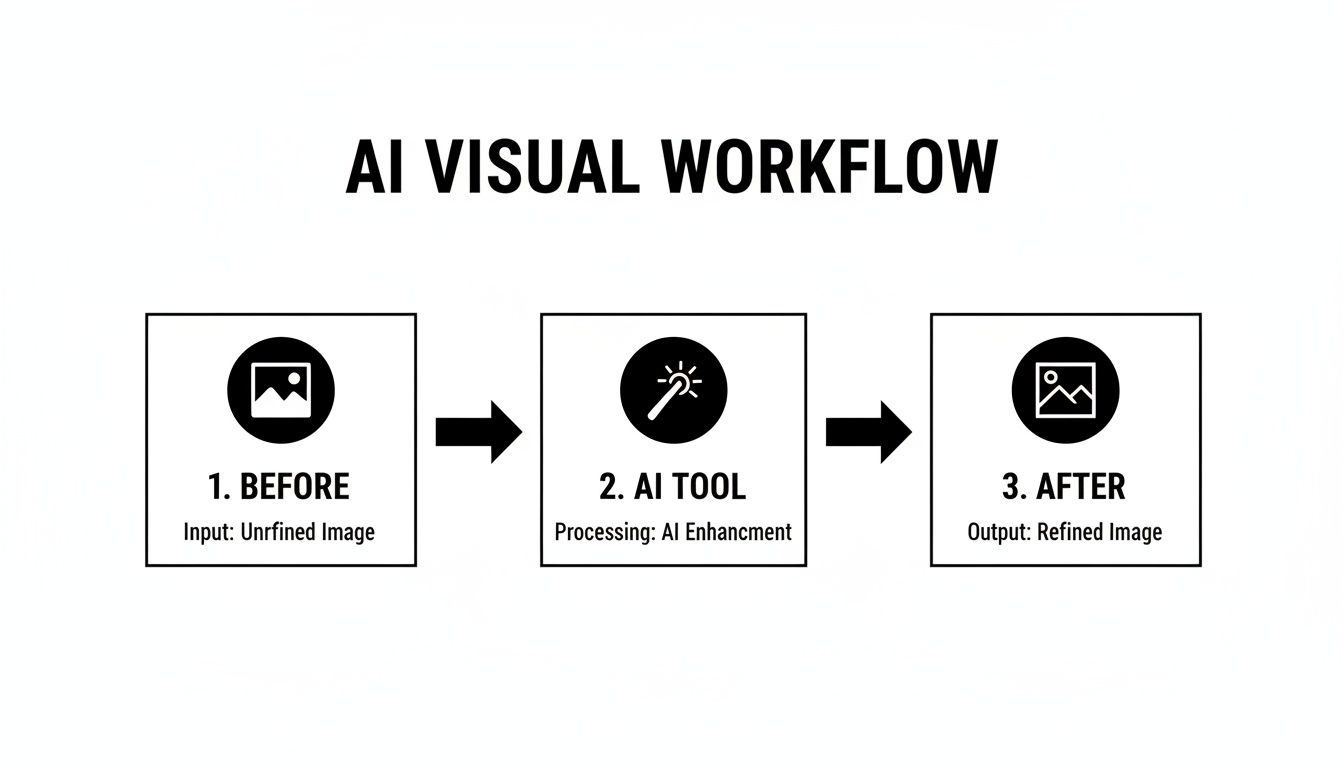
The AI tool becomes a central hub, taking a so-so input and automatically producing a high-quality, ready-to-use asset.
A Developer's Automated Content Platform
Now, let's switch gears and look at David. He’s a developer building a platform where users can upload profile pictures and portfolio images. The challenge? He needs a way to make sure all that user-generated content looks clean and professional, without hiring an army of content moderators.
David’s solution is to plug an AI image processing API directly into his app's backend.
By using an API, David puts the entire image quality control process on autopilot. His platform can now handle thousands of daily uploads without a human ever touching them, keeping the site looking sharp and consistent.
When a user uploads a photo, David’s code makes a quick API call to the AI tool, telling it exactly what to do. In simple pseudo-code, it looks a little something like this:
// A user uploads their new profile pictureuploaded_image = user.photo
// The backend sends that image to the AI API with instructionsprocessed_image = call_ai_api({
image: uploaded_image,
tasks: [
'remove_watermark',
'enhance_faces',
'upscale_to_1024px'
]})
// The new, clean image is saved to the user's profileuser.profile_picture = processed_image
The AI automatically strips any watermarks, enhances facial clarity just enough to look good, and resizes the image to the platform's standard dimensions. The result is a smooth experience for the user and a much cleaner, more trustworthy platform for David—all running completely on its own.
Choosing the Right AI Marketing Tool
Let's be honest: wading through the sea of AI marketing tools can feel like a chore. Every landing page promises to change your life, but how do you separate the genuine game-changers from the flashy gimmicks? The secret isn't in the marketing copy; it's in finding features that actually solve your problems and make a real difference for your team.
Think of it like test-driving a car. You wouldn't buy one without getting behind the wheel, right? The same goes for AI tools. A hands-on demo gallery and a generous free trial aren't just nice-to-haves—they're essential. You need to upload your own assets, especially the tricky ones, to see how the tool performs under pressure before you even think about committing.
Kicking the Tires: Evaluating the Tech
For any team looking to automate work at scale, the technical details are what separate a fun toy from a true business asset. Your checklist needs to go way beyond the surface and dig into what’s really under the hood.
- API and SDK Access: A slick web interface is great for one-off edits, but a powerful API is where the magic happens. Look for crystal-clear documentation and software development kits (SDKs) that let your developers plug the tool’s power directly into the systems you already use.
- The "Hairy" Test: Don't just test the easy stuff. Throw your toughest images at it—photos with fine details like hair, fuzzy sweaters, or mesh fabrics. The best tools have sophisticated models that can handle these challenges and deliver crisp, clean cutouts every time.
- Built for Bulk: Can the tool chew through 500 images at once without choking? For e-commerce and big marketing campaigns, the ability to process huge batches of content quickly and reliably is non-negotiable.
Making the Final Call
The generative AI wave is here, and it’s changing how we all work. In fact, a whopping 71% of companies are already using it for things like content creation and research, with visual AI tools leading the charge.
Your real goal is to find a tool that solves today's headaches and can grow with you tomorrow. A platform with clear, scalable pricing and solid developer support is a much smarter long-term bet than one that just looks pretty.
To get a broader view of what's out there, it helps to check out a few guides on the best AI content creation tools.
Ultimately, the right choice comes down to your specific needs. Are you a solo creator who just needs a few quick edits, or a developer building a completely automated content pipeline? Don't be shy about putting these tools through a trial by fire—a little homework now will save you a world of hurt later. For a no-nonsense breakdown of what this kind of power costs, check out our pricing page and see how a flexible API can fit right into your budget.
How to Actually Get an AI Tool Working for You
Alright, so you've found an AI marketing tool that looks promising. Now what? The real trick isn't just finding the tool; it's weaving it into your day-to-day grind so it actually saves you time instead of becoming another login you forget.
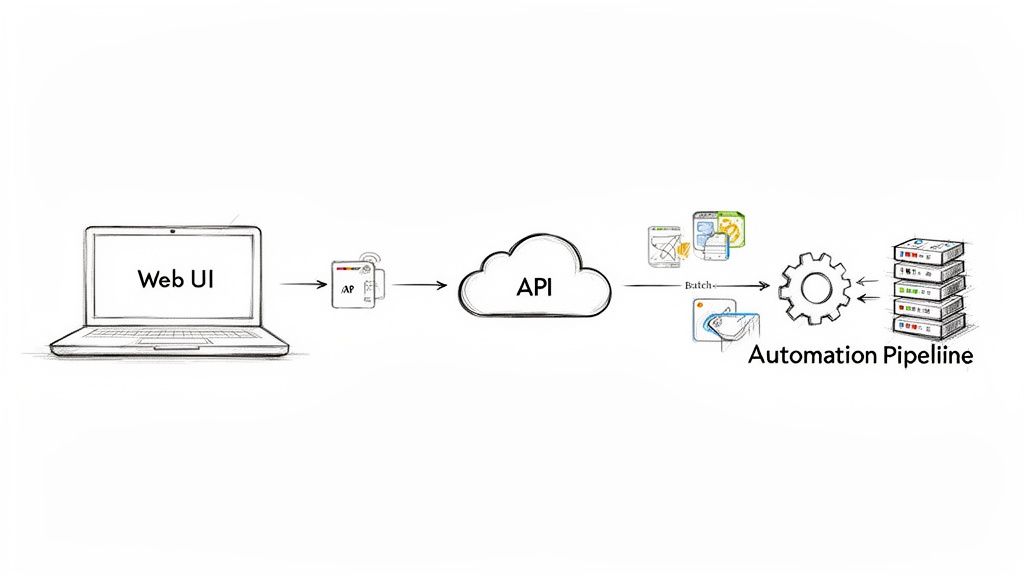
This is where the magic happens. A great platform won’t force you into a one-size-fits-all box. Instead, it offers a couple of different ways to get the job done, depending on who you are and what you need.
For the Hands-On Creatives: The Web App
Most marketers and designers will live inside the web interface. Think of it as your creative command center for getting things done right now.
Got a dozen new product shots for an Instagram story that needs to go live in an hour? Just drag them into the browser, click a button, and watch the backgrounds vanish. It’s built for speed and immediate visual feedback, letting you go from a raw photo to a polished, campaign-ready asset without touching a line of code.
For the Automation Gurus: The API
Now, for developers or teams handling thousands of assets, clicking and dragging just won't cut it. This is where the REST API comes in.
An API (Application Programming Interface) is basically a secret handshake that lets your software talk directly to the AI tool’s software. It’s what separates a neat little app from a full-blown automation engine.
Instead of uploading images one by one, you can write a simple script to process your entire product catalog overnight. The AI can then send the finished images straight back to your e-commerce store, digital asset management (DAM) system, or whatever custom setup you’re running. This is how you build a visual content pipeline that runs itself.
An API turns an AI tool from something you use into something you can build with. It's the key to embedding smart image editing directly into your own products and creating custom workflows that give you a massive edge.
Wondering how complicated that is? It's not. Removing a background with an API call is surprisingly simple. Here’s a quick look at how you’d do it in Python:
import requests
Your API key and the image you want to process
api_key = "YOUR_API_KEY"
image_url = "https://example.com/product_photo.jpg"

Sending the request to the AI tool's API
response = requests.post(
"https://api.pixelpanda.ai/v1/background-removal",
headers={"Authorization": f"Bearer {api_key}"},
json={"image_url": image_url}
)
Saving the new image with a transparent background
if response.status_code == 200:
with open("product_cutout.png", "wb") as f:
f.write(response.content)
See? Just a few lines of code to do a job that would take a human designer minutes. Multiply that by thousands of images, and you can see the impact.
To really get under the hood and explore what's possible, the best place to start is the documentation. For a deep dive into code examples and guides, check out the resources over at the PixelPanda developers page. This is the path to true, set-it-and-forget-it automation for all your visual content.
The Future is Now: AI-Powered Visuals are Here to Stay
Let's be honest, the buzz around AI in marketing isn't just hype—it's a full-blown revolution in how we create, compete, and connect. An AI marketing tool is no longer some futuristic gadget reserved for mega-corporations with bottomless budgets. It's the secret weapon that lets any team, no matter the size, punch way above their weight and produce visuals that truly stop the scroll.
Think of it as your escape route from the mind-numbing grind of manual editing. We're talking about crushing production timelines, going from days of painstaking work to mere minutes, and getting your campaigns out the door at lightning speed. When you let AI handle the repetitive stuff, you get flawless brand consistency everywhere, from your homepage to your TikTok feed.
The train is leaving the station, and it's moving fast. New research shows that a whopping 92% of businesses are already throwing their weight (and money) behind generative AI. It's clear that tools like PixelPanda’s AI suite are no longer a "nice-to-have"; they're becoming the standard for anyone who needs to create amazing visual content without drowning in work. You can get the full scoop on this exploding AI market trend.
It's time to swap tedious tasks for big-picture thinking and AI-fueled creativity. Why are you still manually cutting out backgrounds when you could be dreaming up your next viral campaign?
The future of visual marketing has arrived, and it's all about speed, incredible quality, and smart automation. The only real question is, are you ready to jump in? It's time to stop daydreaming about a better workflow and actually start building one.
Got Questions? We've Got Answers.
Jumping into the world of AI can feel like opening a can of worms. It’s natural to have a few questions. Let's tackle some of the most common ones we hear from marketers and developers eyeing a visual AI marketing tool.
How well can AI actually handle tricky images, like hair or fur?
Ah, the million-dollar question. This is the ultimate test, isn't it? The short answer: shockingly well.
Modern AI models aren't like the clunky "magic wand" tools of the past that left you with jagged edges and a headache. The best platforms have been trained specifically on the tough stuff. We're talking fine wisps of hair, the fuzzy texture of a sweater, and even tricky transparent objects. The results are so clean they often look like they were done by a seasoned photo editor with a pot of strong coffee and a lot of patience.
The proof is in the pudding, though. Always take a free trial for a spin. Grab your most challenging images—the ones that make you groan—and throw them at the tool. That’s how you’ll really see what it’s made of.
Can I plug this thing into my own app or website?
You bet. The most powerful AI platforms are built for this exact purpose. They offer solid REST APIs and SDKs for common languages like Python and JavaScript, so your developers can get up and running in no time. This lets you send images out for a job—like background removal or upscaling—and get a perfect result back in seconds, all automatically.
This is a game-changer for automating tasks at a massive scale. Think about it:
- Tidying up your entire e-commerce catalog while you sleep.
- Instantly processing all that user-generated content you're getting.
- Baking powerful AI editing features right into your own product.
Is this AI tool going to put my graphic designers out of a job?
Nope, not even close. Think of these tools as a trusty sidekick for your creative team, not a replacement. Their job is to take over the boring, repetitive, and soul-crushing tasks—like cutting out a thousand product photos or resizing an entire campaign's worth of assets.
By handing off the grunt work, you free up your designers to do what they do best: be creative. Instead of being buried in tedious production tasks, they can spend their brainpower on big-picture brand strategy, brainstorming killer campaign concepts, and pushing the creative envelope. It makes your whole team faster, smarter, and way more effective.
Ready to stop wondering and start seeing? Give PixelPanda a try and get a firsthand look at how AI can completely change your visual workflow. Check out our interactive demos and start your free trial today.