Finding the best ai image enhancer can turn fuzzy shots into marketing-ready visuals in seconds. Here you’ll find concise reviews, clear comparisons, and worthy alternatives across 12 leading platforms.
What you’ll learn
- Feature breakdown: Upscaling, face enhancement, background removal, API/SDK support
- Use cases: From ecommerce catalogs to social media batches
- Integration notes: Developer tips for webhooks, SDKs, and no-code builders
- Pricing tiers: Free plans, pay-as-you-go, enterprise licenses
- Performance pitfalls: When AI sharpening introduces artifacts
Why this list matters
- Software teams get direct links and screenshots for quick testing
- Designers and marketers compare real output side by side
- Ecommerce sellers spot the best alternatives to pricey subscriptions
- Agencies see which tool scales for bulk processing
We’ve skipped generic fluff and copy-paste marketing speak. Instead, you’ll dive straight into:
- Honest assessments of each enhancer’s strengths and limits
- Practical scenarios showing exactly when to pick PixelPanda or Topaz Labs
- Side-by-side tables that make feature comparison a breeze
No more hunting through fragmented reviews. This guide acts as your one-stop resource for the best ai image enhancer. You’ll discover which tools integrate seamlessly into automation pipelines, which deliver the highest fidelity upscales, and which fall short on batch workflows.
Ready to elevate your images? Scroll on for detailed tool rundowns, screenshots, direct links, and our clear recommendation on when PixelPanda shines brightest.
1. PixelPanda
PixelPanda is an AI-first image processing platform built for developers and creative teams. Leveraging studio-grade algorithms, it often tops best ai image enhancer comparisons with consistent high-fidelity results.

Key Capabilities
- Background Removal with fine-edge precision on hair, fur and complex objects
- 4x Upscaling that preserves texture and avoids artifacts
- Face Enhancement for ID photos, portraits and marketing banners
- Smart Inpainting to fill in missing pixels with depth-aware detail
- Text-to-Image and Style Transfer for creative mockups
- AI Avatar Studio to generate consistent on-brand model shots
Practical Use Cases
- E-commerce catalogs – auto-cutouts and product banners in bulk
- Social media campaigns – polished graphics without manual retouching
- SaaS integrations – embed via REST API or SDK for headless workflows
- Virtual try-on – train an avatar (15–30 min) and generate model photo packs
Pricing and Feature Comparison
| Plan | Price | Images / Month | Avatar Slots | Support Level |
|---|---|---|---|---|
| Free | No card needed | 10 credits | 0 | Community |
| Starter | $49 / month | 500 | 1 | |
| Pro | $99 / month | 1,500 | 3 | Priority Email |
| Business | $249 / month | 4,500 | 10 | Dedicated |
Learn more about PixelPanda pricing
Alternatives and Reviews
In direct comparison with alternatives such as Let’s Enhance or Remini, PixelPanda stands out for edge-preserving fills and a demo gallery that previews quality before integration. User reviews often highlight its reliable batch processing and transparent PNG exports.
Pros and Cons
Pros
- Comprehensive feature set in one API
- Developer-first docs and SDKs
- Natural results on challenging subjects
- Flexible, predictable pricing
Cons
- Free trial limited to 10 credits
- Avatar features require paid tiers
- Credits reset monthly without rollover
Integration Tips
- Start with the demo gallery to test your images
- Use batch endpoints for high-volume workflows
- Hook into webhooks for processing notifications
- Monitor usage in the dashboard to plan tier upgrades
PixelPanda earns its spot as a featured choice for the best ai image enhancer thanks to its blend of studio-quality edits, robust developer tools and practical pricing.
2. Topaz Labs
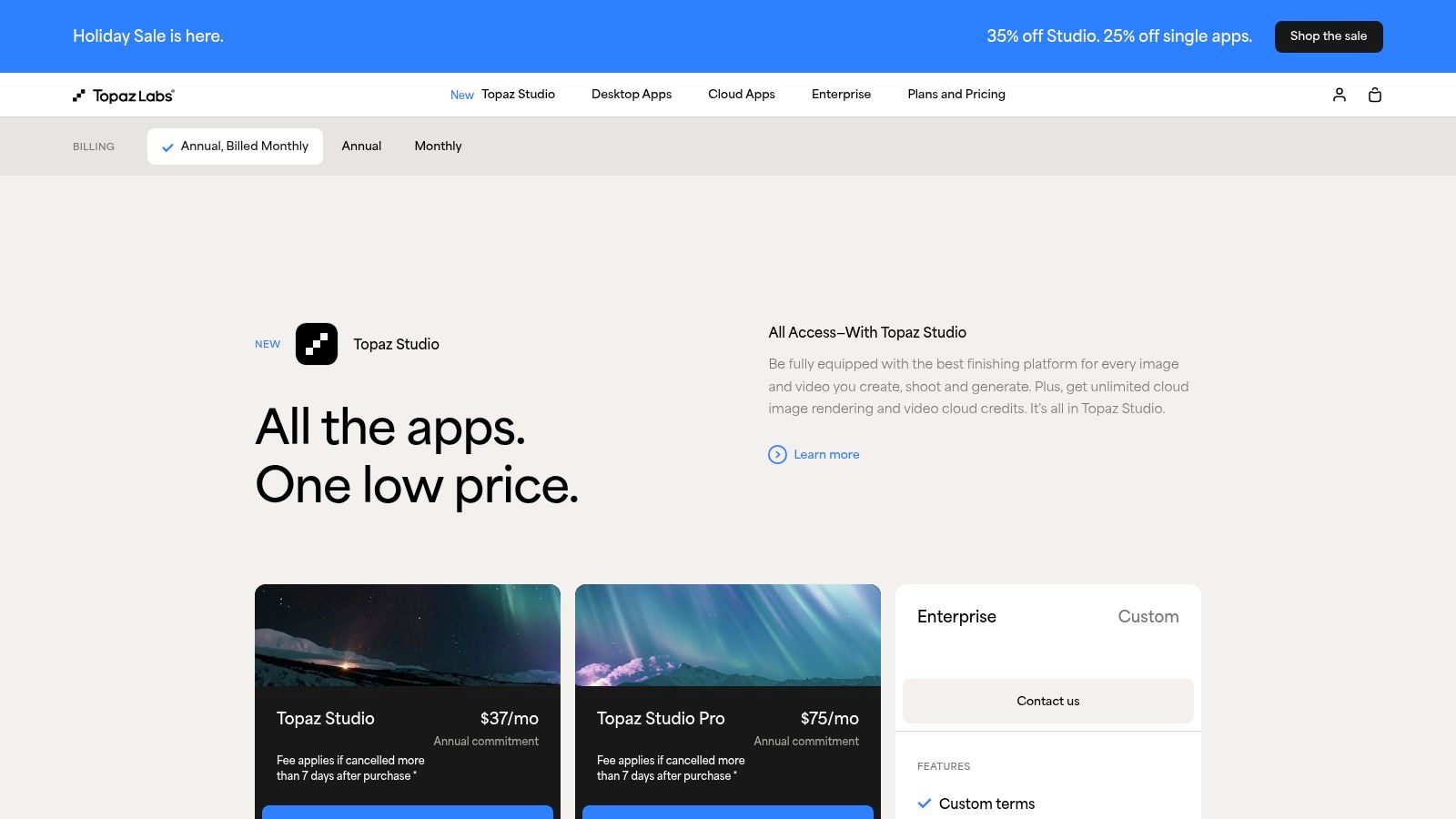
Topaz Labs earns its spot as a best ai image enhancer by combining professional AI models with flexible workflows. Whether you need local desktop apps (Photo, Gigapixel), a lightweight iOS option, or cloud-based upscaling via Bloom, Topaz delivers superior detail preservation and artifact control compared to many alternatives in our comparison reviews.
Key Features
- Gigapixel Upscaling up to 16× locally, 32–100 MP via Bloom
- Photo Denoise + Sharpen with professional-grade AI models
- Plugin & SDK support for Photoshop, Lightroom, Premiere
- Cross-Platform: Windows, macOS, iOS, cloud API
Pros and Cons
- Pros
- Best-in-class detail retention
- Flexible ownership: perpetual licenses + subscription
- Active customer service and community forums
- Cons
- Multiple product names can confuse new users
- Cloud export caps vary by plan
- No standalone REST API for headless servers
How It Compares
This comparison highlights why Topaz is a popular choice in community reviews and shows common alternatives.
| Feature | Topaz Labs | Common Alternative |
|---|---|---|
| Upscaling power | 16× local, 100 MP cloud | 8× local, 50 MP cloud |
| Face enhancement | Dedicated AI model | General enhancer |
| Integration | Plugins + CLI scripts | SDK/API only |
Review Note: Reviewers frequently praise Topaz for detail clarity and often list it alongside PixelPanda as top alternatives in side-by-side reviews.
Direct link: https://www.topazlabs.com/pricing
3. Adobe (Photoshop & Lightroom)
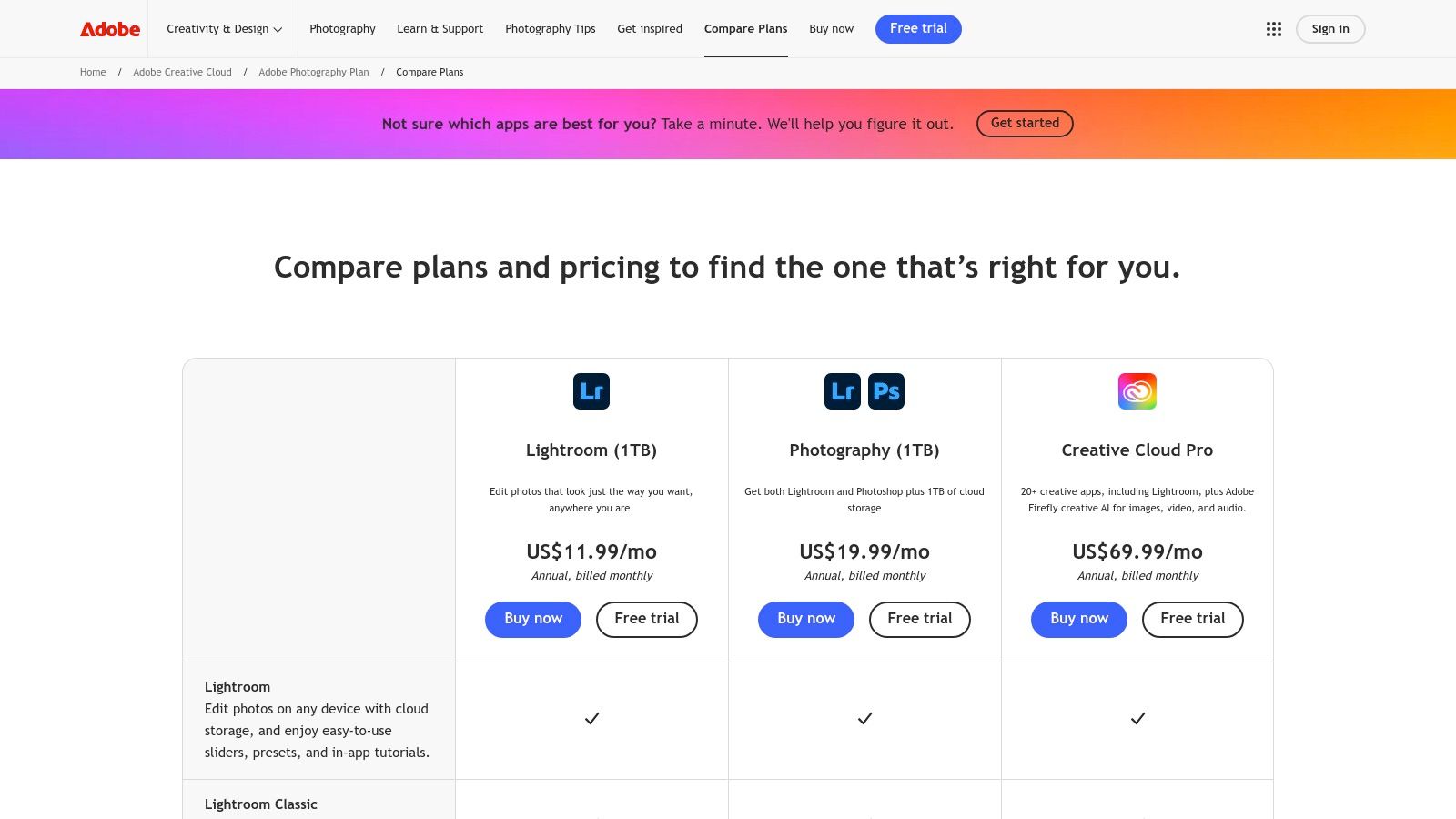
Adobe brings its AI Denoise, Super Resolution and Raw Details directly into Lightroom Classic, Camera Raw and Photoshop for a pro-grade, end-to-end editing suite. This tight integration means you never leave your familiar workflow and get instant, high-quality upscaling, noise reduction and detail extraction with just a click.
Key Features
- AI Denoise & Super Resolution inside Lightroom Classic, Camera Raw and Photoshop
- Batch Enhance with GPU-accelerated processing for large catalogs
- Raw Details AI model for recovering textures from RAW files
- Plugin Ecosystem and SDK hooks for custom workflows and automation
Pros and Cons
- Pros
- Seamless integration with pro photo workflows and plugin library
- Excellent documentation, frequent updates and active community
- Cons
- Subscription only, no perpetual license alternatives
- Some feature behaviors changed in mid-2025, per user reviews
How It Compares
User reviews rate Adobe highly for creative flexibility, and it usually appears in round-up comparisons among top alternatives.
| Feature | Adobe (PS & LR) | Common Alternative |
|---|---|---|
| Upscaling power | Super Resolution ×4 | 8× local |
| Noise reduction | AI Denoise model | General denoiser |
| API & Automation | SDK + plugin support | REST API only |
Review Insight: Community reviews often list Adobe alongside Topaz and PixelPanda as leading alternatives for end-to-end workflows.
Direct link: https://www.adobe.com/creativecloud/photography/compare-plans.html
4. ON1 (Resize AI / Photo RAW)
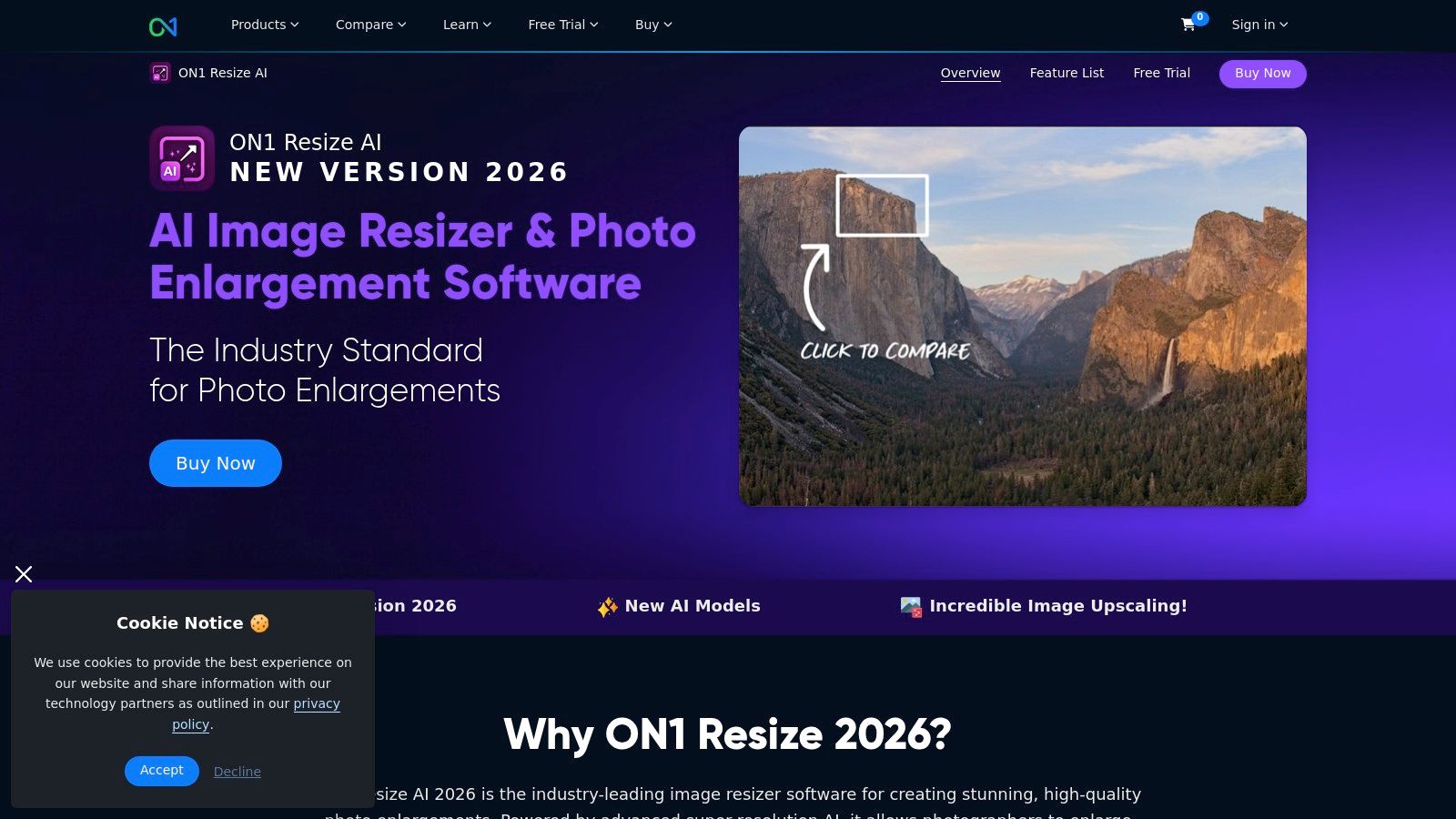
ON1 provides a dedicated AI upscaler (Resize AI) as standalone software and plugin, plus the full Photo RAW MAX suite. It excels in print workflows by adding tiling, gallery wrap, and soft proofing to AI upscaling. Our review rounds up how ON1 holds up in real-world comparison tests against other AI image enhancers. Good choice for designers, eCommerce managers, and agencies seeking one-time license options or subscription bundles.
Key Features
- Upscale up to 10× with diffusion-based “Highest Quality” model
- Face Recovery Controls for precise detail restoration
- Print Workflow Tools: tiling, gallery wrap, soft proofing
- Batch Processing for consistent bulk upscaling
- Plugin Support: Photoshop, Lightroom, Capture One
Pros and Cons
- Pros
- Strong print-specific feature set
- One-time license or subscription bundles
- Cons
- Paid upgrades for major releases
- Requires a powerful GPU for best performance
How It Compares
See how it stacks up against popular alternatives in hands-on reviews.
| Feature | ON1 Resize AI | Common Alternative |
|---|---|---|
| Maximum Upscale | 10× | 8× local |
| Workflow Focus | Print layout & proof | General editing |
| Licensing | Perpetual or bundle | Subscription only |
Review Takeaway: Reviews of alternative AI enhancers often highlight ON1’s print-ready features and one-time license flexibility.
Direct link: https://www.on1.com/products/photo-raw/resize/
5. Skylum (Luminar Neo)
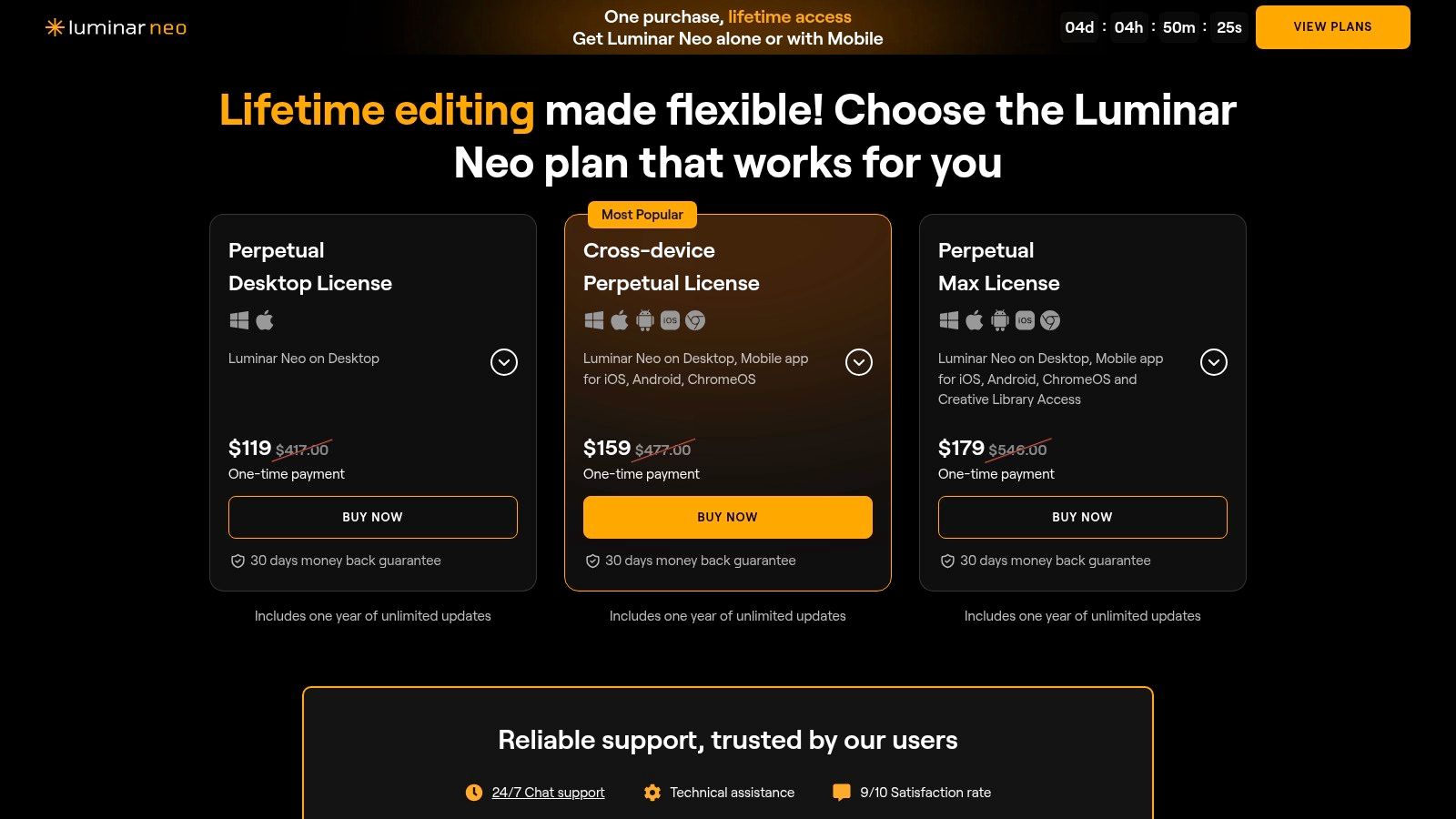
Skylum’s Luminar Neo stakes its claim as a top pick among the best ai image enhancer tools by blending one-click AI magic with creative effects. It’s a versatile standalone editor that also plugs neatly into Photoshop or Lightroom for users who need seamless Adobe workflow integration. In our comparison reviews, Skylum emerges as a strong alternative to other pure upscalers.
Key Features
- Noiseless AI Denoise to clean up ISO grain in one click
- Super Resolution Upscaling for crisp detail at larger sizes
- Creative AI Filters like Sky AI, Portrait Bokeh AI, Atmosphere AI
- Plugin Support for Photoshop, Lightroom, plus standalone app
- Cross-Device Licensing covers Windows and macOS installations
Pros and Cons
- Pros
- Broad creative toolkit for designers and marketers
- Perpetual license option with one-year updates
- Intuitive UI ideal for beginners and advanced users alike
- Cons
- Lacks deep parameter control versus dedicated upscalers
- Upscaling limits and add-on pricing can vary by plan
How It Compares
Reviewers call out Skylum as an affordable alternative in creative reviews.
| Feature | Skylum (Luminar Neo) | Common Alternative |
|---|---|---|
| Upscaling power | Up to 4× native size | 8× local, 50 MP cloud |
| Noise reduction | AI-driven Noiseless | Manual sliders only |
| Creative effects library | 20+ AI tools | 5–10 presets |
Review Note: Reviews highlight Luminar Neo’s balance of creative AI filters and practical upscaling compared to other alternatives.
Direct link: https://skylum.com/luminar/pricing-s
6. Let’s Enhance
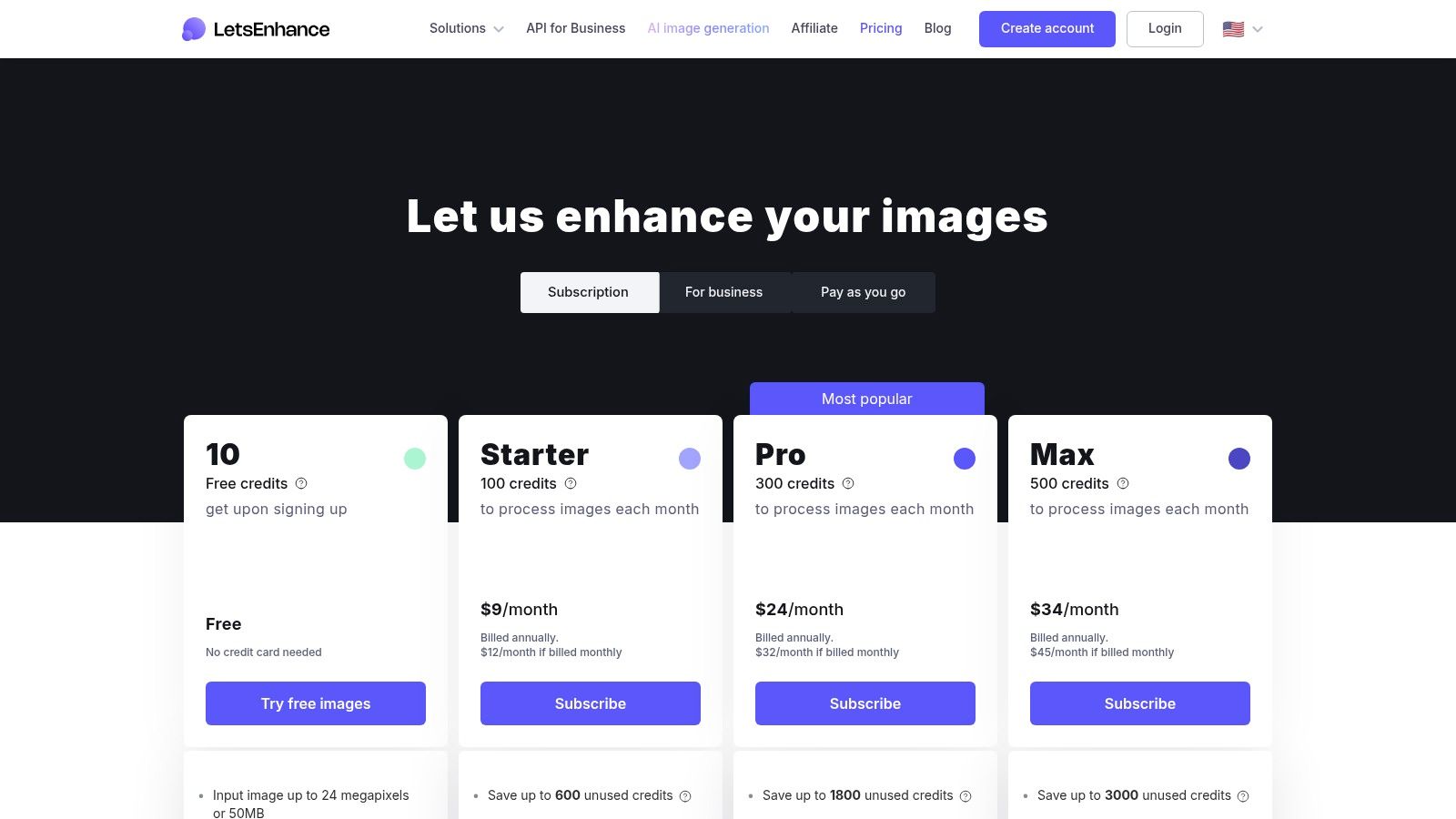
Let’s Enhance earns its spot in the best ai image enhancer roundup with a frictionless browser workflow and predictable credit-based pricing. Users simply upload photos, choose a scaling or denoise model, and burn credits—no local installs, no guesswork. This web platform shines in real-world reviews for its consistent output and clear credit rollover policy.
Key Features
- Credit System: 1 credit per image, rollover on personal tiers
- Tiered Output Caps: Personal (up to 16 MP), Business (up to 50 MP)
- API & Pay-As-You-Go: Developer bundle for automated pipelines
- Preset Modes: Upscale, Denoise, Colorize with one-click options
Pros and Cons
- Pros
- No installation—purely web-based alternative
- Generous rollover prevents wasted credits
- Clean UI caters to high-volume ecommerce and marketing teams
- Cons
- Pricing varies by currency and promotions
- Credits expire if subscription lapses
- Fewer advanced controls versus desktop tools
How It Compares
Reviewers often cite Let's Enhance as a top alternative for browser-based workflows.
| Feature | Let’s Enhance | Common Alternative |
|---|---|---|
| Upscaling Power | 16× local credit cap | 8× free samples |
| API Access | Pay-as-you-go bundle | Monthly fixed only |
| Credit Rollover | Yes (limits apply) | No |
Review Insight: In comparison reviews, Let’s Enhance is praised for transparent pricing and ease of use versus other cloud upscalers.
Direct link: https://letsenhance.io/pricing
7. VanceAI
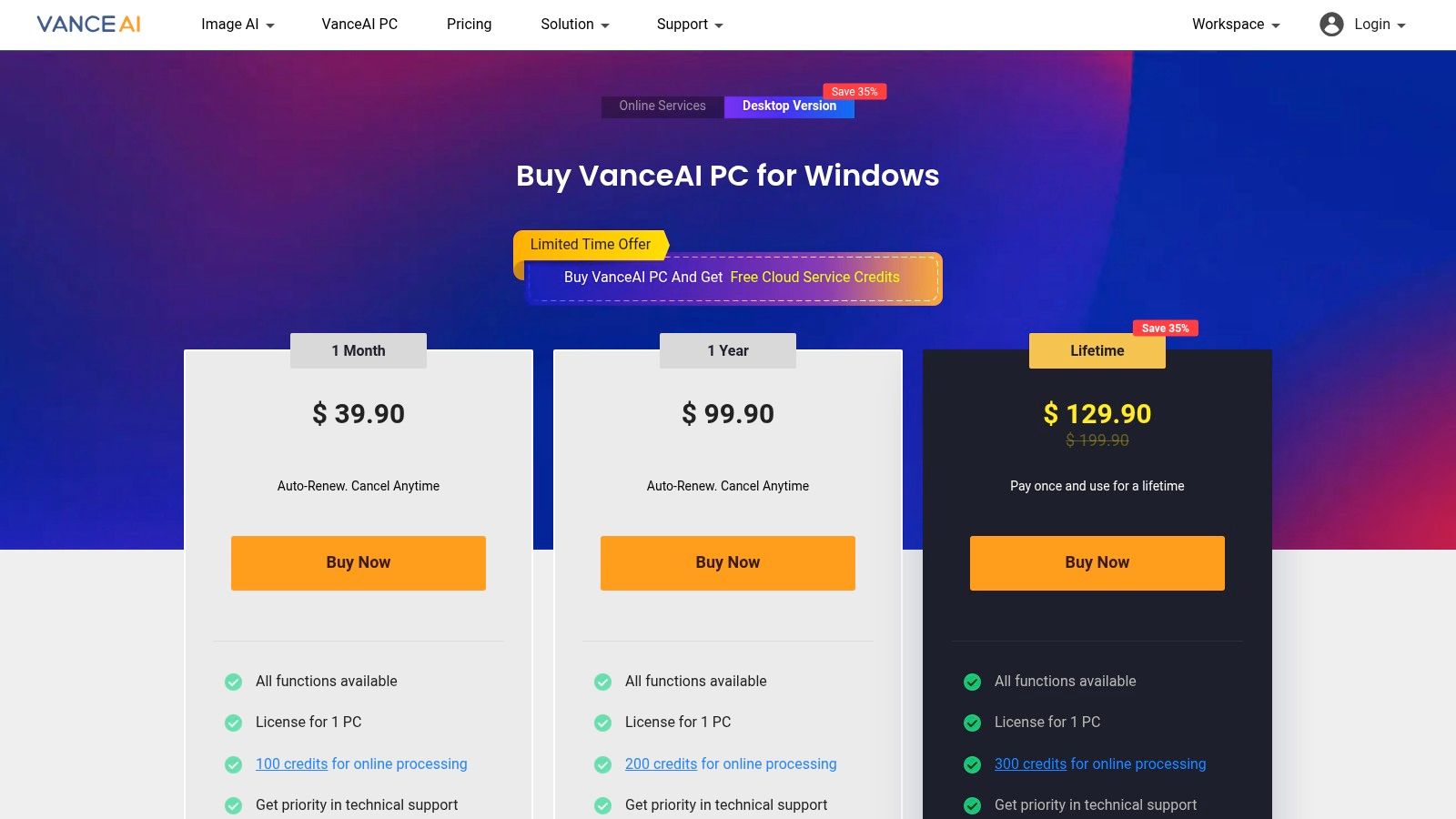
VanceAI secures its place as a best ai image enhancer by offering a suite of online and desktop AI tools under a flexible credit system. From upscaling and denoising to restoring old photos, it merges multiple utilities into one intuitive interface that suits dev teams, creative agencies, and e-commerce managers alike.
Key Features
- All-in-One Toolset: Image Enhancer, Upscaler, Denoiser, Sharpener, Old Photo Restorer
- Credit System: 1–3 credits per task, monthly rollover up to 5× allotment
- Multi-Platform: Web dashboard and Windows desktop app
- Transparent Rules: Documented per-image and API credit usage
Pros and Cons
- Pros
- Broad enhancement utilities consolidated in one place
- Flexible credits with rollover for unused balance
- Clear UI and detailed credit documentation
- Cons
- Downloads still consume credits even after free preview
- API and web credits operate on separate pools
How It Compares
In reviews, VanceAI is praised as an alternative tool offering multiple AI modules.
| Feature | VanceAI | Common Alternative |
|---|---|---|
| Toolset Breadth | 5 AI modules | 2–3 modules |
| Upscaling Power | Up to 4× free, higher credits | 2× local only |
| Credit Flexibility | Rollover up to 5× | No rollover |
| API Access | Separate web and API pools | Unified credits |
Review Takeaway: Comparison reviews applaud VanceAI’s credit flexibility and toolset breadth as strong advantages over other enhancers.
Direct link: https://vanceai.com/pricing-for-win/
8. Upscale.media (by PixelBin)
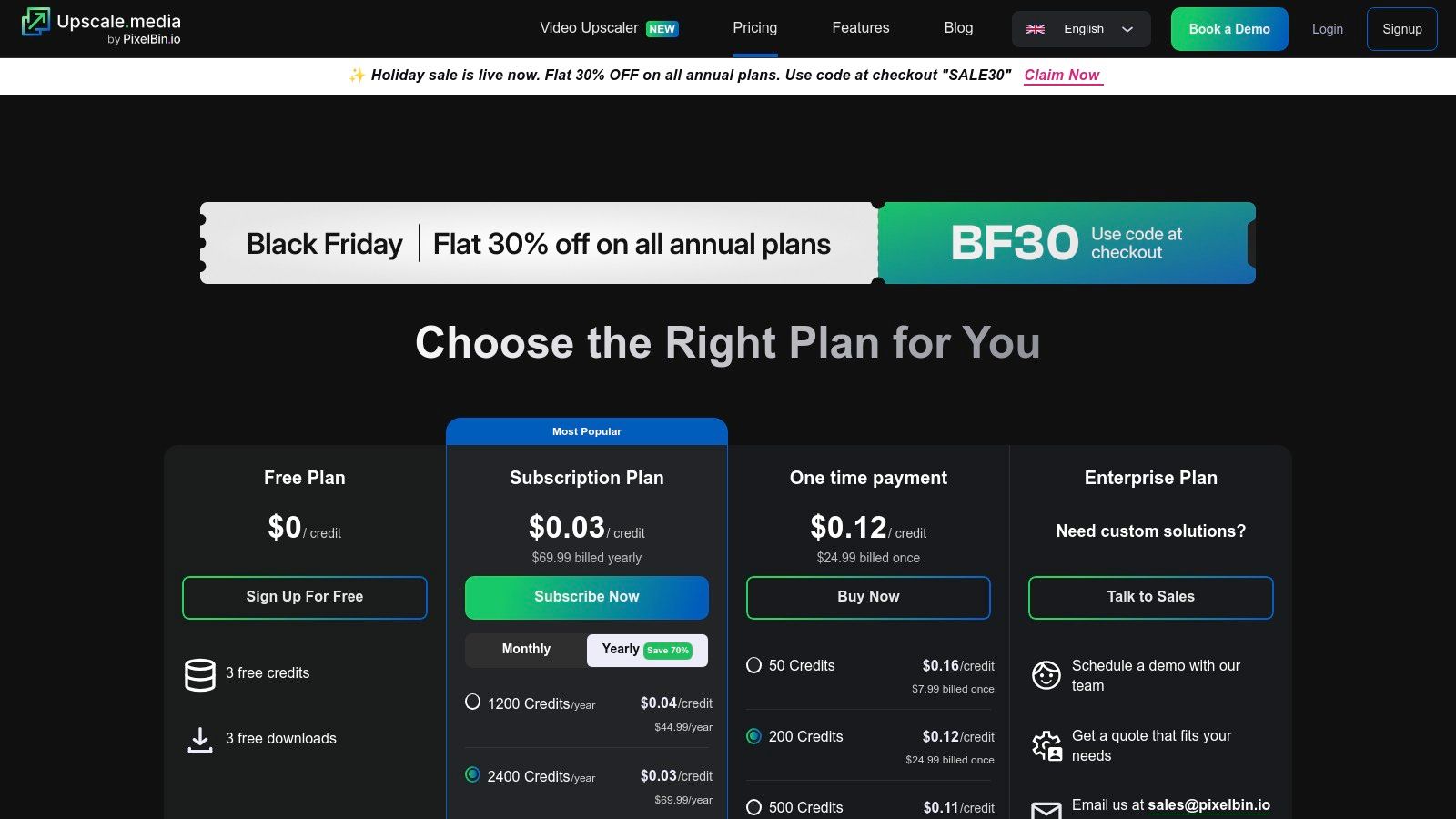
Upscale.media (by PixelBin) lands on our best ai image enhancer list by focusing on cost-efficient bulk upscaling with face enhancement. This website and API service is designed for teams that need automated workflows, large yearly bundles, and reliable performance at a fraction of the cost of alternatives. In head-to-head comparisons and user reviews, it consistently outpaces other tools on speed and ease of use. Its web interface is clean, the uploader handles drag-and-drop at scale, and customer support replies within hours. As an alternative to heavier desktop apps, Upscale.media offers instant deployment with a pay-as-you-go model. The pricing page clearly lists credit tiers, making cost comparisons painless before you commit.
Key Features
- Web and API upscaling with dedicated face enhancement
- Bulk processing plus add-on credit packs
- Free monthly credits on the free plan
- Subscription and one-time bundles for high-volume use
Pros and Cons
- Pros
- Very low per-image cost on yearly plans
- Simple REST API for seamless batch workflows
- Free quota each month for new users
- Cons
- Unused credits expire each billing cycle
- No refunds on subscriptions
How It Compares
Review comparisons favor Upscale.media for cost-effective bulk upscaling.
| Feature | Upscale.media | Common Alternative |
|---|---|---|
| Pricing model | Credit bundles | Subscription only |
| Bulk upscaling | Unlimited | 500 images max |
| API integration | Full REST API | Limited SDKs |
Review Insight: In side-by-side tests, Upscale.media is often named the best alternative for high-volume, budget-conscious workflows.
For a quick workflow demo, Learn more about Upscale.media (by PixelBin) on PixelPanda.
Direct link: https://www.upscale.media/pricing
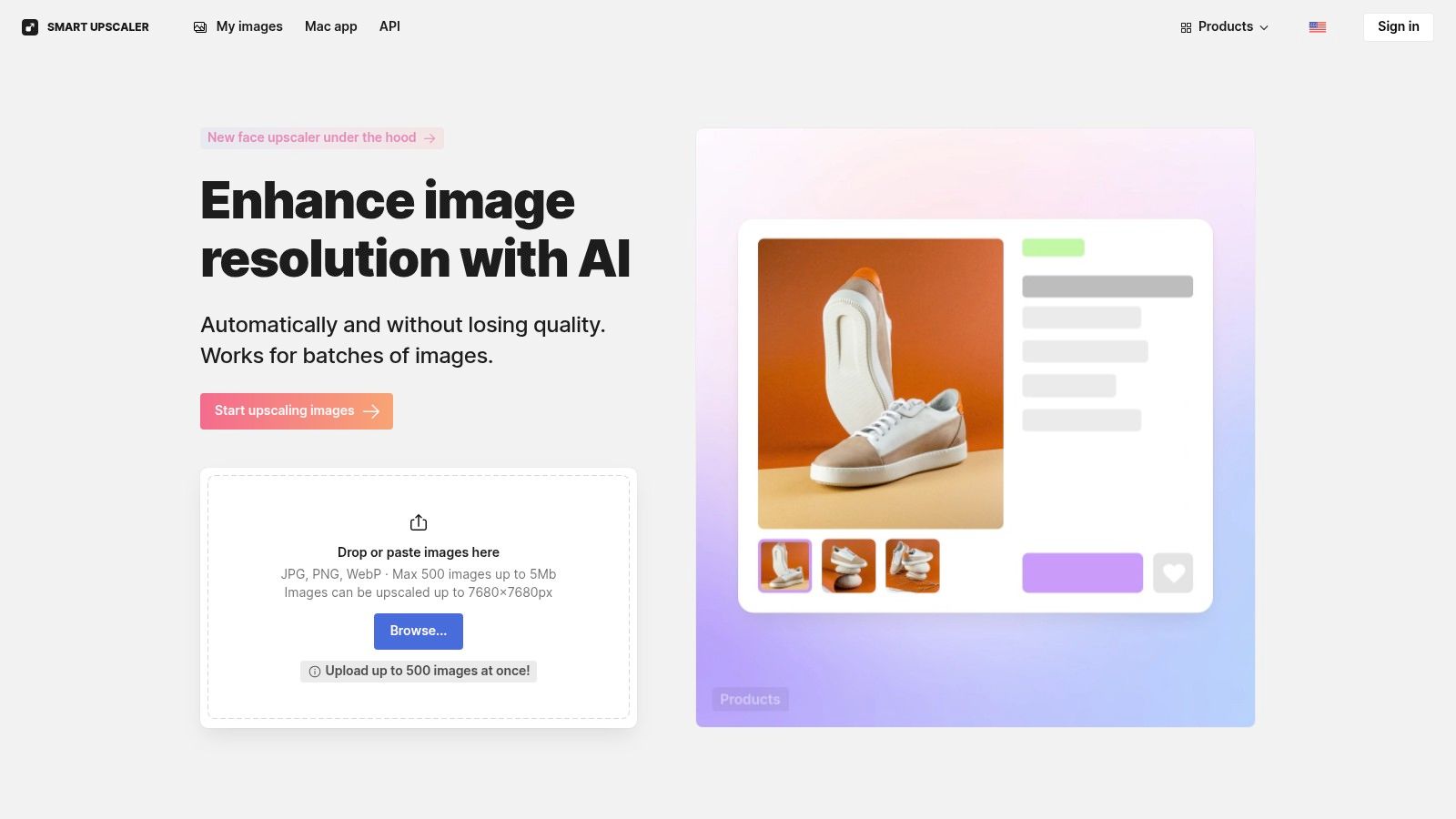
9. Icons8 — Smart Upscaler
Icons8 Smart Upscaler stands out in best ai image enhancer comparison for its browser-based speed and flexible payment options. Designers, marketers, and dev teams get up to 8× upscaling with batch processing and API access in prepaid, limited, or unlimited tiers.
Key Features
- Batch processing up to 8× without installing software
- History panel for re-downloads at no extra cost
- REST API for large-scale automation and workflow integration
- Prepaid packs, limited subscription, and unlimited tier options
Pros and Cons
- Pros
- Simple, fast web UX with detailed documentation
- Flexible payment: pay-as-you-go or flat-rate unlimited plan
- Reliable re-processing history ideal for A/B testing
- Cons
- File size and dimension limits for peak quality
- Unlimited plan cost may deter light users
- Browser-only, no desktop or CLI alternative
How It Compares
User reviews highlight Icons8 as a reliable alternative among web upscalers.
| Feature | Icons8 Smart Upscaler | Common Alternative |
|---|---|---|
| Upscaling power | 8× batch-based | 4× local, 16× cloud |
| Pricing flexibility | Prepaid or subs | Subscription only |
| API integration | Full REST API | Limited SDK |
Review Note: In comparison reviews, Icons8 is praised for its speed, reliability, and clear alternatives analysis.
Direct link: https://icons8.com/upscaler
10. HitPaw — Online Photo Enhancer
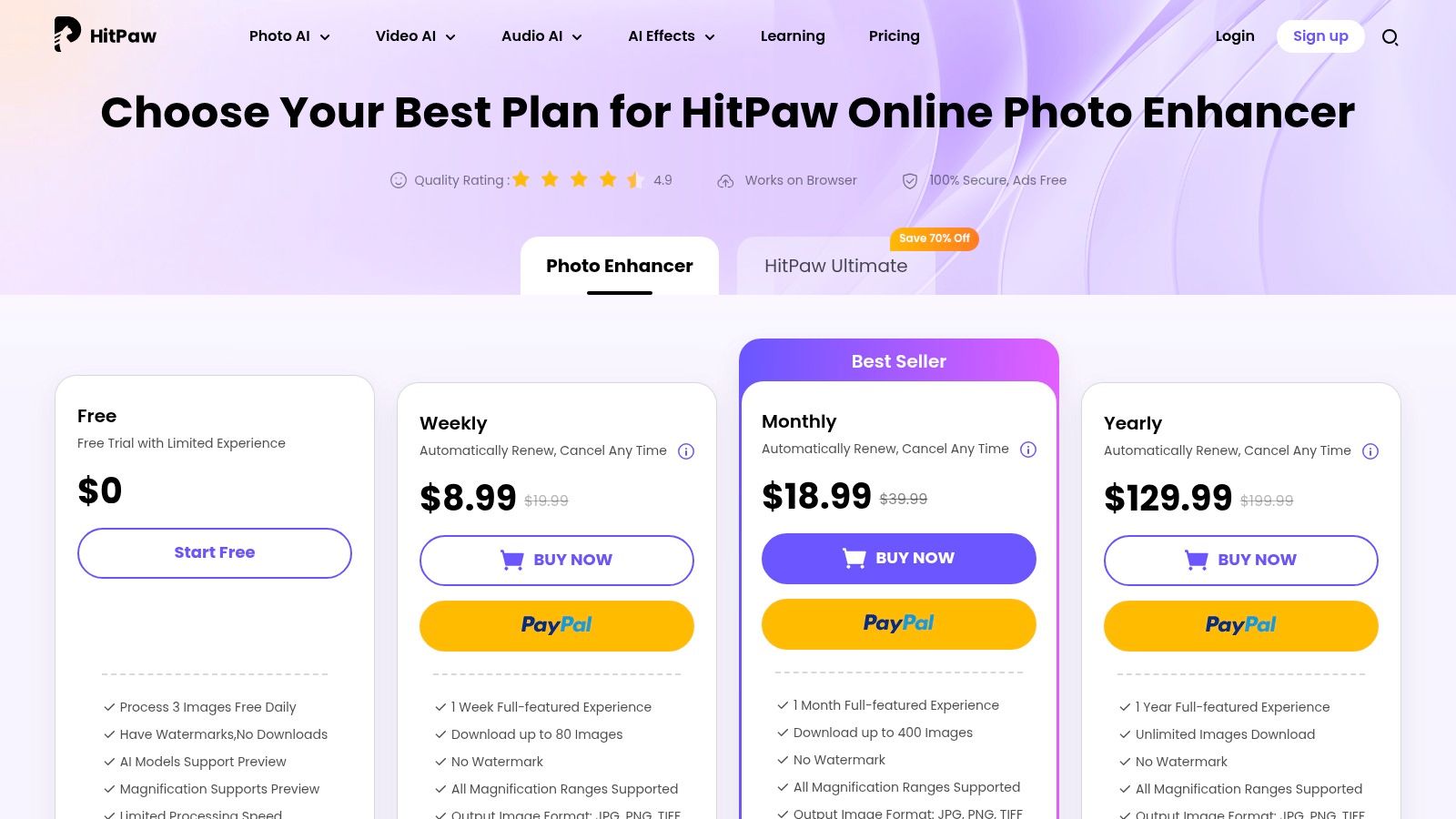
HitPaw stands out as a best ai image enhancer for teams that need flexible short-term pricing, quick API credits and simple batch processing. Developers, ecommerce sellers, and marketing pros will appreciate its granular weekly, monthly, and yearly plans. In our reviews and comparison tests, HitPaw earns praise for low entry costs and no installation hassles.
Key Features
- Multiple AI models with up to 8× upscaling online
- Batch processing on paid tiers for high-volume workflows
- TIFF, PNG, JPG outputs plus pay-as-you-go API credits
- Short-term plans: weekly, monthly, yearly and Ultimate bundle
Pros and Cons
- Pros
- Very low weekly/monthly entry prices for short projects
- 30-day money-back guarantee on most online tools
- API integration makes it an alternative to full-stack SDKs
- Cons
- Free tier may include watermarks and throttled speed
- Many SKUs require careful reading to avoid surprises
- No desktop client for offline processing
How It Compares
In our comparison reviews, HitPaw is noted as a strong alternative for short-term projects.
| Feature | HitPaw | Common Alternative |
|---|---|---|
| Upscaling power | 8× online | 16× local, 100 MP cloud |
| API integration | Credit-based, pay as you go | Subscription-only with limits |
| Batch processing | Available on paid plans | Often extra-fee add-on |
Review Insight: Comparison reviews call out HitPaw’s affordable entry tiers and flexible short-term plans as unique advantages.
Direct link: https://online.hitpaw.com/purchase/buy-hitpaw-online-photo-enhancer.html
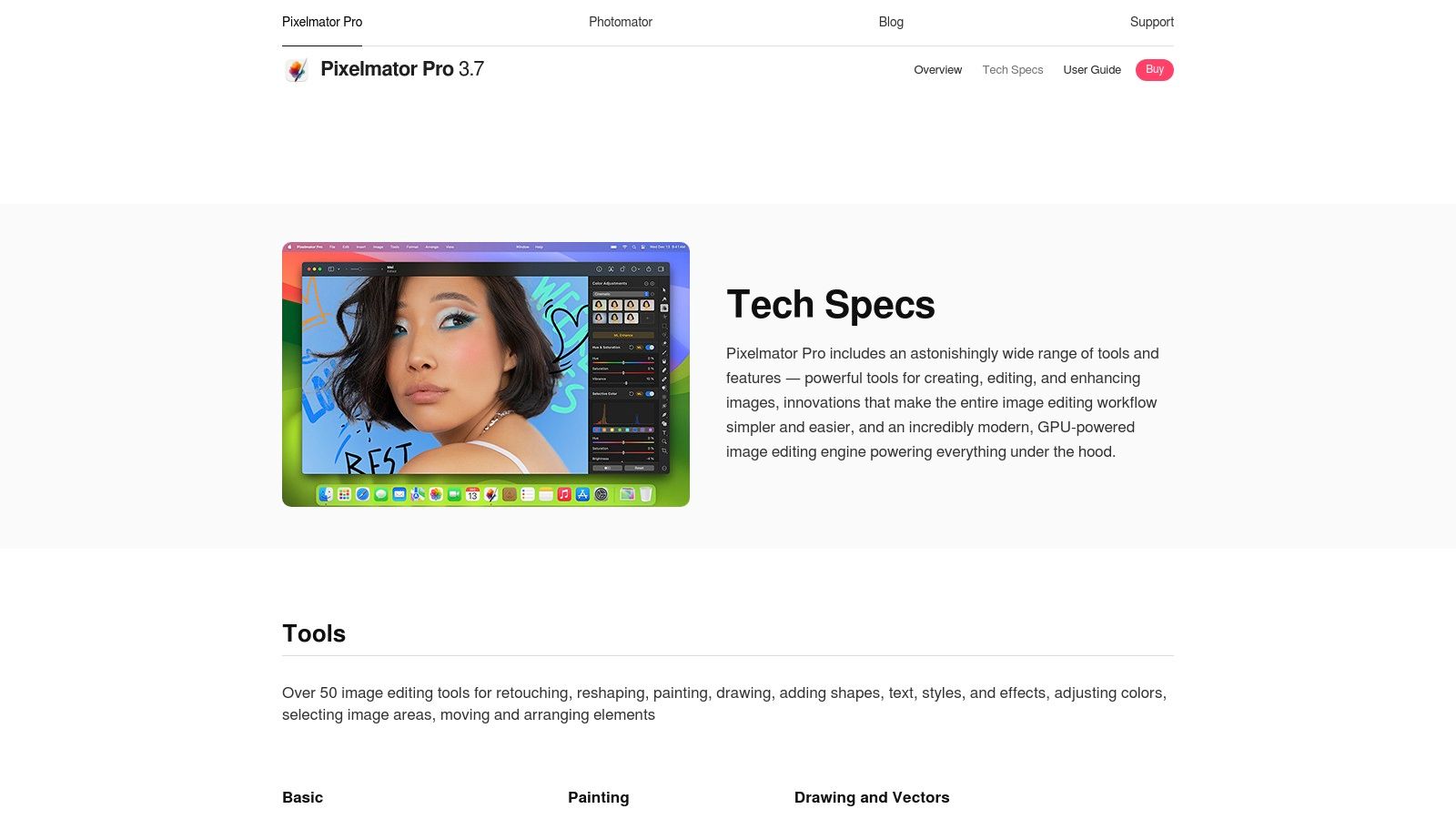
11. Pixelmator Pro (Mac)
Pixelmator Pro (Mac) earns its place among the best ai image enhancers by folding ML Super Resolution and ML Denoise into a full-featured macOS-only editor. Its one-time purchase model and native Apple silicon acceleration make it a compelling alternative to subscription tools—developers and designers praise its snappy batch pipelines in reviews and comparisons.
Key Features
- ML Super Resolution up to 3× for crisp enlargement
- ML Denoise models tuned for portraits and landscapes
- Apple silicon optimized, plus Automator and AppleScript support
- Integrated editing suite with layered adjustments and filters
- One-time purchase via Mac App Store, no subscription
Pros and Cons
- Pros
- Fast, native performance on M1/M2 chips
- Clear pricing: one purchase unlocks all ML tools
- Cons
- macOS only, no Windows or Linux support
- Not a specialist upscaler, but a general editor
How It Compares
Reviews mention it as a popular macOS alternative and effective AI-enhancer.
| Feature | Pixelmator Pro | Topaz Labs |
|---|---|---|
| Upscaling power | 3× local | 16× local, cloud up to 100 MP |
| Face enhancement | General ML Denoise | Dedicated face AI |
| Platform support | macOS only | Windows, macOS, iOS, cloud |
Review Note: In comparison reviews, Pixelmator Pro is often cited as the best subscription-free alternative for Mac users.
Direct link: https://www.pixelmator.com/pro/tech-specs/
12. Remini (Mobile)
Remini (Mobile) earns its place in the best ai image enhancer roundup by delivering a truly mobile-first experience for fast face restoration. Its one-tap improvements and detail recovery have made it a viral favorite in countless online reviews.
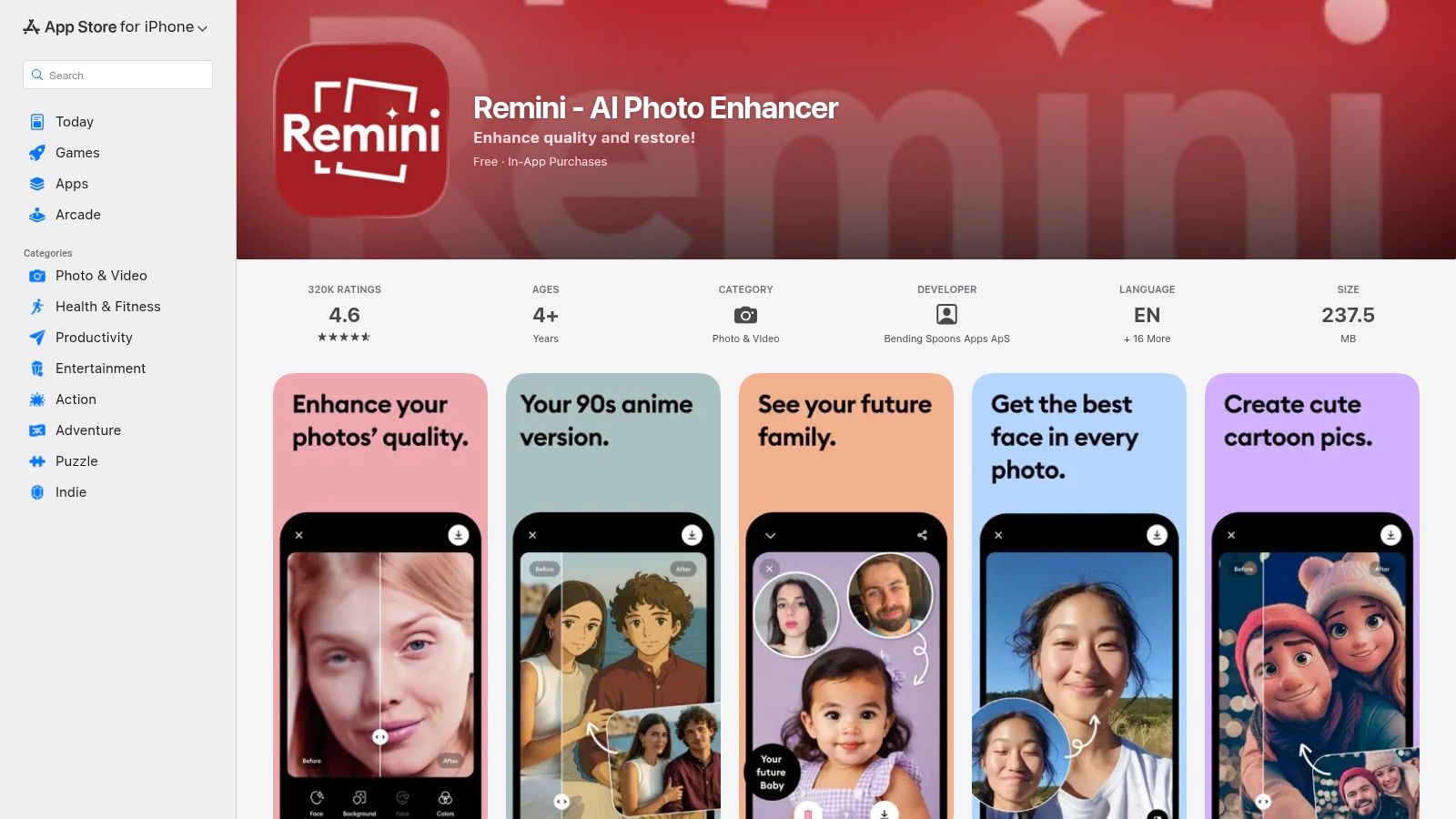
Remini stands out from alternatives with its optimized iOS and Android UX, frequent feature updates, and a dedicated focus on facial enhancement. Whether you need to revive old portraits or sharpen social media snaps, this app makes pro-level AI available in your pocket.
Key Features
- Face-Focused Restoration and detail amplification via AI
- One-Tap Enhancements for instant, share-ready results
- Frequent Updates keeping tools fresh and mobile-optimized
- Cross-Platform Mobile support on iOS and Android
Pros and Cons
- Pros
- Easiest path for non-experts to get professional results
- Large user base fuels quick feedback and community tips
- Cons
- Pricing varies by region, weekly in-app plans can add up
- Some users report billing confusion with subscriptions
How It Compares
Reviews of mobile enhancers consistently mention Remini as a go-to alternative.
| Feature | Remini (Mobile) | Common Alternative |
|---|---|---|
| Workflow | One-tap mobile UX | Multi-step desktop/web |
| Face Enhancement | Dedicated AI face model | General enhancement AI |
| Pricing Model | Region-based in-app offers | Flat subscription tiers |
Review Insight: Comparison reviews celebrate Remini’s ease of use and mobile focus as unmatched among AI image enhancer alternatives.
Direct link: https://apps.apple.com/us/app/remini-ai-photo-enhancer/id1470373330
Top 12 AI Image Enhancers — Feature & Performance Comparison
| Product | Key features | Quality & UX | Unique selling points | Target audience | Pricing & value |
|---|---|---|---|---|---|
| PixelPanda 🏆 | Background removal, text/watermark cleanup, 4× upscale, face enhance, smart inpaint, text-to-image, avatar studio ✨ | ★★★★★ — studio-quality, hair/fur accuracy, fast API & demos | ✨ AI avatars & Fashion Studio, depth-aware edits, transparent PNGs, demo gallery | 👥 Developers, e-commerce, marketers, agencies | 💰 Free (10 credits) → Starter $49/mo (500), Pro $99/mo (1,500), Business $249/mo (4,500) |
| Topaz Labs | Denoise, sharpen, Gigapixel up to 16×, desktop + cloud | ★★★★★ — best detail preservation & artifact control | ✨ Desktop licenses + cloud (Bloom), pro plugins & workflows | 👥 Photographers, studios, pros | 💰 Perpetual licenses + cloud tiers; varied pricing |
| Adobe (Photoshop & Lightroom) | AI Denoise, Super Resolution, batch/GPU accel, plugin ecosystem | ★★★★☆ — seamless pro workflow integration | ✨ Tight integration with Creative Cloud & pro tools | 👥 Professional photographers, retouchers, agencies | 💰 Subscription only (Creative Cloud photography plans) |
| ON1 (Resize AI / Photo RAW) | Upscale up to 10×, face recovery, print tools, plugin support | ★★★★☆ — print-focused, strong face recovery | ✨ One-time license option, print tiling & soft proofing | 👥 Print pros, photographers, studios | 💰 One-time or subscription; paid upgrades between versions |
| Skylum (Luminar Neo) | One-click AI enhancements, denoise, super-res, creative effects | ★★★★☆ — accessible, creative UX | ✨ Easy creative AI tools, plugin support for Adobe | 👥 Creators, hobbyists, beginners & pros | 💰 Perpetual (1yr updates) or subscription options |
| Let’s Enhance | Web upscaler, credit system, API, MP caps | ★★★★☆ — simple browser workflow | ✨ No-install, credit rollover on personal tiers | 👥 Casual users, small teams, web-first users | 💰 Credit-based plans; MP/export caps vary by tier |
| VanceAI | Enhancer, upscaler, denoiser, restorer; desktop + web | ★★★★☆ — many utilities in one place | ✨ Broad toolset, flexible credit rollover (up to 5×) | 👥 Users who want a suite of enhancement tools | 💰 Credit system; API and desktop credits separate |
| Upscale.media (PixelBin) | Web & API upscaling, face enhancement, bulk processing | ★★★★☆ — cost-efficient for high volume | ✨ Very low per-image cost on yearly bundles, bulk focus | 👥 Teams needing bulk upscales, automated workflows | 💰 Free monthly credits; yearly packs lowest per-image cost |
| Icons8 — Smart Upscaler | Batch upscaling up to 8×, history, API, prepaid/unlimited tiers | ★★★★☆ — fast web UX, reliable batch | ✨ Prepaid packs, unlimited tier, re-download history | 👥 Designers, marketers, agencies | 💰 Prepaid, limited and unlimited subscriptions (unlimited pricier) |
| HitPaw — Online Photo Enhancer | Multiple AI models, up to 8×, batch, short-term plans | ★★★☆☆ — affordable short-term UX | ✨ Weekly/monthly plans, 30-day money-back on many tools | 👥 Short projects, occasional users, small teams | 💰 Low weekly/monthly entry prices; Ultimate bundles |
| Pixelmator Pro (Mac) | ML Super Resolution (up to 3×), ML Denoise, native Apple silicon | ★★★★☆ — fast, tightly integrated on macOS | ✨ One-time purchase, optimized for Apple hardware | 👥 macOS users, photographers who prefer one-time buy | 💰 One-time Mac App Store purchase |
| Remini (Mobile) | Face-focused enhancement/restoration, one-tap mobile fixes | ★★★★☆ — fastest mobile results, viral UX | ✨ Mobile-first face recovery, very simple workflow | 👥 Mobile users, casual restorations, social creators | 💰 In-app subscriptions (region pricing; offers vary) |
Picking Your Perfect AI Image Enhancer
By now you’ve dived into detailed reviews, direct comparisons, and a variety of alternatives across 12 standout tools. Use our comparison tables and user reviews of alternatives to inform your choice.
Key Takeaways
- PixelPanda shines for developers needing a versatile SDK and enterprise-grade API support.
- Topaz Labs delivers industry-leading upscaling with fine detail recovery in high-resolution photography.
- Adobe Photoshop & Lightroom remain top alternatives when deep editing and creative layering matter most.
- ON1 Resize AI / Photo RAW blends batch processing with precision control for large catalogs.
- Skylum Luminar Neo offers intuitive UI plus AI masks for creative agencies and social teams.
- Let’s Enhance excels at ecommerce image pipelines, automating color correction and compression.
- VanceAI stands out for on-the-fly face enhancement in user-generated content and mobile apps.
- Icon8 Smart Upscaler integrates seamlessly into design tools for quick mockups and previews.
Choosing Based on Your Needs
-
Software Developers & Engineering Teams
Focus on API stability, SDK documentation, and throughput limits. PixelPanda’s robust integration guides and scalable performance make it a top pick if you build automated workflows. -
Marketing & Social Media Teams
Prioritize speed and batch operations. Tools like Let’s Enhance and Skylum Neo deliver one-click presets and cloud-based processing for rapid content cycles. -
Designers & Creative Agencies
Value granular control over texture and style. Adobe and Topaz Labs offer advanced sliders, layer support, and plugin compatibility for tailored results. -
Ecommerce Sellers & Marketplaces
Look for background removal, consistent color profiles, and bulk upload. ON1 and Upscale.media strike a balance between quality and automated throughput.
Implementation Considerations
- Integration Complexity
Evaluate available SDKs, sample code, and community support before committing to an enterprise plan. - Latency & Throughput
Measure average processing time per image and peak volume capacity in your testing environment. - Cost per Image
Compare free tiers and pricing tiers side by side to forecast monthly expenses based on projected usage. - Quality vs Speed Trade-Off
Some tools let you choose between ultra-high fidelity or faster render times—pick the mode that matches your production deadlines. - Privacy & Compliance
Confirm data retention policies if you process sensitive or user-generated content. - Platform Compatibility
Check OS requirements, mobile SDKs, and supported file formats to avoid last-minute surprises.
Next Steps
- Sign up for free trials of your top three contenders.
- Run side-by-side image tests focusing on your key use cases.
- Document performance, cost, and quality metrics in a shared comparison sheet.
- Gather stakeholder feedback—designers, developers, and marketers.
- Finalize your selection and integrate via API or desktop plugin.
Remember, the best ai image enhancer is the one that streamlines your unique workflow while delivering the quality you need.
Keep experimenting, monitor new releases, and refine your pipeline as AI capabilities evolve in 2025.
Ready to accelerate your image pipeline with an all-in-one solution? Explore PixelPanda for developer-friendly APIs, powerful upscaling algorithms, and seamless integration. Visit PixelPanda to start your free trial today!