The creator economy runs on speed, quality, and consistency. But manual workflows, from editing podcast audio to designing social media graphics, create bottlenecks that limit growth. Artificial intelligence is no longer a futuristic concept; it's a practical toolkit for automating repetitive tasks, generating novel ideas, and producing high-quality content at scale. This guide moves beyond the hype to provide a detailed breakdown of the 12 best AI tools for content creators. We analyze each platform's core strengths, ideal use cases, pricing models, and crucial limitations, helping you build a smarter, more efficient content engine.
Our focus is on practical application, not just features. You'll find direct links and screenshots for every tool, allowing you to quickly evaluate which platforms fit your specific needs. Whether you're an engineering team integrating image processing APIs like PixelPanda, a solo creator automating video edits with Descript, or a marketing team scripting campaigns with Jasper, this resource is designed to be your definitive catalog. We provide an honest assessment of what each tool does best and where it falls short, so you can assemble a powerful, integrated AI stack.
This article offers a deep dive into our curated selection, but the AI space is constantly expanding. For a broader perspective and additional insights into the evolving landscape of AI-powered content creation, consider exploring a comprehensive guide to the best AI tools for content creators in 2025. Now, let's explore the tools that will help you automate repetitive work and reclaim your creative focus.
1. PixelPanda
Best For: Automating high-volume image production and e-commerce visuals.
PixelPanda establishes itself as one of the best AI tools for content creators by offering a robust, developer-first platform designed to automate and scale visual production. It consolidates a comprehensive suite of studio-quality editing tools into a single, efficient API and web console. This isn't just another background remover; it’s a full-stack image processing pipeline.
The platform excels at complex tasks where other tools often falter. Its AI models deliver exceptionally clean, edge-preserving results on difficult subjects like hair and fur during background removal. Features like smart inpainting for object removal and 4x upscaling preserve fine details, producing professional, natural-looking images without the artifacts common in other solutions.
PixelPanda’s true power lies in its ability to be integrated directly into custom workflows. For teams managing e-commerce catalogs, marketing campaigns, or user-generated content, the ability to programmatically clean up, enhance, and standardize thousands of images is a significant competitive advantage.
Key Features & Use Cases
- Comprehensive Editing Suite: Access background removal, 4x upscaling, face enhancement, smart inpainting, text/watermark cleanup, and text-to-image generation through a unified API. This is ideal for e-commerce platforms needing to standardize product shots or marketing teams creating consistent campaign assets.
- Developer-First Integration: With a simple REST API, SDKs, and clear documentation, engineering teams can quickly embed PixelPanda into web, mobile, or backend applications. Automate user-uploaded photo moderation or build a dynamic image generation feature into your own SaaS product.
- Specialty AI Models: Go beyond basic editing with features like the AI Avatar generator (train a model on 10-20 photos for unlimited professional headshots), an AI Fashion Studio for virtual try-ons, and an Automotive Background Replacer that converts dealership photos into high-end showroom shots.
Pros & Cons
| Pros | Cons |
|---|---|
| All-in-one Toolkit: A comprehensive suite of studio-quality tools accessible via a single API or web console. | Limited Free Trial: 10 credits are enough for quality evaluation but not for larger pilot projects. |
| Developer-Focused: Built for easy integration with clear documentation, SDKs, and a robust REST API. | No Credit Rollover: Credits expire at the end of each billing cycle, which may affect users with fluctuating needs. |
| Scalable Specialty Features: AI avatars, fashion try-ons, and automotive solutions offer unique value for specific industries. | No Public Certifications: The site does not currently list formal industry awards or security certifications. |
| Transparent Pricing: Volume-based tiers with clear credit allowances and predictable costs make it easy to budget for scale. | |
| Hands-On Evaluation: A generous free trial (no credit card required) and a live demo gallery allow for thorough pre-purchase testing. |
Pricing
PixelPanda offers a straightforward, credit-based pricing model. All paid plans include full API access and core features.
- Free Trial: 10 credits, no credit card required.
- Starter: $49/month for 500 images and 1 AI avatar.
- Pro: $99/month for 1,500 images and 4 AI avatars.
- Business: $249/month for 4,500 images and 10 AI avatars.
For detailed information on each plan, you can explore PixelPanda's pricing structure.
Website: https://pixelpanda.ai
2. OpenAI – ChatGPT
As a foundational and versatile platform, ChatGPT excels as a general-purpose assistant for nearly every stage of the content creation process. From brainstorming video topics and outlining blog posts to drafting social media captions and generating podcast scripts, its powerful conversational AI acts as an invaluable creative partner. Its multimodal capabilities, allowing for text, voice, and image inputs (and outputs with DALL-E 3), make it one of the best AI tools for content creators seeking a single, powerful hub for ideation and initial drafts.
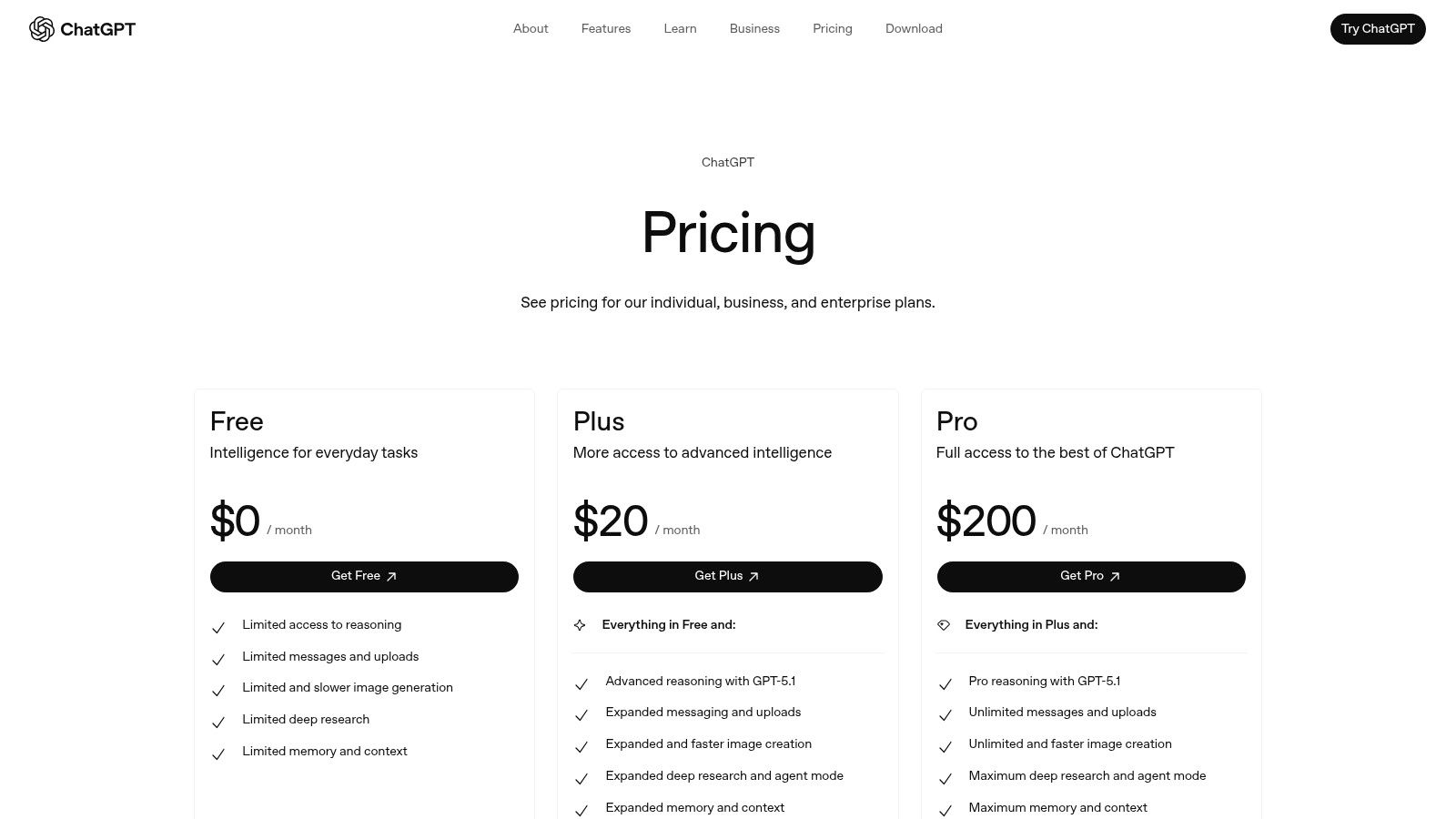
The platform's real strength for creators lies in its adaptability. Custom GPTs allow you to build specialized assistants trained on your unique brand voice, style guides, or project knowledge. This turns a generic tool into a personalized workflow engine, perfect for maintaining consistency across a team or a large volume of content. While its core text generation is world-class, creators should view it as a first-draft and brainstorming tool rather than a final-copy generator to ensure authenticity and quality.
Key Details & Use Cases
- Ideal For: Brainstorming, outlining, scriptwriting, research synthesis, and creating custom workflow assistants.
- Pricing: Offers a robust Free tier. Plus ($20/user/month) unlocks GPT-4o, advanced data analysis, and DALL-E 3. Team ($25/user/month) adds collaboration features and higher limits.
- Pros: Extremely capable and versatile model, rapidly evolving ecosystem with new features, and powerful customization through Custom GPTs.
- Cons: Feature tiers and usage limits can be confusing; advanced team controls and security are locked behind more expensive Business/Enterprise plans.
Website: https://openai.com/chatgpt/pricing/
3. Adobe Firefly (and Creative Cloud with Firefly)
For creators already embedded in Adobe’s ecosystem, Firefly is less of a standalone tool and more of a supercharged upgrade to their existing workflow. It deeply integrates generative AI capabilities directly into applications like Photoshop, Illustrator, and Premiere Pro, allowing for in-context asset creation and manipulation. From generating entire images with Generative Fill in Photoshop to creating vector color variations in Illustrator, Firefly excels at bridging the gap between AI generation and professional creative pipelines, making it one of the best AI tools for content creators who value efficiency and integration.
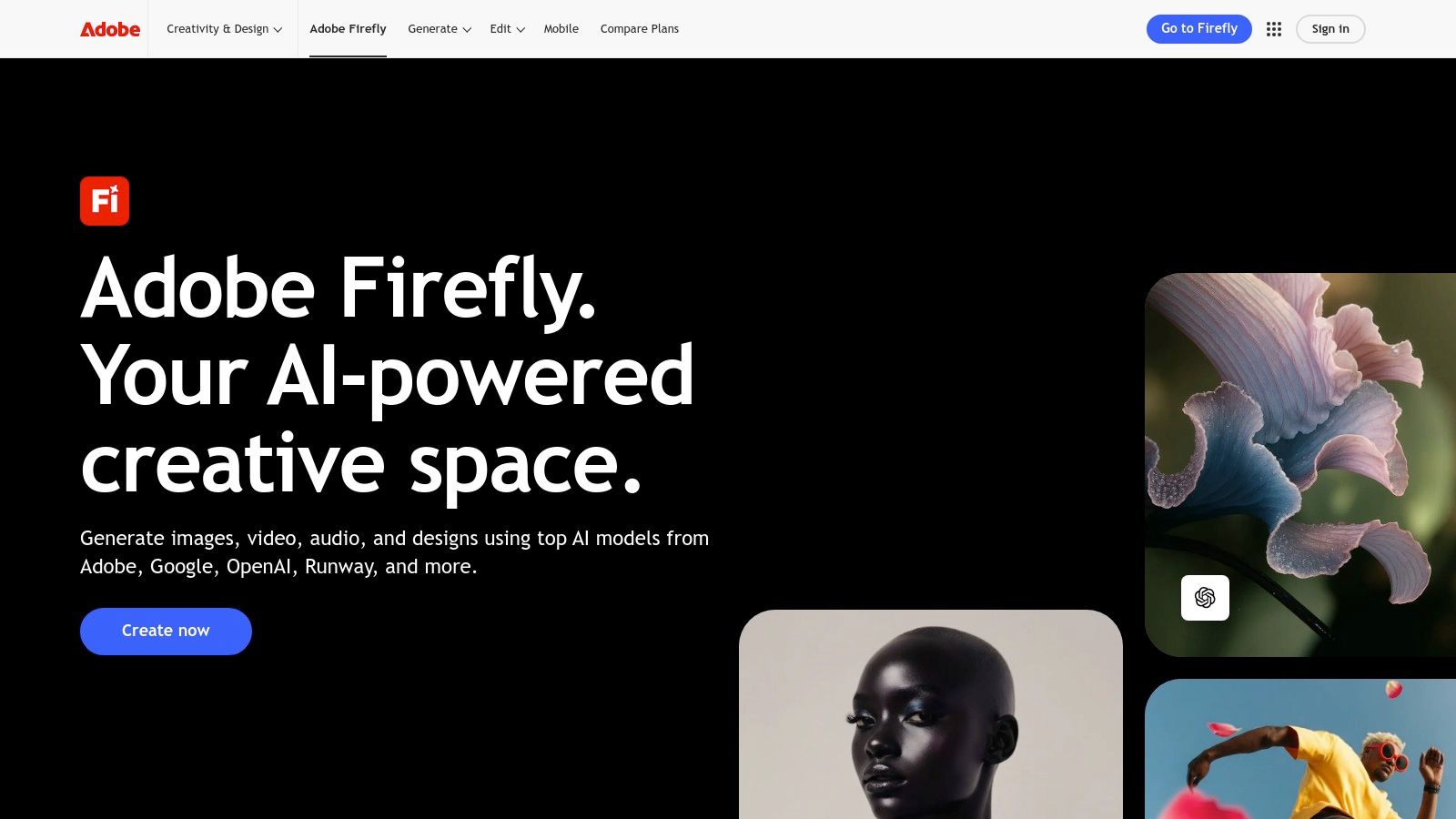
The platform’s key differentiator is its commercial safety; the model is trained on Adobe Stock’s licensed library and public domain content, providing a level of legal assurance that is critical for professional and enterprise use. This focus on ethical sourcing and clear licensing terms removes a major friction point for businesses and serious creators. While the credit-based system for premium features requires some management, its seamless integration and professional-grade output make it an indispensable asset for those already invested in Creative Cloud.
Key Details & Use Cases
- Ideal For: Professional designers, photographers, and video editors using Adobe Creative Cloud; generating commercially safe assets; in-app image expansion and object removal.
- Pricing: A Free plan offers 25 monthly generative credits. Premium ($4.99/month) includes 100 credits and no watermarks. Firefly is also bundled with most Creative Cloud plans (starting at $9.99/month).
- Pros: Unmatched integration with professional Adobe applications, commercially safe model provides peace of mind, and high-quality, production-ready outputs.
- Cons: The credit system can be confusing and consumed quickly with high-resolution or premium model usage; most powerful features require a Creative Cloud subscription.
Website: https://www.adobe.com/products/firefly
4. Canva – Magic Studio
Canva has evolved from a simple design tool into an AI-powered creative suite, making it indispensable for creators who need to produce high-quality visuals quickly and without a steep learning curve. Its Magic Studio integrates a suite of AI features directly into the familiar template-based workflow, allowing for one-click text-to-image generation, copy creation with Magic Write, and even text-to-video. This makes it one of the best AI tools for content creators focused on social media graphics, presentations, and short-form video.
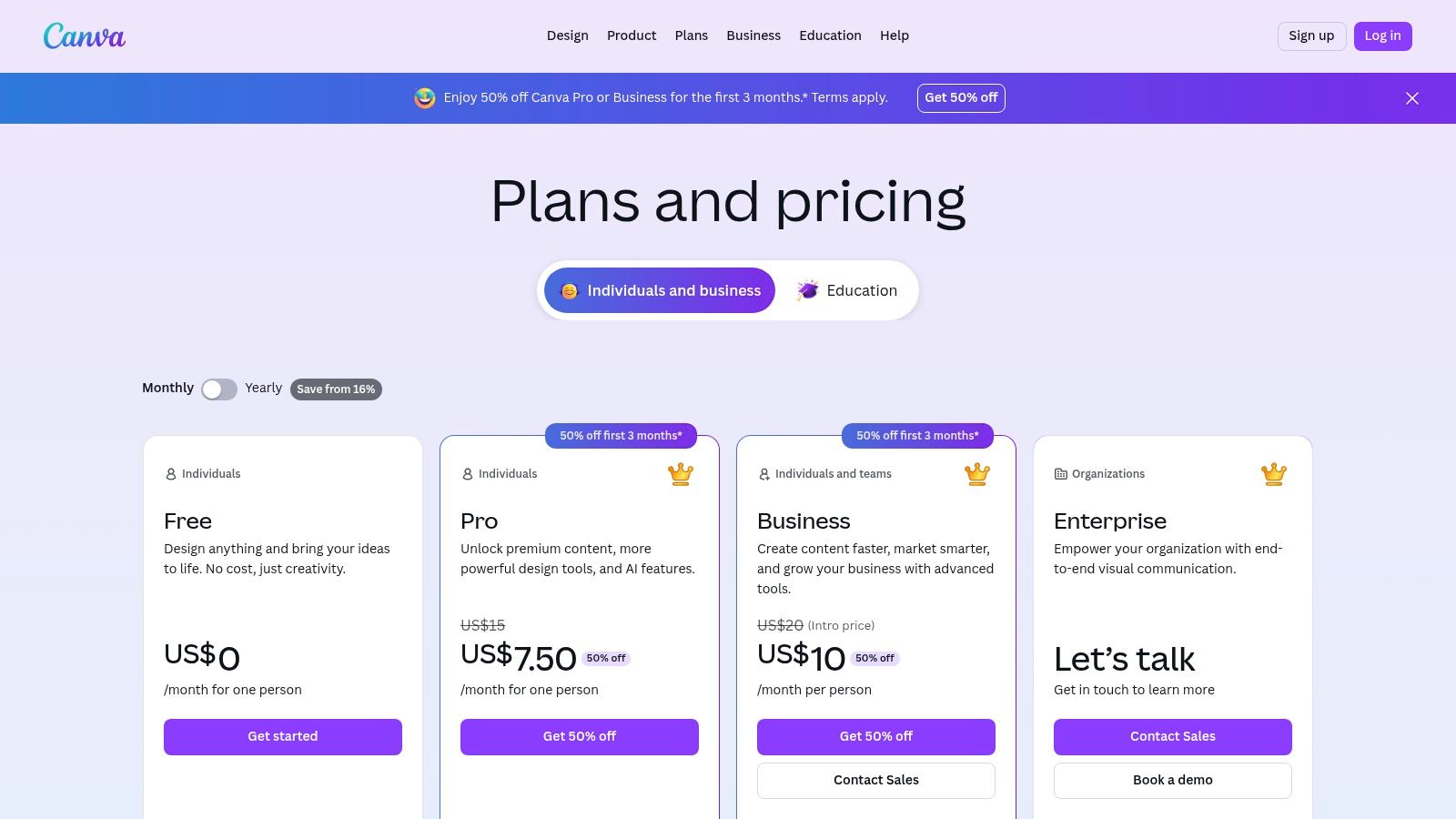
The platform's strength is its all-in-one nature. A creator can ideate with Magic Write, generate custom assets with Magic Media, and then instantly remove the background from a product photo to place it in a branded template. This seamless integration of powerful AI tools within a user-friendly design environment eliminates the need to jump between multiple applications. For those who frequently need to isolate subjects from their backgrounds, you can explore the technology behind AI-powered background removal tools to understand how this feature works.
Key Details & Use Cases
- Ideal For: Social media managers, marketers, and solo creators needing fast, template-driven design for graphics, short videos, and presentations.
- Pricing: A generous Free plan includes basic tools. Pro ($14.99/month per person) unlocks the full Magic Studio suite, premium templates, and Brand Kit. Teams ($29.99/month for 5 people) adds collaboration features.
- Pros: Extremely intuitive with a minimal learning curve, massive library of templates and stock assets, and a seamlessly integrated AI toolset for a complete workflow.
- Cons: AI features are credit-based and more limited on the Free tier; heavy cloud-based projects can sometimes feel less responsive than native desktop applications.
Website: https://www.canva.com/pricing/
5. Runway
Runway stands at the forefront of generative video, making it one of the best AI tools for content creators focused on motion graphics, social media clips, and experimental filmmaking. The platform's suite of AI Magic Tools goes beyond simple text-to-video, offering advanced features like image-to-video, performance capture, and AI-powered editing functionalities. This integrated environment allows video teams and solo creators to rapidly produce unique B-roll, animated sequences, or captivating visual effects that were previously resource-intensive.
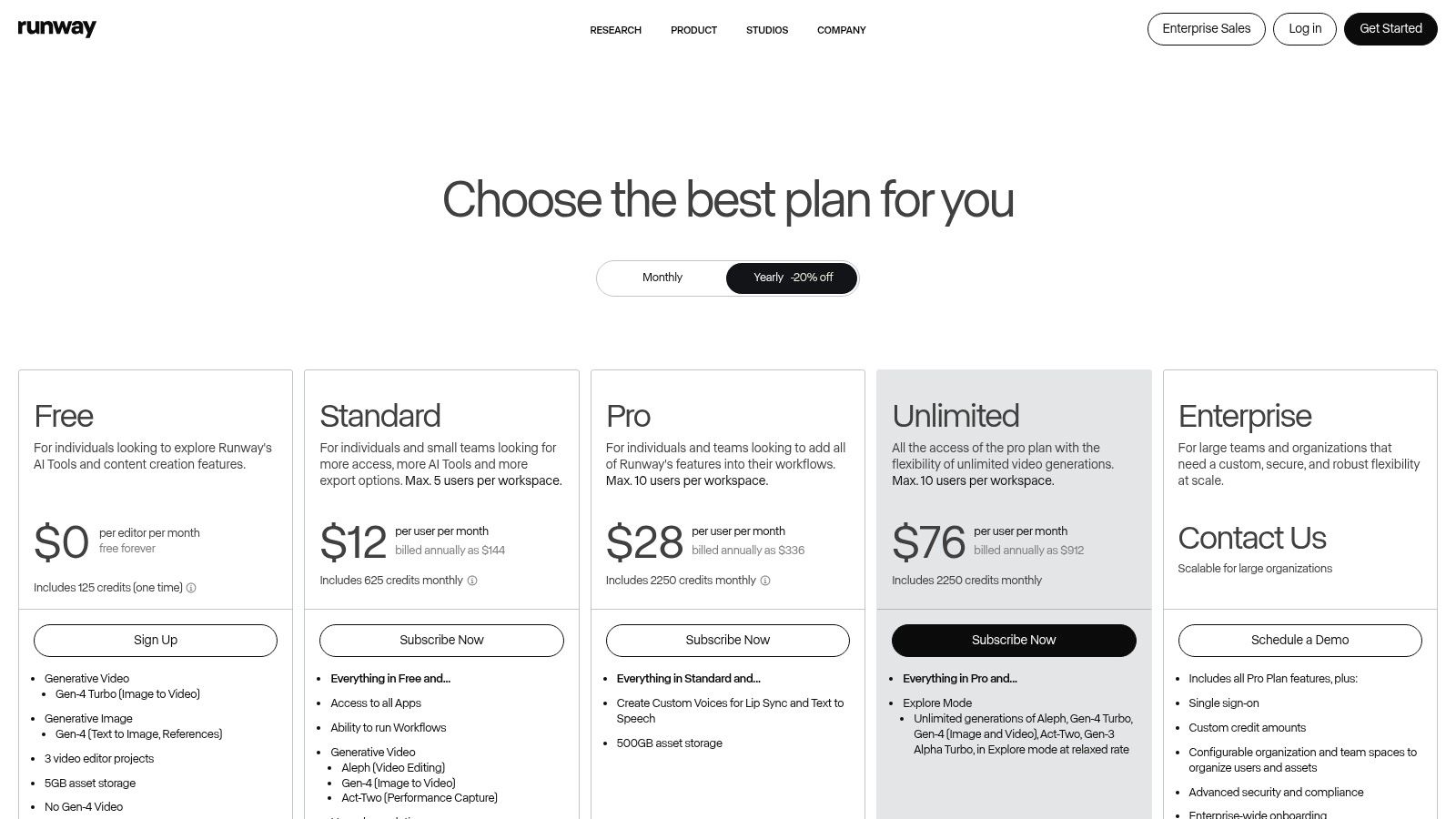
The platform’s strength lies in its commitment to pushing the boundaries of AI video generation with models like Gen-3, which produce visuals with remarkable coherence and detail. Its credit-based system provides a transparent understanding of generation costs, while collaborative workspaces make it a viable tool for creative teams. For creators looking to incorporate cutting-edge, AI-native video into their content strategy without needing a visual effects studio, Runway provides an accessible and powerful solution.
Key Details & Use Cases
- Ideal For: Generating B-roll, creating short-form video ads, animating static images, and experimenting with AI filmmaking.
- Pricing: A Free plan offers limited credits with a watermark. Paid plans start with Standard at $12/user/month, providing more credits and watermark-free 1080p exports. The Pro plan ($28/user/month) and Unlimited plan ($76/user/month) offer significantly more credits and advanced features.
- Pros: Leading-edge video generation quality with frequent model updates, a comprehensive suite of integrated AI editing tools, and transparent credit-to-output mapping.
- Cons: The best results require significant experimentation and credit usage; the free tier includes a prominent watermark, and truly unlimited generation is restricted to a slower mode.
Website: https://runwayml.com/pricing
6. Descript
Descript revolutionizes video and podcast editing by treating media like a text document. Its core innovation is an AI-powered automatic transcription that lets creators edit audio and video simply by deleting words or moving text blocks. This text-based workflow makes it one of the best AI tools for content creators, particularly for podcasters and YouTubers who need to efficiently repurpose long-form content into shorter, engaging clips for social media. Features like automatic filler-word removal and voice cloning save hours of tedious manual work.
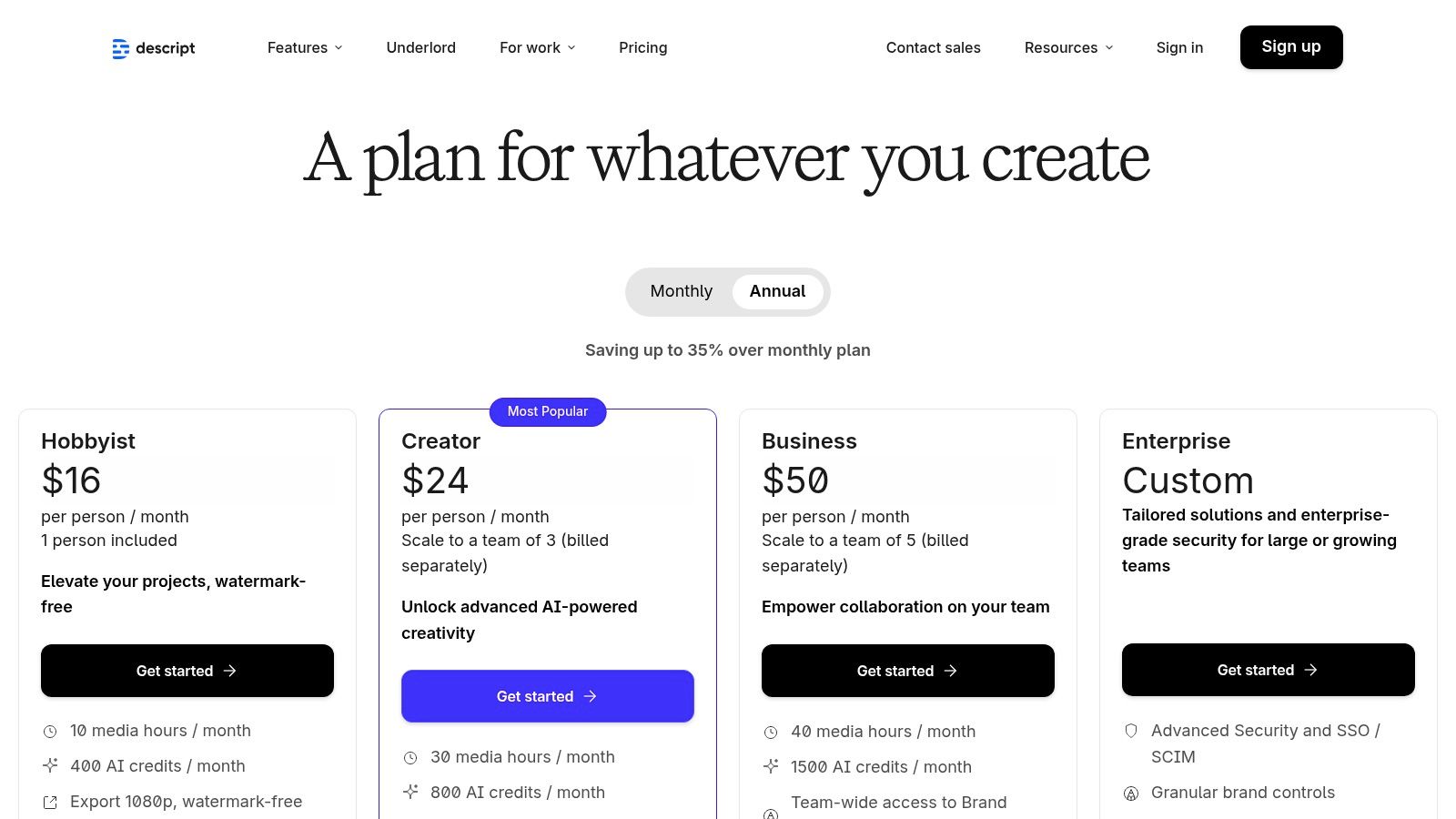
The platform's strength lies in its all-in-one approach to the production pipeline. From screen recording and multi-track audio editing to AI-powered features like Studio Sound for background noise removal and an AI co-editor (Underlord) to assist with edits, Descript consolidates multiple tools into one intuitive interface. This is especially valuable for creators who manage the entire production process themselves, allowing them to record, edit, mix, and publish without ever leaving the app. The workflow is designed for speed and simplicity, lowering the barrier to entry for professional-quality content creation.
Key Details & Use Cases
- Ideal For: Podcasters, YouTubers, interviewers, and creators repurposing long-form video into social media clips.
- Pricing: A Free plan is available with limited transcription. The Creator plan is $12/user/month, and the Pro plan is $24/user/month, offering more transcription hours and advanced AI features. A customizable Enterprise plan is also available.
- Pros: Intuitive text-based editing is a game-changer for speed; powerful AI features like Overdub and Studio Sound are built-in; excellent for creating clips from longer content.
- Cons: The pricing model based on transcription hours and AI credits can be confusing for new users; the most powerful AI features are locked behind higher-tier plans.
Website: https://www.descript.com/pricing
7. Jasper
Jasper moves beyond a simple AI writer to become a comprehensive AI marketing platform, making it one of the best AI tools for content creators focused on brand consistency and campaign execution. It excels at generating on-brand copy for blogs, social media, ads, and emails by leveraging its powerful Brand Voice and Knowledge features. This allows teams to feed the platform style guides, product catalogs, and audience personas, ensuring every piece of content aligns perfectly with brand messaging and tone.
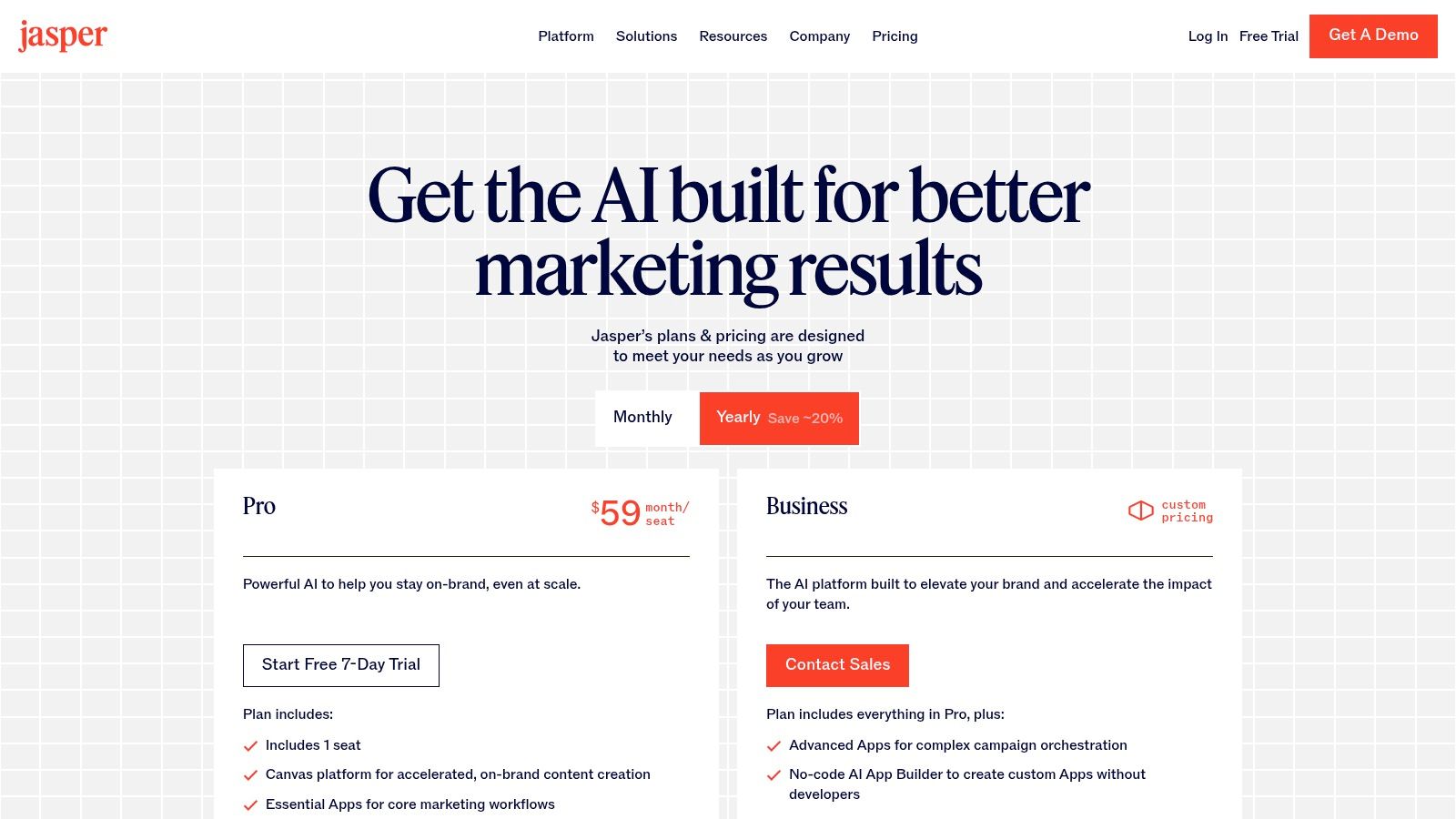
The platform’s real differentiator is its focus on marketing team workflows. Jasper isn't just for individual creators; it’s built for campaign-level orchestration with collaboration tools that streamline content production from start to finish. For larger teams, its governance features, admin controls, and LLM-agnostic backend provide the security and flexibility needed to scale content creation responsibly. While it requires an initial investment in setup to define your brand, the result is highly consistent, targeted content that drives marketing goals.
Key Details & Use Cases
- Ideal For: Marketing teams, agencies, and businesses needing to produce consistent, on-brand copy across multiple channels like blogs, ads, and email campaigns.
- Pricing: Creator ($39/seat/month billed annually) for individuals. Pro ($59/seat/month) unlocks Brand Voices and collaboration. Business offers custom pricing for advanced features like agents, API access, and enhanced security.
- Pros: Purpose-built for marketing and brand alignment, excellent governance and team collaboration features, and a flexible, model-agnostic backend.
- Cons: More expensive than general-purpose AI writers; requires upfront time investment to configure Brand Voice and Knowledge for optimal results.
Website: https://www.jasper.ai/pricing?utm_source=openai
8. Synthesia
Synthesia empowers creators to produce professional, presenter-led videos without ever needing a camera, microphone, or actor. By simply typing a script, you can generate a video featuring a realistic AI avatar who speaks your words with synchronized lip movements. This platform is a game-changer for producing training materials, corporate communications, and explainer videos at scale, especially when multilingual content is required. It stands out as one of the best AI tools for content creators focused on educational and corporate video production.
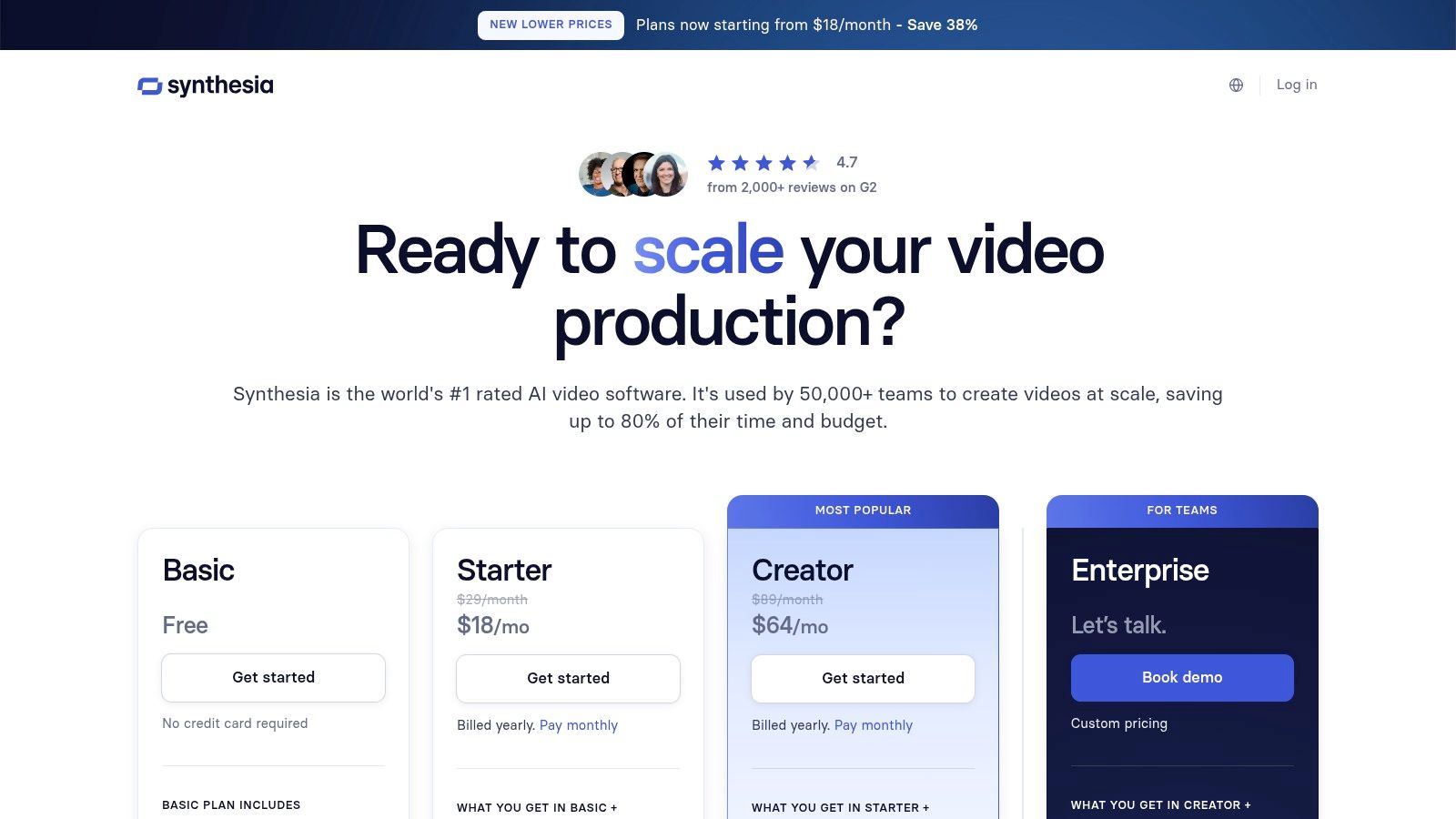
The platform’s core strength is its efficiency and scalability. With support for over 140 languages and a library of 200+ stock avatars, a single script can be transformed into dozens of localized videos in minutes, not weeks. This rapid production cycle is invaluable for teams that need to deploy consistent, high-quality video content across global markets. While the stock avatars are impressive, creating a custom digital twin of yourself or a key spokesperson offers a powerful way to maintain brand consistency and a personal touch.
Key Details & Use Cases
- Ideal For: Creating training videos, corporate communications, product tutorials, and multilingual marketing content.
- Pricing: The Creator plan is $22/month (billed yearly) for 10 minutes of video. The Business plan offers 30 minutes and more collaboration features. Custom Enterprise plans are available.
- Pros: Radically reduces video production time and cost; excellent for creating consistent, multilingual content; enterprise-grade features like SSO and SCORM exports for learning and development.
- Cons: Avatar realism can sometimes vary, and custom avatars require a significant additional investment; usage is metered by video minutes, which can become costly for high-volume producers.
Website: https://www.synthesia.io/pricing
9. ElevenLabs
For creators who need unparalleled audio quality, ElevenLabs sets the industry standard in AI-generated voice and sound. It moves beyond robotic text-to-speech, offering incredibly lifelike, emotive voices that are nearly indistinguishable from human narration. This makes it an essential tool for podcasters generating segments, YouTubers creating voiceovers without recording equipment, and developers building applications with realistic voice agents. Its suite includes not just text-to-speech, but also advanced voice cloning, speech-to-speech transformation, and AI-powered dubbing.
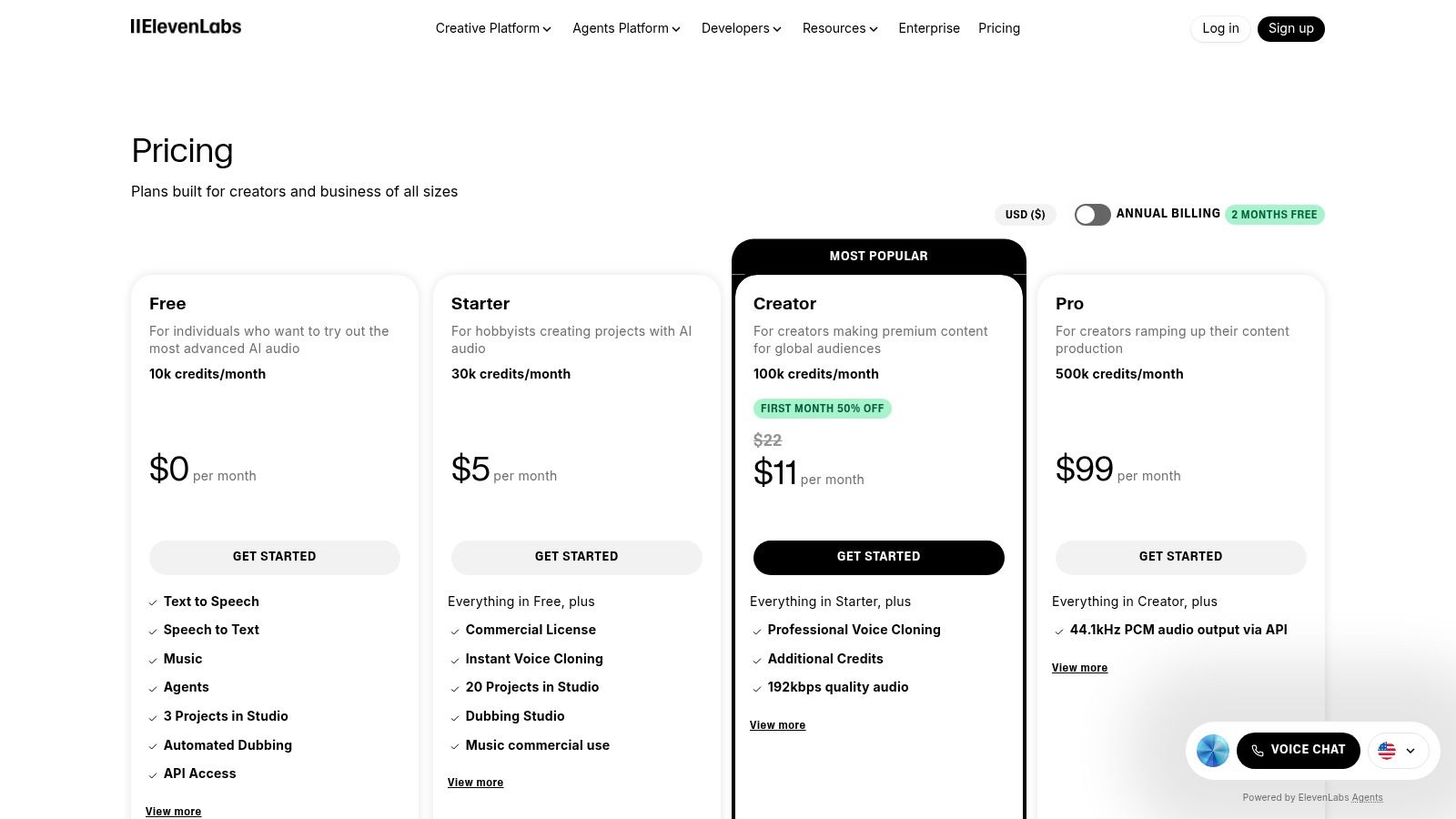
The platform’s strength is its specialized focus on high-fidelity audio, making it one of the best AI tools for content creators where vocal performance is critical. With powerful API access and multiple latency options, it scales from small, independent projects to enterprise-level applications needing real-time conversational AI. The ability to clone your own voice or design a unique synthetic one offers creators incredible flexibility for branding and consistent audio production. While the credit-based system requires some planning, the results are worth the investment for professional-grade audio content.
Key Details & Use Cases
- Ideal For: Voiceovers for videos and presentations, podcast production, character voices for animations, and automated video/audio dubbing.
- Pricing: A Free plan is available with 10,000 characters/month. Paid plans start with Starter ($5/month) for 30,000 characters and go up to scalable enterprise solutions.
- Pros: Industry-leading voice quality and realism, robust API for integration, and powerful features like precise voice cloning and low-latency modes.
- Cons: The credit-based system can be complex to manage for high-volume usage, and costs can accumulate quickly for extensive projects.
Website: https://elevenlabs.io/pricing
10. Midjourney
For content creators who prioritize stunning, high-quality visual assets, Midjourney stands out as a top-tier AI image generator. It has become a go-to tool for producing everything from captivating YouTube thumbnails and blog post headers to intricate concept art and marketing visuals. Its unique artistic style and powerful rendering capabilities allow creators to generate compelling images that capture attention and enhance their brand's aesthetic, making it one of the best AI tools for content creators focused purely on visual excellence.
The platform's strength lies in its ability to produce highly detailed and artistically nuanced results that often require minimal post-production editing. While its Discord-based interface has a learning curve, mastering its prompting and parameters unlocks unparalleled creative control. The "Relax Mode" available on higher tiers is a significant advantage, offering unlimited lower-priority generations, which is perfect for extensive experimentation without worrying about burning through fast-hour credits. For professional use, the stealth mode on Pro and Mega plans ensures that creations remain private. Creators often pair Midjourney with other tools to get the most out of their visuals; for instance, they might upscale Midjourney images for printing to ensure maximum quality.
Key Details & Use Cases
- Ideal For: Creating YouTube thumbnails, key art, blog post images, social media visuals, and conceptual artwork.
- Pricing: Basic ($10/month) offers limited fast GPU time. Standard ($30/month) includes more fast hours and Relax Mode. Pro ($60/month) and Mega ($120/month) add more fast hours and Stealth Mode.
- Pros: Consistently produces superior-quality, artistic images. Relax Mode on eligible plans allows for cost-effective, unlimited experimentation.
- Cons: The Discord-only interface can be unintuitive for new users. Limited native team management or collaboration features compared to enterprise-focused tools.
Website: https://www.midjourney.com/
11. G2 – AI Writing Assistants (category)
Navigating the crowded market of AI writing assistants can be overwhelming, which is why a trusted review aggregator like G2 is an essential discovery tool. Instead of being a single product, G2 provides a comprehensive category listing where real users rank and review dozens of different platforms. This allows creators to filter options based on specific needs like SEO optimization, long-form content generation, or social media scheduling, making it one of the best AI tools for the research phase of a content creator's journey.
G2's strength lies in its unbiased, user-generated data and comparative grid reports. You can quickly see how up-and-coming tools stack up against industry leaders based on satisfaction scores, ease of use, and quality of support. This is particularly valuable for creators looking to move beyond mainstream options and find a niche tool that perfectly fits their workflow. Rather than relying on marketing claims, G2 offers a transparent look at real-world performance.
Key Details & Use Cases
- Ideal For: Researching, comparing, and shortlisting AI writing tools before committing to a subscription.
- Pricing: Free to browse, compare, and read reviews. Individual vendor pricing varies widely.
- Pros: Aggregates real user reviews for transparent comparisons; helps validate vendor reputation and satisfaction scores; excellent for discovering niche or specialized tools.
- Cons: Rankings can fluctuate frequently; requires you to independently vet each tool's features and data policies; some reviews may lack depth.
Website: https://www.g2.com/categories/ai-writing-assistant
12. AppSumo – AI Tools Collection
While not a single tool, AppSumo is an essential marketplace for creators looking to build their AI toolkit without breaking the bank. It serves as a launchpad for emerging AI software, frequently offering lifetime deals (LTDs) on everything from AI writers and video editors to SEO analyzers and workflow automation platforms. This makes it one of the best AI tools for content creators who want to experiment with niche or up-and-coming solutions at a fraction of the typical subscription cost, allowing for broader testing and adoption.
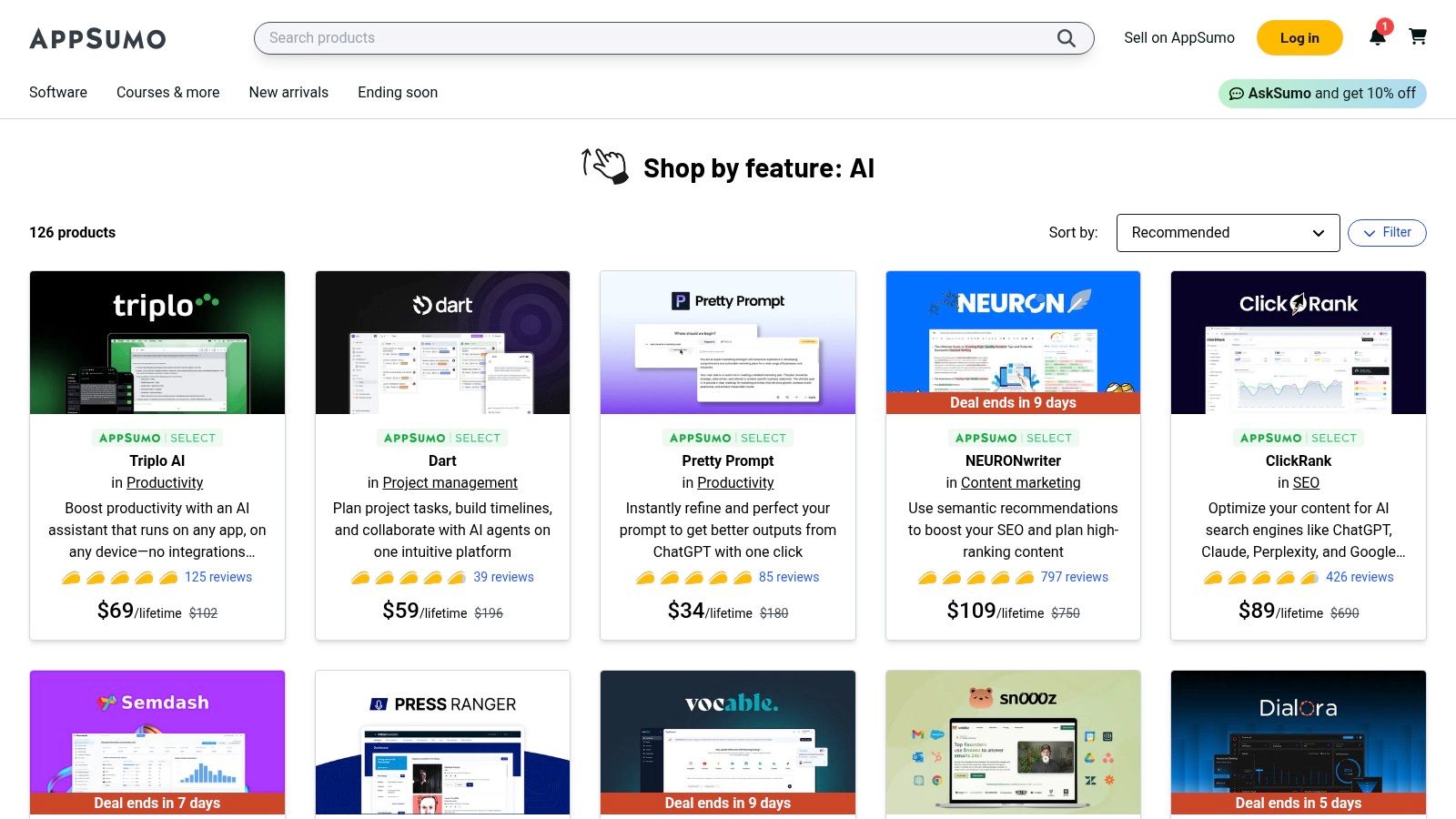
The platform's value lies in its discovery engine, backed by user reviews and a generous 60-day money-back guarantee. This curated environment helps creators find specialized tools that solve very specific problems, which larger, more generalized platforms might not address. However, the nature of LTDs means that the long-term support and development of a purchased tool can be uncertain. Creators should carefully read the terms and reviews to vet the viability of each product before committing.
Key Details & Use Cases
- Ideal For: Discovering and acquiring niche AI tools, budget-conscious creators, and building a diverse software stack with one-time payments.
- Pricing: Varies by deal. Most offers are one-time purchases for lifetime access, often ranging from $39 to $99, though some are annual subscriptions.
- Pros: Extremely cost-effective for accessing new AI software, a centralized hub for discovering emerging tools, and a strong refund policy reduces purchasing risk.
- Cons: The long-term viability and support for some LTD products can be unpredictable; deal terms may be more restrictive than direct subscriptions.
Website: https://appsumo.com/collections/features/ai?utm_source=openai
Top 12 AI Tools Comparison
| Product | Core features | Quality / UX | Pricing / Value | Target audience & USP |
|---|---|---|---|---|
| PixelPanda 🏆 | Background removal, smart inpainting, face enhance, 4x upscaling, text-to-image, batch API | Studio-quality, edge-preserving, fast outputs ★★★★☆ | Free trial (10 credits); $49/$99/$249 mo 💰 volume-based | 👥 Marketers, e‑commerce, devs — developer-first API, accurate hair/fur, AI avatars ✨ |
| OpenAI – ChatGPT | Conversational multimodal models, custom GPTs, code & image help | Versatile assistant, rapid feature cadence ★★★★☆ | Free / Plus / Business tiers 💰 | 👥 Content creators, teams — flexible workflows & integrations ✨ |
| Adobe Firefly (Creative Cloud) | Generative image/video/vector/audio integrated into CC apps | Pro-level assets, enterprise licensing & safety ★★★★★ | Credit-based + Creative Cloud plans 💰 | 👥 Professional creators — deep app integration, commercial-safe models ✨ |
| Canva – Magic Studio | Templates, Magic Write, text-to-image/video, bg/subject removal | Fast, easy for non-designers ★★★★☆ | Free & Pro plans; premium features limited on Free 💰 | 👥 Marketers, small teams — templates, brand kits, social exports ✨ |
| Runway | Text/image-to-video, performance capture, upscaling, lip‑sync | Leading-edge video gen; experimental workflows ★★★★☆ | Credit/sec model; free tier with watermarks 💰 | 👥 Video & social teams — generative video + collaborative workspaces ✨ |
| Descript | Text-based video/audio editing, transcription, overdub voice cloning | Intuitive repurposing & editing like a doc ★★★★☆ | Media minutes / AI credits; tiered plans 💰 | 👥 Podcasters, creators — fast long-form → short-form workflows ✨ |
| Jasper | Brand Voice, campaign orchestration, team controls | Marketing-first writing & governance ★★★★☆ | Subscription (higher for teams/agents) 💰 | 👥 Marketing teams — on‑brand copy at scale, campaign tools ✨ |
| Synthesia | AI avatar video, dubbing, lip-sync, templates | Rapid multilingual video production; avatar realism varies ★★★☆ | Minutes/credits; custom avatars extra 💰 | 👥 L&D, comms, marketing — presenter-led videos without shoots ✨ |
| ElevenLabs | High-quality TTS, voice cloning, dubbing, voice agents | Best-in-class voice quality, low-latency options ★★★★★ | Usage-based credits; higher tiers roll over 💰 | 👥 Audio creators, enterprises — scalable, realistic voice tech ✨ |
| Midjourney | High-quality image generation, multiple models, GPU hours | Top-tier visual quality; creative output focus ★★★★★ | Subscriptions with GPU hours / Relax modes 💰 | 👥 Visual artists, designers — premium image generation & exploration ✨ |
| G2 – AI Writing Assistants (category) | User reviews, satisfaction scores, comparative reports | Crowd-sourced reputation & feature filters ★★★★☆ | Free platform; links to vendors 💰 | 👥 Buyers & researchers — shortlist vendors using real reviews ✨ |
| AppSumo – AI Tools Collection | Curated deals, lifetime deals (LTDs), bundles | Cost-effective access to niche tools; variable longevity ★★★☆ | One-time deals / LTDs; refunds on many offers 💰 | 👥 Small businesses, makers — discounted tools and trials ✨ |
Building Your AI-Powered Content Engine
Navigating the expansive landscape of artificial intelligence can feel overwhelming, but as we've explored, the goal isn't to find a single, mythical "best" tool. Instead, the real power lies in strategically assembling a personalized AI-powered content engine. This is about building a cohesive stack of tools that amplifies your unique creative process, automates repetitive tasks, and ultimately frees you to focus on high-impact strategy and storytelling. The best AI tools for content creators are the ones that seamlessly integrate into your specific workflow, acting as a force multiplier for your skills.
Reflecting on the tools we've covered, from the generative prowess of ChatGPT and Jasper for text to the visual innovation of Midjourney and Adobe Firefly, a clear pattern emerges. AI is most effective when it serves a specific purpose. It's the specialized assistant that drafts your outlines, the tireless artist that generates concept visuals, the precise editor that refines your audio, and the efficient production line that scales your image creation. Your primary task is to identify the most significant bottlenecks in your current content production cycle and deploy the right AI solution to solve that specific problem.
From Individual Tools to an Integrated Workflow
The true leap in productivity comes not from using these tools in isolation, but from creating an integrated, multi-tool workflow. A powerful process might start with Jasper to brainstorm blog topics and generate a detailed outline. That outline then moves into ChatGPT for a conversational first draft, which you then refine with your unique voice and expertise.
For visual content, you might use Midjourney to generate initial artistic concepts. Once a direction is chosen, you could use Adobe Firefly's generative fill to expand or modify the image. Finally, for an ecommerce or marketing team producing hundreds of product shots, an API-first tool like PixelPanda becomes the backbone of the operation, automatically removing backgrounds and upscaling images to meet platform specifications without manual intervention. This creates a scalable, repeatable system that significantly reduces production time.
Key Considerations for Your AI Toolkit
As you begin to build or refine your AI stack, keep these crucial factors in mind:
- Start with Your Biggest Pain Point: Don't adopt a tool just because it's popular. Is it writing first drafts, creating visual assets, or editing video that consumes most of your time? Address that bottleneck first.
- Prioritize Integration and Automation: The most valuable tools are those that can connect with your existing software. Look for robust API access (like PixelPanda's) or native integrations (like Canva's Magic Studio) to minimize friction and build automated workflows.
- Embrace the Learning Curve: Each platform has its own nuances. Dedicate time to experimenting with prompts, learning advanced features, and understanding the tool's limitations. An hour of learning can save you dozens of hours in the long run.
- Focus on Augmentation, Not Replacement: Remember, AI is a collaborator, not a replacement for your creativity and strategic insight. Use it to handle the 80% of repetitive work, so you can pour your energy into the 20% that truly defines your brand and connects with your audience.
The future of content creation is undeniably intertwined with AI. As these technologies continue to evolve, particularly in areas like script to video AI content creation, the opportunities for innovation and scale will only grow. By thoughtfully selecting and integrating the best AI tools for your content creator needs, you are not just keeping pace with change; you are building a more efficient, creative, and resilient content engine for the future.
Ready to automate and scale your visual content production? PixelPanda provides a powerful, developer-friendly API to handle all your image processing needs, from background removal to smart upscaling. Stop editing images one by one and start building an automated visual workflow by exploring our tools at PixelPanda.