In today's visually driven market, clean, professional product photos and marketing assets are non-negotiable. Manually cutting out backgrounds is a bottleneck; it’s slow, expensive, and simply doesn't scale for modern workflows. This is precisely the problem AI-powered background removers were built to solve, revolutionizing visual production for ecommerce brands, development teams, and creative agencies.
However, the market is crowded, and not all tools deliver the same quality or functionality. Choosing the best AI background remover depends entirely on your specific needs. Some platforms offer powerful APIs designed for high-volume, automated processing in applications, making them ideal for developers. Others excel at handling notoriously difficult details like hair, fur, and transparent objects, which is critical for product photography. Many are bundled into larger creative suites, offering a one-stop-shop for marketing and social media teams.
This comprehensive guide cuts through the noise to help you find the perfect fit. We will analyze 12 of the top solutions, evaluating their core strengths, honest limitations, and practical applications. Each review includes direct links and visual examples to illustrate performance. We will compare key features like:
- API availability and developer support
- Batch processing capabilities
- Accuracy with complex edges (hair, fur, etc.)
- Pricing models and cost-per-image
Whether you need a simple tool for a few images or a robust, scalable solution to integrate into your platform, this list provides the detailed insights required to make an informed decision. Let’s dive into the platforms that can streamline your workflow and elevate your final images.
1. PixelPanda
PixelPanda stands out as a powerful, developer-centric solution that excels far beyond simple background removal. It functions as a comprehensive AI-powered image processing suite, offering an API designed for scalability and seamless integration. This makes it a top-tier choice for teams needing to automate high-volume visual production without sacrificing the nuanced quality demanded by professional use cases, positioning it as one of the best AI background remover platforms available.

The platform is engineered to handle complex subjects with exceptional precision. Its AI models are specifically trained for studio-quality edge detection, preserving fine details like hair, fur, and delicate transparencies that often challenge other tools. This focus on detail ensures that product photos, portraits, and marketing assets maintain a professional, clean look ready for any application. Teams can test these capabilities directly using the platform's hands-on demo; you can explore the background removal tool on pixelpanda.ai to see the results firsthand.
Key Features & Advantages
- Comprehensive Toolset: PixelPanda is not a one-trick pony. It bundles background removal with 4x upscaling, watermark removal, face enhancement, and smart inpainting, all accessible via a single, unified API.
- Developer-First Design: The platform prioritizes ease of integration with a simple REST API, official SDKs, and clear documentation. This allows development teams to quickly embed its capabilities into web, mobile, or backend workflows.
- Built for High-Volume Workflows: With robust batch processing capabilities and support for transparent PNG exports, PixelPanda is optimized for ecommerce product catalogs and large-scale marketing campaigns.
- Low-Risk Evaluation: A generous free trial is available without requiring a credit card, allowing teams to fully evaluate the API's performance and integration fit before making a commitment.
Potential Considerations
The primary drawback is the lack of public, detailed pricing tiers on the website. To understand the cost for high-volume usage, teams will likely need to sign up for the trial or contact the sales department. Additionally, while the AI is highly advanced, very complex or brand-specific imagery may still benefit from a final manual review to ensure perfect alignment with creative standards.
2. remove.bg (Kaleido/Canva)
A veteran in the AI background removal space, remove.bg remains a top contender due to its mature platform and consistent, high-quality results. Acquired by Canva, it focuses purely on background removal and does it exceptionally well, making it one of the best AI background remover tools for users who need reliability and predictability, especially for product photos and portraits. The platform is built for both individual use and high-volume, automated workflows.
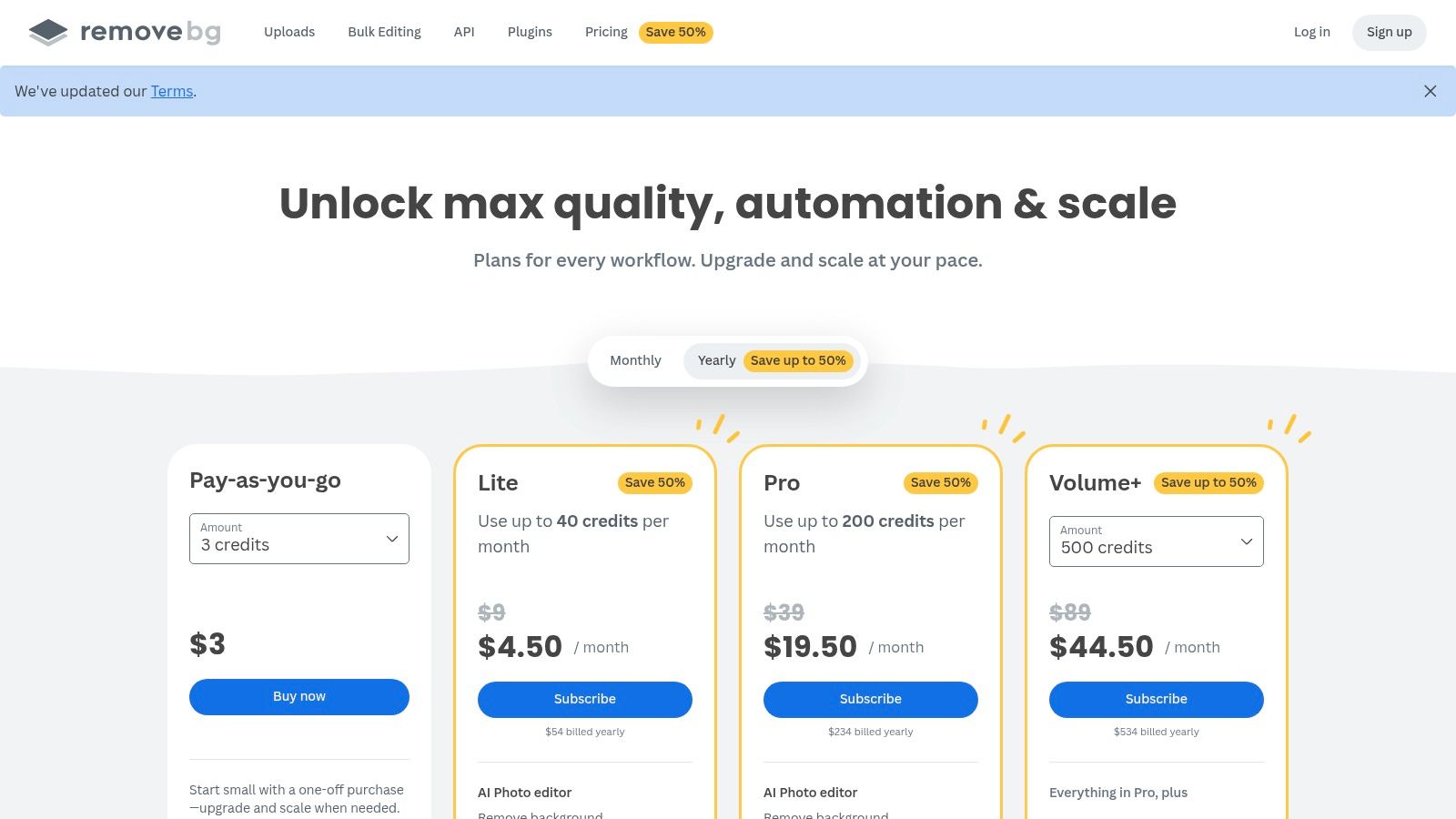
Its core strength lies in its robust API and extensive integrations, which allow developers and businesses to seamlessly incorporate background removal into their existing applications. The service offers dedicated desktop apps for Windows, Mac, and Linux, plus a Photoshop plugin, facilitating efficient batch processing for designers and e-commerce teams.
Standout Features & Use Cases
The platform’s edge detection is particularly refined for clearly defined subjects like products, logos, and people, delivering clean cutouts with minimal manual intervention. The credit-based system allows users to pay for high-resolution downloads as needed, offering a free preview for every upload.
- Best For: E-commerce sellers, developers needing a stable API, and marketing teams requiring bulk processing.
- Pricing Model: Offers a free plan with one free credit and 50 free API previews per month. Paid plans are credit-based, available via subscription or pay-as-you-go bundles.
- Not Ideal For: Users needing advanced creative editing tools beyond simple background replacement. The credit model can also become expensive for extremely high-volume, cost-sensitive projects.
- Website: https://www.remove.bg
3. Adobe Express Background Remover
Positioned within a comprehensive creative suite, Adobe Express offers more than just a standalone tool; it integrates one of the best AI background remover functions directly into a full-fledged design platform. This browser-based editor is ideal for users who need to remove a background and immediately use the resulting image in a larger project, like a social media post, marketing banner, or product mockup. It leverages Adobe's trusted imaging technology, making it a reliable choice for creators already familiar with the Adobe ecosystem.
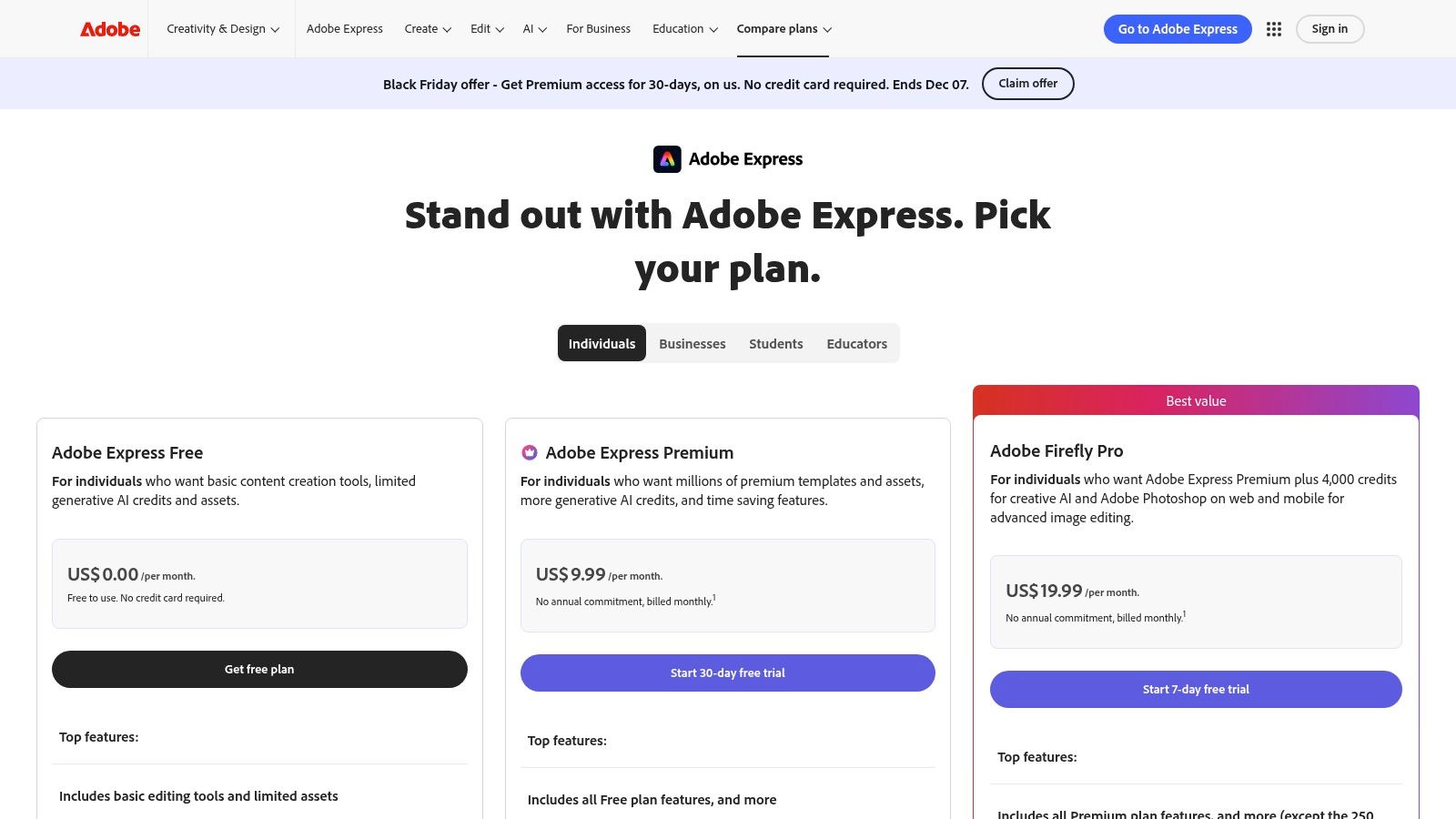
The primary advantage of Adobe Express is its context. Instead of downloading a transparent PNG and re-uploading it elsewhere, users can transition seamlessly from background removal to applying templates, adding text, accessing Adobe Stock assets, or using brand kits. This unified workflow, available on both desktop and mobile, significantly accelerates content creation for marketing teams and solopreneurs.
Standout Features & Use Cases
The platform excels at providing an all-in-one solution. After removing the background, users can instantly resize assets for different social platforms, apply filters, and even schedule posts directly from the app. The AI-powered background remover is highly effective for common subjects, producing clean edges that integrate well into new designs without obvious artifacts.
- Best For: Social media managers, content creators, and small businesses needing a complete design and publishing tool.
- Pricing Model: Offers a free plan with core features and limited assets. The Premium plan unlocks all features, premium templates, Adobe Stock photos, and provides a monthly allowance of Generative Credits for AI actions.
- Not Ideal For: Users who only need a simple, high-volume background removal API or those who prefer not to work within a subscription-based design suite.
- Website: https://www.adobe.com/express/pricing
4. Canva Background Remover (within Canva Pro)
Integrated directly into the world’s most popular design platform, Canva’s Background Remover is a powerful feature for users who need to create polished visuals quickly. Rather than a standalone tool, it’s an essential part of the Canva Pro subscription, designed to streamline the entire content creation workflow from start to finish. This makes it one of the best AI background remover options for marketers, social media managers, and small business owners already using Canva for their design needs.
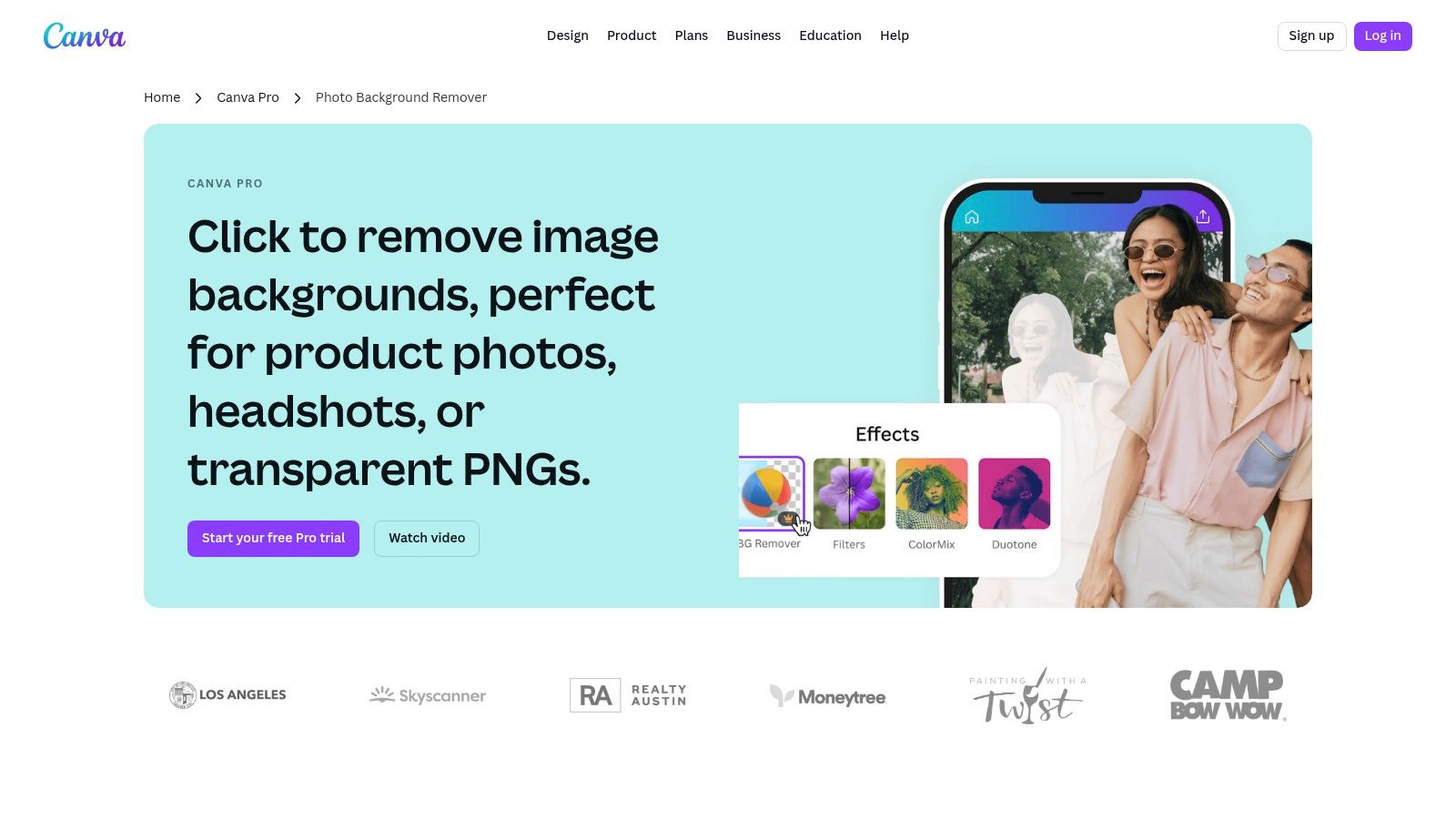
Its primary advantage is convenience. With a single click, users can remove the background from an image and immediately use the cutout in a social media post, presentation, or advertisement using Canva’s vast library of templates and assets. While it lacks the dedicated API or advanced fine-tuning of specialized services, its seamless integration makes it unbeatable for rapid, end-to-end design tasks.
Standout Features & Use Cases
The tool excels at handling simple to moderately complex images, like product shots and portraits for social media graphics. The value extends beyond just removal; users gain access to the entire Canva Pro suite, including the Brand Kit, Magic Resize, and an extensive stock media library, creating a comprehensive content creation hub.
- Best For: Social media managers, marketers, and small business owners who need an all-in-one design and background removal solution.
- Pricing Model: Included as a feature within Canva Pro and Canva for Teams subscriptions. There is no standalone or pay-as-you-go option for just the background remover.
- Not Ideal For: Developers needing an API, users requiring high-volume batch processing, or designers who need precise control over complex edges like fine hair. As noted in some user reviews, the pricing changes for team plans have also been a point of contention.
- Website: https://www.canva.com/pro/background-remover/
5. PhotoRoom
PhotoRoom has carved out a niche as an all-in-one AI photo studio designed specifically for e-commerce. It moves beyond simple background removal, offering a comprehensive suite of tools to create professional, marketplace-ready product images. Available on web, iOS, and Android, and supported by a robust API, PhotoRoom is built to scale, serving everyone from individual sellers to large enterprises needing automated image processing.
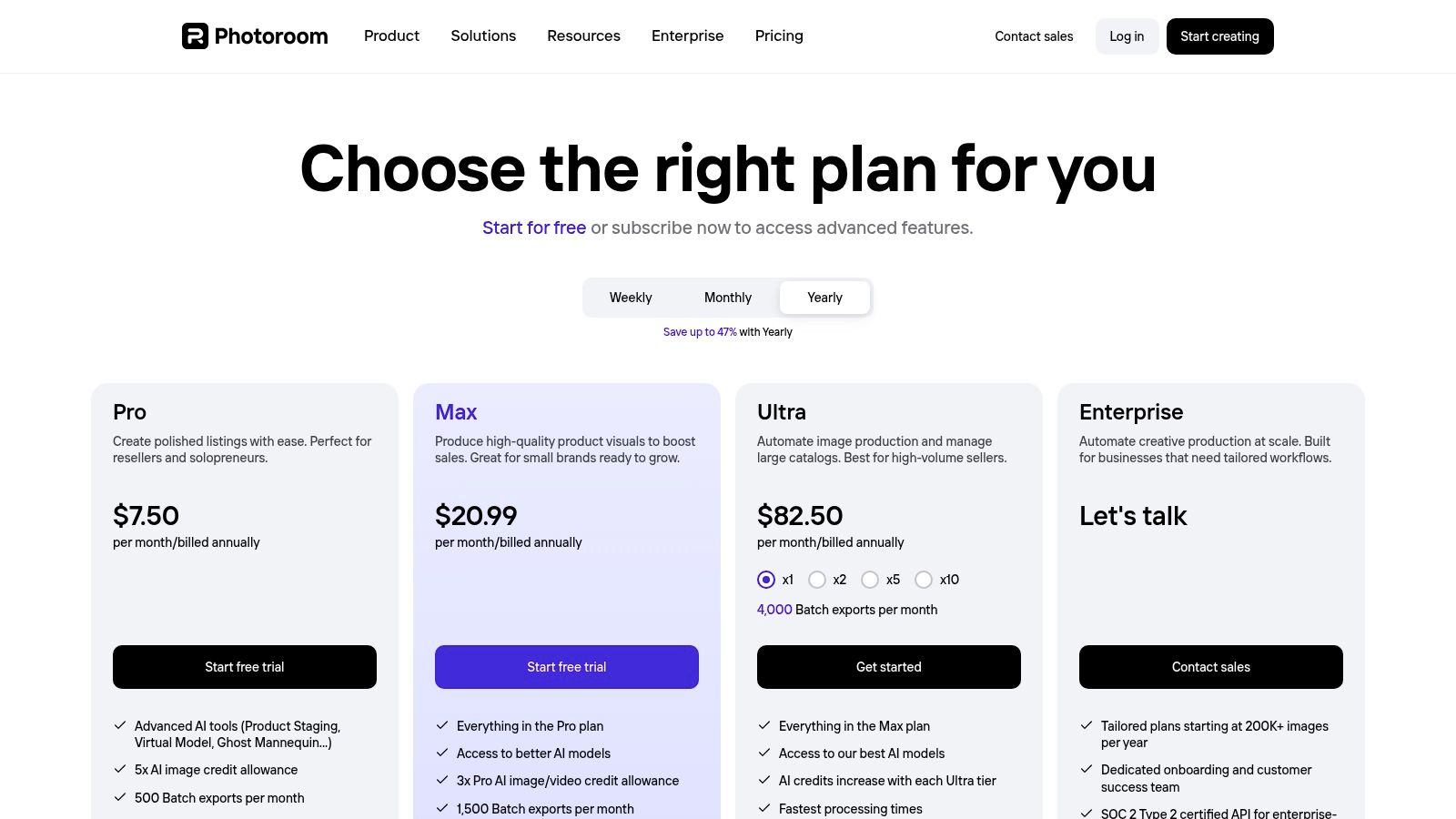
Its core advantage is the seamless integration of its excellent background remover with product-centric features. Users can instantly place items into AI-generated scenes, add realistic shadows, retouch imperfections, and export images that meet the specifications for platforms like Amazon, eBay, and Shopify. The batch mode further enhances its utility, allowing users to process up to 250 images at once on higher-tier plans.
Standout Features & Use Cases
PhotoRoom excels at creating clean, consistent product shots with minimal effort. The AI background generation and instant shadow features are particularly powerful for staging products without a physical studio. Its API offers a generous free sandbox with 1,000 test images, making it an attractive option for developers building e-commerce solutions. This focus makes it one of the best AI background remover tools for anyone selling products online.
- Best For: E-commerce sellers, online marketplace vendors, and developers creating product photography workflows.
- Pricing Model: A free plan is available with watermarked exports. The Pro plan unlocks batch mode and higher-quality exports, while the Business plan offers API access and team collaboration features.
- Not Ideal For: Users needing a simple, one-off background removal without additional editing features. The "unlimited" exports on paid plans are subject to fair use quotas.
- Website: https://www.photoroom.com/pricing
6. Clipdrop (by Stability.ai)
Backed by Stability.ai, Clipdrop is an ecosystem of AI-powered visual editing tools rather than just a standalone background remover. It positions itself as a versatile creative suite, offering features like image upscaling, object cleanup, relighting, and text removal alongside its core background removal functionality. This makes it a strong candidate for users who need a multi-purpose tool for both product-focused and creative editing tasks, combining several AI capabilities into one streamlined interface.
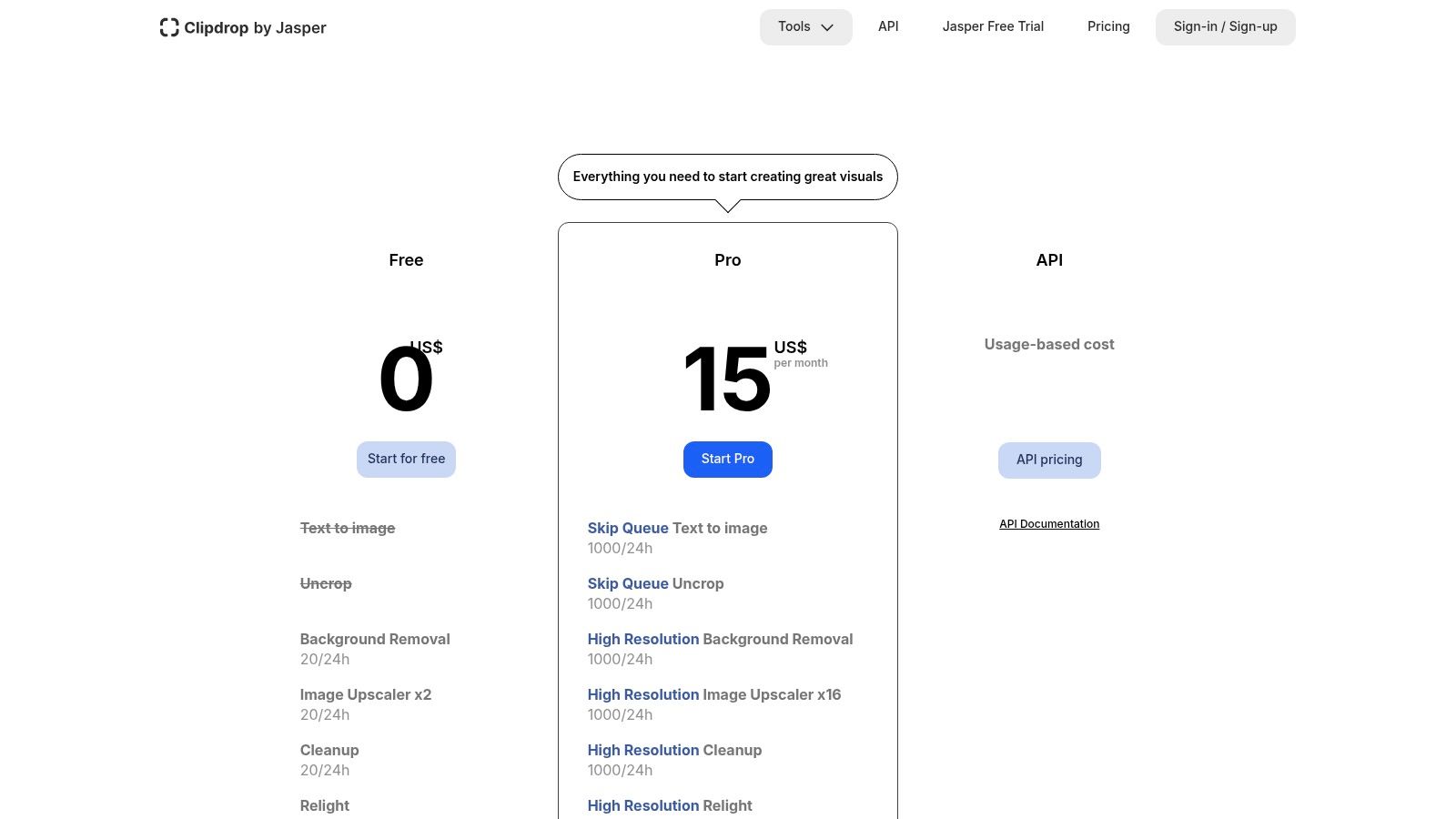
Clipdrop offers one of the best AI background remover APIs for developers seeking a broad range of image manipulation functions beyond simple cutouts. The platform's API is usage-based, providing flexibility for applications with variable demand. This all-in-one approach appeals to creators and businesses looking to consolidate their AI image editing toolkit and avoid subscribing to multiple specialized services. To explore similar developer-focused solutions, you can find more information about AI image processing APIs.
Standout Features & Use Cases
The primary advantage of Clipdrop is its comprehensive feature set. Users can remove a background, clean up imperfections with the "Cleanup" tool, and then use "Relight" to adjust the lighting on the subject for a more natural composite. This integrated workflow is ideal for creating polished marketing assets and professional-looking product photos without switching between different applications.
- Best For: Creative professionals, developers, and marketers needing a suite of AI editing tools, not just background removal.
- Pricing Model: Includes a free tier with limitations. The Pro plan is a subscription that provides higher resolution, priority processing, and access to all tools with generous usage quotas. API access is billed based on usage.
- Not Ideal For: Users who require extremely precise cutouts for complex subjects like fine hair, as specialized tools may offer more refined edge detection.
- Website: https://clipdrop.co/pricing
7. Pixelcut
Pixelcut has carved out a niche as an all-in-one AI photo editor tailored for small businesses, creators, and social media managers. While it offers a suite of tools like an AI upscaler and generative backgrounds, its core background removal feature is fast, reliable, and exceptionally user-friendly, particularly on mobile devices. Its strong iOS and Android apps make it a go-to for on-the-fly editing, setting it apart from more desktop-centric or API-focused solutions.
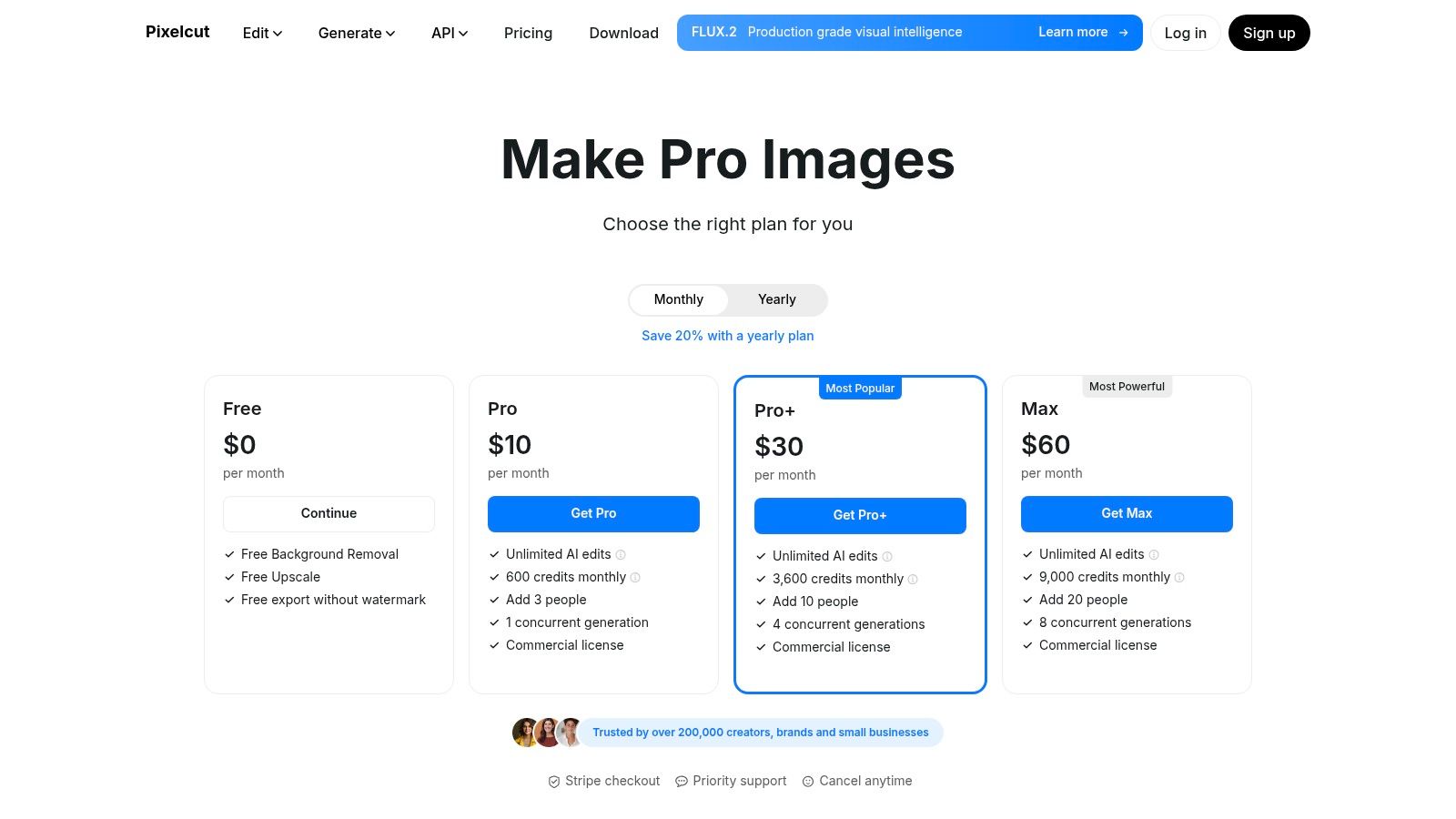
The platform is designed for practical, everyday business use. Features like the Magic Eraser, team-based plans with included seats, and a commercial license in paid tiers directly address the needs of e-commerce sellers and marketing teams. Pixelcut also provides a developer API, allowing its powerful editing tools to be integrated into other applications, though its primary strength remains its cohesive, creator-focused platform.
Standout Features & Use Cases
Pixelcut excels by combining a powerful AI background remover with other essential creative tools in a single, accessible package. The generative background feature is particularly useful for creating unique product mockups and social media posts without needing complex software. This combination makes it a highly efficient tool for users who need more than just a cutout.
- Best For: Small e-commerce businesses, social media managers, and content creators who primarily work on mobile devices.
- Pricing Model: Offers a free plan with limited access. The Pro plan provides unlimited background removals and a monthly credit allowance for AI tools. A developer API is also available with per-endpoint pricing.
- Not Ideal For: Users needing advanced API features or those on a tight budget for generative tools, as API credits do not roll over.
- Website: https://www.pixelcut.ai/pricing
8. Pixlr
Pixlr positions itself as a powerful, browser-based suite of image editing tools, with its AI background remover being a core feature. It mimics the familiar layout of traditional photo editors like Photoshop but eliminates the need for software installation, making it highly accessible. This platform is more than just a single-task tool; it's a full-fledged editor where background removal is one step in a larger creative workflow. The integration of templates, stock assets, and AI-powered features makes it a one-stop-shop for quick yet comprehensive edits.
Its main advantage is offering a familiar, layer-based editing environment directly in the browser. Users can remove a background and immediately start adding new elements, text, or filters without switching applications. Batch background removal is also available within the toolset, streamlining workflows for users handling multiple images. While the free version is robust, its AI features are metered by credits, which refresh monthly on paid plans.
Standout Features & Use Cases
Pixlr excels by combining a solid AI background remover with a complete editing suite, including an AI object eraser and image expander. This makes it an excellent choice for content creators who need to do more than just isolate a subject. The large template library on premium tiers further accelerates the design process for social media posts, ads, and other marketing collateral.
- Best For: Content creators, social media managers, and small businesses needing an all-in-one online editor.
- Pricing Model: Offers a free, ad-supported plan with limited features. Premium plans start at a very low monthly price, providing more AI credits, batch processing, and access to a vast asset library.
- Not Ideal For: Users seeking a dedicated, high-volume API for programmatic background removal or those who dislike credit-based limits on AI features.
- Website: https://pixlr.com/remove-background/
9. Fotor
Fotor positions itself as an all-in-one visual creation platform, bundling its AI background remover with a comprehensive suite of editing and design tools. Unlike single-purpose removers, Fotor is built for users who need to not only remove a background but also immediately use the resulting image in a new design, social media post, or creative project. This integrated approach makes it a strong contender for content creators and marketers who want a streamlined workflow within a single application.
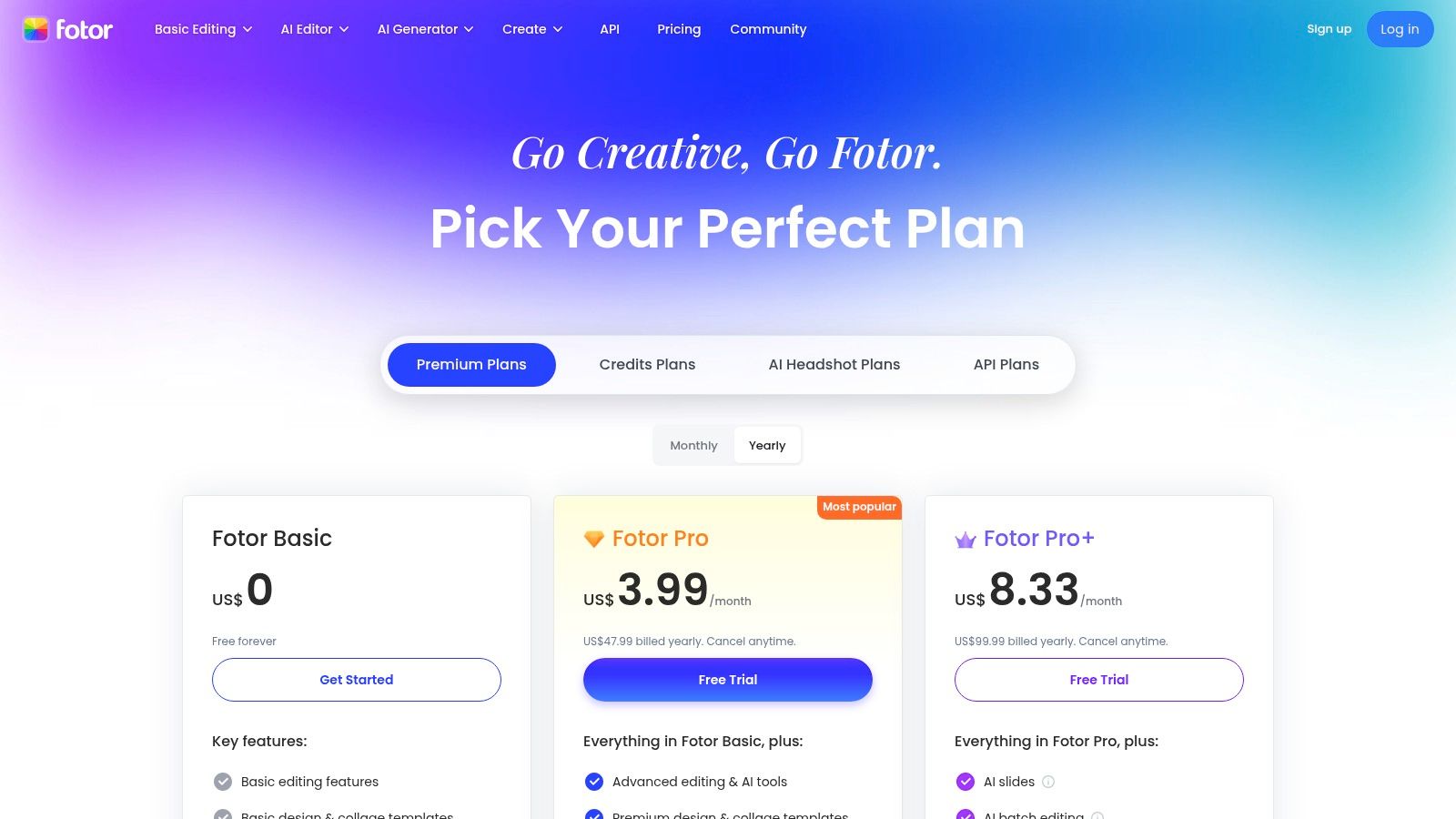
Its strength lies in its consumer-friendly interface and a vast library of templates, which allow users to quickly create professional-looking visuals. The platform offers desktop and mobile apps with cloud storage, ensuring projects are synced across devices. While the core removal tool is effective, advanced features like batch processing and high-resolution, transparent exports are reserved for paid subscribers, making the Pro tiers a necessity for serious users.
Standout Features & Use Cases
Fotor’s one-click background remover is complemented by manual refine tools for fine-tuning edges on more complex images. The platform also includes an AI upscaler and various background replacement effects, adding significant value beyond simple cutouts. It’s an excellent choice for users who need a versatile tool that handles multiple AI-driven editing tasks, from background removal to image enhancement.
- Best For: Social media managers, content creators, and small business owners needing a multi-functional design tool.
- Pricing Model: Offers a free basic plan with limited features. Pro and Pro+ subscriptions unlock batch processing, HD downloads, and a monthly allowance of AI credits for various tools.
- Not Ideal For: Developers needing API access or users who require unlimited, high-volume background removals without a subscription model.
- Website: https://www.fotor.com/pricing/
10. Icons8 Background Remover
Part of the larger Icons8 ecosystem of design assets, the Icons8 Background Remover offers a straightforward and powerful tool with one of the most flexible pricing structures available. It provides fast, clean cutouts and is designed for users who need both scalability and simplicity. The platform’s main appeal is its clear, tiered access, which accommodates everyone from one-time users to developers requiring high-volume processing via an API.
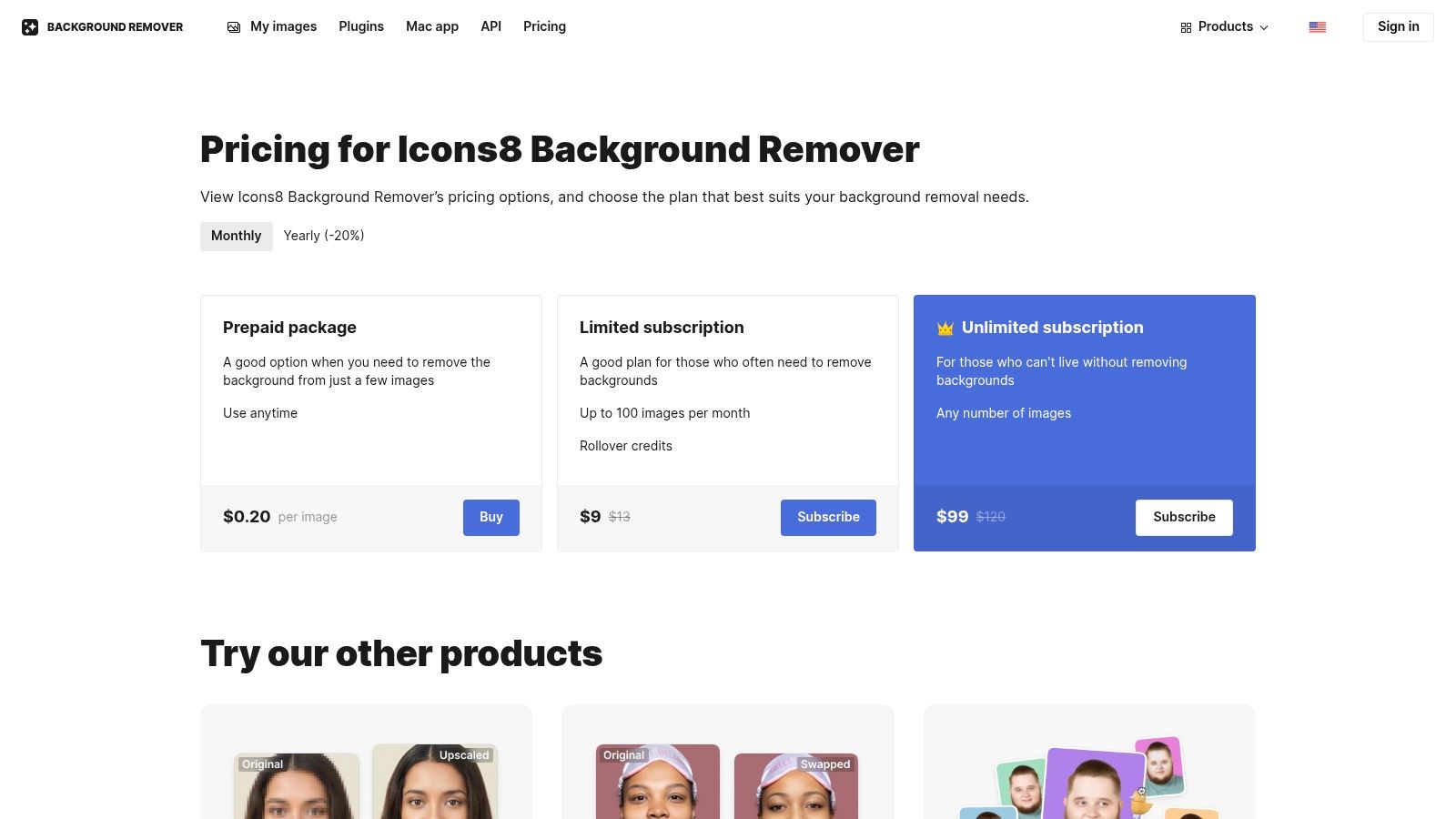
This tool stands out by demystifying pricing. Users can choose prepaid per-image packs, limited monthly plans with rollover credits, or a truly unlimited plan for heavy-duty needs. This makes it an excellent choice for businesses with fluctuating demands or those who want to avoid the complexities of credit-based systems. Its integration with the wider Icons8 suite also provides added value for subscribers who need icons, photos, and illustrations.
Standout Features & Use Cases
The core offering is a no-fuss, high-quality background removal service powered by robust AI. Its API is well-documented and easy to integrate, making it a solid choice for automated workflows. The transparent pricing and unlimited option are significant differentiators, providing cost predictability that many competitors lack. This makes it one of the best AI background remover options for budget-conscious teams.
- Best For: Freelancers, small businesses, and developers looking for flexible, predictable pricing and a reliable API.
- Pricing Model: Offers a free plan with 3 free images. Paid options include prepaid packs, limited monthly subscriptions with credit rollover, and an unlimited monthly plan.
- Not Ideal For: Users seeking a comprehensive, all-in-one photo editor with advanced creative features beyond background removal.
- Website: https://icons8.com/bgremover/pricing
11. Slazzer
Slazzer is a dedicated AI background removal service that carves out its niche by offering a wide array of integrations and a pricing model that becomes highly competitive at scale. Positioned as a versatile tool for both individual creators and large enterprises, it provides desktop applications, plugins for popular design software like Photoshop, Figma, and Sketch, and a robust API for automated workflows. Its focus is on delivering clean cutouts efficiently across multiple platforms.
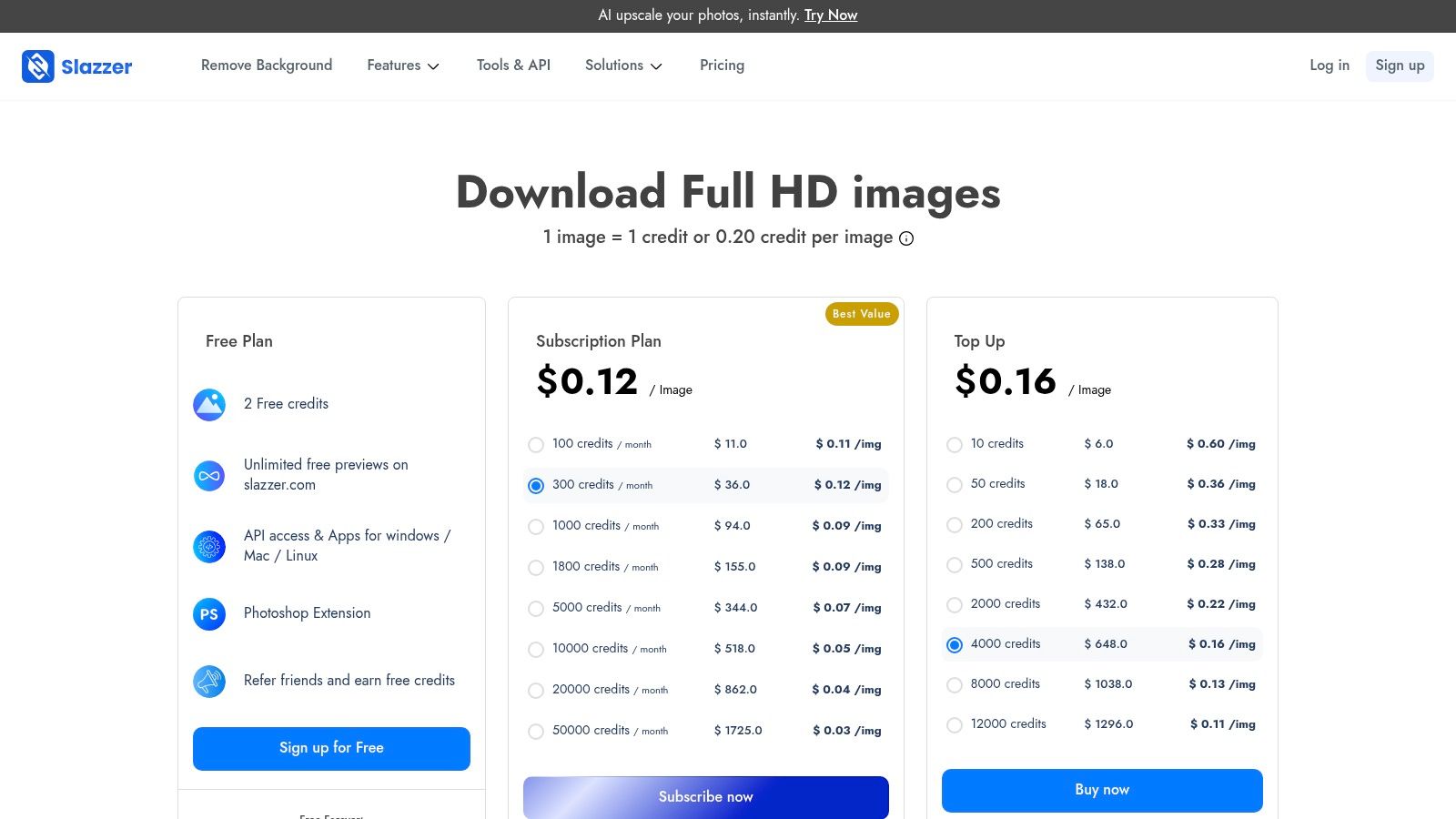
The platform’s strength lies in its ecosystem of tools designed to fit into existing creative and e-commerce processes. Beyond simple background removal, it offers supplementary features like object upscaling, relighting, and shadow generation, adding value for users who need more than just a basic cutout. This combination makes it a strong contender in the best AI background remover market for users seeking an all-in-one solution.
Standout Features & Use Cases
Slazzer’s credit system is particularly user-friendly, with a clear policy for rolling over unused credits on subscription plans and simple top-up options. This flexibility appeals to users with fluctuating monthly needs. The batch processing tools available in the desktop apps are a significant time-saver for anyone handling large volumes of images, from product catalogs to event photography.
- Best For: Designers using Figma/Sketch, e-commerce businesses needing bulk processing, and developers looking for a flexible API.
- Pricing Model: Includes a free plan with limited previews. Paid options are available as monthly/yearly subscriptions or one-time credit packs. Subscriptions offer the best per-image value and credit rollover.
- Not Ideal For: Users who find tiered credit systems (previews vs. full-resolution downloads) confusing or who only need occasional, single-image edits.
- Website: https://www.slazzer.com/pricing
12. Kapwing
Kapwing positions itself as a comprehensive online content creation suite rather than just a dedicated background remover. It offers a powerful AI background remover for images, but its main appeal lies in integrating this feature within a broader ecosystem of video and image editing tools. This makes it an excellent choice for social media managers, content creators, and marketing teams who need an all-in-one platform for mixed-media projects without juggling multiple applications.
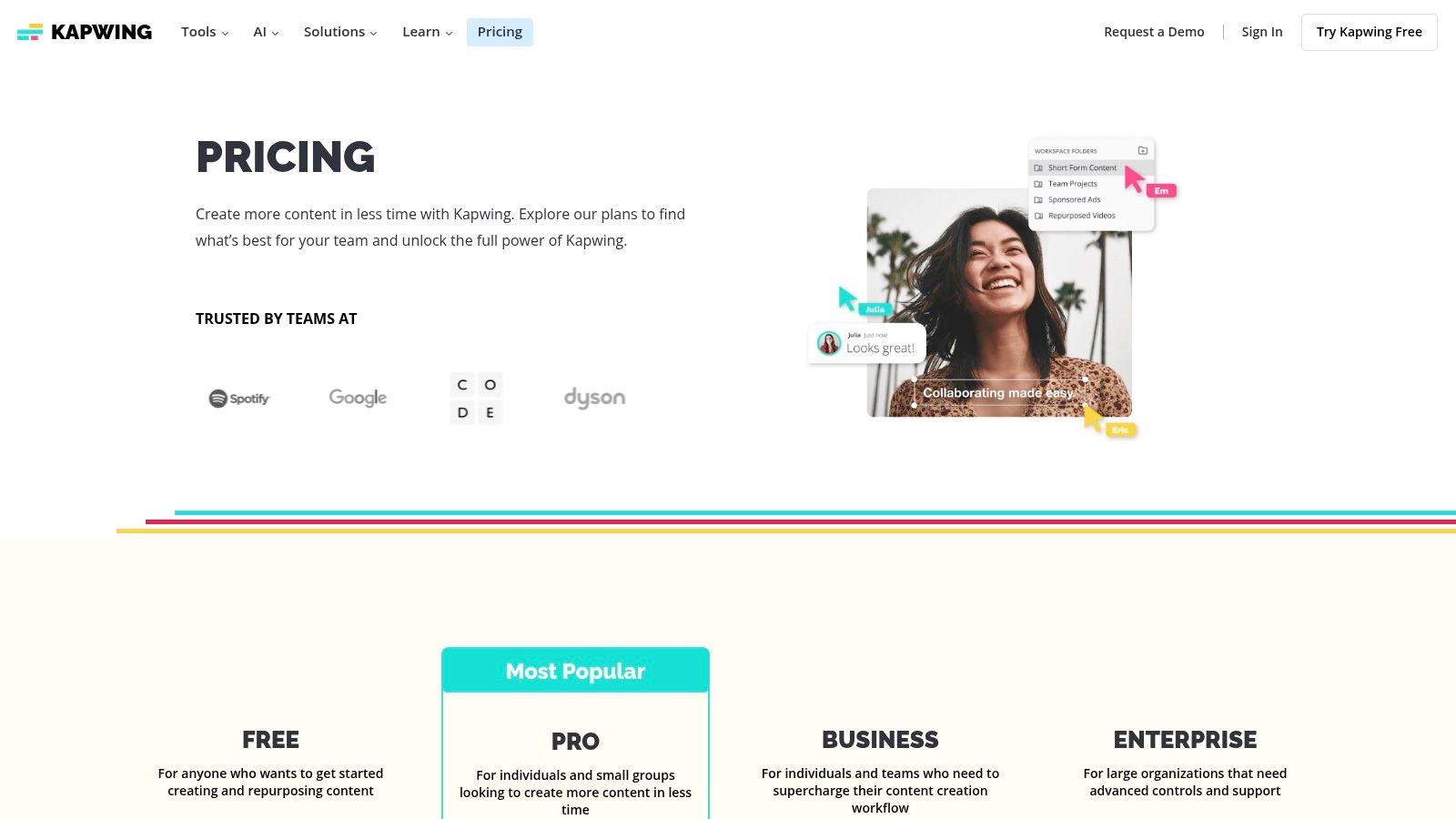
The platform shines with its video editing capabilities, including a green-screen style tool that effectively removes video backgrounds. This versatility, combined with access to stock assets, templates, and collaborative team workspaces, provides a cohesive workflow for producing polished visual content. While some AI tools are metered by a credit system, the core functionality is robust for everyday creative tasks.
Standout Features & Use Cases
Kapwing’s strength is its convenience, allowing users to remove a background from an image and immediately use it in a video thumbnail, social media post, or animation, all within the same interface. The collaborative features also enable teams to work on projects simultaneously, streamlining the review and approval process. It's an ideal tool for users who view background removal as just one step in a larger creative process.
- Best For: Social media teams, content creators, and marketers who need a versatile image and video editor with reliable background removal.
- Pricing Model: Offers a free plan with watermarks and export limits. The Pro plan provides an all-inclusive solution for solo creators, while custom plans are available for teams.
- Not Ideal For: Users seeking a dedicated, high-volume API for programmatic background removal or those who only need a simple, single-purpose tool.
- Website: https://www.kapwing.com/pricing
Top 12 AI Background Removers — Feature Comparison
| Product | Core features | Quality (★) | Price / Value (💰) | Target (👥) | Unique (✨) |
|---|---|---|---|---|---|
| PixelPanda 🏆 | Dev‑friendly API: bg/text/watermark removal, 4x upscaling, face enhance, smart inpaint, depth‑aware edits, text→image, batch | ★★★★★ studio‑quality; hair/fur edge accuracy | 💰 Free trial (no CC); contact sales for large volume | 👥 Developers, ecommerce & marketing teams | ✨ Edge‑preserving models, demos gallery, transparent PNGs |
| remove.bg (Kaleido/Canva) | One‑click cutouts, bulk apps, Photoshop plugin, API, high‑res downloads | ★★★★☆ consistent edge handling | 💰 Credit‑based downloads; can be costly at scale | 👥 Ecommerce sellers & developers | ✨ Mature desktop/plugins + fast cutouts |
| Adobe Express Background Remover | Background removal inside full design suite with templates, stock & brand tools | ★★★★☆ easy for non‑designers | 💰 Subscription required for premium assets | 👥 Marketers, social teams, non‑designers | ✨ Integrated stock, templates & brand kits |
| Canva Background Remover (Canva Pro) | One‑click remover, transparent PNG export, templates, team sharing | ★★★★☆ very easy & fast | 💰 Included in Canva Pro/Teams (paid) | 👥 Creators, social & marketing teams | ✨ End‑to‑end design + team workflow |
| PhotoRoom | Background remover, batch processing, product staging, API sandbox | ★★★★☆ product‑focused precision | 💰 Free sandbox; paid tiers for batch/HD | 👥 Sellers, product photographers | ✨ Marketplace‑ready exports & virtual staging |
| Clipdrop (Stability.ai) | Bg removal, cleanup, relight, upscale, usage‑based API | ★★★☆☆ broad toolset; variable on complex edges | 💰 Pro + usage‑based API; quota limits | 👥 Creatives & product editors | ✨ Relight & multi‑tool creative suite |
| Pixelcut | Bg removal, Magic Eraser, generative backgrounds, upscaler, API | ★★★★☆ strong mobile UX | 💰 Clear tiers & team seats; credits per endpoint | 👥 Small businesses & creators | ✨ Mobile‑first app + commercial licensing |
| Pixlr | Browser editor with bg removal, object eraser, batch & templates | ★★★☆☆ Photoshop‑style UI; low cost | 💰 Low entry price; free tier with ads/limits | 👥 Quick editors & budget users | ✨ Familiar interface without installs |
| Fotor | One‑click bg remover, batch, upscaler, template‑rich suite | ★★★☆☆ user‑friendly workflow | 💰 Pro unlocks HD/transparent exports; credits limited | 👥 Creators needing multiple AI tools | ✨ Generous templates + simple tools |
| Icons8 Background Remover | Per‑image prepaid, monthly limited/unlimited plans, API | ★★★☆☆ fast & simple | 💰 Clear prepaid/subscription options; flexible | 👥 Devs & teams needing predictable pricing | ✨ Flexible pricing (prepaid → unlimited) |
| Slazzer | Web + desktop apps, plugins (Photoshop/Figma/Sketch), batch, relight | ★★★☆☆ competitive per‑image value at scale | 💰 Credit subscriptions with rollover; cost‑effective at volume | 👥 High‑volume ecommerce teams | ✨ Design tool plugins + clear rollover policy |
| Kapwing | Image bg remover inside online editor; video green‑screen, templates, team workspaces | ★★★☆☆ versatile for mixed media | 💰 Pro for watermarkless/limits; free has watermarks | 👥 Social teams & mixed‑media creators | ✨ Combined image + video editing in one tool |
Making Your Final Choice: How to Pick the Right Tool for Your Workflow
Navigating the crowded market of AI-powered image editing tools can feel overwhelming. We've explored a dozen powerful solutions, from developer-centric APIs to all-in-one creative suites. The journey to finding the best AI background remover for your specific needs concludes not with a single "winner," but with a clear understanding of your own workflow, priorities, and technical requirements. The ideal tool is the one that seamlessly integrates into your existing processes, saves you the most time, and delivers consistently high-quality results for your unique image types.
Recapping the Core Takeaways
The key insight from our comprehensive review is that these tools are highly specialized. A one-size-fits-all solution is rare. For instance, developers and engineering teams requiring robust, scalable, and automated image processing will find that API-first platforms like PixelPanda or remove.bg offer unparalleled control and integration capabilities. Their focus on speed, reliability, and advanced features like inpainting makes them a cornerstone for programmatic workflows.
Conversely, marketing teams, content creators, and social media managers often benefit most from integrated design ecosystems. Tools like Canva Pro and Adobe Express embed their background removers within a larger suite of creative features. Here, the value isn't just the cutout itself, but the ability to immediately use that isolated subject in a new design, social media post, or promotional graphic without ever leaving the platform.
A Decision-Making Framework for Your Team
To make a final, confident choice, move beyond feature lists and consider these critical dimensions of your operational needs. Your selection process should be a strategic evaluation, not just a feature comparison.
1. Define Your Primary Use Case:
- High-Volume Ecommerce: If you're processing thousands of product photos, prioritize tools with excellent batch processing capabilities, consistent edge detection for common objects, and perhaps template features. PhotoRoom and Pixelcut excel here.
- Developer Integration: For those building an application or automating a pipeline, the API is paramount. Scrutinize the documentation, SDK availability, webhook support, and pricing per API call. This is where PixelPanda and Slazzer are built to shine.
- Creative and Marketing Content: If your goal is to create assets for campaigns, social media, or presentations, an all-in-one platform is your best bet. The convenience of removing a background and immediately adding text, graphics, and branding elements within Canva or Adobe Express is a massive workflow accelerator.
- Precision and Complex Edits: For photographers or designers working with challenging subjects like fine hair, fur, or semi-transparent objects, the absolute quality of the cutout is the top priority. Tools leveraging advanced models, like Clipdrop or dedicated desktop software, often provide more granular control.
2. Conduct a Practical "Stress Test":
Every tool on our list offers a free trial or a limited number of free credits. Use this opportunity to conduct a meaningful test. Do not just upload a simple, high-contrast image. Instead, challenge the AI with your most difficult real-world examples:
- An image with wispy hair against a busy, multi-colored background.
- A product shot featuring a glass or transparent plastic object.
- A low-light photo with blurry or poorly defined edges.
- A complex scene with multiple overlapping subjects.
Evaluate not only the final cutout quality but also the speed of processing and the ease of making manual refinements if needed. This hands-on testing will reveal more about a tool's capabilities than any marketing copy ever could. The best AI background remover for you is the one that handles your specific edge cases gracefully.
3. Look Beyond the Cutout:
The final step is to consider the tool's long-term impact on your efficiency. A slightly less accurate tool that integrates perfectly into your workflow and saves your team hours each week may be more valuable than a pixel-perfect tool that requires manual uploading and downloading for every image. Think about the entire lifecycle of an image in your organization. The right tool optimizes the entire chain, not just a single step.
Ready to move from evaluation to implementation with a tool built for scale, precision, and developer-first workflows? PixelPanda provides a robust API designed for high-volume background removal, inpainting, and advanced image processing tasks. Explore the PixelPanda API and see how you can automate your creative pipeline with confidence.