Ready to automate those mind-numbing tasks? The first step is figuring out which manual chores are secretly eating up your time and money. From there, you can use software or a bit of code to handle them for you. It’s all about mapping out the process, grabbing the right tools (like a no-code platform or an API), and building a workflow that just runs.
The key is to start small. Pick one high-impact, rule-based task to see some quick wins.
The True Cost of Doing Things by Hand

Let's be honest—nobody gets a thrill from manually resizing hundreds of images or copy-pasting data between spreadsheets. Beyond the sheer boredom, these repetitive jobs are silent assassins, killing your team's creativity and drive. They don't just feel like a waste of time; they are a real, measurable drain on your bottom line.
The hidden price tag on manual work is staggering when you actually do the math. Every minute an employee spends on a mundane, repeatable task is a minute they aren't spending on big-picture thinking, talking to customers, or coming up with your next great idea.
The Ripple Effect of Manual Work
Picture this: an e-commerce team spends a full day every single week just getting product photos ready. They're removing backgrounds, resizing for different platforms, and double-checking quality. That’s 20% of their workweek gone before they even think about marketing or sales.
Or how about a marketing specialist stuck creating endless variations of the same social media graphic? They're trapped in a production loop, not a creative one. This isn't just inefficient; it’s a morale killer. It leads to burnout, opens the door for human error, and creates bottlenecks that slow down entire projects.
The real "cost" of manual labor isn't just the salary you pay for that time. It's the opportunity cost—what your talented team could have been achieving instead. It's the cost of delayed launches, inconsistent branding, and frustrated employees.
More Than Just a Minor Annoyance
Seeing these daily chores for what they are is the first step. They aren't just minor annoyances to power through; they are serious business problems holding you back. Making the transition from manual updates to autonomous workflows is about more than just efficiency; it's a strategic move to combat rising operational costs.
Once you start adding up the lost hours, the financial hit is hard to ignore. A few hours a week per employee quickly snowballs into thousands of dollars in lost productivity every month. When you check out the different https://pixelpanda.ai/pricing plans, for instance, you'll probably find that an automated solution costs a tiny fraction of the manual labor it replaces.
By the end of this guide, you’ll see that automating repetitive tasks isn’t just about making life easier. It’s a crucial strategy for staying competitive, keeping your team sane, and focusing on the work that actually moves the needle.
Pinpointing Your Best Automation Opportunities
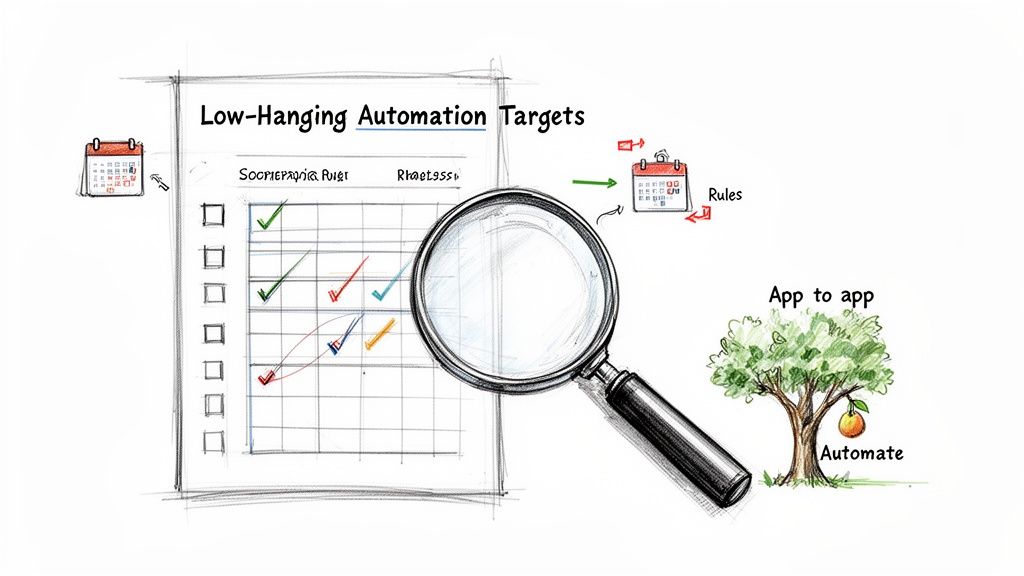
Before you can unleash the robots, you need a battle plan. Knowing what to automate is every bit as important as knowing how. The goal isn't to automate everything that moves; it's to zero in on the tasks that give you the biggest wins with the least amount of fuss.
Think of this as your field guide to finding the low-hanging fruit in your daily grind.
You're hunting for the silent time-thieves—those little tasks you do so often you barely register them anymore. These are your prime candidates. It's wild, but research shows that over half of employees burn a good two hours every single day on these mind-numbing activities. That adds up to more than 500 hours per employee every year!
Companies that get smart about this and adopt automation tools often slash these manual chores by up to 70%.
Time to Conduct a Task Audit
First things first: you need to become an observer of your own workday. For just one week, keep a simple log of what you're doing. Seriously, don't overthink it—just jot it down. You'll be amazed at the patterns that jump out at you.
Keep your eyes peeled for tasks with these three tell-tale signs:
- They happen all the time. If you do it daily, or even multiple times a week, it's a solid contender.
- They follow clear rules. The process is basically a game of "if this, then that," with very little creativity or guesswork needed.
- They involve shuffling data around. This is a classic automation signal. Think copy-pasting from an email to a CRM or downloading files just to re-upload them somewhere else. One of the most common and impactful areas to start is learning how to automate data entry, which can turn tedious manual processes into slick, efficient workflows.
Don't just trust your memory. Actively tracking your time for a few days will reveal the tasks that are costing you far more time than you realize. It's often the small, five-minute jobs done 20 times a day that add up to the biggest drains.
Prioritizing With an Automation Scorecard
Okay, so you have a list of potential tasks. Now what? You have to prioritize. Not all automation opportunities are created equal. Automating something you do once a year is probably not a great use of your setup time.
To take the guesswork out of it, let's build a simple matrix to score each task. This will help you focus your energy where it actually counts.
Automation Priority Matrix
Use this matrix to score and prioritize tasks. High scores indicate the best candidates for automation.
| Task Description | Frequency (1-5) | Time Consumed (1-5) | Rule-Based (1-5) | Automation Potential Score |
|---|---|---|---|---|
| e.g., Manually watermarking 50 user-submitted photos daily | 5 | 4 | 5 | 14 |
| e.g., Removing backgrounds for new product listings | 5 | 5 | 5 | 15 |
| e.g., Answering complex customer support emails | 4 | 5 | 1 | 10 |
| e.g., Updating the company's annual report slide deck | 1 | 3 | 2 | 6 |
Just add up the scores. The tasks with the highest totals are your VIPs (Very Important Processes). Tackle those first.
Let's Look at a Real-World Scenario
Imagine you run an online marketplace that gets absolutely swamped with user-submitted photos for new listings. Your team is burning hours every single day just trying to make them look presentable. It's a classic bottleneck.
Using our framework, here’s what you’d likely pinpoint:
- Background Removal: Every single photo needs a clean, white background. This is a perfect storm: highly repetitive, completely rule-based (always remove the background), and a massive time sink. High score.
- Watermarking: Each approved image needs the company logo stamped in the corner. Again, it’s frequent, follows a simple rule, and is a perfect job for an API. High score.
- Quality Checks: Images need to meet a minimum resolution before they can go live. A simple script can check this in a split second. Medium score.
By breaking it down like this, you've gone from a vague goal of "saving time" to a concrete action plan. You know exactly which manual tasks are holding you back, and you're ready to find the right tools to build your first workflow.
Choosing Your Automation Toolkit
Alright, you’ve identified the enemy—those soul-crushing, repetitive tasks sucking the life out of your workday. Now it's time to gear up. Stepping into the world of automation can feel like walking into a massive hardware store with a vague idea of needing "a tool." Let's cut through the noise and find the right weapon for your specific job.
The modern automation toolkit isn't a one-size-fits-all deal. Your choice really boils down to a simple trade-off: convenience versus control. The easier a tool is to use, the less flexible it might be. The more power and customization you need, the more technical you might have to get.
The No-Code and Low-Code Champions
For most people, the journey starts here. No-code and low-code platforms are the user-friendly powerhouses of the automation world, built for folks who want results without writing a single line of code.
Think of platforms like Zapier or Make (which used to be Integromat). They operate on a brilliantly simple "if this happens, then do that" logic, acting as the glue between all the apps you already use.
- When to reach for them: They're perfect for stitching together popular cloud-based apps. For instance, you could automatically create a Trello card whenever a customer submits a Typeform. Or maybe post a celebratory message in Slack when a new sale hits your e-commerce store.
- The good stuff: They are ridiculously fast to set up. Everything is visual, intuitive, and they have a massive library of pre-built connections. You can genuinely build a surprisingly complex workflow in under an hour.
- The catch: They can get pricey as you scale up the number of tasks you run. You're also at the mercy of the specific triggers and actions each app integration offers. If you need to do something highly custom, you might hit a brick wall.
The Custom Scripting Route
The next rung up the ladder is writing your own scripts. This is your go-to when you need more bespoke logic than a no-code tool can handle, but you aren't trying to build a full-blown application.
Using a language like Python or JavaScript, you can cook up small, targeted programs that perform a very specific function. For example, you could write a Python script that scans a specific email inbox for invoices, yanks out the PDF attachments, renames them according to your company’s naming convention, and then uploads them neatly to a cloud storage folder.
It's a precise solution to a precise problem. This approach gives you a ton of flexibility, but it does require some comfort with coding and figuring out where the script will live and run.
Automation tools exist on a spectrum. The right choice depends entirely on your team's technical comfort, the complexity of the task, and your budget. Don't over-engineer a solution when a simple no-code tool will do the job perfectly.
The API Integration Powerhouse
When you need the big guns—serious muscle, scalability, and the ultimate level of control—you turn to Application Programming Interfaces (APIs). Think of an API as a direct line of communication to a specialized service, letting you plug its power directly into your own systems. This is how you automate repetitive tasks that require a level of sophistication you can't build yourself.
Let's talk about a classic e-commerce headache: image processing. Manually removing backgrounds or upscaling hundreds of product photos is a nightmare. It's tedious, mind-numbing work. This is a perfect job to hand off to a specialized API.
A service like PixelPanda offers a developer-friendly REST API that chews through complex visual tasks with just a few lines of code. Instead of trying to build your own complicated image processing pipeline from scratch (trust me, you don't want to), you can simply send an image to the API and tell it what to do.
Here’s how the different approaches stack up:
| Approach | Best For | Technical Skill | Flexibility |
|---|---|---|---|
| No-Code Platforms | Connecting popular web apps and simple, linear workflows. | None | Low-Medium |
| Custom Scripts | Specific, unique tasks that need custom logic. | Basic Coding | Medium-High |
| API Integration | Complex, specialized processing and deep system integration. | Coding | Very High |
By integrating an API, you can automate tasks like AI background removal, image upscaling, or watermarking directly inside your own application or workflow. You aren't just connecting two apps; you're embedding an expert system right into your process.
Developers can explore the full range of possibilities by checking out the comprehensive PixelPanda API documentation and SDKs. This method gives you unmatched power and ensures the results are perfectly tailored to your needs, making it the go-to choice for businesses looking to automate core operations at scale.
Alright, theory is great, but let's be honest—the real fun begins when you roll up your sleeves and actually build something. I want to walk you through creating a genuinely useful workflow from scratch, one that solves a common, soul-crushing headache for anyone in e-commerce or marketing: prepping new product images.
Imagine this: your team drops new product photos into a shared cloud folder. That's it. From there, an invisible machine takes over. Our goal is to build that machine—a system that watches the folder, grabs any new image, and transforms it into a perfect, ready-to-use asset without a single human click.
This is where you see the magic of automation. We're going to connect a few services to create a seamless, "set-it-and-forget-it" process that works for you, even when you’re not.
Designing the Image Processing Flow
Before we write a single line of code, we need a plan. The best automations are built on a clear, logical sequence of events. You have to ask: what needs to happen, and in what order?
For our image processor, the game plan is straightforward:
- The Spark (Trigger): It all starts when a new image, say
new-product.jpg, gets uploaded to a specific "Incoming" folder in Google Drive or Dropbox. - First Move (Action 1): The system snags that new file and immediately ships it off to the PixelPanda API with one simple instruction: remove the background, flawlessly.
- Second Move (Action 2): With the background gone, we send the clean image right back to the API for another pass—this time to enhance it, making the details pop.
- The Payoff (Final Steps): Now that we have the perfect image, we save two versions into "Outgoing" folders: one optimized for the web and a high-resolution copy for print.
Just like that, a tedious, multi-step chore becomes a completely hands-off operation.
This diagram shows how you can progress from simple tools to more powerful solutions.
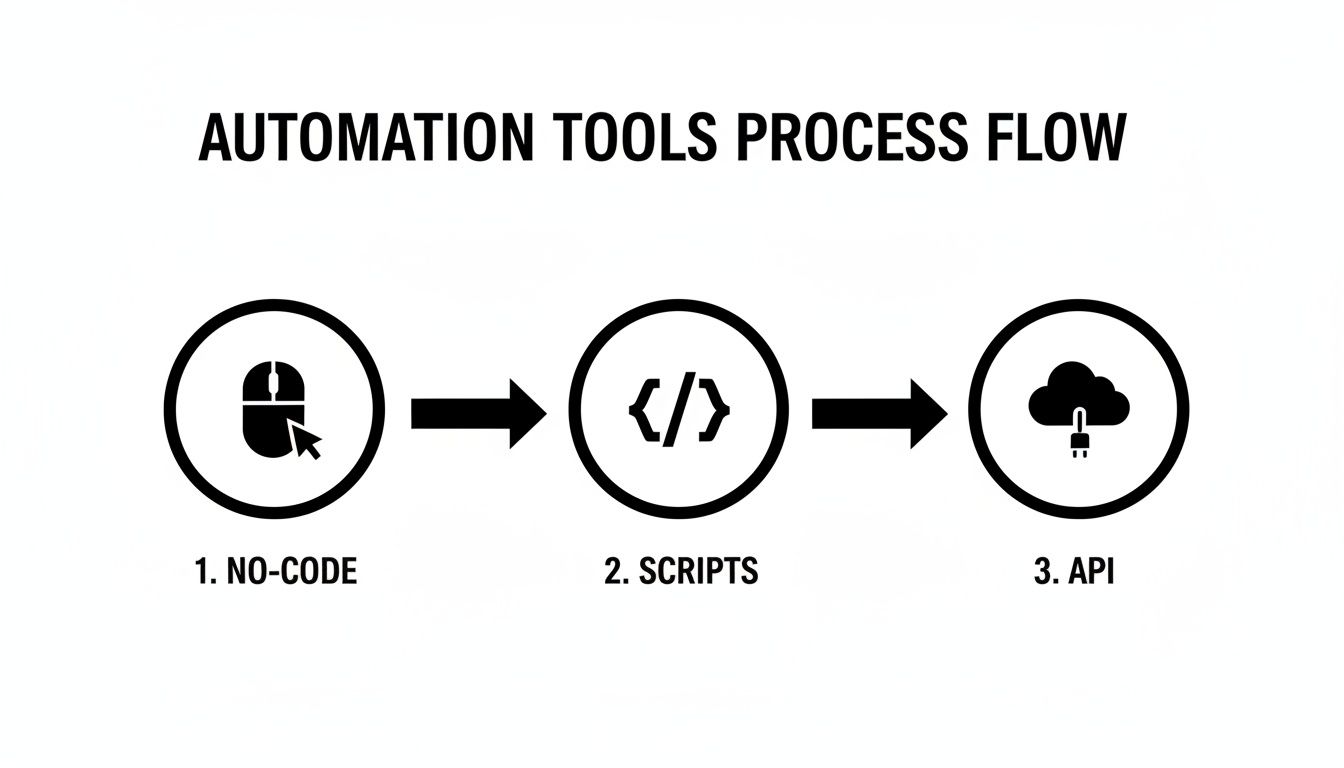
As you move from no-code platforms to custom scripts and APIs, you gain an incredible amount of control and flexibility.
Talking to the API with Python
Now for the really cool part. We’ll use a little Python to show just how easy it is to communicate with an API like PixelPanda. These snippets are ready to copy and paste, giving you the core logic for our workflow.
First up, let's get rid of that background. This is the real workhorse of our process.
import requests
Your unique API key from your PixelPanda account
API_KEY = 'YOUR_PIXELPANDA_API_KEY'
IMAGE_FILE_PATH = 'path/to/your/new-product.jpg'
response = requests.post(
'https://api.pixelpanda.ai/v1/remove-background',
files={'image': open(IMAGE_FILE_PATH, 'rb')},
headers={'Authorization': f'Bearer {API_KEY}'}
)
if response.status_code == 200:
# Save the background-free image
with open('processed-image.png', 'wb') as f:
f.write(response.content)
print("Background removed successfully!")
else:
print(f"Error: {response.status_code} – {response.text}")
In just a handful of lines, you've sent an image to a powerful AI and gotten back a clean PNG with a transparent background. No more tedious hours in Photoshop. The PixelPanda API handles all the heavy lifting, preserving tricky details like hair and fur automatically.
This kind of API-driven automation isn't just a neat trick; it's a financial game-changer. Business process automation can slash errors by over 70%. And get this—a remarkable 61% of companies see a return on their investment in just six months, with average yearly savings hitting $46,000. These small scripts pay for themselves, fast.
Chaining Actions for a Complete Workflow
We're not done yet. Removing the background was just step one. Now we need to enhance the image and save out our different versions. This is where you start "chaining" API calls together, creating a true multi-step workflow.
The output from our first step (processed-image.png) becomes the input for our next one.
Assuming 'processed-image.png' is the output from the previous step
PROCESSED_IMAGE_PATH = 'processed-image.png'
Let's upscale the image for high-quality print versions
response_upscale = requests.post(
'https://api.pixelpanda.ai/v1/upscale',
files={'image': open(PROCESSED_IMAGE_PATH, 'rb')},
headers={'Authorization': f'Bearer {API_KEY}'},
data={'scale': 4} # Upscale to 4x the original size
)
if response_upscale.status_code == 200:
# Save the high-resolution, print-ready version
with open('final-print-version.png', 'wb') as f:
f.write(response_upscale.content)
print("Image upscaled for print!")
From here, you could easily add another step to resize the original processed-image.png down to a web-friendly size and save it to a different folder. By linking these simple, targeted API calls, you've built a robust production pipeline that runs itself.
To see what's possible when you take this to the next level, check out the PixelPanda Content Studio, where you can use automated outputs like these to generate stunning marketing assets at scale. Hopefully, this example pulls back the curtain and shows that you absolutely can turn a boring manual job into a powerful automated system.
Launching and Monitoring Your New Automation
Alright, you’ve built your masterpiece. The code is clean, the logic is tight, and your workflow is ready to rescue you from a world of manual drudgery. But here’s the thing: building the machine is only half the battle. Now you have to flip the switch and make sure it keeps humming along.
This is the final, crucial step that separates a cool side project from a dependable business asset. It’s time to launch your automation into the wild and give it the senses it needs to tell you if it’s healthy, struggling, or has fallen over completely. The goal is to go from a mysterious "black box" to a transparent system you can actually trust.
Without a smart launch and monitoring plan, you’re just flying blind. You’ve created a silent worker, but now you need to give it a voice.
Smart Deployment Strategies for Your Workflow
So, where is this automation going to live? It can't just run on your laptop forever, right?
For event-driven tasks like our image processor—which only needs to kick into gear when a new file appears—a serverless approach is your secret weapon. Platforms like AWS Lambda or Google Cloud Functions are absolutely perfect for this.
Think of them as tiny, on-demand computers that spring to life, run your code, and then vanish into thin air. This is incredibly cost-effective because you literally only pay for the few seconds your code is actually running. No more paying for an idle server 24/7.
Here's why serverless is a game-changer for this kind of work:
- It's Cheap: You're not paying for downtime. If no images get uploaded for hours, your cost is zero. Simple as that.
- It Scales on Its Own: If 100 images are uploaded at once, the platform can spin up 100 instances of your function to chew through them all in parallel. You don't have to lift a finger.
- It's Low-Maintenance: Forget about managing operating systems, security patches, or server hardware. You just upload the code and you're done.
This deployment model transforms your script from a program you have to manually trigger into a true automated service that responds instantly to whatever the world throws at it.
Keeping an Eye on Your Automation
Once your workflow is live, you need to be able to answer one simple but vital question: "Is it working?" And let me tell you, hope is not a strategy. You need a monitoring system that gives you clear visibility into how your automation is performing.
This doesn't have to be some overly complicated setup. Good monitoring really just boils down to three things: logging, alerting, and tracking key metrics.
Implementing Basic Logging
Your first line of defense is logging. At its most basic, this just means telling your script to write down what it’s doing as it runs. This creates a diary of its actions, successes, and, most importantly, its failures.
A good log entry should always tell you three things:
- When did it happen? (A timestamp is a must.)
- What happened? (A clear message like "Successfully removed background from
image_123.jpg.") - How severe is it? (Use
INFOfor routine stuff,WARNINGfor potential snags, andERRORfor outright failures.)
When something inevitably goes wrong, these logs are the very first place you'll look. They turn a vague "it broke" into a specific "it failed at the upscaling step because the API returned a 401 Unauthorized error."
Without logs, you're trying to solve a mystery with no clues. A few simple
print()statements or a proper logging library can save you hours of frustrated debugging down the line.
Setting Up Proactive Alerts
Logging is fantastic for digging into problems after they happen, but alerting is what tells you a problem is happening right now. A good alert is a simple notification—sent via email, Slack, or whatever you use—that fires off the moment something goes wrong.
You don't need to be alerted for everything; that just creates noise. Focus on the mission-critical failures:
- API Errors: If the PixelPanda API kicks back an error code, you need to know immediately.
- Unexpected Crashes: Your script just stopped. For any reason. That’s an alert.
- Long Runtimes: If a process that normally takes 5 seconds suddenly takes 5 minutes, something is probably stuck in a loop or waiting for a response that will never come.
These alerts transform you from a reactive troubleshooter into a proactive operator, letting you jump on issues before your users or teammates even notice them. By combining a smart serverless deployment with clear monitoring, you can confidently automate repetitive tasks and build systems that are not just clever, but truly reliable.
Got Questions About Workflow Automation? We’ve Got Answers.
Diving into the world of automation is exciting, but let's be real—it can kick up a few questions. If you’re wondering about the fine print, you're not alone. Let’s tackle some of the most common curiosities head-on so you can start to automate repetitive tasks with total confidence.
Think of this as our little fireside chat to clear the air before you build your first robotic helper.
Is Automation the Same as AI?
This is a big one, and it’s easy to see why they get mixed up. The simplest way I explain it is this: automation is the muscle, and AI is the brain.
-
Traditional automation is a master at following strict, pre-set rules. It’s the ultimate order-taker: "If X happens, do Y." It’s perfect for predictable jobs like transferring files from one folder to another or pulling data from a form into a spreadsheet. It doesn't think; it just does.
-
Artificial Intelligence (AI), on the other hand, brings judgment and decision-making into the mix. It can understand context, spot patterns, and handle tasks that require a bit of "thinking."
For example, a basic automation script can resize any image you feed it to 500×500 pixels. An AI-powered automation, like one you'd build with the PixelPanda API, can analyze that same image, intelligently identify a person's hair against a busy background, and remove it flawlessly—a feat simple rules could never dream of achieving.
How Do I Convince My Team to Invest in Automation?
Ah, the classic "show me the money" conversation. I’ve learned the hard way that leading with "it'll be so much more convenient!" rarely gets you very far. You need to speak the language of business: time and money.
Start by being a detective. For one week, track the hours your team spends on a single, soul-crushing repetitive task. Let’s say it's manually prepping product photos.
- Calculate the Time: Find the total hours spent per month. Maybe it's 10 hours a week, so 40 hours a month.
- Calculate the Cost: Multiply those hours by your team's average loaded hourly rate. If that’s $50/hour, that one task is costing you $2,000 every single month.
- Present the Solution: Now you can walk into that meeting and frame it as a clear-cut investment. "We're currently spending $2,000 a month for our team to manually prep photos. This tool costs a fraction of that and can reduce that time by 95%."
When you present automation as a direct solution to a measurable financial drain, it stops being a "nice-to-have" and becomes a smart business decision. Don't forget to mention the soft benefits, too—fewer mistakes, consistent brand quality, and happier, more creative employees.
What Are the Biggest Mistakes to Avoid When Starting?
Jumping in with both feet is tempting, but a little strategy goes a long way. After years of doing this, I've seen a few common traps people fall into when they first start to automate repetitive tasks.
The biggest mistake by far is trying to automate everything at once. This is a one-way ticket to burnout and a pile of half-finished, buggy workflows. Don't do it. Instead, pick one high-impact, low-complexity task. Get a quick win on the board, learn the ropes, and build some momentum.
Another major pitfall is automating a broken process. If your manual workflow is a clunky, inefficient mess, automating it just creates a faster mess. Take a moment to streamline and simplify the process before you hand it over to the bots.
Finally, don't skip the documentation. I know, I know—it sounds boring. But writing down what your automation does, what systems it touches, and how it handles errors is a gift to your future self (and your teammates). When it's time to update or troubleshoot it six months from now, you’ll be incredibly grateful you did.
Ready to stop the manual madness and start building smart, automated workflows? With PixelPanda, you can integrate powerful AI image processing directly into your systems, turning tedious visual tasks into a thing of the past. Start your free trial and see what you can build at https://pixelpanda.ai.