Let's be honest, getting rid of a watermark isn't just about making a picture look pretty—it's a smart business decision. If you're a developer or an e-commerce manager, the power to remove watermarks from images online is your secret weapon for keeping your brand looking sharp, making operations run smoother, and truly owning your visual content in a world that demands automation.
Why You Can't Afford to Ignore Watermarks Anymore
Seriously, the need to clean up images is more than just a preference for a tidy aesthetic. It's a direct response to the chaotic reality of juggling digital assets every single day. Think about the common frustrations your teams are dealing with right now.
Maybe you're an e-commerce manager drowning in thousands of product shots from different suppliers, and every single one is stamped with a clunky logo. Or you're on the marketing team trying to pull together a campaign from user-submitted photos, but each image is a mess of social media handles and icons. These aren't just small annoyances; they're roadblocks that stall your projects and muddy your brand's image.
A Game-Changer for E-commerce and Marketing
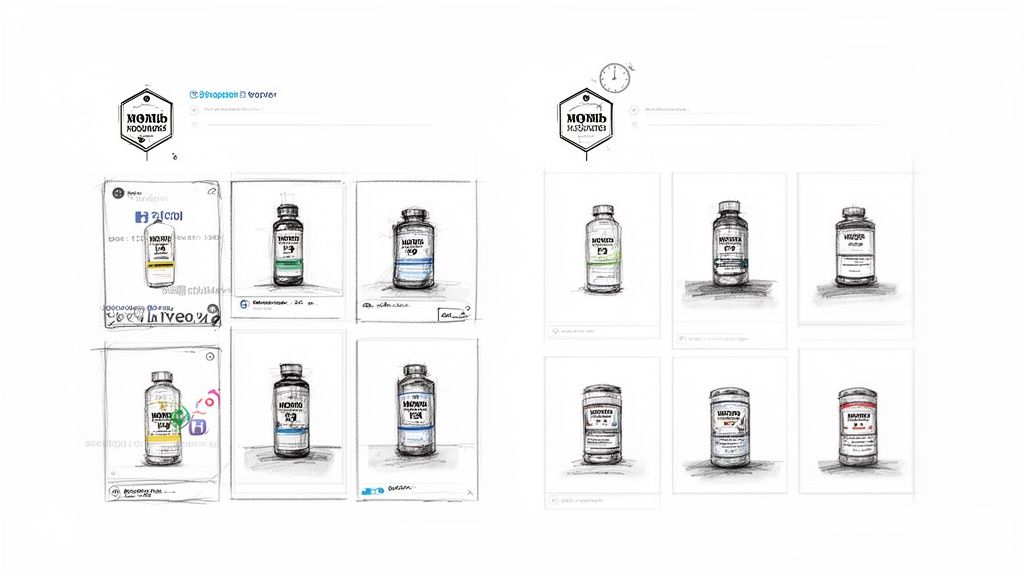
In the e-commerce world, speed and a consistent look are king. A product photo sporting a supplier's watermark just screams unprofessional and can chip away at a customer's trust. Going through and editing every image by hand? That's a soul-crushing task that just isn't feasible when you have hundreds or thousands of products. Automating the cleanup gets your products online faster and keeps your entire catalog looking polished and on-brand.
Marketing teams are fighting the same battle. They're trying to tell a compelling, unified brand story. When you're reusing images across your website, social media, and ads, a random watermark from the original source sticks out like a sore thumb and ruins the whole vibe.
Here are a few all-too-common situations where this becomes a lifesaver:
- Wrangling Supplier Photos: Online stores have to get thousands of images from suppliers to look like they all belong to the same brand.
- Cleaning Up User-Generated Content (UGC): Brands need to scrub social media logos and usernames from customer photos to create clean, professional marketing collateral.
- Rescuing Old Assets: It happens. The original, clean files get lost, and you have to salvage a usable image from a watermarked version for a new campaign.
- Fixing Stock Photo Downloads: Sometimes, even after you've paid for a stock photo, a faint watermark hangs around that you need to get rid of.
The Rush Toward Automated Tools
This shift isn't just a feeling; the numbers back it up. The market for watermark removal software was already worth around $300 million in 2023 and is expected to rocket to $650 million by 2028. We're talking about a 15% compound annual growth rate (CAGR), fueled by the explosion of digital content. If you're curious, you can dig into more market insights over at MarketReportAnalytics.com.
That kind of growth is no surprise. As visual content becomes the backbone of business, the headaches caused by watermarks become a bigger and bigger problem. Manual editing is a thing of the past—automation is the only way forward.
In the end, being able to remove a watermark from images online is less about vanity and all about strategy. It’s about giving developers the tools to build slick, automated workflows and letting marketers launch campaigns without any visual noise. This is exactly why AI tools like PixelPanda exist—to turn a tedious, manual chore into a seamless, automated step in your content pipeline. It's about taking back control of your brand's visuals.
The AI Magic Behind Clean Watermark Removal
Ever tried to get rid of a watermark and ended up with a blurry, obvious patch? It's a common frustration. You might wonder how modern tools manage to remove watermark from images online so cleanly, it's almost like they were never there. It feels like a bit of digital sorcery, but the secret sauce is a really clever mix of AI and data science.
This is a whole different ballgame from the old-school clone stamp tool in Photoshop. That was more like a clumsy cover-up job. Today's AI is far more sophisticated.
Think of the AI as a world-class art restorer, but for your photos. It doesn't just make a wild guess about what’s hiding under a watermark. It meticulously analyzes the surrounding pixels—the textures, the subtle shifts in light, and the exact color gradients. It learns the unique "language" of your image and then intelligently paints in a perfect, context-aware replacement.
Understanding Generative Inpainting
The core tech making this happen is called generative inpainting. It sounds complex, but the idea is pretty straightforward: the AI generates brand-new pixels that blend in seamlessly with the rest of the image.
This is what lets it tackle the really tough jobs. We're talking about a semi-transparent logo sprawled across a model's detailed hair or a watermark stamped over a complex fabric pattern. A manual edit would be a nightmare, requiring painstaking, pixel-by-pixel work and still likely looking fake. An AI, on the other hand, can reconstruct the entire scene in just a few seconds.
It intuitively understands that the area under a watermark on a brick wall should have a rough, textured finish, while the skin on a person's face should be smooth and follow natural contours.
The real game-changer is the AI's ability to infer what should be there. It's not just copying and pasting from another part of the image; it’s creating original, contextually perfect content to fill the gap. This turns what used to be a manual headache into an automated dream.
This impressive performance comes from training these AI models on massive visual datasets. They’ve crunched millions of images, both with and without watermarks, learning to spot patterns, identify the exact boundaries of a watermark, and regenerate the missing pieces without degrading the original quality. The best platforms can now handle a ton of formats like JPEG and PNG, often supporting images up to 5000×5000 pixels.
Old School vs. New School
The difference between the old way and the new AI way is pretty stark. Here’s a quick breakdown to show you what I mean. If you want to go deeper into how AI is changing media creation, check out this modern guide to content creation with AI.
Manual Editing vs AI Watermark Removal
| Feature | Manual Methods (e.g., Photoshop) | AI Tools (e.g., PixelPanda) |
|---|---|---|
| Speed | Slow and tedious. A single complex image can take 15-30 minutes. | Lightning-fast. The process takes mere seconds per image. |
| Consistency | Highly variable. The result depends entirely on the designer's skill and patience. | Consistently clean and professional. The AI delivers the same high-quality result every time. |
| Skill Required | High. Requires a deep understanding of editing tools and techniques. | None. Just upload your image and click a button. It's designed for everyone. |
| Scalability | Non-existent. Manually cleaning a catalog of 1,000 product images is practically impossible. | Built for scale. An API can automate the process for thousands or even millions of images. |
| Common Issues | Often leaves behind blurry patches, repetitive patterns, or other obvious artifacts. | Produces a natural, seamless result that's hard to distinguish from the original. |
Honestly, it's a night-and-day difference. AI doesn't just make the process faster; it produces a fundamentally better result. By understanding the image as a whole rather than just a bunch of pixels to be pushed around, it ensures even the most obtrusive watermarks vanish without a trace.
Navigating the Legal Side of Watermark Removal
So, you've got a tool that can remove a watermark from images online with a single click. That’s powerful stuff. But just because you can do something, doesn't always mean you should. This is the part where we talk about how to use your new superpowers for good and stay out of hot water.
Let's cut through the confusing legal jargon. Think of a watermark as a digital "I made this" sticker. It's how a creator signs their work. Ripping that sticker off without permission can lead to some seriously awkward conversations, from a spicy email to a lawsuit that’ll ruin your whole quarter. The problem isn’t the tool; it's about respecting the person who put in the work to create the image in the first place.
But don't worry, it's not all doom and gloom. There are plenty of times when removing a watermark is totally fine—and legal.
When You Get the Green Light
You're generally in the clear in a few common-sense situations. These are the moments when a watermark remover becomes a lifesaver for your workflow, not a legal liability.
Here’s when you can proceed without a second thought:
- It’s Your Own Work: Ever lost an original file? It happens. All you have is that version you uploaded to a blog a decade ago, complete with your old, cringey watermark. Go ahead, zap it. It's your photo, your rules.
- You've Paid for It: When you buy a stock photo, you're buying a license to use it. If the version you download still has a faint, "proof" watermark on it, your license usually gives you the right to remove it for your projects. Just give that license agreement a quick skim to be sure.
- You've Got Permission: Did you reach out to the photographer and get a "yes" to use their shot without the watermark? Awesome. Do yourself a favor and get that permission in writing—an email is perfect—just in case you need to prove it later.
- It's in the Public Domain: Images in the public domain are basically free for all. Copyrights have expired, so anyone can use, remix, and share them. If you find a cool historical photo with a library's archive stamp on it, you can usually remove it.
Before you click that "remove" button, just ask yourself one simple question: "Do I have the right to mess with this image?" If the answer is a confident "yes," you're on solid ground. This little mental check can save you a world of pain down the road.
The Red Flags You Can't Ignore
Alright, now for the danger zone. The biggest no-go, the one that gets people into real trouble, is grabbing a copyrighted image you don’t own and scrubbing the watermark off. Lifting a shot from a professional photographer's portfolio or a news agency's site is a direct violation of copyright law. Period.
AI tools have made watermark removal incredibly easy, but the law hasn't changed. In most places, removing a watermark from a protected image without permission is illegal. Major AI players are even putting their foot down; both Anthropic's Claude 3.7 Sonnet and OpenAI's GPT-4o will refuse to remove watermarks, with Claude calling the practice 'unethical and potentially illegal'. You can see more on how AI models are handling this issue on TechCrunch.
The consequences aren't just a slap on the wrist. We're talking hefty fines for damages and any profits the creator lost. For a business, the hit to your reputation can be even more damaging. That's why we take this seriously at PixelPanda. You can read our full user guidelines in our terms of service.
The bottom line is simple: always assume an image is copyrighted unless you know for a fact that it isn't. When in doubt, just find another image.
A Practical Walkthrough with PixelPanda
Alright, enough with the theory. Let's get our hands dirty and see how this actually works. We're going to walk through using PixelPanda to remove a watermark from images online, first with the easy-breezy web tool and then by diving straight into the code for some serious automation.
The whole point here is to show you exactly how to get a clean image, whether you’re just fixing one photo for your blog or building an automated workflow to handle thousands for your app.
The No-Code Way: Your Instant Fix
Let's start with the quickest win. Picture this: a supplier just sent over a fresh batch of product photos, but every single one has their logo plastered in the corner. You need them live on your e-commerce site, like, an hour ago. This is where the web demo is your new best friend.
It’s built to be ridiculously simple. You get a real taste of the AI’s power without touching a single line of code, making it perfect for those one-off jobs or just to see the magic happen before you commit.
You can try this out for yourself right now. To see how PixelPanda handles different kinds of visual clutter, give our free text removal demo a spin. It’s powered by the same inpainting brain that handles watermarks, so the process is identical whether you're erasing a logo, a timestamp, or unwanted text.
Here’s all you have to do:
- Drop Your Image In: Just drag your watermarked photo right into the browser window.
- Let the AI Cook: In just a few seconds, the model scans the image, finds the watermark, and intelligently rebuilds the pixels hiding underneath.
- Download the Clean Version: You’ll get a neat before-and-after slider. Happy with the result? Just hit download and grab your shiny, watermark-free image.
That's it. A task that could've easily chewed up 15 minutes in Photoshop is done in 15 seconds.
The Developer Route: Using the API
For developers, the real muscle is in automation. A web demo is handy, but it doesn't scale. When you’re staring down a mountain of images for your application, the PixelPanda API is what you need. It lets you plug this watermark-zapping power directly into your backend, web app, or data processing pipeline.
Let's walk through a typical API call. You send an image to our watermark removal endpoint, and we send you back the cleaned-up version. We'll cover examples in both Python and Node.js—two of the most popular tools for this kind of job.
First things first, you’ll need your API key. Grab it from your PixelPanda dashboard and keep it somewhere safe; it’s your golden ticket to the service.
Python Example with Requests
Python is the go-to for so many backend and scripting tasks. With the ever-reliable requests library, calling our API is a piece of cake.
import requests
Your secret API key
API_KEY = 'YOUR_PIXELPANDA_API_KEY'
Path to your local image
IMAGE_PATH = 'path/to/your/watermarked-image.jpg'
with open(IMAGE_PATH, 'rb') as image_file:
response = requests.post(
'https://api.pixelpanda.ai/v1/remove-watermark',
headers={'Authorization': f'Bearer {API_KEY}'},
files={'image': image_file}
)
if response.status_code == 200:
# Save the cleaned image to a new file
with open('cleaned-image.png', 'wb') as output_file:
output_file.write(response.content)
print("Watermark removed successfully!")
else:
print(f"Error: {response.status_code} – {response.text}")
This script just opens your image file, posts it to the API with your key in the header, and saves the image data it gets back. Simple and effective.
Node.js Example with Axios
Building a backend service or a serverless function with JavaScript? You’re probably using axios for your HTTP requests. The logic here is pretty much the same as the Python version.
const axios = require('axios');
const fs = require('fs');
const FormData = require('form-data');
// Your secret API key
const apiKey = 'YOUR_PIXELPANDA_API_KEY';
// Path to your local image
const imagePath = 'path/to/your/watermarked-image.jpg';
const formData = new FormData();
formData.append('image', fs.createReadStream(imagePath));
axios.post('https://api.pixelpanda.ai/v1/remove-watermark', formData, {
headers: {
…formData.getHeaders(),
'Authorization': Bearer ${apiKey}
},
responseType: 'arraybuffer' // Important for handling image data
})
.then(response => {
fs.writeFileSync('cleaned-image.png', response.data);
console.log('Watermark removed successfully!');
})
.catch(error => {
console.error(Error: ${error.response.status} - ${error.response.data.toString()});
});
Pro Tip: Always check the response status code before doing anything else. A
200 OKmeans you're good to go. But if you see something like a401 Unauthorized(check your API key!) or a429 Too Many Requests, your code should be ready to handle it gracefully instead of just crashing.
With just a few lines of code, you can build a fully automated system to remove watermarks from images online. This is how you save your team countless hours of tedious manual work and lock in brand consistency across the board.
Automating Your Workflow with Batch Processing
Cleaning up one image is a nice little win. Cleaning up a thousand? That's a business strategy.
When you’re tasked with removing watermarks from a massive pile of images, doing it by hand just isn’t going to work. This is where batch processing comes in and saves the day, turning a soul-crushing chore into an automated, efficient production line.
Think about it. If you're running a huge e-commerce store, managing a constant stream of social media content, or sorting through user uploads, you're probably looking at hundreds, if not thousands, of images. Clicking through them one by one is more than just slow—it's a colossal waste of time and energy. The real magic of a tool like the PixelPanda API is how it tackles this volume without breaking a sweat.
The concept is beautifully simple: instead of dragging and dropping files yourself, you write a small script that does all the work for you. It can chew through an entire folder of images, send each one off to be cleaned, and neatly save the finished product.
This whole automated process boils down to a super straightforward three-step cycle.
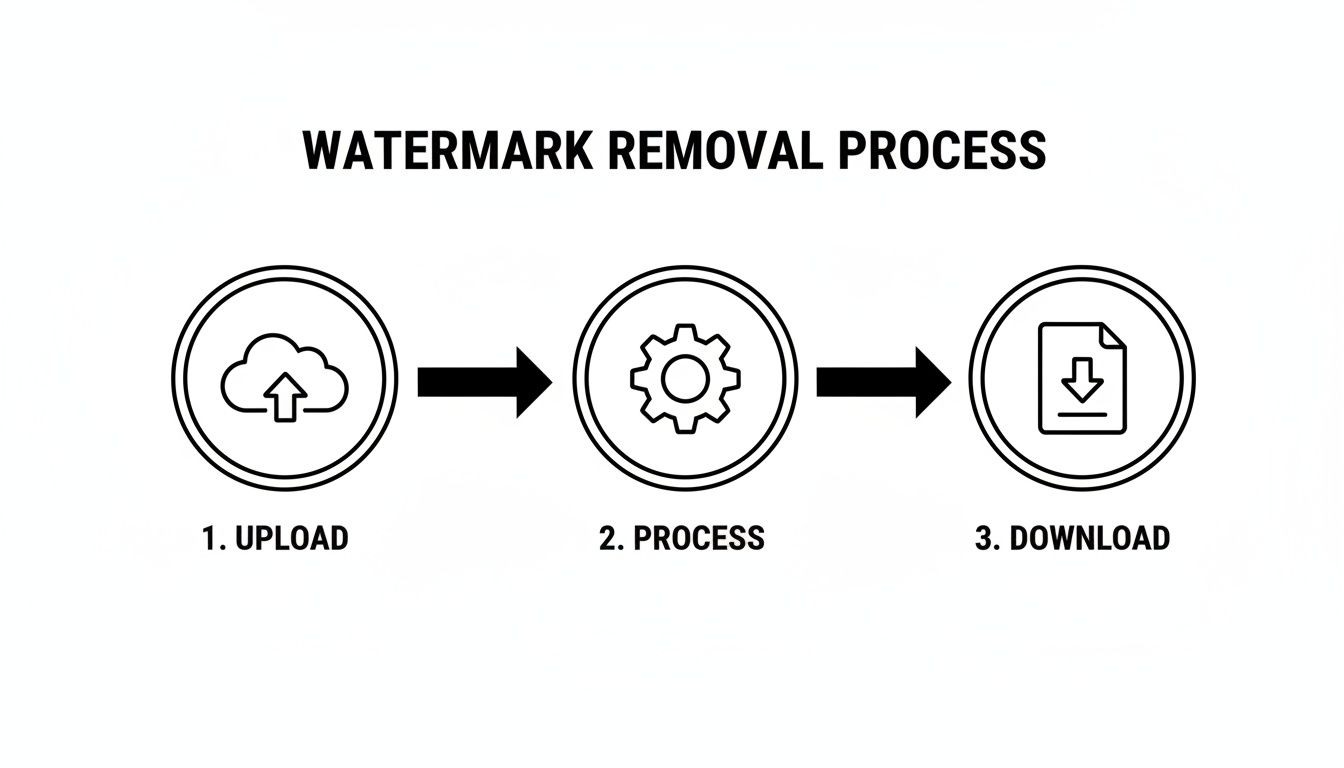
This upload-process-download loop is the engine that will save your team countless hours. It’s how you get your visual content ready and out the door in record time.
Building Your Automated Script
Don't let the word "script" scare you off. You don't need to be a coding wizard to make this happen. A simple script in a language like Python or Node.js is all it takes. The goal is just to create a loop that grabs each file from an "input" folder, shoots it over to the API, and saves the clean version in an "output" folder.
Let's say you just got a delivery of 500 product shots from a new supplier, but they all have a big, ugly watermark plastered across them. Here’s how you’d handle it:
- Prep Your Folders: First, just create two folders. Call them something obvious like
watermarked_imagesandcleaned_images. - Write the Loop: Your script will start by getting a list of every single file inside the
watermarked_imagesfolder. - Process Each Image: Then, for each image in that list, the script makes an API call to PixelPanda to get the watermark removed.
- Save the Result: Once the API sends back the clean image, the script saves it into your
cleaned_imagesfolder. It’s a good idea to keep the original filename so you can easily match them up later.
That's it. You've just built a visual assembly line. You can literally set it and forget it, letting it run in the background while you focus on work that actually requires your brain.
This isn't just about shaving off a few hours. It’s about building a scalable, repeatable system that keeps your brand looking sharp and consistent across your entire image library, no matter how big it grows.
Pro Tips for a Resilient Workflow
When you’re processing images in bulk, a few smart practices can keep your script from falling over at the first sign of trouble. Building a little resilience into your code from the get-go will save you a world of pain later.
Here are a few things I’ve learned to always keep in mind:
- Hide Your API Key: Never, ever paste your API key directly into your script. It's like leaving your house key under the doormat. Use environment variables to keep your credentials safe and sound, especially if you're sharing code.
- Respect Rate Limits: Most APIs have limits on how many requests you can make in a certain period. Be prepared for a
429 Too Many Requestserror. A solid approach is to code in a "retry-with-backoff" plan, where your script waits a few seconds (and a bit longer each time) before trying again. - Log Everything: Keep a running log of which files were processed successfully and, more importantly, which ones failed. A simple text file can be a lifesaver for troubleshooting. It's way better than finding out a critical image is missing days after the fact.
- Plan for Failure: What if the API is down for a minute or a file is corrupted? Your script shouldn't just crash and burn. Wrap your API calls in
try-catchblocks to handle these hiccups gracefully, log the error, and move on to the next image.
Putting these tips into practice turns a simple script into a robust system that can reliably churn through thousands of images without needing a babysitter. To take things even further, you can look into platforms that offer more advanced batch image processing workflows for all sorts of tasks beyond just watermark removal.
Once your images are clean, you might find some of them are a bit low-res. Check out our image upscaling demo to see how AI can fix that, too.
Frequently Asked Questions About AI Watermark Removal
Diving into the world of AI editing tools can feel like stepping into a sci-fi movie. When you just want to remove a watermark from images online, you need straight answers, not tech jargon. Let's tackle some of the most common questions head-on and clear things up.
Can AI Really Get Rid of Faint or Complicated Watermarks?
You bet it can. This is actually where today's AI really flexes its muscles. The algorithms behind tools like PixelPanda have been fed a visual diet of millions of images, learning to spot more than just obvious logos. They're masters at identifying those tricky, semi-transparent watermarks that love to hide in busy backgrounds.
Think about a faint copyright notice stretching across a detailed cityscape or a logo plastered over a person's patterned shirt. A lesser tool might just blur the area into a muddy mess. But a smart AI doesn't just erase—it reconstructs. It meticulously analyzes the surrounding textures, lighting, and patterns to convincingly recreate what was underneath.
The magic isn't in erasing; it's in regenerating. The AI learns the visual 'language' of your image and then speaks it fluently, creating new pixels that blend in perfectly. What used to be a nightmare editing job is now a matter of seconds.
Will Removing a Watermark Trash My Image Quality?
Not if you use the right tool. This is probably the biggest fear, and it's a valid one. We've all seen the clumsy attempts that leave behind blurry patches or weird artifacts that scream "I was edited!" That’s old-school tech.
Modern platforms like PixelPanda use what’s called generative AI. Instead of just smudging pixels around, the AI generates brand-new, high-resolution pixels to fill the space. The result? An image that looks crisp, clean, and completely untouched. You can often even combine watermark removal with AI upscaling to make the whole photo sharper than when you started.
So, Is It Legal to Zap Any Watermark I See?
Absolutely not, and this is the most important question of all. The whole issue boils down to one word: copyright. If you don't own the rights to an image, removing the watermark is a big no-no and constitutes copyright infringement.
You're generally on safe ground when you're working with:
- Your own photos. Maybe you lost the original file and are stuck with a watermarked version from your old website.
- Stock images you've legally purchased. Your license usually gives you the right to use a clean version.
- Images where the creator has given you explicit permission to make edits.
When in doubt, don't do it. Always respect the creator's rights and find an alternative image if you're not sure.
How Can I Clean Up Hundreds of Images Without Losing My Mind?
This is where an API becomes your best friend. Manually uploading images to a web tool is fine for one or two photos, but it's a soul-crushing task when you're facing a folder with 500 product shots. That kind of volume demands automation.
An API, like the one from PixelPanda, lets you plug this watermark-removing power directly into your own workflow. A developer can whip up a simple script that tells the API to process your entire image library while you grab a coffee. It's the go-to solution for e-commerce sites refreshing their catalogs, marketing teams managing digital assets, or anyone building a content-heavy application.
Ready to see how this can transform your own workflow? The PixelPanda API can automate everything from watermark removal to image upscaling, saving you countless hours of tedious manual work. Start building for free today.