Let's be real—nobody gets into tech or marketing because they love resizing thousands of images one by one. Batch image processing is simply about applying the same edit, like removing a background or adding a watermark, to a whole mountain of images automatically. It’s the difference between a high-speed assembly line and crafting each product by hand.
The Soul-Crushing Grind of Manual Edits
Picture this: your ecommerce store is about to launch a massive new product line. You’ve got 5,000 photos from a dozen different suppliers, and they're a mess—all different backgrounds, sizes, and lighting. To get them website-ready, someone has to open every single file, trace the product, nuke the background, and then save it in three different sizes.
Doing that by hand isn't just slow; it's a special kind of nightmare. It's the most tedious, mind-numbing work imaginable, and it’s a bottleneck that can bring your entire launch to a screeching halt.
The True Cost of "Click, Click, Save"
The damage from sticking with manual edits runs way deeper than just wasted hours. It’s a direct hit to your brand. When one designer crops an image a little differently than another, your storefront starts to look sloppy and unprofessional. These tiny inconsistencies pile up, creating a jarring experience for customers.
Worse yet, you're pulling your best people off important work. Your top-tier developers and designers shouldn't be stuck in a digital sweatshop. They should be building new features or creating killer marketing campaigns, not clicking the same buttons on repeat.
Relying on manual editing directly ties your company's growth to how many hours your team can physically spend in Photoshop. That's not a business model; it's a ball and chain.
This bottleneck has very real consequences for your business:
- Delayed Launches: Your big release is pushed back a week because the product shots just aren't ready.
- Slow Marketing: You can't jump on a new trend because it takes days to create the ad visuals you need now.
- Developer Burnout: Nothing kills morale faster than assigning a talented engineer to a task that a script could do better.
There's a reason the market for digital image processing is blowing up. It was valued at USD 6.2 billion in 2023 and is on track to hit a staggering USD 37.5 billion by 2033. You can dig into more data on this incredible growth, but the story is clear: businesses are ditching manual work for smarter automation.
Moving to batch image processing isn't just a "nice-to-have" anymore. It's core infrastructure for any company that wants to move fast and stay competitive.
Designing a Scalable Processing Architecture
Alright, you're convinced. The manual grind has got to go. But let's be real—swapping that grind for a simple for loop that hammers an API isn't the answer. That's just trading one problem for another. What happens when your Black Friday sale dumps 100,000 new product shots into your system at once? Your script will keel over.
To handle that kind of volume, you need to stop thinking like a scripter and start thinking like an architect.
A basic script is brittle. It’s a house of cards. One network hiccup, one server restart, and you've lost your progress. Worse, you might start processing the same images all over again, wasting time and money. A truly scalable system for batch image processing is built for failure. It expects things to go wrong and knows exactly what to do when they do.
This is where we level up from a simple script to a proper, industrial-strength pipeline—one that can chew through massive loads without breaking a sweat or sending you panicked alerts at 3 AM.
Adopting a Worker Queue Model
The absolute bedrock of any scalable system is separating the request from the work. When a user uploads a folder of images, your application should not just sit there, twiddling its thumbs, waiting for every single image to be processed. That’s how you get a frozen UI and very annoyed users.
Instead, your app’s only job is to add a task to a message queue.
Picture a busy restaurant kitchen. The waiter (your app) takes an order and slaps the ticket on the line (the queue). The cooks (your worker processes) grab tickets as they're free. The waiter isn't stuck in the kitchen; they're out taking more orders. The kitchen hums along, cooking at its own pace.
This is exactly what a queue does for your system. A few popular options to get this done are:
- RabbitMQ: The classic open-source workhorse. It's incredibly robust and gives you precise control over how your jobs are routed and handled.
- Amazon SQS (Simple Queue Service): A "just works" managed service from AWS. It's ridiculously easy to set up and scales automatically without you having to lift a finger.
Using a queue keeps your main application snappy and lets you scale your processing power up or down independently. Queue getting a little long? Just spin up a few more workers. Easy.
A queue-based architecture isn't just an improvement; it's a fundamental shift. You're moving from a fragile, one-at-a-time process to a resilient, asynchronous pipeline. It's the difference between a single-lane country road and an eight-lane superhighway.
Embracing Parallelism for Maximum Throughput
With a queue in place, you can finally unlock the magic of parallelism. Why on earth would you process one image at a time when you can process hundreds simultaneously? Each worker can grab a job from the queue and hit the PixelPanda API on its own. They don't need to know or care about what the other workers are doing.
This is how you tear through a batch of 50,000 images in minutes, not days.
The old way of doing things—one by one, by hand—creates an unavoidable bottleneck. It’s just not built for scale.
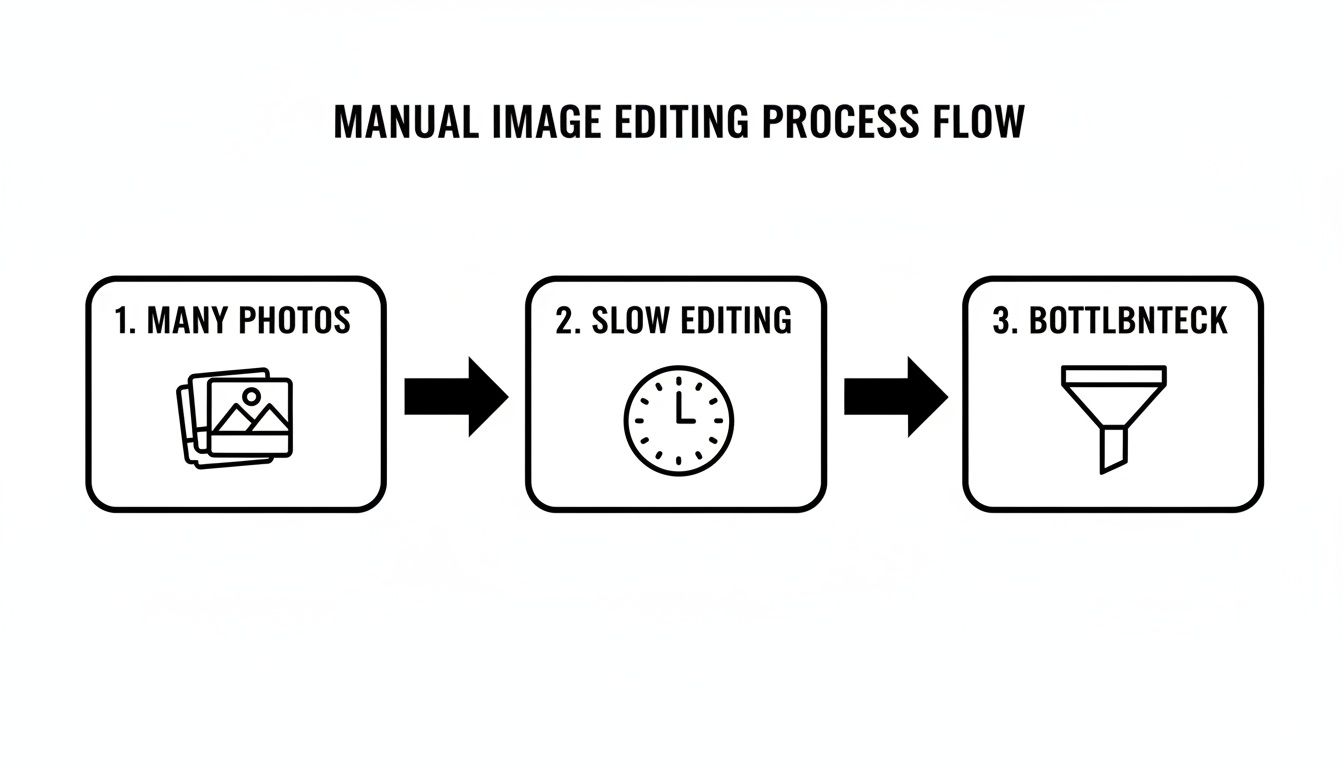
As you can see, a linear process is doomed from the start. Parallelism blows that chokepoint wide open.
Building Smart Retry Logic
Let's get one thing straight: networks are flaky. APIs will have momentary blips. It’s a fact of life in software. A naive script sees an error, panics, and crashes, leaving your batch half-done. A professional-grade system anticipates this and handles it with grace.
Implementing retry logic with exponential backoff is completely non-negotiable. It's simpler than it sounds:
- A worker tries to process an image and gets a temporary error, like a
503 Service Unavailable. - Instead of giving up, it waits for 1 second and tries again.
- If that fails, it waits for 2 seconds. Fails again? It waits for 4 seconds, then 8, and so on.
This "backing off" strategy is brilliant because it gives a struggling API a moment to recover. It stops your workers from effectively launching a DDoS attack on a service that's already having a bad day.
After a few tries, if a job is still failing, you don't just delete it. You move it to a special "dead-letter queue." This is your holding pen for problem children, allowing you to inspect them manually without halting the entire production line.
Getting this architecture right is the secret sauce. To see how these principles apply to broader content strategies, check out this guide on building an AI workflow for batch content creation.
Building a resilient pipeline like this is what separates an amateur setup from a professional one. It’s how you build a system that not only works but actually thrives under pressure.
Getting PixelPanda Hooked Into Your Workflow
Alright, let's get our hands dirty and plug PixelPanda into your application. The goal here isn't just to make a few API calls; it's to build a reliable, automated system that can churn through thousands of images without breaking a sweat. It all comes down to setting up secure endpoints and knowing how to talk to the API in a way that makes sense for your specific needs.
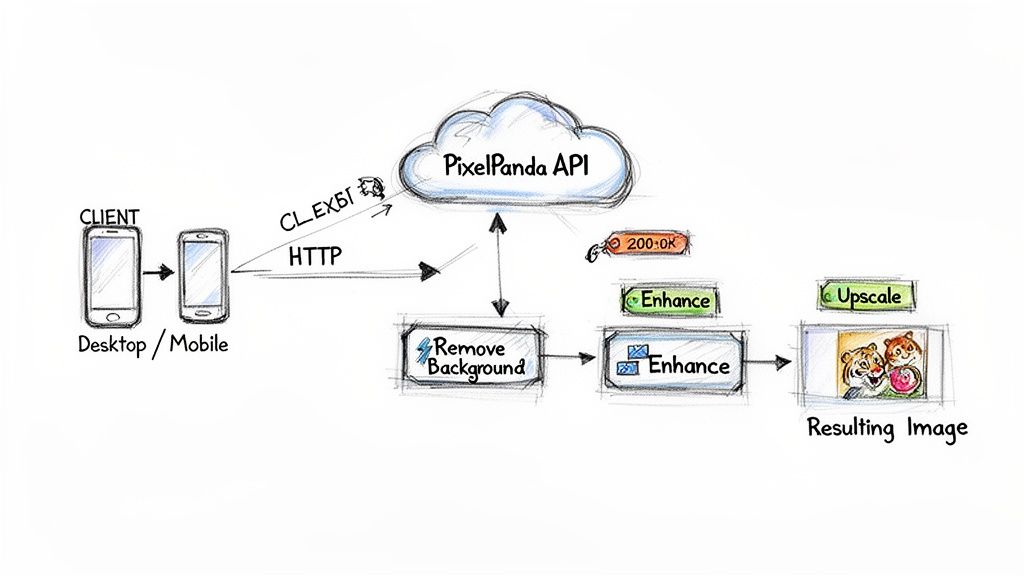
First things first, every request you make needs to be authenticated. You'll use your PIXELPANDA_API_KEY to prove it's you, which also helps PixelPanda manage rate limits and keep things fair for everyone.
PixelPanda is pretty flexible with how it accepts images. You can point it to a public URL or send the image data directly as a base64-encoded string.
- URL upload: Perfect if your images are already chilling in cloud storage like S3 or on a CDN. This is my go-to method because it minimizes your server's bandwidth.
- Base64 strings: This is your best bet when files aren't publicly hosted, like when a user uploads a file directly to your app.
- Multipart/form-data: Ideal for when you're working with file streams.
Prepping Your Image Sources
If you’ve got your images living on a CDN or in an S3 bucket, just pass the URL. It’s the most efficient way to do it, saving you from downloading and re-uploading massive files.
But what if the image is generated on the fly, or it's a local file that isn't public? That's where base64 encoding comes in. It’s a neat trick for packaging up the image data into a simple string that you can pop right into a JSON payload.
Here's a quick Python snippet showing how it's done:
import base64, os, requests
with open("photo.jpg","rb") as f:
b64 = base64.b64encode(f.read()).decode()
requests.post(
"https://api.pixelpanda.ai/v1/remove-background",
headers=headers,
json={"image_base64": b64}
)
This pattern is super handy for things like processing screenshots or other visuals your app creates dynamically.
Authenticating Your App
A quick but important security tip: Don't hardcode your API keys. Please. The best practice is to store your PIXELPANDA_API_KEY and PIXELPANDA_API_SECRET as environment variables.
This keeps your credentials out of your codebase (and away from prying eyes in your Git history) and makes deploying to different environments a breeze.
- PIXELPANDA_API_KEY: Your public key, stored in an environment variable.
- PIXELPANDA_API_SECRET: Your private secret, also in an environment variable.
- Content-Type: Always set this header to
application/json.
Quick Authentication Examples
Let's see it in action. Here’s how you'd structure a basic request in Python and JavaScript, pulling the API key straight from the environment.
Python:
import os, requests
headers = {
"Authorization": f"Bearer {os.getenv('PIXELPANDA_API_KEY')}",
"Content-Type": "application/json"
}
r = requests.post(
"https://api.pixelpanda.ai/v1/remove-background",
headers=headers,
json={"image_url": "https://example.com/img.jpg"}
)
print(r.json())

JavaScript (using Axios):
const axios = require("axios");
const apiKey = process.env.PIXELPANDA_API_KEY;
axios.post(
"https://api.pixelpanda.ai/v1/remove-background",
{ image_url: "https://example.com/img.jpg" },
{ headers: { Authorization: Bearer ${apiKey} } }
).then(res => console.log(res.data));

Structuring Batch Requests
Now for the real magic. Instead of sending one request per image (which is slow and inefficient), you can bundle a bunch of jobs into a single API call. Just send an array of tasks in your payload.
Each task in the array is a simple object that specifies the image source and what you want to do with it.
batch_payload = {
"tasks": [
{"image_url": "https://cdn.com/1.jpg", "operations": ["remove_background"]},
{"image_url": "https://cdn.com/2.jpg", "operations": ["upscale", "enhance"]}
]
}
r = requests.post("https://api.pixelpanda.ai/v1/batch", headers=headers, json=batch_payload)


This approach is a game-changer. It dramatically cuts down on HTTP overhead and simplifies your code.
Chaining Multiple Operations
Why stop at one operation? You can tell PixelPanda to perform a whole sequence of edits on a single image in one go. Want to remove the background, then enhance the details, and finally upscale it? No problem.
Just pass an operations array with the steps in the order you want them executed.
json_payload = {
"image_url": "https://example.com/img.jpg",
"operations": ["remove_background", "enhance", "upscale"]
}
r = requests.post("https://api.pixelpanda.ai/v1/batch", headers=headers, json=json_payload)
print(r.json()["results"])
A Pro Tip From Experience: Simply chaining operations like this can seriously boost your throughput. I've seen it improve processing speeds by as much as 30% in high-volume situations by cutting down on all those back-and-forth HTTP requests.
To help you get started, here's a quick cheat sheet for some of the most common API endpoints you'll be using for automated workflows.
PixelPanda API Endpoints for Common Batch Tasks
| Use Case | API Endpoint | Key Parameter | Best For |
|---|---|---|---|
| Remove Background | /v1/remove-background |
image_url |
Creating clean, white-background product shots for e-commerce. |
| Enhance | /v1/enhance |
operations |
Automatically fixing lighting, color, and detail in user-submitted photos. |
| Upscale | /v1/upscale |
scale_factor |
Generating high-res versions from small thumbnails for social media previews. |
These are the bread and butter for most e-commerce and marketing automation tasks. Get familiar with them, and you'll be building powerful workflows in no time.
Using The Node.js SDK
If you're in the Node.js world, you're in luck. PixelPanda has an official SDK that takes a lot of the grunt work off your plate. It wraps the REST calls and handles things like retries for you.
Just install it with npm, feed it your API key, and you're good to go.
const { PixelPandaClient } = require("pixelpanda-sdk");
const client = new PixelPandaClient({ apiKey: process.env.PIXELPANDA_API_KEY });
const result = await client.batch([
{ src: "https://cdn.com/1.jpg", ops: ["remove_background"] },
{ src: "https://cdn.com/2.jpg", ops: ["upscale"] }
]);
console.log(result);
What I love about using the SDK:
- Automatic retry logic: It handles transient network errors so you don't have to.
- Built-in batching: The syntax for sending batch jobs is clean and simple.
- TypeScript support: For all you static typing fans out there.
SDK Tip: I usually set
maxRetriesto 5. It strikes a good balance between being resilient to temporary hiccups and not wasting money on a job that's destined to fail.
Using the SDK is a great way to reduce boilerplate code and ensure you have consistent, robust error handling across your entire pipeline.
Handling Responses And Errors
Things will go wrong. An image URL will be broken, the network will glitch, or an API will have a momentary hiccup. A resilient system anticipates this.
Always, always check the HTTP status code and parse the JSON response. When you hit transient errors (like a 5xx server error or a 429 rate limit), don't just give up. Implement a retry strategy with exponential backoff.
- On a
5xxerror, wait 1 second, then retry. Still failing? Wait 2 seconds, then 4 seconds. - If you get a
429 Too Many Requests, take a breather before trying again. - For jobs that consistently fail, log the image URL to a "dead-letter" queue or store so you can investigate later.
This simple pattern is crucial. It stops one bad apple—a single failed API call—from bringing your whole batch-processing pipeline to a grinding halt.
Performance And Cost Considerations
Let's talk numbers. Moving from manual editing to an automated API workflow can slash your costs by 60–80%. It’s a massive saving. But you still need to be smart about how you use the API to balance performance and cost.
- Smaller batches are safer. If a batch fails, you lose less work.
- More parallel workers will chew through your queue faster, but it also means a higher API bill.
- Keep an eye on your average job processing time. This metric is your key to finding the sweet spot for concurrency.
The entire field of digital image processing is exploding, projected to grow from USD 93.27 billion in 2024 to a staggering USD 435.68 billion by 2035—that's a 15.04% compound annual growth rate. AI is at the heart of this shift.
If you're exploring different tools, it's also helpful to read up on general API integration strategies to see how different platforms tackle these challenges.
And of course, for the nitty-gritty details, our developer portal has everything you need. Dive into the complete PixelPanda API docs, SDK guides, and more code samples over at https://pixelpanda.ai/developers.
Parsing JSON Responses
When a job is done, the API sends back a clean JSON response. The most important part is the results array, which contains an object for each image you processed.
Each result object gives you everything you need to know:
original_url: The link to the source image you sent.processed_url: The URL where your shiny new processed image is waiting.status: Tells you if the job succeeded or failed.execution_time_ms: Super useful for monitoring performance and spotting slow-downs.
Use this metadata to update your database, log your results, and kick off the next step in your workflow.
Where The Rubber Meets The Road: Real-World Wins in Ecommerce and Marketing
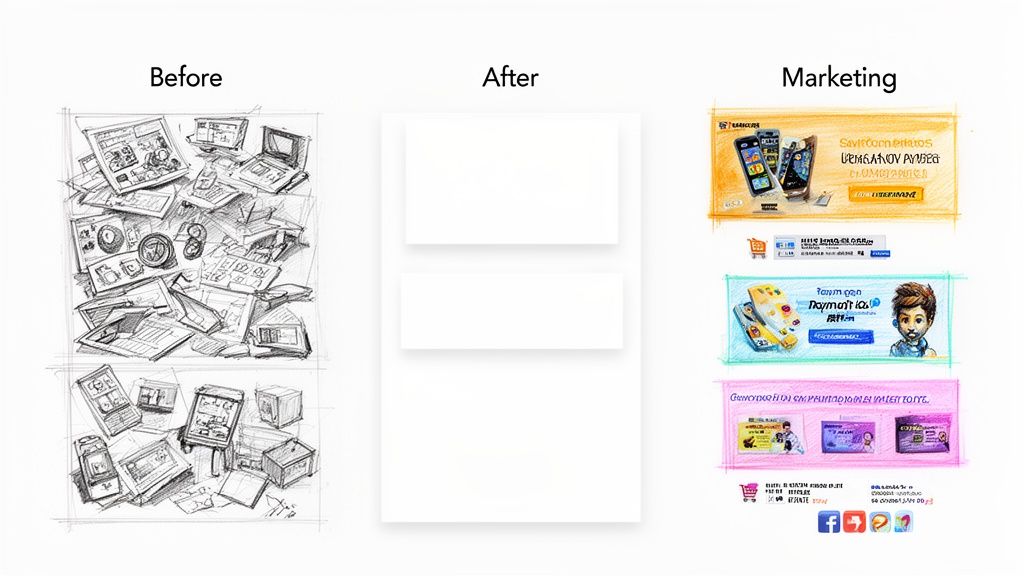
Alright, let's move past the technical diagrams and architectural talk. Building a slick, scalable pipeline is a fantastic engineering feat, but what does it actually do for a business? This is where your elegant code meets the messy, fast-paced reality of ecommerce and marketing—and crushes it.
Automated batch image processing isn't just a developer's cool new toy. It's a genuine business superpower.
The technology driving all this is exploding. The computer vision market—a close cousin to what we're doing here—was already valued at USD 20.75 billion in 2025 and is on track to hit a staggering USD 72.80 billion by 2034. That's not just hype; it's a reflection of businesses waking up to the power of automated visual workflows. You can dive deeper into the computer vision market trends to see just how fast this space is moving.
Giving Your Ecommerce Catalog a Serious Glow-Up
For any online shop, your product photos are your storefront, your salesperson, and your brand ambassador all rolled into one. They're everything. But wrestling thousands of images into a consistently clean, professional look is a soul-crushing, monumental task.
Or, at least, it used to be.
With a well-oiled batch workflow, you can transform a chaotic mess of product shots into a pristine, high-converting catalog almost overnight.
Here are a few "mini-recipes" I've seen work wonders:
- The Supplier Photo Tamer: Your supplier dumps a folder with 5,000 product shots on you—all with ugly, cluttered backgrounds. Your workflow grabs each one, strips out the background, and slaps the clean product onto a perfect white or light gray canvas. Done.
- The Automatic Thumbnail Machine: After the cleanup, the same process can instantly resize each image into the three standard sizes your site needs: a tiny thumbnail, a main product view, and a high-res zoom. No more mind-numbing manual cropping.
- The "Instant Lifestyle" Mockup: Take those clean product cutouts and programmatically place them into pre-approved lifestyle scenes. Selling coffee mugs? Your workflow can generate images of that mug on a dozen different kitchen counters in minutes, giving customers context they crave.
This kind of automation creates a rock-solid, professional consistency across your entire store, which is one of the fastest ways to build customer trust and nudge them toward that "Add to Cart" button.
I once worked with an online furniture store that slashed their time-to-market for new products from two long weeks down to a single day. Their bottleneck wasn't sourcing or shipping; it was the photo editing grind. A simple batch background removal pipeline completely changed the game for them.
Dominating the Marketing and Social Media Game
Marketing teams live and die by their speed. When a trend explodes, you have hours, not days, to jump on it. Batch image processing gives your marketing crew the agility to pump out high-quality, on-brand visuals at a pace that your competitors just can't match.
Think about it: what if you could generate hundreds of ad variations with just a few clicks?
Campaign Visuals On Demand
You're launching a flash sale. Instead of one generic banner that you hope works, you can create dozens of highly targeted versions.
- Start with your template: A clean shot of the product and your main ad copy.
- Let the workflow do the rest: It can cycle through different background colors, slap on various discount overlays ("20% OFF," "BOGO"), and resize the final image for every single platform—Facebook posts, Instagram Stories, Google Display Ads, the works.
- A/B test everything: What if you could generate 50 different versions of an ad to see which headline or call-to-action actually works best? With an automated workflow, you can. No designer has to touch a single pixel.
This isn't just about saving a designer's time. It's about unlocking a level of creative scale and data-driven testing that was previously impossible without a massive team.
Don't just take my word for it. You can see how fast the core of this process is by playing with an instant background removal demo. Now imagine chaining that with a dozen other effects in a batch process—the possibilities are endless.
Fine-Tuning for Cost, Performance, and Error Handling
Building a slick, automated pipeline is one thing. Running it in production without it catching fire or draining your bank account is a whole different ballgame. A truly scalable batch image processing system isn't just fast; it’s smart, resilient, and doesn't break the bank.
Let's get into the battle-tested strategies that turn a fragile script into a production-ready workhorse you can actually rely on.
This is all about balancing the delicate equation of speed versus spend. Do you spin up 50 parallel workers to blitz through a queue in five minutes, or can you get by with just five and let it chug along for an hour? The answer, almost always, comes down to how badly you need the results.
For an e-commerce store dropping a new product line, speed is everything. In that case, cranking up the concurrency is absolutely worth the extra cost. But for a background job that’s just archiving old images? A slower, cheaper approach is perfectly fine. The real trick is to make this a configurable part of your system, not a value you hardcode and later regret.
Finding That Performance Sweet Spot
To nail this balance, you need to be watching one metric like a hawk: average job processing time. This tells you exactly how long, on average, it takes for a single image to run the full gauntlet of your PixelPanda workflow. Once you have this number, you can stop guessing and start making informed decisions.
Let's say your average job time is two seconds. Easy math. A single worker can chew through 30 images per minute. From there, you can figure out exactly what you need to meet any deadline.
- Urgent Task: Need to process 10,000 images in under 10 minutes? The back-of-the-napkin math says you’ll need about 34 workers running in parallel to pull that off.
- Routine Task: Processing that same batch over the course of an hour? You can throttle way back to just 6 workers.
This simple calculation keeps you from flying blind. You can adjust your worker pool based on real data, ensuring you're not overprovisioning and just burning cash. Many platforms like AWS or Google Cloud even let you auto-scale workers based on the queue length, giving you the best of both worlds.
Curious about how these decisions translate to your bill? You can explore our transparent PixelPanda pricing plans to see how it all adds up.
Building Production-Grade Error Handling
In any high-volume system, things will break. It's a guarantee. Image URLs will be invalid, networks will have momentary blips, and APIs will occasionally throw a tantrum. A robust system doesn't pretend failures won't happen; it anticipates them with a solid plan.
First, your logging needs to be more than just printing an error to the console. Each log entry for a failed job should be a structured event (think JSON) packed with critical context.
A great error log tells you three things: what went wrong (the error message), where it went wrong (the specific image ID or URL), and when it happened (a precise timestamp). Without all three, you're just debugging in the dark.
This structured approach makes your logs searchable and lets you set up automated alerts. For instance, you could configure an alert to fire if you see more than 100 5xx server errors in a five-minute window, which is a pretty clear signal of a potential outage.
The Lifesaving Dead-Letter Queue
So what do you do with an image that fails processing even after three or four retries? You absolutely cannot let it sit there and block the entire queue. One problematic image should never stop thousands of others from getting processed.
This is where a dead-letter queue (DLQ) becomes your new best friend.
A DLQ is just a special, separate queue where you send jobs that have repeatedly failed. Instead of deleting the failed task, your worker simply moves it to the DLQ and then grabs the next job from the main queue. This pattern is simple, but incredibly powerful.
Benefits of a Dead-Letter Queue
- It Isolates Problems: A single corrupted image or a bunk URL won't grind your entire pipeline to a halt. The system keeps chugging along.
- It Enables Manual Inspection: Your team can periodically sift through the jobs in the DLQ to diagnose the root cause without the pressure of a live production fire.
- It Preserves Data: You don't lose the failed job. Once you fix the underlying issue, you can often just resubmit the jobs from the DLQ for processing.
Putting these cost optimizations and error-handling patterns into practice is what separates a quick-and-dirty script from a resilient, enterprise-ready system you can actually trust to run day in and day out.
Got Questions? Let's Talk Real-World Batch Processing
Moving from a whiteboard sketch to a production-ready system is where the real fun begins. It's also where the tricky questions pop up. I’ve seen plenty of projects stumble over the small details, so let's get ahead of the most common hurdles you'll face when building a batch image processing workflow that can handle some serious volume.
Getting these details right is what separates a system that just works from one that truly performs under pressure.
What Happens When I Hit API Rate Limits?
So, you’re throwing thousands of images at an API. You're going to hit a rate limit. It's not a matter of if, but when. The trick is to handle it with grace instead of letting it bring your entire queue to a screeching halt.
Don't just cross your fingers and hope for the best. Build a rate limiter right into your worker. More importantly, make sure your code is listening for that dreaded 429 Too Many Requests status code. When you get one, don't just hammer the API again. Instead, implement an exponential backoff strategy. Wait a second, then two, then four, and so on, before you retry. This simple trick gives the API a chance to breathe and ensures your jobs eventually get through without getting you blocked.
What's the Smartest Way to Send Images?
If your images are already living online—say, in an Amazon S3 bucket or on a CDN—passing the URL is a no-brainer. It’s easily the most efficient route. Why? Because you're not actually sending the image; you're just telling PixelPanda where to find it. The API fetches the image directly from its source, which saves your server's bandwidth and keeps things zipping along.
Now, if you're dealing with local files or images generated on the fly, you'll need to use a multipart/form-data upload or a base64-encoded string. But for any high-volume job, the gold standard is to upload your images to cloud storage first, then send those URLs to the API. It’s the most scalable architecture, hands down.
My rule of thumb is simple: If an image has a URL, use it. Save direct uploads for one-off situations. This approach dramatically simplifies your architecture and eliminates a major potential bottleneck.
Can I Stack Multiple Edits in One API Call?
You might be tempted to find an API that lets you chain a bunch of operations together in a single request. While that sounds efficient on the surface, a more resilient and flexible strategy is to handle this logic in your own workflow. Think of it as creating a modular assembly line.
Here’s how it works:
- The output from one API call becomes the input for the next.
- For example, you'd make a call to
remove the background. The API returns a URL for that new, background-free image. - You then take that URL and use it as the input for a second call to
upscalethe image.
This approach gives you some huge advantages:
- Smarter Error Handling: If something breaks, you know exactly which step failed. Was it the background removal or the upscaling? No more guesswork.
- Cleaner Logs: Your logs become a clear, step-by-step story of what happened to each image, making debugging a breeze.
- Future-Proof Flexibility: Want to add a watermarking step in between? Or maybe swap the order? Easy. You can mix, match, and modify your pipeline without rewriting a giant, complicated API call.
It might feel like a little more work upfront, but trust me, your future self will thank you when it's time to manage and scale this thing.
Ready to build an automated image workflow that you can actually rely on? With PixelPanda's powerful API and straightforward documentation, you can get from an idea to a running system faster than you think. Start your free trial and see it in action today.