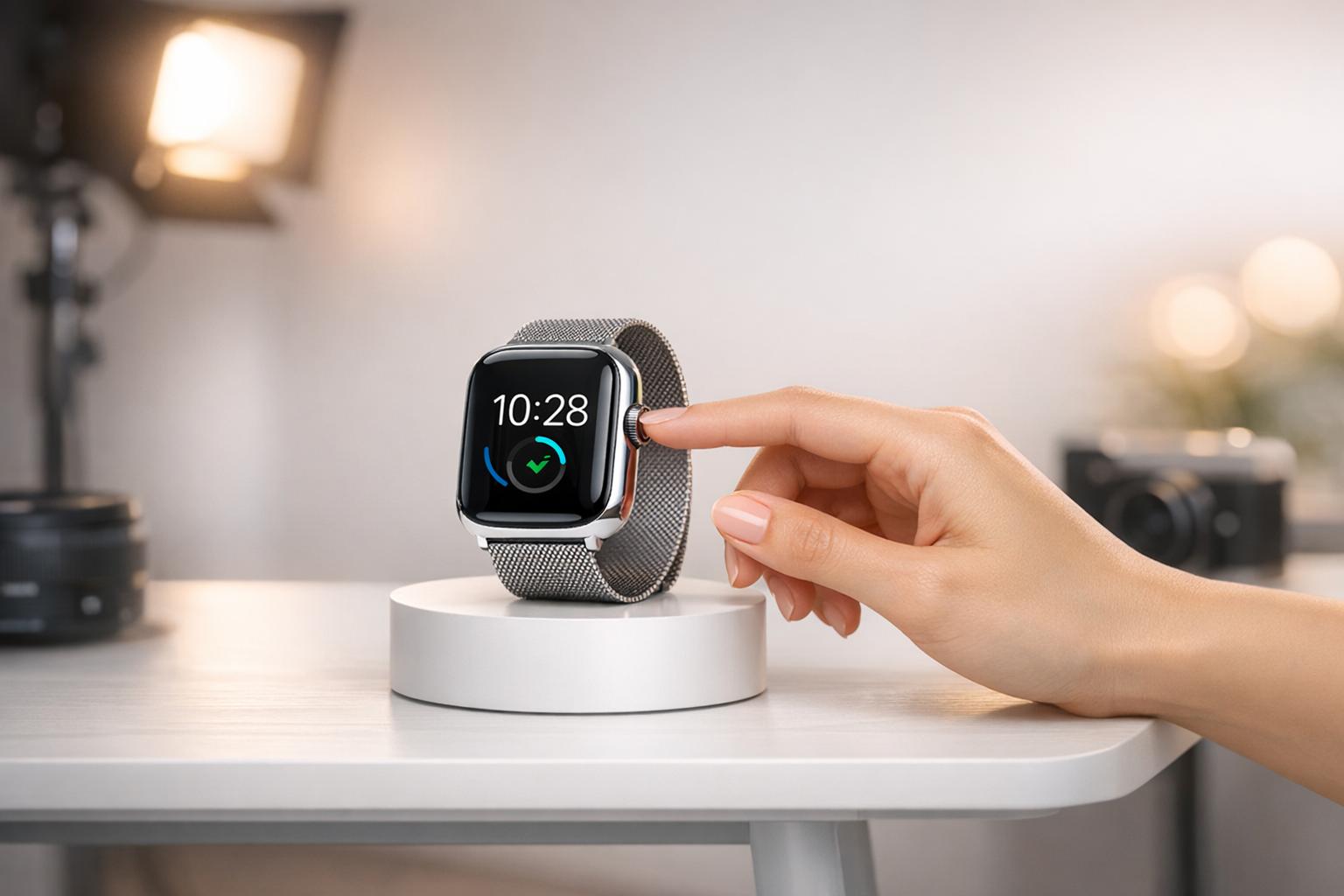
Creating product photos is faster, easier, and more affordable than ever, thanks to AI tools like PixelPanda. With just a basic photo, you can generate professional-quality images in minutes – complete with perfect lighting, custom backgrounds, and even virtual models. This technology is changing the game for e-commerce sellers by reducing costs, saving time, and improving sales.
Key Takeaways:
- Cost Savings: AI-generated photos cost $0.10–$1.00 each, compared to $200–$500 per traditional photo.
- Time Efficiency: Create polished images in 5–60 minutes instead of weeks.
- Increased Conversions: High-quality visuals can boost sales by up to 64%, with lifestyle images increasing conversion rates by 67%.
- Batch Processing: Edit up to 100 images at once for consistent results across your catalog.
- Advanced Features: Tools include background removal, resolution upscaling, and AI-generated lifestyle scenes with virtual models.
PixelPanda is a powerful solution for businesses of all sizes, offering plans starting at $39/month for thousands of images. Whether you’re a small seller or managing a large inventory, this tool simplifies product photography while delivering stunning results.
How to Create Product Photos with AI
Why Use PixelPanda for Product Photos
PixelPanda offers e-commerce sellers a way to produce professional-quality product images without the hefty price tag or lengthy timelines of traditional photography. Typically, traditional product photography costs between $200 and $500 per image, while AI-generated images range from just $0.10 to $1.00. The time savings are equally impressive – what once required 2–4 weeks for planning, shooting, and editing can now be completed in just 5–60 minutes. For small businesses juggling tight budgets and rapid product launches, these savings add up quickly.
The platform goes beyond simple photo editing. It can remove cluttered backgrounds, add lifestyle scenes with virtual models, and create multiple variations of a single product photo. Whether it’s seasonal themes, different backgrounds, or entirely new settings, you can generate dozens of options without reshooting. And this matters – a lot. 75% of online shoppers rely on product photos to make purchasing decisions. Plus, images featuring lifestyle contexts can boost conversion rates by up to 67% compared to plain backgrounds. These cost and time efficiencies make PixelPanda a game-changer for e-commerce sellers.
PixelPanda Features for Product Photography
PixelPanda’s features are designed to simplify and elevate product photography:
- AI Background Removal tools: Quickly handles intricate edges, like hair and fur, offering options for transparent or pure white backgrounds that comply with marketplace standards.
- Image Upscaling tools: Enhances resolution up to 4x, turning low-resolution images (as small as 64×64 pixels) into sharp, high-quality 4-megapixel photos with richer details, colors, and lighting.
- Customizable AI Virtual Models: Create brand-specific virtual models to showcase apparel. You can display clothing on various body types and skin tones without the hassle of casting or coordinating physical photoshoots. This is especially helpful for fashion brands aiming to highlight inclusivity and variety.
These tools not only save time but also provide creative flexibility, making it easier to meet the diverse needs of customers.
Benefits for E-commerce Sellers
PixelPanda eliminates many of the expenses that burden small businesses. Forget about renting studios, hiring photographers, coordinating with models, or investing in props and specialized equipment. The platform’s batch processing feature allows you to apply consistent backgrounds, lighting, and framing across thousands of products at once – something nearly impossible to achieve affordably with traditional methods.
The pricing structure is another standout. Plans start at $39/month for 7,000 images, $59/month for 15,000 images, or $89/month for 35,000 images, billed annually. Compare this to traditional photography rates of $100–$300 per hour, and the value becomes undeniable. You can experiment with seasonal designs, test different visual styles, and create unlimited variations without worrying about reshoot costs or extra fees. For sellers aiming to grow quickly, these efficiencies translate directly into higher sales and a stronger competitive edge.
How to Create Product Photos with PixelPanda
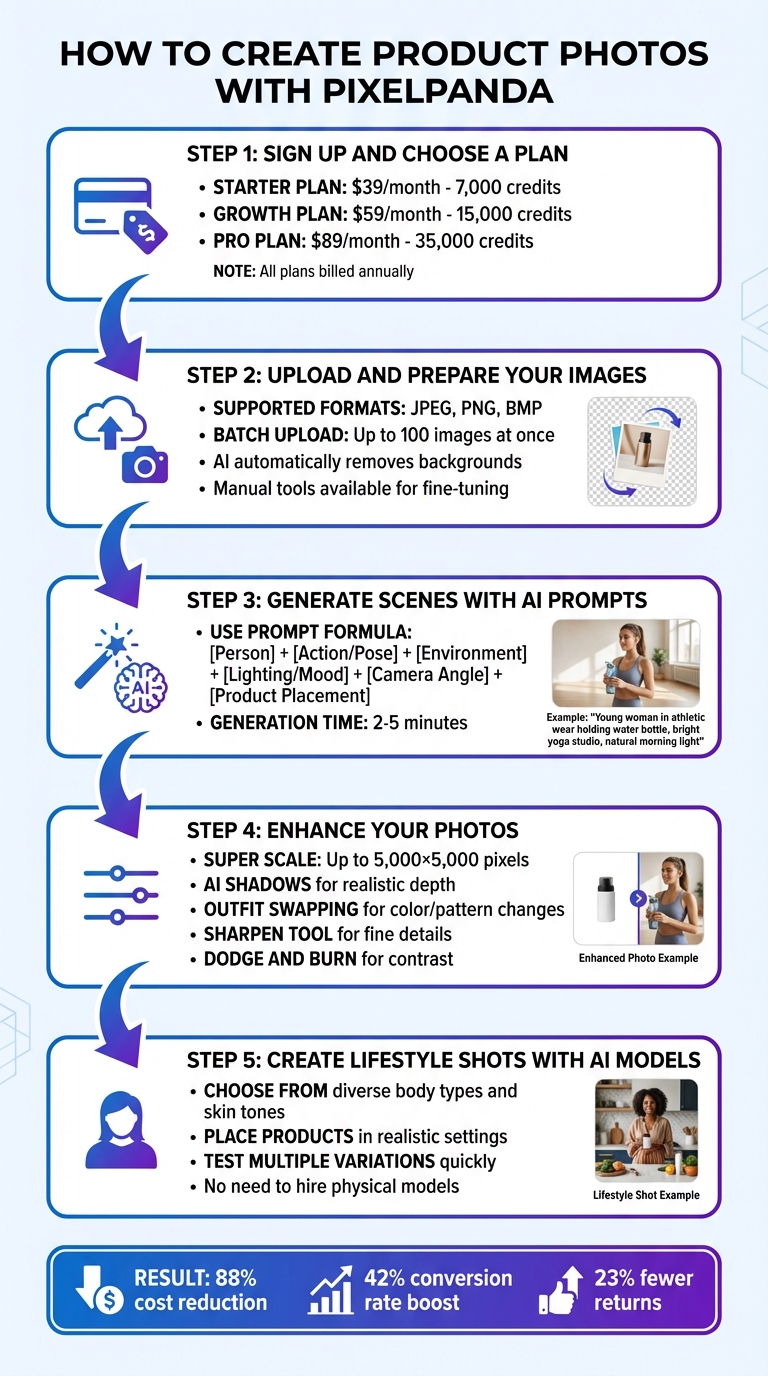
5-Step Process to Create AI Product Photos with PixelPanda
PixelPanda makes creating professional product photos quick and easy. With features like background removal and lifestyle scene generation, you can produce studio-quality images without needing expensive equipment or professional photography skills. Here’s how to turn your raw images into polished product photos in just a few steps.
Step 1: Sign Up and Choose a Plan
Visit PixelPanda and pick a plan that suits your needs. Here’s a breakdown:
- Starter Plan: $39/month (billed annually) for 7,000 credits, perfect for small catalogs or trial runs.
- Growth Plan: $59/month for 15,000 credits, ideal for growing stores with regular launches.
- Pro Plan: $89/month for 35,000 credits, tailored for high-volume sellers managing large inventories.
All plans include tools like background removal, image upscaling, outfit swapping, and customizable AI models representing various body types and ethnicities. If you’re unsure of your needs, start small with the Starter plan – you can always scale up later.
Step 2: Upload and Prepare Your Images
Once you’ve selected a plan, prepare your product photos for enhancement. Use a smartphone or DSLR to capture high-resolution images. You don’t need professional equipment – natural light from a window works just fine. Make sure your shots are clear, centered, and in JPEG, PNG, or BMP format.
After uploading, PixelPanda’s AI—one of the best AI tools for photo editing—will automatically remove the background with precision. If any areas need tweaking, manual tools like the draw tool, lasso, or tolerance sliders are available for fine-tuning. For issues like dust or scratches, the "Heal" tool can clean them up seamlessly. Need to process a large batch? You can upload up to 100 images at once and apply consistent settings across them.
Step 3: Generate Scenes with AI Prompts
PixelPanda’s AI makes creating custom scenes a breeze. Just type your vision into the prompt box, specifying details like background material (e.g., marble, rustic wood), lighting styles (e.g., soft morning light), and props (e.g., coffee mugs, plants).
For lifestyle shots, try this formula: [Person Description] + [Action/Pose] + [Environment] + [Lighting/Mood] + [Camera Angle] + [Product Placement]. For example: “Young woman in athletic wear holding a water bottle, standing in a bright yoga studio, natural morning light, eye-level shot, product centered in frame.”
If the results feel too artificial, refine your prompts with phrases like “authentic environment” or “lived-in details” to add realism. The AI generates professional-quality images in just 2 to 5 minutes, a massive time-saver compared to traditional studio photography, which can take days.
Step 4: Enhance Your Photos
After generating your images, PixelPanda’s enhancement tools allow you to refine them further. Some key features include:
- Super Scale: Upscales images up to 5,000×5,000 pixels, ideal for print catalogs or high-resolution displays.
- AI Shadows: Adds realistic depth to your products.
- Outfit Swapping: Changes clothing colors or patterns without requiring new photos.
- Sharpen Tool: Enhances fine details like textures and labels.
- Dodge and Burn: Adjusts highlights and shadows for perfect contrast.
These tools ensure your photos are polished and ready for use across various platforms.
Step 5: Create Lifestyle Shots with AI Models
PixelPanda’s AI models eliminate the hassle of hiring and coordinating with human models. Choose from a diverse selection of body types, skin tones, and poses to match your brand’s identity. Place your products in realistic settings, like a water bottle on a yoga mat, clothing worn in an urban environment, or skincare products arranged on a marble countertop.
This feature allows you to test multiple variations quickly and cost-effectively. It’s a game-changer for driving higher conversion rates while maintaining a professional look.
For example, a mid-size fashion retailer with a 250-product catalog adopted AI photography in 2025. They cut costs by 88%, reduced product returns by 23%, boosted conversion rates by 42%, and saw an additional $32,000 in monthly revenue.
sbb-itb-76ad1b7
How to Optimize and Export Product Photos
Once you’ve polished your product images with PixelPanda, the next step is to export and optimize them for your online store. This step is crucial to ensure your images load quickly, look great, and meet platform-specific requirements – all without compromising quality.
Batch Processing for Large Product Catalogs
PixelPanda makes handling large inventories a breeze by allowing you to process up to 100 images simultaneously. With its batch processing feature, you can apply uniform settings – like resizing, adjusting quality, and converting formats – across your entire catalog. The process is simple: pick your images, define export parameters (like dimensions and format), and let PixelPanda handle the rest. Once done, you can download everything as a ZIP file.
For sellers managing extensive product lines, this automation is a game-changer. You can even create presets tailored to different platforms. For example:
- Export one batch as 2,000×2,000-pixel JPEGs for Amazon.
- Prepare another set at 2,048×2,048 pixels in WebP format for Shopify.
- Resize a third batch to 1,080×1,080 pixels for social media.
This flexibility ensures your images maintain a consistent look across platforms while saving you time and effort. Streamlined exports like these set the stage for optimized product images in your store.
Image Optimization Tips for Online Stores
Once your images are processed, fine-tuning them for your online store can improve loading times and visual appeal.
- Resolution is key. Aiming for 2,048×2,048 pixels strikes a good balance between detail and speed. For Amazon, ensure the longest side is at least 1,000 pixels to enable zoom functionality. If you want to highlight textures and finer details, PixelPanda’s Super Scale can go up to 5,000 pixels.
- Use the right file format. WebP is a smart choice, offering 30% smaller file sizes without losing quality. Stick to JPEGs (at 70–80% quality) for standard product photos, and reserve PNGs for images requiring transparency. Keep file sizes under 300KB to avoid slow loading times.
- Stick to a 1:1 aspect ratio. Square images look uniform across store layouts and prevent awkward cropping, especially on mobile devices. Export your images in sRGB color space to ensure consistent colors across different screens. For Amazon listings, use a pure white background (RGB 255, 255, 255) and make sure your product occupies at least 85% of the frame.
Conclusion
Gone are the days when creating professional product photos required a studio, expensive gear, or a hefty budget. PixelPanda offers studio-quality photography starting at just $39 per month – making high-end visuals accessible at a fraction of traditional photoshoot costs. With plans that include 7,000 monthly credits, small businesses can produce thousands of polished images without needing to hire photographers or rent equipment.
This affordability directly impacts AI-driven business growth. High-quality visuals inspire customer trust and drive higher conversions, giving businesses the edge they need in competitive markets.
PixelPanda breaks down the barriers that once limited small businesses from competing with larger brands. Simply snap photos with your smartphone, upload them, and let the platform do the rest. Within minutes, you can create endless variations – think seasonal themes, lifestyle settings, or custom backgrounds – saving time and effort. The AI-powered tools ensure your entire catalog maintains a uniform and professional look.
As Veruska Anconitano, AI Workflow Specialist, explains: "AI product photography isn’t about replacing creativity; it’s about scaling it with consistency, precision, and speed."
Whether you’re managing a small product line or thousands of SKUs, PixelPanda’s batch processing and AI-driven customization make maintaining a cohesive and professional catalog effortless. Start transforming your product photography today and discover how its simplicity and scalability can elevate your visuals while keeping costs in check.
FAQs
How does AI make product photos better than traditional methods?
AI is reshaping product photography by streamlining tasks that once demanded significant time, skill, and resources. With AI-driven tools, you can effortlessly remove backgrounds with over 99% precision, fine-tune lighting, add natural-looking shadows, and refine product details – all in just a few seconds. These tools can even create realistic scenes or virtual setups, eliminating the need for costly physical staging while ensuring every image looks polished and professional.
Another game-changer is AI’s ability to maintain consistency across extensive product catalogs. It ensures uniformity in colors, lighting, and framing, making batch processing faster and reducing common errors like uneven exposure or mismatched backgrounds. The outcome? Sleek, high-quality visuals that elevate your e-commerce presence and contribute to increased sales.
What are the key advantages of using PixelPanda for small e-commerce businesses?
PixelPanda provides small e-commerce businesses with an easy way to produce professional, high-quality product photos without the usual hassle. By utilizing advanced AI tools, PixelPanda streamlines the product photography process, cutting down on time and costs typically tied to traditional photo shoots.
The platform offers features like virtual staging, automated photo touch-ups, and AI-generated realistic visuals designed specifically for online selling. These tools help your products grab attention, draw in customers, and increase sales – all without needing costly gear or hiring professional photographers.
Can I customize PixelPanda’s AI tools to match my brand’s unique style?
While there isn’t any specific information confirming whether PixelPanda’s AI tools can adapt to various brand identities, many AI platforms are built to offer some level of flexibility. It may be possible to customize these tools to match your brand’s unique style and aesthetic. To get a clearer picture, it’s a good idea to contact PixelPanda’s support team directly. They can provide detailed insights into the platform’s features and customization options.