Let's be honest, nobody enjoys spending hours painstakingly tracing around an object in Photoshop just to remove a background. What if you could do it in a click? Or better yet, what if you could just tell a program what you want an image to look like, and it just… happens?
That’s the magic of AI image editing. It's less about applying filters and more about having an intelligent assistant who understands what’s in your picture and can manipulate it with precision.
What Is AI Image Editing?
Think of it as the difference between a simple photo filter and a true creative partner. AI image editing is a massive leap forward, giving software the ability to see and understand images in a way that feels almost human. It can tell the difference between a person, a tree, and the sky, allowing for edits that were once the domain of highly skilled artists.
This isn't just a cool party trick; it's a fundamental shift for anyone who works with visuals:
- Developers can now build apps that process images automatically without needing a team of designers.
- E-commerce brands can finally get consistent, professional-looking product shots across thousands of listings.
- Marketers can generate an endless supply of fresh, eye-catching visuals for their campaigns on the fly.
The Driving Force Behind the Growth
This whole space is exploding for a reason. We're talking about a market valued at a whopping USD 88.7 billion in 2025, and it's on track to hit an incredible USD 229.6 billion by 2035. Right now, businesses and enterprise users are leading the charge, making up over 42% of that growth.
Why the sudden gold rush? Because this technology solves a massive, expensive problem: creating high-quality visual content at scale. Businesses are realizing they can automate tasks that used to take countless hours of manual labor, saving a ton of time and money while actually improving their output. This is all part of a broader trend in content creation, which you can explore by learning more about what synthetic media entails.
AI doesn't just slap a new color on your image; it understands the context. It knows that's a car on a street and can realistically change its color while leaving the shadows, reflections, and the rest of the scene completely untouched.
At its core, AI image editing democratizes professional-grade visual production. It makes it fast, affordable, and accessible to everyone. In this guide, we'll pull back the curtain to show you exactly how it works and why it's quickly becoming a non-negotiable tool for modern businesses.
How AI Actually Learns to See and Edit
Ever wondered how an AI knows exactly where a person's hair ends and the background begins? It feels like some kind of digital wizardry, but the secret is a training process that’s a lot like teaching a puppy a new trick. Except, instead of getting treats and belly rubs, the AI gets data. Mountains of it.
You don't teach a neural network—the AI's "brain"—to spot a cat by listing rules like "pointy ears" and "long whiskers." That would be impossible. Instead, you show it millions of cat pictures, simply saying, "This is a cat." After a while, it starts to figure out the patterns, shapes, and textures that scream "cat" all on its own.
This is how an AI develops a sense of sight. It learns to break down images into their component parts, identifying different objects and understanding how they relate to one another. This skill is the absolute foundation of powerful AI image editing, letting the software make targeted, context-aware changes that are light-years beyond a simple filter.
The Great AI Creative Duel
So, the AI can see. But how does it learn to create something out of thin air or convincingly fill in a blank space? This is where things get really fun, thanks to a brilliant concept called Generative Adversarial Networks, or GANs.
Picture a high-stakes art competition between two AIs:
- The Artist (Generator): This AI’s whole job is to paint new images, trying its absolute best to make them look real. At first, its work is a total mess, like a toddler’s finger painting.
- The Critic (Discriminator): This AI is a snooty art expert. It’s been trained on a massive gallery of real images, and its only purpose is to look at the Artist’s work and declare, "Fake!" or "Real!"
The Artist whips up an image and presents it to the Critic. The Critic, having seen thousands of genuine photos, immediately spots the forgery and rejects it. The Artist takes that feedback, tweaks its technique, and tries again. This back-and-forth happens millions of times. The Artist gets better at fooling the Critic, and the Critic gets sharper at spotting fakes. Eventually, the Artist gets so good that its creations are almost indistinguishable from the real thing.
This constant competition is how an AI can "imagine" the pixels needed to erase a tourist from your vacation photo or dream up an entirely new background that perfectly matches the lighting on your subject.
This whole process—from learning to see to learning to create—is what fuels the incredible benefits of modern AI editing tools. It’s all connected.
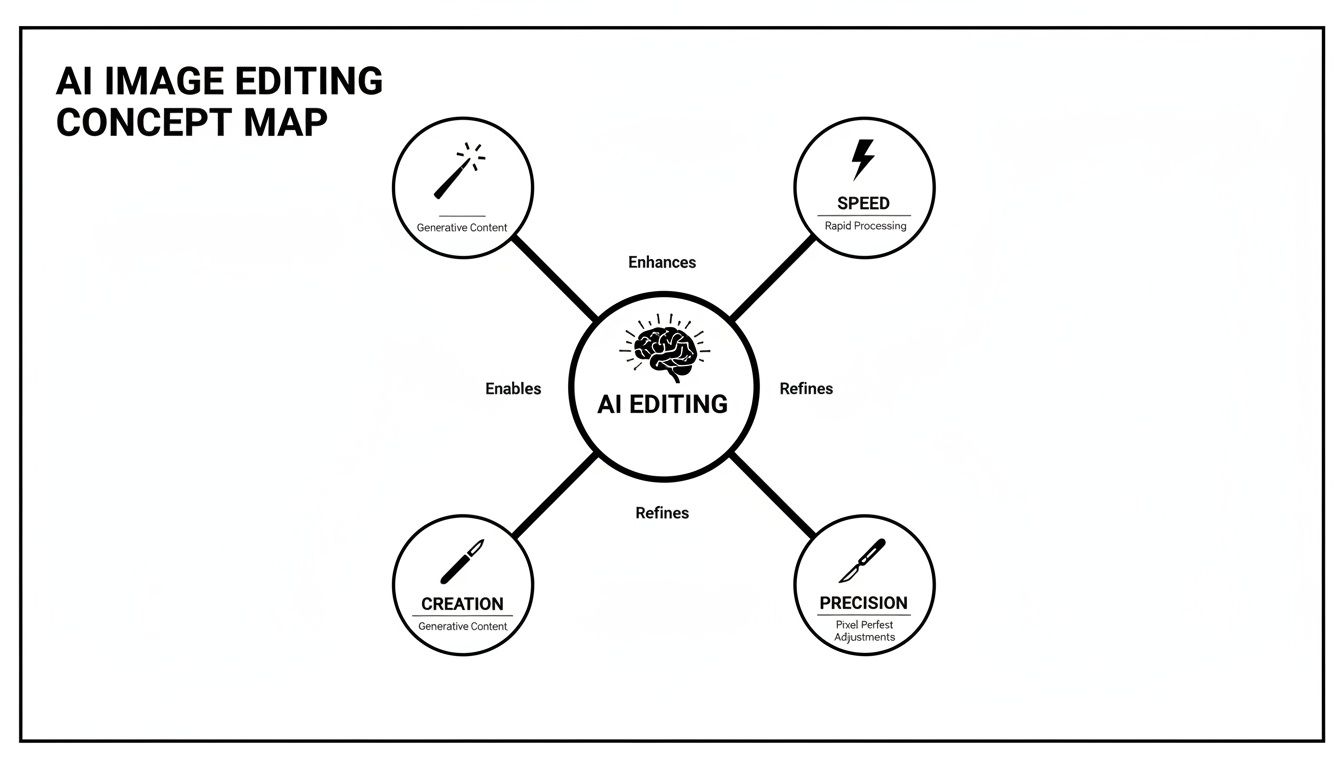
As the concept map shows, the AI’s deep learning directly translates into real-world wins like speed, creativity, and surgical precision in editing.
The Rise of Diffusion Models
Lately, another method called Diffusion Models has grabbed the spotlight, becoming the engine behind many of the most mind-blowing text-to-image tools. The best way to think about this one is like sculpting, but backward.
Imagine starting with a finished masterpiece, then slowly adding tiny specks of marble dust until it’s just a rough, shapeless block. A diffusion model learns how to do that entire process in reverse. It's trained to begin with a block of pure random noise—picture old-school TV static—and meticulously chisel away the "dust," step-by-step, to reveal a clear, coherent image based on a text prompt.
For a great breakdown of the nuts and bolts, checking out the underlying technology behind AI image generators offers some fantastic insights.
Because this "de-noising" process is so gradual and controlled, it gives the AI an incredible amount of precision, leading to stunning detail and realism. It’s exactly why you can type "a photorealistic astronaut riding a horse on Mars" and the AI can actually build that impossible scene from nothing. Grasping these core ideas really helps you appreciate why today's AI image editing feels so powerful and almost magical.
The Magic Tricks of AI Editing: A Breakdown of Core Techniques
Alright, we've peeked behind the curtain at how these AI models "think." Now for the fun part: seeing what they can do. These aren't just abstract theories; they're the real-world tools that are completely revamping how businesses create amazing visuals at lightning speed.
Think of this as your menu of creative superpowers. Let's dig into the core techniques you'll use time and time again.
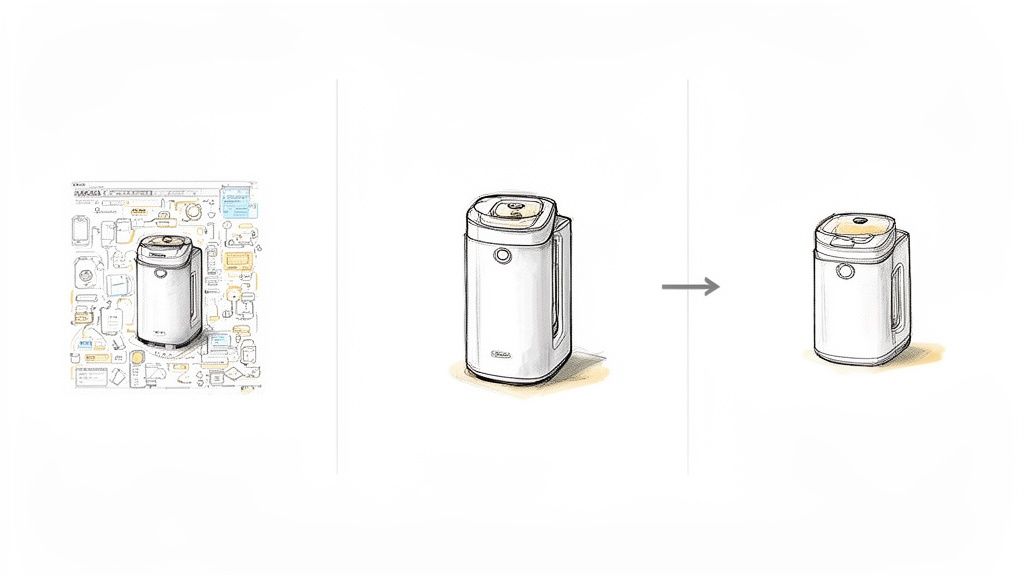
From polishing product photos to dreaming up entirely new marketing campaigns, AI image editing is the secret weapon for getting more done with way less hassle.
Flawless Background Removal
This is the bread and butter of AI editing, especially for anyone in e-commerce. Remember the soul-crushing task of manually tracing a product with a digital pen? An AI eats that for breakfast. It can analyze an image, find the subject, and cleanly snip out the background in seconds, giving you a perfect, transparent PNG.
And this isn't a sloppy rush job. The best models can handle the nightmare stuff—wispy hair, fuzzy textures, or delicate chain-link jewelry—without leaving those dreaded jagged edges or weird glowing halos. It’s pure precision.
- Before: Your product sitting in a cluttered studio with funky shadows.
- After: A crisp, ready-for-anything cutout of your product on a transparent background, perfect for Amazon, Shopify, or your own website.
- Why It Matters: This creates a clean, uniform look across your entire catalog, a proven factor in building customer trust and boosting sales.
Smart Object Removal and Inpainting
You know the feeling. You snap the perfect shot, but there's a rogue power line, a random tourist photobombing, or a distracting logo in the corner. Enter inpainting, the AI's version of a magic eraser. Just tell the AI what you want gone, and poof—it vanishes.
But it's smarter than just smudging pixels around. The AI actually understands the context of the image and rebuilds what should have been behind the object you removed. It intelligently fills the gap with textures and patterns that perfectly match the scene.
It's like having a world-class photo restoration artist on speed dial. The AI literally imagines what's missing and paints it back into existence, leaving an edit so clean you'd never know anything was there.
Super-Resolution Upscaling
We've all been there. You find the perfect image online, but it’s a tiny, pixelated thumbnail. Try to blow it up, and you get a blurry, unusable mess. Super-resolution is the AI technique that swoops in to save the day, adding sharp, believable detail where there was none.
Instead of just stretching the pixels, the AI analyzes the low-res image and makes incredibly educated guesses about what the high-resolution version should look like. It reconstructs textures and sharpens edges, turning a fuzzy graphic into something you could actually print. Want to see it for yourself? Check out this interactive image upscaling demo to see the magic happen in real time.
Generative AI and Style Transfer
This is where AI image editing goes from fixing photos to pure creation. Two of the most mind-bending techniques here are style transfer and text-to-image generation.
-
Style Transfer: Imagine taking the brushstrokes of a Van Gogh painting and applying them to a photo of your dog. That's style transfer. It lets you blend the artistic style of one image with the subject of another, creating totally unique visuals for social media posts or branded assets.
-
Text-to-Image Generation: This is the one everyone's talking about. You just type a description—a "prompt"—and the AI generates a completely original image from scratch. For a marketer, this is a game-changer. Suddenly, you can create custom visuals for a campaign without a camera, a photoshoot, or a stock photo subscription. Need a "koala bear wearing sunglasses drinking a smoothie on the beach"? The AI can whip that up for you in seconds.
Comparing these modern AI workflows to traditional methods really highlights the massive leap in efficiency. It's not just about saving a few minutes; it's about fundamentally changing what's possible.
Manual Editing vs AI-Powered Editing Workflows
| Task | Manual Editing (Per Image) | AI Image Editing (Per Image) | Key Benefit of AI |
|---|---|---|---|
| Background Removal | 5-15 minutes (or more for complex subjects) | 2-5 seconds | Massive time savings, perfect consistency across batches |
| Object Removal | 10-30 minutes of careful cloning/healing | 5-10 seconds | Effortlessly fix imperfect shots without expert skills |
| Image Upscaling | Limited; often results in poor quality | 10-15 seconds | Rescues low-res images, creating usable assets from scrap |
| New Asset Creation | Hours/days (photoshoot, design, etc.) | 30-60 seconds | On-demand creativity, limitless variations at near-zero cost |
The numbers don't lie. What used to take hours of skilled labor can now be done better and faster in mere seconds. This unlocks a level of scale and creativity that was simply out of reach for most businesses until now.
AI Image Editing in the Real World
Alright, let's get out of the lab and into the trenches. Theory is great, but the real magic happens when AI image editing tools are actually put to work. This is where the tech stops being a neat party trick and starts solving real, often frustrating, problems for businesses of every shape and size. Let's look at some stories from the field to see how these smart systems are making a massive impact.
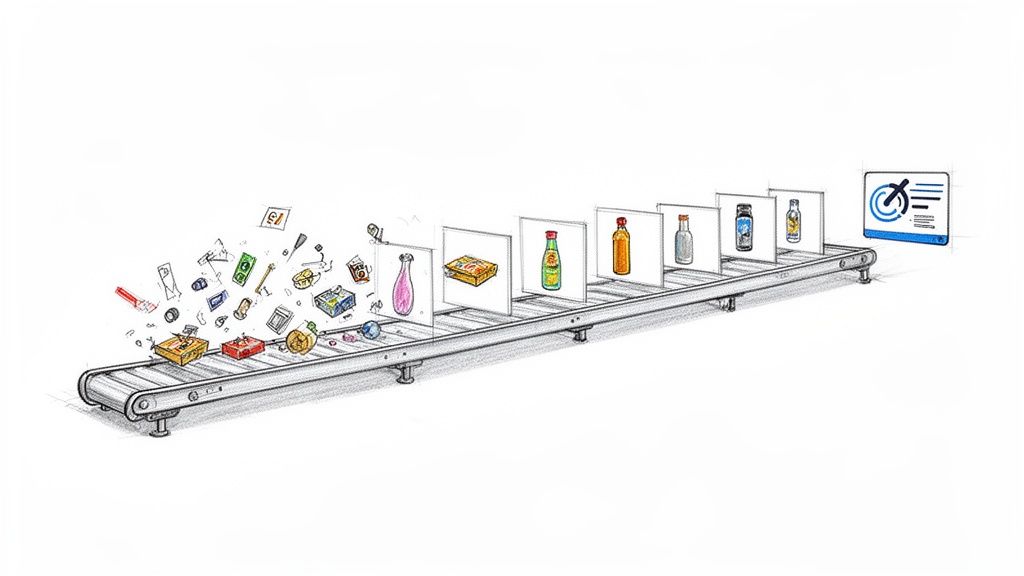
From scrappy startups to global brands, the story is almost always the same: manual editing was a soul-crushing bottleneck, and automation blew the doors wide open.
Powering the E-commerce Engine
For anyone selling online, product photography is the lifeblood of the business. A clean, consistent, and professional image can be the tiny nudge that turns a "maybe" into a "buy now." The problem? Getting that perfect look across thousands of products is a Herculean task, traditionally demanding an army of editors and endless hours of tedious clicking.
Picture an e-commerce brand that sells vintage clothing. Every single item is a one-off, and they need to get hundreds of new products online every week. Before, their small design team was spending nearly 80% of their time just meticulously cutting out backgrounds to meet the strict requirements of marketplaces like Amazon and eBay. It was slow, wildly expensive, and sucked the creativity right out of them.
Once they plugged an AI-powered workflow into their process, everything changed. They could suddenly batch-process an entire day's worth of photos in the time it takes to grab a coffee. The AI nailed all the tricky parts—fuzzy sweaters, delicate lace, shiny buttons—with an accuracy that was almost spooky.
The results were staggering. They slashed their image production time by over 90%. This meant products went live faster, and their designers could finally focus on creating killer marketing assets instead of just tracing pixels all day.
This isn't just about saving a few hours. It’s about speeding up the entire sales cycle. Quicker listings mean your products are in front of customers sooner, which puts money in the bank faster. If you want to see this core tech in action, you can even test out an AI background removal demo and get a feel for its precision firsthand.
Fueling Marketing and Creative Teams
Marketing folks are in a constant battle to feed the content beast. They need a never-ending stream of fresh, eye-catching visuals for social media, ads, and email campaigns. But the creative well runs dry, and the budget for infinite photoshoots just doesn't exist. This is where AI image editing steps in as a creative force multiplier.
Think about a digital marketing agency juggling a dozen different clients. They needed to crank out unique ad variations for A/B testing on Facebook and Instagram. The old way involved a designer manually creating every single version—swapping backgrounds, tweaking product colors, adding different text overlays. It was a production line from hell that severely limited how much they could experiment.
Integrating AI completely flipped the script.
- Endless Variations: Now, they can take one product shot and instantly conjure up dozens of lifestyle scenes. They can place a product in different settings to see what clicks with their audience, all without a single reshoot.
- On-the-Fly Assets: Need a quick graphic for a flash sale? A marketer can use a text-to-image generator to whip up a custom visual in seconds, no design ticket required.
- Rapid Prototyping: They can mock up entire campaign concepts with AI-generated visuals to test the waters before committing thousands of dollars to a full-scale photoshoot.
This kind of agility lets them be more responsive, more creative, and more data-driven, which ultimately leads to better campaigns and happier clients. The market is certainly taking notice. Within the broader AI sector, image-related tech is one of the fastest-growing areas. The global AI image generator market, valued at USD 3.16 billion in 2025, is projected to rocket to USD 30.02 billion by 2033, growing at a blistering 32.5% CAGR. You can read more about the explosive growth of AI imaging technology and its trajectory.
Empowering Developers to Build Smarter Apps
For developers, AI image editing isn't just a tool—it's a superpower delivered through a building block. By integrating a simple API, they can bolt powerful visual processing capabilities right into their apps, creating features that would have been outrageously complex or expensive to build from scratch.
Take a social networking app, for instance. They wanted to make sure all user-uploaded profile pictures were appropriate and looked good. Manually checking millions of images? Impossible.
By hooking into an AI image editing API, they automated the whole shebang:
- Moderation: The API first scans the image to flag any inappropriate content.
- Enhancement: Next, it automatically touches up the photo, improving the lighting and sharpness.
- Resizing and Cropping: Finally, it intelligently crops the image to focus on the user's face and resizes it perfectly for every spot it appears in the app.
This all happens silently in the background, in less than a second. The result is a better user experience, a safer platform, and a massive drop in manual work. The developer didn't need a PhD in computer vision; they just needed to make an API call. We're seeing this same story play out everywhere, from real estate apps that instantly de-clutter property photos to platforms that enhance user-generated content, proving that AI is becoming a fundamental piece of the modern software puzzle.
Putting AI Image Editing to Work In Your Own Projects
Alright, enough with the theory—let's get our hands dirty. This is where we bridge the gap between what AI image editing is and how you can actually use it. The good news? You don't need a Ph.D. in machine learning to bring this magic into your apps or website. You just need to know how to ask for what you want.
Think of an Application Programming Interface (API) as a magic genie in a bottle. You don't need to understand the cosmic forces at play; you just rub the lamp (make an API call), state your wish ("remove the background from this photo"), and poof! The genie (the AI service) delivers the result. It’s a beautifully simple way to tap into incredibly powerful technology without building it yourself.
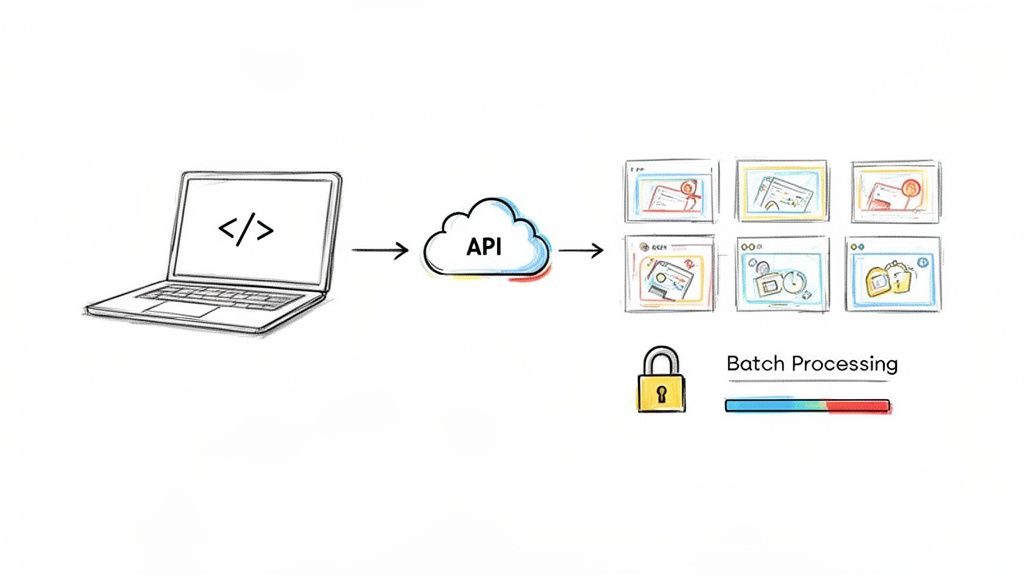
This "genie in a bottle" approach is what allows developers and marketers to wire sophisticated AI directly into their existing systems, whether it's a custom-built app, a Shopify store, or an internal content management system.
Your First Wish: A Simple API Call
Let's make this real. A classic first step is removing an image background, something that used to take a graphic designer ages to do by hand. With a service like PixelPanda, it’s just a few lines of code.
Here's what that looks like in Python, a go-to language for this kind of work. This little script grabs an image, sends it off to the API, and saves the new, background-free version.
import requests
Your unique API key and the image you want to edit
API_KEY = "YOUR_API_KEY_HERE"
IMAGE_PATH = "path/to/your/product-photo.jpg"
response = requests.post(
"https://api.pixelpanda.ai/v1/background-removal",
files={'image': open(IMAGE_PATH, 'rb')},
headers={'Authorization': f'Bearer {API_KEY}'}
)
Save the edited image with a transparent background
if response.status_code == 200:
with open("product-photo-edited.png", "wb") as f:
f.write(response.content)
print("Background removed successfully!")
else:
print("Error:", response.text)
See? No complex AI models, no neural network architecture—none of that. You're just sending a standard web request, the same kind your browser makes thousands of times a day. And for front-end folks, doing this in JavaScript is just as easy.
The beauty of an API is that it abstracts away all the gnarly details. You get to focus on building your amazing product, not on the mind-bending complexity of the AI humming away in the background.
Choosing Your Path: Raw API vs. Friendly SDK
As you start exploring, you'll run into two main ways to connect with these services: a direct API or a Software Development Kit (SDK). Knowing the difference will save you a lot of headaches.
- Direct API: This is the most direct route. You’re crafting the HTTP requests yourself, just like in the Python example above. It gives you total control and works with literally any programming language that can connect to the internet.
- SDK: Think of an SDK as a friendly translator. It's a bundle of code written for a specific language (like Python or JavaScript) that wraps up all the raw API calls into simple, easy-to-use functions. Instead of messing with headers and requests, you might just call a function like
pixelpanda.remove_background("image.jpg").
So, which one is for you? If you're a tinkerer who needs fine-grained control or you're using a niche programming language, the direct API is your ticket. But if you want to get results fast and prefer a cleaner, more straightforward coding experience, an SDK will be your new best friend. For a deep dive, the PixelPanda developer documentation is the perfect place to get started.
Pro Tips for a Smooth Integration
Before you dive headfirst into coding, here are a few hard-won lessons that will make your life easier and your application much more reliable.
-
Guard Your API Keys! Treat your API key like the password to your bank account. Never, ever, put it in your front-end code or check it into a public GitHub repository. Use environment variables to keep it secret and safe.
-
Don't Assume Success. The internet is a chaotic place, and APIs can fail. Your code should always be ready to handle errors gracefully. What happens if you get a
404 Not Foundor a500 Server Error? Make sure your app knows how to react without crashing and burning. -
Think in Batches for Big Jobs. Got a thousand product photos to process? Don't send them one by one. That’s like trying to fill a swimming pool with a teaspoon. A smart system queues up images for batch processing, handling them in an orderly fashion. This is non-negotiable for large e-commerce catalogs or platforms that deal with tons of user-generated content.
Judging Quality and Navigating the Ethical Maze
Jumping into AI image editing is a blast, but you quickly learn a hard truth: not all AI tools are created equal. A cheap knock-off can leave you with blurry messes and bizarre artifacts, while a high-quality system delivers results so good they look like they were done by a seasoned pro.
So, how do you become a smart, discerning user? It starts with knowing what to look for.
Think of it like being a judge at a talent show. You need a scorecard to tell the amateurs from the professionals. When you’re evaluating an AI’s output, you're not just glancing at the big picture; you’re a detective, inspecting the tiny details that reveal its true skill.
Your Quality Checklist
Here’s a practical guide to spotting top-tier AI performance:
-
Background Removal: Get in close. Zoom right in on the edges. A great AI will flawlessly trace around tricky details like flyaway hair, the fuzz on a sweater, or delicate jewelry. You're hunting for clean, sharp lines with zero leftover background pixels or weird, glowing halos. Anything less is a dead giveaway.
-
Image Upscaling: Scrutinize the textures. Does the fabric's weave look natural, or does it seem plasticky and fake? A good upscale adds believable detail, making things sharper and richer. A poor one just makes everything look like a blurry, computer-generated guess.
-
Object Removal (Inpainting): Check the fill pattern. When an object vanishes, the AI should rebuild what was behind it using context-aware textures that match the lighting and perspective of the scene. If the filled-in area looks repetitive, smudged, or just off, the AI isn’t smart enough to pull off the magic trick.
The ultimate test of a great AI edit is invisibility. If you can't tell that an AI was ever there, it has done its job perfectly. The goal is a seamless, natural result that enhances the original image, not one that screams "I was edited!"
Navigating the Ethical Maze
Beyond pixels and sharpness lies something far more important: using this powerful technology responsibly. As you start editing, keeping a few key principles in mind will help you build trust and maintain credibility with your audience.
First, be transparent about significant alterations. If you're using AI to plop a product into a completely new scene or create a composite image that doesn't exist in reality, just say so. A simple disclaimer is all it takes. Honesty prevents misleading people and, frankly, builds a much stronger connection with your customers.
Second, prioritize data privacy. When you upload an image to an AI service, you need to know their data policy. Reputable providers like PixelPanda are crystal clear about how your data is used and stored. Be wary of services that are vague about privacy—your images could end up training their models without you ever knowing.
Finally, avoid malicious misuse. The power to alter images comes with a huge responsibility not to create deceptive or harmful content. Using AI to create fake news images or phony endorsements is not only unethical but can have serious real-world consequences. By choosing responsible partners and using these tools with integrity, you can tap into their incredible power for good.
Got Questions About AI Image Editing? Let's Clear a Few Things Up.
Even with all the cool stuff AI can do, jumping into the world of AI image editing can feel a bit like learning a new language. You're probably wondering how it really stacks up against a human touch or if it’s going to make your creative team redundant.
It's totally normal to have questions. Let's tackle some of the most common ones I hear.
Is This Going to Replace My Designers?
Nope, not a chance. Think of AI as the ultimate creative sidekick, not a replacement.
AI is brilliant at handling the grunt work—the mind-numbing, repetitive tasks that drain a designer's creative energy. We're talking about things like removing backgrounds from 500 product shots or batch-resizing an entire campaign's worth of images.
This doesn't make designers obsolete; it makes them more powerful. It frees them up to focus on what they do best: big-picture strategy, brainstorming killer concepts, and crafting truly original work.
Can It Really Handle Tricky Images with Fine Details?
Absolutely. This is where the magic of a really well-trained AI model comes into play.
Modern systems are fed enormous, diverse datasets that teach them to see images the way we do, with an understanding of context and nuance. They can tell the difference between a wisp of hair and a similarly colored background, or trace the delicate edge of a lace dress. The results are often so clean, you’d swear someone spent hours in Photoshop with the pen tool.
Here's the real difference: A simple filter just slaps an effect over everything. A true AI understands what it's looking at—a person, a car, a piece of clothing—and makes smart, precise edits that respect the subject. It’s the difference between a sledgehammer and a scalpel.
How Hard Is It to Plug This into Our App?
Honestly, it’s designed to be pretty painless for developers. Most AI editing services, like ours, offer a straightforward REST API with clear documentation and code snippets you can copy and paste.
Getting a feature like background removal up and running is usually just a few lines of code. You send the image, the AI does its thing, and you get the polished version back. You don't need a Ph.D. in machine learning to make it work.
Ready to reclaim all those hours lost to tedious manual edits? With PixelPanda, you can plug powerful AI image editing directly into your workflow in minutes. Check out our demos and grab a free API key to get started!