When you hear someone mention “Characters AI,” what pops into your head? For many, it's a chatbot with a quirky personality. For others, it's a stunning, AI-generated fantasy warrior. The funny thing is, they're both right.
The term "Characters AI" actually pulls double duty, covering two completely different creative worlds. One is all about conversation and personality, while the other is purely about what you can see. This guide is your backstage pass to the visual side of things—we’re going to dive into how you can use AI to bring incredible character images to life with just a few typed words.
Untangling the Two Worlds of Characters AI
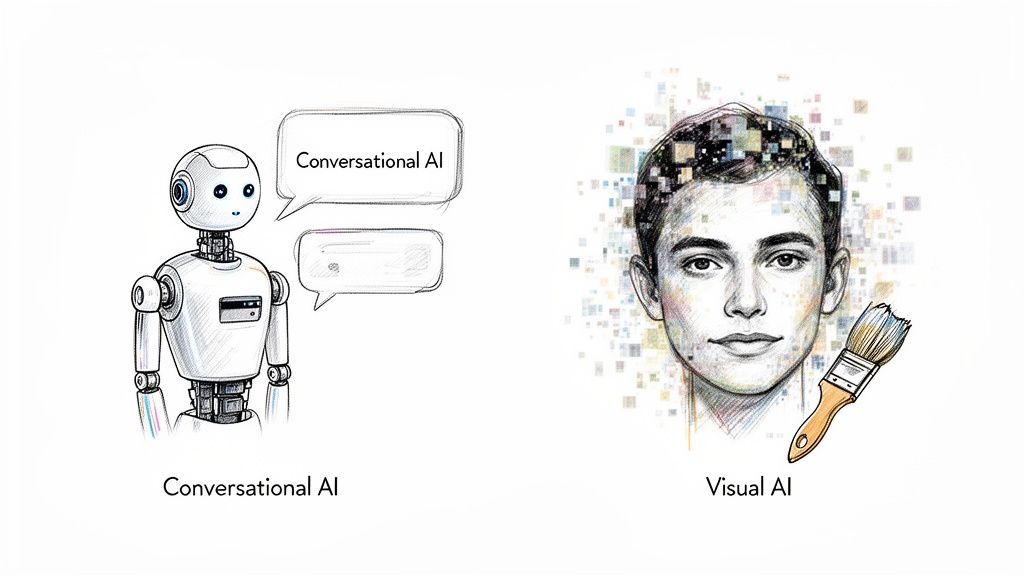
Let's clear this up right from the start. On one side of the "Characters AI" coin, you have the conversational wizards. These are the AI chatbots—like the ones you see in customer support or entertainment apps—that are programmed with unique personalities. They’re masters of dialogue, built to chat and interact.
On the other side, you have the visual artists. These AI models are like digital sculptors, capable of conjuring up breathtaking character images from simple text prompts. Whether you need a hero for your next video game, a mascot for your brand, or a face for a virtual influencer, this is the tech that makes it happen.
This guide is all about that second world. We're going to pull back the curtain on the tools and techniques that let you turn a simple idea into an unforgettable character.
Chatbots Versus Image Generators
At first glance, it seems like both types of AI create "characters," but they operate in fundamentally different arenas. The goals, the tech, and the creative processes are worlds apart.
To make this crystal clear, let's break down the key differences.
Comparing Chatbot AI vs Visual Generation AI
This table clarifies the two main types of 'Characters AI' by breaking down their distinct goals, technologies, and primary use cases.
| Aspect | Conversational AI (Chatbots) | Visual AI (Image Generators) |
|---|---|---|
| Primary Goal | Simulate human-like dialogue and interaction. | Generate compelling and unique images from text. |
| Core Technology | Large Language Models (LLMs) like GPT or Llama. | Diffusion models and Generative Adversarial Networks (GANs). |
| User Input | Text prompts or voice commands to start a conversation. | Detailed text descriptions (prompts) of a desired image. |
| Output | Text-based responses, maintaining a consistent persona. | A static image file (PNG, JPG) representing the prompt. |
| Common Use Cases | Customer service, virtual companions, interactive storytelling. | Game asset creation, marketing materials, digital art, avatars. |
As you can see, making a witty chatbot requires scripting and personality tuning, while designing a visual character demands a sharp eye for art direction and a knack for descriptive language. They're both creative, but they flex completely different muscles.
The growth in this space is absolutely mind-boggling. The global AI market is on track to hit USD 1.81 trillion by 2030, and get this—enterprise users are expected to make up about 42% of all AI image-editing spending. You can dig into more AI image statistics on photoroom.com.
This explosion shows that visual creation isn't just a fun hobby anymore; it's becoming a serious tool for businesses everywhere. So, stick around and see how platforms like PixelPanda are putting the power of a full-blown art studio right at your fingertips.
How Are Industries Actually Using AI Characters?
Let's be honest, "AI characters" used to sound like something straight out of a sci-fi movie. But we've officially crossed that line. They’re no longer just a cool gimmick; they’ve become a genuine workhorse for businesses in some pretty surprising ways.
Think of them as your own personal army of tireless artists, infinitely patient models, and brand ambassadors who are always on message. This isn't just a small tweak to how things are done—it’s a massive shift, letting companies create stunning visuals faster and way more affordably than ever before. It's about giving you a level of creative freedom and scale that, until now, required a budget the size of a small country and a massive art department.
Whether you need one perfect mascot or a thousand unique character variations for a new game, AI tools are putting that power right at your fingertips.
The Game Has Changed for Gaming and Entertainment
Nowhere is this shift more obvious than in the gaming world. For years, creating characters was a long, painstaking process. Now? Developers are dreaming up entire casts of non-player characters (NPCs), heroes, and villains in the time it takes to grab a coffee. We're talking minutes, not weeks. This completely supercharges the pre-production phase, letting creative teams throw more ideas at the wall to see what sticks.
Just imagine an indie game studio trying to populate a massive fantasy world. Before, that was a monumental task. Now, they can generate an entire city of unique inhabitants without having to manually design every single one. It’s also a game-changer for creating in-game assets, slick promotional art, and character portraits, slashing production timelines to ribbons. This frees up human artists to focus on the stuff that really needs their touch, like animation and great storytelling.
Marketing and E-commerce Are Getting a Makeover
Marketers have found a new best friend. Why deal with the chaos and cost of a photoshoot when you can create a custom AI character that perfectly embodies your brand? This AI mascot can show up anywhere—decked out for the holidays, showing off a new product, or reacting to a trending meme—all with just a few prompts. The consistency is flawless.
E-commerce is another area seeing a huge impact. Online stores are using virtual models to showcase clothing on a whole spectrum of different body types. It's a brilliant move. Not only is it more inclusive, but it genuinely improves the customer experience.
When shoppers can see how a shirt or a pair of jeans might actually look on someone who resembles them, they connect with the product on a totally different level. It makes online shopping feel more personal and, you guessed it, often leads to fewer returns.
This isn't just about saving a buck. It’s about crafting content that resonates, grabs attention, and builds a real connection with your audience. And honestly, we're just scratching the surface of what's possible.
Your Creative Workflow for Building an AI Character
So, you're ready to bring an AI character to life? Let's get our hands dirty. Forget the idea that this requires a computer science degree. These days, creating stunning character visuals is more like being a movie director than a coder. You're the one calling the shots, and the AI is your infinitely talented (and patient) special effects team.
It all kicks off with one simple but incredibly powerful tool: the text-to-image prompt. This is your script, your director's notes, your everything. Don’t be shy here. "A knight" is boring. "A stoic female knight in ornate silver armor, slight battle damage on the helmet, standing in a misty forest at dawn, cinematic lighting"—now that's a starting point. The devil, and the magic, is in the details.
Think of that first generated image as your rough cut. From here, we head into post-production to turn that raw footage into a Hollywood-level masterpiece.
From First Draft to Final Masterpiece
Once the AI spits out that initial image, the real fun begins. This is where you roll up your sleeves and polish that promising concept until it absolutely gleams. The workflow isn't complicated; it's just a few logical steps, each designed to crank up the quality and make your character ready for prime time.
You'll generally move from big-picture creation to fine-tuning the little things, a process that’s common across all sorts of professional applications for AI characters.
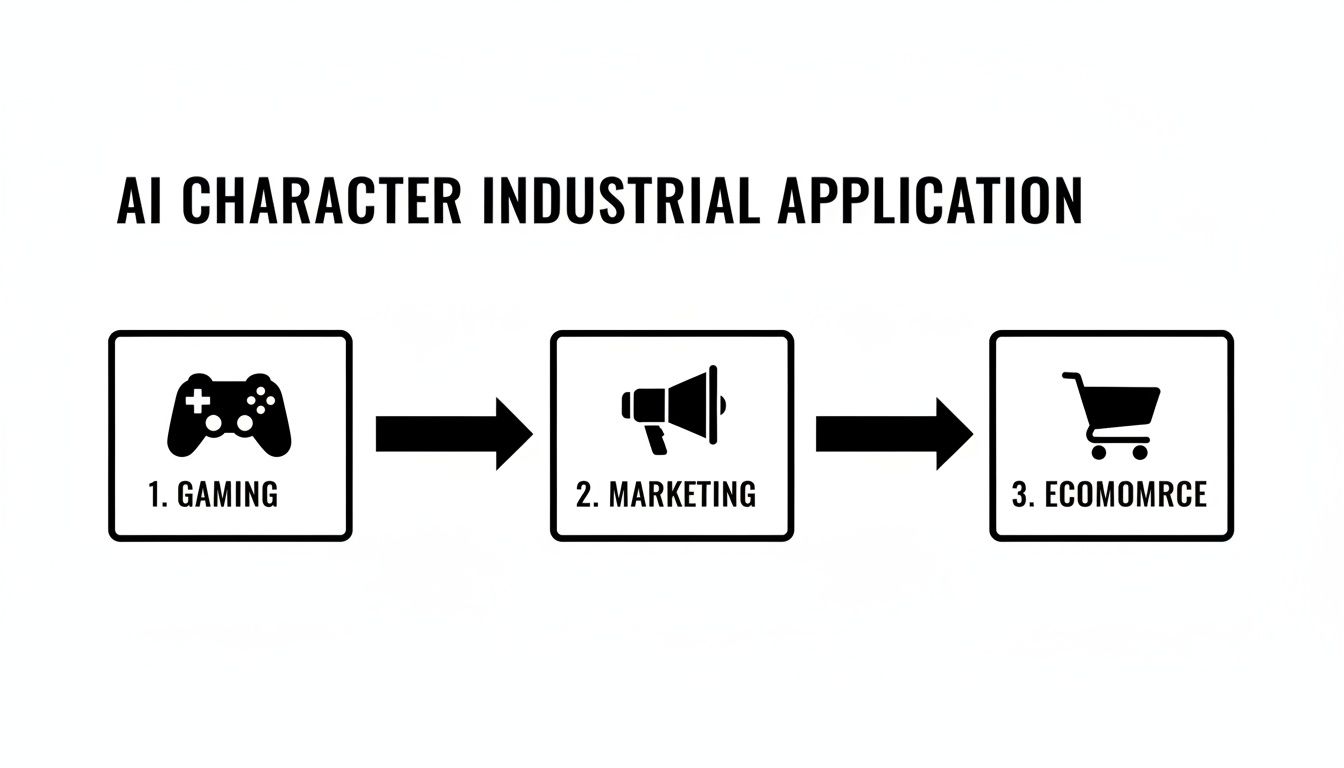
As you can see, a character concept born for a video game can easily be tweaked and polished for a marketing campaign or an e-commerce avatar. It’s all about the workflow.
Here are the essential stops on your creative pipeline:
- Text-to-Image Generation: The starting pistol fires here. You write out your detailed vision—the character, the clothes, the mood, the style—and the AI gets to work, generating a base image from your words.
- Upscaling to High Definition: AI-generated images often start out a bit small. Upscaling is the magic wand that intelligently blows up the image to a high resolution, adding sharpness and detail without turning it into a blurry mess.
- Face Enhancement: This is a non-negotiable step for portraits. AI face enhancement tools can fix weird artifacts, add incredible realism to eyes and skin, and make sure your character's expression is crystal clear.
- Background Removal: Need to drop your character onto a website, a poster, or into a different scene? AI background removal precisely snips them out, handling even the notoriously tricky bits like wisps of hair.
- Smart Inpainting: Spot a weird glitch in the armor? Or maybe a tree in the background that’s just bugging you? Inpainting lets you paint over the offending spot, and the AI cleverly fills it in as if it were never there.
Think of this workflow as a digital assembly line for creativity. Each station adds a layer of quality, turning a rough idea into a polished, production-ready visual that can be used anywhere.
Putting It All Together
When you chain these steps together, you can create characters that aren't just cool to look at but are also ready for business. A game developer could generate a character, upscale the art for a splash screen, and then remove the background to create game sprites, all from the same initial concept.
Platforms like PixelPanda are built to handle this entire process seamlessly under one roof. The best way to really get it is to try it yourself. Go mess around with some hands-on demos of AI image editing on pixelpanda.ai to see what each tool does in practice. Once you get the hang of this sequence, you'll be cranking out amazing AI characters on repeat.
Mastering The Art Of The Perfect AI Prompt
Think of your AI image generator like a genie in a bottle. It's incredibly powerful, but it takes everything you say literally. If you vaguely ask for "a warrior," you'll get a warrior—and it'll probably be a bit bland.
But what if you ask for "a grizzled Viking warrior, intricate tattoos on his face, holding a battle-worn axe, standing on a misty cliffside at sunrise, epic fantasy oil painting"? Now you’re not just making a wish; you're directing a masterpiece. That's the power of a great prompt. It’s the blueprint for creating stunning characters ai.

The secret isn’t learning a complex new language; it’s all about being specific. A powerful prompt is a mix of carefully chosen keywords, each one adding a new layer of detail that guides the AI straight to your vision. A wishy-washy prompt leaves far too much to chance, but a well-crafted one puts you firmly in the director’s chair.
The Anatomy Of A Killer Prompt
Going from basic to brilliant requires a bit of structure. Think of it like cooking: you need the right ingredients to get the flavor you want. Each part of your prompt is an ingredient that builds toward the final image. Some platforms are even building entire systems around this concept, like the Prompt to Design feature, which shows just how directly your words translate into visual output.
So, what are the essential ingredients for every great character prompt?
- Subject: This is your "who." Get descriptive! Don't just say "woman." Try "an elegant elven sorceress with long silver hair and glowing blue eyes."
- Style: This sets the whole vibe. Are you after something "photorealistic," "anime style," a "3D render," or maybe a "fantasy oil painting"? This one keyword can completely change the look and feel.
- Lighting: Lighting is everything for mood. Words like "cinematic lighting," "soft morning glow," or "dramatic rim lighting" can turn a flat image into something with real emotional punch.
- Composition: This is your camera angle. Are you picturing a "close-up portrait," a "dynamic action shot," or a "full-body shot"? This tells the AI how to frame your character.
The Power Of What You Don't Want
Sometimes, telling the AI what not to do is just as important as telling it what to do. This is where negative prompts become your best friend. AI models are amazing, but they can still create oddities like mangled hands, extra limbs, or just awkward-looking anatomy.
A negative prompt acts like a set of guardrails. You can add terms like "deformed hands, ugly, blurry, extra fingers, bad anatomy" to steer the AI away from common glitches and dramatically clean up the final image.
Let's look at how adding layers of detail transforms the result. The table below shows how a simple idea can be built into a much more powerful prompt.
Crafting Prompts for High-Quality Character Visuals
| Prompt Level | Example Prompt | Expected Outcome |
|---|---|---|
| Basic Prompt | a robot |
A generic, simple robot image. |
| Detailed Prompt | A detailed sci-fi robot, glowing blue optics, metallic finish, standing in a futuristic city, cinematic lighting, photorealistic |
A high-quality, specific character with a defined mood and setting. |
As you can see, building your prompts with these layers—subject, style, lighting, composition, and a dash of negative prompting—gives the AI a rich, detailed map to follow. It’s the single best way to turn those vague ideas in your head into incredible, visually striking characters that jump right off the screen.
Putting AI Characters to Work in Your Apps with an API
So, you’ve mastered the art of creating one-off AI characters, which is fantastic. But what happens when you need a thousand of them? Or ten thousand? Suddenly, that hands-on creative process becomes a massive bottleneck.
This is where the real magic happens. To truly scale up, you need to automate. And for that, we turn to the trusty Application Programming Interface—the API.
Think of an API as a special messenger that lets your app talk directly to an AI engine like PixelPanda. Your app can send a note saying, "Hey, I need a photorealistic cyberpunk detective, make it snappy," and the API delivers a finished image moments later. No human clicks required. This opens the door to creating dynamic, on-demand visuals for virtually anything you can dream up.
Automation in the Wild
Let's get practical. Imagine a social media app where users design a unique avatar for their profile with just a text description. Boom, API.
Or what about a marketing platform that whips up fresh social media posts featuring your company mascot for every holiday or promotion? That's an API, too. You could even have an e-commerce site where virtual models showcase clothing, instantly customized to a shopper's style.
This is how character AI graduates from a fun toy to a serious business tool. An API takes a complex workflow—generating an image, upscaling it, enhancing the face, and removing the background—and bundles it into a single, automated command. There’s a reason the AI image generator market is exploding, from a value of USD 299.295 million in 2023 to a projected USD 917 million by 2030. You can dig into the numbers yourself in this market analysis by Fortune Business Insights.
A Little Code Goes a Long Way
What does this look like under the hood? It’s probably a lot less complicated than you think. Whether you're a Python pro or a JavaScript whiz, calling an API is usually just a few lines of code.
Here’s a quick peek at how you might ask the PixelPanda API to generate and upscale an image using Python:
import requests
api_key = 'YOUR_API_KEY'
headers = {'Authorization': f'Bearer {api_key}'}
data = {
'prompt': 'A friendly robot mascot waving, 3D render, vibrant colors',
'upscale': True,
'face_enhance': True
}
response = requests.post('https://api.pixelpanda.ai/v1/generate', headers=headers, json=data)
if response.status_code == 200:
image_url = response.json().get('url')
print(f"Success! Image is ready at: {image_url}")
else:
print(f"Error: {response.text}")
With a simple request, you’re not just creating a character; you’re triggering a multi-step process. The API receives your prompt, generates the image, applies enhancements, and sends back a production-ready asset.
This kind of automation lets you build incredibly powerful features without having to become a machine learning guru. By plugging in a reliable API, you can stay focused on building an amazing experience for your users, while the AI handles all the heavy visual lifting behind the scenes.
If you’re ready to see what’s possible, dive into the PixelPanda API documentation for developers and get started.
Let's Talk About the Ethics of AI Characters
Getting into AI character creation feels a bit like being handed the keys to a magic kingdom. You can dream up just about any person, creature, or hero you want and bring them to life with a few words. But, as with any great power, there's a serious side to consider. It's not just about what you can do, but what you should do.
As we all start using these incredible tools, we have to face the tricky ethical questions that come with them. It all starts with the data—the mountains of images these AI models learn from. Were those images gathered ethically? Did the original artists and photographers ever agree to have their work used to train a machine? These aren't just philosophical questions; they're at the very heart of respecting creative work.
Using tools trained on ethically sourced data is the first big step. The next is being honest about what you're creating.
Be Honest: Is It Real or Is It AI?
The line between a real photo and a hyper-realistic AI image is getting fuzzier by the day. This is where things can get dicey, opening the door to misleading images or "deepfakes." Conjuring up a dragon-slaying knight for your game is one thing; creating a photorealistic person to spread a fake news story is something else entirely.
The solution is simple: transparency. When you use AI-generated characters in your marketing, ads, or social media, a little disclosure goes a long way. It’s like adding a small note that says, "This cool image was brought to you by a human with an AI assistant." It’s honest and builds trust.
Being upfront isn't just about covering your bases. It’s about being a good citizen in the creative world. A little honesty prevents a lot of confusion and lets people admire the craft without feeling like they've been tricked.
So… Who Actually Owns This Thing?
Alright, you’ve just generated the perfect character. It's brilliant. But who owns the rights to it? This is where the legal stuff gets a bit swampy, as copyright law is still sprinting to keep up with AI.
Here’s what you need to keep in mind:
- Read the Fine Print: Your relationship with the AI platform is everything. Some services, like PixelPanda, give you full commercial rights to what you make. Others might have restrictions. Seriously, always read the terms of service.
- The Human Touch: In many countries, a piece of art can only be copyrighted if it has significant human creative input. A raw, untouched AI output might not qualify. The more you tweak, edit, and refine the image, the stronger your copyright claim gets.
At the end of the day, using this technology well means making smart, responsible choices. If you focus on ethical data, stay transparent with your audience, and get a handle on the ownership rules, you'll be building your amazing creations on a foundation of integrity.
Got Questions About Character AI? We've Got Answers.
Diving into the world of AI characters feels a bit like stepping into the future, and it's totally normal for that to bring up a ton of questions. From the nitty-gritty technical stuff to the sometimes-murky legal side of things, it pays to know what you're getting into.
Let's clear up a few of the most common questions we hear all the time.
Can I Actually Create a Consistent Character?
Absolutely, but it's more of an art than a science right now. Getting the same character to show up with the same look across a dozen different images is one of the biggest challenges—and goals—in AI image generation.
It takes a bit of strategy. You can lock in a specific "seed" number to get the AI to start from the same random point each time, which helps replicate a style. The real magic, though, is in the details. The more specific your prompt, the better. Think less "mage" and more "a mage with a crescent moon scar above her left eye, wearing a tattered blue cloak held by a silver clasp." Using a reference photo with image-to-image features is another pro-level trick for keeping things consistent.
So… Who Owns the Images I Make?
Ah, the million-dollar question! This is where things get a little tricky, as the law is still playing catch-up with the technology.
Here’s the general consensus for now: if an image is 100% generated by an AI without substantial creative changes from a human, it often falls into a legal gray area and may not be eligible for traditional copyright protection. The most important document you can read is the terms of service for the platform you're using. Some give you full commercial rights to whatever you create, while others might have fine print with restrictions. Always, always read the terms before you start building a business around your AI art.
Checking out the different PixelPanda plans at https://pixelpanda.ai/pricing is a great way to see how commercial usage rights are handled. For another perspective, resources like Buddypro AI's FAQ section also offer insight into common questions about AI services.
Ready to create stunning, production-ready visuals in seconds? PixelPanda provides a powerful suite of AI tools and a simple API to automate your entire creative workflow. Start generating for free at https://pixelpanda.ai.