Ever found the perfect image for a project, only to realize it's plastered with an old, distracting watermark? It’s a common headache. The good news is, yes, you can absolutely remove watermarks from images. You've got two main routes: the old-school, hands-on way with editing software, or the much faster, smarter path using AI tools like PixelPanda.
Why Remove Watermarks In The First Place
This guide is for professionals dealing with real-world problems. I'm talking about marketing teams who've lost the original, clean files after a rebrand, or e-commerce managers trying to unify a product catalog filled with inconsistent supplier photos. It's also for developers who need to programmatically clean up user-generated content for their apps.
We're going to skip the fluff and get straight to what works. More importantly, we’ll talk about the ethical and legal boundaries you must respect. Let's be perfectly clear: this is about reclaiming assets you have the right to use, not about swiping content from creators. Removing a watermark without permission is a huge no-go.
Real-World Scenarios Driving The Need
The need to zap a watermark isn't just about making things look pretty; it's usually driven by very practical business needs.
I've seen it countless times. A company acquires a smaller firm and inherits an entire digital asset library, but every single image is branded with the old logo. Doing a full reshoot of thousands of photos? Not going to happen. Or think about a social media manager running a user-generated content campaign—they get great submissions, but some have a competitor's logo in the corner that has to go before it can be reposted.
These are the kinds of situations where knowing how to remove a watermark efficiently can save the day.
The Bottom Line: Legitimate watermark removal is a problem-solving tool for businesses managing their own visual assets. The goal is to restore usability to content you already own or have permission to modify, ensuring brand consistency and professional presentation.
A Quick Look at Your Options
Before we get into the nitty-gritty, let's lay out your two main strategies. This quick comparison will help you figure out which approach makes the most sense for your project, your skills, and the time you have.
Watermark Removal Methods At A Glance
| Method | Best For | Pros | Cons |
|---|---|---|---|
| Manual Editing | One-off jobs with simple watermarks and backgrounds. | Gives you total, pixel-by-pixel control. | Incredibly time-consuming, requires skill with tools like Photoshop, and can easily look blurry or fake. |
| AI Automation | High-volume workflows, tricky images, and developers needing an API. | Super fast, scalable, and often produces seamless, natural-looking results even on complex textures. | Quality depends on the AI model; you have less direct control over the final pixel placement. |
Ultimately, the best tool is the one that fits the job. Whether you're a designer polishing a single hero image or a developer building a system to process thousands of photos a day, there's a solution that fits.
Let's Talk About the Ethics of Erasing a Watermark
Before we get into the nitty-gritty of the tech, let's pump the brakes for a second and talk about the elephant in the room. The ability to remove watermarks from images is a powerful skill, and with great power comes the need to, well, not be a jerk about it. This isn't just a technical problem to solve; it's a serious ethical checkpoint.
Think of a watermark as a digital signature. It's how a photographer says, "I made this," or how a stock photo company protects its assets. Just scrubbing it off without permission is more than just bad manners—it's often straight-up illegal. To get a real sense of the protections in place for creators, it's worth exploring what intellectual property protection entails. It all comes down to respecting the blood, sweat, and tears that go into making amazing visuals.
So, When Is It Actually Okay?
Alright, so when can you fire up the tools and get to work? The answer is simple: when you have the undeniable legal right to do so. This isn't a fuzzy, gray area. There are plenty of perfectly valid, everyday reasons why you'd need to remove a watermark as part of a professional workflow.
Let's say your company just finished a massive rebrand. You're sitting on an archive of thousands of amazing product shots, but every single one has your old, cringey logo stamped on it. A complete reshoot would burn through your entire marketing budget for the year. In this case, you own the images, so removing the old watermark is just good brand management.
Or maybe you run an e-commerce site that pulls in user-generated content. To keep the platform looking clean and professional, you might need to strip watermarks from photos that sellers upload (as long as your terms of service are crystal clear about this). The aim is a smooth user experience, not stealing the seller's hard work.
The Golden Rule: If you own the image, have a license that allows for modification, or got a clear "yes" from the creator, you're in the clear. The mission is asset recovery and management, not content piracy.
The Do-Not-Cross Lines
The line you should never cross is pretty bright and clear: unauthorized removal is a huge no-go. Ripping a photographer's watermarked proof from their portfolio and "cleaning it up" to dodge the fee isn't a clever life hack. It’s theft. Full stop.
Pulling a stunt like that can backfire in some pretty nasty ways:
- Legal Headaches: Creators and stock agencies are armed with tech that sniffs out unauthorized use of their work across the web. A cease-and-desist letter or, worse, a copyright infringement lawsuit is a world of pain your business doesn't need.
- Reputation Implosion: Getting caught using stolen images can be a PR nightmare. In an age where authenticity is everything, being seen as a brand that disrespects creators is a stain that's hard to wash out.
- Crappy Results: Let's be real—most watermarked images floating around online are low-res proofs anyway. Even the slickest AI tool can't magically invent pixels that aren't there. The final result will never touch the quality of the original, high-res file you should have paid for.
The bottom line is that the techniques we're about to cover are for the pros—the developers, marketers, and business owners managing their own visual assets. They’re fantastic solutions for real-world problems, like recovering originals after a hard drive crash or standardizing a massive product catalog. But using them to avoid paying a creator? That’s not just unethical, it's a boneheaded business move. Stay on the right side of this, it's better for everyone involved.
Getting to Know Your Enemy: The Different Types of Watermarks
Let's be honest, not all watermarks are created equal. Some are a minor annoyance, easily swatted away, while others are a digital fortress designed to withstand a siege. Figuring out what you're up against is the first step to a clean removal.
This cat-and-mouse game of protecting and restoring content is serious business. The digital watermarking market was valued at a whopping $2.01 billion in 2024 and is expected to balloon to $6.01 billion by 2032. That explosive growth tells you everything you need to know about how common this tech has become. If you want to dive deeper, the full digital watermark technology market report has all the details.
So, let's break down the usual suspects you'll find in the wild.
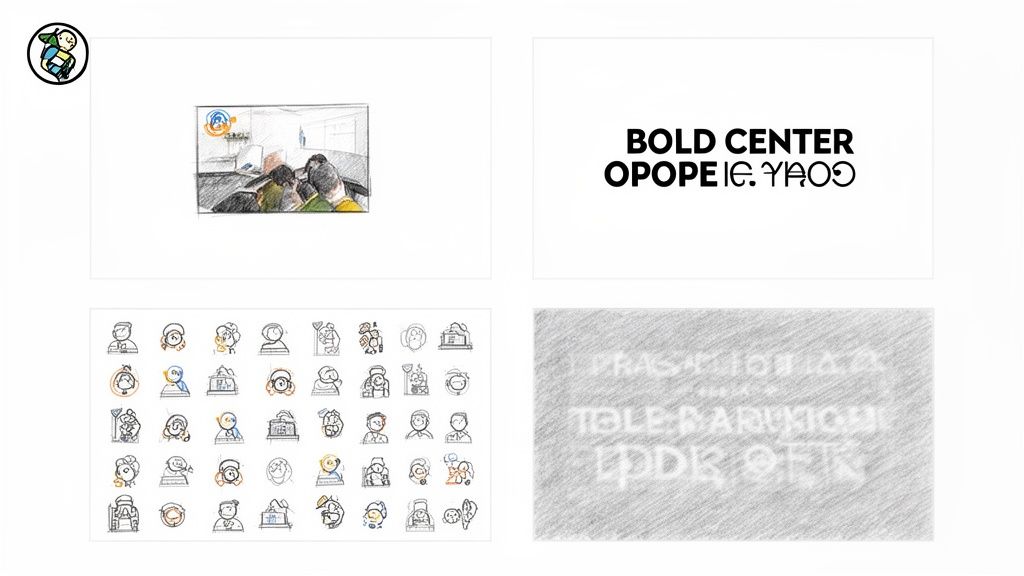
Opaque Logos and Text
This is your garden-variety watermark. It’s a solid, non-transparent logo or chunk of text, typically parked in a corner. Think of a photographer’s name in a crisp, solid font or a simple company icon.
Because these completely obscure the pixels underneath, the real work isn't blending—it's rebuilding. If the watermark sits on a simple background like a clear sky or a plain wall, a quick pass with a content-aware fill tool might be all you need. But drop that same logo onto a detailed pattern like a plaid shirt or a busy cityscape, and things get tricky. You'll need a much more sophisticated approach to convincingly recreate what's been covered up.
Transparent and Semi-Transparent Overlays
Next up are the ghostly, see-through watermarks. These are the logos or text you can partially see through, with their opacity dialed down. They might look less intimidating than their opaque counterparts, but they bring their own special kind of headache.
The challenge here is to surgically remove the watermark’s color information without mangling the original image pixels beneath it. If you just go at it with a clone stamp tool, you'll probably end up with a smudgy, blurry mess as you inadvertently mix the faint watermark color with the background. It's a dead giveaway of a clumsy edit.
Pro Tip: This is where AI inpainting models really shine. They're trained to spot these subtle color and texture disruptions. Instead of just smearing pixels around, they can intelligently reconstruct the scene as it should look, minus the tell-tale smudge.
Tiled and Repeating Patterns
And now, for the final boss: the tiled watermark. This is that obnoxious repeating pattern of logos or text that blankets an entire image, a favorite tactic of stock photo sites to make their previews unusable.
Getting rid of just one instance is a pain. Getting rid of dozens without creating a weird, repetitive texture artifact is a whole different level of difficulty. Every single removal has to be aware of the unique details behind each repetition of the watermark.
Honestly, this is where manual editing just throws in the towel. It’s an insane amount of work for a result that will likely still look patchy. For a job this heavy-duty, an automated, AI-powered solution is pretty much your only shot at a high-quality, seamless result.
The Old-School Way vs. The New-School AI
It's the ultimate showdown: old-school manual craftsmanship versus the new wave of AI automation. In one corner, you have the meticulous, pixel-by-pixel artistry of a digital editor. In the other, the lightning-fast, intelligent power of an AI. Let's get our hands dirty and see which one really comes out on top when you need to remove watermarks from images.
For years, the gold standard for any serious photo editor was a suite of tools found in software like Adobe Photoshop. These tools are undeniably powerful, but they require a ton of skill and, more importantly, a ton of time.
The Manual Editing Toolkit
The traditional approach boils down to a few key instruments, each with its own quirks.
- The Clone Stamp Tool: This is your bread and butter. You sample pixels from a clean area and literally "paint" them over the watermark. It works great for simple, repeating textures like a clear sky or a concrete wall. But try it on a complex background, and you'll quickly get that blotchy, repetitive pattern that screams "this has been edited."
- The Healing Brush: Think of this as the Clone Stamp's smarter cousin. It doesn't just copy-paste pixels; it tries to blend the texture, lighting, and shading with the target area. It's a definite step up for creating a seamless look, but it often gets tripped up by sharp edges or complex gradients, leaving behind a tell-tale blurry smudge.
- Content-Aware Fill: This felt like pure magic when it first came out. You just select the watermark, hit a button, and the software tries to intelligently invent a plausible fill based on the surrounding pixels. On the right image, it's a lifesaver. On busy backgrounds with intricate details, however, it can produce some truly bizarre results, pulling in random bits and pieces from elsewhere in the photo.
The common thread here? These methods all demand time, a steady hand, and a good eye. A pro can work miracles on a single image, but it's a slow, painstaking process. Trying to scale that for a batch of hundreds of product photos? Forget about it.
The AI Automation Revolution
Now, let's switch gears and talk about AI. This isn't just a faster way of doing the same old thing; it's a completely different mindset. Instead of just copying and pasting nearby pixels, generative AI models—like the one powering PixelPanda—have been trained on millions of images. They get the context.
When an AI sees a watermark, it doesn't just see a bunch of pixels to cover up. It sees an obstruction. Its goal is to analyze the entire image—the lighting, the textures, the subject—and then reconstruct what it believes is hidden underneath. It’s less like painting over a crack and more like digitally restoring a torn photograph.
This is precisely why AI excels on complex backgrounds like fur, fabric, or foliage, where manual tools almost always fall flat. The AI generates brand-new, contextually appropriate pixels, creating a natural-looking result that's nearly impossible to spot.
The Tale of the Tape
| Feature | Manual Editing | AI Automation |
|---|---|---|
| Speed | Painfully slow; minutes to hours per image. | Blazing fast; seconds per image. |
| Skill Required | High; needs an experienced and artistic touch. | Low; usually a single click or API call. |
| Scalability | A nightmare for large volumes. | Effortlessly scales for batch processing. |
| Consistency | Varies wildly based on the editor's skill and patience. | Consistently high-quality results, every time. |
| Result Quality | Often blurry with artifacts on complex images. | Excellent on tricky textures, creating natural fills. |
The growth in this space is absolutely staggering. The AI watermarking market, which includes this kind of advanced removal tech, is valued somewhere between $528.1 million and $579.8 million in 2024 alone. Projections show it could explode to a mind-boggling $5.7 billion by 2035. That's not just growth; it's a massive industry-wide shift toward automation.
At its core, removing a watermark is just a specific type of object removal. Understanding the broader AI-powered object removal techniques helps put into perspective just how capable these models are at cleanly erasing unwanted elements while keeping the rest of the image pristine.
So, what's the verdict? While manual editing will always have its place for high-end, one-off artistic projects, it simply can’t compete with AI’s speed, scale, and quality in a professional workflow.
If you want to see the magic for yourself, give this https://pixelpanda.ai/demos/text-removal-demo a try and watch how quickly AI can clean up an image. For any business that needs to process images in bulk, AI isn't just another option—it's the only real path forward.
Taking Watermark Removal to the Next Level With an API
Alright developers, let's talk about leveling up. If you've been painstakingly removing watermarks one by one in an editor, it's time to put down the mouse. We're moving from manual labor to building powerful, automated systems that can remove watermarks from images at a scale you can't even touch by hand.
This is how you bake watermark removal right into your app, e-commerce platform, or content workflow.
The concept is beautifully simple. Instead of uploading a file to a website, you just fire off an HTTP request to an API endpoint, like the one from PixelPanda. You send the image that needs cleaning up, and a moment later, the API sends back a pristine, watermark-free version. It’s brutally efficient and built for handling anything from a single user upload to a batch of 10,000 product photos.
This flowchart pretty much sums up the massive leap in efficiency you get when you ditch the old-school methods.
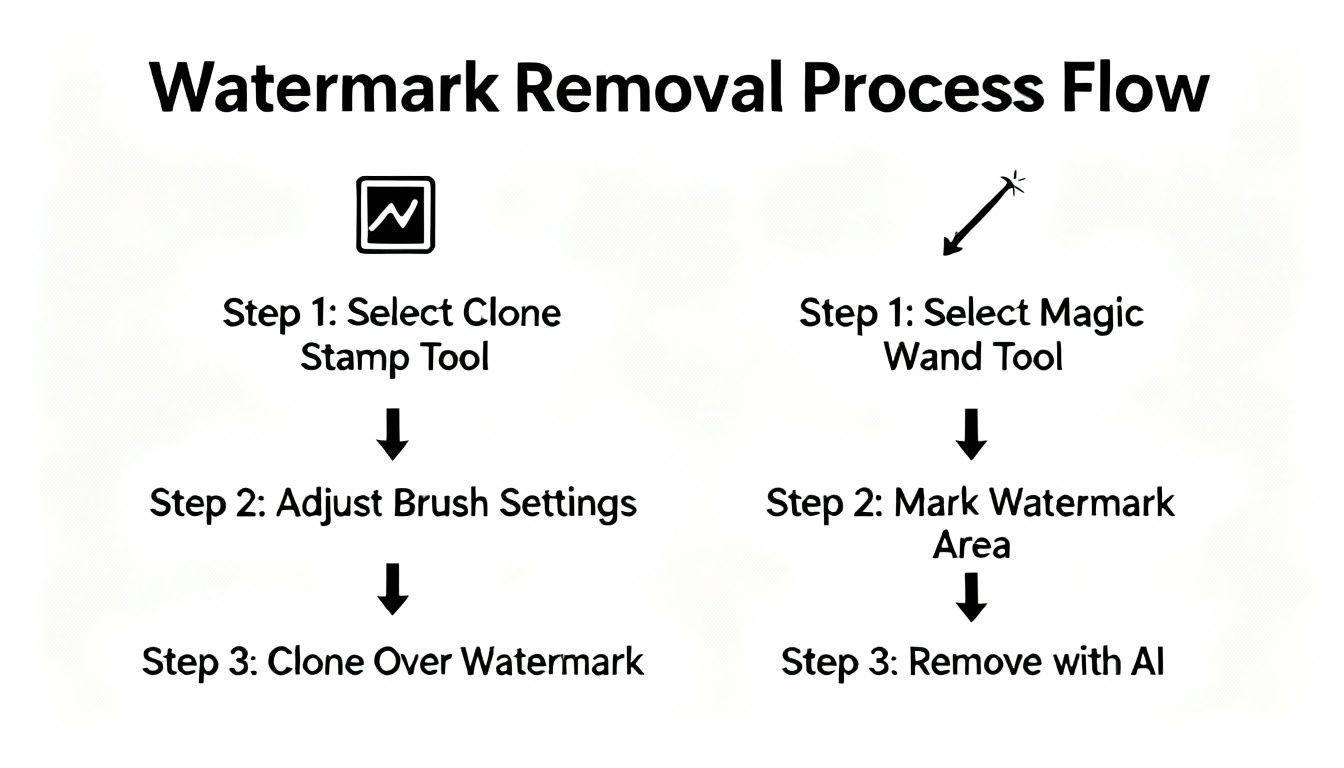
As you can see, the API approach turns a tedious, multi-step headache into a single, automated call. That’s a whole lot of time and resources saved.
Your First API Call: A Hands-On Walkthrough
Time to get our hands dirty. The great thing about a well-built API is that you don't need a PhD in computer science to get started. All it really takes is an API key (to prove you're you) and the image you want to work on.
Here’s a practical, copy-and-paste example using Python and the ever-reliable requests library. This snippet grabs a local image, sends it off to the PixelPanda API, and saves the cleaned-up version.
import requests
Your API key and the path to your image
api_key = 'YOUR_PIXELPANDA_API_KEY'
image_path = 'path/to/your/watermarked_image.jpg'
output_path = 'path/to/save/clean_image.png'
The API endpoint for watermark removal
url = 'https://api.pixelpanda.ai/v1/remove-watermark'
headers = {
'Authorization': f'Bearer {api_key}'
}
Open the image file in binary read mode
with open(image_path, 'rb') as f:
files = {'image': (image_path, f, 'image/jpeg')}
# Send the request to the API
response = requests.post(url, headers=headers, files=files)
Check for a successful response and save the result
if response.status_code == 200:
with open(output_path, 'wb') as out_file:
out_file.write(response.content)
print(f"Success! Clean image saved to {output_path}")
else:
print(f"Error: {response.status_code} – {response.text}")
That’s it. This script handles everything from authentication to saving the final file. You can drop this logic straight into just about any backend workflow.
Working With JavaScript and SDKs
But what if you're a JavaScript aficionado or building a web app? The logic is basically the same. Here’s how you’d pull off the same trick using fetch in a Node.js environment.
import fetch from 'node-fetch';
import fs from 'fs';
import FormData from 'form-data';
// Your API key and file paths
const apiKey = 'YOUR_PIXELPANDA_API_KEY';
const imagePath = 'path/to/your/watermarked_image.jpg';
const outputPath = 'path/to/save/clean_image.png';
// The API endpoint
const url = 'https://api.pixelpanda.ai/v1/remove-watermark';
// Create a form and append the image file
const form = new FormData();
form.append('image', fs.createReadStream(imagePath));
// Set up the request headers
const options = {
method: 'POST',
headers: {
'Authorization': Bearer ${apiKey}
},
body: form
};
// Make the API call
fetch(url, options)
.then(res => {
if (!res.ok) {
throw new Error(HTTP error! status: ${res.status});
}
return res.buffer();
})
.then(buffer => {
fs.writeFileSync(outputPath, buffer);
console.log(Success! Clean image saved to ${outputPath});
})
.catch(error => {
console.error('Error:', error);
});
A Quick Word on SDKs: While making raw API calls is pretty straightforward, using a Software Development Kit (SDK) can make your life even easier. Think of an SDK as a wrapper that handles all the boring stuff—authentication, request formatting, error handling—so you can write cleaner, more intuitive code.
For example, instead of manually building a multipart/form-data request, an SDK might let you do something as simple as:
pixelpanda.removeWatermark('path/to/image.jpg')
This kind of abstraction saves you from writing boilerplate and gets your integration done way faster. To see what's available and get the full technical rundown, the official PixelPanda developer documentation is your best bet.
A Look at Key API Parameters
While the default settings are usually solid, most image processing APIs give you extra knobs to turn for fine-tuning your results. Here are a few common parameters you'll run into:
- Image Source: You can almost always provide an image in a few different ways: a file upload, a public URL, or even a Base64 encoded string. This flexibility is a lifesaver when you're dealing with different application architectures.
- Output Format: Need that image on a transparent background for an e-commerce site? You can typically specify
pngas the output format. It's a must-have for product shots and graphic design elements. - Quality/Compression: Some APIs let you control the JPEG compression level on the output. This is perfect for when you need to strike that delicate balance between image quality and file size.
Getting comfortable with these parameters means you can tailor every API call to your project's exact needs, whether you're optimizing images for web speed or archiving them for print. This is the kind of control that makes API integration the only real choice for any serious, high-volume workflow.
Pro Tips for a Picture-Perfect Result
Having a great tool is one thing, but knowing the insider tricks to get flawless results is what separates the pros from the rest. Moving beyond a basic removal, these are the strategies I use to tackle tricky images and elevate the final output from "good enough" to "how did they even do that?"
The absolute first rule of the fight club: always start with the highest resolution image you can get your hands on. I can't stress this enough. AI models need data to do their magic, and more pixels give the algorithm more information to work with when it's rebuilding the area behind the watermark. Feeding it a low-res, blurry source image is a recipe for a mushy, compromised result. Garbage in, garbage out.
Handling Tricky Watermark Scenarios
Not all watermarks are big, obnoxious logos. Sometimes, the toughest ones are the subtle ones—the faint, low-contrast text that blends almost perfectly into a complex background. These can actually be harder for an AI to detect than a bold, obvious mark. The model might struggle to tell the difference between the watermark and the actual image texture.
When I run into this, a little pre-processing works wonders. Try bumping up the contrast on the image before you send it to the API. It can help the watermark "pop" just enough for the AI to get a clean lock on it. It’s a small extra step that can make a huge difference.
Then there's the other classic headache: a watermark plastered over a critical, detailed area like a person's face or fine text. A sloppy job here doesn't just look bad; it ruins the whole picture. This is where you have to trust the AI model to intelligently rebuild features like skin texture or the delicate curve of a letter without creating a blurry, smudged mess.
The Real Goal: A great watermark removal doesn't just cover something up. It reconstructs the hidden details so perfectly that no one would ever suspect anything was there in the first place. This requires an AI that gets context, not just pixels.
It's no surprise that the demand for this is exploding. The watermark removal software market was valued at a cool $300 million in 2023 and is projected to hit $650 million by 2028. That's a compound annual growth rate of 15%, which shows just how essential these tools have become. You can dig into more details about the booming watermark removal market if you're curious.
Chaining API Calls for Advanced Workflows
Okay, ready to unlock some next-level power? The real magic happens when you stop thinking of each API call as a one-off task and start chaining them together. This is how you build a seriously powerful, automated workflow.
Here’s a practical two-step process that delivers fantastic results:
- First, hit the
remove-watermarkendpoint. This gives you a clean version of your image. It’s watermark-free, but it might still be the original, lower resolution. - Next, take that output and immediately pipe it into an
image-upscalingendpoint. This second call intelligently enlarges the image—often up to 4x the original size—while sharpening details and cleaning up compression artifacts.
This simple combo is a game-changer. You're not just getting rid of the watermark; you're dramatically improving the overall quality and clarity of the image. It’s perfect for breathing new life into old, low-quality assets for modern, high-res displays. If you want to see what I mean, check out this live AI image upscaling demo.
By building simple, sequential workflows like this, you can automate what used to be a tedious, multi-stage editing job. It’s a fast, scalable way to not only restore your images but actually make them better than ever.
Ready to stop wrestling with manual edits and automate your image production? With a powerful and developer-friendly API, PixelPanda helps you remove watermarks, upscale images, and much more in seconds. Get your free API key and start building today.