Ever wonder how your phone magically erases a photobomber or transforms a blurry, forgotten photo into a crystal-clear memory? That’s not some kind of digital sorcery—it’s image processing. At its heart, it's about using computational power to manipulate an image, either to make it look better or to pull some useful information out of it.
Think of it as a digital darkroom on hyperdrive.
Your Crash Course in Digital Image Magic
Imagine any digital picture you’ve ever seen. It’s not really a single "thing." It’s actually a giant mosaic, a grid made up of thousands, or even millions, of tiny, single-colored squares called pixels.
At its most fundamental level, image processing is the art and science of teaching a computer how to play with these little dots. We write instructions—algorithms—that tell the machine how to tweak each pixel's color, adjust its brightness, or even shift it around to create a whole new effect. It's all just math, but the results can be pretty spectacular.
This turns a static, passive image into a dynamic chunk of data that we can analyze, improve, or completely reinvent. Whether it’s something simple like bumping up the contrast on a photo or a complex AI-powered feat like generating a whole new background, the core idea is the same: applying smart math to that grid of pixels.
To put it simply, here's a quick rundown of the big ideas.
Image Processing at a Glance
| Concept | Simple Analogy | Key Goal |
|---|---|---|
| Pixel Manipulation | Playing with LEGOs | Change the image's appearance or content. |
| Image Enhancement | Adjusting the focus on a camera | Make an image clearer or more visually appealing. |
| Information Extraction | A detective finding clues at a crime scene | Pull specific, non-obvious data from an image. |
Basically, image processing is the translator between raw pixel data and what we see as a finished, meaningful picture.
So, Why Does All This Matter?
This technology is hiding in plain sight, powering the visual world all around us. You'll find it in a ton of different industries, and its importance is exploding. The global demand for these systems is through the roof, mostly thanks to advances in AI and the sheer volume of images coming from our phones, drones, and cameras.
This growth, which you can read more about in this market research report, shows just how essential image processing has become.
The goals of image processing usually fall into a couple of main buckets:
-
Enhancement and Restoration: This is all about making an image look better to the human eye. Think about sharpening a slightly blurry shot, cleaning up the grainy "noise" from a photo taken in low light, or even bringing a faded, century-old photograph back to life. It's digital restoration at its finest.
-
Information Extraction: Sometimes, you don't care about making the picture prettier; you want the data inside it. This is a game-changer in fields like medical imaging, where algorithms can spot anomalies in an MRI that a human might miss. Or in modern farming, where drones snap photos of fields so algorithms can analyze crop health, plant by plant.
Image processing is the bridge between how computers see data (as a sea of numbers in a grid) and how humans perceive it (as a meaningful picture). It’s what translates raw pixel values into actionable insights and stunning visuals.
From automatically prepping product shots for an e-commerce store to helping a self-driving car "see" the difference between a pedestrian and a lamppost, getting a handle on what is image processing is the first step. It's the key to building the next wave of amazing visual tools.
Classic Algorithms vs. Modern AI: A Tale of Two Toolkits
When you dive into image processing, you quickly realize it's a field with two very different schools of thought. On one hand, you have the old guard: the classic, rules-based algorithms. On the other, the new kid on the block: modern, AI-powered techniques. Figuring out which one to use is all about knowing what you're trying to accomplish.
Think of classic algorithms like a trusty, well-calibrated machine. If you need to sharpen an image, you apply a specific mathematical filter that cranks up the contrast between neighboring pixels. It's predictable. It's reliable. You get the exact same result every single time you run it. These methods are the workhorses for straightforward, repetitive jobs where the goal is clear and unchanging.
This simple flowchart breaks down the basic loop for any image processing task, whether it's classic or AI-driven.
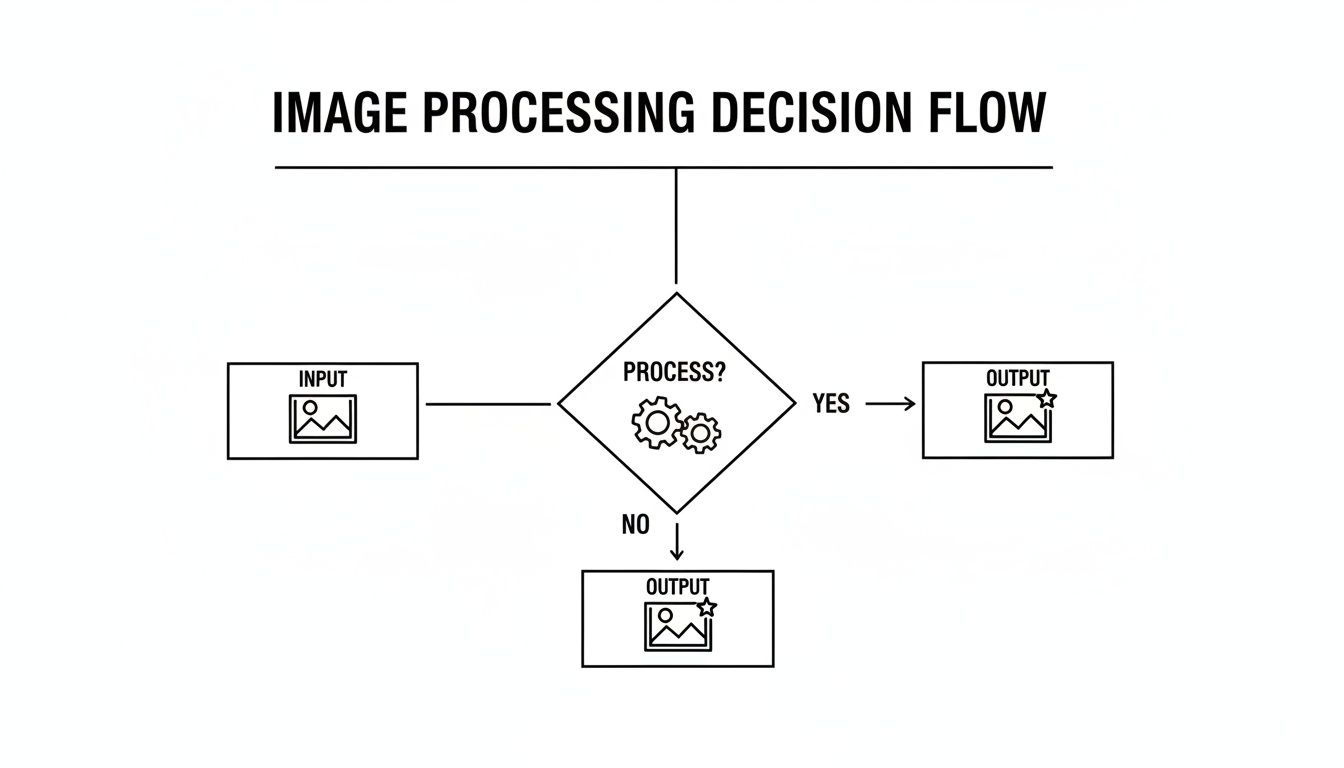
You start with an input, you do something to it, and you get an output. But that little "Process" box is where all the magic—or the math—happens.
The Rise of the AI Artist
Now, let's talk about AI. If classic algorithms are machines, then modern AI techniques, especially neural networks, are more like a seasoned artist. Instead of just following a strict recipe, they learn by looking at millions of pictures. This gives them a sense of context, allowing them to make educated guesses and pull off feats that would completely stump a classic algorithm.
For example, a traditional algorithm has no idea how to "remove a person from a crowd." It doesn't understand what a "person" is. It just sees a bunch of pixels. An AI model, however, can actually identify the person, digitally erase them, and then intelligently paint in the background with what it thinks should be there. This trick is called inpainting, and it's pretty wild to see in action.
AI doesn't just follow the rules; it develops an intuition. This is the jump from merely tweaking pixels to actually understanding the story inside them. It’s a change that unlocks capabilities that feel a lot more like magic than math.
This evolution is a huge deal. The recent boom in artificial intelligence has spawned some seriously powerful applications, like tools for AI-powered video generation that are totally changing how people create content by spinning simple ideas into stunning videos.
Picking the Right Tool for the Job
So, when do you reach for the classic algorithm, and when do you call in the AI? It really boils down to how complex and predictable your task is.
-
Classic Algorithms are your best bet for:
- Uniform Adjustments: Need to apply the exact same brightness boost to 10,000 product shots? Classic is the way to go.
- Simple Filtering: Adding a consistent sharpening effect or a simple blur across a batch of images.
- Basic Transformations: The bread-and-butter stuff like cropping, rotating, or resizing images to fixed dimensions.
-
You'll need AI Techniques for:
- Content-Aware Tasks: Things that require understanding, like removing specific objects, swapping out backgrounds, or touching up faces.
- Generative Magic: Creating brand new details in low-res photos (upscaling) or even generating entire images from a text prompt.
- Complex Restoration: Fixing weird, unique damage in old photos where there’s no obvious "rule" for how to repair it.
At the end of the day, classic methods give you precision and total control for well-defined problems. AI brings creativity and contextual awareness to the table for the messy, ambiguous challenges. The really powerful platforms out there, like PixelPanda, actually blend the two. They use classic techniques for speed and efficiency where they can, but deploy their heavy-hitting AI when a nuanced, human-like understanding is required. This hybrid approach gives developers the best of both worlds, making sophisticated visual automation possible at a massive scale.
Core Techniques That Power Today's Visuals
Alright, let's pop the hood and get our hands dirty. We're going to look at the real engine room of image processing—the core techniques that developers, marketers, and creators use every single day to turn bland visuals into assets that actually get results. Forget the dense academic jargon; we'll focus on what these tools do and why they matter for your projects.
This isn't just a niche corner of tech, either. The digital image processing market is on a rocket ship, projected to hit an eye-watering USD 435.68 billion by 2035. What’s fueling this explosion? Think AR/VR, and the relentless demand for killer visuals in modern retail apps, where an estimated 70% now lean on object recognition. You can dig into more details about this explosive market growth over at marketresearchfuture.com.
This massive boom is built on a handful of fundamental operations. Let’s break them down.
Making Every Pixel Perfect
At its heart, a huge chunk of image processing is about making what's already there look better. Think of these techniques as a pro photo editor’s toolkit, but supercharged, automated, and ready to roll out on thousands of images in a flash.
-
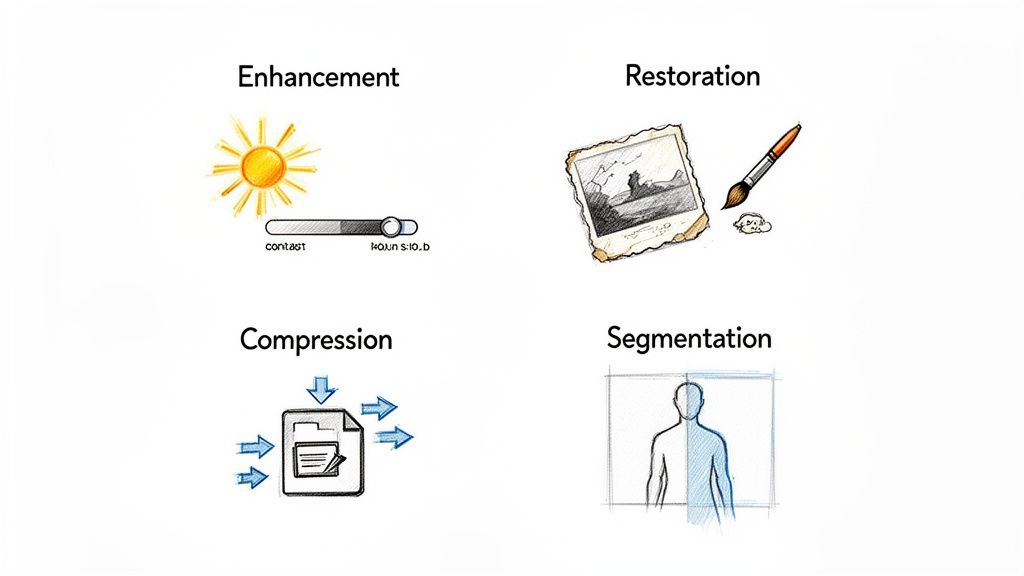
Image Enhancement: This is the art of turning a good photo into a great one. We're talking about tweaking brightness, nudging contrast, and dialing in the color saturation to make the whole thing pop. It's like turning up the volume on the most important visual elements, ensuring your product shots or marketing graphics don't just get seen—they get noticed. AI is brilliant at this, intelligently brightening just the shadows without blowing out the highlights. Want to see it in action? Try this interactive image upscaling demo and watch how enhancement can pull out incredible detail.
-
Image Restoration: Got a grainy, blurry, or just plain beat-up photo? Restoration is your digital cleanup crew. These clever algorithms go to work removing imperfections—think noise from a low-light shot, scratches on an old scanned photo, or even sharpening up a picture that’s just a little out of focus. It's all about rescuing a flawed image and bringing it back to life.
Why It Matters: Let’s be real: high-quality visuals are table stakes now. Enhancement and restoration are your front line, directly shaping how people see your brand. Crisp, clean images scream professionalism and build trust, which translates directly to more engagement and better conversions.
Optimizing for Speed and Clarity
Looking good is only half the battle. Images also need to be lean, fast, and easy for computers to understand. That’s where the next set of tools comes in, focusing on efficiency and machine interpretation.
-
Image Compression: This is the unsung hero of the entire internet. Compression algorithms are genius bits of code that shrink an image’s file size, often without any noticeable drop in quality. Smaller files mean faster websites, and faster websites mean happier users and better SEO rankings. It’s a simple, crucial win.
-
Image Segmentation: This is where things get really smart. Segmentation is about teaching a computer to see the different objects in an image and draw a line around them. It's the magic behind automatic background removal, letting an algorithm perfectly trace around a model's hair or a complex product, lifting it cleanly from its surroundings. This is the bedrock of clean e-commerce product shots and countless creative marketing campaigns.
So, How Is Image Processing Actually Used?
Alright, enough with the theory. Let's talk about where the rubber meets the road. Image processing isn't just some abstract concept cooked up in a lab; it’s the quiet engine humming behind countless industries, solving very real problems and creating some serious value. It’s in the products you scroll past online, the medical scans that keep you healthy, and so much more.
And it’s growing like crazy. The market for AI-based image analysis—a massive slice of this pie—is expected to rocket from USD 13.07 billion to a whopping USD 36.36 billion by 2030. What's lighting the fuse? E-commerce, for one, where visual search is already behind 35% of all product discoveries. The automotive industry is another huge player, using it for real-time traffic analysis. You can dig into more of the numbers behind this market surge at marketsandmarkets.com.
Let's break down where this tech is making a real difference.
Powering Ecommerce and Marketing Automation
Nowhere is the impact of image processing more obvious than in the world of online retail. Think about it: massive e-commerce platforms have to onboard thousands of new products every single day. Doing that manually? Forget it. Image processing is the workhorse that gets it done.
-
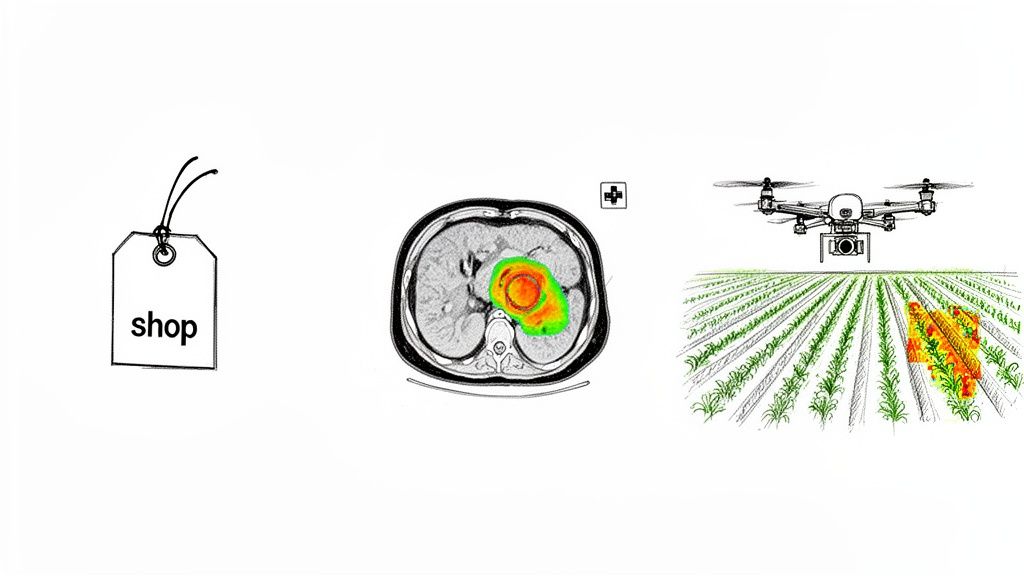
Automated Product Cutouts: Remember the days of painstakingly tracing products in Photoshop? Those are over. Today, APIs can cleanly remove the background from thousands of product shots in mere minutes. This gives an entire online catalog that slick, consistent look customers expect. If you want to see the magic for yourself, play around with our background removal demo.
-
Dynamic Ad Generation: This is a game-changer for marketing. A team can take a single product photo, feed it into a system with an ad template, and poof—hundreds of ad variations are born. The system resizes images for different platforms, slaps on promotional text, and even swaps background colors on the fly. No human intervention needed.
Pushing Boundaries in Healthcare and Agriculture
Once you step outside of retail, the applications get even more profound. In specialized fields, image processing acts as a super-powered second set of eyes, spotting patterns that humans might miss.
Take healthcare. Radiologists now lean on algorithms to analyze MRIs and X-rays. These systems are trained to flag potential anomalies—tiny, subtle variations in tissue density or shape that could be the earliest signs of a disease. It doesn't replace the expert, but it gives them a powerful tool to make faster, more confident diagnoses.
Image processing acts as a force multiplier. It automates tedious visual tasks at an incredible scale and pulls out critical information that might otherwise go unnoticed. It turns static pictures into active, intelligent assets.
It's a similar story in modern farming. Drones equipped with multispectral cameras soar over huge fields, snapping pictures. The images are then processed to check on crop health, pinpoint areas hit by drought or pests, and tell farmers exactly where to irrigate. This kind of data-driven agriculture helps maximize yields while saving precious resources.
From a simple product photo to a life-saving medical insight, image processing is fundamentally changing how we see and interact with the world around us.
Choosing Your Image Processing Toolkit
Okay, you've seen what's possible. Now, how do you actually do it? This is where the rubber meets the road, and you've got a classic fork in that road: do you build your own image processing engine from scratch, or do you plug into a service that's already mastered it?
This isn't a small decision. Getting it right can save you hundreds of development hours and a mountain of technical debt. Let's break down the two main paths: using a dedicated API or going the DIY route with an open-source library.
The API and SDK Route: Speed and Power on Demand
For the vast majority of projects, tapping into a specialized API (Application Programming Interface) or SDK (Software Development Kit) is the way to go. Think of it like this: instead of building your own power plant, you're just plugging into the national grid. You get all the power you need without any of the headaches of running the generator.
Services like this wrap up incredibly complex algorithms—from AI background removal to mind-bending super-resolution—into simple commands. You don't need a Ph.D. in computer vision to use them.
The beauty of this approach is its elegant simplicity. You send an image, tell the API what to do, and a few seconds later, you get a perfectly processed result. All the heavy lifting, the server management, and the AI model training happens somewhere else, letting you focus on what you do best: building an awesome app.
It's built to handle whatever you throw at it, from one image to a million. If you want to see just how easy it is to get started, the PixelPanda developer resources are a great place to poke around.
A simple REST API call to do something like remove a background might look something like this:
{
"image_url": "https://your-server.com/product-photo.jpg",
"operation": "remove_background",
"output_format": "png"
}

That’s it. Seriously. You get all the magic without having to learn any of the spells.
The DIY Path With Open-Source Libraries
Of course, there's another way. You can roll up your sleeves and build your own solution using fantastic open-source libraries like OpenCV or Pillow. This path gives you total, granular control over every pixel. It's the right choice for highly specialized, offline-first applications or when an external API call just isn't an option.
But be warned: this path is not for the faint of heart. It demands serious technical expertise, a ton of development time, and a commitment to ongoing maintenance. You’re the one responsible for everything—the server setup, the dependency headaches, the performance tuning, and keeping your algorithms up to date.
In the end, it’s the classic “build vs. buy” dilemma. An API gives you world-class expertise and speed right out of the box. An open-source library gives you ultimate control, but at the cost of your time and sanity.
Making Your Choice
To help you decide, let's put these two approaches head-to-head. There's no single "right" answer—the best path depends entirely on your team's resources, your timeline, and what you're trying to build.
Choosing Your Image Processing Path
| Factor | API/SDK Solution | Open-Source Library |
|---|---|---|
| Speed to Market | Insanely fast. You can be up and running in hours. | Slow. Weeks or months of development and testing. |
| Expertise Required | Low. Basic API integration skills are all you need. | High. Requires deep knowledge of computer vision, ML, and infra. |
| Maintenance | Zero. The provider handles all updates and bug fixes. | Constant. You own the code, the bugs, and the updates. |
| Scalability | Effortless. Built to handle massive, spiky workloads. | Challenging. You have to build and manage scaling yourself. |
| Control & Customization | Limited. You're using pre-built, optimized functions. | Total. You can tweak every parameter to your heart's content. |
| Cost | Predictable. Usually a pay-as-you-go or subscription model. | Deceptive. "Free" software, but high costs in dev time and infra. |
Ultimately, if your goal is to get a product to market quickly and leverage state-of-the-art AI without building an entire R&D department, an API is almost always the smarter choice. If your core business is a novel image processing algorithm, then building it yourself is the only way to go.
Keys to a Successful Implementation
Whichever path you take, a few things are non-negotiable for a professional-grade setup.
- Batch Processing: Your system has to chew through images in bulk. Processing 100 product photos or 100,000 user uploads one by one just won't cut it. Your tools must support efficient, parallel batch operations.
- Performance and Optimization: Speed is a feature. Slow processing kills the user experience and gums up your entire workflow. This means choosing fast services or meticulously optimizing your own code. Even simple utilities like dedicated image resizing tools are often built with performance as their top priority.
- Rock-Solid Error Handling: Stuff breaks. Images get corrupted, servers time out. A robust system doesn't just crash; it handles failure gracefully. It should automatically retry failed jobs, log the errors for a human to review, and ensure one bad apple doesn't spoil the whole bunch.
Got Questions? We've Got Answers.
Jumping into any new tech field is going to stir up a few questions. It’s only natural. So, let's clear the air and tackle some of the most common things people ask when they first dip their toes into the world of image processing.
Think of this as your cheat sheet. We'll cut through the jargon and get straight to the point, giving you the practical answers you need to start talking about—and more importantly, using—this stuff with confidence.
What’s the Real Difference Between Image Processing and Computer Vision?
This is the big one, but the distinction is actually pretty straightforward. Imagine the difference between a photo retoucher and a private eye.
Image processing is the retoucher. It takes an image, messes with the pixels, and spits out another, hopefully better, image. Think of tasks like sharpening a blurry photo, zapping a distracting background, or tweaking the colors. It's all about pixel-level manipulation.
Computer vision, on the other hand, is the detective. It looks at an image and tries to figure out what's in it. It’s not just seeing pixels; it's trying to make sense of them. Is that a cat or a dog? What does that license plate say? The goal isn't a new image, but new information.
To put it simply:
- Image Processing: Image in, better image out.
- Computer Vision: Image in, understanding out.
They often work together, too. A whole lot of computer vision projects rely on image processing to clean up the "crime scene" first, making it easier for the detective to find the clues.
So, Do I Need a PhD in AI to Get Started?
Absolutely not. You don't need to be a machine learning guru to bring powerful image processing into your app. The simplest and most popular way to get going is by using a developer-friendly API. These services have done all the grueling work for you.
Seriously, they've already built, trained, and fine-tuned the complex AI models. All you have to do is send a simple request—like an image file with the instruction "remove_background"—and you get a perfect result back in seconds. It’s the fastest way to add some serious visual magic to your project with just a handful of code.
Is This Stuff Going to Cost Me a Fortune?
If you tried to build an image processing system from scratch? Yes, it would be wildly expensive. You’d be looking at a huge upfront cost for R&D, powerful (and pricey) hardware like GPUs, and the salaries of a team of specialized AI engineers.
Using a cloud-based API completely flips that script. Instead of a massive capital investment, it becomes a simple, predictable operating cost. You just pay for what you use, when you use it. This makes top-tier visual tech a real possibility for everyone, from a solo dev working on a passion project to a huge corporation.
How Do You Actually Know if the Result is Any Good?
Measuring quality is a two-part story. First, there are the objective metrics. These are cold, hard mathematical formulas that compare a processed image to a "perfect" version, calculating things like pixel-by-pixel differences. It's very scientific.
But for most of us, the second part is what really matters: subjective quality. This is the good old-fashioned eye test. Does it look good? Is the background removal clean around the tricky bits, like wisps of hair? Does the upscaled photo look sharp and natural, not like a weird, waxy mess? If it looks great to a human and achieves your goal, you've got a high-quality result. End of story.
Ready to stop reading and start building? With PixelPanda, you can plug all these advanced features straight into your app in minutes, not months. Our dead-simple API takes care of everything from background removal to AI upscaling, giving you pro-level results without the headache. Try the PixelPanda API for free and see for yourself.