Ever downloaded an app? Of course you have. But have you ever stopped to think about where it came from?
A third-party app is simply any piece of software made by someone other than the company that created your device or its operating system (OS). The Mail and Safari apps that came pre-installed on your iPhone? Those are first-party apps, made by Apple. The Instagram, TikTok, or Spotify apps you downloaded from the App Store? All third-party.
They're the lifeblood of our digital world.
Understanding the App Ecosystem
Think of your phone's operating system—iOS or Android—as a brand-new car straight off the factory line. It comes with all the essentials built by the manufacturer: the engine, the steering wheel, a basic radio. These are your first-party apps. They're fundamental and designed to work perfectly with the car itself.
But who settles for basic? The real fun begins when you start adding your own gear. That killer sound system you install, the high-tech GPS you mount on the dash, the slick roof rack for your weekend adventures—those are your third-party apps. They're built by specialists to give your car powerful new abilities the original maker never even thought of.
The Three Parties in Your App Ecosystem
To really get what's going on, it helps to know who's who. This whole system boils down to three main players, each with a distinct role.
Here’s a simple breakdown of the relationship between the platform, the developers, and you.
| Party | Who They Are | Real-World Example |
|---|---|---|
| The First Party | The company that owns the device or platform. | Apple (for the iPhone) or Google (for Android). They build the playground and set the rules. |
| The Third Party | Any other developer who builds an app for that platform. | Meta (for Facebook), Spotify, or even a solo indie game developer. They build the cool toys for the playground. |
| The User | That's you! The person who chooses which apps to install. | You deciding to download a new photo editor to make your pictures pop. |
This relationship creates a massive, thriving marketplace. Between the Google Play Store and Apple's App Store, there are millions of apps to choose from, with people spending over $150 billion on them in recent years.
These apps aren't just novelties; they're woven into the fabric of our daily lives. A whopping 49% of people open an app 11 or more times a day. If you're curious, you can dive deeper into app market trends to see just how big this world has become.
How Your Favorite Apps Talk to Each Other
Third-party apps are rarely lone wolves. Their real magic kicks in when they start talking to other services, sharing information and working together. But how does this happen without turning into a chaotic security mess? It all boils down to a few clever methods that act as the digital handshakes between the tools you use every day.
These connections are all built on something called an Application Programming Interface, or API. An API is basically a set of rules and protocols that lets different software programs communicate with each other. A great way to think about it is like a restaurant menu. The menu tells you what dishes you can order and how to ask for them, but it doesn't let you just wander into the kitchen and start cooking yourself.
This is a simplified look at how first-party and third-party apps interact on your device.
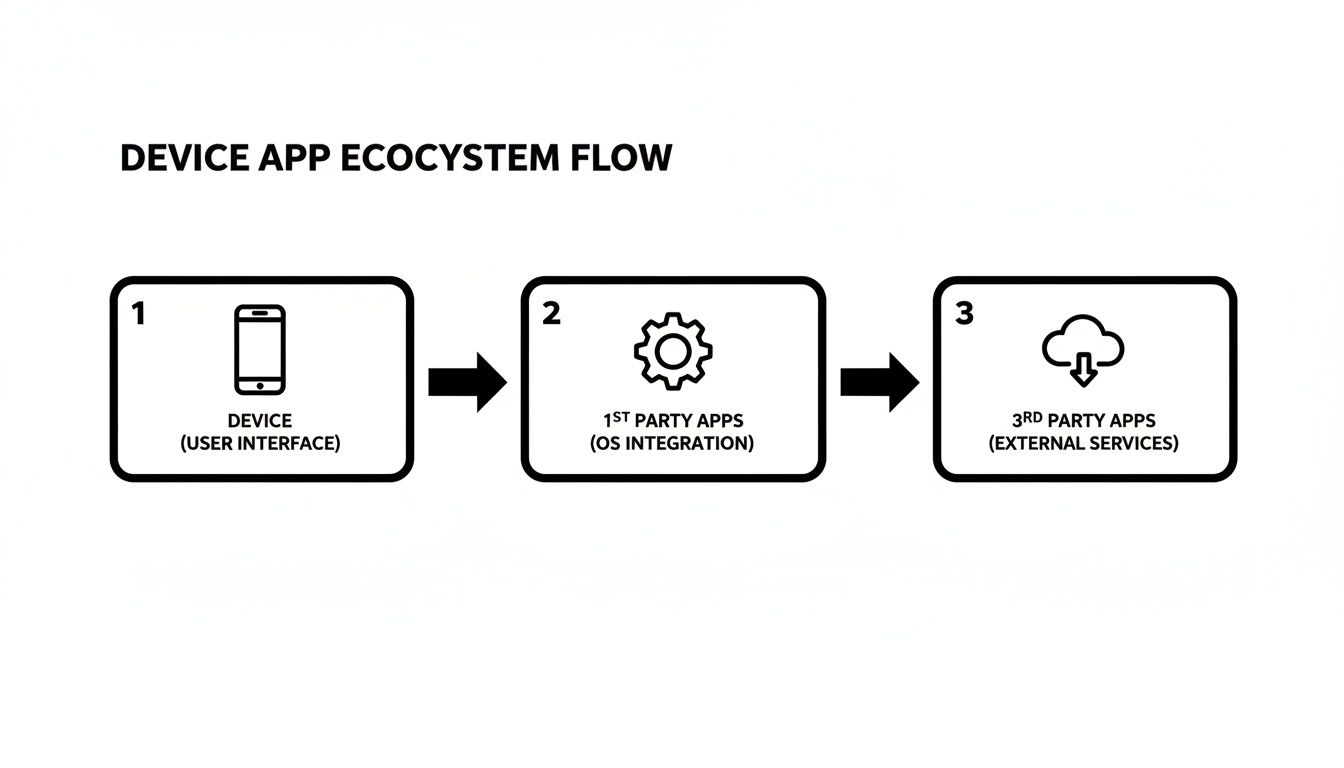
As you can see, even though both types of apps live on your device, the third-party ones rely on these secure connections to bring new features to the table.
The Keys to the Kingdom
So, how do apps tap into these APIs without leaving the front door wide open for bad actors? They use specific authentication methods to prove they have permission to access your data.
-
API Keys: Think of an API key as a secret password that two trusted businesses share. It's a long, unique string of characters that an app presents to prove its identity when it makes a request. A developer building an integration, for example, would need an API key to connect their service to a tool like PixelPanda. You can see how that works in their developer documentation.
-
OAuth (Open Authorization): This one is more about you, the user. Imagine giving a valet a special key for your car. That key can open the door and start the engine, but it can't unlock the glove box or the trunk. That's OAuth in a nutshell. When you see a button that says "Log in with Google," you're using OAuth. You're giving that 3rd party app very specific, limited permissions (like "view your email address") without ever sharing your actual Google password.
Getting Instant Updates with Webhooks
While API keys and OAuth are all about asking for information, webhooks are about getting it pushed to you automatically.
A webhook is essentially an automated message sent from one app to another when something specific happens. It’s a "push" notification instead of a "pull" request.
Let's say you run an online store. Instead of your app constantly bugging your payment processor every five seconds—"Did the payment go through yet? How about now?"—a webhook flips the script. The moment the payment is confirmed, the payment processor sends a single, instant message (the webhook) to your store's app. Done.
This kind of real-time communication is the secret sauce that makes modern software feel so slick and connected. It’s the behind-the-scenes magic that ensures your digital tools work in harmony, creating the powerful, integrated experiences we can’t live without.
Navigating Permissions and Protecting Your Data
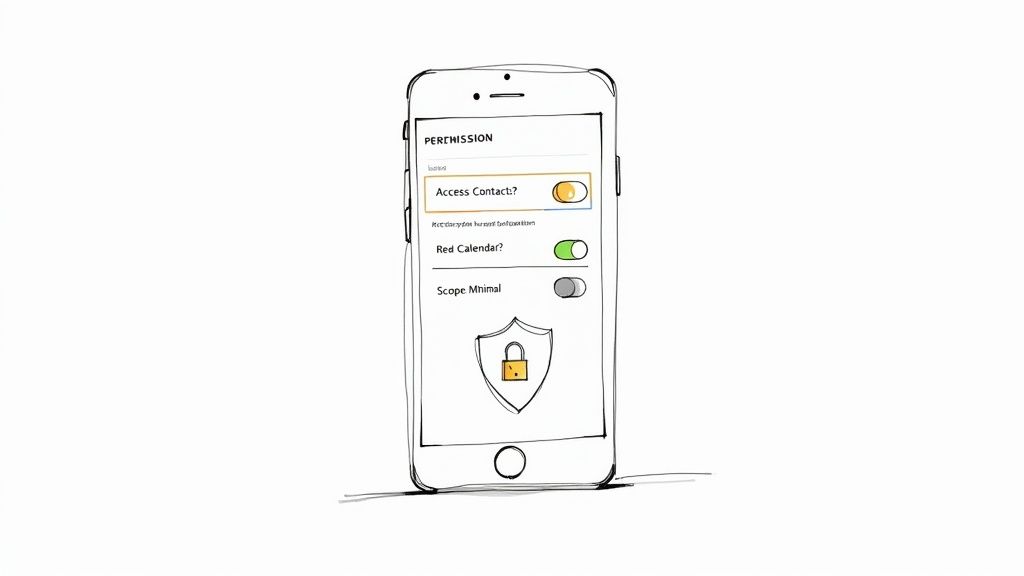
Connecting a new 3rd party app is a bit like giving a contractor a key to your house. You wouldn't just hand over the master key that opens every single door, would you? Of course not. You'd give them access only to the rooms they need to work in.
That permission screen that pops up when you install an app is your digital contract—it’s where you set those boundaries. It’s absolutely crucial to read the fine print before you tap “Allow.” These permission requests, often called scopes, define exactly which parts of your digital "house" the app gets to enter. "Read calendar" means it sees every appointment. "Access contacts" means it gets your entire address book. The golden rule is to grant the absolute minimum access required for the app to do its job.
Understanding the Real Risks
Unfortunately, not every app developer plays by the rules. Granting too many permissions, or over-permissioning, is like leaving your front door wide open for data misuse and theft. A recent study revealed that a staggering 73% of organizations have been hit with a serious disruption caused by a third-party cyber incident. These aren’t just minor hiccups; they can spiral into full-blown data breaches.
The mobile app market is exploding. It has tripled in size since 2017, with global revenues expected to hit a mind-boggling $585 billion. This gold rush makes it a massive playground for shady characters looking to exploit user data. You can dig deeper into the app industry's incredible financial scale on Udoni's blog.
Always ask yourself why an app needs certain access. A simple photo filter has no business reading your text messages. That bit of critical thinking is your best defense.
Your Pre-Approval Checklist
Before you grant access to anything, run through this quick mental checklist. It’s a simple habit that will help you vet any new app and make smarter, safer calls about your data.
- Review the Developer: Who made this thing? A quick Google search can tell you about their reputation, other apps they’ve built, and any security scandals in their past.
- Read Recent Reviews: Don’t just glance at the star rating. Dig into what actual users are saying, especially recent comments. Keep an eye out for red flags like privacy complaints, bugs, or sketchy behavior.
- Scrutinize the Scopes: Read every single permission request. If an app wants access to something that feels totally unrelated to its purpose, that's a major warning sign. Just say no or find another app.
- Check the Privacy Policy: Legitimate apps have clear, easy-to-find privacy policies that explain what they do with your data. Reputable companies like PixelPanda are upfront about their practices; you can see what a good one looks like by checking out their privacy policy.
By treating every permission request with a healthy dose of skepticism, you can get all the benefits of third-party apps without putting your personal data on the line.
Seeing 3rd Party Apps in the Real World
Alright, enough with the theory. Let's see where the rubber meets the road. Third-party apps aren't just some abstract tech concept; they're the secret sauce powering the tools you rely on every single day, both at work and at home. Think of them as the essential connective tissue that makes modern software so darn useful.
Ever bought something online? If you used a platform like Shopify or BigCommerce, you were swimming in a sea of third-party apps without even knowing it. That little pop-up offering you a discount, the email reminding you about your abandoned cart, and even the behind-the-scenes inventory management are often separate apps plugged right into the main store.
These integrations aren't just a nice-to-have feature. For any competitive online business, they're a flat-out necessity.
How 3rd Party Apps Solve Problems Across Industries
A great 3rd party app makes its mark by solving a very specific problem that the original platform just wasn't built to handle. Whether it's taming social media chaos or processing creative assets by the thousands, these tools are specialists that get the job done right.
The magic of third-party apps is their ability to slot into existing workflows and supercharge them. Here’s a quick look at how different sectors put these specialized tools to work.
| Industry | Problem to Solve | 3rd Party App Solution |
|---|---|---|
| E-commerce | Reducing abandoned carts & managing customer reviews | An app that automatically sends follow-up emails to shoppers who left items behind and another that collects and displays verified product reviews. |
| Marketing | Managing multiple social media accounts without going insane | A platform like Hootsuite or Buffer that connects to all your accounts, letting you schedule posts from one unified dashboard. |
| Creative/Design | Moving massive video or design files between storage and editing software | An integration that connects your video editor directly to Dropbox or Google Drive, so you can pull footage without downloading and re-uploading. |
| Software Development | Keeping the entire team in sync on code changes and bug fixes | A connection between GitHub and Slack that posts automatic notifications to a team channel whenever new code is pushed or an issue is updated. |
This modular approach lets companies stitch together a custom "stack" of the best tools for the job, creating a system that’s perfectly tailored to their needs.
The Real-World Impact
This interconnected world is what allows a tiny e-commerce startup to go toe-to-toe with a retail giant, or a solo creator to manage a global brand. Each 3rd party app acts as a force multiplier, automating mind-numbing tasks and unlocking powerful new capabilities that would otherwise be completely out of reach.
These apps win because they do one thing exceptionally well. They don't try to be everything to everyone; they focus on being the best at a single task, and then they play nicely with the bigger systems you already use.
In short, they handle the messy, complicated logistics so you can get back to focusing on what you actually do best.
How to Keep Your App Connections on a Leash
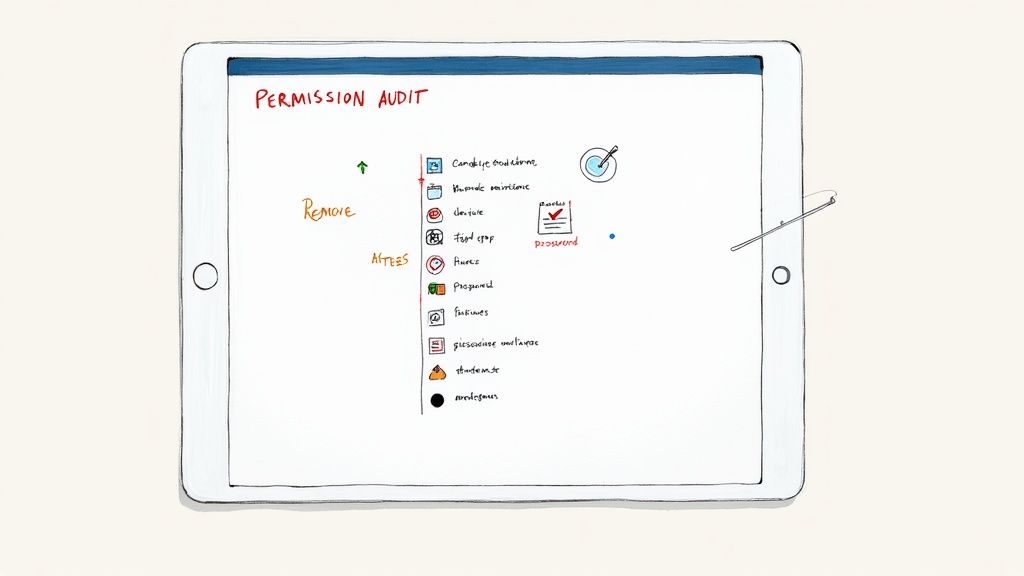
Connecting a shiny new 3rd party app is easy. The real work begins after you click "Allow." Think of it like a party at your house. You've handed out keys to the DJ, the caterer, and that guy who does magic tricks. But once the music stops and everyone goes home, are you going to let them keep the keys?
Of course not. That's exactly why you need to do a permission audit. It's just a fancy term for a scheduled check-up where you review every single app connected to your important accounts (think Google, Slack, Shopify, etc.) and kick out anything you no longer use, need, or trust. It’s basic digital housekeeping, and it's your best defense against unwanted surprises.
Time for a Digital Spring Cleaning
Ready to tidy up? The best way to make this a habit is to put it on your calendar. Seriously, set a recurring reminder for every three to six months. It’s a tiny time commitment with a massive security payoff.
- Map Out Your Digital Hubs: Grab a notepad (digital or physical) and list your most important accounts. Start with your primary email, your main social media profiles, and any cloud storage you use. These are the Grand Central Stations of your digital life.
- Hunt Down the "Connected Apps" List: Every major service has a security dashboard with a list of all the third-party apps you've granted access to. It might be called "Third-Party Apps," "Security Checkup," or "Apps with access to your account." A quick search will usually get you there.
- Go Full Marie Kondo: Go through that list, app by app. Ask yourself: "Does this app still spark joy?" Or, more practically, "Have I used this in the last six months?" If you don't recognize it or the answer is a hard no, click "Remove Access" or "Revoke" without a second thought. Be ruthless.
A regular permission audit is the single most powerful thing you can do to shrink your digital attack surface. Every forgotten app connection is a potential backdoor. Slam it shut.
Staying Safe Isn't a One-and-Done Deal
Beyond these periodic cleanups, a few smart habits will keep you much safer day-to-day. A good password manager is a total game-changer, letting you create ridiculously strong, unique passwords for everything without having to remember them. That way, if one service gets breached, the criminals don't get a master key to your entire life.
It's also worth noting how the app world has changed. Developers aren't just selling apps for a one-time fee anymore. Subscription models are huge—in fact, they account for 48% of all revenue-generating apps on the App Store. This is good news in a way; developers have a strong incentive to keep their apps secure and maintain your trust. Still, the responsibility for managing your connections is always on you. You can read more about the changing mobile app economy on Tekrevol.
And what happens when an integration suddenly breaks? Before you panic, try the classic "turn it off and on again" trick. Revoke the app's access completely, then go through the connection process from scratch. This often resets a faulty token and fixes the problem. Good developers also provide clear documentation to make this easier—for example, tools like PixelPanda have a public AI plugin manifest file so you can see exactly what the integration needs before you even start.
Got Questions About 3rd Party Apps? We've Got Answers.
Even after you get the hang of it, a few common questions always seem to surface. Let's dig into some of the usual suspects to clear up any confusion and make you the resident expert on third-party apps.
Are 3rd Party Apps and Plugins the Same Thing?
Close, but not quite! It's best to think of a "third-party app" as a huge, all-encompassing category. It’s basically any software made by a developer that isn't the original maker of your device or the platform you're on.
A plugin (or extension) is a specific type of third-party app. It’s a smaller piece of software designed to live inside another program to give it new superpowers. Think of a Google Chrome extension that blocks ads or a Photoshop plugin that adds funky new filters.
So, every plugin is a third-party app, but not every third-party app is a plugin. The Spotify desktop client, for instance, is its own program—it stands alone, it doesn't plug into anything else.
How Can I Tell If a 3rd Party App Is Safe?
This is the big one. While official marketplaces like the Apple App Store and Google Play Store have security checks, the real gatekeeper is you. There's no magic bullet for safety, but developing good habits can get you 99% of the way there.
The scariest part of third-party risk isn't just one user getting hacked; it's the scale. A single weak link in a popular app can give attackers a backdoor into thousands of companies at once.
To keep your data locked down, make these steps a reflex:
- Stick to Official Stores: Never, ever download apps from a sketchy website or a link in a random email. It’s just not worth the risk.
- Check Recent Reviews: Don’t just look at the star rating. Dig into the latest comments. Are people suddenly complaining about weird behavior, battery drain, or privacy pop-ups? That’s a signal.
- Scrutinize Every Permission: This is your most powerful tool. If a flashlight app wants access to your contacts, photos, and microphone, slam the brakes. Ask yourself: why on earth would it need that? If you can't come up with a good reason, deny it.
What Is the Difference Between a 1st and 3rd Party App?
It all comes down to a simple question: who made it?
A first-party app is built by the same company that made the device or operating system. Think about your iPhone—apps like Safari, Mail, and Messages are all made by Apple. They are native to the ecosystem.
A third-party app, on the other hand, is made by anyone else. When you download Netflix or Uber onto that same iPhone, you're installing software created by Netflix Inc. and Uber Technologies, Inc.—not Apple. They're guests playing by the rules of Apple's house. This is what makes our app stores so vibrant and full of endless possibilities.
Ready to put this into practice? See what a powerful and developer-friendly PixelPanda API can do. Automate your image workflows, from background removal to AI-powered upscaling, and cut your manual editing time to zero. Start building for free today at https://pixelpanda.ai.