Picking the right 3D modeling app can feel like trying to build a spaceship with a stone hammer. You know what you want to create, but the sheer number of tools, each with its own cult-like following and cryptic interface, is overwhelming. One person swears by Blender's open-source magic, while another won't touch anything but Autodesk's polished professional suite. It's a universe of polygons, NURBS, and procedural workflows, and finding your starting point can be a paralyzing task.
This guide cuts through that noise. Forget wading through dense forums and biased marketing pages. We've created a definitive resource with honest reviews and a direct comparison of the absolute best software out there. We’ll explore the top-tier 3d modeling app alternatives, from free, beginner-friendly options like Tinkercad to industry titans like Maya and Houdini.
Our goal is simple: to give you a clear, practical roadmap. We'll show you which app excels for specific tasks, like creating photorealistic product renders for your ecommerce store, sculpting organic characters for a game, or designing precise mechanical parts. We break down the key features, learning curves, and hidden costs for each platform. Think of this as your personal consultation, complete with direct links and screenshots, designed to help you confidently select the perfect tool for your project and creative ambition. Let's find your perfect dimension.
1. Blender
Blender isn't just a 3D modeling app; it's the free, open-source juggernaut that challenges premium software without asking for a dime. It's the Swiss Army knife of 3D creation, bundling everything from modeling and sculpting to animation, photorealistic rendering with Cycles, and even real-time rendering with EEVEE. This massive scope makes it a go-to for indie game developers, architectural visualizers, and marketing teams creating stunning product shots from scratch.
What truly sets Blender apart is its rabidly passionate community and breakneck development speed. New features and optimizations drop constantly, fueled by a global network of artists and developers. While user reviews often point to a steep learning curve, the payoff is immense. You gain access to a tool that can do almost anything, supported by an unparalleled ecosystem of free tutorials and affordable add-ons.
Our Take & Key Features
For any serious comparison of 3D software, Blender stands out for its sheer value. It’s not just one of the free alternatives; it's a professional-grade powerhouse.
- Modeling Workflows: Supports everything from traditional polygon and subdivision surface modeling to advanced procedural creation with Geometry Nodes.
- Rendering Engines: Includes the industry-respected Cycles path-tracing engine for realism and EEVEE for blistering-fast real-time renders.
- Cost: Completely free and open-source under the GPL license, allowing for unrestricted commercial use.
- Ecosystem: A massive library of add-ons and a vibrant community provide endless support and拡張性.
Once your renders are complete, integrating them into a professional pipeline is the next step. For tasks like automated background removal or upscaling your final images, you can explore developer-friendly APIs to streamline your post-processing workflow.
Website: https://www.blender.org
2. Autodesk (Maya, 3ds Max) – Official Autodesk Store
If Blender is the people's champion, Autodesk's suite, featuring titans like Maya and 3ds Max, represents the undisputed heavyweight champion of professional studios. This isn't just a single 3d modeling app; it's an ecosystem of highly specialized tools that have built the VFX, film, and AAA gaming industries for decades. From intricate character rigging in Maya to detailed architectural visualization in 3ds Max, Autodesk's platforms are where blockbuster budgets meet pixel-perfect execution.
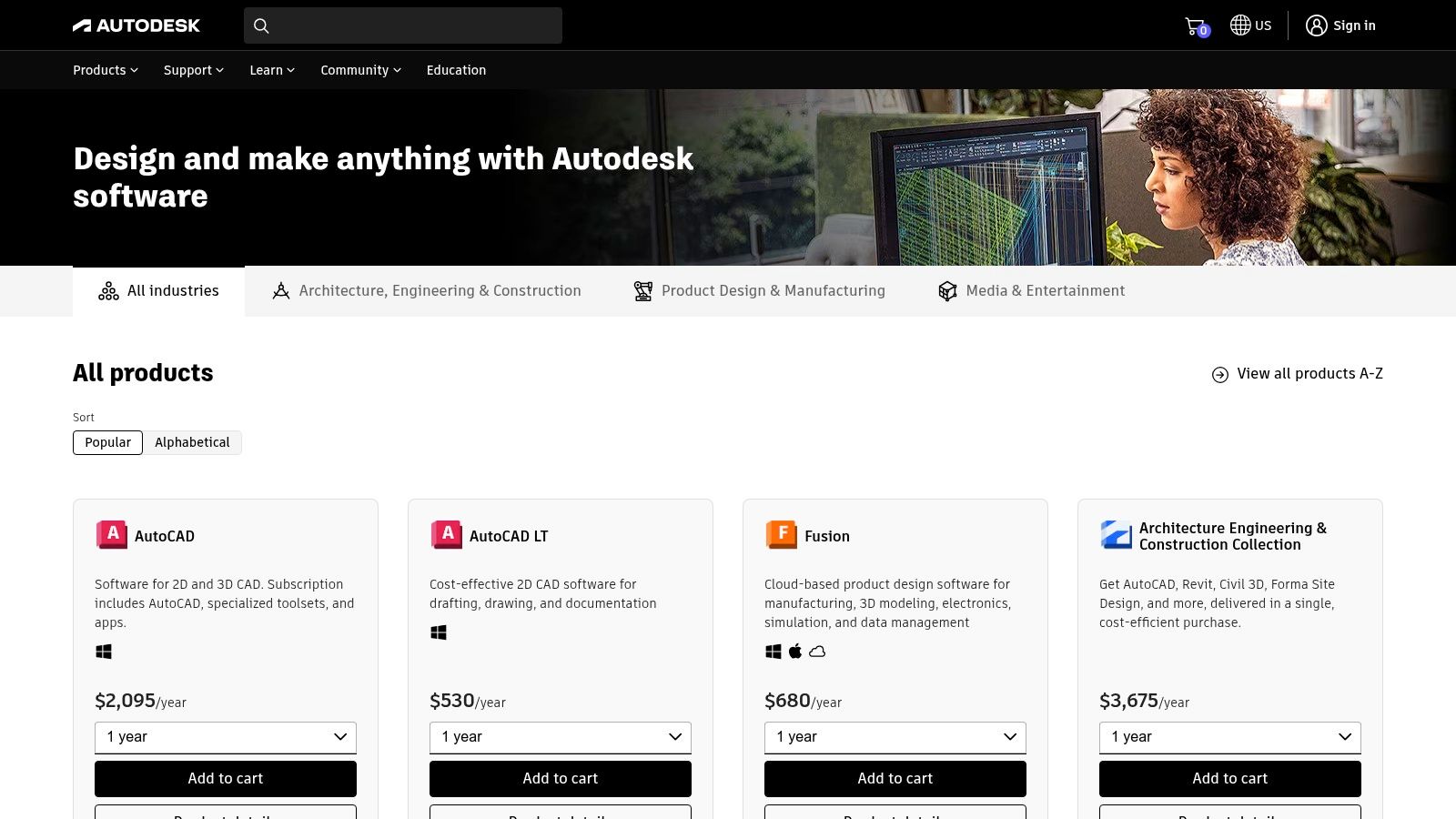
What makes the official Autodesk store the destination is its direct pipeline to these industry-standard tools, complete with enterprise-level support, team licensing, and educational access. While user reviews often cite the steep learning curve and premium subscription cost as major hurdles, the career payoff is undeniable. Proficiency in Maya or 3ds Max is a golden ticket for jobs at major studios, making the investment a strategic career move for aspiring professionals.
Our Take & Key Features
In any serious comparison of professional-grade software, Autodesk stands as the benchmark against which many alternatives are measured. Its deep, feature-rich environments are tailored for large-scale, collaborative projects.
- Industry Specialization: Maya is the gold standard for character animation and rigging, while 3ds Max excels in architectural and product visualization.
- Powerful Rendering: Deep integration with the Arnold renderer produces photorealistic, cinematic-quality images right out of the box.
- Cost: Premium subscription-based model. High cost is a primary consideration, though free trials and educational licenses are available. Exploring the details of pricing for different software can help teams budget effectively.
- Ecosystem: Backed by extensive official documentation, certified training programs, and a massive marketplace for plugins and assets.
Website: https://www.autodesk.com/products?utm_source=openai
3. SketchUp (Trimble)
SketchUp has carved out a massive niche by being the most intuitive gateway into the world of 3D modeling, especially for architectural and interior design. Its push-pull modeling method is famously easy to learn, allowing users to go from a 2D floor plan to a 3D structure in minutes. This focus on speed and simplicity makes it a favorite for conceptual design, urban planning, and woodworking, where quick iterations are more valuable than complex polygonal control.
What truly defines the SketchUp experience is its ecosystem. The 3D Warehouse is a colossal library of free, user-generated models, from furniture to entire cityscapes, saving countless hours of work. While some user reviews note that advanced parametric modeling requires plugins from the Extension Warehouse, this modular approach keeps the core app clean and approachable. Its flexible pricing, from a free web version to powerful desktop tiers, offers scalable alternatives for every budget.
Our Take & Key Features
In any comparison of user-friendly design tools, SketchUp excels at rapid visualization. It's less about creating photorealistic characters and more about quickly building and communicating spatial ideas.
- Ease of Use: The intuitive "Push/Pull" technology makes it arguably the easiest professional 3d modeling app to learn for architectural and hard-surface models.
- 3D Warehouse: Gain instant access to a vast, free library of millions of 3D models, from specific branded furniture to vegetation and vehicles.
- Flexible Tiers: Offers a range of plans including Go (web/iPad), Pro (desktop), and Studio (advanced visualization), catering to hobbyists and professionals alike.
- Cost: Provides a free, browser-based version for personal use, with paid monthly and annual plans for commercial features and desktop access.
After exporting your architectural renders, ensuring they are high-resolution for client presentations is crucial. You can see how AI upscaling sharpens your final images to preserve every important detail.
Website: https://sketchup.trimble.com/en/plans-and-pricing
4. Maxon (Cinema 4D and ZBrush)
Maxon represents a powerhouse duo in the 3D world, uniting the motion graphics titan Cinema 4D with the undisputed king of digital sculpting, ZBrush. This isn't just one 3D modeling app; it's an ecosystem designed for high-end production. Cinema 4D is revered in the motion design industry for its intuitive MoGraph toolset and rock-solid stability, while ZBrush is the industry-standard tool for creating hyper-detailed characters, creatures, and intricate hard-surface models that other applications simply can't handle.
What makes Maxon compelling is the Maxon One bundle, which packages these specialized tools together, offering significant value over individual subscriptions. User reviews consistently praise Cinema 4D’s gentle learning curve compared to its competitors, making it a favorite for artists transitioning from 2D. ZBrush, however, is a different beast, known for its unique workflow that rewards dedication with unparalleled sculpting power. The move to a subscription-only model has been controversial, but for professionals needing the best tools, it's often a necessary investment.
Our Take & Key Features
In any software comparison, Maxon's offerings stand out for their specialized excellence rather than a one-size-fits-all approach. For artists focused on motion graphics or high-poly sculpting, few alternatives can match this combination.
- Specialized Workflows: Cinema 4D is a master of procedural motion graphics, while ZBrush offers a sculpting experience that feels more like digital clay than pushing polygons.
- Industry Integration: Both apps are deeply embedded in professional pipelines for film, television, and game development, ensuring seamless collaboration.
- Cost: Subscription-based, available individually or as part of the comprehensive Maxon One bundle. No new perpetual licenses are offered.
- Ecosystem: The Maxon App simplifies license management and updates across all products, creating a unified user experience.
Once your intricate models are sculpted and animated, presenting them perfectly is the final hurdle. For automating the post-production of your renders, from upscaling to perfect cutouts, you can explore developer-friendly APIs to enhance your creative output.
Website: https://www.maxon.net
5. SideFX (Houdini)
Houdini isn't just a 3D modeling app; it's a procedural powerhouse built for artists who think like engineers. Instead of directly manipulating polygons, Houdini encourages you to build systems and recipes (nodes) that generate geometry, effects, and simulations. This node-based workflow is the gold standard in the visual effects industry for creating mind-bending destruction, fluid simulations, and complex environments that would be impossible to model by hand.
What makes Houdini truly special is its digital asset system, allowing you to wrap up complex node networks into custom tools that can be used in other software like Unreal Engine or Maya. While user reviews often highlight its notoriously steep learning curve, its power is undeniable. The "Houdini Indie" license makes this VFX-grade tool accessible to freelancers and small studios, offering one of the best alternatives to more traditional modeling workflows.
Our Take & Key Features
For any serious comparison of high-end 3D software, Houdini excels in procedural generation and complex simulations. It's less a direct modeler and more a 3D creation toolkit for building complex systems.
- Procedural Workflow: Its node-based system is non-destructive, meaning you can go back and change any step in your creation process at any time, which is incredibly powerful.
- VFX & Simulation: Industry-leading tools for creating realistic fire, smoke, fluids, and particle effects are built directly into its core.
- Houdini Indie: A nearly full-featured, affordable license for independent creators and studios earning under a certain revenue threshold, making professional tools accessible.
- Houdini Engine: Allows you to import Houdini's procedural assets directly into other applications like game engines, streamlining complex pipelines.
Website: https://www.sidefx.com/products/compare/?utm_source=openai
6. Rhino 3D (McNeel)
Rhino 3D is the architect's and industrial designer's best friend, a precision-driven 3d modeling app built for creating complex curves and surfaces with mathematical accuracy. Where polygonal modelers approximate curves, Rhino uses NURBS (Non-Uniform Rational B-Splines) to define them perfectly, making it the go-to for product design, jewelry, and manufacturing. This focus on CAD-like precision, combined with a surprisingly flexible free-form modeling environment, makes it a unique hybrid tool.
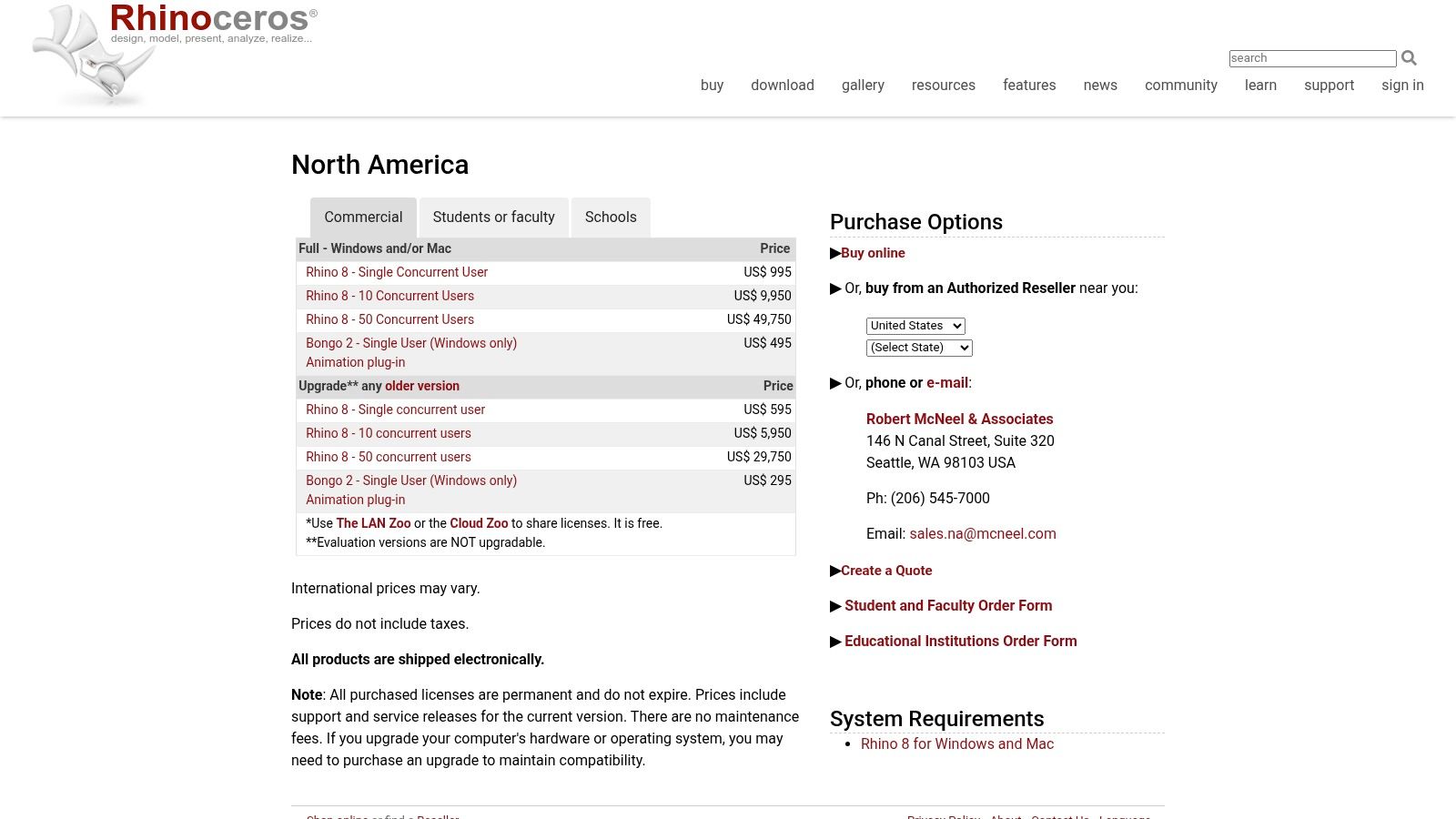
What really pushes Rhino into a league of its own is the inclusion of Grasshopper, a visual programming language that unlocks the world of parametric and generative design without writing a single line of code. User reviews frequently praise the one-time perpetual license, a refreshing departure from the subscription-heavy landscape of professional software. While it may lean on plugins for photorealistic rendering, its core strength lies in turning complex designs into manufacturable realities.
Our Take & Key Features
In any comparison of professional design software, Rhino's value proposition is its perpetual license and specialization in high-precision surface modeling. It’s an indispensable tool for anyone creating physical products.
- Modeling Technology: Built on a foundation of hyper-accurate NURBS modeling, now supplemented with powerful SubD tools for more organic, free-form creation.
- Generative Design: Includes the revolutionary Grasshopper visual scripting tool, enabling complex procedural and parametric workflows.
- Cost: Offers a perpetual license, meaning you buy it once and own it forever, making it one of the best long-term investments among professional alternatives.
- Extensibility: Features a robust ecosystem of third-party plugins for specialized tasks like rendering (V-Ray), CAM, and analysis.
Website: https://www.rhino3d.com/buy/?utm_source=openai
7. Onshape (PTC)
Onshape shifts the entire paradigm of a traditional 3d modeling app by taking professional-grade parametric CAD entirely to the cloud. It’s less of a standalone program and more of a collaborative design platform, built from the ground up for distributed engineering teams and modern educational settings. By operating completely within a web browser, it eliminates installs, hardware compatibility issues, and the endless headache of file management, making it one of the most accessible CAD alternatives available.
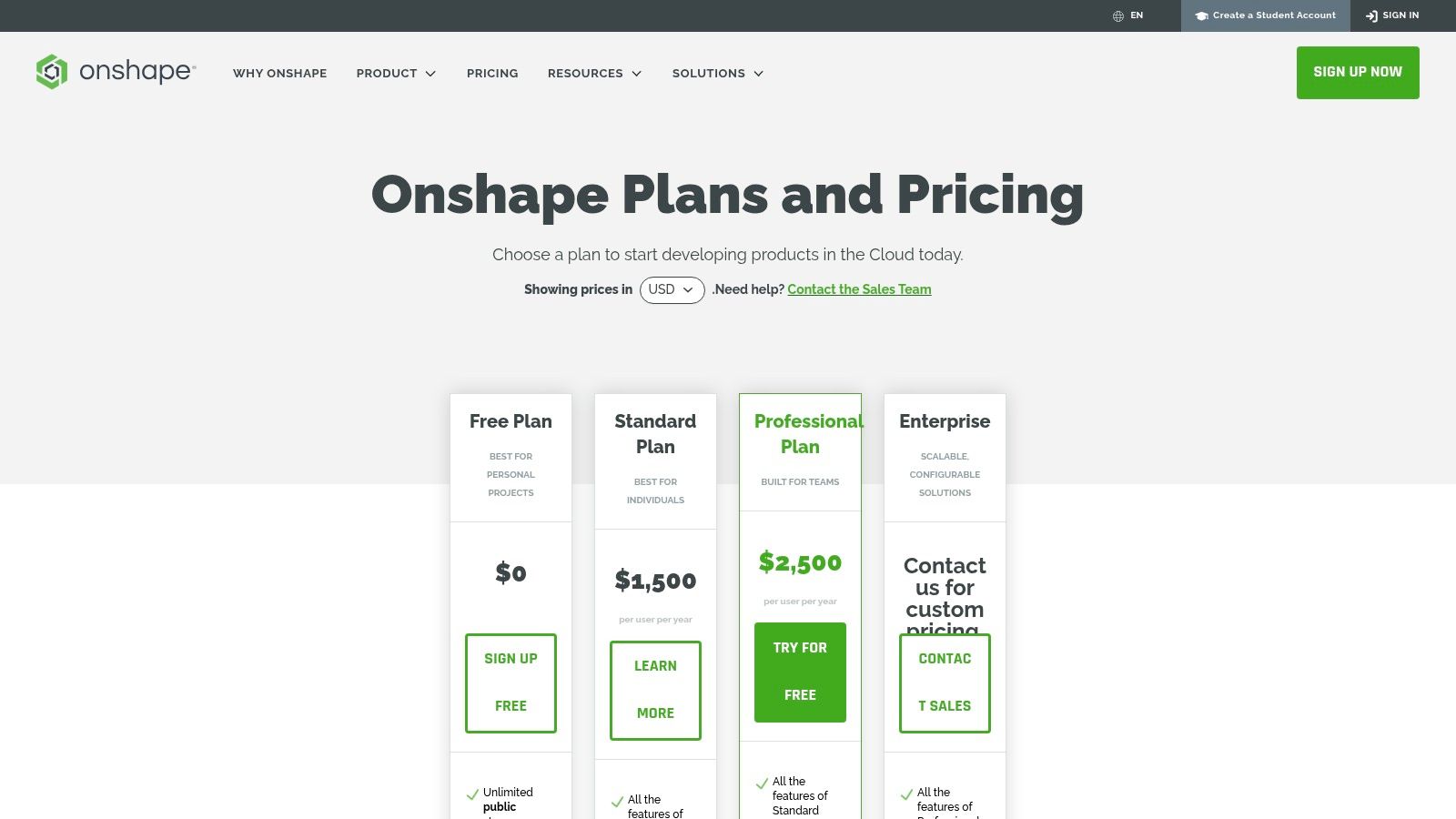
What makes Onshape a standout is its integrated Product Data Management (PDM). Forget "final_v2_final_final.sldprt"; Onshape uses a Git-like versioning system, allowing teams to branch, merge, and compare design histories effortlessly. User reviews frequently praise this seamless, real-time collaboration, where multiple users can work on the same part assembly simultaneously. While its free plan makes all your documents public, it’s an unbeatable entry point for hobbyists and students.
Our Take & Key Features
For any comparison of cloud-based CAD, Onshape’s robust collaboration and data management tools put it in a class of its own. It’s a powerful choice for teams that prioritize agility and accessibility over offline capabilities.
- Cloud-Native CAD: Full-featured parametric modeling that runs on any modern web browser, including Chromebooks and mobile devices.
- Real-Time Collaboration: Multiple users can edit designs simultaneously, with live updates and an integrated commenting system.
- Built-in Version Control: A complete edit history with branching and merging capabilities eliminates file-based PDM chaos.
- Cost: Offers a generous free plan for open-source projects and hobbyists, with paid tiers for private documents and advanced enterprise features.
Website: https://www.onshape.com/en/pricing?utm_source=openai
8. Shapr3D
Shapr3D is the 3D modeling app that breaks free from the desk, bringing professional-grade CAD to your iPad, Mac, and Windows devices with a touch-and-pen-first approach. It's built for speed, allowing engineers and designers to go from a quick sketch to a precise solid model in minutes, making it perfect for rapid prototyping and concept iteration. Its intuitive interface, designed around the Apple Pencil, feels more like drawing than traditional point-and-click modeling, offering a uniquely fluid creative experience.
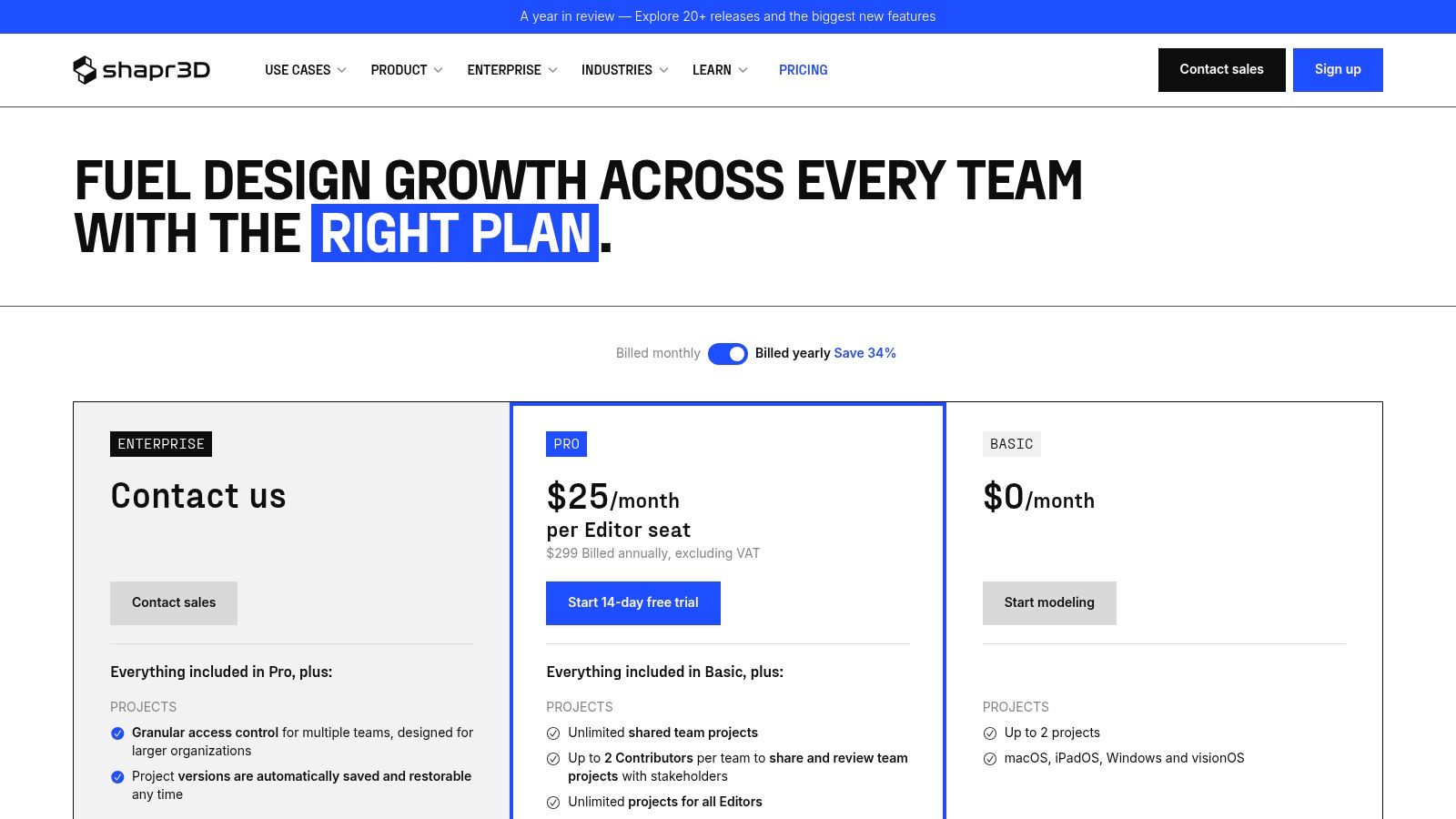
What makes Shapr3D a compelling choice is its focus on a seamless, cross-platform workflow without sacrificing precision. User reviews consistently praise its fast, direct modeling capabilities that feel natural and responsive. While it offers a capable free version, the subscription model gates advanced features and professional CAD formats. This places it in a price bracket comparable to some desktop juggernauts, making it a serious investment for professionals who value mobility and speed above all else.
Our Take & Key Features
In any comparison of mobile-first CAD tools, Shapr3D is a clear front-runner for its professional execution and design-centric workflow. It's one of the best alternatives for those who find traditional CAD software cumbersome for initial ideation.
- Intuitive UX: A pen-first interface designed for Apple Pencil, making sketching and modeling feel incredibly natural and fast.
- Direct Modeling Workflow: Effortlessly push, pull, and modify geometry to iterate on designs without the constraints of a complex history tree.
- Cross-Platform Sync: Start a project on an iPad during a meeting and seamlessly continue it on your Windows or Mac desktop back at the office.
- Cost: Offers a free tier for personal use with limitations, with paid subscriptions (Standard and Business) unlocking professional features and formats like STEP and IGES.
Website: https://www.shapr3d.com/pricing?utm_source=openai
9. Adobe Substance 3D Modeler
Adobe Substance 3D Modeler dives headfirst into the tactile world of digital sculpting, treating 3D modeling less like engineering and more like working with digital clay. Its core strength is a gestural, intuitive workflow that shines in both traditional desktop and immersive VR environments. This approach makes it a fantastic tool for concept artists, character designers, and anyone who wants to create organic shapes without getting bogged down by vertices and polygons.
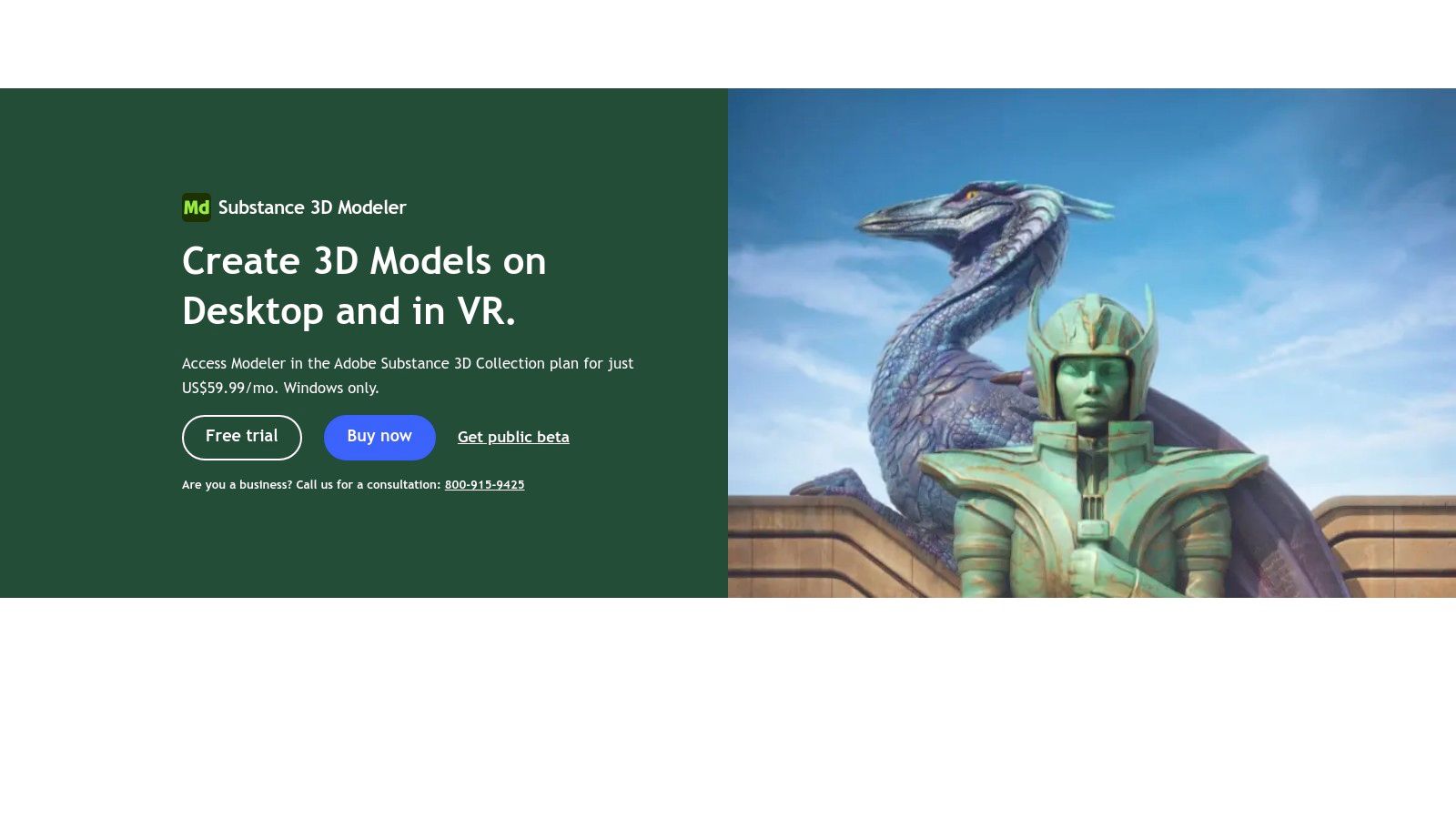
What makes Modeler a compelling choice is its seamless integration into the broader Adobe ecosystem. You can sculpt a model and then, with a few clicks, send it directly to Substance 3D Painter for texturing. User reviews often praise this streamlined pipeline, noting how it accelerates creative projects. While it can be purchased as a standalone edition, its true power is unlocked when used as part of the full Substance 3D Collection, which provides a complete texturing and rendering suite.
Our Take & Key Features
In any comparison of sculpting-focused apps, Modeler stands out for its accessibility and powerful VR workflow. It’s an excellent choice for artists looking for intuitive creation tools over technical modeling.
- Sculpting Workflow: Focuses on an intuitive, gestural "digital clay" approach that works seamlessly on desktop or in VR for a truly immersive experience.
- Ecosystem Integration: Works flawlessly with other Substance 3D apps like Painter and Designer, creating a powerful pipeline for asset creation from start to finish.
- Cost: Available via the Adobe Substance 3D Collection subscription or as a standalone perpetual license (2025 edition) on platforms like Steam.
- Platform: The desktop version is currently Windows-only, which is a key consideration when evaluating alternatives on macOS.
Website: https://www.adobe.com/products/substance3d/apps/modeler.html?utm_source=openai
10. 3DCoat (Pilgway)
3DCoat is less of an all-in-one 3D modeling app and more of a specialized digital clay workshop. It excels in voxel and surface sculpting, offering an intuitive, tactile experience for creating organic models. But where it truly carves its niche is in its post-sculpting workflow, bundling some of the industry's most powerful retopology, UV unwrapping, and PBR texture painting tools into a single, cohesive environment.
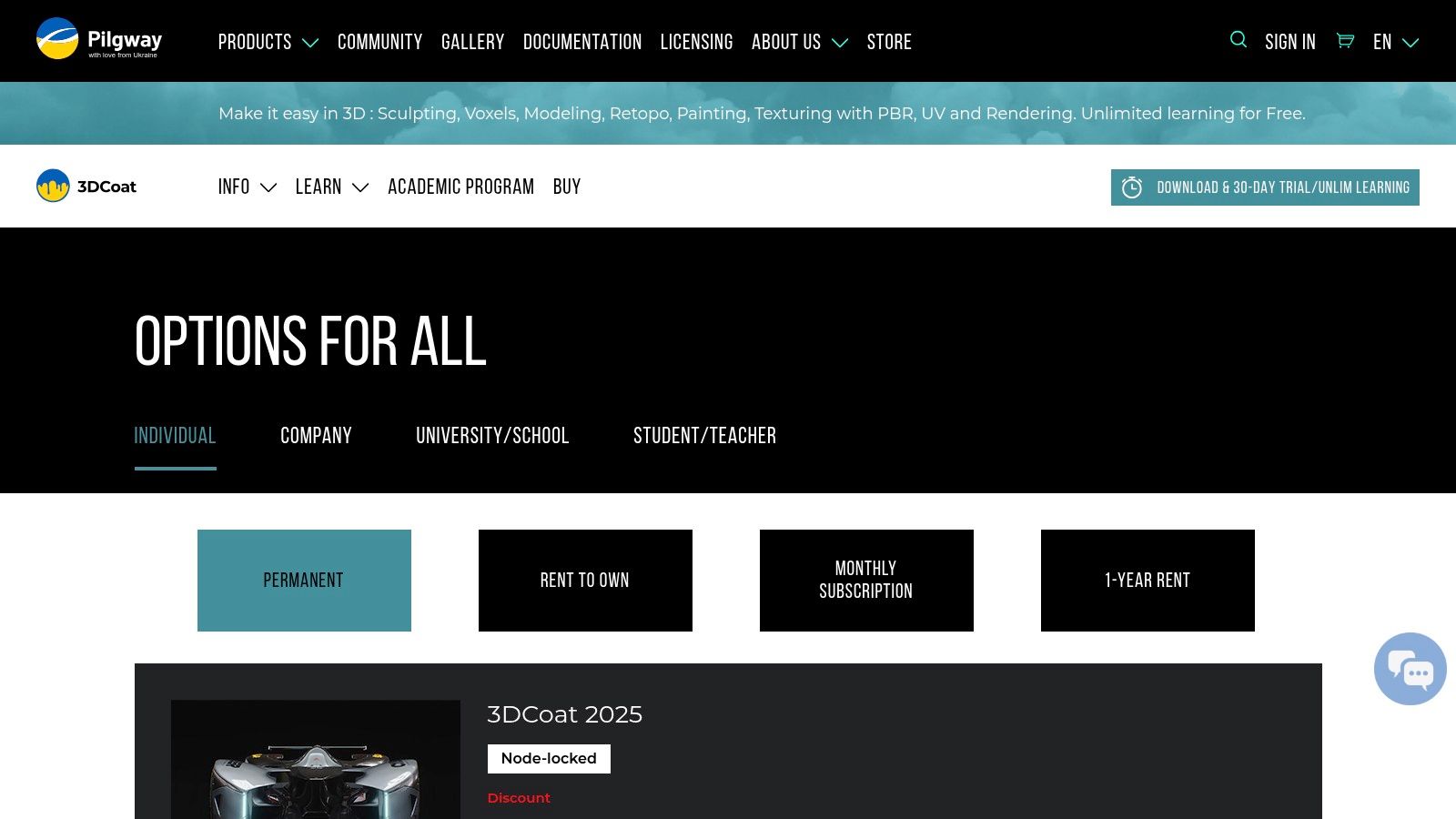
What makes 3DCoat a compelling choice is its laser focus on the artistic asset pipeline. It’s designed to slot perfectly alongside other DCCs, acting as the bridge between a high-poly sculpt and a game-ready, textured model. User reviews often praise its auto-retopology feature as a massive time-saver, turning complex sculpts into clean, usable geometry with remarkable efficiency. While its interface has a learning curve compared to mainstream alternatives, its specialized toolset is hard to beat for character artists and hard-surface modelers.
Our Take & Key Features
In any software comparison for texturing and sculpting, 3DCoat stands out for its purpose-built tools and flexible pricing. It’s a powerful specialist that complements a generalist 3D application.
- Sculpting & Retopology: Combines free-form voxel sculpting with powerful surface sculpting tools, plus an acclaimed Auto-Retopo function for clean mesh generation.
- UV & Painting: Features a dedicated and highly efficient UV editing toolset alongside a comprehensive PBR smart material painting workflow.
- Cost: Offers flexible licensing, including perpetual licenses, subscriptions, and unique rent-to-own options, making it accessible at different budget levels.
- Integration: Designed to work seamlessly with other 3D software by focusing on sculpting, retopology, UVing, and texturing pipelines.
Website: https://3dcoat.com/buy/?utm_source=openai
11. Tinkercad (Autodesk)
Tinkercad is the quintessential entry point into the world of 3D, a completely free and browser-based 3d modeling app that strips away complexity to reveal pure, creative fun. It's Autodesk’s friendly gateway drug to more complex software, designed specifically for beginners, educators, and anyone needing to whip up a 3D printable model in minutes, not hours. By using simple geometric shapes that you combine, subtract, and warp, it turns the intimidating process of 3D design into a set of digital building blocks.
What makes Tinkercad shine is its unwavering focus on accessibility. It runs on virtually any computer with a web browser, including Chromebooks, making it a classroom favorite for STEM education. User reviews consistently praise its gentle learning curve, which allows total novices to go from a blank canvas to a tangible 3D object ready for printing in a single session. While it's not a tool for professional production, its role as a conceptual sketchpad and educational platform is unmatched.
Our Take & Key Features
In any comparison of beginner-friendly software, Tinkercad is king. It’s less of a direct competitor to professional suites and more of a foundational tool that makes 3D accessible to everyone.
- Modeling Approach: Employs a simple constructive solid geometry (CSG) workflow, where you add and subtract basic shapes to create complex forms.
- Accessibility: Entirely browser-based, requiring no installation and running smoothly on low-spec hardware, making it one of the best alternatives for users without powerful PCs.
- Cost: Completely free with just an Autodesk account, including all features and classroom management tools.
- Education Focused: Packed with tutorials, project guides, and features designed to help educators teach the principles of 3D design and printing.
Website: https://www.tinkercad.com/
12. Nomad Sculpt
Nomad Sculpt is the reason your tablet is about to become your favorite sculpting tool. This powerhouse 3d modeling app for iOS and Android brings the fluid, intuitive feel of digital clay to a mobile-first environment. It’s designed from the ground up for a stylus-and-touch workflow, allowing artists to sketch out characters, props, and organic shapes anywhere, without being tethered to a desktop. Its accessibility has made it a favorite for both beginners dipping their toes into sculpting and professionals creating concept art on the go.
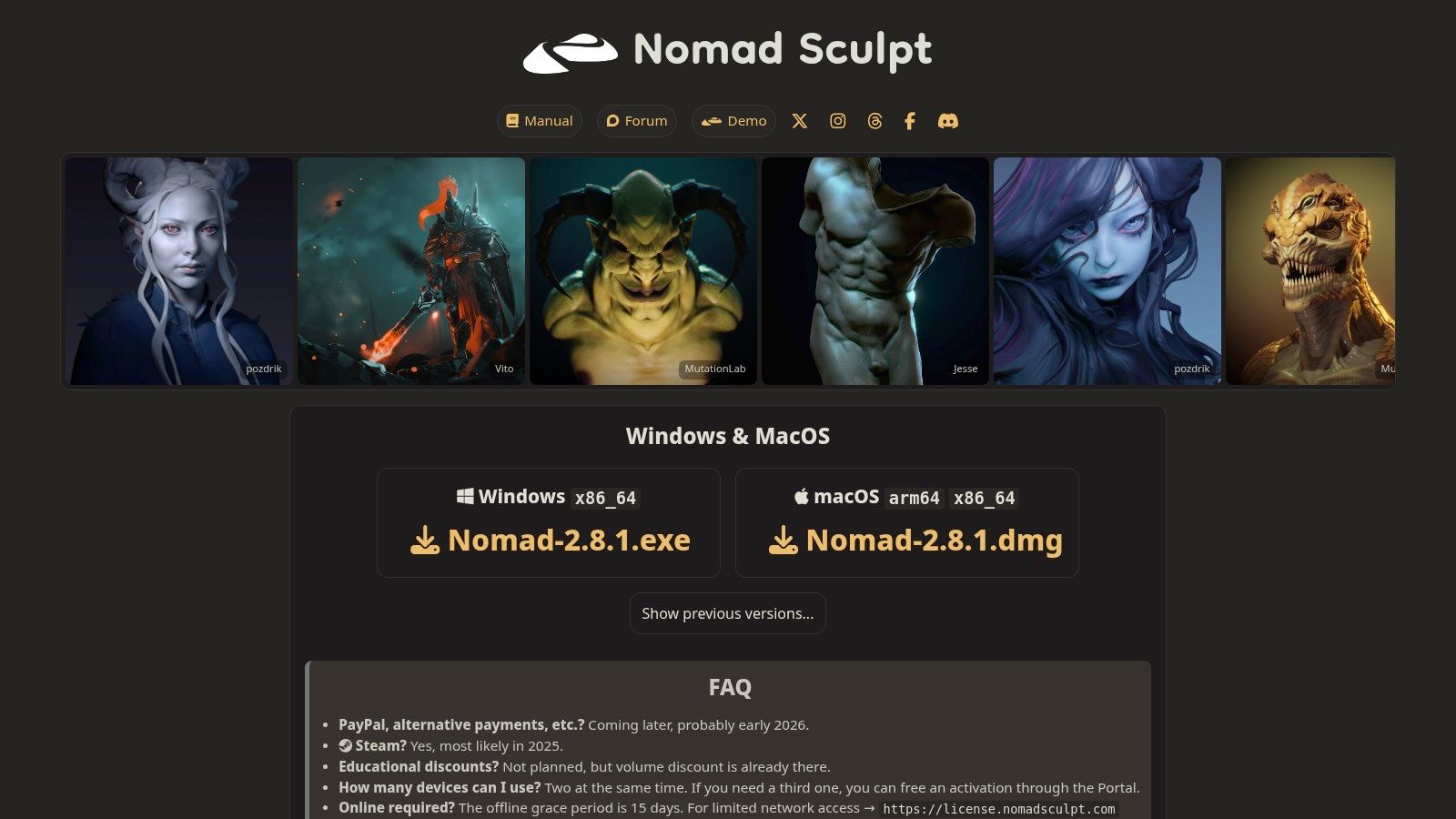
What makes Nomad Sculpt stand out in user reviews is its surprising depth packed into such a lean package. It’s not just a simple doodling app; it offers a sophisticated toolset with layers, PBR painting, and robust sculpting brushes that feel responsive and powerful. While it can’t replace a full desktop setup for final production, its ability to quickly get ideas down and even perform advanced operations like voxel remeshing on a tablet is a game-changer for creative workflows.
Our Take & Key Features
In any comparison of mobile sculpting alternatives, Nomad Sculpt often comes out on top for its sheer capability and one-time-purchase model. It provides a near-desktop-level experience for a fraction of the cost.
- Sculpting Engine: Features a high-performance engine supporting multi-resolution sculpting and dynamic topology, perfect for organic forms.
- Painting & Rendering: Includes a full PBR painting system with layers and a simple but effective built-in renderer for quick previews.
- Cost: A very affordable one-time purchase on mobile app stores, with an optional in-app purchase for a powerful Quad Remesher.
- Portability: The mobile-first design makes it the ultimate tool for sculpting on the move, with excellent Apple Pencil and stylus support.
Website: https://nomadsculpt.com
Top 12 3D Modeling Apps — Quick Comparison
| Software | ✨ Core features | ★ UX / Quality | 💰 Price / Value | 👥 Target audience | 🏆 USP |
|---|---|---|---|---|---|
| Blender | Modeling, sculpt, animation, Cycles/EEVEE, Geometry Nodes | ★★★★ — powerful, steeper learning | 💰 Free (GPL) — exceptional value | 👥 Hobbyists → Professionals | 🏆 Open‑source ecosystem & addons |
| Autodesk (Maya, 3ds Max) | Industry modeling, rigging, Arnold renderer, team/cloud tools | ★★★★ — studio standard, complex | 💰 High subscription cost | 👥 Film/TV/Games studios, professionals | 🏆 Studio pipeline integration & certified support |
| SketchUp (Trimble) | Web/iPad/Desktop tiers, 3D Warehouse, extensions | ★★★★ — easy, fast concepting | 💰 Tiered plans; flexible monthly | 👥 Architects, interiors, product design | 🏆 Rapid conceptual modeling + large model library |
| Maxon (Cinema 4D & ZBrush) | MoGraph, high‑detail sculpting, Maxon One bundle | ★★★★ — stable, artist‑friendly | 💰 Subscription; bundle options | 👥 Motion graphics artists & sculptors | 🏆 MoGraph workflow & industry‑leading sculpting |
| SideFX (Houdini) | Procedural node VFX, simulations, Houdini Engine | ★★★ — extremely powerful, steep learning | 💰 Flexible licensing incl. Indie | 👥 VFX studios, procedural artists | 🏆 Unmatched procedural/scalable scene generation |
| Rhino 3D (McNeel) | Precision NURBS, Grasshopper, strong plugin ecosystem | ★★★★ — CAD‑grade accuracy | 💰 Perpetual license available | 👥 Industrial/product designers, jewelry | 🏆 Precision NURBS + Grasshopper visual coding |
| Onshape (PTC) | Cloud parametric CAD, versioning, real‑time collaboration | ★★★★ — smooth cloud UX, collaborative | 💰 Free(public) / Paid private tiers | 👥 Distributed teams & education | 🏆 Cloud PDM + live collaboration |
| Shapr3D | Pen/touch first direct modeling, fast sketch→solid | ★★★★ — very fast, intuitive on tablet | 💰 Subscription; free edu plan | 👥 Concept designers, iPad/pen users | 🏆 Apple Pencil‑first, fast concepting |
| Adobe Substance 3D Modeler | Gestural digital‑clay sculpting, VR support, Substance integra. | ★★★★ — sculpting‑focused, approachable | 💰 Subscription or standalone (Steam) | 👥 Sculptors, texture artists | 🏆 VR sculpting & Substance ecosystem links |
| 3DCoat (Pilgway) | Voxel/surface sculpt, auto‑retopo, UV & PBR painting | ★★★★ — strong retopo/texturing workflows | 💰 Flexible licensing (perpetual/rent) | 👥 Texture artists, retopo specialists | 🏆 End‑to‑end sculpt→retopo→paint pipeline |
| Tinkercad (Autodesk) | Browser CSG modeling, classroom features, easy export | ★★★ — extremely easy, limited for pro use | 💰 Free | 👥 Beginners, education, 3D‑printing novices | 🏆 Easiest web‑based entry tool for education |
| Nomad Sculpt | Mobile multi‑res sculpting, PBR painting, export (OBJ/glTF) | ★★★★ — excellent tablet experience | 💰 Low one‑time cost | 👥 Mobile/tablet sculptors, quick concepting | 🏆 Premium mobile sculpting with Apple Pencil support |
From Pixels to Perfection: Supercharging Your 3D Workflow
Well, there you have it, our whirlwind tour of the 3D modeling app universe is complete! We’ve navigated the vast cosmos from the free, all-powerful black hole that is Blender to the specialized, high-gravity worlds of ZBrush and Houdini. We've seen how tools like Shapr3D and Nomad Sculpt are bringing professional-grade creation to your fingertips on mobile devices, proving that you don't need a supercomputer to build something spectacular. The digital landscape is richer and more accessible than ever, filled with incredible software ready to bring your wildest ideas to life.
This journey wasn't just about listing features; it was about providing a detailed comparison to help you understand the core philosophies behind each application. Our in-depth reviews aimed to cut through the marketing noise and give you a real sense of what it’s like to work with these tools, highlighting both their superpowers and their kryptonite. By examining various alternatives, we've shown that there's no single "best" 3d modeling app, only the one that best fits your specific mission.
How to Choose Your Champion
So, how do you pick your creative co-pilot from this star-studded lineup? The decision paralysis is real, but you can conquer it by focusing on your primary objective.
- For Aspiring Creators & Hobbyists: Don't get intimidated by price tags. Start with Blender or Tinkercad. These free platforms offer an incredible runway to learn the fundamentals without any financial commitment. You can always specialize later.
- For Product Designers & Engineers: Precision is your game. Your best bet lies with CAD-focused software like Onshape, Rhino 3D, or Shapr3D. Their parametric and NURBS-based modeling capabilities are built for manufacturing and real-world accuracy.
- For Marketing & E-commerce Teams: You need speed, realism, and an easy-to-manage workflow. SketchUp and Adobe Substance 3D Modeler offer a great balance of power and user-friendliness, perfect for creating stunning product visualizations without a steep learning curve.
- For Game Devs, Animators & VFX Wizards: You live on the cutting edge. The industry-standard powerhouses like Autodesk Maya, 3ds Max, Cinema 4D, and the procedural magic of Houdini are your domains. These tools are built to handle the most complex pipelines and demanding creative challenges.
The Final Polish: From Render to Reality
Remember, creating a stunning 3D model is only the first half of the equation. The most photorealistic render can fall flat if it's presented poorly. Manually cutting out backgrounds, fighting with jagged edges, or struggling with low-resolution textures can suck hours out of your day and diminish the impact of your hard work. This is where your workflow needs a final, crucial upgrade.
Your chosen 3d modeling app is the factory where you build the masterpiece, but a smart post-processing pipeline is the professional photo studio that makes it shine. Instead of getting bogged down in tedious, repetitive editing tasks in Photoshop, you can automate the entire process. Imagine exporting hundreds of product renders and having them instantly become catalog-ready with perfect, transparent backgrounds, upscaled textures, and consistent lighting. This isn't science fiction; it’s the power of integrating a dedicated image processing API into your workflow, freeing you to focus on what you do best: creating. By bridging the gap between raw render and polished final asset, you not only save immense amounts of time but also elevate the perceived value of your work.
Ready to automate the final, tedious step of your creative process? Stop wasting hours on manual background removal and image cleanup. PixelPanda connects seamlessly with your workflow to deliver perfect, production-ready images from your renders in seconds. Try PixelPanda for free and see how AI-powered editing can perfect your pixels.