Struggling with low-resolution images that compromise your marketing campaigns, product listings, or creative projects? A pixelated or blurry visual can mean the difference between a conversion and a lost customer. This guide provides an in-depth comparison and detailed reviews of the top AI-powered tools designed to rescue your visuals from poor quality. We'll explore the best image upscaling software and viable alternatives available, diving into their unique features, performance benchmarks, pricing models, and ideal use cases.
This resource is designed to help you find the perfect solution, whether you are:
- A developer needing a robust API for an application.
- A photographer seeking print-quality enlargements.
- An e-commerce manager aiming for crisp, professional product shots.
- A marketing agency producing high-volume social media content.
Each entry includes hands-on analysis, before-and-after screenshots, and direct links to help you make an informed decision quickly. We move beyond simple feature lists to provide a practical comparison of what works, what doesn't, and which platform is truly the best for your specific workflow. While the primary focus is on increasing resolution, many of these tools also offer broader AI photo enhancement capabilities to further refine image quality, correcting noise, color, and lighting. This comprehensive roundup cuts through the noise, delivering clear, actionable insights to help you enhance, enlarge, and perfect every image.
1. PixelPanda

PixelPanda establishes itself as a standout choice by positioning its 4x upscaler as a core component of a much larger, fully integrated visual production suite. While many tools focus solely on increasing resolution, PixelPanda operates as an end-to-end platform, combining top-tier upscaling with a comprehensive set of AI-driven editing tools. This makes it an exceptionally powerful solution for developers, e-commerce managers, and marketing teams who need to automate complex, multi-step image workflows at scale, rather than just performing a single task.
The platform's strength lies in its ability to produce natural, detail-preserving outputs that avoid the artificial look common in other upscalers. Its models are specifically trained to handle challenging textures like hair, fur, and fabric with remarkable clarity, preserving fine details and maintaining sharp, clean edges. This focus on studio-quality results makes it one of the best image upscaling software options available when brand consistency and professional polish are non-negotiable.
Standout Features & Use Cases
PixelPanda’s true value is revealed when you move beyond simple upscaling. Its feature set is designed to solve real-world production bottlenecks.
- Integrated Workflow Automation: Combine upscaling with background removal, content-aware inpainting, and face enhancement in a single API call. This is ideal for e-commerce platforms needing to process thousands of raw product shots into consistent, web-ready assets automatically.
- Developer-First API & SDKs: With clear documentation, a REST API, and dedicated SDKs, integrating PixelPanda into existing web, mobile, or backend applications is straightforward. Batch processing capabilities are built-in, allowing teams to handle high-volume tasks efficiently without manual intervention.
- AI Fashion & Avatar Studio: A key differentiator is its advanced generative AI. Teams can train an AI avatar from a handful of photos to create professional headshots or realistic virtual try-ons. This feature is a game-changer for fashion brands aiming to produce diverse and inclusive marketing content without expensive photoshoots.
Pricing and Access
PixelPanda uses a transparent, credit-based pricing model suitable for various scales.
- Free Plan: Includes 10 credits to test the platform’s full capabilities, with no credit card required.
- Starter: $49/month for 500 credits.
- Pro: $99/month for 1,500 credits.
- Business: $249/month for 4,500 credits.
Paid plans include avatar generation, and credits are consumed for each processing task (e.g., upscaling, background removal). It’s important to note that credits reset monthly and do not roll over, which requires planning for variable workloads. Users can explore a live gallery and get hands-on experience with an interactive image upscaling demo on PixelPanda's website.
Final Assessment: Reviews and Comparison
In a direct comparison with single-function alternatives, PixelPanda excels as a complete visual automation platform. While other tools may offer upscaling, few provide an equally robust API alongside generative features like AI avatars and virtual try-ons. User reviews consistently praise its high-quality outputs, especially its handling of delicate textures, and the ease of integration for developers. It is the definitive choice for businesses seeking to automate their entire image production pipeline, not just one part of it.
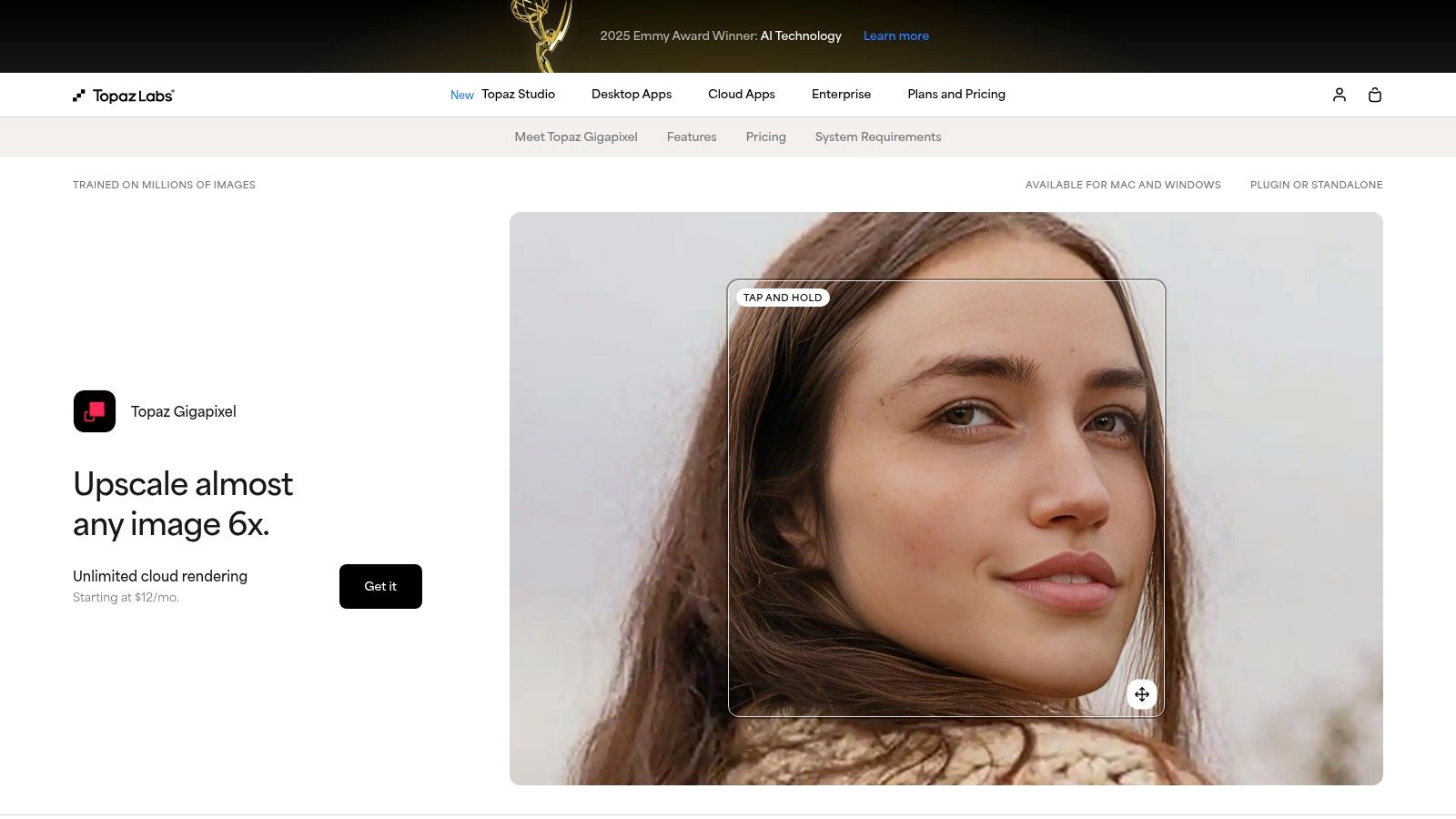
2. Topaz Labs – Topaz Gigapixel
Topaz Labs has long been a heavyweight contender for the title of best image upscaling software, and its dedicated tool, Gigapixel, is the reason why. Aimed squarely at photographers, designers, and digital artists, Gigapixel provides a powerful desktop application (macOS/Windows) with cloud processing capabilities. It excels at enlarging photos up to 600% while intelligently recovering and creating detail that wasn't visible in the source image.
Its standout feature is the suite of specialized AI models. Unlike one-size-fits-all tools, Gigapixel lets you choose the best model for your specific image type. The "Face Recovery" model, for instance, is uncanny at reconstructing facial details in low-resolution portraits, while the "Art & CG" model is tuned for illustrations and digital renders. This level of control makes it a professional-grade choice for workflows demanding precision.
Key Features and Assessment
- Specialized AI Models: Choose from Standard, High Fidelity, Low Res, and more to get the optimal result for any image.
- Professional Workflow Integration: Works as a standalone app or as a plugin for Adobe Photoshop and Lightroom Classic.
- Local & Cloud Processing: Offers the flexibility to process images on your own hardware or use Topaz's cloud servers.
- Detail & Noise Control: Provides sliders for fine-tuning sharpness, detail recovery, and noise reduction.
Pricing and Licensing
Topaz Labs has shifted its pricing model over time, which has been a point of confusion in some user reviews. It currently offers a perpetual license for a one-time fee, which includes one year of updates. After the year, you can continue using the software you own, but you will need to pay an upgrade fee for access to new models and features. When making a comparison to subscription-based alternatives, it’s crucial to factor in this upgrade cost. For users seeking a more predictable billing structure, you can explore the pricing options available at PixelPanda.
Final Verdict
- Pros: Industry-leading image quality, specialized models for superior results, and deep integration with professional photo editing workflows.
- Cons: The perpetual license with paid upgrades can be confusing and may feel like a subscription for users who want the latest models.
- Website: https://www.topazlabs.com/topaz-gigapixel
3. Adobe – Photoshop & Lightroom Super Resolution
For the millions of creative professionals already embedded in the Adobe ecosystem, the best image upscaling software might be the one they already own. Adobe's Super Resolution feature, built directly into Photoshop, Camera Raw, and Lightroom, offers a streamlined, one-click solution to double the linear resolution of an image, effectively quadrupling the total pixel count. This integration is its greatest strength, eliminating the need for external apps or plugins for users in established RAW and print workflows.
The feature is engineered to provide a clean, high-quality enlargement with minimal artifacts, making it an excellent choice for photographers preparing images for large-format printing or digital display. It leverages Adobe's machine learning technology to intelligently enlarge photos while preserving crisp details and clean edges. While it may not offer the granular control of specialized desktop apps, its convenience and reliable output make it a go-to for many. For those seeking a deeper dive, a detailed guide on Photoshop AI Upscale can provide further valuable insights.

Key Features and Assessment
- Seamless Workflow Integration: Directly accessible within Adobe Camera Raw, Photoshop, and Lightroom, requiring no extra software.
- One-Click Simplicity: Provides a straightforward 2× linear (4× total pixel) upscale with a single click.
- Optimized for RAW Files: Works exceptionally well with RAW image data to produce high-quality, detailed results.
- Cross-Platform Availability: Integrated into the Adobe Creative Cloud ecosystem across desktop, web, and mobile where applicable.
Pricing and Licensing
Access to Super Resolution is included with a subscription to the Adobe Creative Cloud Photography plan or a full Creative Cloud subscription. Adobe's pricing and plan structures have seen recent shifts, so it is vital to check the current terms and costs before committing. Several user reviews have noted the company’s complex subscription and cancellation policies, so a careful evaluation of the terms is recommended when making a comparison to other paid alternatives.
Final Verdict
- Pros: Unbeatable convenience for existing Adobe users, excellent integration with professional RAW workflows, and delivers a great balance of detail and artifact control.
- Cons: Limited to a single 2× upscale option with no fine-tuning controls, and the subscription model can be a significant ongoing expense.
- Website: https://www.adobe.com/products/photoshop-lightroom/super-resolution.html
4. ON1 – Resize AI
ON1 Resize AI, which evolved from the long-standing Genuine Fractals, establishes its place as one of the best image upscaling software options, particularly for photographers focused on print. It leverages modern AI to create high-quality enlargements, integrating seamlessly as a standalone application or as a plugin for major photo editors. Its primary strength lies in preparing images for large-format printing, offering specialized tools to maintain detail and texture during the scaling process.
The software features a "Highest Quality" model based on diffusion technology and a faster "Standard" model for different needs. Its Face Recovery feature enhances portraits, while batch processing capabilities streamline workflows for photographers handling large sets of images. This focus on practical, print-oriented features makes it a strong contender for those whose final output is physical media.
Key Features and Assessment
- Print-Oriented Tools: Includes gallery wrap and tiling features specifically for preparing images for physical printing.
- Flexible Integration: Functions as a standalone app and as a plugin for Adobe Photoshop, Lightroom Classic, and inside ON1 Photo RAW.
- Dual AI Models: Offers a choice between a top-tier diffusion model for maximum quality and a standard model for quicker results.
- Batch Processing: Efficiently upscale entire folders of images with consistent settings, saving significant time.
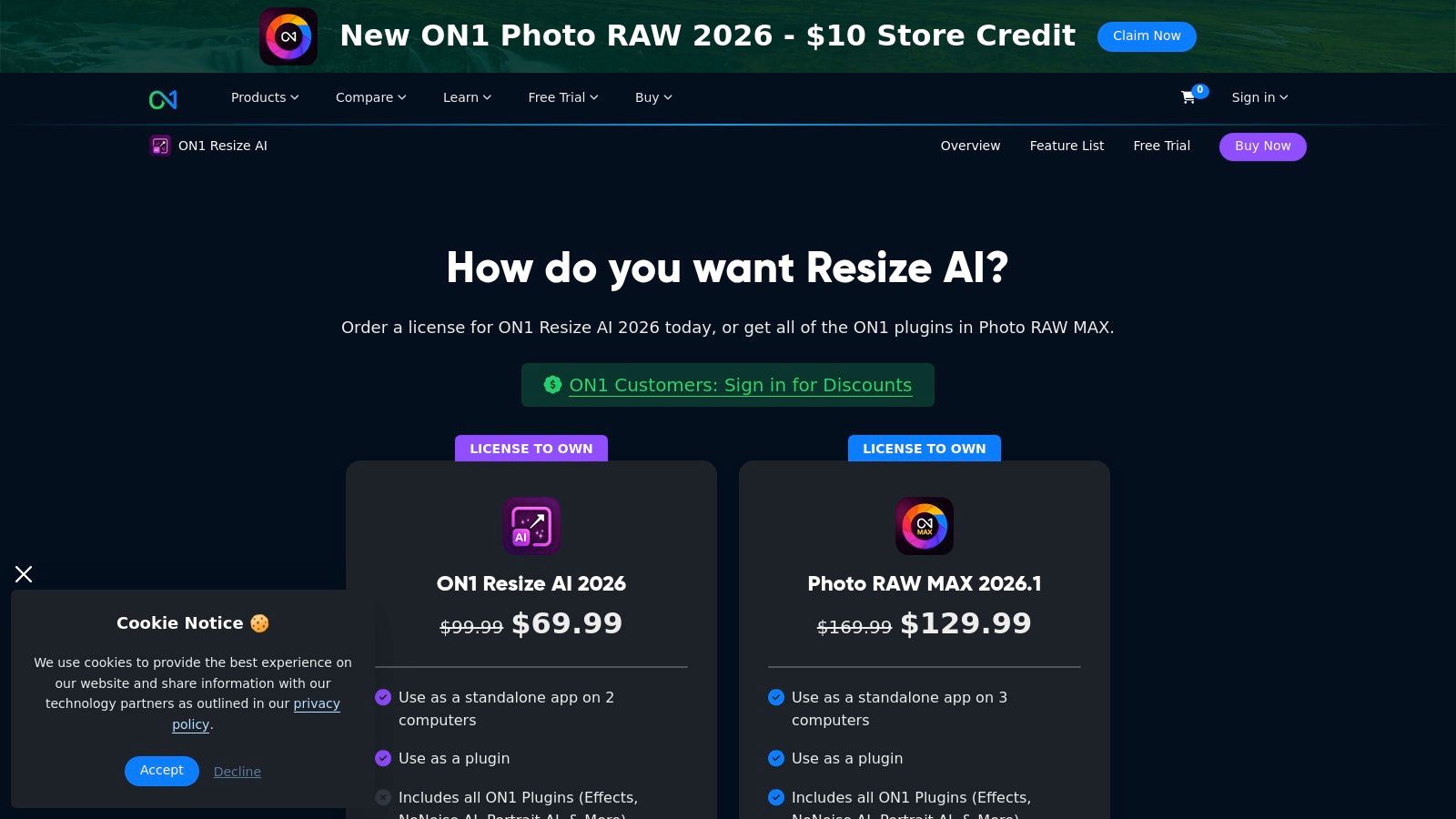
Pricing and Licensing
ON1 offers a perpetual license, a significant draw for users who prefer a one-time purchase over ongoing subscriptions. This model provides long-term value, and the company includes a 30-day money-back guarantee. User reviews sometimes note that the UI can change between major versions, which might require a period of readjustment. In a comparison against subscription-only services, the perpetual license is a major advantage, though new versions require an upgrade fee. For those exploring different payment structures, a look at various alternatives is recommended.
Final Verdict
- Pros: Strong print-specific features, a perpetual license option is available, and it integrates well with the broader ON1 ecosystem.
- Cons: The user interface can undergo significant changes across versions, and some users report occasional artifacts depending on the settings used.
- Website: https://www.on1.com/products/resize-ai/buy/
5. Skylum – Luminar Neo (Upscale AI)
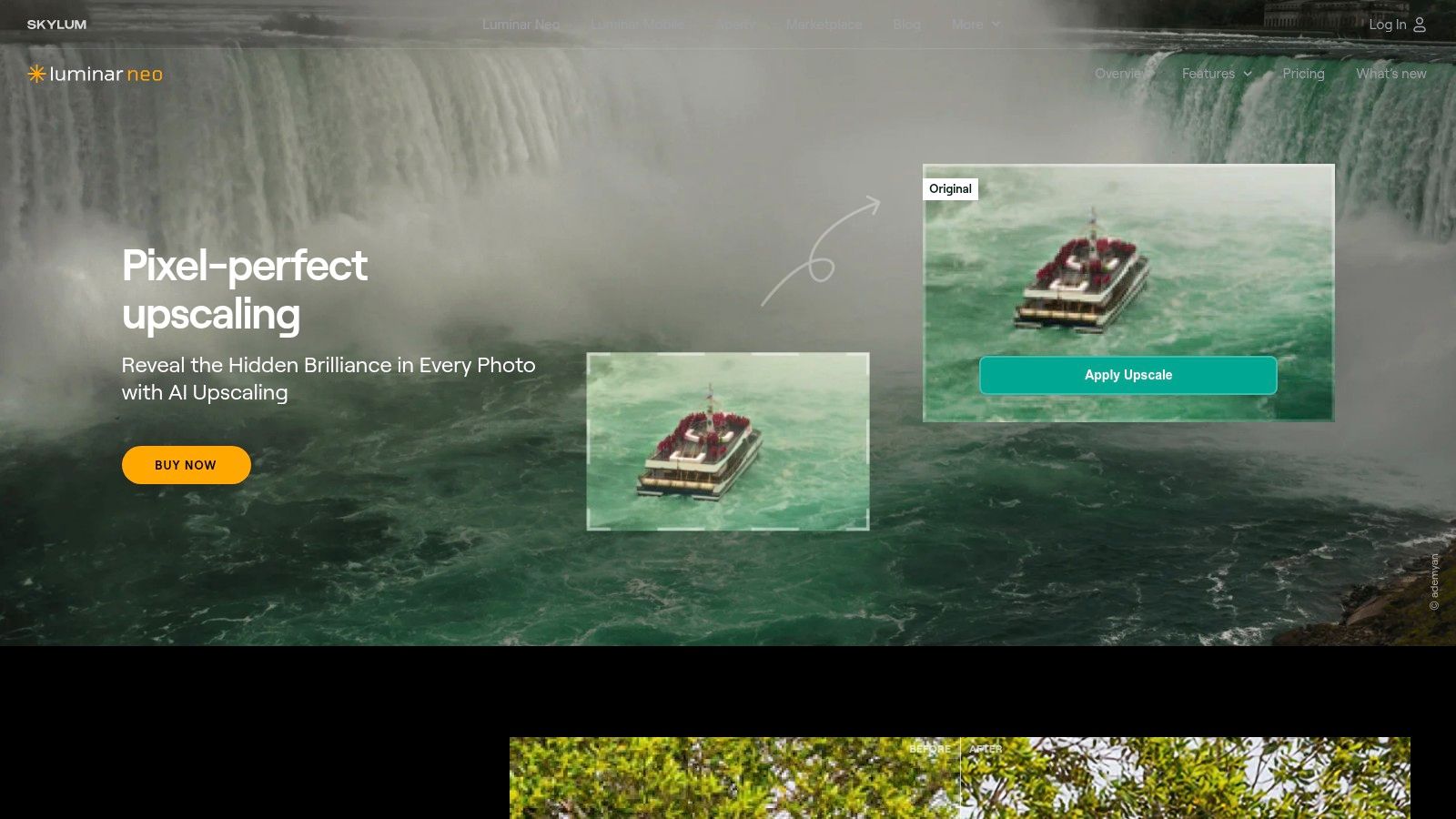
Skylum’s Luminar Neo is not just a dedicated upscaler but a comprehensive AI-powered photo editor that includes a powerful Upscale AI module. This positions it as an excellent choice for photographers and creators who want to enlarge an image as part of a broader editing workflow, rather than using multiple separate tools. Available as a standalone desktop app or a plugin for Photoshop and Lightroom, it streamlines the process of enhancing and enlarging photos in one place.
The primary advantage of Luminar Neo is its integrated nature. You can correct colors, remove noise, apply creative filters, and then use the Upscale AI feature to increase resolution up to 600% without leaving the application. This all-in-one approach is ideal for users who value efficiency and prefer a single ecosystem for their editing needs, making it a strong contender when performing a comparison of full-featured editing suites versus single-task alternatives.
Key Features and Assessment
- Integrated Upscaling: The Upscale AI module is built directly into the Luminar Neo editing workflow.
- Complete AI Editing Suite: Includes a wide range of other AI-powered tools like Denoise AI, Sharpen AI, and background removal.
- Standalone & Plugin: Offers flexibility to work within your existing photo editing software or on its own.
- Creative Assets: Often bundled with presets, skies, and other creative assets to enhance photos further.
Pricing and Licensing
Skylum offers both perpetual licenses and subscriptions, frequently bundled with other creative assets. The perpetual license typically includes one year of updates. It is essential for potential buyers to carefully check the specific package they are purchasing, as promotional bundles and feature inclusions can change. Many user reviews highlight the value of its frequent sales, but also advise confirming that the Upscale AI module is included in the chosen plan before committing.
Final Verdict
- Pros: Excellent value as an all-in-one editor, streamlined workflow for both editing and upscaling, and offers a perpetual license option.
- Cons: Complex and frequently changing pricing bundles require careful review before purchase to ensure the upscaling feature is included.
- Website: https://skylum.com/luminar/upscale-ai
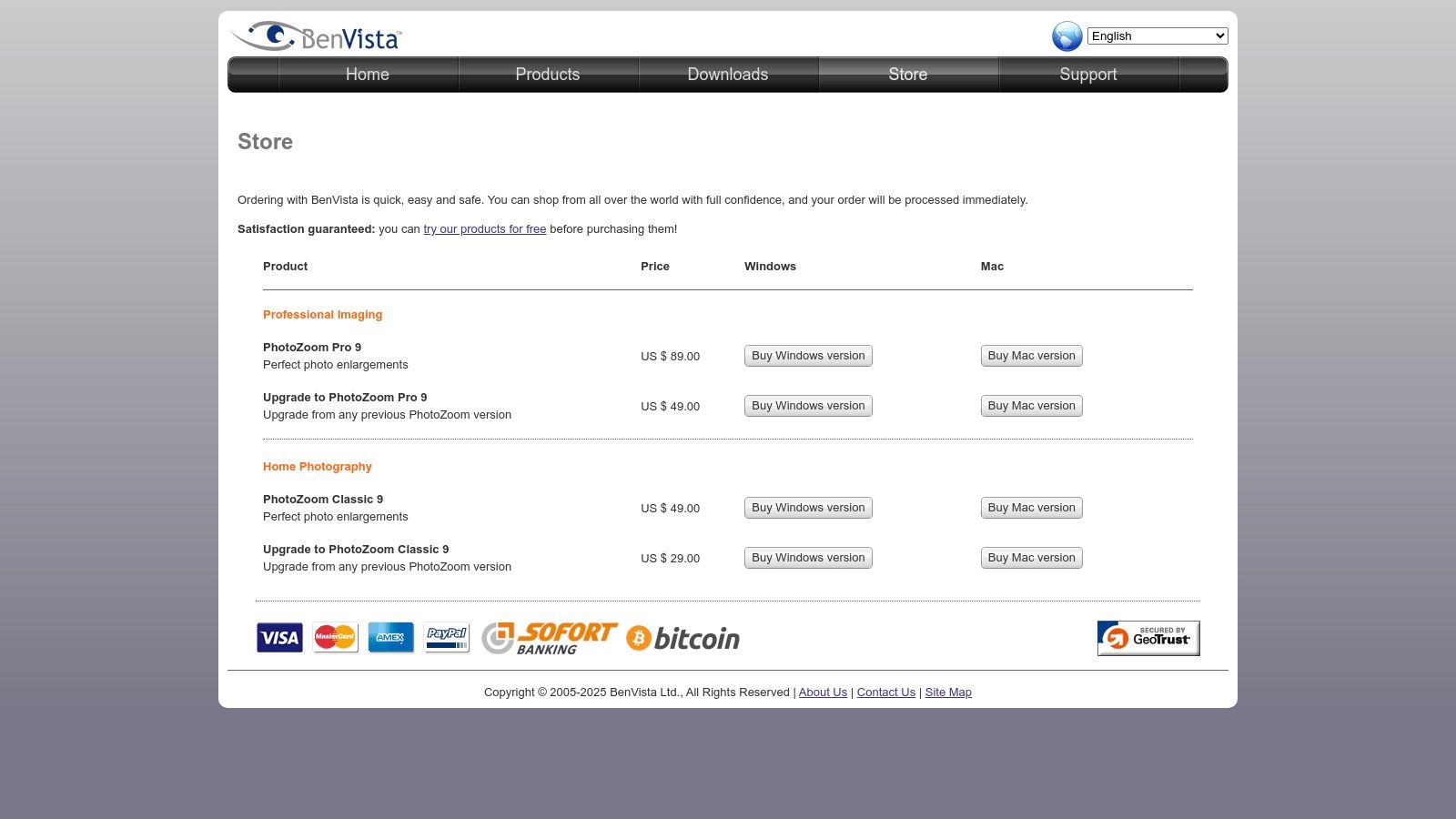
6. BenVista – PhotoZoom Pro
BenVista’s PhotoZoom Pro has been a staple in the print and design industry for years, earning its place as a reliable and specialized tool for image enlargement. Rather than using generative AI, it focuses on its proprietary S-Spline Max interpolation algorithms. This technology is engineered for predictable, high-quality enlargements, giving professional users fine-tuned control over how edges, details, and textures are rendered, which is critical for print finishing and large-format graphics.
It stands out as one of the best image upscaling software choices for studios that value consistency over the creative interpretations of AI. Its strength lies in providing a stable, lightweight, and focused environment for enlarging images without introducing unpredictable artifacts, making it a workhorse for workflows where precision is paramount.
Key Features and Assessment
- Proprietary S-Spline Max: An advanced interpolation algorithm designed to preserve sharp edges and fine details.
- Advanced Control: Offers extensive settings for unsharp masking, artifact reduction, and film grain simulation.
- Batch Processing: Automate the resizing of multiple images with consistent settings, saving significant time.
- Plugin and Standalone: Functions as a standalone application for both macOS and Windows or as a plugin for Adobe Photoshop.
Pricing and Licensing
PhotoZoom Pro operates on a one-time purchase model, which is a significant advantage for users looking to avoid recurring subscriptions. A free trial is available to test its capabilities before committing. When doing a comparison against modern AI-powered tools, the lack of a subscription is a major plus. However, major version upgrades typically require a new purchase. For users who prefer the continuous updates and cloud-based features common in subscription alternatives, you can check out the plans offered by PixelPanda.
Final Verdict
- Pros: Excellent for print-focused workflows needing predictable results, one-time purchase model, and a stable, lightweight application.
- Cons: Lacks the advanced face and object restoration features of newer AI tools; user reviews note the interface feels dated compared to modern apps.
- Website: https://www.benvista.com/store
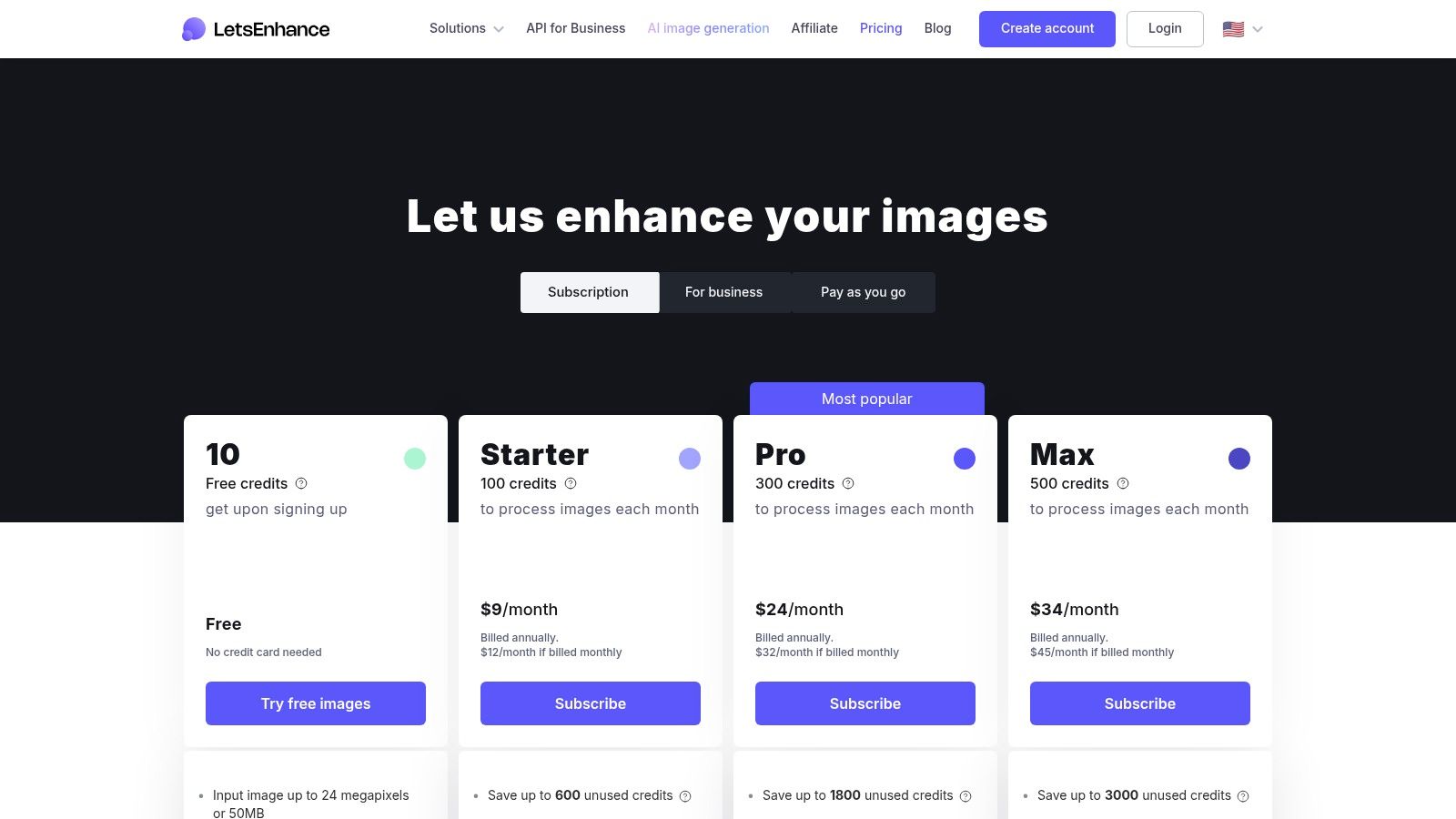
7. Let’s Enhance
Let’s Enhance is a powerful, web-based image upscaler that has carved out a niche in commercial workflows like e-commerce, real estate, and print. Its platform is built around a flexible credit-based system, making it an excellent choice for teams and businesses that need scalable image processing without installing desktop software. The service excels at batch processing, allowing users to apply consistent enhancements across large sets of images using predefined presets.
Its core strength lies in its accessibility and automation capabilities. Unlike many desktop tools, Let's Enhance is entirely cloud-based, facilitating team collaboration and integration into automated pipelines. This makes it a strong contender for the title of best image upscaling software for businesses that prioritize efficiency and scalability over the granular, manual controls found in some professional desktop alternatives.
Key Features and Assessment
- Credit-Based Processing: Offers batch upscaling and presets for common use cases, ideal for high-volume workflows.
- High-Resolution Output: Capable of upscaling to 256 MP on personal plans and an impressive 500 MP on business tiers.
- Flexible Credit Management: Personal plans feature rollover credits (up to 6× the monthly plan amount), a user-friendly policy.
- API for Automation: Provides a robust API for developers to integrate enhancement capabilities directly into their applications.
Pricing and Licensing
Let's Enhance operates on a subscription model where users purchase a monthly or annual allotment of credits. Each image processing action consumes a certain number of credits. While this system is transparent, user reviews often highlight the need to carefully manage credit usage to avoid unexpected costs. In a comparison with one-time purchase alternatives, the recurring billing requires more attention, but it provides continuous access to the latest platform updates without extra fees.
Final Verdict
- Pros: No installation required and is highly scalable for teams, transparent credit rules with rollover on personal plans, and strong API support for automated workflows.
- Cons: Credit management and recurring billing demand oversight, and support responsiveness may be a factor to evaluate for business-critical operations.
- Website: https://letsenhance.io/pricing
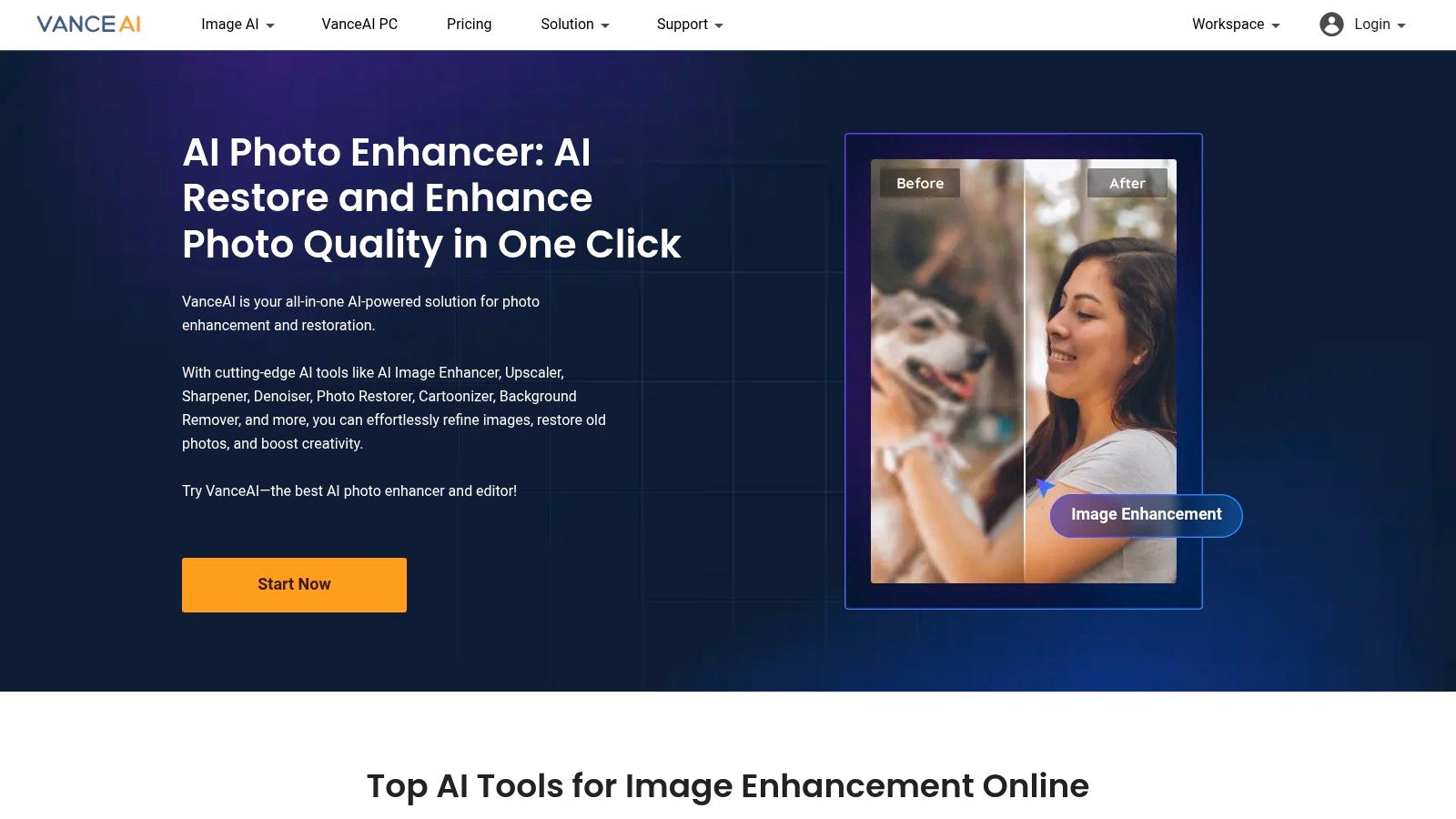
8. VanceAI – Image Upscaler
VanceAI positions itself as a comprehensive suite of AI-powered image processing tools, with its Image Upscaler being a central feature. It offers a highly flexible approach, allowing users to process images directly in their browser using a credit system or through a dedicated desktop application (Windows) that leverages local GPU power. This dual-mode system makes it a versatile choice for users who need both quick online enhancements and high-volume offline processing.
The platform's strength lies in its breadth. Beyond standard upscaling, it provides specialized models for anime, alongside tools for sharpening, denoising, and restoration, all accessible within the same interface. This makes it a one-stop-shop for various image enhancement needs, appealing to users who want a collection of utilities without subscribing to multiple services.
Key Features and Assessment
- Dual Processing Modes: Use the online platform with a credit system or the PC app for unlimited local processing.
- Broad AI Toolkit: Access a wide range of tools for upscaling, sharpening, denoising, background removal, and more.
- API Access: Provides an API for developers to integrate VanceAI's capabilities into their own applications.
- Flexible Credit System: Offers monthly free credits, pay-as-you-go packages, and subscription plans.
Pricing and Licensing
VanceAI's pricing can be complex, as it separates its online credit plans from the desktop software purchase. User reviews often highlight the need to carefully examine the credit rules and plan differences to select the most cost-effective option. The desktop app is a one-time purchase, which is an attractive proposition in comparison to purely subscription-based alternatives. However, the online credits expire, so users must plan their usage accordingly.
Final Verdict
- Pros: Excellent flexibility with both online and local processing, a wide array of tools beyond just upscaling, and various payment options including free monthly credits.
- Cons: The split pricing model between online credits and the desktop app can be confusing, and understanding the credit system requires attention to detail.
- Website: https://vanceai.com
9. Icons8 – Smart Upscaler
Icons8 Smart Upscaler offers a refreshingly direct approach to image enhancement, making it a strong contender for users who need quick, no-fuss results. As a browser-based tool, it prioritizes simplicity with a drag-and-drop interface that gets the job done efficiently. It's particularly well-suited for social media managers, bloggers, and developers who need to quickly upscale JPEGs or PNGs without navigating complex settings.
The platform's standout feature is its straightforward and flexible pricing. It moves away from the often rigid subscription-only models seen in other tools. This makes it a great choice for occasional users who don't want a recurring monthly fee, as well as businesses that require an API for automated, high-volume processing. For anyone looking for a simple, web-based tool, it's one of the best image upscaling software alternatives available.

Key Features and Assessment
- Simple Web Interface: Easy-to-use drag-and-drop functionality for processing images (recommended under 3000×3000 pixels).
- API Access: Provides a developer-friendly API for integrating upscaling into custom workflows and applications.
- Flexible Purchase Options: Choose from subscriptions, prepaid credit packs, or a single unlimited plan.
- Credit Rollover: Unused credits on limited plans can be carried over, offering excellent value for infrequent use.
Pricing and Licensing
Icons8 offers a clear and versatile pricing structure. Users can purchase prepaid credit packs for one-off projects, subscribe to a monthly plan for regular needs, or opt for an unlimited plan for heavy usage. A comparison of user reviews often highlights this flexibility as a major advantage over competitors with stricter subscription models. This model caters to a wide range of users, from individuals to businesses needing bulk processing via the API.
Final Verdict
- Pros: Very clear and simple pricing, fast and easy for small batches, and an available API for automation.
- Cons: Designed for simplicity, so it lacks the advanced expert controls found in dedicated desktop applications.
- Website: https://icons8.com/upscaler
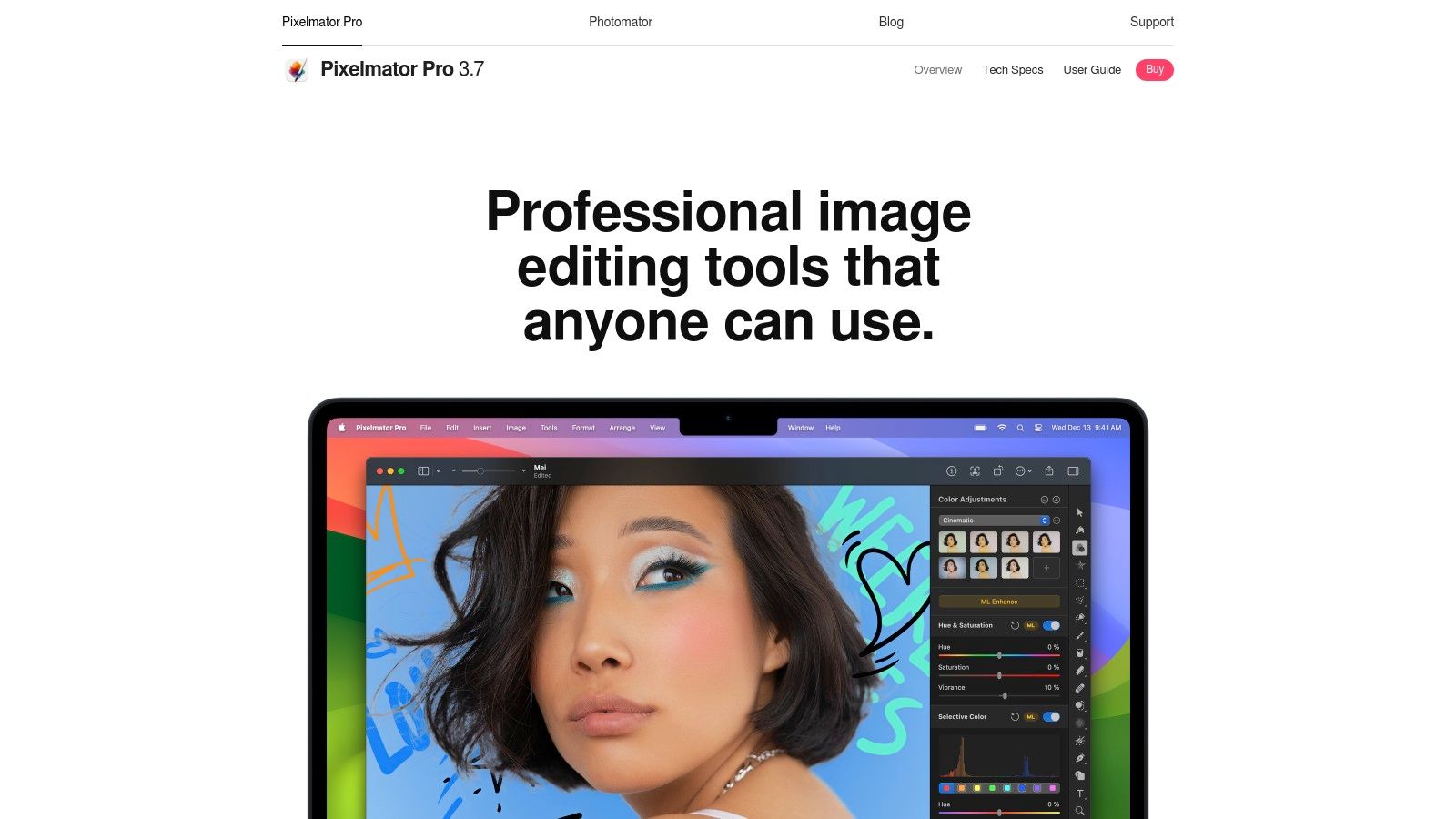
10. Pixelmator Pro (Mac App Store) – Super Resolution
For Mac users seeking a powerful, all-in-one image editor with a built-in upscaler, Pixelmator Pro is an exceptional choice. Rather than a standalone tool, its "Super Resolution" feature is seamlessly integrated into a comprehensive editing suite. This machine-learning-powered function intelligently enhances images up to 3x their original size, making it a fantastic tool for designers and photographers who want upscaling capabilities without leaving their primary editing environment.
The key advantage of Pixelmator Pro is its deep integration with the Apple ecosystem. Optimized for Apple Silicon, it delivers blistering performance on modern Macs. Its presence on the Mac App Store means a simple, one-time purchase, which many user reviews highlight as a major plus in a world of subscriptions. The workflow is incredibly convenient, especially for those who manage their photos in Apple Photos, as Pixelmator Pro works as a direct extension.
Key Features and Assessment
- Integrated ML Super Resolution: Upscale images up to 300% directly within a full-featured, professional image editor.
- Deep macOS Integration: Works as an extension in Apple Photos and leverages core macOS technologies for a smooth experience.
- Apple Silicon Optimized: Engineered to provide outstanding performance and efficiency on M-series chips.
- Simplified UX: The upscaling process is straightforward, using a single-click action to preserve details and reduce noise.
Pricing and Licensing
Pixelmator Pro offers one of the most straightforward and consumer-friendly pricing models in this category. It is available as a one-time purchase from the Mac App Store, which includes all future updates without any recurring fees. This makes for a very compelling comparison against subscription-based alternatives. The license also supports Apple's Family Sharing, allowing multiple users in a household to use the software.
Final Verdict
- Pros: Highly affordable one-time purchase, exceptional performance on Apple hardware, and convenient integration into the macOS ecosystem.
- Cons: Strictly Mac-only, so Windows users are excluded. It also offers fewer specialized upscaling models compared to dedicated tools.
- Website: https://www.pixelmator.com/pro
11. Upscale.media (by PixelBin)
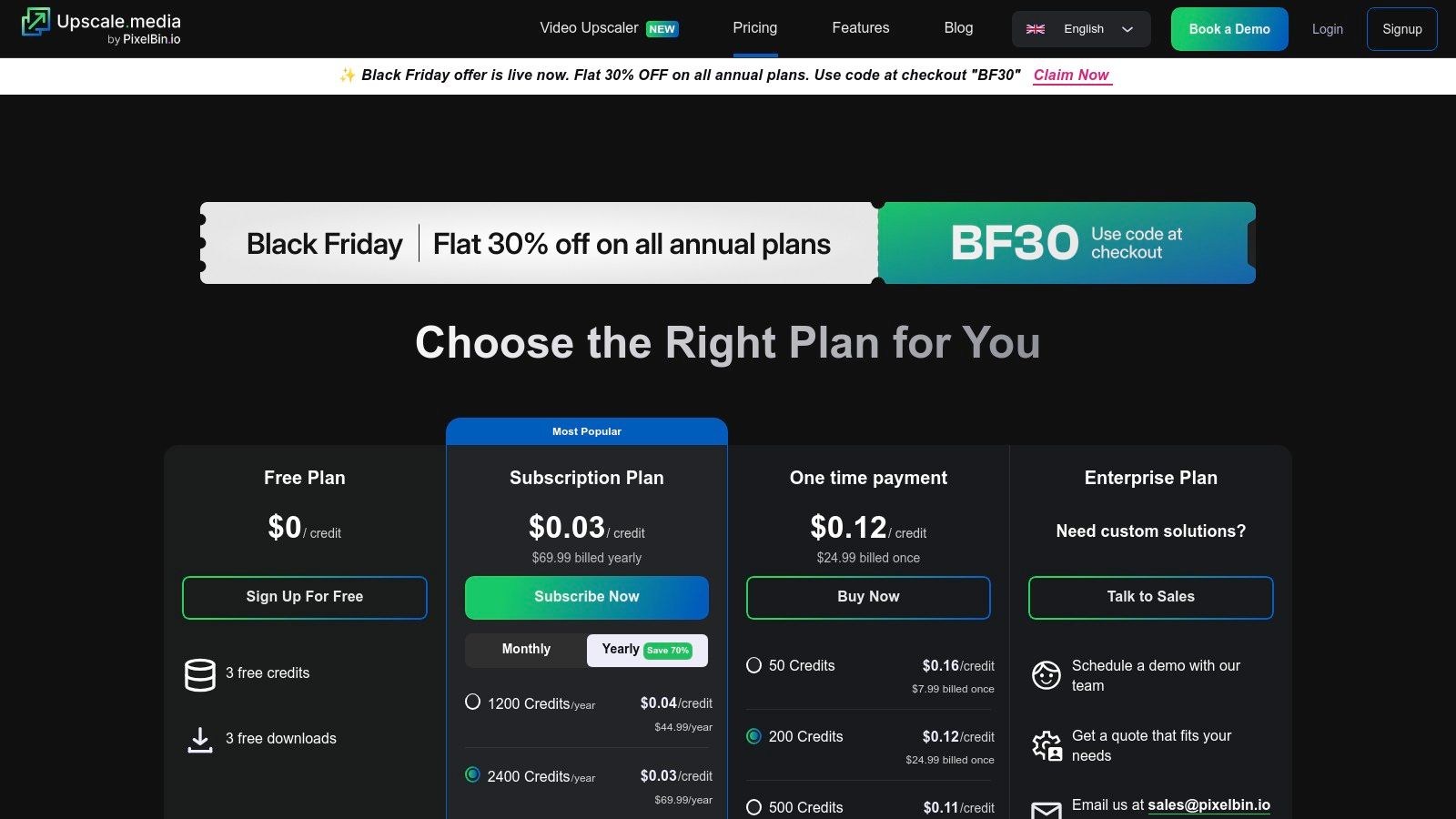
Upscale.media, developed by PixelBin, offers a streamlined and developer-friendly approach to image enhancement. Positioned as a versatile tool for both individual users and high-volume businesses, it provides a simple web interface alongside a powerful API for automated workflows. It excels at making high-quality upscaling accessible through a straightforward credit-based system, eliminating the need for complex software installations.
The platform's standout feature is its integration within the broader PixelBin ecosystem. This allows users to chain multiple transformations together, such as removing a background and then upscaling the result in a single, automated step. This capability makes it a strong contender for e-commerce platforms, developers, and marketing teams who need efficient, multi-step image processing without manual intervention.
Key Features and Assessment
- Credit-Based System: Flexible pay-as-you-go and subscription options cater to sporadic and consistent usage patterns.
- Powerful API: Designed for developers to integrate upscaling and other transformations directly into their applications.
- Bulk Processing & Presets: Automate enhancement for large image batches and chain operations like upscaling with background removal.
- Free Trial: A generous free plan allows users to test the service with a small number of credits before committing.
Pricing and Licensing
Upscale.media operates on a credit model, with options for subscriptions, one-time purchases, and enterprise plans. A key point in any comparison is that credits can be used across PixelBin's suite of tools. User reviews often praise the clarity of the pricing, though it's important to note the strict no-refund policy on subscriptions. We strongly recommend using the free tier to evaluate if the service meets your needs before purchasing credits, especially when considering it against other alternatives.
Final Verdict
- Pros: Excellent for automated, multi-step image workflows; flexible credit plans suit diverse needs, and the API is a huge plus for developers.
- Cons: The no-refund policy requires careful evaluation before purchase; users must plan their credit usage to avoid running out unexpectedly.
- Website: https://www.upscale.media/pricing
12. Cutout.pro – Image Enhancer / Upscaler
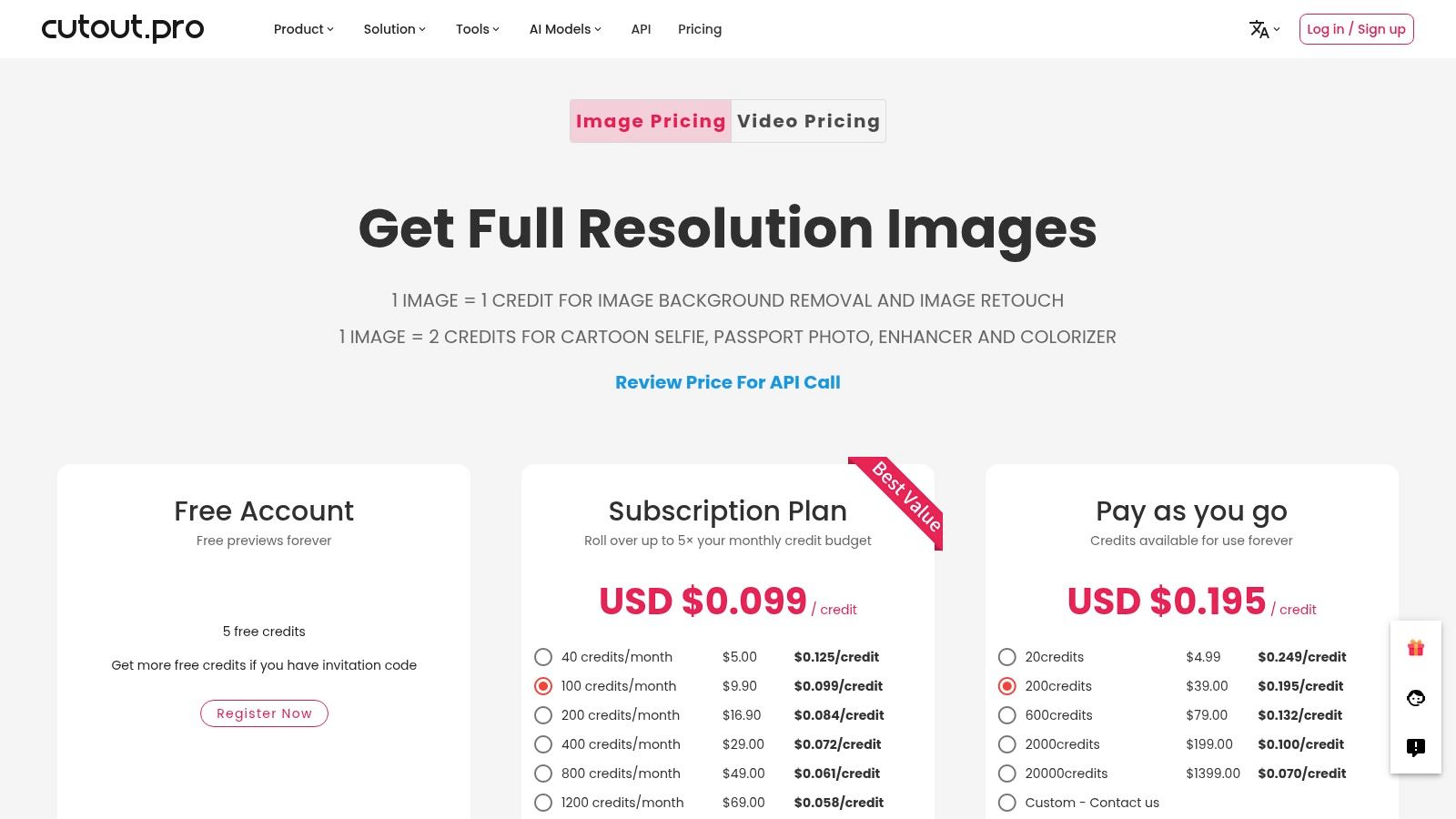
Cutout.pro is more than just an upscaler; it's a comprehensive AI imaging suite where image enhancement is one tool among many. It's designed for users and teams who need a variety of functions, such as background removal, colorization, and retouching, all accessible under a single, unified credit system. This positions it as a versatile platform available via a web console, desktop app, and a developer-friendly API.
Its standout feature is the flexible credit-based system that covers the entire toolkit. Instead of paying for multiple single-purpose tools, users can purchase credit bundles or subscriptions and apply them to various tasks as needed. This approach is highly efficient for workflows that involve more than just upscaling, like preparing product photos for e-commerce, which might also require clean backgrounds. You can see how this compares to dedicated tools by exploring its background removal capabilities.
Key Features and Assessment
- Unified Credit System: One subscription or credit pack grants access to a wide range of AI tools, including the upscaler, background remover, and more.
- Multi-Platform Access: Use the tools via the web interface, a dedicated desktop application, or integrate them into custom workflows with the API.
- Batch Processing: Efficiently upscale multiple images at once, a crucial feature for high-volume tasks.
- Rollover Credits: Subscription credits can roll over, allowing for flexibility in monthly usage (up to 5x the monthly amount).
Pricing and Licensing
Cutout.pro offers both pay-as-you-go credits and monthly subscriptions, catering to sporadic and regular users. A key point in any comparison is that different tools consume different numbers of credits. An upscale or background removal might cost one credit, while more complex operations could cost more. User reviews often highlight the need to plan credit usage carefully, but also praise the value of the large credit bundles for high-volume needs.
Final Verdict
- Pros: An all-in-one solution for multiple AI imaging needs, flexible credit system with subscriptions and pay-as-you-go options, and strong API support for developers.
- Cons: The variable credit cost per tool can be confusing and requires careful management to avoid unexpected depletion.
- Website: https://www.cutout.pro/image-pricing
Top 12 Image Upscalers: Feature Comparison
| Product | Core features & ✨ | Quality (★) | Integration & UX | 👥 Target | 💰 Pricing/value |
|---|---|---|---|---|---|
| PixelPanda 🏆 | Background removal, inpainting, 4× upscaling, face & fur-aware, text-to-image, AI avatar & Fashion Studio ✨ | ★★★★★ | REST API, SDKs, batch, clear docs, demo gallery | 👥 Marketers, e‑commerce teams, devs | 💰 Free (10 credits); $49/$99/$249 tiers |
| Topaz Gigapixel | Dedicated 6× upscaling, multiple specialized models (Face, Art, High Fidelity) ✨ | ★★★★★ | Desktop + cloud, PS/Lr plugins, standalone | 👥 Photographers, designers, artists | 💰 Perpetual/subscription options |
| Adobe (Super Resolution) | One-click 2× linear (4× pixels) within Camera Raw/Lightroom — RAW-aware ✨ | ★★★★☆ | Integrated in Adobe apps (desktop/web/mobile) | 👥 Photographers, print professionals | 💰 Included with Adobe plans (check tiers) |
| ON1 Resize AI | Diffusion-based "Highest Quality" model, face recovery, print export ✨ | ★★★★ | Plugin + ON1 Photo RAW, batch & print-focused UX | 👥 Print studios, pros wanting perpetual license | 💰 Perpetual license available; refunds 30d |
| Luminar Neo (Upscale AI) | Upscale module plus denoise/sharpen/restoration in one editor ✨ | ★★★★ | Standalone + plugin, cross-device bundles | 👥 Enthusiast photographers, creatives | 💰 Perpetual or bundles; promo pricing |
| PhotoZoom Pro (BenVista) | S‑Spline Max interpolation, advanced control for print enlargement ✨ | ★★★★ | Desktop app, lightweight, predictable controls | 👥 Print finishers, studios needing predictable results | 💰 One-time purchase; free trial |
| Let’s Enhance | Web upscaler with presets, batch, API, high-MP outputs ✨ | ★★★★ | Cloud-only, batch & API, credit-based with rollover | 👥 E‑commerce, real estate, teams | 💰 Credit plans; personal/business tiers |
| VanceAI | Upscale, denoise, restore; desktop local GPU mode + cloud credits ✨ | ★★★ | Desktop + web, local processing option | 👥 Casual users, teams needing flexible modes | 💰 Monthly free credits + paid plans/credits |
| Icons8 Smart Upscaler | Fast drag-and-drop web upscaler, simple pricing & API ✨ | ★★★★ | Web UI, API, prepaid/subscription/unlimited options | 👥 Small teams, quick edits | 💰 Prepaid packs, subs, unlimited plan |
| Pixelmator Pro (Mac) | ML Super Resolution up to 3×, Apple Silicon optimized ✨ | ★★★★ | macOS app, Photos integration, one-time App Store purchase | 👥 Mac users, creatives in Apple ecosystem | 💰 One-time purchase (Mac App Store) |
| Upscale.media (PixelBin) | Bulk upscaling, preset chaining (BG remove + upscale), API ✨ | ★★★★ | Web + API, credit/subscription/enterprise options | 👥 Devs, teams testing entry-level scale | 💰 Free tier + paid credit plans |
| Cutout.pro | Multi-tool AI platform (bg removal, retouch, upscaler) with batch ✨ | ★★★★ | Web, desktop, API; shared credit system | 👥 Agencies, teams needing multi-tool suite | 💰 Subscriptions & large credit bundles |
Making Your Final Choice: Which Upscaler Is Right for You?
Navigating the crowded market for the best image upscaling software can be a daunting task. We've journeyed through a comprehensive list of tools, from dedicated desktop applications designed for photographers to highly scalable, developer-focused APIs. This deep-dive comparison reveals a crucial insight: the "best" tool is not a one-size-fits-all solution. Your ideal choice depends entirely on your specific workflow, technical requirements, and long-term business goals.
The detailed reviews in this article have shown that each solution occupies a distinct niche. For creative professionals seeking meticulous, hands-on control for print-quality outputs, standalone software like Topaz Gigapixel or ON1 Resize AI offers unparalleled granular control and sophisticated algorithms. Similarly, for users heavily invested in the Adobe ecosystem, the seamless integration of Super Resolution within Photoshop and Lightroom presents an undeniable workflow advantage.
However, for developers, ecommerce managers, and marketing teams, the decision-making process requires a broader perspective. The real challenge often lies beyond simply increasing pixel count. It involves integrating upscaling into a larger, more complex content production pipeline that includes background removal, color correction, and consistent branding across thousands of assets.
Key Takeaways and Final Considerations
Before making a final decision, consider these critical factors that separate a simple utility from a true business solution:
- Workflow Integration vs. Standalone Tool: Ask yourself if you just need to upscale an image occasionally or if you need to automate a multi-step process for hundreds or thousands of images daily. A standalone tool solves one problem, while an integrated platform solves an entire workflow.
- API and Developer Needs: If your goal is automation or integration into an existing application, the quality and documentation of an API are paramount. Check for robust SDKs, clear documentation, and reliable performance under load. Our reviews of API-first alternatives like Let's Enhance and PixelPanda highlight these distinctions.
- Holistic Feature Set: Does the tool only upscale, or does it offer a suite of complementary features? The ability to handle background removal, object detection, and smart cropping in the same API call can dramatically reduce development time and operational complexity.
- Scalability and Performance: For high-volume use cases like user-generated content moderation or large product catalogs, throughput is everything. Evaluate tools based on their batch processing capabilities and API response times. A tool that is fast for one image may not be practical for one million.
Making the Strategic Choice
Ultimately, selecting the right upscaler is a strategic decision. While desktop software excels at perfecting individual images, the true power for modern businesses comes from programmatic visual media platforms. These systems are not just tools; they are engines for growth, enabling you to scale content creation, reduce manual overhead, and maintain brand consistency effortlessly.
Our extensive comparison of these top-tier alternatives shows that for businesses needing more than a simple upscaler, an integrated platform like PixelPanda offers the most compelling value. It was engineered to address the entire visual workflow, not just a single, isolated step. By combining state-of-the-art 4x upscaling with a full arsenal of production-ready editing tools, it provides a comprehensive, scalable, and efficient solution. If your objective is to streamline operations and unlock new levels of content velocity, the choice becomes clear. We encourage you to analyze our reviews, assess your unique needs, and select the software that empowers your long-term vision.
Ready to move beyond single-task tools and embrace a complete visual automation platform? See how PixelPanda can transform your entire image workflow with our suite of powerful, developer-friendly APIs. Explore our solutions and start building for scale at PixelPanda today.