Think of product catalog management software as the central command center for all your product information. It acts like an orchestra conductor, making sure every detail—from descriptions and prices to images and SKUs—plays in perfect harmony across all your sales channels. Whether it's your own website, a marketplace like Amazon, or a social media shop, this system keeps everything in sync.
Unpacking Product Catalog Management Software

At its heart, this kind of software is built to be the single source of truth for creating, storing, enriching, and distributing product data. It’s the antidote to the chaos of managing countless spreadsheets, scattered image folders, and inconsistent product descriptions that often plague growing e-commerce businesses.
Instead of the mind-numbing task of updating product details one by one on each platform, you make changes once in the central system, and it automatically pushes those updates everywhere. This is a game-changer for maintaining accuracy and consistency.
Imagine launching a new product line. Without a unified system, your marketing team might accidentally use old images while the e-commerce team lists the wrong price on your Shopify store. These kinds of mistakes don't just confuse customers; they can directly hit your sales and erode brand trust.
The Problem It Solves
The biggest challenge this software tackles is data fragmentation. As businesses expand their product lines and sell across more channels, information gets trapped in different places—or "siloed." This inevitably leads to inefficiencies, frustration, and costly mistakes.
A dedicated platform fixes this by giving you the tools to:
- Standardize data from various sources, like supplier feeds and internal ERP systems.
- Enrich product listings with compelling descriptions, detailed specifications, and high-quality media.
- Automate distribution to multiple channels, ensuring every customer touchpoint has the correct, up-to-date information.
The growing need for such organized systems is clear from the market trends. The global Product Catalogue Management Software market was valued at around $3.2 billion in 2023 and is projected to hit $7.5 billion by 2032, growing at an impressive 10.2% annually. This isn't just a niche tool anymore; it's becoming a business necessity.
A robust product catalog is no longer just a list of items for sale; it's the foundation of the entire customer experience. Getting it right means faster time-to-market, fewer product returns, and a more professional brand image.
Core Functions and Key Benefits at a Glance
Before we get into the nitty-gritty features, let’s quickly break down what these systems do and why it matters. This table gives a high-level look at the core functions and the direct business value they provide.
| Core Function | Primary Business Benefit |
|---|---|
| Centralized Data Repository | Establishes a single source of truth, eliminating inconsistencies and errors. |
| Data Enrichment & Validation | Improves product data quality, leading to better customer experiences and fewer returns. |
| Multi-Channel Syndication | Automates the distribution of product info to all sales channels, saving time and effort. |
| Digital Asset Management (DAM) | Organizes and links images, videos, and documents to products for easy access. |
| Workflow & Collaboration Tools | Streamlines the process of creating and approving product content across teams. |
In short, this software brings order to the potential chaos of managing product information.
Ultimately, the goal is to make sure accurate and compelling information reaches your customers, which is a fundamental requirement for modern commerce. At its core, this software is designed to be a central hub, which is why discussions around how product catalog software that integrates data is so essential for a connected business are more relevant than ever.
2. A Look Under the Hood: Core Features and Architecture

To really get why product catalog management software is such a big deal, we need to pop the hood and see what makes it run. Don't think of it as just another spreadsheet or database. It’s more like the central nervous system for your entire e-commerce operation, connecting raw data to every channel and turning it into a compelling customer experience.
These systems are built to solve the most tedious, error-prone problems that bog down marketing and e-commerce teams every single day. They take the soul-crushing, manual work out of the equation and replace it with smart, automated processes. This frees up your people to think about strategy and growth instead of just plugging holes in data.
The Engine Room: Must-Have Features
At the heart of any solid catalog management platform, you'll find a set of tools designed for one thing: handling product information at scale, and with precision. These aren't just bells and whistles; they're the foundational features that save you from headaches and costly errors.
Let's break down the essentials.
-
Robust Data Import and Export: This is your data's gateway in and out of the system. A great platform makes it simple to pull in data from anywhere—supplier spreadsheets, your ERP, manufacturer files—and then push it out in the exact format needed for channels like Amazon, Shopify, or Google Shopping. No more manual reformatting.
-
Bulk Editing Capabilities: Imagine you need to update the price on 500 different products for a flash sale. Doing that one by one is a recipe for disaster (and a very long night). Bulk editing tools are a lifesaver, letting you apply changes to thousands of SKUs at once using simple rules and filters. What used to take days now takes minutes.
-
Integrated Digital Asset Management (DAM): A DAM is basically a super-organized library for all your product media. It’s where you store photos, videos, 360-degree views, and spec sheets, all linked directly to the right product. When you update an image in the DAM, it updates everywhere that product is shown. No more broken image links or outdated visuals haunting your product pages.
-
Workflow Automation and Collaboration: This feature brings some much-needed order to the chaos of content creation. You can build simple, automated workflows. For example, a new product description from a copywriter can automatically route to a manager for review, then to the legal team for a final check-off, all before it ever sees the light of day. It ensures consistency and accountability.
Picking Your Foundation: The Architectural Models
Just as important as the features is the architecture the software is built on. How it's hosted and structured has a huge impact on cost, scalability, and how much technical heavy lifting your team has to do. There are really three main ways these systems are set up.
Choosing the right architecture is like deciding between building a custom home, renting a fully furnished apartment, or using a flexible, modular building system. Each has its pros and cons depending on your budget, technical know-how, and where you see your business going.
1. On-Premise
This is the old-school approach: you buy the software license outright and install it on your own servers. The big plus is you have total control over your data and security. The downside? It requires a hefty upfront investment and a dedicated IT team to handle all the maintenance, updates, and security patches.
2. Cloud-Based (SaaS)
Software-as-a-Service is, by far, the most popular model today. You pay a monthly or annual subscription, and the provider handles everything—the hosting, the updates, the security. It’s a much lower upfront cost, scales easily as you grow, and lets you focus on using the tool, not managing it.
3. Headless (API-First)
In a headless setup, the back-end "body" (where you manage all the data) is completely separate from the front-end "head" (what the customer sees). This API-first approach gives you ultimate flexibility. Your developers can pull product data and push it to literally any touchpoint—a website, a mobile app, an in-store kiosk, or even a smart mirror. It’s the go-to choice for complex, omnichannel businesses that need a truly custom experience.
Every one of these features and architectural models plays a critical part in building a product information ecosystem that can actually keep up with the speed of modern commerce.
How to Choose the Right Software for Your Business
Picking the right product catalog management software is a whole lot more than just a line item in your budget. It's a strategic move that will directly affect your team's efficiency and how fast you can grow. The right platform isn't just a digital filing cabinet for your products; it's the engine that powers your entire commerce operation, from your website to marketplaces and beyond.
The real challenge is looking past the shiny feature lists. A slick user interface is great, but it’s worthless if the system crashes during Black Friday or can’t talk to the other tools you depend on every single day. You're not just buying software—you're looking for a partner that can solve your specific operational headaches and pave the way for future growth.
Define Your Core Requirements
Before you even think about watching a demo, you need to look inward. The first, most important step is to map out exactly what problems you need to solve and what your absolute non-negotiables are. This internal audit is the foundation of your entire evaluation process.
A good way to kick this off is by getting your team together and asking some tough questions:
- Scalability Needs: If our product catalog doubles in size next year, will this software keep up? Can it handle the massive surge in traffic and data updates during peak season without grinding to a halt?
- Integration Capabilities: How well does this play with others? We need it to connect flawlessly with our ERP for inventory counts, our Shopify store for sales data, and our CRM to understand our customers.
- Ease of Use: Is this actually intuitive for the people who aren't developers? A tool can be incredibly powerful, but if your marketing and merchandising teams find it too complicated for their daily tasks, it's a failure.
Answering these questions upfront gives you a clear scorecard to measure every potential solution against.
The Critical Role of Image Automation
In today's e-commerce world, let's be honest: your product images are the product to your customers. They are your single most powerful sales tool. But managing them at scale can quickly turn into a soul-crushing operational nightmare. That’s why robust image automation isn't a "nice-to-have" anymore—it's an absolute must.
When you're evaluating a product catalog management software, dig into its image-handling features. Get specific with vendors and ask them about their capabilities for:
- Automated Background Removal: The power to instantly generate clean, professional product cutouts for thousands of images without a single click in Photoshop.
- Intelligent Resizing and Cropping: A system smart enough to automatically create the perfect image specs for every single channel, from Amazon's specific aspect ratios to the square format needed for your Instagram feed.
- AI-Powered Tagging and Organization: Using AI to automatically add relevant tags to images makes them instantly searchable and easy to find, saving your team hundreds of hours of manual, tedious work.
These features have a direct, immediate impact on your team's productivity and how quickly you can get new products to market. The market for these systems is blowing up for a reason. Valued at USD 2.14 billion, the global Catalog Management System market is on track to hit around USD 3.96 billion by 2030. A huge chunk of that growth is coming from businesses demanding smarter automation. You can find more details about this market growth on grandviewresearch.com.
Making the Final Decision
Once you have a shortlist of contenders, it’s time to get your hands dirty. Schedule personalized demos and make sure to bring the people who will be living in this software every day. This is your chance to ask the hard, scenario-based questions.
Don't just sit through the standard sales pitch. Go in with a list of your most common and frustrating workflows, and make the vendor show you exactly how their platform would solve them.
To help guide your final evaluation, here’s a practical checklist to keep in your back pocket.
Software Evaluation Checklist
This table breaks down what you should be looking for as you compare your final options.
| Evaluation Criteria | What to Look For | Why It Matters |
|---|---|---|
| Data Governance | Role-based user permissions, version history, and approval workflows. | This prevents unauthorized changes and ensures your product data stays accurate and consistent across all teams. |
| Vendor Support | Responsive technical support, a dedicated account manager, and clear, easy-to-find documentation. | A strong support system is your safety net. It's crucial for a smooth setup and for solving problems down the road. |
| Total Cost of Ownership | Look beyond the monthly fee to implementation costs, training, and any potential add-ons. | You need to understand the full financial picture to avoid sticker shock later. Check out different pricing models and what they include to get a feel for the market. |
Ultimately, choosing the right software is about finding the best fit for your business's unique DNA. By focusing on your core needs, prioritizing game-changing functions like image automation, and conducting a really thorough evaluation, you can confidently pick a solution that will be a true catalyst for your growth.
Mastering Integration and Implementation
https://www.youtube.com/embed/WXsD0ZgxjRw
Even the most powerful product catalog management software is just an isolated island of data until it’s plugged into your other business-critical systems. A successful rollout isn’t about just installing a new tool; it's about weaving it into the very fabric of your operations to create a truly connected ecosystem. The real goal is to build automated data highways between platforms, finally getting rid of the slow, error-prone manual work that drains your resources.
This process is what turns the software from a simple database into the central hub of your entire commerce strategy. When your catalog can talk fluently with your other tools, you unlock a new level of efficiency and accuracy that’s just impossible to reach with siloed systems.
The Role of APIs in Building a Connected Ecosystem
Think of an Application Programming Interface (API) as a universal translator and messenger for your software. It’s the behind-the-scenes magic that lets completely different systems—like your ERP, CRM, and e-commerce storefront—communicate, share data, and trigger actions in each other without anyone lifting a finger.
For example, when your product team updates inventory levels in the ERP system, a well-configured API instantly sends that new number to your catalog software. The catalog then automatically pushes the update to your Shopify and Amazon listings. This seamless flow means your stock levels are always accurate everywhere, which stops you from overselling and disappointing customers.
Key API-driven connections usually include:
- ERP Systems: For syncing inventory, pricing, and supplier information.
- CRM Platforms: Linking product data to customer purchase histories for better personalization.
- E-commerce Platforms (Shopify, Magento): Pushing updated product descriptions, images, and attributes directly to your storefront.
- Marketing Automation Tools: Supplying accurate product details for email campaigns and ads.
The power of a modern product catalog management system lies in its ability to listen and respond. APIs are the ears and mouth of this system, ensuring it hears changes from one platform and speaks the right language to another.
The process of choosing and implementing software really boils down to three core pillars: scalability, integrations, and intelligent automation like Image AI.
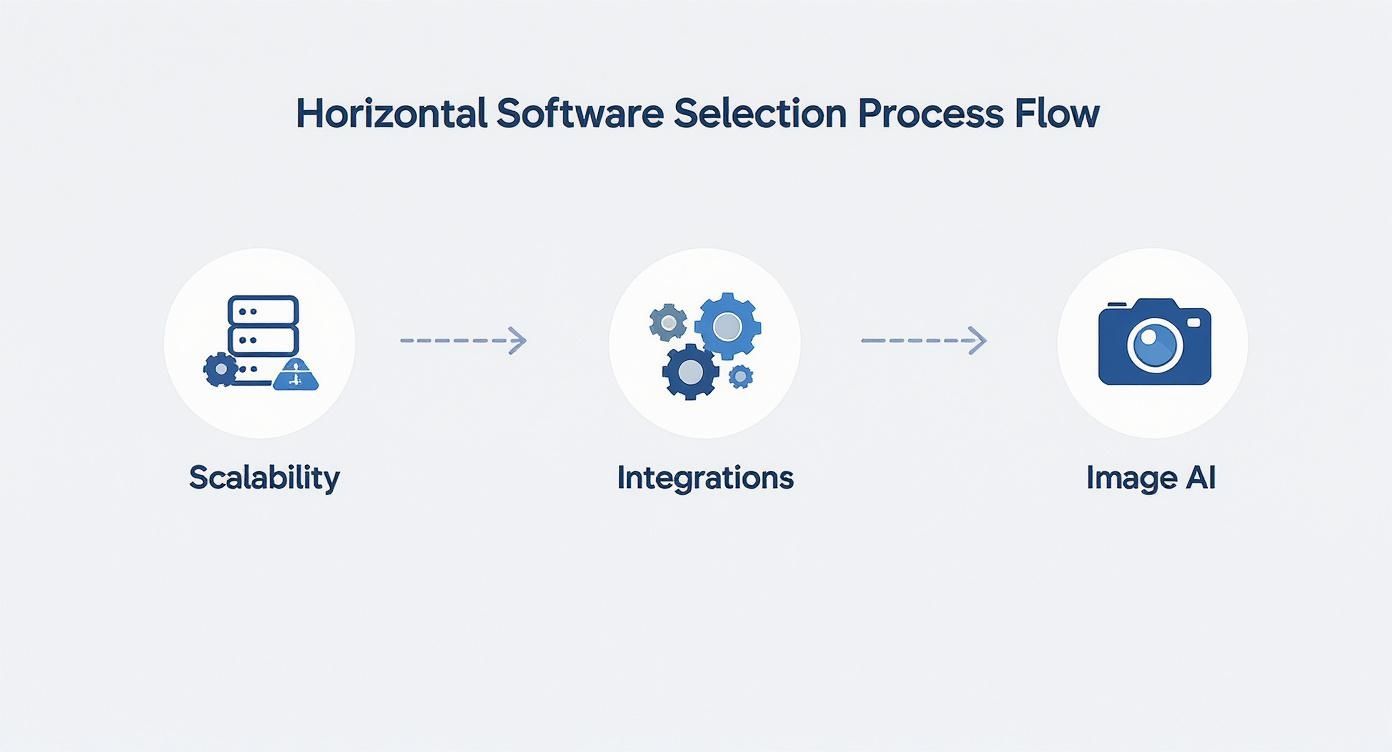
As you can see, powerful integrations aren't just an add-on; they are a foundational piece for any system that's truly built for growth.
A Practical Implementation Roadmap
A smooth rollout doesn't happen by accident—it takes a clear, phased plan. While every business is unique, a typical implementation follows a structured path to minimize disruption and maximize value from day one. Breaking it down into manageable stages helps you set realistic timelines and ensures your team is ready for the transition.
For developers looking to build custom connections, reviewing the API documentation is a critical first step. You can explore how our API works and see what’s possible by visiting the PixelPanda developer hub.
Here's a common four-step roadmap for getting your new system live:
-
Discovery and Planning: This is where it all starts. You'll do a deep dive into your existing data structures, workflows, and pain points. In this phase, you define the project scope, identify key people from different departments, and map out exactly which systems need to talk to each other.
-
Data Migration and Cleansing: Be prepared, as this is often the most intensive step. It involves pulling product data from all its current sources (like spreadsheets and old databases), cleaning it up to remove duplicates and fix errors, and then importing it into the new catalog software in a standardized format.
-
Integration and Configuration: Now the technical work begins. Your team or implementation partner will set up the APIs to connect the catalog software with your other platforms. This means establishing the automated workflows, defining the data mapping rules, and rigorously testing every connection to make sure data is flowing correctly.
-
Team Training and Go-Live: The final stage is all about empowering your users. You’ll hold comprehensive training sessions for your marketing, e-commerce, and product teams so they feel comfortable with the new system. After one last round of testing, you flip the switch and go live, with ongoing support ready to handle any questions that pop up.
Real-World Use Cases and Measurable ROI
Theory is great, but what really matters are the results you can see and measure. The true power of product catalog management software shines when you see it solve messy, real-world business problems and deliver a clear return on investment (ROI). It's the operational engine that helps all sorts of companies get their act together and actually grow.
Let’s step away from the feature list and look at the real-world impact. We can see its value in action everywhere, from the fast-paced world of retail to the highly detailed field of manufacturing.
From Fashion Retail to B2B Manufacturing
Think about a fast-fashion brand trying to launch a new collection every season. Before they had a proper catalog system, their team would spend weeks manually updating thousands of product listings across their website, app, and various social media storefronts. It was a slow, painful process that led to pricing mistakes, mismatched images, and products hitting the market late. They were consistently missing out on that initial sales buzz.
Once they brought in a centralized platform, everything changed. They could:
- Update entire collections with a single click, pushing all the changes to every sales channel at the same time.
- Slash their time-to-market for new products by an average of 65%.
- Cut data entry errors by over 90%, which meant customers saw the right information every time.
Now, imagine a B2B manufacturer that makes industrial parts. Their problem was different, but just as serious. They had to give their distributors incredibly precise, constantly updated technical specs and compliance documents. Relying on a chaotic mess of spreadsheets and PDFs was a recipe for disaster, causing wrong orders and ticking off their partners.
A solid catalog system gave them one single source of truth for all that technical data. Distributors could suddenly log into a portal and get accurate, real-time information, which dramatically cut down on order mistakes and made for much happier partners.
A strong product catalog is the foundation for an effective online presence. It ensures that every product is presented accurately and consistently, no matter where a customer discovers it.
A well-oiled product catalog system is the bedrock of any successful digital shelf strategy and optimization, making sure your products look their best everywhere online.
Calculating the Tangible Business Value
The ROI you get from this kind of software isn't just about feeling more organized; it's about hard numbers that hit the bottom line. There's a reason the market for these tools is booming—the value is crystal clear. The Catalog Management System Market is on track to be worth USD 1.9 billion in 2025 and is expected to more than double to USD 4.2 billion by 2035. That kind of growth only happens when businesses see real financial returns. You can dig into these market trends on futuremarketinsights.com.
So, how do you measure that return? Here are the key metrics:
- Increased Team Productivity: Automating all that manual data entry often frees up hundreds of employee hours every month. Your skilled people can stop fixing spreadsheets and start focusing on big-picture work like marketing, merchandising, and product innovation.
- Reduced Product Return Rates: When your product descriptions, specs, and images are consistently accurate, customers know exactly what they’re getting. This clarity leads directly to fewer returns, saving you a fortune in shipping and restocking fees.
- Faster Time-to-Market: Just like our fashion retailer example, getting products live on your site faster means you start making money sooner. In a competitive market, that speed can be the difference between being a leader and always playing catch-up.
At the end of the day, putting money into product catalog management is an investment in your company’s operational backbone. It pays you back with huge gains in efficiency, better accuracy, and a much smoother experience for your customers.
Enhancing Your Catalog with Automated Image Workflows
In e-commerce, product images aren't just decorative fluff; they are the product in the customer's mind. High-quality, consistent visuals are what drive buying decisions. Yet, for most teams, managing these images at scale quickly spirals into a massive operational headache, bogging down the entire process of getting products to market.
This is precisely where automated image workflows change the game.
Instead of getting lost in the endless loop of manual photo editing, you can plug modern solutions directly into your product catalog management software to handle the most time-consuming tasks. This turns a slow, mistake-ridden process into a highly efficient production line for perfect product visuals.

AI-powered tools are built to automate these exact workflows, offering specialized functions like background removal and upscaling that are absolutely vital for creating clean, professional product listings at scale.
From Manual Drudgery to Automated Excellence
Think about what it takes to get just one product ready for five different sales channels. Instagram wants a square crop, Amazon demands a specific aspect ratio, and your own website needs a high-resolution version for the zoom feature. Now, multiply that by hundreds or thousands of products. Manually creating every single variation isn't just inefficient—it’s a colossal drain on your creative team’s time and energy.
Automated image workflows tackle these repetitive jobs in an instant, making sure every image is perfectly tailored for its destination. This automation typically covers a few key areas:
- Background Removal: Instantly strips away cluttered backgrounds and replaces them with the clean, white backdrop required by most online marketplaces. This creates a professional, uniform look across your entire catalog.
- Smart Cropping and Resizing: Takes a single master image and automatically generates all the different versions you need, perfectly formatted for every channel’s unique specs.
- Color Correction: Guarantees that product colors are true-to-life and consistent across all your photos, which helps cut down on customer confusion and costly returns.
- Image Upscaling: This is a lifesaver. It sharpens lower-quality images, making them crisp and clear enough for detailed zoom views without forcing you to do a costly reshoot. If you’ve ever struggled with pixelated source images, you can see exactly how this works with an AI-powered image upscaling demo.
By automating visual production, teams can finally stop spending their days on repetitive editing and start focusing on strategic merchandising. The real goal is to hit a level of quality and consistency that doesn't just save time but actively drives more sales.
PixelPanda as a Complementary Solution
This is where specialized tools like PixelPanda come in. Think of them as a powerful extension for your main product catalog management software, laser-focused on visual automation. By integrating a solution like this through its API, you create a seamless pipeline. New product photos are automatically processed, perfected, and then linked to the right SKU in your catalog without anyone lifting a finger.
This approach gives your team the power to generate thousands of professional, on-brand product photos in minutes, not weeks. It’s about more than just being efficient; it’s about elevating your brand’s entire visual identity and ensuring every customer touchpoint is polished and compelling. This kind of automation transforms your product catalog from a simple database into a dynamic, visually stunning sales machine.
Frequently Asked Questions
Jumping into the world of product data management can feel overwhelming, and you've probably got questions. We've compiled some of the most common ones we hear to give you clear, straightforward answers and help you feel more confident about your next steps.
What’s the Difference Between PIM and Product Catalog Management?
It's easy to get these two mixed up, but the distinction is pretty important. Think of a Product Information Management (PIM) system as your company's master product library. It’s the central vault for everything—we’re talking supply chain specs, logistics data, internal part numbers, marketing copy, and technical details. It's the one true source of all product information for the entire organization.
Product catalog management software, on the other hand, is much more focused on the customer experience. It pulls the relevant, customer-facing information from the PIM (or wherever it lives) and gets it ready for prime time. Its job is to shape that data into compelling, accurate catalogs for specific sales channels, whether that's your e-commerce site, an Amazon storefront, or a social media shop.
So, in short: PIM manages the raw data, while catalog management crafts the final presentation.
How Long Does It Take to Implement a New Catalog System?
This is a classic "it depends" scenario, but I can give you some real-world context. For a small business with a few hundred products and well-organized data, you could be up and running in a few weeks. But for a large enterprise juggling a massive, messy catalog and needing to connect to multiple other systems, the timeline is more likely to be in the three to nine-month range.
The biggest factors that will stretch or shrink your timeline are:
- Data Quality: If your data is a mess, a lot of time will be spent cleaning, standardizing, and mapping it before you can even start. This is often the biggest bottleneck.
- Integration Complexity: Hooking the new system into your existing ERP, CRM, and e-commerce platforms requires careful planning and thorough testing.
- Team Resources: Having a dedicated internal team ready to work with the software vendor can make a world of difference and seriously speed things up.
Can This Software Help with My SEO Efforts?
Absolutely. In fact, it's one of the most underrated benefits. High-quality, consistent, and rich product data is the bedrock of good e-commerce SEO, and this is where a catalog management system shines.
By centralizing your data, you can finally enforce SEO best practices across your entire product line. Imagine standardizing all your product titles, automating unique meta descriptions, and making sure every single image has descriptive alt-text. These aren't just small tweaks; they are crucial ranking factors.
It's also a powerful tool for fighting duplicate content penalties. Instead of just copying and pasting descriptions everywhere, you can create unique product feeds for each channel. This tells Google that every listing offers unique value, making your whole catalog far more attractive to search engines and, ultimately, to your customers.
Ready to supercharge your product visuals and eliminate manual editing? PixelPanda integrates seamlessly with your workflow, providing AI-powered image automation that delivers studio-quality results in seconds. Explore the possibilities and start your free trial today.